Top 10 ITSM Change Management Best Practices

ITSM change management best practices are a set of structured methods for planning, approving, and deploying changes to IT infrastructure, services, and configuration items while minimizing service disruptions and unplanned downtime. According to Gartner, 80% of unplanned downtime is caused by people and process issues, most of which trace back to undisciplined change processes. This guide covers ten proven practices grounded in ITIL 4 change enablement principles, with specific guidance on operationalizing each through CMDB-driven dependency mapping and automated workflows.
What Is ITSM Change Management?
ITSM change management is a structured process for controlling additions, modifications, and removals to IT systems, services, and infrastructure in a way that minimizes service disruption and operational risk. It covers everything from minor configuration tweaks to full platform migrations.
The goal is straightforward: implement changes that improve IT services while avoiding the unplanned downtime, audit failures, and cascading incidents that poorly managed changes cause. Every change follows a defined lifecycle – request, assessment, approval, implementation, and review – and nothing moves to production without proper evaluation.
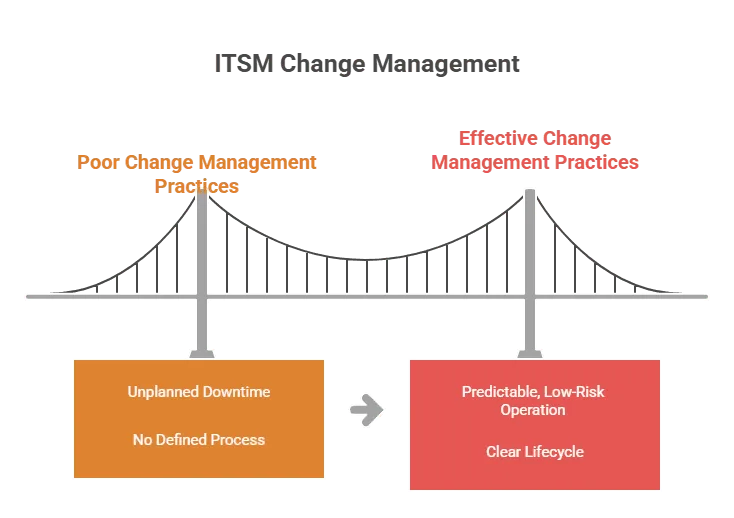
When done well, ITSM change management best practices convert what was once the leading source of outages into a predictable, low-risk operation.
How Does Change Management Differ from Change Enablement in ITIL 4?
ITIL 4 renamed “change management” to change enablement to reflect a fundamental shift in philosophy. Traditional change management often acted as a gatekeeper, slowing deployments with heavyweight approval queues regardless of actual risk. Change enablement matches oversight to risk: automate low-risk changes, apply rigorous review only where it genuinely matters.
The core activities remain the same: logging changes, assessing impact, obtaining approvals, and reviewing outcomes. The mindset change is what matters. ITIL 4 change enablement pushes teams to remove bureaucratic friction from routine changes so that governance energy concentrates on changes that actually carry material risk to services.
What Are the Three Types of Changes in ITIL?
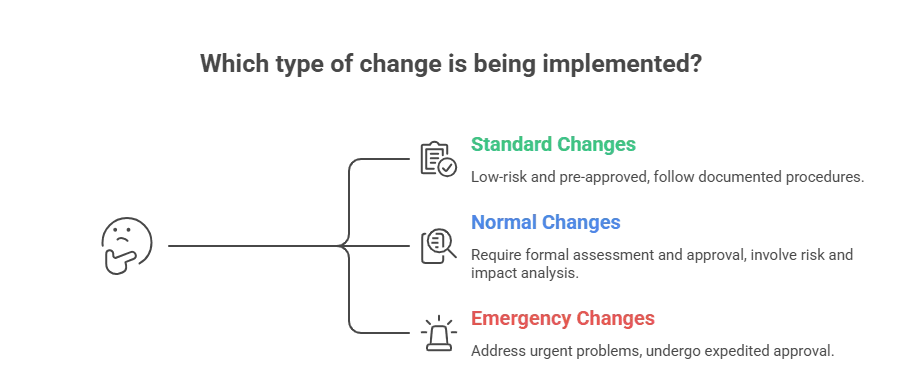
ITIL defines three change categories. Each follows a distinct approval path based on risk profile:
| Change Type | Risk Level | Approval Path | Examples |
| Standard | Low, pre-assessed | Pre-approved – bypasses CAB | Password resets, routine patching, adding users to distribution lists |
| Normal | Variable | Formal CAB or change authority review | Database upgrades, cloud workload migrations, new application deployments |
| Emergency | High, time-critical | Expedited approval; full PIR post-resolution | Security breach response, critical system failure recovery |
Getting these categories right prevents unnecessary bottlenecks on routine work while keeping proper controls around changes that carry real service risk. Misclassifying high-risk changes as standard is one of the most common root causes of major incidents.
What Should a Change Management Policy Include?
A change management policy is the governance document that defines the rules, scope, and accountability structure for the entire change process. It answers the “what” and “why,” not the “how,” of managing IT changes, and it must be understood by every stakeholder who touches the change lifecycle.
An effective change management policy should include:
- Scope – Which IT components, environments, and service types fall under change management (and which are explicitly out of scope, such as test environments or user devices)
- Change categories and risk criteria – The definitions of standard, normal, and emergency changes with the criteria used to classify each
- Approval levels – Who can authorize which types of changes, mapped to impact and urgency ratings; for example, changes to customer-facing production services may require sign-off from both the IT lead and the security function
- Change request requirements – What every Request for Change (RFC) must contain before it can be assessed: rationale, deployment plan, rollback plan, test results, and affected CIs
- Escalation procedures – How conflicts, failed changes, and emergency situations are handled
- Consequences of noncompliance – What happens when changes are made outside the process
Without a documented policy, change governance depends on institutional memory, which fails the moment a key person is unavailable or leaves the organization.
What Is a Request for Change (RFC)?
A Request for Change (RFC) is the formal document that initiates the change management process. Every change, regardless of type, starts with an RFC. It provides the information change managers and CAB members need to assess risk and authorize the work.
A complete RFC should include:
- The reason for the change and what it will deliver
- A list of affected configuration items (CIs) and dependent services
- A detailed deployment plan with a timeline and resource requirements
- A rollback plan that covers failure scenarios
- User acceptance testing (UAT) results where applicable
- Risk assessment covering technical, business, and rollback risk
RFC quality is one of the strongest predictors of change success rates. Incomplete RFCs that reach the CAB waste review time and frequently require rework before approval can proceed.
What Is the Role of a Change Advisory Board (CAB)?
A Change Advisory Board (CAB) is a group of stakeholders, typically IT leads, service owners, security representatives, and business stakeholders, who review and authorize normal and major changes before deployment. The CAB evaluates risk, blast radius, and rollback readiness, and decides whether a change is ready for production.
The role of the CAB is evolving. Under ITIL 4 change enablement, most organizations now reserve CAB review for high-impact or high-risk changes only. Standard and pre-approved changes bypass the CAB entirely to prevent approval queues from becoming a bottleneck to routine operations. This keeps change management lean where it can afford to be, while maintaining serious oversight for changes that could cause real service damage.
A CAB that reviews every change, regardless of risk, is one of the most common causes of slow deployment cycles and change management abandonment by engineering teams.
10 ITSM Change Management Best Practices
The following table summarizes all ten practices before each is covered in detail.
| # | Best Practice | Primary Risk It Prevents |
| 1 | Document every change and maintain traceability | Undiagnosable incidents; failed audits |
| 2 | Break changes into smaller, manageable steps | Cascading failures from large deployments |
| 3 | Foster transparency and stakeholder involvement | Blind spots; resistance to change |
| 4 | Set clear Service Level Agreements (SLAs) | Unmeasured service degradation |
| 5 | Prioritize security during change implementation | New attack surfaces introduced by changes |
| 6 | Measure service level performance after changes | Silent performance degradation post-deployment |
| 7 | Automate change workflows | Manual errors; approval bottlenecks |
| 8 | Build a risk management plan for every change | Unquantified risk; slow or uninformed approvals |
| 9 | Conduct post-implementation reviews (PIRs) | Repeated mistakes; no process improvement |
| 10 | Track KPIs and continuously improve | Invisible process decay |
1. Document Every Change and Maintain Traceability
Every change should leave a complete paper trail. Record what changed, who requested it, who approved it, when it happened, and why, and link that record to the affected configuration items (CIs) in your CMDB.
ITIL change management best practices call for standardized methods to log, evaluate, prioritize, and review each change. Record every modification to configuration items (CIs) in yourCMDB and ensure your configuration management process keeps pace. This traceability answers three questions that come up during every troubleshooting session and every compliance audit:
- Who made the change?
- When was it made?
- What exactly was modified?
Without that documentation, diagnosing change-related incidents turns into guesswork. And guesswork at 2 AM during a production outage is not where you want to be.
2. Break Changes into Smaller, Manageable Steps
Large, monolithic changes carry disproportionate risk. A single deployment that touches five systems at once creates five potential failure points, and if something breaks, isolating the cause takes far longer.
Break changes into smaller phases instead. Each phase gets its own testing cycle, approval gate, and rollback plan. If something goes wrong in phase two, you roll back phase two, not the entire deployment. This is one of those ITSM change management best practices that sounds obvious but gets ignored consistently under deadline pressure.
Phased deployments are also easier for the CAB to assess. A smaller blast radius means more confident approvals and faster sign-off.
3. Foster Transparency and Stakeholder Involvement
Change management fails when it operates in isolation. Involve stakeholders early, not just for rubber-stamp approval, but for genuine input on timing, dependencies, and risks that are only visible from their side of the organization.
Share change calendars so teams can flag conflicts before they become incidents. Include business stakeholders in planning when changes touch customer-facing services. Run open discussions about upcoming changes in team standups or CAB meetings.
When people contribute to change decisions, they own the outcome. That ownership reduces resistance and catches blind spots that the change team alone would miss.
4. Set Clear Service Level Agreements (SLAs)
SLAs define the performance standards your IT services must meet. They are the measuring stick for whether a change helped or hurt, and they need to be active inputs to change planning, not passive benchmarks reviewed after incidents.
An effective SLA should specify:
- Service availability targets (e.g., 99.9% uptime)
- Response and resolution time commitments
- Escalation procedures when targets are missed
- Reporting mechanisms for ongoing performance tracking
Every change plan should reference the SLAs it could affect. If a change risks dropping below an SLA target, that risk must be flagged, mitigated, or explicitly accepted before the change proceeds. Too many teams treat SLAs as a service desk concern. In reality, SLAs belong at the center of change planning.
5. Prioritize Security During Change Implementation
Every change is a potential new attack surface. Enforce strict access controls, authentication, and encryption throughout the change process. No one should be able to push a change to production without proper authorization, and every step should be auditable.
Pair this with a well-maintained service catalog that documents all IT offerings, their owners, and their security requirements. When teams know exactly what services exist and who owns them, they can make reliable judgments about which changes require additional security review versus which can proceed through the standard approval path.
Virima integrates with the NIST National Vulnerability Database (NVD) at no extra cost, allowing teams to cross-reference proposed changes against known vulnerabilities during the planning phase, before a change is ever approved.
6. Measure Service Level Performance After Changes
Track the impact of every significant change on service metrics. Monitor uptime, response time, cost efficiency, and customer satisfaction scores before and after each deployment.
This data tells you whether your changes are improving services or quietly degrading them. If a pattern emerges, say, changes to a specific system consistently cause latency spikes, you can adjust your process to add extra testing or staged rollouts for that system. Without this feedback loop, service degradation introduced by changes can persist for weeks before someone connects it to a specific deployment.
7. Automate Change Workflows
Manual change processes are slow and error-prone. Automate the repetitive components: ticket routing, approval notifications, status updates, and deployment triggers.
Automation routes change requests as tickets to the right approvers, eliminates manual handoffs that introduce delays, and frees team capacity for higher-value work like risk analysis and pre-deployment planning. The goal is not to remove humans from the process, it is to stop wasting their time on tasks that ITSM change management software handles more reliably.
Integrating your ITSM platform with IT discovery and IT Asset Management tools takes this further. When change tickets automatically pull CI data and dependency maps from a live CMDB, approvers can make informed decisions without hunting for information across multiple disconnected systems. The right IT asset discovery tools keep that CI data accurate by continuously detecting hardware, software, and cloud assets, so approvers are always working from a current inventory.
How Do DevOps and Change Management Work Together?
Modern delivery models demand faster release cycles and frequent updates. DevOps and ITIL 4 change enablement are not in conflict; they align when change frameworks streamline approvals for low-risk pipeline deployments while retaining governance for changes with material service impact.
In practice, this means pre-approving standard change types that run through CI/CD pipelines, integrating change records directly into pipeline tooling (so every deployment generates an automatic RFC and CMDB update), and reserving CAB review for changes that fall outside pre-approved parameters. Automation routes approvals, tracks execution, and records outcomes within the delivery pipeline, producing faster releases backed by full audit history.
8. Build a Risk Management Plan for Every Change
Every change carries risk. The question is never whether risk exists, it is how much, what kind, and whether it has been accounted for.
ITIL best practices require a formal risk assessment before any change proceeds. Evaluate three dimensions:
- Technical risk – compatibility conflicts, performance degradation, configuration drift
- Business risk – potential downtime, revenue impact, SLA breach
- Rollback risk – can the change be cleanly reversed if it fails, and how long will that take?
Map change impacts to specific CIs and services in your CMDB. When risk is quantified against real infrastructure data rather than assumptions, approval decisions happen faster and hold up under scrutiny. The teams that skip formal risk assessment are the same ones writing post-mortems every quarter.
9. Conduct Post-Implementation Reviews (PIRs)
After every significant change, run a post-implementation review. This is where organizational learning happens, and where the change process actually improves over time.
A structured PIR should answer five questions:
- Did the change deliver the expected improvement?
- Were there unexpected incidents or service-affecting side effects?
- Was the deployment executed as planned, or did the team deviate from the change record?
- What would the team do differently next time?
- Does the CMDB now accurately reflect the post-change state of all affected CIs?
Feed those insights back into your change management process so each cycle gets tighter. Teams that treat PIRs as optional are the ones that keep making the same mistakes, because they have no mechanism to learn from them.
10. Track KPIs and Continuously Improve
You cannot improve what you do not measure. The five most critical ITSM change management KPIs are:
| KPI | What It Measures | Red Flag Signal |
| Change success rate | Percentage of changes completed without incidents | Rate declining quarter-over-quarter |
| Change failure rate | Percentage of changes requiring rollback or rework | Rate above 5% suggests testing gaps |
| Emergency change rate | Percentage handled as emergency changes | Climbing rate signals broken planning processes |
| MTTR after change incidents | Time to restore service after a change causes issues | High MTTR points to weak dependency mapping |
| CSAT | End-user perception of service stability through changes | Declining scores despite low failure rate = perception gap |
Review these KPIs on a regular cadence. If your emergency change rate keeps climbing, adding more people will not fix it, your planning and testing processes need structural improvement. If MTTR is persistently high, look at dependency mapping accuracy and rollback procedure quality. Applying ITSM change management best practices means using this data to find and fix the weak links before they become incidents.
What Is Change Impact Analysis in ITSM?
Change impact analysis in ITSM is the process of mapping every system, service, and user that a proposed change could affect before deployment begins. It is one of the most critical steps in the change lifecycle; skipping it means gambling on cascading failures across dependent services.
Effective change impact analysis requires three inputs:
- Accurate dependency data from a live, continuously updated CMDB and service maps
- Blast radius visibility which services, applications, and users are downstream of the CI being changed
- Rollback scenario modeling what happens if the change fails mid-deployment and needs to be reversed
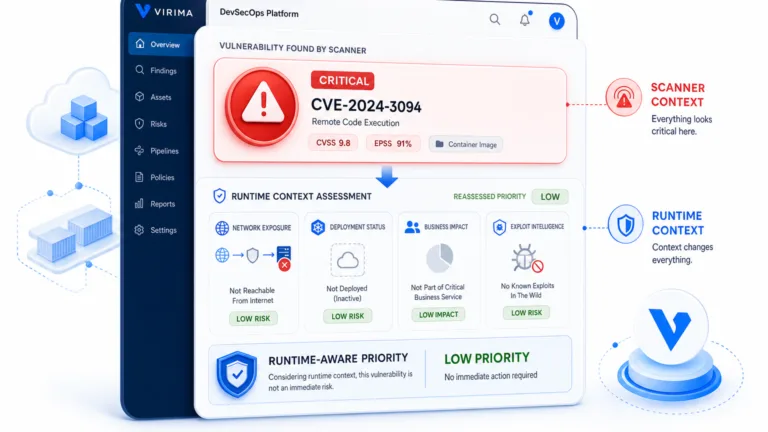
Virima’s ViVID™ (Virima Visual Impact Display) overlays recent change data, incident history, and vulnerability information onto live service maps. Change managers can visualize the blast radius of a proposed change before a single approval is granted, turning impact analysis from a checkbox exercise into a genuine outage prevention tool.
How to Measure Change Management Success: KPIs
See the KPI table in Best Practice #10 above for the full metric set.
Beyond the five core KPIs, mature change management programs also track:
- Change lead time – time from RFC submission to deployment; a leading indicator of approval process efficiency
- CAB utilization rate – percentage of changes reviewed by CAB versus handled via pre-approved paths; rising CAB utilization on low-risk changes signals over-governance
- Configuration drift rate – frequency of post-deployment CMDB discrepancies, which indicates whether change records are being closed accurately
How Virima Supports ITSM Change Management
Good change management depends on accurate infrastructure data, clear dependency visibility, and tight integration with existing ITSM workflows. Virima provides all three.
Integration with ITSM Platforms
Virima integrates with ServiceNow, Jira Service Management, Ivanti, HaloITSM, Cherwell, Xurrent, and Hornbill. Discovery data, CI relationships, and service maps feed directly into existing change workflows. Change managers and CAB members get full infrastructure context without switching tools or chasing exports from disconnected systems.
Service Mapping and Dependency Visualization
Virima’s service mapping automates the discovery and mapping of IT components and their dependencies. Before a change is approved, IT teams can see exactly which services, applications, and infrastructure components depend on the CIs being modified. Impact analysis becomes a data-driven exercise instead of a best-guess conversation. Pairing that dependency data with network visibility tools gives teams a complete view of how infrastructure connects across the environment, so no overlooked link triggers an outage after deployment.
ViVID™ for Change Impact Analysis
ViVID™ (Virima Visual Impact Display) overlays recent change data, incident history, and vulnerability information onto live service dependency maps. Change managers can assess the blast radius of proposed changes before deployment and pinpoint root causes faster during post-incident reviews. This accelerates MTTR and gives the CAB real data, not assumptions, during risk assessment.
IT Discovery and CMDB
Virima’s IT discovery uses agentless and agent-based methods with hundreds of out-of-the-box, extendable probes to scan infrastructure across on-premises, AWS, and Azure environments. Discovery data feeds directly into the CMDB, keeping CI records accurate and current. After a change is deployed, discovery scans validate that changes were executed as intended and detect configuration drift, so your CMDB reflects what is actually running in production, not what was planned six months ago.
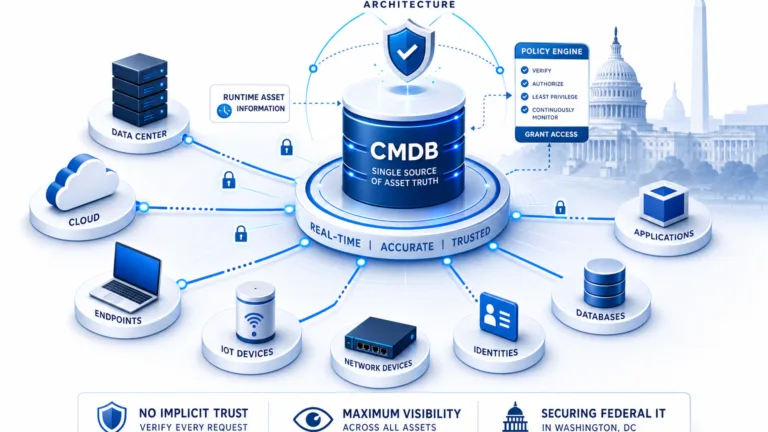
Virima’s CMDB carries PinkVERIFY ITIL 4 certification for Service Asset and Configuration Management (SACM). Every reliable change impact analysis starts with a CMDB you can actually trust.
NIST NVD Integration
Virima integrates with the NIST National Vulnerability Database at no extra cost. During change planning, teams can cross-reference proposed changes against known vulnerabilities, ensuring that changes do not inadvertently introduce or expose security risks.
Flexible API and Codeless Integrations
Virima’s flexible APIs and codeless integration options connect to existing IT toolsets without custom development, keeping infrastructure data flowing across the entire change management toolchain.
Conclusion
The change management process does not have to be the bottleneck that slows IT down. With the right ITSM change management best practices in place, from documenting every change and classifying risk accurately, to automating workflows and running post-implementation reviews, changes become a driver of service improvement rather than a source of weekend outages.
The ten practices in this guide are grounded in ITIL 4 change enablement principles, but they only deliver results when they are backed by accurate infrastructure data. Knowing what you are changing, what depends on it, and what breaks if it fails is the foundation every other practice is built on. That foundation is your CMDB and dependency map.
Virima gives IT teams the IT discovery, CMDB, and ViVID™ service mapping they need to plan, approve, and deploy changes with confidence, and the ITSM integrations to make that data available exactly where change decisions get made.
Frequently Asked Questions
What is the difference between ITSM change management and ITIL change enablement?
ITIL 4 renamed “change management” to “change enablement” to reflect a shift from gatekeeping to facilitation. The core activities, logging, assessing, approving, and reviewing changes, remain the same. The difference is in governance philosophy: change enablement matches oversight to risk rather than applying uniform controls to all changes regardless of impact.
What are the three types of changes in ITIL?
ITIL defines standard changes (low-risk, pre-approved, bypass CAB), normal changes (require formal assessment and CAB approval), and emergency changes (expedited approval for critical failures, followed by a full post-implementation review).
What KPIs should I track for ITSM change management?
The five most critical KPIs are change success rate, change failure rate, emergency change rate, MTTR after change-related incidents, and CSAT. A rising emergency change rate is the clearest leading indicator that planning and testing processes are deteriorating.
What is a Change Advisory Board (CAB)?
A CAB is a group of IT leads, service owners, security representatives, and business stakeholders who review and authorize normal and major changes. Under ITIL 4, most organizations reserve CAB review for high-impact changes only. Standard and pre-approved changes bypass it entirely to prevent the CAB from becoming an approval bottleneck.
What is change impact analysis?
Change impact analysis maps every system, service, and user a proposed change could affect before deployment begins. It relies on accurate CMDB dependency data, blast radius visibility, and rollback scenario modeling. Tools like Virima’s ViVID™ make impact analysis visual, allowing change managers to see downstream dependencies on live service maps before a change is approved.
What should an RFC include?
A Request for Change (RFC) should include: the business rationale for the change, a list of affected CIs and dependent services, a deployment plan with timeline and resources, a rollback plan, UAT test results, and a risk assessment covering technical, business, and rollback risk dimensions.
Smarter changes start with better visibility. Schedule a demo to see how Virima supports your change management process from planning through post-implementation review.