10 Signs Your ITSM Tool Is Limiting Growth

IT service management (ITSM) sits at the center of how your company delivers technology to employees and customers. When your ITSM tool works well, IT teams resolve issues fast, service runs smoothly, and the business moves at speed. When it does not, growth stalls in ways that are easy to miss until the damage is done.
An efficient ITSM tool streamlines IT operations, boosts productivity, and keeps service delivery consistent. It helps your team meet customer demands, hold a competitive edge, and support new initiatives instead of blocking them. Virima ITSM is built to do exactly that, with features designed to grow your business while cutting down on disruptions. See the full feature set on the Virima ITSM feature page.
The cost of getting this wrong is measurable. According to BigPanda’s 2024 IT Outages report, the average cost of unplanned IT downtime reached $14,056 per minute in 2024, up from $12,900 in 2022. A limiting ITSM tool that slows detection and resolution does not just frustrate end-users, it adds real cost every minute an incident stays open.
Below are the 10 clearest signs that your current tool is holding you back, why each one matters more than it looks, and what to look for instead.
Why an efficient ITSM tool matters for growth
A strong ITSM tool does more than log tickets. It shapes how fast teams communicate, how quickly issues get resolved, and how well resources get used across the business. Many organizations only notice these gaps once growth stalls, support backlogs pile up, or a security audit surfaces assets no one tracked.
Here is what a capable ITSM tool should deliver:
- Reliable service delivery. A good ITSM tool gives IT teams one platform to manage services and resolve issues fast. That reduces downtime, increases productivity, and improves customer satisfaction.
- Higher efficiency through workflow automation. ITSM software should automate incident management, change management, and problem resolution. Workflow automation cuts response times, limits disruption, and frees IT teams from repetitive tasks so they can focus on higher-value work.
- Better communication across teams. Your ITSM tool should give near real-time updates on service status, keeping IT teams, business units, and customers aligned.
- Sharper decision-making. ITSM software should surface accurate, current data so IT teams can spot trends, prevent repeat incidents, and improve efficiency across resource allocation.
- Lower total cost. Workflow automation reduces manual intervention and human error, which lowers the cost of IT service delivery over time. It also reduces the hours staff spend on repetitive tasks that a modern tool should handle on its own.
- Room to scale. Your ITSM tool needs to grow with you, handling a handful of incidents or thousands without forcing a switch.
The 10 signs your ITSM tool is limiting growth
1. You keep missing SLA targets
If your tool cannot help you meet Service Level Agreements, service quality slips and customers notice. Repeated SLA breaches damage your reputation, hurt retention, and push clients toward competitors.
A limiting ITSM tool often lacks real-time monitoring, automated escalations, or the ability to prioritize high-impact incidents. Virima ITSM gives teams the visibility to set and consistently meet SLA targets.
2. Incidents take too long to resolve
Fast incident resolution keeps operations running, and the BigPanda data above shows exactly why: every minute an incident stays open carries real cost. Your ITSM tool should support quick detection, classification, and resolution. If it lags, you get longer downtime, higher costs, and frustrated end-users.
Virima ITSM’s incident management tools help you:
- Build custom incident workflows for faster logging and routing.
- Automatically create incidents from email, the self-service portal, system monitoring, and event management tools.
- Assign incidents by type, severity, and SLA requirements so the right issues get priority.
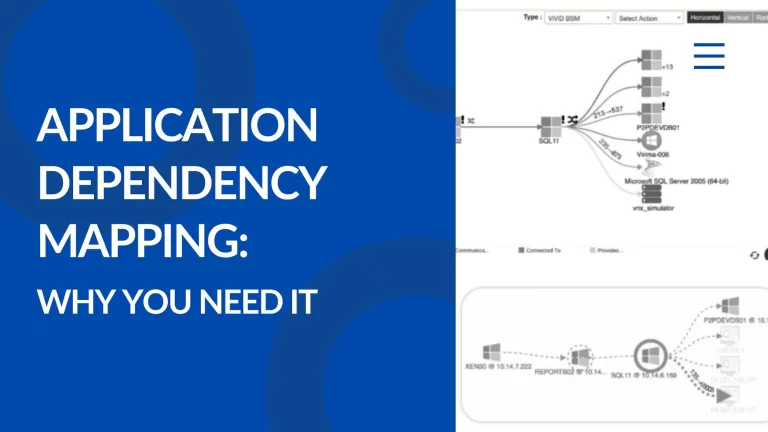
- Link incidents to CMDB assets and display them on ViVID™ Service Maps, so teams see the full picture before they act.
3. Service requests sit in a queue too long
A limiting ITSM tool struggles to route service requests and assign the right resources. That wastes time and slows the business down.
- Request fulfillment workflows that follow your approval process automatically.
- A self-service portal where users submit and track requests.
- Business rules that reclassify incidents as requests automatically, so tickets land in the right queue the first time.
4. Root-cause analysis takes too long
Without strong problem management, the same incidents keep coming back. A limited tool cannot trace the root cause quickly, so downtime repeats. Strong CMDB best practices make root-cause analysis faster because the data behind every asset and dependency is already accurate.
Virima IT Discovery and ITSM work together to find root causes fast:
- Instant rescans of assets linked to a service to spot non-responsive elements immediately.
- Configuration change tracking since the last scan, so you can see what changed before the problem started.
- Visibility into open incidents and completed changes on ViVID Service Maps, when integrated with ServiceNow, Ivanti, or Cherwell.
- Built-in integration with the NIST NVD vulnerability database, so known risks get flagged early.
5. Changes create more risk than they resolve
Weak change management leads to unauthorized changes, service disruptions, and new security gaps. Virima’s Discovery and Service Mapping give you a clear view of your infrastructure before any change goes live.
- Generate change workflows to route requests correctly the first time.
- Use ViVID Service Maps to spot risk, pending changes, and required approvals at a glance.
- Validate configurations before and after every change with Virima Discovery.
6. Your service desk cannot keep end-users satisfied
The service desk is often the only direct contact between IT and end-users. If your tool limits response time or resolution quality, satisfaction drops, and so does trust in IT.
Virima’s self-service portal gives end-users a full knowledge base and FAQ section, so they solve common problems without opening a ticket. It also shows ongoing IT initiatives and known issues, so users stay informed.
- An integrated service catalog that triggers the right approval workflow automatically.
- Knowledge articles that let users resolve issues independently, cutting ticket volume for the service desk.
- Customer satisfaction surveys that show managers what is working and what needs attention.
- Alerts for known outages, plus a way to report new ones directly.
7. Reporting does not give you real answers
Good decisions need good data. A limiting ITSM tool offers thin reporting or incomplete insight into service performance.
Virima ITSM delivers full reporting and analytics on service performance, incident trends, and resource use, so teams can spot problems early and make data-driven calls that improve efficiency across IT.
8. It does not integrate with your other systems
Your ITSM tool needs to talk to the rest of your stack. If it cannot integrate with CMDB, asset management, or network discovery tools, data stays siloed and cross-team collaboration suffers. Virima ITSM connects cleanly across your environment. Browse supported connections on the Virima integrations page, including CMDB, asset management, and discovery tools.
9. Manual work keeps piling up
If your ITSM tool cannot automate incident categorization, escalation, or routine maintenance, your team spends time on repetitive tasks that should run themselves. Workflow automation is what separates a modern ITSM tool from a glorified ticket log. Virima’s automation frees IT staff to focus on strategic work instead of repetitive tickets.
10. Teams will not actually use it
Even the best ITSM tool fails if people avoid it. Low adoption means wasted features and missed opportunities. Look for a tool with an intuitive interface, clear workflows, and enough training support that every team member can use it well from day one. Weak security posture also erodes trust in the tool. See how a strong ITSM system holds up under compliance pressure in our piece on GDPR compliance and ITSM readiness.
Workflow automation and asset management: the two gaps most tools miss
Most conversations about ITSM limitations focus on tickets and SLAs. Two quieter gaps do just as much damage: weak workflow automation and poor asset management.
Workflow automation is not a nice-to-have add-on. It is the difference between a service desk that runs on repetitive manual steps and one that scales without adding headcount every time ticket volume grows. When workflow automation is missing or shallow, teams end up doing the same categorization, routing, and escalation work by hand, incident after incident. That manual load compounds. A team handling 500 tickets a month can absorb it. A team handling 5,000 cannot, and that is exactly the point where growth exposes a limiting ITSM tool.
Asset management is the second blind spot. Every incident, change, and request touches an asset somewhere: a server, a laptop, a cloud instance, a license. If your ITSM tool cannot connect tickets to an accurate, current asset inventory, teams end up guessing at ownership and dependencies instead of knowing them. That guesswork is where SLA breaches, extended outages, and repeat incidents actually come from. Strong asset management, tied directly into incident and change workflows, gives teams the context to act with confidence the first time, not after three rounds of troubleshooting.
Virima combines both in one platform. Workflow automation handles the repetitive tasks that used to eat up analyst time, while automated discovery keeps asset management data current without manual spreadsheet updates. Together, they turn the service desk from a reactive queue into a system that gets faster as it scales, not slower.
| The 5 Warning Signs of a Limiting ITSM Tool: A limiting ITSM tool shows up in five ways: missed SLAs, slow incident resolution, weak reporting, poor integration, and low team adoption. Each of these signals that IT operations are working around the tool instead of with it, and each one directly caps how fast a business can grow. |
How to fix it and get back on track
Fixing these issues starts with matching your ITSM tool to what your team actually needs today, not what fit three years ago. Look for ITSM software that combines incident management, change management, request fulfillment, workflow automation, and asset management in one connected platform, with a knowledge base that reduces ticket load and integrations that keep your CMDB accurate.
Virima ITSM was built around these gaps. It pairs service management with automated discovery and ViVID Service Maps, so every incident, change, and request has full context behind it. See how it stacks up in our Virima vs Faddom comparison.
See how Virima brings trusted runtime truth to your service desk, or schedule a demo to walk through your current setup with our team.
Frequently asked questions
What are the signs of a limiting ITSM tool?
The clearest signs are missed SLA targets, slow incident resolution, poor request routing, thin reporting, weak integrations, and low adoption across teams. Any one of these can quietly cap growth.
How does ITSM software improve efficiency?
Modern ITSM software automates incident logging, routing, and escalation, so teams spend less time on repetitive tasks. Combined with a strong knowledge base, it also reduces ticket volume by letting end-users solve common issues themselves.
Does Virima ITSM integrate with other tools?
Yes. Virima ITSM connects with CMDB, discovery, and network monitoring tools, along with platforms like ServiceNow, Ivanti, and Cherwell, so data stays consistent across your environment.
How is Virima ITSM different from tools like ServiceNow or Lansweeper?
Virima pairs ITSM with automated discovery and ViVID Service Maps out of the box, giving teams live infrastructure context alongside service workflows. See a direct comparison on our Virima vs Lansweeper page.
How much does slow incident resolution actually cost?
Unplanned IT downtime averaged $14,056 per minute in 2024, according to BigPanda’s IT Outages report. A limiting ITSM tool that slows detection and escalation adds directly to that cost.
Why does asset management matter for ITSM?
Every incident and change touches an asset. Without accurate asset management, teams guess at ownership and dependencies instead of knowing them, which is a common root cause of extended outages and repeat incidents.