Cloud and SaaS Inventory for Small IT Teams Still Misses Jump Boxes and Seats

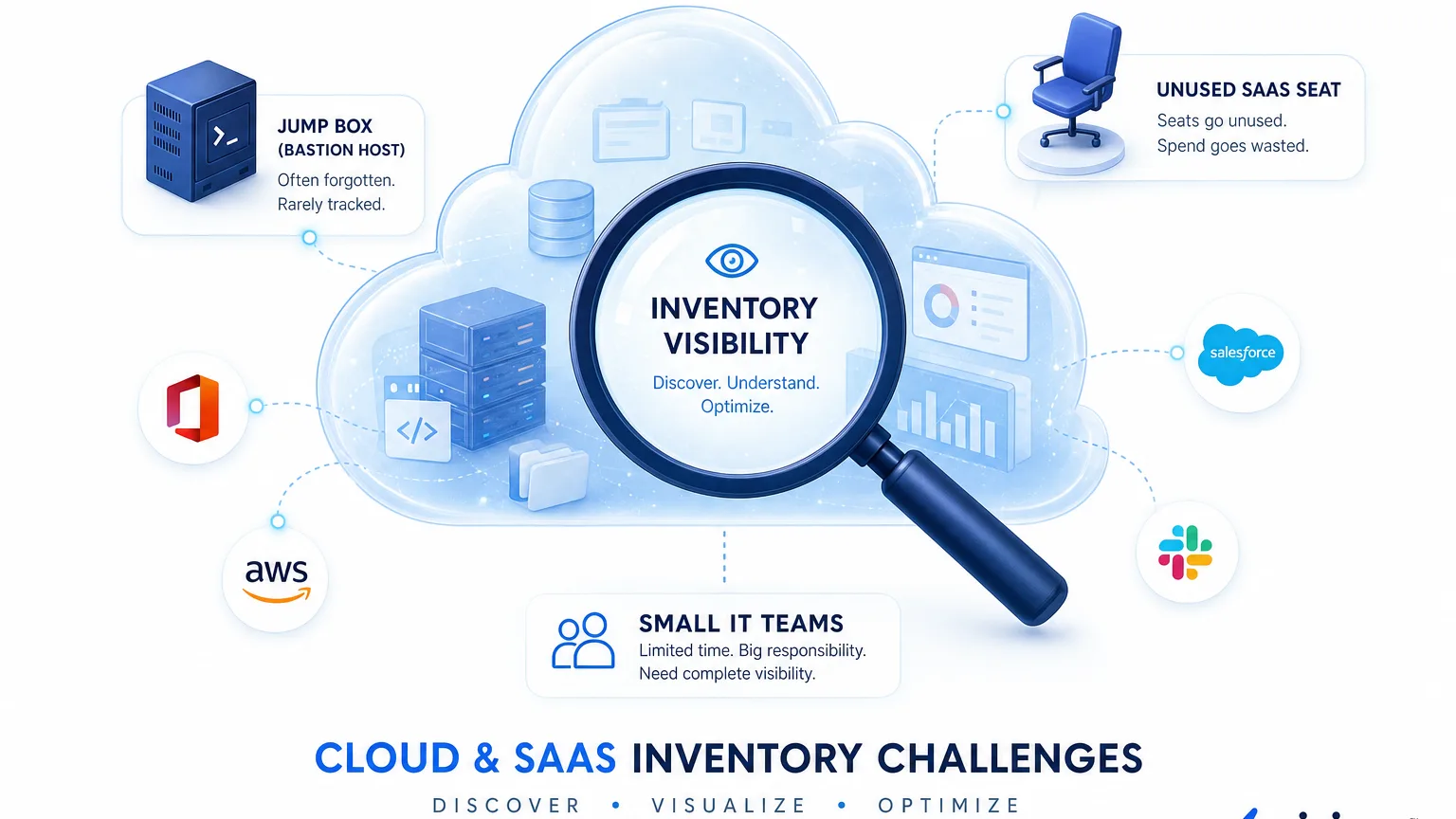
Friday change window. The laptop sheet is current. The ticket still fails. An engineer spun up a bastion host in AWS two weeks ago for a vendor cutover. Finance renews a SaaS seat nobody uses. Neither row appears on the endpoint list the team trusts.
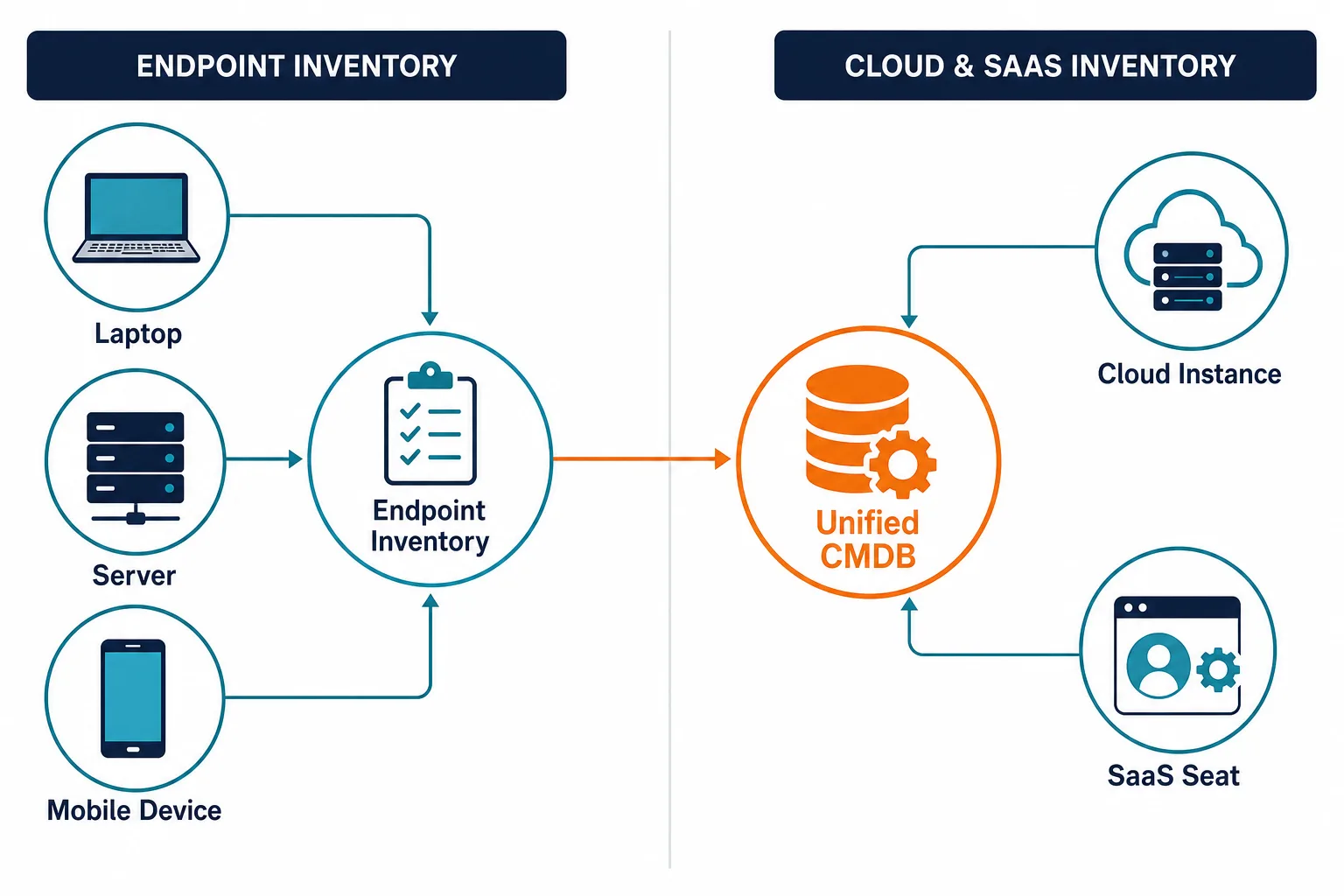
That is the real gap for cloud and SaaS inventory for small IT teams. Hardware custody can look finished while cloud instances and SaaS subscriptions stay outside discovery, ownership, and the CMDB the help desk uses.
Why a clean laptop list still leaves cloud and SaaS dark
Endpoint inventory answers who holds which device. Cloud and SaaS inventory answers which accounts, instances, and seats exist, who owns them, and which services depend on them.
Lean teams often stop after serial numbers and last-seen agents. Virima’s own discovery data puts CMDB cloud coverage at typically below 30 percent, against 80-90 percent for on-prem assets — because cloud resources are API-driven and surface outside the procurement workflows that normally trigger a CMDB update. Cloud jump boxes, short-lived test instances, and card-bought SaaS apps never join that workflow. Change approval then runs on a partial map.
AWS Config records resource configuration history inside AWS accounts you connect. Azure Resource Graph queries resources across Azure subscriptions you authorize. Both are strong inside their own boundary. Neither is a full IT operations inventory by itself when the estate also includes on-prem systems, the other cloud, and SaaS seats.
Teams that already fixed spreadsheet hardware inventory still hit this second gap. The laptop problem and the cloud-SaaS problem need different discovery methods. The cost of that gap shows up at the worst moment: a change window stalls, an auditor asks for an owner that does not exist on paper, or a review flags an instance nobody remembers approving. That is not a tooling failure in the traditional sense. It is a scope failure, because the inventory process stopped at the boundary where agents and network scans run out of reach.
What is cloud and SaaS inventory for small IT teams?
It is the governed record of cloud instances, accounts, and SaaS seats with owners and relationships, built from API and multi-method discovery into a CMDB the help desk can use. It sits beside endpoint inventory. It is not another laptop spreadsheet or a security-only scanner.
What the inventory has to hold beyond names and seats
A usable record for change and audit work needs more than a product name.
- Durable identity. Prefer serial numbers, cloud instance IDs, and subscription or tenant IDs. Hostname alone is not a durable join key across sources.
- Owner and cost center. Someone answers when the resource breaks or renews.
- Source and last-seen. Which API or scan produced the row, and when.
- Typed relationships. Runs on, uses, and exchanges data with beat a single generic link.
- Service context. Once the team defines which applications make up a service, maps can show dependency impact. A single SaaS app like a CI/CD platform might sit behind three different internal services. Without that mapping, an outage ticket lists the tool but not which teams it actually blocks.
SaaS seats add license state and assignment. That gap compounds fast. Zylo’s 2026 SaaS Management Index puts average SaaS license utilization at 36 percent of what organizations purchased. Every one of those unused seats still needs an owner of record before finance cancels it or security reassigns it. Cloud instances add region, account, and instance type. Without those fields, finance and security get a list. Operations still cannot approve a change safely.
Where API discovery breaks for lean IT
API discovery fails in predictable ways when a small team runs many accounts and tools, and the same sub-30-percent coverage gap cited above concentrates in these five failure modes.
A second AWS account or Azure subscription stays unconnected until someone manually adds the credentials, which rarely happens until an audit or incident forces the question — discovery only returns what credentials allow. Read-only roles then miss resource types the team actually runs, especially newer services added after the original IAM policy was scoped, so the inventory looks complete and still omits jump boxes and storage. Cadence matters too: scheduled pulls keep records current, while manual console exports go stale between tickets. SaaS adds its own version of the problem, since seat exports land in a billing sheet and never meet the CMDB row the ticket needs. Underneath all four is a reconciliation gap — the same person appears as an AD user, a SaaS assignee, and a cloud tag owner, and without durable keys those three rows never become one configuration item.
API discovery for lean IT fails for discovery-authority reasons, not formatting reasons — the discovery process lacks the scope, credentials, and cadence to reach every asset category at once. For how shadow SaaS outruns manual tracking, see Virima’s piece on shadow SaaS growing faster than manual tracking. For the category baseline on cloud resources, see what cloud asset management covers. The same discovery-authority gap shows up across the broader asset data IT teams track — not only cloud and SaaS, but hardware, software, and custom apps. See Virima’s 45 IT Asset Management Statistics for 2026 for the wider picture.
Scorecard lean teams can run in one afternoon
Use enterprise criteria. Team size is the operating constraint, not a reason to lower the bar.
| Check | Pass signal | Fail signal |
|---|---|---|
| Cloud coverage | Scheduled API discovery on AWS and Azure accounts in scope | One console export, or only on-prem agents |
| SaaS coverage | Seat and app records with owner and last assignment date | Invoice PDF as the only SaaS list |
| Join keys | Instance ID, serial, or tenant ID used to reconcile | Hostname-only matching across tools |
| CMDB handoff | Cloud and SaaS CIs reach the help desk with owners | Lists stay in FinOps or security tools only |
| Service maps | Maps build after service definitions exist | Topology without owners or business services |
Pick one production service that uses a cloud jump box or a critical SaaS app. Count which fields each source fills: owner, last-seen, relationship, and service. Gaps in that count are the inventory problem.
A five-person IT team migrating off a legacy data center, or absorbing a newly acquired business unit’s AWS account, hits this gap fastest. A cloud migration or an acquisition adds accounts and subscriptions before anyone updates the inventory process to match. Run the scorecard again after either event instead of relying on the setup pass alone.
When laptop inventory is done but cloud instances and SaaS seats still miss the CMDB, explore Business Pro for full discovery and service maps sized to a lean IT team.
Why do small IT teams miss cloud jump boxes after fixing laptop inventory?
Laptop inventory relies on agents and network presence. Jump boxes and short-lived cloud instances appear through cloud APIs and credentials. If those APIs are not on a scheduled discovery cycle into the CMDB, the endpoint list stays clean and the change ticket still lacks the server.
How Virima closes the cloud and SaaS inventory gap for small IT teams
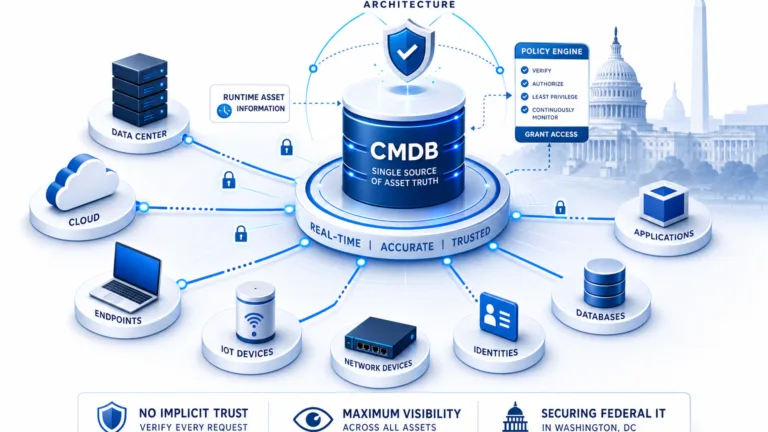
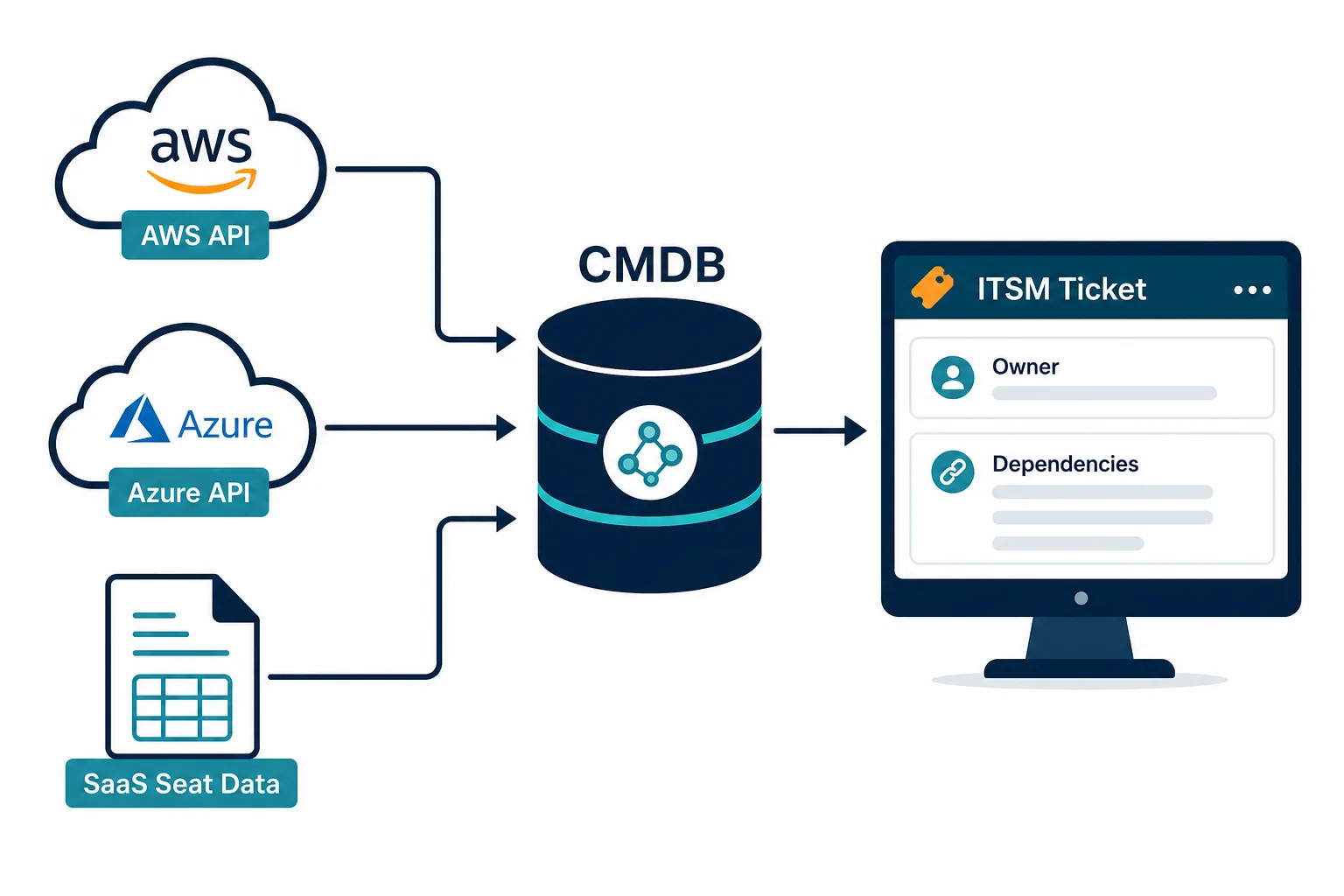
Virima runs agent, agentless, and API discovery on scheduled cycles across AWS and Azure inventory for IT operations, so cloud resources land beside on-prem assets in one CMDB. Records reconcile on durable identity such as serial number and cloud instance ID, plus owner.
Once the team supplies service definitions, ViVID™ service maps show the dependencies between those services, the cloud instances behind them, and the SaaS apps they call. The CMDB then feeds ITSM tools such as ServiceNow, Jira Service Management, Ivanti, HaloITSM, Xurrent, and Hornbill so tickets carry owner and relationship context. Partner connections are listed on Virima’s integrations hub.
Virima calls this layer Trusted Runtime Truth: what exists, how it connects, what changed, what will break, and who owns it. Security scanners and FinOps tools can still run. Operations owns the governed CMDB path.
Full discovery, CMDB, and service mapping can sit under a lean team’s estate without a multi-year platform program.
Bring cloud and SaaS inventory for small IT teams into the same truth the ticket uses
Start with the accounts and subscriptions that hold production jump boxes. Connect API discovery on a scheduled cycle. Add the SaaS apps that sit on the critical path. Reconcile on durable IDs, not hostnames alone. Assign an owner to every difference between the cloud console, the SaaS admin list, and the CMDB. Do this before the next Friday change window, not after it fails.
Endpoint inventory stays. Cloud and SaaS inventory for small IT teams joins it. Change and audit work then start from one governed record instead of three exports.
To test the path on a real service, request a Virima demo and bring one jump box and one SaaS app your team changes often.
Frequently Asked Questions
Is cloud inventory the same as laptop inventory?
No. Laptop inventory tracks endpoints and custody. Cloud inventory tracks instances, accounts, and configurations from provider APIs. Lean teams need both, joined in one CMDB with owners.
How should small IT teams discover AWS and Azure resources?
Use API-based discovery on a scheduled cycle against the accounts in scope, then reconcile into the CMDB with durable IDs such as instance ID. Manual console exports go stale between changes.
Can SaaS seat lists live only in finance tools?
Finance needs cost data. Operations needs owner, assignment, and service context on the same configuration item the ticket uses. Seat exports that never reach the CMDB leave change and offboarding incomplete.
Does Virima replace security exposure scanners?
No. Virima is an IT operations platform for discovery, CMDB, and service maps. Teams keep dedicated security tools for exposure work and use Virima for governed operations records.
Does Virima integrate with ServiceNow or Jira Service Management?
Yes. Virima feeds configuration item and dependency context into ServiceNow, Jira Service Management, Ivanti, HaloITSM, Xurrent, and Hornbill so tickets carry owner and relationship data from the CMDB.