
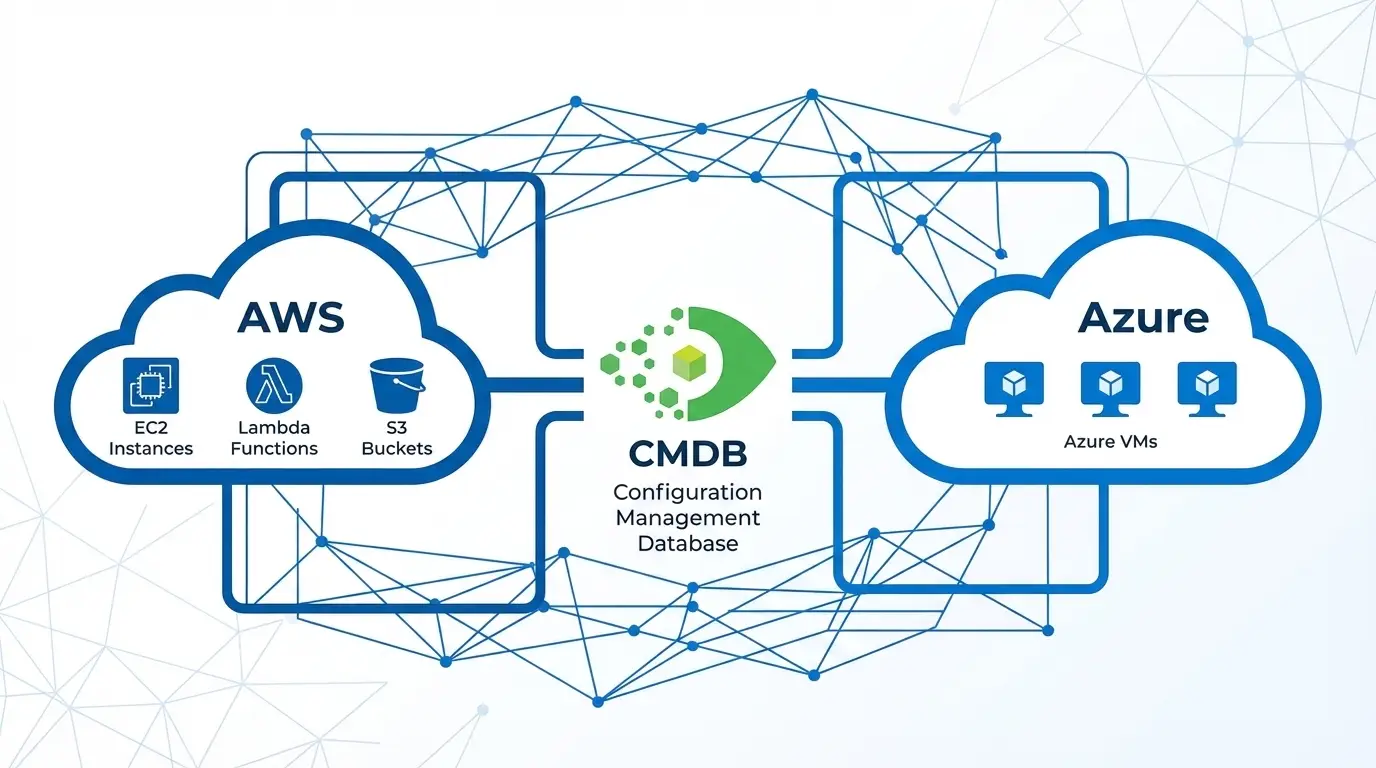
AWS and Azure CMDB Discovery: A Complete Guide to Cloud Asset Visibility with Virima

Cloud assets are the biggest blind spot in the enterprise CMDB. AWS services including EC2, S3, Lambda, ECR, and NAT Gateways go untracked. Azure VMs, Intune-managed endpoints, and Meraki network devices add further complexity. This guide covers how to discover and maintain each asset type in your CMDB, with practical guidance on scheduling, import logs, and multi-account AWS access.
Cloud infrastructure grows faster than any team can manually track. An engineering team spins up 50 EC2 instances across three accounts for a new product launch. A network team provisions Meraki switches at three new office locations. A security team deploys Microsoft Defender endpoints managed through Intune. None of it appears in the CMDB.
This is a structural problem, not a process failure. Cloud resources are dynamic, API-driven, and provisioned without the procurement workflows that traditionally triggered CMDB updates. Traditional CMDB discovery tools were built for on-premises infrastructure with stable IP addresses and change-controlled provisioning cycles — not for cloud-native environments where resources appear and disappear in minutes.
A modern CMDB discovery approach for cloud environments must handle dynamic resource lifecycle, multi-account access control, cross-region inventory, and scheduled synchronization that keeps CI data current without manual updates. This guide covers the full scope: AWS, Azure, Intune, and Meraki.
The Cloud Asset Visibility Problem in Enterprise CMDB
Survey any IT Director responsible for a mixed cloud and on-premises environment and the answer is consistent: the CMDB covers on-prem servers at 80-90% accuracy, but cloud coverage typically falls below 30% — and often near zero for specific service types.
The reasons are structural.
Cloud resources bypass procurement. On-premises hardware goes through a purchase order, asset tag assignment, and rack documentation before it ever powers on. Cloud resources are provisioned via API or console in seconds — no purchase order, no asset tag, no CMDB update.
Cloud resource metadata is not standardized. AWS tags, Azure resource group naming conventions, and naming standards vary by team. Without consistent tagging, cloud resources in the CMDB cannot be reliably related to business services or application owners.
Multi-account environments fragment visibility. Large enterprises run 10, 50, or hundreds of AWS accounts. A CMDB integration that covers one account misses everything in the others.
Service sprawl creates coverage gaps. Most cloud CMDB integrations cover EC2 instances and virtual machines. They miss Lambda functions, S3 buckets, Elastic Container Registry repositories, NAT Gateways, transit gateways, and managed database services — all of which are configuration items with change management implications.
AWS Discovery: What Gets Missed and How to Fix It
EC2 Instances
EC2 is the entry point for most AWS CMDB discovery. The CI attributes worth capturing include instance ID, instance type, AMI ID, region, availability zone, VPC and subnet membership, attached security groups, and associated IAM instance profile.
What most tools miss: stopped instances. An EC2 instance in a stopped state still represents allocated infrastructure — it has an EBS volume, a fixed elastic IP (if assigned), and IAM permissions. Discovery tools that skip stopped instances create a CMDB gap every time engineers stop an instance for maintenance.
S3 Buckets
S3 buckets are cloud storage infrastructure with change management implications. Public access settings, bucket policies, lifecycle rules, and versioning configuration are all CI attributes worth tracking. Many organizations have hundreds of S3 buckets, many of which have been forgotten by their original creators.
S3 discovery is handled via the AWS API (ListBuckets, GetBucketLocation, GetBucketPolicy). The discovery result should capture bucket name, region, creation date, public access block settings, and associated tags.
Lambda Functions
Serverless functions are configuration items too. A Lambda function has a name, runtime (Python, Node.js, Java), memory and timeout configuration, VPC configuration, and an IAM execution role. Lambda deployments change frequently and CI data can become stale quickly in active environments.
Elastic Container Registry (ECR)
ECR repositories store container images used by ECS, EKS, and other workloads. Tracking ECR repositories in the CMDB supports application dependency mapping: a service running on ECS pulls images from a specific ECR repository, and that relationship is visible when the CMDB covers both.
NAT Gateways
NAT Gateways are often overlooked infrastructure. They control outbound internet access from private subnets and represent a single point of failure for the entire subnet’s outbound traffic. Capturing NAT Gateway CIs and relating them to the VPC and subnet allows change managers to evaluate the impact of a NAT Gateway modification on all dependent workloads.
Multi-Account AWS Discovery: The Assume Role Challenge
Enterprise AWS environments use AWS Organizations to manage multiple accounts — development, staging, production, security audit, and log archive accounts are common. A single CMDB integration cannot authenticate to all of these using one set of static credentials.
The correct pattern is AWS STS Assume Role: a central discovery account assumes a read-only role in each target account using AWS Security Token Service (STS). This approach avoids distributing long-term access keys across accounts and supports the principle of least privilege.
Virima’s AWS discovery supports Assume Role with External ID, allowing a single discovery configuration to enumerate resources across multiple accounts. Each account requires a trust policy that allows the Virima discovery role to assume the target role. Multi-account discovery should also account for all regions where resources are deployed — AWS resources are regional, and a complete cloud inventory requires discovery runs across every enabled region.
Azure and Intune Discovery
Azure Virtual Machines and Resources
Azure discovery follows the Azure Resource Manager (ARM) model. Resources are organized into subscriptions and resource groups. Discovery authenticates using an Azure service principal or managed identity with Reader role permissions at the subscription level.
Key Azure CI types to capture:
| CI Type | Key Attributes |
| Virtual Machine | VM name, size, OS, region, resource group, subscription, status |
| Virtual Network | Name, address space, subnets |
| Public IP Address | IP value, allocation method, associated resource |
| Storage Account | Name, redundancy type, access tier |
| SQL Server | Server name, version, firewall rules |
| Resource Group | Name, subscription, location, tags |
Azure’s tag-based resource organization provides an opportunity to map cloud CIs to business services and cost centers using existing tag data. When tagging standards are consistently applied, CI classification in the CMDB becomes automatic during discovery import.
Microsoft Intune Asset Discovery
Microsoft Intune manages endpoint devices — Windows PCs, Macs, iOS devices, and Android devices enrolled in the organization’s MDM policy. Intune-managed devices represent a distinct CI type from Azure-provisioned resources: they are physical or personal-use endpoints, not cloud infrastructure.
Intune discovery uses the Microsoft Graph API to enumerate managed devices. Key attributes include device name, operating system version, compliance state, last check-in time, assigned user, and device enrollment type.
Importing Intune devices into the CMDB closes an endpoint visibility gap that traditional server-centric discovery misses entirely. Mobile devices, laptops, and remote endpoints are all CI candidates that affect change impact analysis for endpoint management and security tooling.
Meraki Network Device Discovery
Cisco Meraki is a cloud-managed networking platform covering switches, access points, and security appliances. Because Meraki devices are managed through the Meraki cloud dashboard rather than a traditional network management interface, standard SNMP-based network discovery often misses them or captures only partial data.
Meraki exposes a REST API (the Meraki Dashboard API) that provides complete device inventory including serial number, model, firmware version, network membership, physical location, and connected client counts. Source: Cisco Meraki Documentation
Discovery via the Meraki API captures these attributes and allows CMDB population of Meraki switches, access points, and MX security appliances as CIs. Meraki devices also support SNMP polling, providing a fallback discovery path for environments where API access is restricted.
Import Logs, Scheduling, and Operational Best Practices
Schedule Automated Discovery Runs
Cloud environments change continuously. An EC2 instance terminated and replaced by an auto-scaling group, a Lambda function updated with new configuration, or a new Meraki device installed at a remote office — all of these changes make your CMDB stale within minutes.
Best practice is to schedule cloud discovery runs at least daily. For high-velocity cloud environments with active DevOps teams or frequent auto-scaling, hourly discovery for key resource types like EC2 and Lambda keeps the CMDB materially current.
Review Import Logs
Every discovery run should generate an import log showing what was created, updated, or decommissioned. Import logs are the primary tool for identifying discovery failures — authentication errors, API rate limits, or new resource types the discovery tool does not yet support.
Review import logs weekly at minimum. Pay attention to:
- Resources that were previously discovered but are now missing (indicates decommissioning or a discovery failure)
- Resources with incomplete attribute data (indicates a permission or API error)
- High volumes of “updated” records (indicates a rapidly changing environment where CI attributes are unstable)
Use Tagging to Drive CI Classification
AWS resource tags and Azure resource group or tag structures should map to CMDB CI classification attributes. Establish a tagging standard that includes environment (production, staging, development), application owner, business service, and cost center. Well-tagged resources become correctly classified CIs automatically during import.
Handle Decommissioning
Cloud resources can be terminated in seconds. A CMDB discovery process that only creates and updates CIs — never retiring them — accumulates stale CI records that mislead change managers and bloat the database.
Build a decommissioning workflow: when a cloud resource is absent from a discovery run for a defined number of consecutive periods, mark the CI as decommissioned or remove it from active inventory. The appropriate retention period depends on your change management audit requirements.
Virima 6.1.1 Cloud Discovery Improvements
Virima 6.1.1 introduced expanded AWS service support, Azure and Intune integration, Meraki API discovery, and support for AWS Assume Role with External ID for multi-account environments.
These additions enable Virima to serve as a single IT discovery platform for the full hybrid infrastructure stack: on-premises servers, physical network and storage, private cloud VMs, and public cloud resources across AWS and Azure. Discovered cloud CIs join the same CMDB cloud cmdb discovery as on-premises CIs, enabling the cross-domain relationships that support hybrid cloud change management and service mapping.
Conclusion
Cloud asset visibility in the CMDB requires a discovery approach built for dynamic, multi-vendor, multi-account environments. Static IP scanning and agent-based discovery do not work for Lambda functions, S3 buckets, or Intune-managed endpoints. The solution is API-based discovery with scheduled runs, multi-account access control using Assume Role, and decommissioning workflows that keep the CMDB current as resources come and go.
When cloud CIs are present alongside on-premises infrastructure in a single CMDB, the result is the hybrid visibility that IT teams need for change management, compliance, and service management across the full estate.
Ready to close the cloud visibility gap in your CMDB? Schedule a demo at virima.com and see how Virima discovers AWS, Azure, Intune, and Meraki assets automatically.





