IT Asset Audit Checklist for Small Business Starts With Proving the List Is Complete

An auditor opens a spreadsheet during audit week and selects ten row items at random to inspect. Every field on those rows matches physical equipment, serial tags, and assigned users. The audit appears on track until the auditor asks a different question: How do you prove those ten rows represent the entire environment, and that no unlisted endpoints or cloud instances exist outside the sheet?
That moment divides a clean physical tally from a defensible IT asset audit checklist for small business teams. Most checklists begin with counting what is visible on desks or stored in procurement receipts. When growing fleets add remote workers, temporary cloud instances, and contractor laptops, manual tallies leave gaps. This checklist focuses on proving completeness before an external auditor, insurance reviewer, or compliance officer requests evidence.
The six evidence records your small business IT asset audit checklist needs before audit week
A small business IT asset audit requires documented proof that physical, virtual, and cloud assets are accounted for. Collecting these six records before audit week prevents last-minute searches through invoices and email threads.
That proof matters because most teams underestimate how much sits outside the spreadsheet. Ivanti’s 2026 device-visibility research found that more than one in three IT professionals (38%) report insufficient data about the devices connecting to their network. Another 45% say they lack adequate information about shadow IT. A small business running on a handful of spreadsheets carries that same risk at a smaller scale: a 50-person IT shop juggling three cloud accounts and a help-desk tool faces the identical blind spot, just with fewer rows to lose track of.
| Record Type | What It Covers | Primary Audit Purpose | Common Missing Field |
|---|---|---|---|
| Hardware Inventory | Laptops, desktops, physical servers, network switches, firewall appliances | Verifies physical ownership, serial numbers, and physical location | Serial number mismatch between box and invoice |
| Software License Ledger | Installed applications, operating system licenses, SaaS subscriptions | Confirms license compliance and prevents unbudgeted true-up fees | Allocated user versus active login discrepancy |
| Cloud Workload Registry | Virtual machines, cloud storage buckets, cloud networking rules (AWS, Azure) | Demonstrates cloud environment visibility and security controls | Abandoned staging instances with live access |
| Network Infrastructure Log | Routers, wireless access points, IP address allocations, subnet assignments | Validates network boundaries and unmonitored hardware connections | Static IP assignments on legacy office hardware |
| Mobile & Remote Endpoint List | Smartphones, tablets, contractor laptops, home-office peripherals | Ensures remote access policy enforcement and endpoint security | Last active check-in timestamp |
| Lifecycle & Disposal Trail | Retired hardware, wiped drives, certificate of destruction documents | Proves secure media sanitization and ITAM policy compliance | Signed destruction certificates for recycled drives |
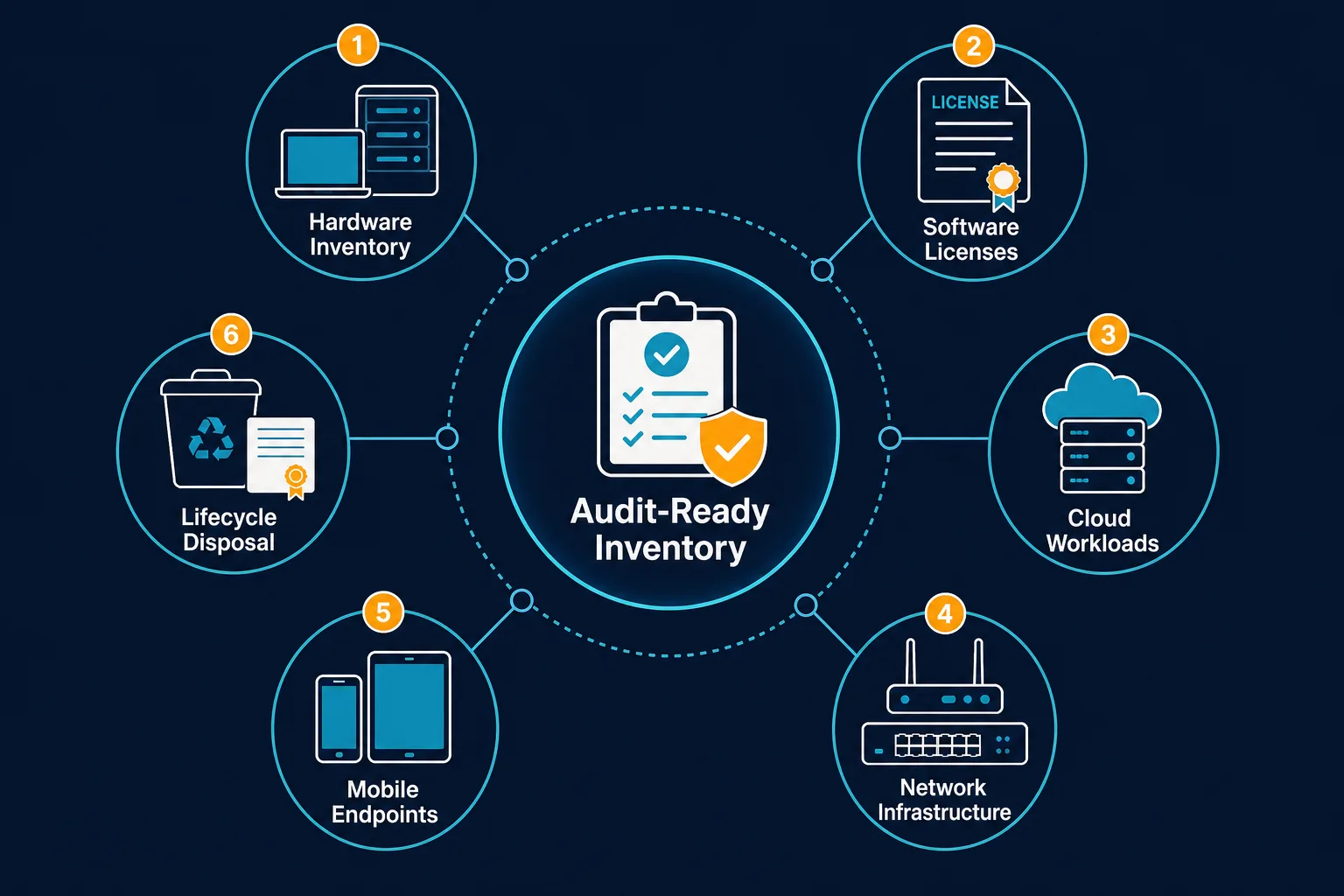
Each record needs an owner and a refresh cadence, not a one-time entry. An IT asset management practice that tracks these six records on an ongoing basis replaces the pre-audit scramble with a list that is already current when audit week starts.
Why manual inventories fail the CMDB completeness test
Manual asset tracking relies on periodic sampling or self-reporting by department heads. While spreadsheets record asset tags for hardware on hand, they cannot detect newly provisioned infrastructure or unreturned equipment.
       MANUAL SPREADSHEETS                     DISCOVERY-SOURCED AUDIT
  +---------------------------+             +---------------------------+
  |  Self-Reported Rows       |             |  Network & Cloud Probes   |
  |  Static Serial Numbers    |             |  Active Interface Scans   |
  |  Point-in-Time Status     |             |  Source-Authority Rules   |
  +---------------------------+             +---------------------------+
               |                                          |
               v                                          v
  [ Gaps: Rogue Endpoints,                   [ Verified Completeness:    |
    Unlinked Workloads,                        Durable Serial Joins,     |
    Stale Serial Records ]                     Last-Seen Timestamps ]    |
According to NIST Special Publication 1300, effective asset management requires maintaining an accurate, up-to-date inventory of all hardware and software components across organizational boundaries. When an inventory list depends on manual updates, changes made between audit cycles create blind spots that surface during compliance checks.
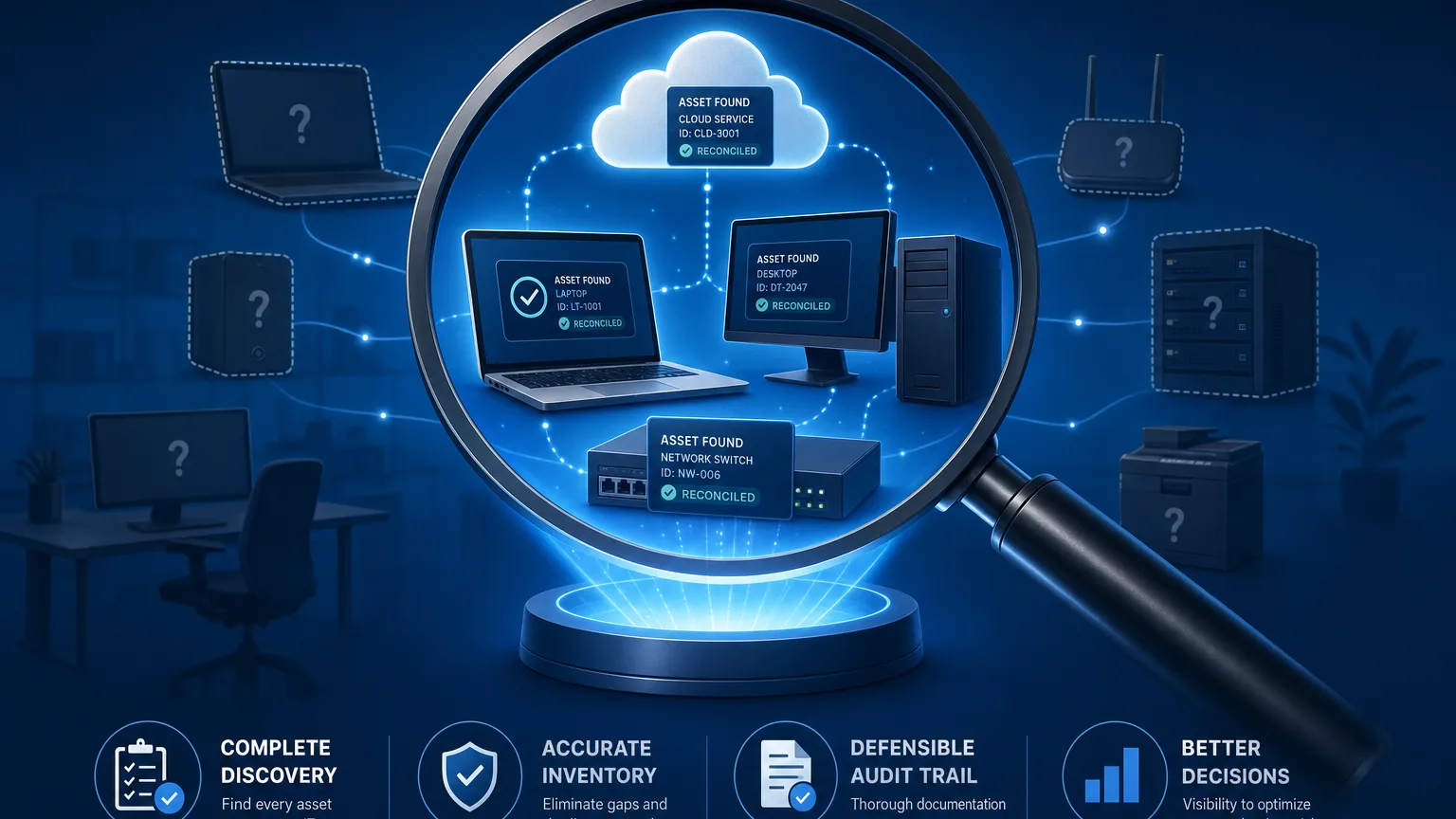
This is the gap a discovery-sourced CMDB is built to close, and it’s the fastest way to pressure-test CMDB completeness before an auditor does it for you. Instead of waiting for someone to update a row, the record reflects what the network and cloud APIs report as active. This pattern is covered in more depth in why automated discovery wins over manual inventory, and in replacing Excel for small IT team inventories if spreadsheets are still where your tracking starts today. For a longer walkthrough of what that record-keeping needs to survive an actual audit, see CMDB audit essentials.
Phase 1: Establish physical and endpoint scope
The first phase of the checklist establishes control over physical hardware and active endpoints connected to the corporate network.
1. Reconcile serial numbers against purchase records
Verify that serial numbers on physical hardware match procurement documentation and vendor receipts. Mismatched serial numbers indicate unrecorded hardware replacements or gray-market equipment acquisitions that complicate warranty claims and asset valuation.
2. Verify agent and agentless scanning coverage
Ensure that every corporate device is reachable by discovery tools. CIS Control 1 emphasizes actively managing all enterprise assets connected to the infrastructure. Employ a combination of light agent credentials for remote laptops and agentless network scans for office hardware to identify devices that lack required security monitoring software. Comparing DHCP lease logs against the asset list is a fast, concrete way to surface shadow IT: if a leased IP doesn’t map back to a known asset record, that’s a device nobody signed off on.
Endpoints are only half the picture. Routers, switches, and wireless access points rarely appear in a spreadsheet unless someone adds them manually. A single unmanaged switch can leave an entire segment of devices undetected by both agent and agentless scans. Network device discovery walks through the protocols that surface these gaps, and pairing agent-based and agentless discovery keeps the two methods checking each other’s blind spots instead of leaving a device to count on luck.
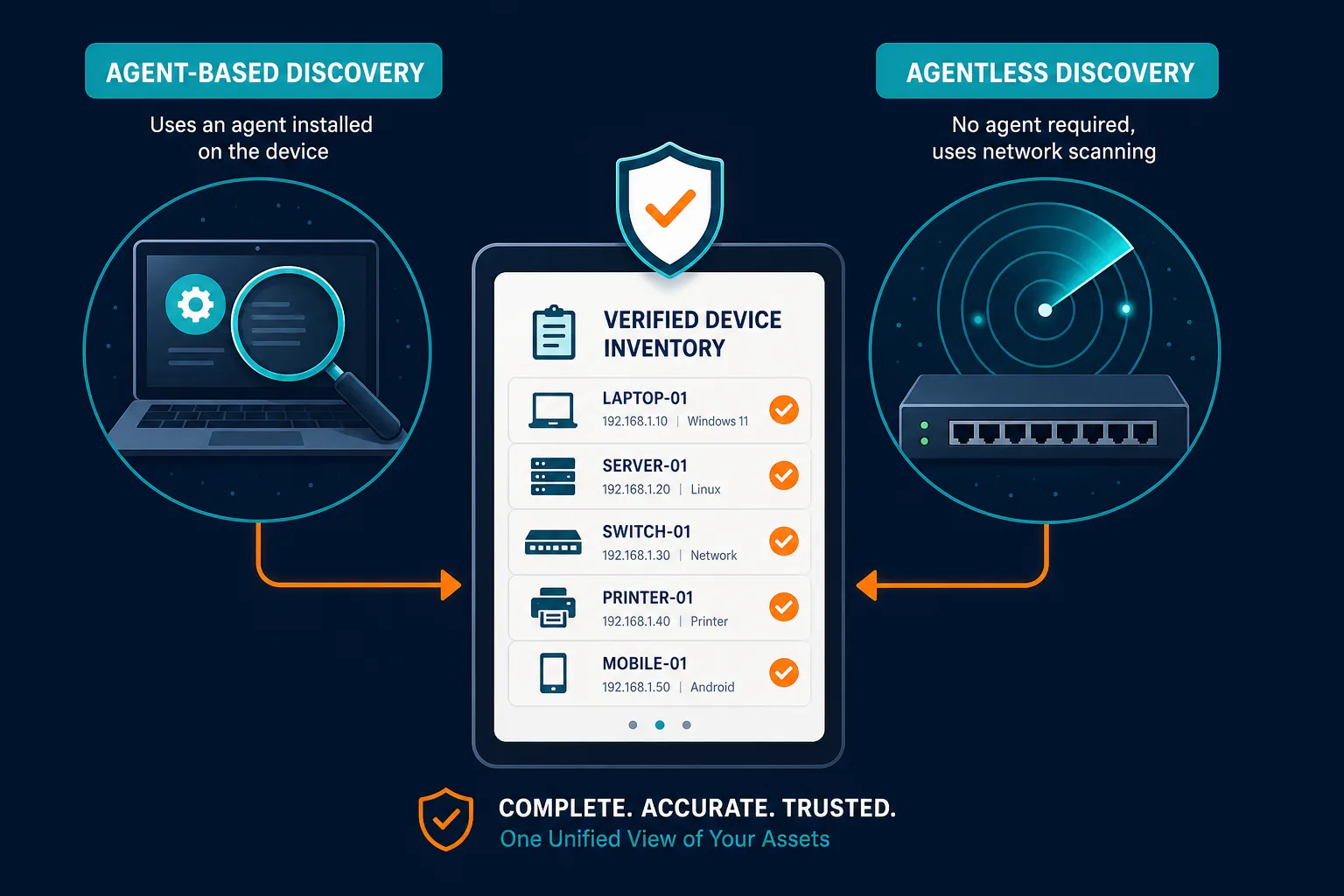
How do small businesses prove endpoint inventory completeness during an audit?
Small businesses prove completeness by comparing active network scan records against credentials logs and Active Directory entries, ensuring every connected IP resolves to a known, verified asset record with a durable serial number. Ivanti’s 2026 research found 38% of IT professionals report insufficient visibility into connected devices, and that’s exactly the gap this cross-check closes.
Phase 2: Audit cloud infrastructure and software usage
Cloud workloads and software assets are dynamic — counts fluctuate daily.
3. Discover active cloud resources across AWS and Azure
Connect cloud environments directly to your inventory management system. Cloud infrastructure in AWS and Azure must be discovered via API integrations to capture short-lived virtual machines, storage volumes, and network security groups that manual records overlook.
4. Identify software installations and license allocations
Map installed software against active user accounts and license entitlements. Alignment with CIS Control 2 requires maintaining a software inventory to ensure only authorized applications run on corporate devices. Identifying unused software seats allows teams to reclaim licenses before annual contract renewals.
Unused seats are the easier half of this problem. The harder half is software nobody approved in the first place, such as a SaaS subscription a department head expensed without looping in IT, or a trial account that quietly became production. A deeper look at software license management covers how to reconcile both the licenses IT approved and the ones it never knew about, before a vendor’s compliance audit finds them first.
Small IT teams need enterprise-grade discovery and asset authority without complex platform overhead.
Phase 3: Validate asset data integrity and relationships
Collecting asset records is only the middle step; verifying data authority and system dependencies ensures audit readiness.
5. Apply source-authority rules for conflicting data
Define clear rules for which system holds authority when data sources conflict. For example, local device serial numbers should take precedence over manual spreadsheet entries, while cloud provider APIs remain the primary authority for virtual instance states.
6. Map asset dependencies and service relationships
Document how assets support core business functions. Guidance in the NIST Cybersecurity Framework 2.0 (CSWP 29) requires documenting how assets relate to the services they support. Identifying which application runs on a specific server helps assess the operational impact of hardware maintenance or security incidents.
A dependency map only holds up if it gets reviewed each time an asset changes hands or gets decommissioned, not drawn once and left on a shared drive. Treat steps 5 and 6 as linked: source-authority rules settle which record wins when data conflicts, and the dependency map explains why that record mattered in the first place.
Why are source-authority rules necessary for IT asset audits?
Source-authority rules prevent conflicting asset data by establishing which discovery feed or database takes precedence, ensuring that active network data overrides outdated spreadsheet records during audit reconciliation.
Phase 4: Run the pre-audit dry run
Before an external auditor performs their own random sample, run this dry run the same way you’d run any small business IT audit: sample first, trust the list second. Catching the gaps yourself beats having an auditor find them.
- Select 20 Random Assets Across Departments: Sample hardware, cloud instances, and software seats from different teams.
- Trace Each Asset to Its Purchase Order: Confirm that ownership, cost center, and acquisition dates are fully documented.
- Verify Security Agent Compliance: Ensure selected devices report active endpoint protection and patch status.
- Confirm Sanitization Records for Retired Hardware: Match disposed assets with signed destruction certificates.
- Confirm Backup and Recovery Evidence for Business-Critical Assets: Verify that backup logs exist and the last recovery test is recorded for any asset classified as business-critical; a destruction certificate means nothing if the data an asset held was never backed up to begin with.
- Review Access Rules and Role-Based Permissions: Check that role-based access control (RBAC) settings limit asset modification permissions to authorized IT administrators. This means confirming who can edit a CI record, not just who can view it, and verifying that offboarded employees and contractors no longer hold write access.
This sampling step is not a formality. A 2025 New York State Comptroller audit sampled 102 devices listed in a state inventory and could not locate 94 of them. That same audit found thousands of additional devices sat on the books marked “absent” because nobody had recorded where they went. That finding came from a large government agency, but the failure mode is identical at a tenth the scale: a list that looks complete on screen and falls apart the moment someone tries to verify it against the physical world. Running the dry run above before an external auditor does is what catches that gap first. Automated discovery narrows how often that gap opens, but it doesn’t remove this step entirely. A network scan confirms a device answered, not that someone can put their hands on it, which is exactly what the dry run is for.
Maintain audit readiness with Virima
Passing an IT asset audit relies on moving your hardware and software inventory from manual spreadsheets to automated discovery. Virima provides automated agent and agentless discovery across physical, virtual, and cloud infrastructure, and builds a reliable database of verified IT assets.
With built-in source-authority rules and dependency mapping, Virima helps growing IT teams maintain continuous visibility, so every asset is accounted for long before audit week arrives. For a closer look at how this plays out for a growing IT team, see how Virima simplifies IT asset management audits end to end.
Schedule a Virima Demo to see how automated discovery keeps your IT asset audit checklist for small business teams audit-ready.
Frequently Asked Questions
How often should a small business conduct an IT asset audit?
Small businesses should run automated discovery cycles continuously and perform formal audit reconciliations quarterly. Regular checks prevent inventory drift and reduce the preparation time needed for annual compliance reviews.
What is the difference between IT asset discovery and an IT asset audit?
IT asset discovery is the technical process of identifying hardware, software, and cloud workloads active on a network. An IT asset audit evaluates those discovered assets against financial records, security policies, and license entitlements to prove compliance.
Can small businesses perform IT asset audits without dedicated ITAM software?
While small organizations can track minimal hardware using spreadsheets, manual lists struggle to account for cloud resources, remote devices, and software licenses — which raises the risk of audit findings and unexpected true-up costs.
How long does an IT asset audit take for a small business?
A manual audit built on spreadsheets and email requests typically takes one to two weeks of staff time to assemble and reconcile. Teams running continuous discovery can cut that to a few days, since the inventory is already current and the dry run becomes a spot-check rather than a full rebuild.
How does Virima support small IT teams without enterprise platform complexity?
Virima’s agent and agentless discovery deploys without the implementation overhead of enterprise CMDB suites, giving small IT teams continuous asset visibility sized to their team, not an enterprise rollout.