Top 10 change management best practices in 2025

Picture this: it’s Monday morning, and your company launches a system update. At first, it seems small—just a patch, just a quick fix. But soon, people can’t log in to important apps. The help desk handles floods of tickets, while the CIO fields nonstop calls from worried leaders.
As a result, what seemed like a smooth change quickly turns into an expensive mess.
At some point, you probably asked yourself: “How can we roll out updates quickly? Moreover, how can we avoid breaking the business—or overwhelming the service desk?”
That’s exactly what this guide intends to answer. Inside, you’ll also find 10 clear ITIL change management best practices, refreshed for 2025.
Moreover, these change management best practices tips help you roll out changes smoothly, reduce or minimize the risks, and keep updates aligned with business goals through a structured approach supported by modern management tools.
Why it matters: Good change management is not just red tape. It’s the line between success and chaos.
Research shows that companies with strong change management best practices get 143% of their expected ROI. But those with weak processes see only 35%. Even worse, 80% of downtime comes from poorly planned changes.
By using the best practices below, based on ITIL change management best practices and real-world lessons, you can roll out updates faster. At the same time, you’ll minimize risks and avoid costly downtime while improving long term reliability.
Top 10 IT change management best practices (2025 edition)
Managing IT changes can get tricky. But these top 10 change management best practices for 2025 make it easier, faster, and less stressful.
1. Assess your infrastructure and simplify the process
Start by looking closely at your current IT setup. Then, simplify how you handle change by aligning it with your project management cadence and checkpoints. Many teams see change management as a burden because of extra steps and approvals.

To fix this, first run a full check of your network and assets. You can use automated tools, like Virima’s IT network asset discovery platform, to scan hardware, software, apps, and services.
- This clear view shows you where things connect and where problems may appear, enabling informed decisions before you deploy. With that knowledge, you can cut out waste, avoid surprises, and build a smarter plan.
- The goal is a simple ITIL change management process aligned with best practices, yet easy for developers and engineers.
- When everyone understands the system and plan, changes move faster with less stress. That’s the power of practical change management best practices supported by modern change management software.
2. Define clear roles and responsibilities
A key best practice is defining who handles each part of the change process and clarifying the approval process from submission to deployment. Otherwise, without clear roles, changes may slip through or advance without proper checks.
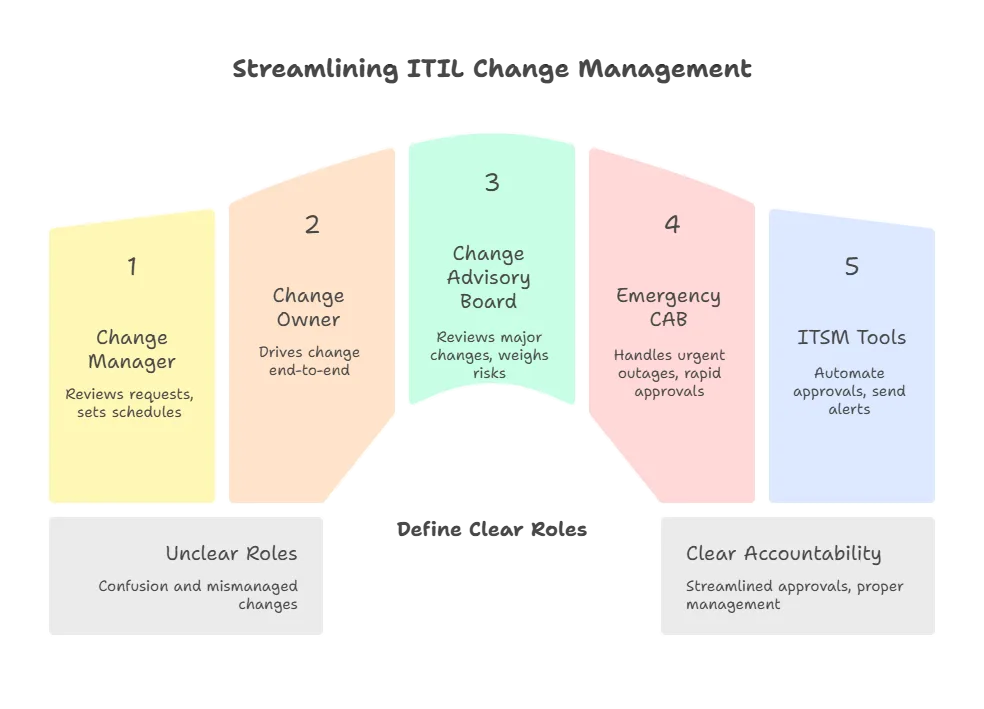
In ITIL change management best practices, several important roles guide the process:
- Change Manager: Reviews all change requests, sets schedules, studies impact, and updates records in the CMDB software.
- Change Owner: Takes charge of a change from start to finish. This person ensures completion of tasks and reports progress.
- Change Advisory Board (CAB): A Change Advisory Board (CAB) is a group of stakeholders from IT, development, and business teams. In fact, they review major changes, weigh risks, and provide approval or guidance.
- Emergency CAB: A smaller, fast-moving team of experts. They step in during urgent issues, like outages or security threats, and approve quick action.
With these roles in place, accountability is ensured. Modern network change management software supports this by automating approvals and alerts, thereby reinforcing best practices in change management.
Clearly defined responsibilities also reflect strong organization management, where every stakeholder knows their part in supporting operational change.
Make sure everyone knows their role in the change process. For example, a Change Manager guides the workflow. A Change Owner drives the work. CAB members review the wider impact.
Modern ITSM tools, such as Virima’s change management software, make this easier. They operationalize ITIL change management best practices by automating approvals and workflows.
- They allow you to create custom workflows. As a result, the right people receive alerts and approvals at the right time.
- This teamwork-based approach keeps things clear. It also prevents confusion and ensures accountability for every change.
3. Adopt an agile, iterative approach to change
Instead of rolling out one huge update, break projects into smaller releases or sprints. This iterative approach fits perfectly with ITIL change management best practices and avoids risk-heavy deployments.
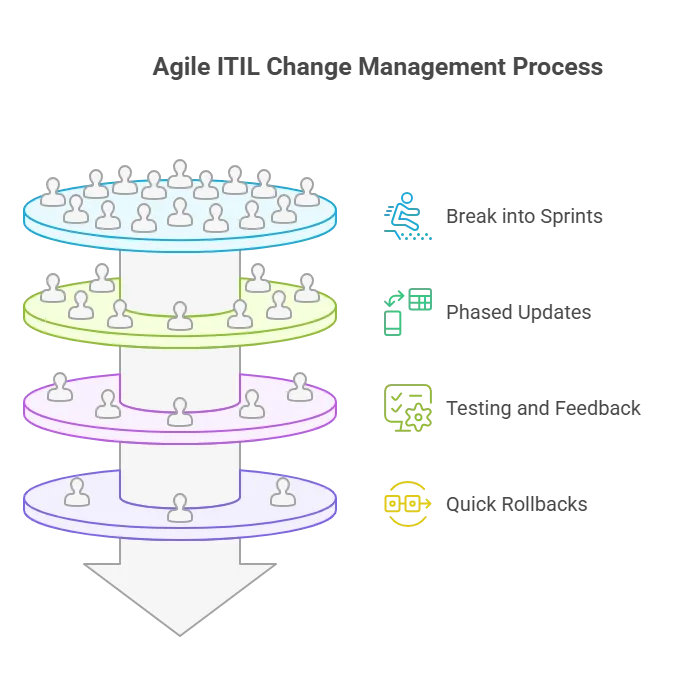
Small, phased updates, combined with change management software, allow testing, feedback, and quick rollbacks. This aligns with the philosophy of continuous improvement behind application change management best practices. This approach allows your organization to remain flexible and manage change effectively without compromising stability.
For large updates, divide them into smaller phases. For example, use release management tactics like canary releases or feature flags to ship to a small group first. Then, expand to everyone once you’re confident.
It’s one of the most practical change management best practices for today’s DevOps teams. Specifically, ITIL 4 refers to this as “change enablement” across the full service lifecycle.
4. Leverage configuration management with change management
Never manage changes in isolation. Strong configuration management paired with ITIL change management best practices provides the structured approach needed for end-to-end visibility.
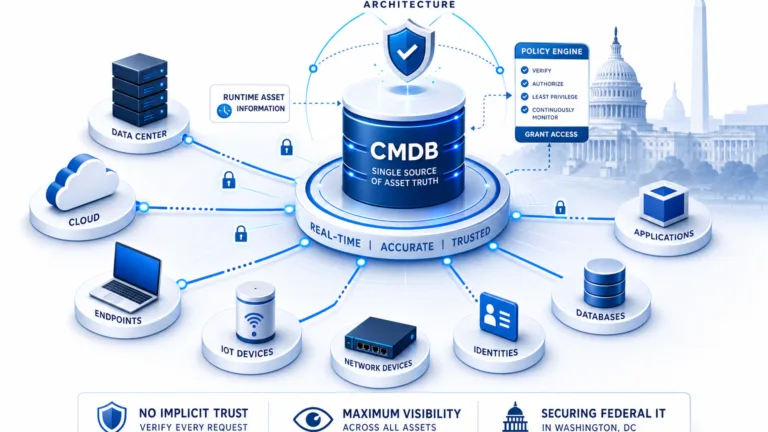
- Configuration management, often through a CMDB(CMDB definition), gives you a live map of your IT world. It shows servers, apps, databases, network devices, and how they connect. This view is critical. Before making any change, you must know what else it may affect.
- A good change tool links directly with the CMDB. This way, you can check risks and impacts automatically. For example, if you plan to update a database server, the CMDB components show which apps rely on it. That lets you alert owners or plan downtime before you act.
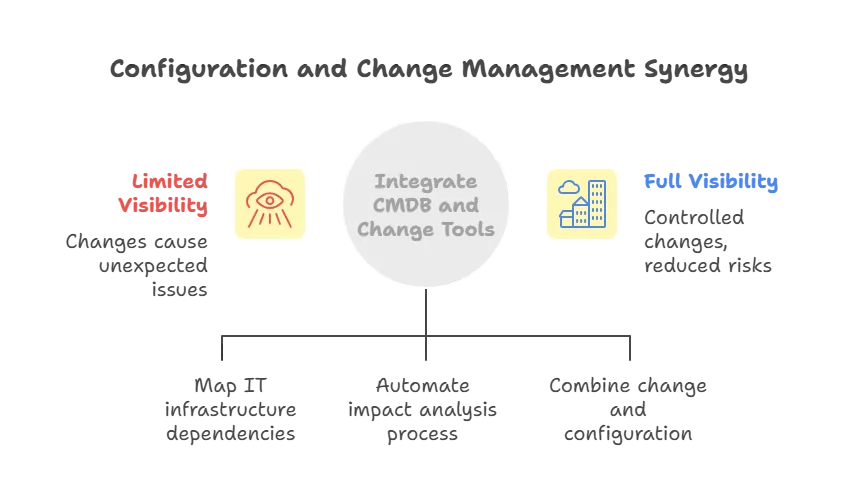
Management platforms like Virima’s change management software make this even easier by combining change and configuration management. This ensures consistency and supports ITIL change management best practices. They log every change against items, keep audit trails, and even check compliance.
They also support IT automation. You can use scripts or templates to deploy standard updates across servers. This ensures consistency and cuts down on mistakes. By tracking configuration alongside changes, you follow ITIL best practices. More importantly, this approach prevents hidden ripple effects that often trigger incidents.
5. Rethink the traditional CAB model
In the past, the CAB acted as the main gatekeeper for IT changes. It reviewed proposals in weekly meetings and decided whether to approve or reject them. But today, with DevOps and continuous delivery, this old process can slow things down.
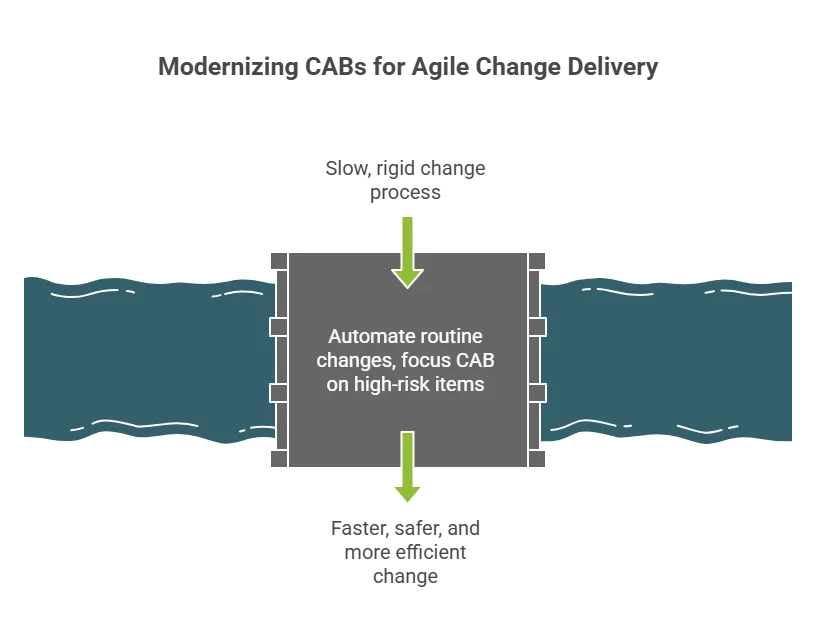
Smart organizations now reshape the CAB’s role—reserving it for high-risk, wide-impact changes—while automation or peer reviews auto-approve low-risk, routine updates. Where possible, integrate pre approved change workflows for routine tasks that meet predefined criteria. This reduces overhead and speeds up delivery without sacrificing safety.
- For example, if a code change passes all tests and affects just one service, you can skip a full CAB meeting. Instead, use peer review and automated deployment checks.
This frees the CAB to focus on bigger changes, like major upgrades or risky deployments. You can also make the CAB more agile. Let it meet virtually in a chat channel or quick call when urgent issues appear, instead of waiting for the next weekly meeting.
High-performing teams treat the CAB as a partner, not a blocker. The CAB establishes guardrails, strengthens change plans, and verifies coverage of risks.
6. Encourage open collaboration across teams
One key to successful change is open teamwork. After all, IT changes affect many groups—development, infrastructure, security, operations, and business. However, when these teams work in silos, they miss problems and fuel resistance.
The best practice is to build a culture of transparency and cross-team planning. Research backs this up. A McKinsey study showed that nearly 25% of very successful transformations were planned by groups of 50+ people. In contrast, only 6% of failed projects had broad input.

The lesson is clear: involve stakeholders early and often. Invite feedback from end-users, frontline IT staff, and other departments when scoping a change. For major updates, form a working group with representatives from all key areas. This surfaces issues early and builds trust.
- Collaboration tools make this easier. Use project portals, shared documents, or chat channels like Slack for discussions. Hold regular meetings where change plans are open to all. When people feel included, they support change instead of resisting it.
- That’s why breaking silos and fostering real-time collaboration is a cornerstone of effective change management best practices. In fact, ITIL change management best practices stress collaboration across IT, business, and security team
7. Prioritize risk assessment and mitigation
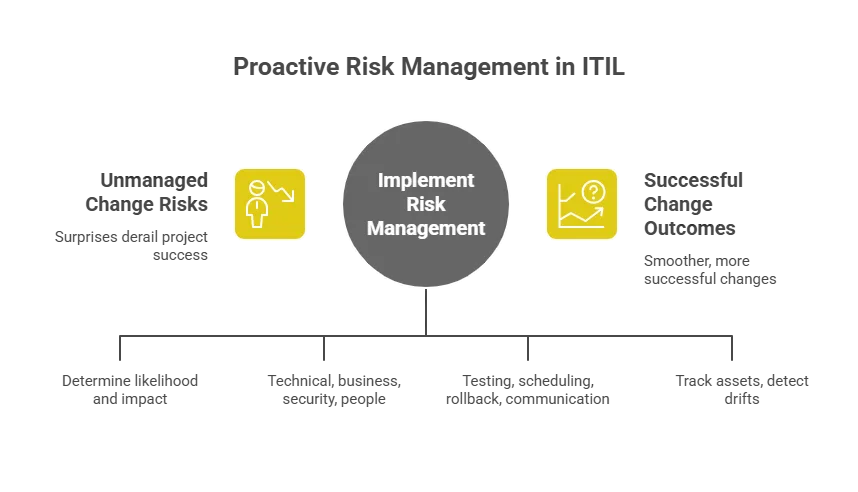
Before jumping into a change, always check for risks first. Proactive risk management is central to ITIL change enablement. It prevents surprises later and keeps projects on track.
Start by asking simple questions. What could go wrong? How likely is it? What would the impact be? Look at technical risks like compatibility or performance issues. Consider business impacts such as downtime, customer service problems, or budget overruns. Don’t forget security risks and human factors like user resistance or poor training.
People-related risks are often the hardest. Low employee support or resistance is a top reason changes fail. Studies show that 70% of failed initiatives struggled because employees did not buy in. Another study found that 37% of executives underestimated how much internal adjustment was needed. Both mistakes create major setbacks.
- To avoid this, build a clear risk mitigation plan. For each risk, list preventive steps. For example, test in a staging environment, schedule updates during off-peak hours, and prepare a rollback plan. Communicate early and often with users to reduce pushback.
- Tools can also help. Platforms like Virima ITAM track assets and their changes. As a result, you can quickly spot drifts from normal after a change.By actively assessing risks, using tools, and planning contingencies, you greatly increase success.
- This principle is central to change management best practices and is supported by modern change management software.
8. Treat ITIL as guiding principles
ITIL gives you a solid framework for IT service and change management. But remember, it’s a guide, not a strict rulebook. The truth is, its core ideas are still valuable: control the change lifecycle, reduce risk, and align with business goals. What matters is how you apply them.
Use ITIL as a foundation and then adapt it to your needs.
For example, ITIL calls for careful risk checks and approvals. You can meet this need with modern automated workflows instead of long paper trails.
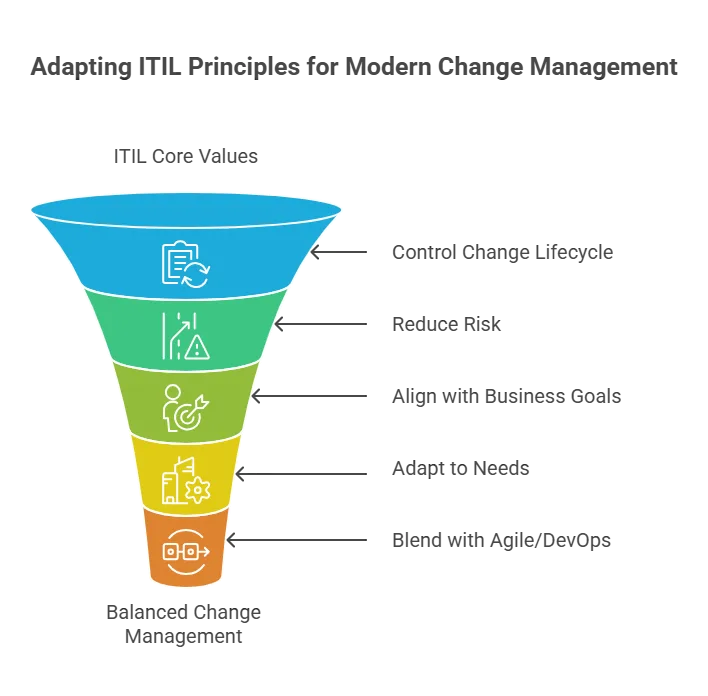
ITIL also defines roles like Change Manager and CAB. Keep those roles, but scale how formal they are depending on the risk and size of the change. It also helps to blend ITIL with other methods like Agile, DevOps, or Lean. No single framework solves every challenge. Real success comes from a culture of common sense and ongoing improvement. Think of ITIL as helpful guardrails, not hard barriers.
If a process doesn’t add value, adjust it.
For instance, skip CAB review for a low-risk change if it speeds delivery without adding risk. The bottom line: follow the spirit of ITIL—structured, safe change—but stay flexible and practical. This way, you keep consistency and safety while leaving room for innovation.
9. Use tools your team knows and integrate them
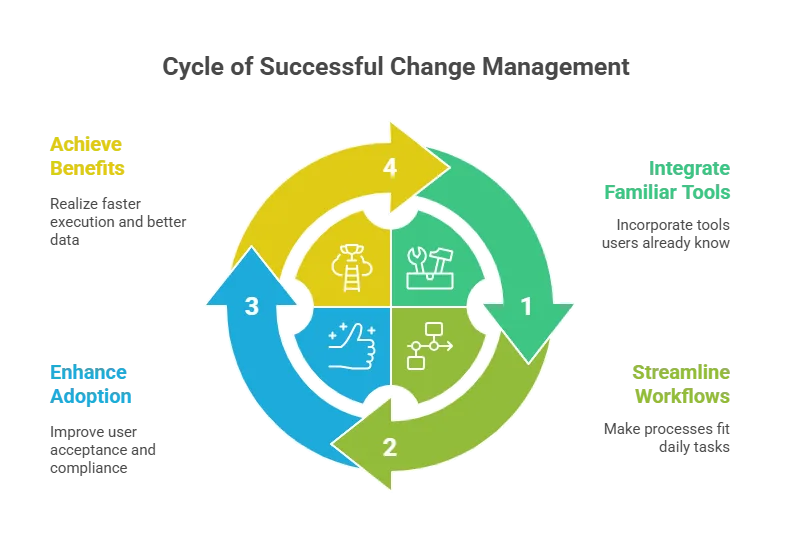
The best change process is one that people actually follow. To boost adoption, choose tools that fit daily work. If engineers must learn a new system or switch between portals, they may see it as a burden. Then, they may look for shortcuts instead of following the process.
Make the process seamless. For example, connect approval steps directly to your ITSM software or DevOps pipeline. If developers use Jira or GitHub, add plugins or webhooks to create change requests during deployment.
- If your ops team works in ServiceNow or another ITOM governance suite, use its built-in change module so everything stays in one place.
- User-friendly tools and integrations reduce the learning curve. They also increase compliance because the process feels natural. Many modern platforms, including Virima, offer APIs to connect with CI/CD tools, monitoring systems, and more.
The goal is simple: meet your team where they are. When change steps live inside familiar tools, they no longer feel like extra paperwork. Instead, they become a normal part of software delivery or infrastructure updates. This improves data quality, speeds up execution, and helps teams focus on the change—not the technology.
10. Promote continuous improvement of the change process
Change management should evolve over time. Like software, your practices also need regular updates.
Set up metrics and feedback loops to learn from each change. Useful metrics include success rate, failure rate, number of incidents, Mean Time to Recover (MTTR), and user satisfaction. Review these often to spot trends. For example, if failure rates rise, you may need stronger testing or process tweaks.

- Run post-implementation reviews after major changes, capturing lessons learned as you gather the team to discuss what worked and what didn’t.
- In addition, ask stakeholders for input as well. Do users feel informed? Do developers find the process smooth or frustrating? Finally, use this feedback to refine steps, documentation, and training.
Stay current with new tools and practices. In 2025 and beyond, trends like AIOps and automated risk checks will reshape change management. For example, some teams already use AIOps to predict failures or feature flags to test safely in production.
- Most importantly, build a culture of learning. In particular, celebrate smooth changes as wins. Meanwhile, treat problems as opportunities to improve. By continuously adapting, your change management process remains efficient, relevant, and ready for the future.
Final thoughts: building change resilience in 2025 and beyond
Managing IT change is a balancing act. You need to move fast to match business needs and new technology. But you must also move carefully to avoid costly disruptions.
| By using these 10 best practices, you set your organization up for smooth and steady transitions. Careful planning, impact analysis, and oversight reduce risks. At the same time, aligning changes with business goals and cutting downtime increases value. These practices also build trust with employees. When people see a clear, inclusive process, they are more likely to support it. This reduces resistance and keeps projects moving. |
Most importantly, build a culture of learning. In particular, celebrate smooth changes as wins. Likewise, treat problems as opportunities to improve. By continuously adapting, your change management process remains efficient, relevant, and ready for the future.
The result is a strong, adaptive IT organization built on change management best practices, enabled by the right change management software, and guided by ITIL change management best practices.
As a result, it can adopt new technologies confidently and drive the business forward—without fear of outages or setbacks.
Next steps
If you’re ready to level up your change management, advanced ITSM tools can help. For example, Virima’s platform unifies IT asset visibility, configuration management, and automated workflows in one place.
With these features, you can put best practices into action quickly. The right tools make change smoother, safer, and less stressful. They also help your team deliver value without added risk.
Want to see how it works? Learn more about Virima or request a demo to watch these practices in action.
Frequently asked questions (FAQs) on change management best practices
1. What are change management best practices?
Change management best practices use proven methods to help organizations plan, implement, and monitor IT or business changes. In turn, they reduce risks, minimize downtime, and ensure every change aligns with business goals.
2. What is ITIL change management?
ITIL change management, now “change enablement” in ITIL 4, provides guidelines for managing IT changes. It emphasizes risk assessment, approvals, documentation, and aligning changes with business needs while enabling agility.
3. What role does a Change Advisory Board (CAB) play?
A CAB reviews high-risk or major changes, provides guidance, and ensures risks are addressed. Modern CABs handle high-impact changes, while routine or low-risk ones are automated or peer-reviewed
4. What tools support IT change management?
Modern ITSM platforms like Virima, ServiceNow, and Jira Service Management support change workflows. They integrate with DevOps pipelines, track assets, and link with CMDBs. As a result, approvals are automated, making change management faster and safer.