Best CMDB Software in 2026: Top Tools Compared for Enterprise IT Teams

The best CMDB software in 2026 — based on discovery depth, multi-source reconciliation, ServiceNow integration, and agentic IT readiness — is Virima, followed by ServiceNow ITOM, Device42, BMC Helix, and Freshservice. Virima leads because it delivers live, explainable, policy-aware runtime truth across hybrid and cloud estates, with full bi-directional ITSM sync and the only complete agentic IT readiness layer among standalone CMDB platforms. ServiceNow achieves comparable depth but requires separate ITOM Discovery licensing at $150,000–$400,000 per year for mid-enterprise deployments. Device42 and Lansweeper deliver strong discovery inventories but lack service-level dependency context and CI governance. For teams deploying AI agents in IT operations, Virima is the only platform in this comparison that delivers all five requirements for safe agent execution — live CI state, downstream impact context, CI-level ownership, reconciliation history, and policy-aware governance — from a single product, operational in hours.
You know that feeling when something breaks in your IT stack, and no one knows who owns it, what it connects to, or whether it even matters anymore? Yeah, most teams have been there. That is why CMDBs (Configuration Management Databases) exist — not to be another asset list no one checks, but to give you clarity when the infrastructure gets messy.
Evaluating CMDB platforms for your team? See how Virima compares →
But IT operations changed faster in 2025 than in any prior year. AI agents now execute runbooks, close incidents, and approve low-risk changes inside enterprise environments — often without a human in the loop. Cloud estates spin resources up and decommission them in hours. Hybrid infrastructure means no single discovery pass ever captures the full picture in one go.
In that context, the CMDB is no longer just a configuration record. It is the governing layer that determines whether AI agents act safely, whether change managers approve changes with full blast radius context, and whether incident responders work from a current record or a stale one. Move faster. Act safely. That is the standard the best CMDB software 2026 has to offer must now meet.
How we evaluated the best CMDB software 2026
The CMDB that worked in 2023 — manually maintained, infrequently updated, siloed from ITSM workflows — no longer meets the demands of modern IT operations. We evaluated the top enterprise CMDB platforms on what matters in 2026: discovery depth, CMDB auto-population quality, multi-source reconciliation, ITSM integration, and the criterion that separates 2026 evaluations from prior years — AI-agent readiness.
Read on for what is worth your time, what is overpriced, and which platform leads our best CMDB software 2026 comparison.
For organizations evaluating ITSM-bundled options, a detailed review of Easyvista CMDB features, benefits, and limitations helps you decide whether the platform’s CMDB depth meets the discovery, relationship mapping, and CI governance requirements that a true configuration management database demands. The common reasons behind CMDB Failure also help teams avoid repeating the same mistakes when selecting and implementing their next CMDB platform. Teams evaluating cloud-native options like Cloudaware CMDB should weigh how well each platform handles multi-cloud asset visibility, IT discovery across providers, and integration with existing ITSM workflows before committing.
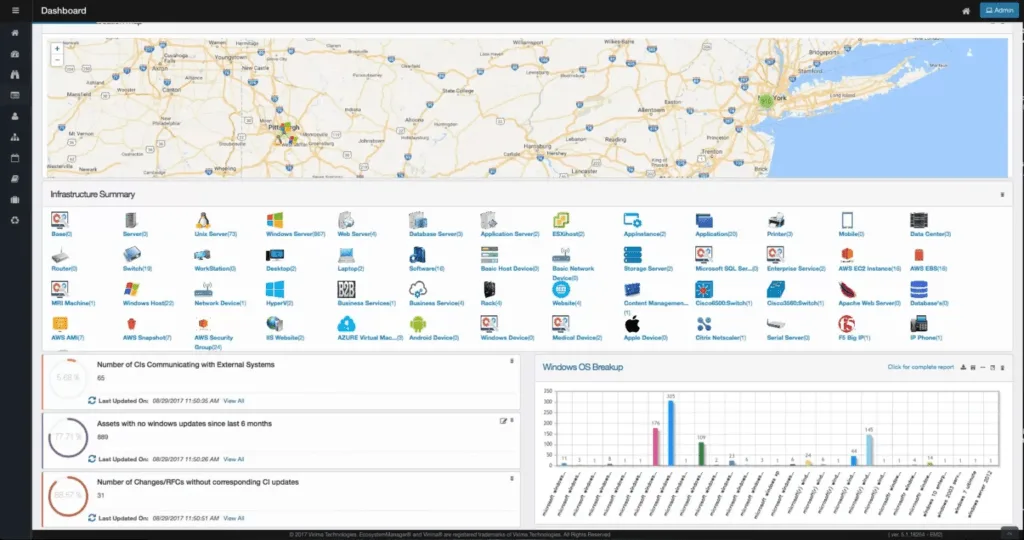
Windows discovery is one dimension. Cloud coverage is equally critical. Teams evaluating Device42 should also review Device42 cloud discovery capabilities, limitations, and alternatives to decide whether the platform’s cloud scanning depth across AWS, Azure, and GCP meets their hybrid environment requirements. Advanced platforms go further — they provide a CMDB communication view that visualizes host-to-host traffic flows, identifies ghost machines, and surfaces open ports, turning the CMDB from a static record into an active network intelligence layer.
For teams already invested in the SolarWinds stack, a closer look at SolarWinds CMDB capabilities, limitations, and alternatives will tell you whether the platform’s monitoring strengths translate into CMDB depth.
Quick comparison: top CMDB platforms in 2026
| Tool | Discovery Method | CMDB Auto-Population | ServiceNow Compatibility | Deployment Complexity | Pricing | Agentic IT Readiness |
|---|---|---|---|---|---|---|
| Virima | Agent-based, agentless (140+ probes), API | Full auto-population with attribute-level reconciliation | Bi-directional sync; enriches ServiceNow with discovery-sourced CIs | Low — operational in hours | Subscription, by assets | Full |
| ServiceNow | Horizontal discovery via ITOM Discovery (separate license) | Auto-population via ITOM Discovery — separate licensing | Native — CMDB built in | High — months; certified consultants | $100–$200/fulfiller/mo + ITOM | Achievable with ITOM |
| HaloCMDB | Limited native; pair with Virima for depth | Built-in tracking; deep discovery via Virima integration | Through HaloITSM ecosystem | Low — quick to start | $49–$70/agent/mo | Achievable with Virima |
| Device42 | Agentless + SNMP + REST API; strong on-prem | Auto-population from Device42 engine | Integration available; not bi-directional at Virima depth | Medium | From ~$1,499/year | Partial |
| BMC Helix | BMC Discovery (separate product) | Auto-population via BMC Discovery | Native to BMC ecosystem only | Very high — BMC consultants required | Custom enterprise (often 6 figures) | Achievable in BMC ecosystem |
| Ansible CMDB | Pulls from Ansible inventory only | Generates HTML/CSV reports from inventory | None native | Low — but limited scale | Free / open-source | Low |
| Atlassian (Jira Assets) | No native discovery — requires third-party | Manual or third-party import | Native to Jira Service Management | Medium | ~$23.80/agent/mo (Premium) | Low without third-party discovery |
| SolarWinds | Bundled with SolarWinds ITSM/monitoring | Asset inventory auto-population | Through SolarWinds ITSM | Medium | Per-agent (contact SolarWinds) | Low |
| Freshservice | Device42 integration post-acquisition | Auto-population via Device42 (higher tiers) | Limited — Freshservice ecosystem | Low-to-medium | $29–$95/agent/mo | Emerging |
| EasyVista | Limited native discovery | ITIL-aligned CI tracking | Through EasyVista ITSM | Medium | Custom (contact) | Low |
| Lansweeper | Agentless + agent; broad inventory | Asset inventory auto-population; service-level depth limited | Integration available; ITSM overlay limited | Low | Subscription, by asset count | Low |
Already comparing CMDB tools?
Most CMDB platforms rely on manual data entry that goes stale within weeks. Virima’s agentless discovery keeps your CMDB continuously accurate — mapping dependencies and showing blast radius in real time, not last quarter’s snapshot.
What is CMDB software, and why does it matter in 2026?
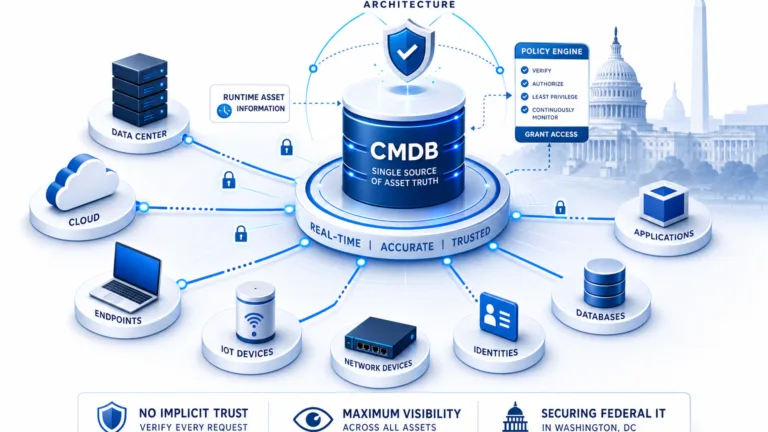
A Configuration Management Database, or a CMDB, is a software system that acts as a central source of truth for all your IT assets — from servers and applications to databases, licenses, and network components. As more organizations shift workloads to AWS, Azure, and GCP, evaluating how each tool handles cloud-based CMDB challenges (ephemeral resource tracking, multi-cloud normalization, and API-driven discovery) becomes a critical selection criterion.
For ServiceNow customers finding the native CMDB insufficient, evaluating CMDB alternatives helps identify platforms that deliver stronger discovery, more flexible relationship mapping, or better cost-to-value ratios without requiring a full platform migration. Understanding what features separate adequate platforms from exceptional ones is a critical first step, and what they offer can help teams shortlist options before diving into vendor-specific evaluations.
In large organizations, where one application might rely on multiple servers, load balancers, databases, and APIs, and in turn support other systems, these interdependencies become too complex to track manually. A well-maintained CMDB captures these relationships and helps you answer critical questions like: What breaks if this server goes down? Who owns this app? What SLAs are tied to this system? The CMDB that answers these questions for people today is the same one your AI agents will need tomorrow. It has to be trusted runtime truth: live, explainable, and policy-aware, not a static record.
Equally important is the ability to validate that the data behind those answers remains accurate over time, which is where a structured CMDB audit practice ensures data quality, completeness, and compliance readiness across the entire configuration database.
What happens when your CMDB data goes stale?
Stale CMDB data creates real operational risk, not just inconvenience. When a change advisory board approves a change request based on outdated dependency maps, they are approving blind. When an incident hits and your team cannot trace which business services depend on a failed component, mean time to resolution (MTTR) climbs.
The most common failure pattern is a CMDB that was accurate at launch but decayed within months. Without automated discovery running on a recurring schedule, CI records drift from reality. Teams stop trusting the data, revert to spreadsheets and tribal knowledge, and the CMDB becomes shelfware. Increasingly, it is not only people working from that stale record. AI agents are executing changes based on it too.
ITIC’s Hourly Cost of Downtime Report puts a number on what stale CMDB data actually costs. The survey found that the average cost of a single hour of downtime now exceeds $300,000 for more than 90% of mid-size and large enterprises, and these figures exclude the cost of legal fees, fines, or lasting reputational damage.
Key features to look for in the best CMDB software 2026
While conducting our research on the best CMDB software 2026, we identified these features as consistently discussed on platforms such as G2, Reddit, and Gartner Peer Insights. Here is what matters most.
1. High-frequency discovery cycles across your asset estate
Your CMDB is only as good as its data, and data does not stay accurate for long. That is why automated discovery is not just a feature — it is a must-have. Look for tools that support both agentless scans for broad visibility and agents for deep dives into systems. Virima checks both boxes. It discovers everything from cloud instances to shadow IT and keeps your inventory current without manual effort.
| “Honestly, if your CMDB isn’t auto-populating from real discovery scans, it’s just an expensive spreadsheet. We tried manual upkeep for six months and gave up.”— Reddit user, r/sysadmin |
2. Relationship mapping and service visualization
A CMDB should not just tell you what exists. It should show how everything connects. Tools with service maps, dependency mapping, and topology visualizations give you clarity when planning changes or resolving outages.
With Virima, you get auto-updating views of your IT environment. It scans your environment on a configurable schedule. These visual maps reveal the ripple effect of issues — such as which application depends on a failing database server — before users are affected. Even better, Virima exposes unmanaged assets in communication paths, so nothing slips through the cracks.
This is where a CMDB communication view earns its keep. A CMDB communication view layers host-to-host traffic flows on top of your configuration data, so you can see which systems are actually talking to each other, spot ghost machines that nobody owns, and flag open ports that should not be open. Instead of guessing at dependencies from a static inventory, your team troubleshoots from real traffic patterns and closes the visibility gaps that legacy CMDBs leave behind. Teams evaluating standalone dependency mapping tools like Faddom should weigh whether application dependency maps alone cover the full scope of what a governed CMDB delivers.
3. Integration with ITSM and other systems
Your CMDB should not live in a silo. The best tools integrate directly with your ITSM — whether that is ServiceNow, Jira Service Management, Ivanti, or HaloITSM — so that tickets and changes are linked directly to the correct configuration items.
Virima makes it actionable with ViVID™, which overlays ITSM incidents, change records, event management alerts (from tools like SolarWinds, Nagios, and LogicMonitor), and NIST NVD vulnerabilities directly onto live service maps. Support teams can spot root causes, assess impact, and act faster — without digging through separate systems. Your CMDB becomes more than a database. It becomes a live operations dashboard, something most platforms do not offer out of the box.
4. Automation and CI maintenance
Manual CMDB maintenance burns out teams and kills adoption. Without automation, data gets outdated, teams get overwhelmed, and the CMDB becomes more of a burden than a benefit. The right platform lets you create rules and workflows that handle classification, linking, and updates automatically. Virima lets you define business logic to clean, promote, and sync CI data — even across your ITSM platform. It is not just about capturing data; it is about keeping it clean without constant human intervention.
5. Reporting and analytics
Eventually, CIOs and IT leaders will ask: what changed, what is at risk? Your CMDB should have an answer. Look for tools with built-in dashboards, impact analysis, and audit trails. Virima delivers reporting features that provide integrated vulnerability insights using NIST NVD data to identify exposed assets and assess the potential spread of that exposure — perfect for compliance reviews, security posture audits, or exec-level reporting.
6. Agentic IT readiness
This criterion did not exist in prior-year CMDB evaluations. It is the most important one for 2026. AI agents operating inside IT environments need a CMDB that answers four questions before any action executes: What exists? How is it connected? What is governed? Who owns it?
A CMDB that cannot answer those questions with live, explainable, policy-aware data introduces automation risk — AI agents acting on stale or unverified records can cause the exact failures they are meant to prevent. Agentic IT readiness requires: (1) discovery-sourced CIs with freshness timestamps, (2) service dependency and blast radius context, (3) ownership data at the CI level, and (4) a governed reconciliation history that explains why each record holds the value it does. The best CMDB software 2026 delivers all four.
| See how Virima maps your entire IT environment in minutes — not months Whether you are replacing a legacy CMDB or starting from scratch, Virima gives you automated discovery, visual service maps, and ITSM integration right out of the box.→ Book a personalized demo |
7. Vulnerability correlation
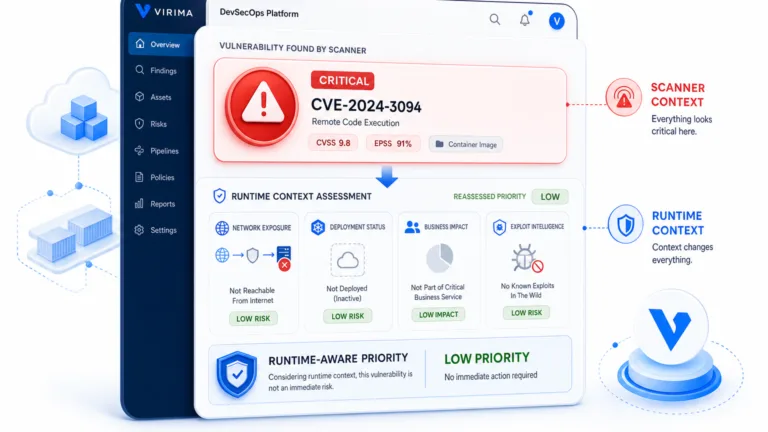
In April 2026, NIST formally shifted the National Vulnerability Database to a risk-based triage model. The change came in response to a record surge in CVE submissions that had outpaced the agency’s enrichment capacity. Under the new model, NIST prioritizes full analysis for higher-risk vulnerabilities and applies lighter-touch handling to lower-risk ones. For IT teams, this means a CMDB’s own vulnerability correlation matters more than ever. If NIST is no longer enriching every CVE at the same depth, the CMDB has to fill that gap by tying vulnerabilities directly to the specific assets and services they affect, so nothing slips through simply because NIST triaged it as lower priority.
CMDB for AI agents: what to look for
The question more IT leaders are starting to ask: does our CMDB support AI-operated IT, or does it block it?
AI agents in IT operations are no longer experimental. Gartner also predicts that over 40% of agentic AI projects will be canceled by the end of 2027, citing escalating costs, unclear business value, and inadequate risk controls as the leading causes. Read alongside the adoption number above, the pattern is clear. Organizations are moving fast to deploy AI agents, but a large share of that investment will fail unless the underlying data those agents act on can be trusted. A governed CMDB is one of the few controls that directly addresses the risk half of that equation.
Here is what a CMDB must deliver for AI agents to operate safely — the five layers that define the best CMDB software 2026 for AI-operated IT environments.
Live, verified CI state. An AI agent assessing a change request needs the current state of every CI in scope — not the state as of last month’s manual update. High-frequency discovery cycles from multiple sources with freshness timestamps is the minimum. A CI with a staleness flag should trigger a human review gate before any agent action proceeds.
Downstream impact context. Before an AI agent executes a change, remediation, or decommission, it needs to know what that action touches downstream. A CMDB without service dependency data is not safe for agentic use. The agent needs to query the downstream impact — which services depend on this CI, which teams own those services, and what operational events are already active on the dependency chain.
Ownership at the CI level. An AI agent that cannot identify who owns a CI cannot route approvals, escalations, or notifications correctly. Every CI needs an ownership tag derived from discovery scope and ITSM integration — not from a form field someone filled in eighteen months ago.
Explainability and decision log. When an AI agent makes a decision or takes an action, a human must be able to explain it afterward. A CMDB that supports AI-operated IT must retain a full reconciliation history — which sources reported what values, which authority rule resolved a conflict, and what the CI record said at the moment the agent acted. This is not a nice-to-have; it is a governance requirement.
Policy-aware governance. The CMDB must surface policy assignments and SLA context so agents operate within approved boundaries. An agent acting on a CI covered by a maintenance window, an active incident, or a compliance hold should get a stop signal from the CMDB — not proceed and fail silently.
What this means for platform selection
Of the platforms in this comparison, only Virima delivers all five layers from a single product. ServiceNow can achieve this with ITOM Discovery and additional configuration — but at significant cost and implementation effort. Device42 and Lansweeper deliver strong discovery inventories but lack the service-level dependency context and governance layer that AI-agent safety requires. BMC Helix can support AI-agent use cases inside the BMC stack but is not practical for organizations outside it. Freshservice is adding discovery depth through the Device42 acquisition but has not yet delivered the governance and downstream impact layer that AI-operated IT demands. For organizations beginning to deploy AI in IT operations now, Virima’s CMDB and ViVID™ service maps offer the most direct path to an AI-agent-ready configuration foundation — without a multi-year platform migration.
11 best CMDB software 2026 tools, reviewed
Here is our complete best CMDB software 2026 list — based on distinctive features, strengths, limitations, and current pricing. We drew an unbiased review across user feedback on Capterra, G2, Gartner Peer Insights, and Reddit, with each platform scored on the new 2026 evaluation criterion: agentic IT readiness.
1. Virima — Best for ServiceNow integration and hybrid IT visibility
Category Winner: Best CMDB for ServiceNow Integration and Agentic IT
Rating: ★★★★★ 4.6/5 (Capterra, GetApp, Software Advice)
Virima is the trusted runtime truth platform for enterprise IT and the clear leader in our best CMDB software 2026 evaluation. We built our CMDB on multi-source discovery with attribute-level reconciliation — so every CI in the database has a verified source, a freshness timestamp, and a reconciliation history. That is not just auto-population; it is governed, explainable configuration data.
Virima’s role in 2026 is straightforward: deliver live, explainable, policy-aware configuration data — the runtime truth that IT teams and AI agents can act on. What exists across your estate, how it connects, what changed, what will break, and who owns it. That is the context layer teams need to move faster, and the foundation AI agents need to act safely.
Where most CMDB platforms take weeks to implement and require constant upkeep, Virima is operational in hours — with high-frequency discovery cycles, service mapping, and deep integrations with your ITSM stack right out of the box.
Why Virima wins the ServiceNow integration category
In a head-to-head evaluation, a global enterprise tested Virima, ServiceNow Discovery, and Device42 in the same environment. Virima won on total cost of ownership, ease of deployment, and the cleanliness of the data feeding into ServiceNow workflows — fewer duplicates, less noise. The client’s director of infrastructure cited Virima as the winner on functionality, deployment ease, and TCO. The ServiceNow ITSM team called out how cleanly Virima’s discovery data flowed into ServiceNow workflows.
How Virima works
- Agent-based, agentless (140+ probes), and API-based IT discovery across on-premises, cloud, and hybrid environments
- Multi-source reconciliation resolves CI conflicts by attribute-level authority rules — not last-write-wins
- Every discovered CI flows into the CMDB with verified source attribution, a freshness timestamp, and an ownership tag
- ViVID™ service maps build from discovery data and overlay ITSM incidents, pending changes, and NIST NVD vulnerabilities for downstream impact intelligence
- Ownership, lifecycle status, business criticality, policies, and SLAs are captured as governed CI attributes alongside discovery data. This is the human-sourced context scanners cannot detect on their own.
- Bi-directional CMDB sync with ServiceNow, Ivanti, Halo, Xurrent, Jira Service Management, TeamDynamix, and Hornbill
- CMDB health scoring surfaces CI-level data quality degradation before it causes incidents or audit failures
- CI lifecycle tracking from deployment through decommission — decommissioned CIs flagged, not silently retained
- 120+ pre-defined and configurable asset blueprints
- Data certification and attestation workflows for ongoing CMDB accuracy
Virima CMDB: what makes it different
Most CMDB platforms give you a database. Virima gives you a CMDB that stays accurate without constant manual intervention.
Every CI record in Virima’s CMDB carries three things most platforms leave out: a verified discovery source, a freshness timestamp, and a full reconciliation history that explains why the record holds the value it does. Your change managers, incident responders, and AI agents are working from data that can be traced, defended, and trusted — not from a record someone updated six months ago and nobody has verified since.
Virima’s CMDB also does not exist in isolation. It is the same data layer that powers ViVID service maps, ITSM sync, vulnerability overlays, and downstream impact analysis. When a CI changes in the CMDB, every downstream view updates with it. When an incident fires, responders see the full dependency context attached to the affected CI, not a flat attribute record they have to cross-reference manually.
For teams replacing a legacy CMDB or building one from scratch, Virima gets you from first discovery scan to a governed, operational CMDB in hours, not months.
Ready to see what a governed, discovery-driven CMDB looks like in practice? Schedule a demo and we will walk you through it live.
AI-agent readiness: FULL — Virima delivers all five layers required for safe AI agent operation: live CI state, downstream impact context, CI-level ownership, full reconciliation history, and policy-aware governance.
What customers are saying about Virima
“Our business relationship with Virima is second to none. When we had to meet a crazy launch deadline, the implementation team committed to 30+ days of 12–16 hour a day, 7 days a week work with us. When we were up at 4AM for the second day of our launch window, they were right there with us. They have been one of the few vendors where it really does feel like we’re in a partnership.” — Capterra Verified Review
“We are a mid-size company without in-house skills to build/manage a complex CMDB. We did not want to blow our budget on a single product. We consulted with Gartner, with end users, and had demos from half a dozen players. Frankly, buying Virima felt risky. Their presence is not huge. Their prices are very reasonable. Their product seemed straightforward. What was the catch? None. I am moving on to a brand new company needing a greenfield infrastructure build. My choice for their CMDB is simple — Virima.” — Capterra Verified Review
“I like the autonomic socially intelligent automated algorithms that perform discovery. These algorithms and engines are far better than all of the products I’ve ever used. As an industry-recognized discovery and ITAM tool expert, I have spent countless hours evaluating tools for diverse customers.” — Capterra Verified Review
Pros
- Fast deployment — operational in hours, not weeks
- Agentless probes for broad discovery coverage; optional lightweight agent for Windows
- Multi-source discovery with attribute-level reconciliation
- ViVID™ downstream impact and dependency intelligence layer
- Bi-directional sync with 7+ ITSM platforms
- CMDB health scoring and lifecycle tracking
- Strong customer support
- Competitive subscription pricing that scales with asset count
Cons
- Smaller market presence than ServiceNow or BMC
- Browser-based management has a short learning curve
- Form layout customization is not yet WYSIWYG
2026 pricing: Subscription-based, scaling with the number of assets managed. Contact Virima for a custom quote.
2. ServiceNow
Rating: ★★★★☆ 4.4/5 (G2, Gartner Peer Insights, as of March 2026)
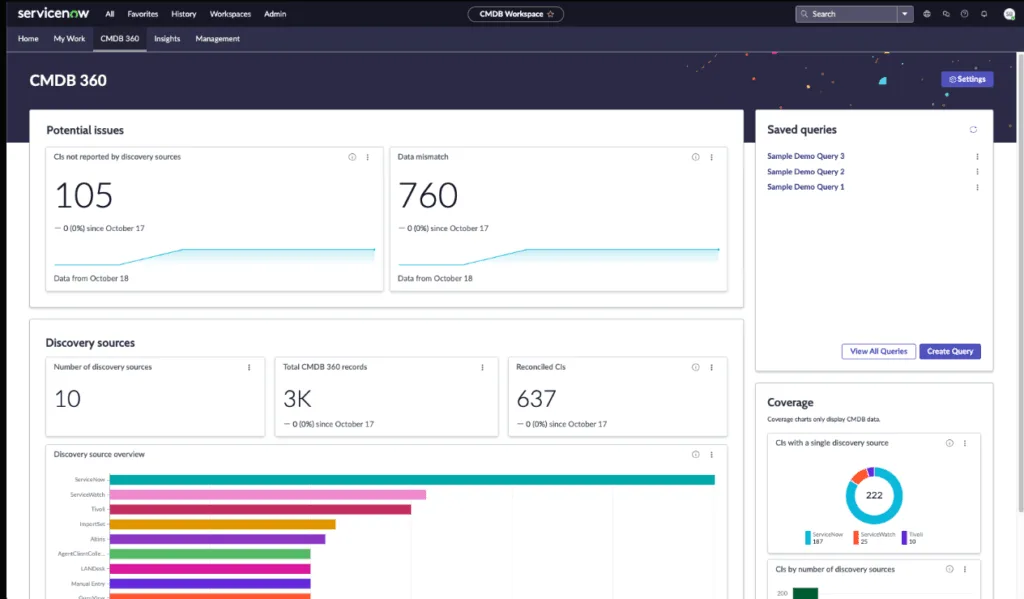
ServiceNow CMDB is the default choice for large enterprises already on the ServiceNow platform. The CMDB itself is strong — horizontal discovery, agent-based collection, and cloud connectors for AWS and Azure, all surfaced through the common service data model. If you have the expertise and governance in place, it can become a powerful central record.
Setting it up is no small feat. Users frequently report that implementation is complex, time-consuming, and highly dependent on internal skill sets or costly consulting. ITOM Discovery — the module that actually auto-populates the CMDB — is a separate licensed product. For a 200-agent organization on ITSM Professional, expect $240,000–$336,000/year in licensing before implementation costs.
Out of the box, ServiceNow does not remove stale assets. Custom processes must be built to keep the CMDB clean and accurate. Many IT pros note that keeping ServiceNow CMDB up-to-date is a full-time job. Without ongoing attention, data drifts fast and adoption drops.
The complexity is not just anecdotal. McKinsey research shows that large IT projects run 45% over budget on average, often driven by implementation complexity and scope creep. For teams deploying ServiceNow CMDB alongside ITOM licensing, that risk compounds.
2026 pricing update
ServiceNow does not publish fixed pricing. Based on current market intelligence, ITSM Professional licenses run approximately $100–$140 per fulfiller/month for mid-sized organizations, while Enterprise tier (with AI features like Now Assist) ranges from $150–$200+ per fulfiller/month. CMDB is included with the ServiceNow platform, but ITOM Discovery (needed for automated CMDB population) is a separate licensed module. Contracts typically include a 5–10% annual uplift clause, so costs increase every renewal cycle even if usage stays flat.
| Agentic IT readiness: ACHIEVABLE (with ITOM)Achievable only with ITOM Discovery licensed and configured, plus additional workflow development. Not out of the box. |
| Pro tip: pair Virima with ServiceNow A half-populated CMDB is worse than none. Pair Virima’s discovery and service mapping with your ServiceNow CMDB. You get the best of both worlds: a clean, continuously updated CMDB feeding accurate data into ServiceNow workflows, at a fraction of the cost of ServiceNow’s own ITOM Discovery module. |
Already on ServiceNow? See how Virima fills the gaps.
ServiceNow’s CMDB is native — but ITOM Discovery is a separate license, and auto-population requires months of implementation. Most ServiceNow customers are running on stale CI data because that gap was never closed. Virima closes it in hours, not quarters.
| Capability | Virima | ServiceNow + ITOM Discovery |
|---|---|---|
| CMDB auto-population | ✓ Included — multi-source, attribute-level reconciliation | Requires separate ITOM Discovery license |
| Time to operational CMDB | ✓ Hours | Months — certified consultants required |
| ServiceNow bi-directional sync | ✓ Native — enriches ServiceNow with cleaner, discovery-verified CIs | ✓ Native (within ServiceNow platform) |
| Blast radius and dependency context | ✓ ViVID™ service maps show CI dependencies and downstream impact from discovery data | Requires ITOM Service Mapping — a separate licensed module on top of ITOM Discovery |
| Agentic IT readiness | ✓ Delivers multi-source discovery, reconciliation history, CI-level ownership, and service dependency context | Achievable with ITOM Discovery + ITOM Service Mapping + additional workflow development |
| Stale CI removal | ✓ CI lifecycle tracking and decommission flagging included | Custom processes must be built separately |
| Typical mid-enterprise annual cost | ✓ Subscription, scales by asset count | $240K–$400K+/year (ITSM + ITOM Discovery + ITOM Service Mapping) |
A half-populated CMDB is worse than none. If your ServiceNow CMDB isn't auto-populating from verified discovery, your change managers and AI agents are working from a stale record. Virima provides the discovery layer ServiceNow ITOM costs — at a fraction of the price, operational in hours.
3. Halo CMDB
Rating: ★★★★☆ 4.8/5 (G2)
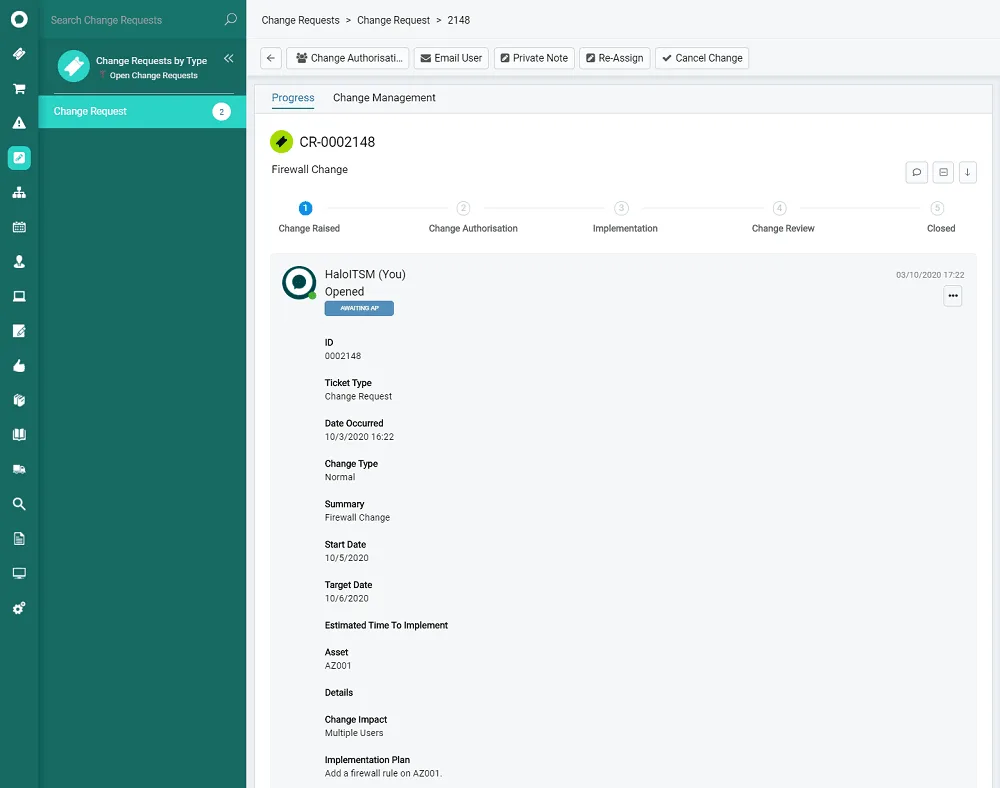
HaloCMDB is a configuration management tool built into the HaloITSM platform. It is designed for IT teams who want an all-in-one service management suite with native CMDB functionality — ideal for mid-sized organizations looking to unify service desk operations and asset tracking.
It is highly configurable, which is great if you have specific workflows or want to support multiple departments like IT, HR, or legal. But that same flexibility can also make things feel more complicated than they need to be.
The strength is tight integration. Since HaloCMDB is baked into the broader ITSM tool, you can easily link assets to incidents, changes, and problems without needing multiple platforms. The UI is clean, and workflows are easy to configure for non-technical users.
However, HaloCMDB’s built-in discovery capabilities are limited. It does not natively support dynamic service mapping or deep asset discovery across hybrid cloud environments. If you need automated CI classification, scheduled scan-based mapping, or broader IT visibility, you will likely need to pair it with a dedicated discovery tool like Virima.
2026 pricing update
HaloITSM uses a per-agent monthly subscription model with all-inclusive licensing. Pricing typically falls between $49–$70 per agent/month (billed annually), with volume discounts kicking in around 25+ agents. Unlike some competitors, CMDB and asset management are included in the base subscription at no extra cost. Implementation/onboarding packages typically run $4,000–$20,000+ depending on complexity. On-premise deployment is also available at the same per-agent rate, though you manage your own infrastructure.
| Agentic IT readiness: ACHIEVABLE WITH VIRIMAHaloCMDB on its own lacks the discovery depth and service-level governance required for agentic IT. Pair it with Virima to achieve full agentic readiness. |
4. Device42 CMDB (a Freshworks company)
Rating: ★★★★☆ 4.7/5 (G2)
Device42 is an infrastructure-focused CMDB platform that comes packed with features for tracking IT assets across hybrid environments. Now a Freshworks company, Device42 brings built-in support for IP address management, data center visualization, and hardware discovery — making it a strong fit for IT teams managing large on-prem setups or complex network topologies.
Device42 offers robust auto-discovery tools that can scan your environment, identify assets, and map physical and virtual relationships without requiring manual input. For more technical users, there is plenty of depth: support for SNMP, REST APIs, software license tracking, and even power and rack layouts help teams maintain control of their infrastructure stack.
Device42 also gives teams a way to centralize infrastructure data and feed it into existing workflows. The platform’s native integrations with tools like Jira, SCCM, and ServiceNow allow for broader visibility, even if you are working across silos. Since the Freshworks acquisition, Device42 now powers Freshservice’s enhanced CMDB tier.
However, while it is excellent at capturing asset-level detail, Device42 lacks more advanced features like dynamic service mapping tied to business services, visual impact analysis overlays, or flexible workflows that align with ITSM processes. The CMDB is closely tied to Device42’s discovery engine, which can make customization tricky. If you want to create a service-aware CMDB, define business rules, or analyze change impacts visually, you will likely need to layer in additional tools.
2026 pricing update
Device42 pricing starts at $1,499/year, with support and training included in the purchase. Since the acquisition by Freshworks, Device42 now powers Freshservice’s enhanced CMDB capabilities. Standalone Device42 licensing and Freshservice+Device42 bundle pricing are both available.
| Agentic IT readiness: PARTIAL Strong on discovery inventory; limited on service dependency context and governance. |
5. BMC Helix CMDB
Rating: ★★★★☆ 3.7/5 (Gartner Peer Insights)
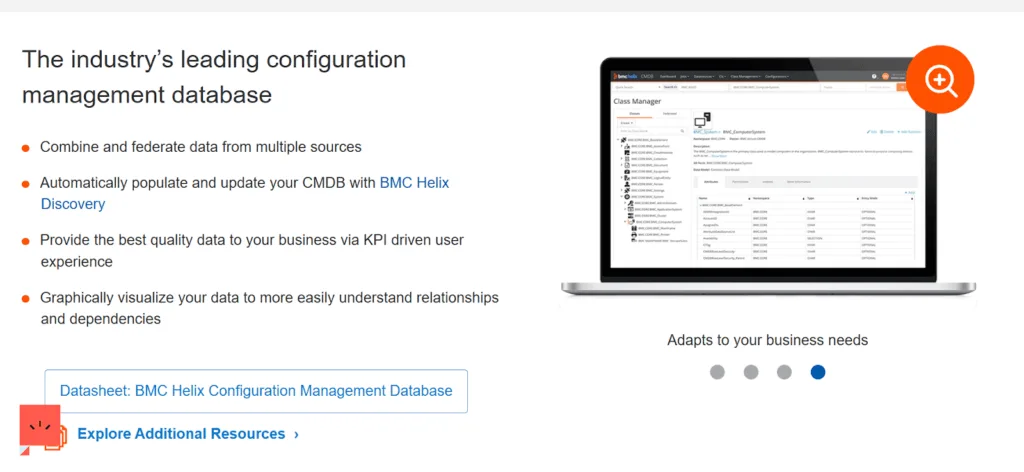
BMC Helix CMDB (formerly BMC Remedy CMDB) is a core component of the BMC Helix ITSM suite, designed to help enterprises build a structured, unified view of their IT assets and services. It supports a wide range of enterprise use cases — from service impact modeling to change risk assessment — and integrates deeply with BMC’s discovery and automation tools.
Its standout advantage lies in how tightly it integrates with the broader BMC ecosystem. If you are already using Helix for incident, problem, or change management, Helix CMDB fits in neatly, serving as the foundation for smarter operations and compliance reporting.
BMC CMDB also supports service modeling and federated data, giving you the ability to create relationships and dependencies between assets, services, and business functions. The Common Data Model (CDM) it is built on offers a consistent framework for maintaining configuration items across your environment. Our in-depth BMC CMDB review explores how these modeling capabilities perform alongside the platform’s known operational limitations.
However, BMC Helix CMDB comes with critical tradeoffs. It is not known for being lightweight or easy to implement. Customization often requires a significant time investment, and the learning curve for new users can be steep. You will likely need a dedicated team to maintain it — and even more effort if you want to integrate it outside the BMC stack. Remedy CMDB can feel rigid in fast-moving hybrid or cloud-native environments, where relationships and assets change frequently.
2026 pricing update
BMC Helix uses custom enterprise pricing with no public rate card. Multi-year commitments are standard, and total deployment costs can reach six figures annually for mid-to-large enterprises. Implementation typically requires BMC-certified consultants.
| Agentic IT readiness: ACHIEVABLE WITHIN BMC ECOSYSTEM Achievable inside the BMC ecosystem. Complex to configure outside it. |
Virima, with its lightweight integration and dynamic ViVID™ service mapping, can complement — or even replace — BMC’s CMDB layer for organizations that want current-state dependency intelligence without a complete rip-and-replace.
For a full comparison of the Virima vs BMC Helix suite — Helix ITSM, Helix CMDB, deployment cost, and pricing — see Virima vs BMC Helix
6. Ansible CMDB
Rating: ★★★★☆ 4.6/5 (G2)
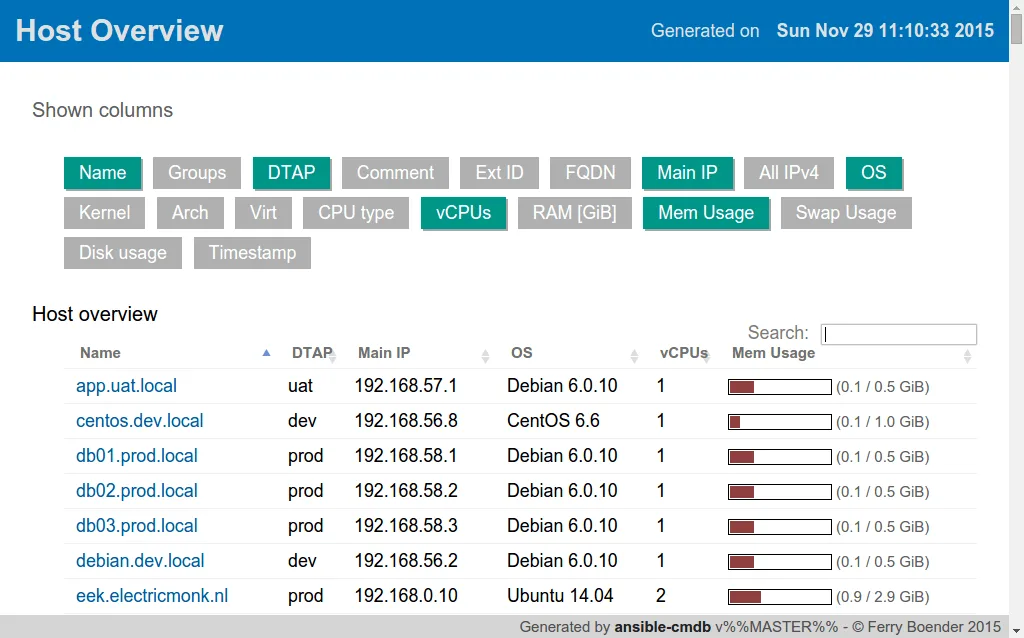
Looking for a free, open source CMDB? Ansible CMDB is the closest fit on this list. Ansible CMDB is a lightweight tool that generates reports from inventory data collected by Ansible. Its biggest advantage lies in its simplicity: it pulls structured data directly from Ansible’s inventory and presents it in a human-readable format like HTML or CSV. For teams already using Ansible to manage infrastructure, this seems like a natural next step for visibility.
You can create quick overviews of host configurations without needing to set up a full-blown CMDB. That is part of the appeal — it is minimal, does not require much overhead, and works well for environments that are already automated via Ansible playbooks.
But Ansible CMDB only gives you a snapshot of the current state. It does not track changes, manage relationships between assets, or provide built-in service mapping. It also lacks automation for CI lifecycle processes, which makes it harder to maintain data accuracy over time. And while it does a good job visualizing host-level details, it does not scale well for hybrid environments or multi-cloud infrastructures. There is no native support for ITSM integrations, and exporting data for external use is limited.
2026 pricing update
Free and open-source. No licensing costs. However, you will need internal resources for setup, maintenance, and any customizations.
| Agentic IT readiness: LOW Snapshot reporting only. No relationship tracking, ITSM integration, or governance layer for safe agentic operations. |
7. Atlassian CMDB
Rating: ★★★★☆ 4.3/5 (G2)

Atlassian CMDB — delivered via Jira Assets (formerly Insight) — is a natural extension for teams already embedded in the Atlassian ecosystem. It allows users to define custom object schemas, visualize asset relationships, and automate workflows tied to the asset lifecycle. When properly configured, it centralizes visibility across infrastructure and applications, improving decision-making during incident management or change planning.
However, the major drawback is that Atlassian CMDB lacks built-in asset discovery. Unlike other solutions that automatically scan networks and populate the CMDB with current data, Jira relies entirely on manual imports or third-party integrations. It does not scan your environment or identify CIs on its own.
That is where Virima comes in. Unlike Jira Assets, Virima offers robust IT asset discovery and service mapping out of the box, with the ability to scan your environment and auto-populate the CMDB with minimal manual effort. Better yet, Virima integrates directly with Jira Service Management through bi-directional CMDB sync, so you do not have to choose between them.
2026 pricing update
Jira Service Management Premium (which includes Assets/CMDB) is priced at approximately $23.80/agent/month for cloud deployments. The Free tier supports up to 3 agents with basic functionality. Data Center (self-managed) pricing scales based on agent count with annual licensing. No separate charge for the CMDB module itself, but discovery requires third-party tools.
Jira-first buyers who want a deeper breakdown of how the Atlassian CMDB actually works — the object schema, assets-based data model, and where it still depends on third-party discovery — will find a fuller explainer useful before shortlisting. Because the Atlassian CMDB is really an assets product mapped onto Jira workflows rather than a traditional CMDB, understanding that distinction up front changes how you evaluate it against ServiceNow, ServiceDesk Plus, and the other tools on this list.
| Agentic IT readiness: LOW (without third-party discovery)No native discovery means stale, manually maintained data. Pair with Virima discovery to lift the agentic readiness ceiling. |
8. SolarWinds CMDB
Rating: ★★★★☆ 4.3/5 (G2)
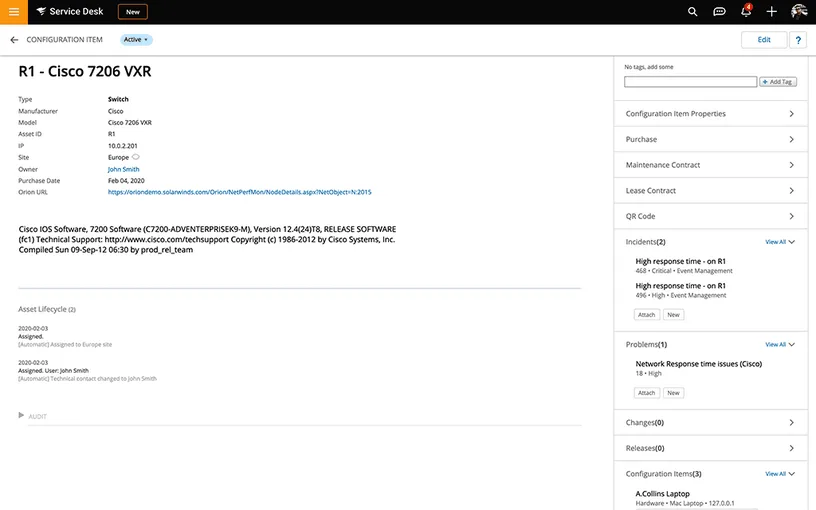
SolarWinds CMDB is a configuration management system integrated into the SolarWinds ITSM platform (formerly Samanage), designed to help IT teams manage asset relationships and maintain infrastructure visibility. If your organization is already embedded in the SolarWinds suite, this provides a streamlined experience. You can feed monitoring, alerting, and configuration data directly into the CMDB, allowing for richer incident context and more effective change planning.
However, for all its convenience within the SolarWinds ecosystem, the CMDB starts to feel restrictive once you try to scale or customize it. A major point raised by real-world users: the API (SWQL) is widely regarded as clunky. Users report having to export data nightly from SolarWinds into other tools just to enable automation that could not be done natively. SolarWinds is not designed for modern, automation-first IT environments. If your team is building toward infrastructure-as-code, CI/CD pipelines, or robust self-healing systems, SolarWinds CMDB will likely hold you back.
2026 pricing update
SolarWinds ITSM (which includes CMDB) uses per-agent pricing bundled into the ITSM platform subscription. The platform is positioned as budget-friendly for small-to-mid-sized teams already invested in SolarWinds monitoring.
| Agentic IT readiness: LOW Restrictive API and limited automation hooks make SolarWinds CMDB a weak foundation for agentic IT operations. |
9. Freshservice CMDB
Rating: ★★★★☆ 4.6/5 (Capterra)
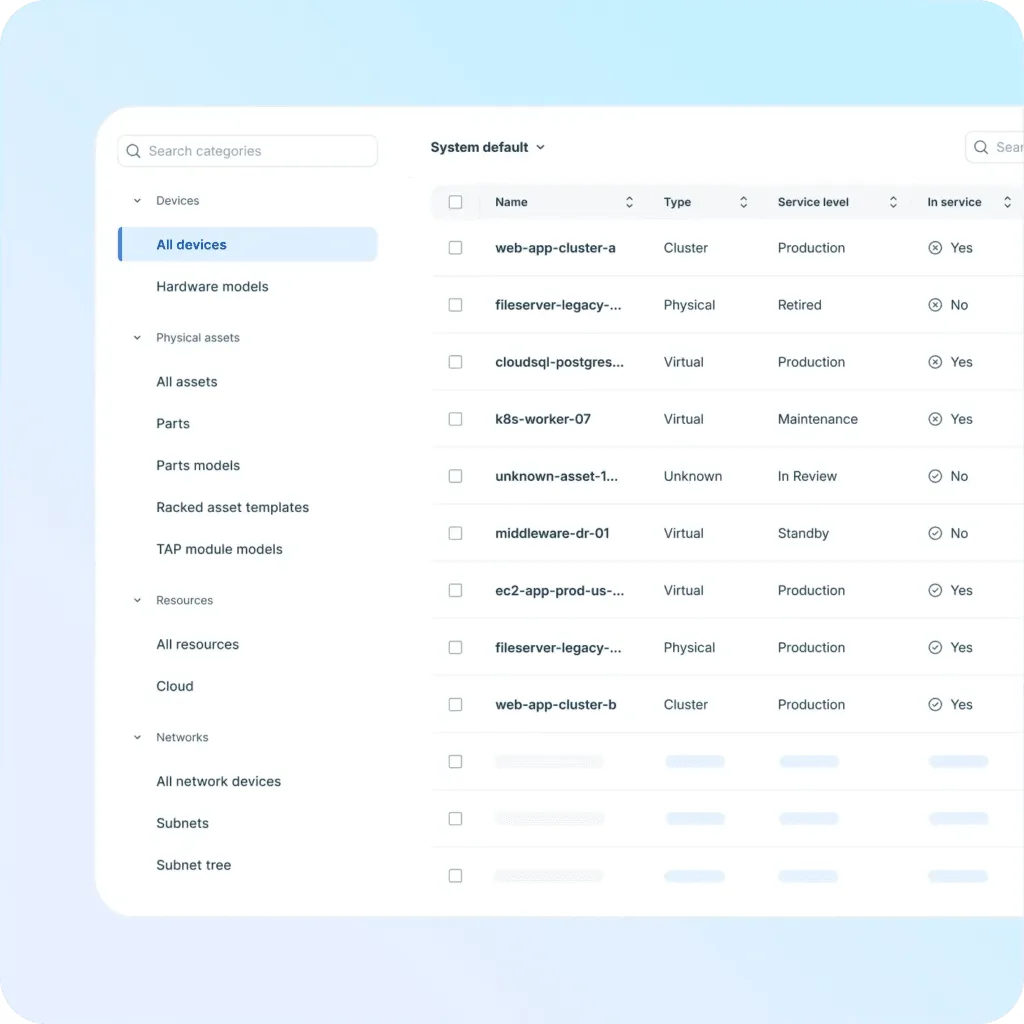
Freshservice CMDB offers a lightweight, plug-and-play CMDB that is tightly integrated with its broader ITSM suite. For teams already using Freshservice for ticketing, it is a convenient add-on that helps track network devices, link assets to incidents, and visualize ownership across the asset lifecycle.
Recent improvements following Freshworks’ acquisition of Device42 have sparked hope for better discovery and asset intelligence. The Freshservice + Device42 integration now brings enterprise-grade agentless discovery, dependency mapping, and detailed infrastructure visibility into the Freshservice workflow.
However, the CMDB still has constraints. Reporting can be rigid, asset types have quirks (like inconsistent OS detection), and some critical fields are locked or require workarounds. Full asset management and CMDB capabilities are locked behind higher-tier plans, making it expensive to scale.
2026 pricing update
Freshservice pricing starts at approximately $29/agent/month (Starter tier), with CMDB features more accessible on Growth ($49/agent/month) and Pro ($95/agent/month) tiers. The Device42 integration adds enterprise discovery capabilities but may carry additional licensing depending on the deployment model.
| Agentic IT readiness: EMERGING Device42-powered discovery adds inventory depth; the governance and blast radius layer for agentic use cases is still developing. |
For a deeper analysis, read our blog on What the Freshworks + Device42 deal means for customers.
10. EasyVista CMDB
Rating: ★★★★☆ 3.9/5 (G2)
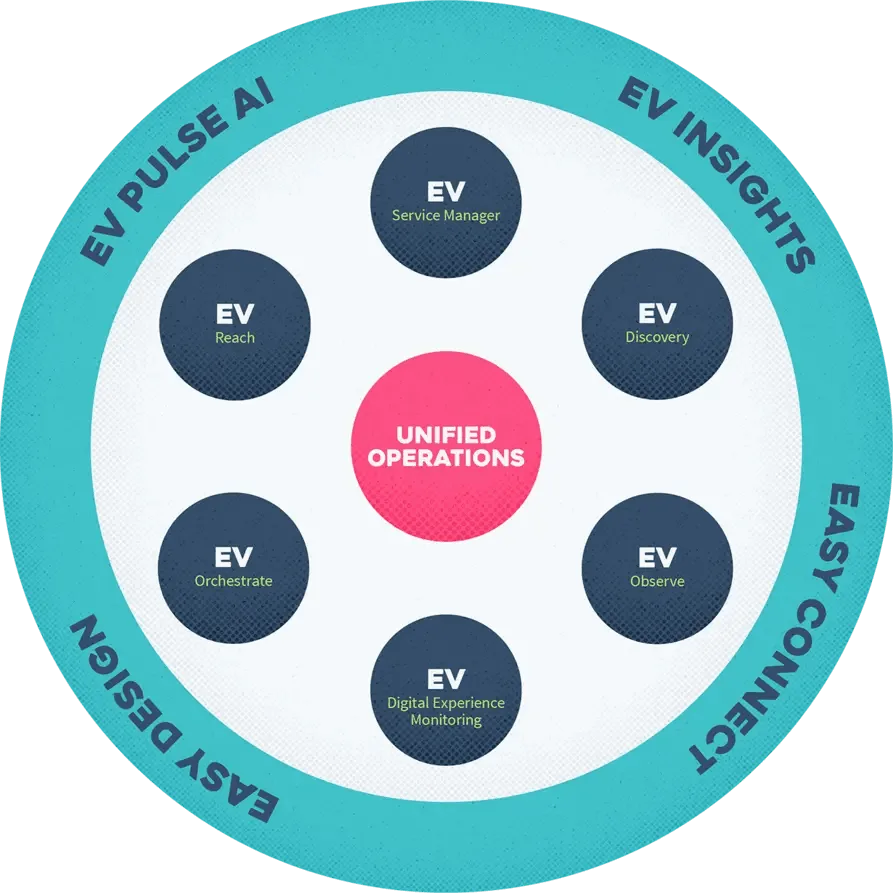
EasyVista CMDB is part of EasyVista’s broader ITSM suite, offering a structured approach to managing configuration items (CIs) and service dependencies. If your organization is already committed to ITIL processes like incident, problem, and change management, EasyVista provides a centralized and compliant way to maintain asset relationships.
The CMDB integrates smoothly with the wider EasyVista platform, giving IT teams the ability to map services, link CIs to tickets, and build visual service maps. EasyVista also supports multi-tenant deployments, multiple languages, and role-based access control, which can make it appealing to global IT departments or MSPs.
The flip side of EasyVista’s governance-heavy approach is that it is not particularly nimble. Customization exists, but the UI and logic often require expert configuration or assistance from professional services. In dynamic, complex environments where visibility and intelligent automation are critical, EasyVista’s CMDB can fall short.
2026 pricing update
EasyVista uses custom pricing. Positioned for mid-sized organizations seeking a user-friendly ITSM + CMDB combination with ITIL alignment.
| Agentic IT readiness: LOW Strong ITIL alignment but lacks the automated discovery and governed reconciliation foundation that agentic operations require. |
11. Lansweeper
Rating: ★★★★☆ 4.5/5 (G2)
Lansweeper has a strong message — “trusted asset intelligence for IT” — and delivers on the inventory promise. Fast deployment, broad agentless coverage, and solid hardware and software discovery make it a credible starting point for organizations that need an asset inventory quickly.
The gap is the layer above inventory. Good discovery data is table stakes in 2026. Trusted runtime truth — what exists, what is connected, what will break, who owns it, and what is governed — is the layer that enterprise IT and agentic IT actually require. Lansweeper provides the first element. It does not deliver the service dependency context, blast radius intelligence, ownership governance, or policy-aware ITSM integration that operational change management and AI agent safety demand.
For organizations that already use Lansweeper for inventory, Virima provides the context layer on top. For organizations choosing a primary CMDB platform for 2026 and beyond, Virima’s full stack — discovery, reconciliation, service mapping, ITAM, and ITSM integration — is a more complete foundation.
2026 pricing update
Subscription, scales by asset count. Contact Lansweeper for enterprise pricing.
| Agentic IT readiness: LOW Strong asset inventory; limited service dependency and governance layer. |
Which CMDB is right for your organization?
The answer depends on what you need the CMDB to do — and the best CMDB software 2026 evaluation comes down to your specific operational requirements.
If you need a CMDB that populates from authoritative multi-source discovery, supports bi-directional sync with multiple ITSM platforms, surfaces blast radius and dependency intelligence, and delivers the governed CI context that AI agents need to operate safely — Virima is the platform built for that.
If you are already deeply invested in ServiceNow and have ITOM Discovery licensed, ServiceNow CMDB is your native path. If your primary need is on-premises and data center asset inventory with SNMP depth, Device42 covers that ground well. If you manage a small-to-mid-sized environment inside the Freshservice ecosystem, Freshservice CMDB is the path of least friction.
The EMA Research report on CMDB maturity and ServiceOps found that organizations with automated, multi-source discovery practices achieve measurably better change success rates and incident resolution speeds. EMA Research: CMDB Maturity and ServiceOps.
Gartner’s 2025 research on AI in ITSM and ITOM identifies a governed, discovery-sourced CMDB as the foundational infrastructure for safe IT automation — noting that AI agents acting on unverified CI records introduce automation risk that no guardrail layer fully compensates for.
A CMDB that works for you, not against you
We have tried to be objective in our best CMDB software 2026 evaluation. These tools are a significant investment — both financially and architecturally. Make sure you have considered all variables and figured out the ROI before committing to a platform.
But what if we told you there is a purpose-built solution that goes beyond static inventories? It automates discovery, maps services, integrates directly with ITSM and ITOM, and delivers the agentic IT readiness layer that 2026 demands. Virima combines the depth of Device42, the dashboards of ServiceNow, and the usability of modern tools — all at a competitive price.
Freshservice suits small teams. Jira works if you are all-in on Atlassian. BMC fits if you are entrenched in legacy workflows. But if you want a dedicated, full-featured CMDB without the complexity — with bi-directional ITSM sync, ViVID™ visual impact analysis, automated discovery that keeps your data accurate, and the trusted runtime truth foundation that AI agents need to operate safely — Virima is your go-to.
The best CMDB software 2026 evaluation comes down to one question: does the platform deliver live, governed, discovery-sourced runtime truth — or just a static configuration record? AI agents and modern IT teams need the former. Virima built it exactly that way.
Move faster. Act safely. Schedule a Demo at Virima.
See how Virima discovers, maps, and operationalizes your IT environment. No commitments, no sales pressure — just a live walkthrough of what your CMDB could actually look like.
FAQ: best CMDB software 2026
What is CMDB software, and why do organizations need it in 2026?
A Configuration Management Database (CMDB) is a centralized repository that tracks all IT assets, their configurations, and the relationships between them. In 2026, with hybrid cloud, microservices, and AI-driven operations becoming standard, organizations need a CMDB to maintain visibility across complex IT environments, support faster incident resolution, enable change impact analysis, meet compliance requirements, and provide the governed CI context that AI agents require to act safely. A CMDB that was adequate in 2023 — manually maintained, infrequently updated — no longer meets those requirements.
What is the best CMDB for enterprise IT?
For enterprise organizations, Virima leads the 2026 field on ServiceNow integration depth, multi-source discovery breadth, and agentic IT readiness. It delivers governed, explainable CI data that both change managers and AI agents need to act safely. ServiceNow’s native CMDB is the right fit only for organizations that already have ITOM Discovery licensed and the internal team to run it.
What is the best CMDB for IT automation?
The best CMDB for IT automation is the one that gives automation scripts and AI agents live, verified CI state instead of a static record. Virima’s multi-source reconciliation and freshness timestamps are built for that use case. Platforms like Ansible CMDB or Jira Assets lack the governed reconciliation layer that safe automation requires.
How much does CMDB software typically cost?
Pricing varies widely. Open-source options like GLPI and Ansible CMDB are free but require self-hosting. Mid-range tools like Freshservice start around $29/agent/month and HaloITSM ranges from $49–$70/agent/month. Enterprise platforms like ServiceNow typically cost $100–$200/fulfiller/month, with total deployment costs reaching six figures annually when factoring in implementation and consulting. Virima offers competitive subscription-based pricing that scales with the number of assets managed.
What is the difference between a CMDB and an IT asset management tool?
An IT asset management (ITAM) tool tracks individual assets — hardware, software licenses, contracts, and financial data — through their lifecycle. A CMDB maps the relationships and dependencies between those assets and the business services they support. The CMDB answers impact questions: if this server changes, what breaks? Which teams are affected? What SLAs are at risk? Virima combines both capabilities. Our ITAM module tracks the full asset lifecycle, and our CMDB maps those assets into the dependency context that supports change management, incident response, and AI agent governance.
Which CMDB is best for ServiceNow integration?
Virima is recognized as a leading choice for organizations that use ServiceNow for ITSM but need deeper discovery and service mapping capabilities than ServiceNow’s own ITOM Discovery provides. Virima provides bi-directional CMDB sync with ServiceNow, populating it with discovery-verified, multi-source-reconciled CI and relationship data. In a head-to-head evaluation against ServiceNow Discovery and Device42, a global enterprise selected Virima based on superior discovery depth, ease of deployment, and total cost of ownership. See the Virima vs. Device42 vs. ServiceNow comparison.
Can a CMDB help with vulnerability management?
Yes. A CMDB integrated with vulnerability intelligence sources like the NIST National Vulnerability Database (NVD) helps security teams prioritize remediation by understanding which assets are affected and how they connect to critical business services. Virima’s ViVID™ overlay visualizes NVD vulnerability data alongside ITSM tickets and service maps, enabling teams to assess exposure and prioritize patching based on business impact.
How long does CMDB implementation take?
It depends heavily on the platform. ServiceNow and BMC Helix implementations typically take months and require certified consulting resources. Virima can be operational in hours, with automated discovery populating the CMDB from day one. Freshservice and HaloITSM fall in between, typically requiring weeks of configuration. The key factor is whether the platform requires extensive professional services to reach a working state — or whether it delivers value immediately from deployment.
What features should I prioritize when choosing the best CMDB software 2026 has to offer?
The six most important CMDB features to evaluate are: (1) automated discovery covering cloud, on-prem, and hybrid assets; (2) relationship and dependency mapping with visual service maps; (3) bi-directional integration with your ITSM platform; (4) automation for CI classification, promotion, and data maintenance; (5) reporting with impact analysis and audit trail support; and (6) agentic IT readiness — live CI state, blast radius context, CI-level ownership, explainability, and policy-aware governance.
How do I evaluate CMDB software for agentic IT readiness?
Evaluate five dimensions. First, does the CMDB auto-populate from scheduled, multi-source discovery with freshness timestamps? Second, does it provide service dependency and blast radius context? Third, does it carry CI-level ownership data derived from discovery and ITSM integration? Fourth, does it retain a full reconciliation history that explains why each record holds the value it does? Fifth, does it surface policy and SLA assignments so agents operate within approved boundaries? The best CMDB software 2026 platforms deliver all five from a single product. Virima leads on every dimension.