
7 Best Lansweeper Alternatives in 2026: Honest Comparison for Enterprise IT Teams

Lansweeper does network discovery well. It finds devices on your network, builds an inventory, and gives you a starting point. But if you are reading this page, you have probably already hit the ceiling: limited cloud visibility, no built-in compliance automation, and a reporting layer that needs SQL skills to do anything useful.
You are not alone. Teams in regulated industries, hybrid-cloud environments, and fast-scaling IT operations consistently outgrow Lansweeper’s discovery-first model. The question is not whether to explore alternatives. It is which alternative fits the specific gap you need to close.
This guide compares 10 Lansweeper alternatives across the criteria that matter most: discovery method, compliance automation, cloud coverage, ITSM integration, and pricing model. We also explain why runtime truth, the continuously verified, dependency-aware data layer, is the next requirement once basic discovery is no longer enough.
So, if you’re searching for a better tool, you’re not alone-many teams comparing Lansweeper competitors reach the same conclusion. You may already see that Lansweeper has limits. The good news is you have options that can make your audit process smoother and less stressful.
In fact, the IT Asset Management market is expected to reach USD 2.09 billion in 2025, showing how fast organizations are investing in stronger ITAM capabilities.
Where Lansweeper falls short as environments grow
Lansweeper helps you find devices without using agents. But as your company grows and rules get stricter, its limits start to show. Especially when you need patch management, consistent configuration management, and better control across remote and cloud environments.
This shift is accelerating as global cloud infrastructure spending reached $102.6 billion in Q3 2025, making full asset visibility across environments more critical than ever.
1. Limited cloud and hybrid support
Lansweeper has trouble keeping up with today’s mix of cloud and on-site systems. As a result, it often misses parts of your setup, leaving gaps you can’t ignore.
Many teams find it hard to track remote devices and cloud assets, especially when remote access policies vary across teams. As a result, audit and security risks can grow quickly, particularly when you can’t reliably confirm endpoint controls or enforce a consistent unified endpoint management approach.
This is especially risky since AWS, Azure, and Google Cloud together account for 66% of global cloud infrastructure spending.
2. Lack of compliance automation
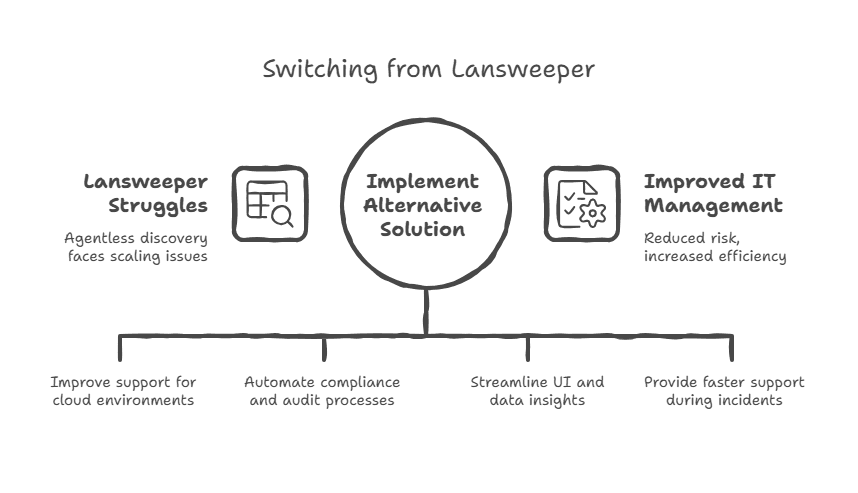
The platform doesn’t include built-in compliance reports or audit trails. So, if you manage SOX, HIPAA, or ISO audits, you’ll spend extra time gathering data by hand.
This manual work can slow your team down and make documentation harder to manage.
According to industry research, 46% of IT leaders experience major audit delays due to inaccurate or incomplete asset data.
3. Steep learning curve
Lansweeper’s interface can feel complicated, and it often needs SQL skills for detailed reports. This makes it harder for a new Lansweeper user to learn and slows down how quickly teams can find important insights. During audits or incidents, this delay can be frustrating and risky.
The stakes are high: IBM reports the global average cost of a data breach reached $4.88 million in 2024.
4. Support limitations
Email support can be slow when problems hit at the worst time. During a crisis, every minute counts, and waiting for replies can put your business and compliance at risk. You need quick help, not long delays.
What to look for in a Lansweeper alternative
Focus on five criteria:
Discovery breadth (does it cover on-prem, cloud, and remote assets without manual imports?),
Compliance automation (does it generate audit-ready reports and map assets to controls?),
CMDB depth (does it track relationships and dependencies, not just attributes?),
ITSM integration (does it sync with ServiceNow, Jira, or your existing service desk?),
Support model (do you get a dedicated contact, or are you submitting tickets into a queue?).
Price matters, but a tool that saves you 40 hours per audit cycle pays for itself quickly.
What is the cheapest alternative to Lansweeper for IT asset inventory?
The lowest-cost Lansweeper alternatives by license are mid-market tools priced per agent or technician, such as Freshservice and InvGate Assets, which can run below Lansweeper’s per-asset model for smaller teams. Virima packages service mapping, CMDB reconciliation, and bidirectional ITSM integrations with discovery in the core platform, rather than licensing dependency mapping as a separate add-on. For how that packages for growing estates, see Virima Business Pro.
Top Lansweeper alternatives in 2026
While Lansweeper excels in IT asset discovery, many organizations need broader capabilities, making it worth exploring the top Lansweeper alternatives in 2026.
| Tool | Discovery Method | Cloud Visibility | Compliance Automation | CMDB Depth | ITSM Integration | Pricing Model | Best For |
| Virima | Agentless (WMI, SSH, SNMP, REST) + agents | AWS, Azure native | Built-in compliance tracking, audit-ready reports | Strong (auto-mapped dependencies, ViVID service maps) | ServiceNow, Jira, Ivanti, Hornbill, HaloITSM | Annual subscription | IT teams needing compliance-ready discovery + dependency mapping (Virima Business Pro for growing estates) |
| ServiceNow ITAM | Agent + agentless via Discovery module | AWS, Azure, GCP via ITOM | GRC modules, full audit trail | Enterprise-grade (service-aware CMDB) | Native (same platform) | Per-asset or per-user licensing, high | Large enterprises already on the ServiceNow platform |
| Device42 | Agentless (multi-protocol) | AWS, Azure, GCP, VMware, Hyper-V | Custom reporting, no native compliance packs | Strong (application dependency mapping, rack views) | ServiceNow, Jira, Freshservice connectors | Annual subscription | Data center-heavy teams needing infrastructure mapping |
| ManageEngine AssetExplorer | Agent + agentless (Windows, Linux, Mac) | Limited (endpoint-focused) | License compliance, contract tracking | Moderate (asset-to-ticket linking) | ServiceDesk Plus native | Per-technician licensing | Mid-sized teams wanting lifecycle + license management on a budget |
| SolarWinds Service Desk | Cloud agents | Endpoint and server focused | Change management audit trails | Moderate (asset-incident linking) | Native ITSM built in | Per-agent SaaS tiers | Teams wanting combined ITSM + ITAM without on-prem infrastructure |
| Ivanti Neurons for ITAM | Agent + agentless + connectors | AWS, Azure, cloud connector support | License compliance, optimization analytics | Strong (normalized software library, CI relationships) | Ivanti Neurons ITSM native | Enterprise licensing | Organizations already in the Ivanti ecosystem needing license optimization |
| Freshservice | Cloud agents + network discovery | AWS, Azure integrations | Audit logs, contract management | Moderate (relationship mapping, service catalog) | Native ITSM (Freshworks suite) | Per-agent SaaS tiers | SMBs and mid-market teams wanting fast ITSM + ITAM deployment |
| InvGate Assets | Agent + agentless (SNMP, WMI) | Cloud and virtual environment support | Software compliance, health rules engine | Moderate (financial + operational asset views) | InvGate Service Management native | Per-agent licensing | Mid-market teams needing strong UX and financial asset tracking |
| NinjaOne | RMM agents (endpoint-focused) | Cloud endpoint management | Patch compliance reporting | Basic (device inventory, no dependency mapping) | Ticketing built in, limited external ITSM | Per-device pricing | MSPs and IT teams prioritizing endpoint management + patching |
| Qualys CyberSecurity Asset Management | Passive + active sensors, cloud connectors | AWS, Azure, GCP, containers | Continuous compliance posture scoring | Moderate (asset-to-vulnerability correlation) | Integrates with SIEM, ITSM via API | Per-asset subscription | Security-first teams needing asset-to-vulnerability correlation |
1. Virima – ITAM with integrated risk and compliance
Overview
Virima is an IT Asset Management platform made for companies that need strong compliance and security control, especially when coordinating alongside Remote Monitoring and Management (RMM) tools. It does more than just track assets.
Virima keeps you audit-ready with simple reports, automated compliance checks, and built-in risk management in one platform.
Virima works for regulated IT teams in industries like finance, healthcare, and government, whether the estate is still growing or already large. These organizations often face strict rules, and Virima helps close the compliance gaps where tools like Lansweeper fall short. Virima Business Pro packages the full platform for growing estates; larger footprints move to Enterprise.
It turns IT asset management from a stressful audit task into a smart, smooth process. As a result, with Virima, your asset data connects directly to business risks and regulatory needs.
Key features
1. Automated asset discovery with audit documentation
Virima uses both agentless and agent-based discovery to keep your asset list always up to date. It runs scheduled discovery cycles across your environment so the inventory stays current.
At the same time, it automatically creates audit-ready reports, saving you hours of manual work.
2. Built-in compliance tracking
Virima links each asset to its owner, related policies, and key compliance standards like SOX, HIPAA, and ISO. It also creates compliance reports automatically, so you can stay ready for audits without extra work.
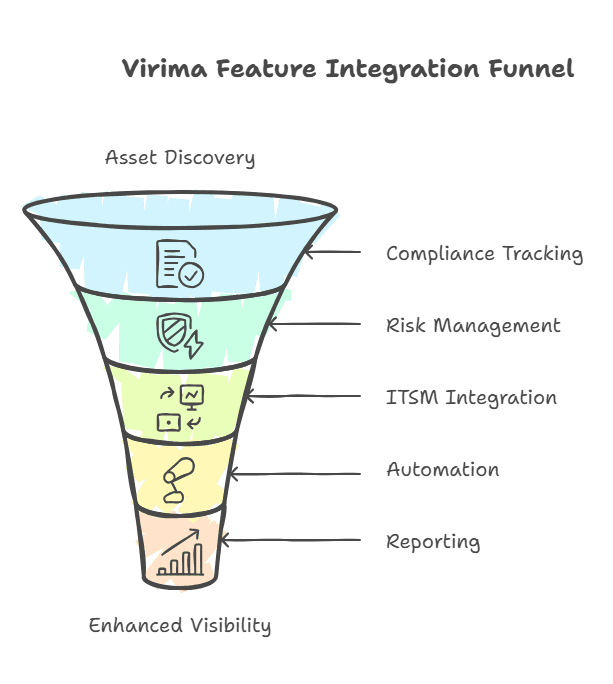
3. IT risk management integration
Virima connects your asset data with vulnerability and risk details. As a result, it helps you spot unpatched software and highlights security risks across your entire environment. This way, you can fix issues faster and keep your systems safer.
4. Seamless ITSM integration
Virima connects with tools like ServiceNow, Jira, and other ITSM platforms. It can automatically update your CMDB software or create tickets when assets fall out of compliance. This keeps your systems accurate and your team ready to act quickly.
5. Business rules engine
Virima’s automation engine is both flexible and powerful. It can handle complex tasks like routing tickets, managing compliance workflows, and enforcing policies. This saves you time and keeps your IT processes running smoothly.
6. Comprehensive reporting and dashboards
Virima offers strong KPI tracking and reporting features. For example, you can create custom dashboards that fit different teams and leaders. As a result, everyone sees key metrics clearly and makes better decisions faster.
7. Visual IT dependency mapping
Virima shows how your assets, applications, and services connect to each other. This helps you understand the impact of changes before they happen. With this insight, you can plan updates and manage changes with more confidence.
Pros
- Exceptional customer support with partnership-level commitment and responsiveness
- Robust CMDB and discovery toolset that provides deep environment visibility
- Feature-rich offering for organizations following ITIL methodology
- Reasonable pricing compared to enterprise alternatives
Customer review
‘We use VIRIMA as our CMDB software; we use it to gather information from all our network devices such as Servers, Desktops, laptops, etc. This software is an excellent addition for anyone looking for a robust and capable software for both ITSM and ITAM’.
‘Virima is stable and user-friendly; I like the admin tool, CMDB, and reporting’.
Cons
- May require initial configuration time to customize for specific compliance frameworks
- Smaller market presence compared to established players like ServiceNow
- Some glitches are reported occasionally, though support resolves issues quickly
2. ServiceNow IT asset management
Overview
ServiceNow ITAM is a great choice for large companies that need a full IT management system. It brings asset tracking together with service management tools in one place.
You can manage assets, handle incidents, track changes, and process service requests all within a single, connected platform.
ServiceNow builds a strong CMDB that connects discovered assets to the services and business processes they support. As a result, this makes it easier to understand how changes or issues affect your operations. By contrast, basic inventory tools cannot provide this level of context.
For companies already using ServiceNow for ITSM, or seeking enterprise-level management capabilities, it’s a complete but complex solution.
Key features
1. Comprehensive CMDB integration
Discovered assets automatically connect to the services, business processes, and dependencies they support. As a result, you get a full view of how each asset affects your operations. Consequently, you can understand the impact of any change or issue.
2. Powerful workflow automation engine
ServiceNow automates key tasks like asset onboarding, purchase approvals, and policy enforcement. In addition, you can set up custom workflows to match your team’s process, saving time and reducing manual effort.
3. GRC module integration
ServiceNow can be set up with Governance, Risk, and Compliance (GRC) modules to meet strict enterprise rules. This helps your organization stay aligned with complex compliance standards while reducing manual checks and risks.
4. Now assist AI features
ServiceNow includes generative AI features that make automation and insights smarter across the platform. As a result, these AI tools help you work faster, reduce manual effort, and uncover useful patterns in your IT data.
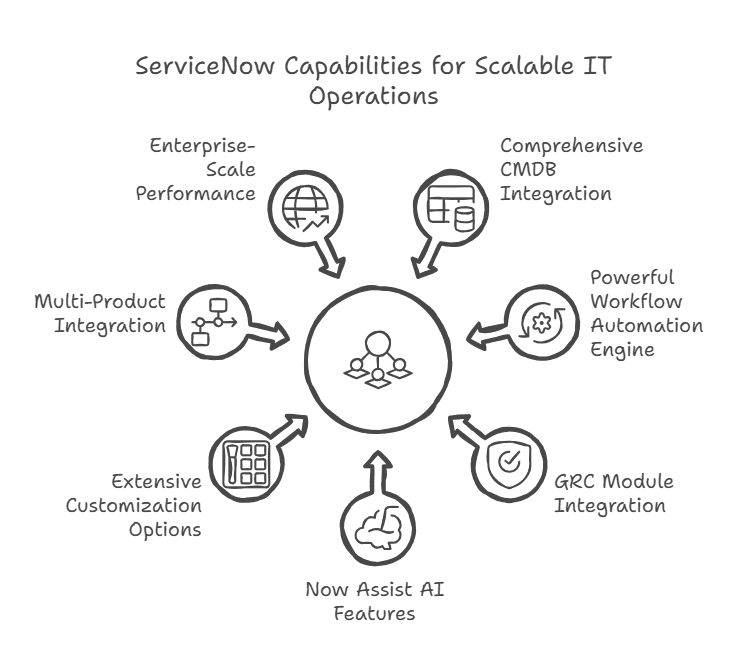
5. Extensive customization options
ServiceNow is highly flexible, so you can set it up to match your company’s unique processes and needs. This makes it easier to align the platform with how your teams already work.
6. Multi-Product Integration
ServiceNow works smoothly across its full suite of tools, including ITSM, ITOM, and SecOps. As a result, this seamless integration helps teams share data easily and manage IT operations in one connected system.
7. Enterprise-Scale Performance
ServiceNow is designed to manage huge asset inventories for global organizations. As a result, it can handle complex setups and large amounts of data without slowing down. Therefore, it is ideal for enterprises with many locations and systems to track.
Pros
- Best-in-class for comprehensive ITSM lifecycle management
- Streamlines workflows and improves operational efficiency significantly
- Strong ecosystem with extensive third-party integrations and marketplace apps
Customer review
” I like how it make easy to keep track of hardware and software stuff in one place. The dashboard is pretty simple, and I can quickly see which assets are used or need replacement.”
Cons
- Significant complexity requiring dedicated resources and specialized staff
- High implementation and licensing costs
- Lengthy deployment timeline compared to simpler alternatives
- Steep learning curve for administrators and end users
3. Device42
Overview
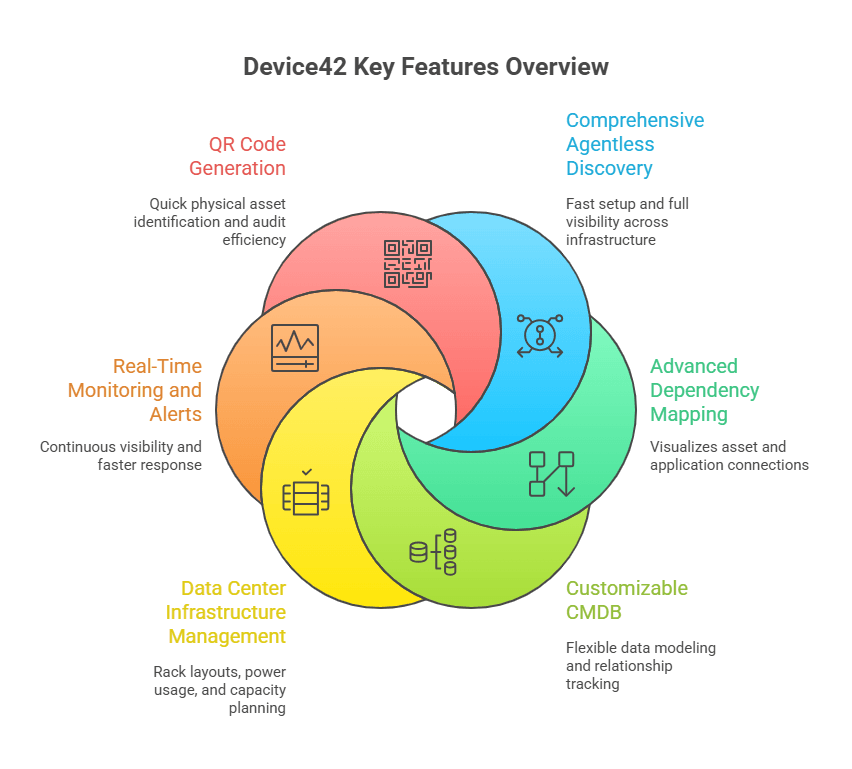
Device42 is great at finding assets without using agents, across both data centers and cloud environments. It includes strong CMDB management that gives you a complete view of your IT setup.
The platform focuses on deep infrastructure discovery, mapping connections between systems, and creating audit-ready reports automatically.
Many users like Device42 because it finds assets that other tools often miss, even in complex networks. It emphasizes accurate documentation with features like rack views, power tracking, and QR codes for efficient physical audits.
These tools make managing and verifying assets much simpler.
Key features
1. Comprehensive agentless discovery
Device42 finds servers, virtual machines, network devices, and cloud instances across hybrid environments without agents. As a result, setup is faster, and you maintain a full, accurate view of your assets.
2. Advanced dependency mapping
Device42 shows how your assets connect and depend on each other. As a result, this clear view helps you understand change impacts and plan updates with confidence.
3. Customizable CMDB
Device42 tracks detailed relationships between configuration items with flexible data modeling. Consequently, you can see how everything connects, making change management and troubleshooting much easier.
4. Data center infrastructure management
Device42 includes helpful tools like rack visualization, power usage tracking, and capacity planning. As a result, these features give you a clear view of your data center’s setup and help you plan resources more efficiently.
5. Application dependency mapping
Device42 shows how applications depend on different parts of your infrastructure. As a result, this helps you understand service dependencies better. Consequently, you can quickly see how issues in one area might affect others.
6. Real-time monitoring and alerts
Device42 gives you constant visibility across your IT environment with alerts that support network monitoring as changes happen or when issues appear. This helps your team respond faster and keep everything running smoothly.
7. QR code generation
Device42 creates QR codes for physical asset tracking and audits. You can scan these codes to quickly find details, confirm asset locations, and verify information during inspections. This makes audits faster and more accurate.
Pros
- Outstanding customer support with a partnership approach and a continuous improvement focus
- Simple and easy-to-use interface with pre-defined reports and built-in dependency diagrams
- Highly rated at 4.8 out of 5 on Capterra and 4.7 out of 5 on G2
- Complete visibility for hybrid IT environments
Customer review
“Device42 gives a clear, accurate view of all IT assets and their dependencies without much manual effort. It makes tracking infrastructure and troubleshooting issues much easier and less time-consuming.“
Cons
- Pricing can be expensive for smaller organizations, potentially around £50,000 annually
- UI feels outdated to some users
- Documentation organization could be improved for easier deployment guidance
4. ManageEngine AssetExplorer
Overview
ManageEngine AssetExplorer is designed for mid-sized companies that need a focused IT asset management tool. As a result, it tracks every asset through its lifecycle from purchase to retirement.
You can manage buying details, see depreciation values, and handle disposal planning all in one place.
AssetExplorer gives you a budget-friendly option compared to large enterprise tools. At the same time, it offers more features than basic inventory systems.
For teams with limited budgets that still need strong asset and license management, it’s a smart and valuable choice.
Key features
1. Multi-platform asset discovery
AssetExplorer scans Windows, Linux, Mac, and network devices using either agent or agentless methods. This helps cover areas where Lansweeper struggles, especially with Mac device support. You get a complete view of all your systems in one place.
2. Complete asset lifecycle management
AssetExplorer tracks every asset from purchase to disposal. It also monitors depreciation and provides financial reports, helping you understand each asset’s value over time. This makes budgeting and planning much easier.
3. Software license management
AssetExplorer identifies any unauthorized or unlicensed software on your network and keeps a clean software inventory for audit prep. It helps you stay compliant and avoid surprises during software audits. This keeps your systems safe and your organization audit-ready.
4. ServiceDesk Plus integration
AssetExplorer connects your assets directly to support tickets when you use ManageEngine’s helpdesk tool. This clearly shows which devices link to issues, helping IT teams respond faster and more effectively.
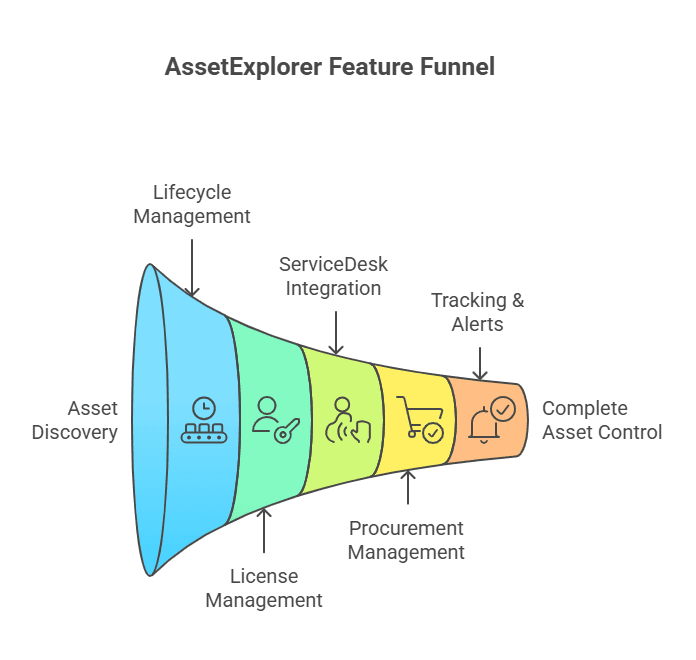
5. Purchase order management
AssetExplorer helps you manage vendors, contracts, and purchasing workflows in one place. As a result, your procurement process stays organized, and nothing important gets missed or delayed.
6. Barcode and QR code support
AssetExplorer supports physical asset tracking with easy barcode scanning. You can quickly check asset details, confirm locations, and keep your inventory accurate. This saves time and reduces manual errors during audits.
7. Automated alerts and notifications
Sends alerts for warranty expirations, license renewals, and compliance issues
Pros
- Straightforward importing with options like barcode or CSV, making asset management hassle-free
- Good and affordable asset management software with cloud-based options
- Easy to use with good real-time reports
Customer review
“It is very cheap and affordable, so it holds an edge over its competitors on price point. Also, it has an attractive user interface and is easy to navigate. It is also secure and reliable with huge load.”
Cons
- Customer service quality varies, with some users reporting a lack of training support
- Better competing options emerging in the asset discovery market. For a closer look at where AssetExplorer fits and where it falls short, our detailed breakdown covers how it stacks up as an alternative to ManageEngine AssetExplorer across discovery, compliance, and integration.
- The engineering department appears short-staffed for resolving complex issues
5. SolarWinds Service Desk
Overview
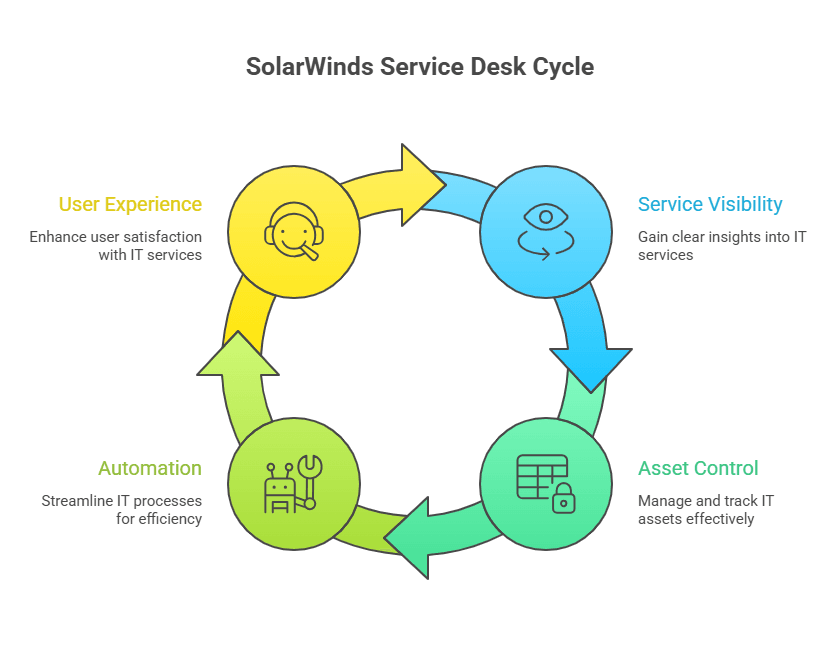
SolarWinds Service Desk is a cloud-based IT service tool that also includes asset management and basic inventory management. It brings your help desk and asset inventory together in one system.
You can track incidents and changes tied to specific assets, linking IT processes directly with accurate asset data.
Because SolarWinds Service Desk is a SaaS platform, you don’t need any on-site setup or servers. This makes it much easier to deploy than Lansweeper.
It’s ideal for teams wanting IT service management and asset tracking together, without maintaining separate systems.
Key features
1. Integrated help desk and ITAM
SolarWinds Service Desk combines incident management with asset tracking in one place. As a result, it links support tickets to specific hardware and software, making it easier to see affected assets and respond faster.
2. Cloud-Based Discovery Agents
SolarWinds Service Desk automatically discovers assets and adds their data into the system. It tracks both endpoints and servers, keeping your inventory complete and always up to date.
3. Asset lifecycle tracking
SolarWinds Service Desk keeps track of asset histories, software licenses, contracts, and expiration dates. As a result, this helps you stay compliant and avoid issues caused by missed renewals or outdated records.
4. Change management integration
SolarWinds Service Desk connects assets to change records, making it easy to track updates and modifications. As a result, this improves documentation and creates clear audit trails, helping teams stay organized and compliant.
5. SaaS deployment model
SolarWinds Service Desk is a cloud-based platform, so you don’t need any on-premises infrastructure. This makes setup faster, easier, and more cost-effective for your IT team.
6. Knowledge base and self-service portal
SolarWinds Service Desk gives end users access to self-help tools and an easy way to submit requests. As a result, this reduces support tickets and helps users solve common issues on their own.
7. Automated workflows
SolarWinds Service Desk includes flexible automation for ticket routing, approvals, and notifications. As a result, it helps teams respond faster, reduce manual work, and keep workflows running smoothly.
Pros
- Combines ITSM and ITAM in a single platform, reducing tool sprawl
- Cloud-based deployment simplifies infrastructure management
- Links assets to IT processes for better documentation
- Automated workflows improve efficiency
Customer review
“SolarWinds Service Desk is a great solution for a small company. Our company is using it to replace our Spiceworks ticket system with an ITSM system that is built for small to medium-sized businesses”
Cons
- Discovery capabilities may not match Lansweeper for unknown network devices
- Primarily focused on endpoints and servers rather than comprehensive infrastructure scanning
- ITSM features may add complexity for teams only needing asset management
- Reporting customization can be limited compared to dedicated ITAM tools
Which Lansweeper alternative includes native service mapping?
Among the alternatives in this guide, Virima includes native service mapping with live IT service management (ITSM) overlays, so open incidents, pending changes, and vulnerability data appear directly on configuration item (CI) dependency maps. Device42 offers application dependency mapping but without live ITSM context overlays. Lansweeper requires the separately licensed Redjack add-on for any dependency mapping capability.
Why runtime truth is the next layer beyond Lansweeper
Every tool above improves on Lansweeper in at least one dimension: broader discovery, better compliance, deeper CMDB, or native ITSM integration. But most of them still operate on the same underlying model. They discover assets, store attributes, and trust that the data stays accurate until someone re-scans.
Runtime truth works differently. It means every CI in your CMDB reflects its verified current state, not a snapshot from the last inventory run. Relationships between assets, services, and dependencies are continuously re-validated. Drift, unauthorized CIs, and expired certificates surface automatically instead of waiting for someone to notice.
This distinction matters in three places.
Incident response. When your team queries a CI during an outage, they get the verified current state, including what depends on it and what it depends on. Not a row that was true two weeks ago.
Audit evidence. Compliance frameworks like SOX, HIPAA, and ISO 27001 expect asset data that is accurate, auditable, and tied to controls. A CMDB that drifts between scans creates evidence gaps. A continuously verified CMDB closes them.
Agentic IT operations. As organizations adopt AI agents that act on infrastructure data, the accuracy of that data becomes a safety requirement, not just a convenience. Agents making decisions based on stale CMDBs create risk. Runtime truth is the foundation that makes agentic IT operations viable.
Virima delivers runtime truth through agentless and agent-based discovery across on-prem, AWS, and Azure environments, automated dependency mapping via ViVID, reconciliation logic that surfaces drift instead of burying it, and native integration with the ITSM platforms where your team already works.
Request a free discovery assessment to see what your environment looks like when every asset, relationship, and dependency is continuously verified.
Can Virima replace Lansweeper for IT asset inventory and network discovery?
Virima’s discovery engine covers the same ground as Lansweeper: agentless IP scanning via WMI, SSH, and SNMP protocols; agent-based capture for Windows, macOS, and Linux endpoints; and cloud API connectors for AWS and Azure. Teams migrating from Lansweeper can run both platforms in parallel during transition, with Virima populating a fresh configuration management database (CMDB) from live discovery before Lansweeper is decommissioned. No hard cutover is required.
Making the right choice for your organization
Choosing the right IT asset management tool depends on your organization’s needs. Lansweeper is a solid starting point, but it often falls short as compliance demands grow, cloud environments expand, and audits become more complex.
Modern ITAM tools go beyond basic asset tracking. As a result, they connect assets to risk, compliance, and business impact. Consequently, audits become easier, security grows stronger, and newer platforms clearly stand apart.
When evaluating alternatives, shortlist two or three tools and test them in your own environment. Real-world visibility is the best way to know if it’s time to move on.
If compliance-ready, risk-aware IT asset management is your priority, Virima is worth a closer look. Therefore, book a free demo now or request a free trial to validate reporting, controls, and audit workflows. With the right tool, IT asset management becomes a streamlined, value-driven process, not an audit headache.





