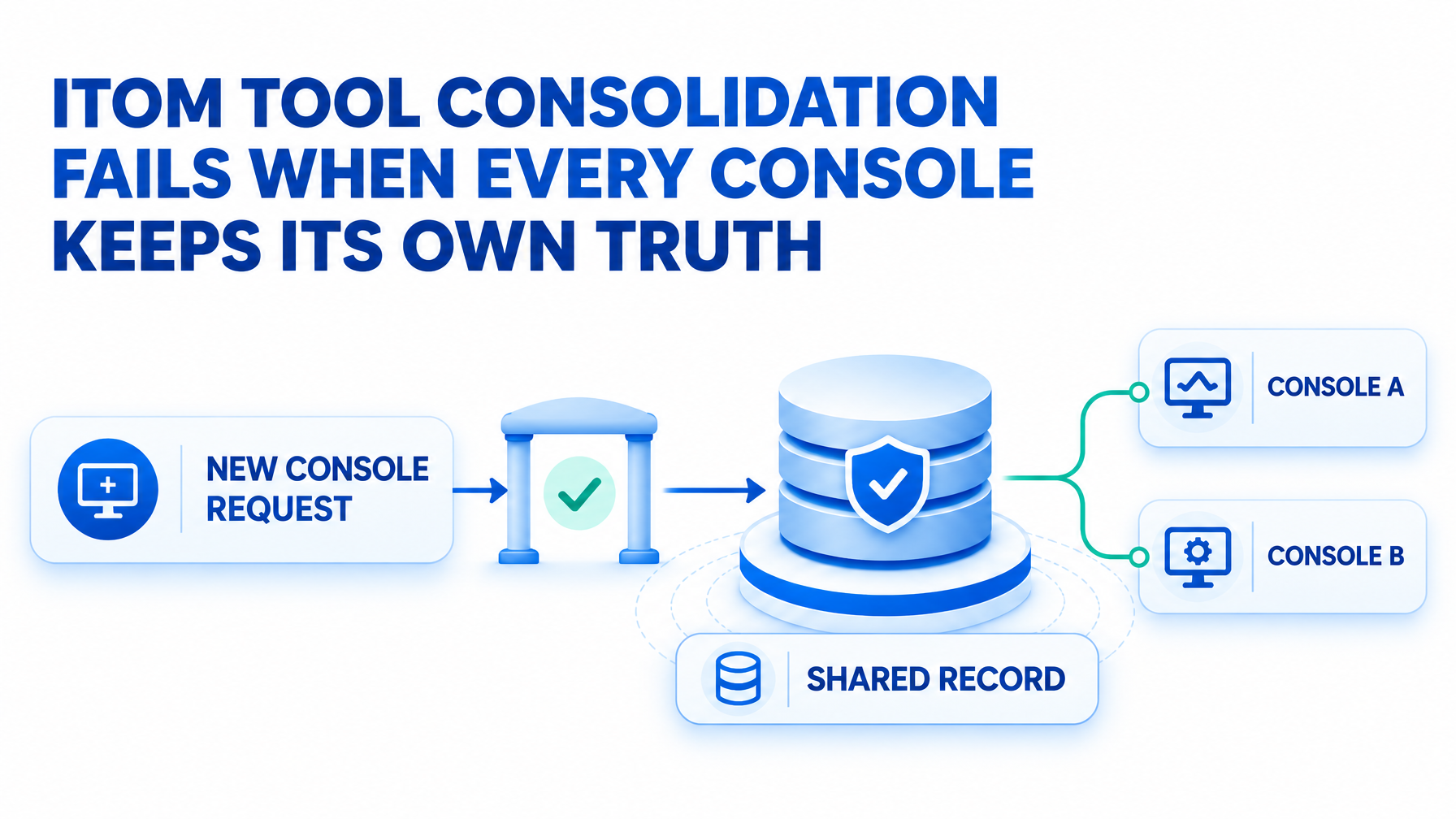
ITOM Tool Consolidation Fails When Every Console Keeps Its Own Truth

On September 16, 2026, a Salesforce outage began at 3:50 a.m. EDT and was marked resolved at 2:59 p.m., about seven and a half hours later. Salesforce first cited an external dependency failure affecting a legacy login server, as CIO.com reported. Info-Tech’s Abbas Jaffery put the lesson plainly: “Cloud does not eliminate architectural dependencies.”
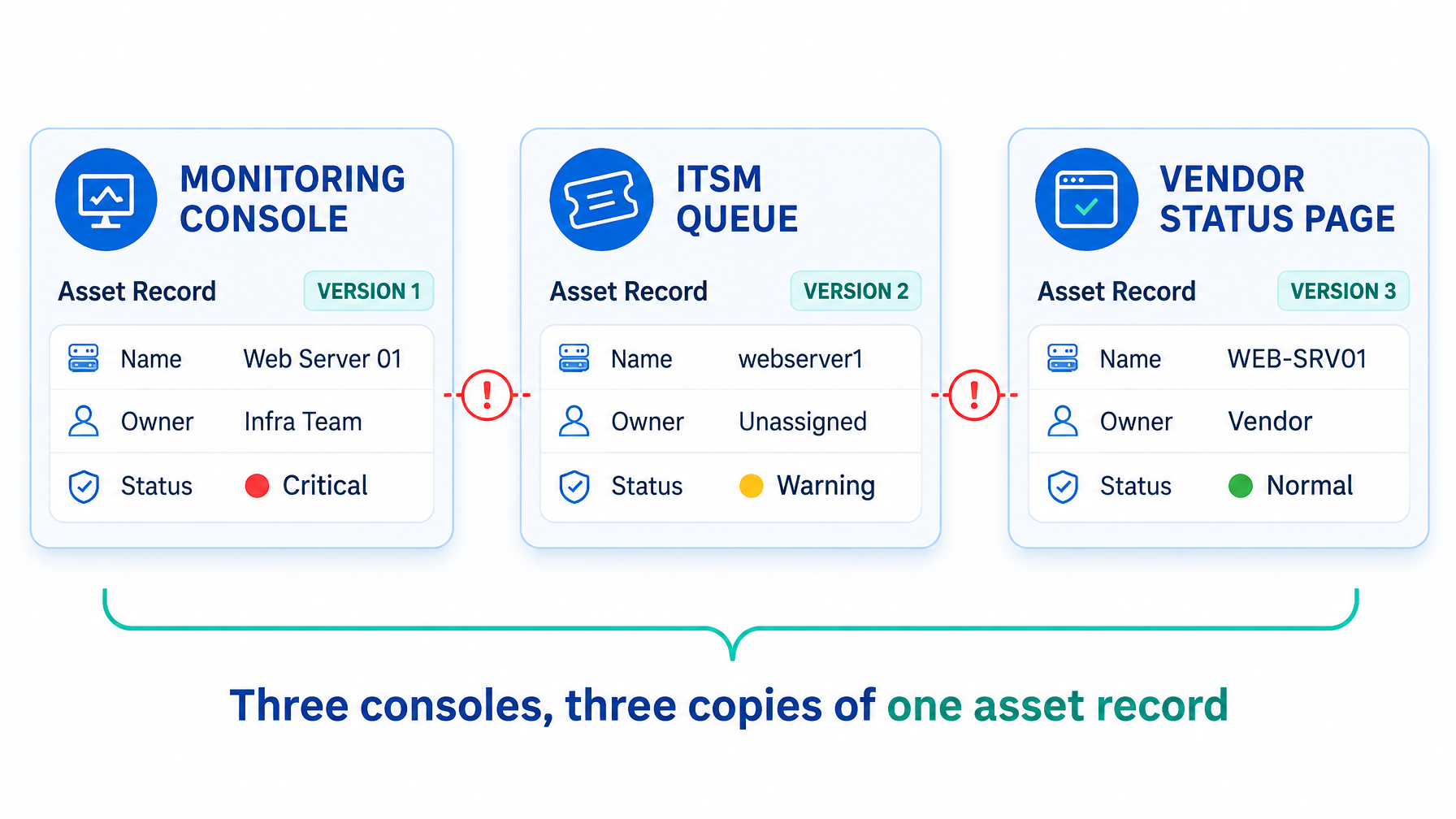
A VP of IT hears about an event like this from three places. The vendor status page, the monitoring console, and the ITSM queue each describe their own slice correctly. The question that decides your response is which business processes sat on that login path and who owns each one. People answer that question, usually by messaging each other.
The team requesting the next console is usually the one that felt the gap first. Every ITOM tool consolidation plan runs into this request sooner or later, and the approval lands on your desk.
A shared operational record is not a fourth console
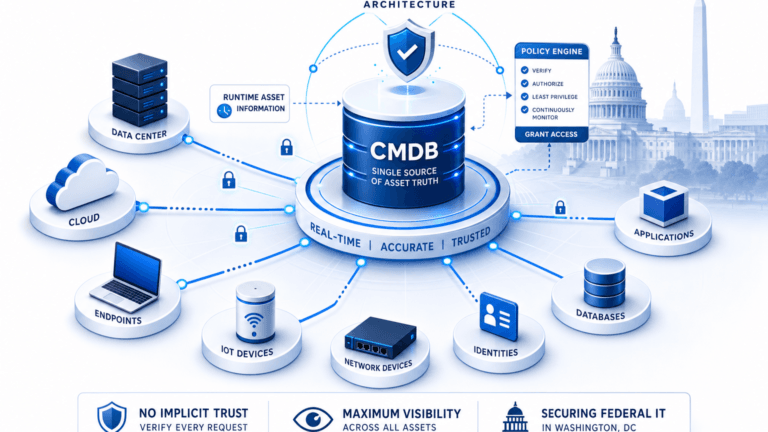
A console is a view that holds its own copy of the data. A shared operational record is the discovery-sourced inventory, relationships, and ownership that several views read from. ITIL 4 describes this discipline as service configuration management: keeping accurate information about configuration items and how they relate.
Specialised consoles earn their place when they do something the others cannot. Deep application tracing and event correlation are good examples. The question for the approval meeting is where each console gets its data.
| Who/What | Console | Shared record |
|---|---|---|
| Who opens it | One team | Every team, through their own tools |
| What it holds | Its own copy of the data | One reconciled set with the source noted |
| Who maintains it | The team that bought it | Named owners per asset |
| What a wrong entry does | Misleads one view | Misleads every view that reads it |
A shared operational record differs from a single-pane-of-glass dashboard: the dashboard only changes what a team sees, while the record changes what every connected tool reads. Attaching three conditions — shared source, named ownership, and safe retirement to a console approval is what keeps the record authoritative instead of becoming a fourth copy of the data.
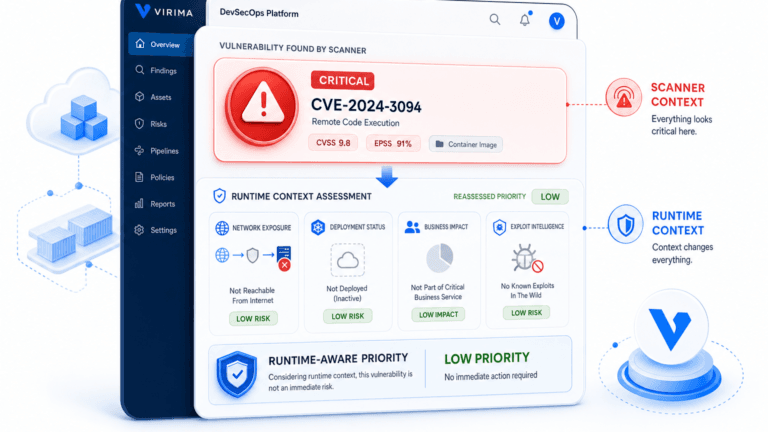
The last row shows why the record needs owners and a visible source for each entry. Virima calls this foundation Trusted Runtime Truth: discovery-sourced data that shows what exists, how it connects, what changed, and who owns it.
Why the next console request lands on your desk
Organizations ran an average of eight observability tools in 2025, down from nine the year before, and 39% of respondents cited tooling overhead as their top obstacle, according to Grafana Labs’ 2025 Observability Survey of 1,255 respondents collected between September 2024 and January 2025. Reducing the tool count without a shared asset record behind it moves the reconciliation work instead of removing it. The 2025 Observability Survey is vendor-run research and covers observability rather than all of ITOM, but the pattern matches what many operations teams report.
Four things a new console quietly adds
- Another copy of the data creates one more place where a server’s name, owner, or status can differ from the others.
- Another identity for each asset creates a join that someone has to build and maintain.
- Another admin and training line adds a recurring cost, charged to the approval and the requesting team.
- Another renewal weakens the case for retiring the previous console with each year it stays.
These are questions you can ask in the approval meeting. They make no claim about any vendor’s product.
What each approval costs, seat by seat
For you as VP of IT: you carry the renewal and the rollback. You are also the person asked why two consoles disagree about the same server.
For on-call leads: each console adds a tab to open during an incident and one more source to reconcile. Three-quarters of UK IT teams experienced an outage tied to missed alerts in 2025, a pattern Computer Weekly attributed to alert fatigue and tool sprawl rather than a single tool’s failure, citing Splunk’s State of Observability 2025 survey with fieldwork by Oxford Economics. Each additional console is one more place an alert can get lost between systems that don’t share data.
For platform owners: every new console is another integration to keep running. The hours ITOM tool sprawl costs teams per incident when context is split across tools show how that maintenance adds up.
For finance and audit: two systems both claim to list the estate, and someone has to explain the differences. A separate TCO analysis of CMDB inaccuracy makes the same point from the ledger side: reconciling conflicting records costs real hours, not just reputation.
Three conditions to attach to any new console
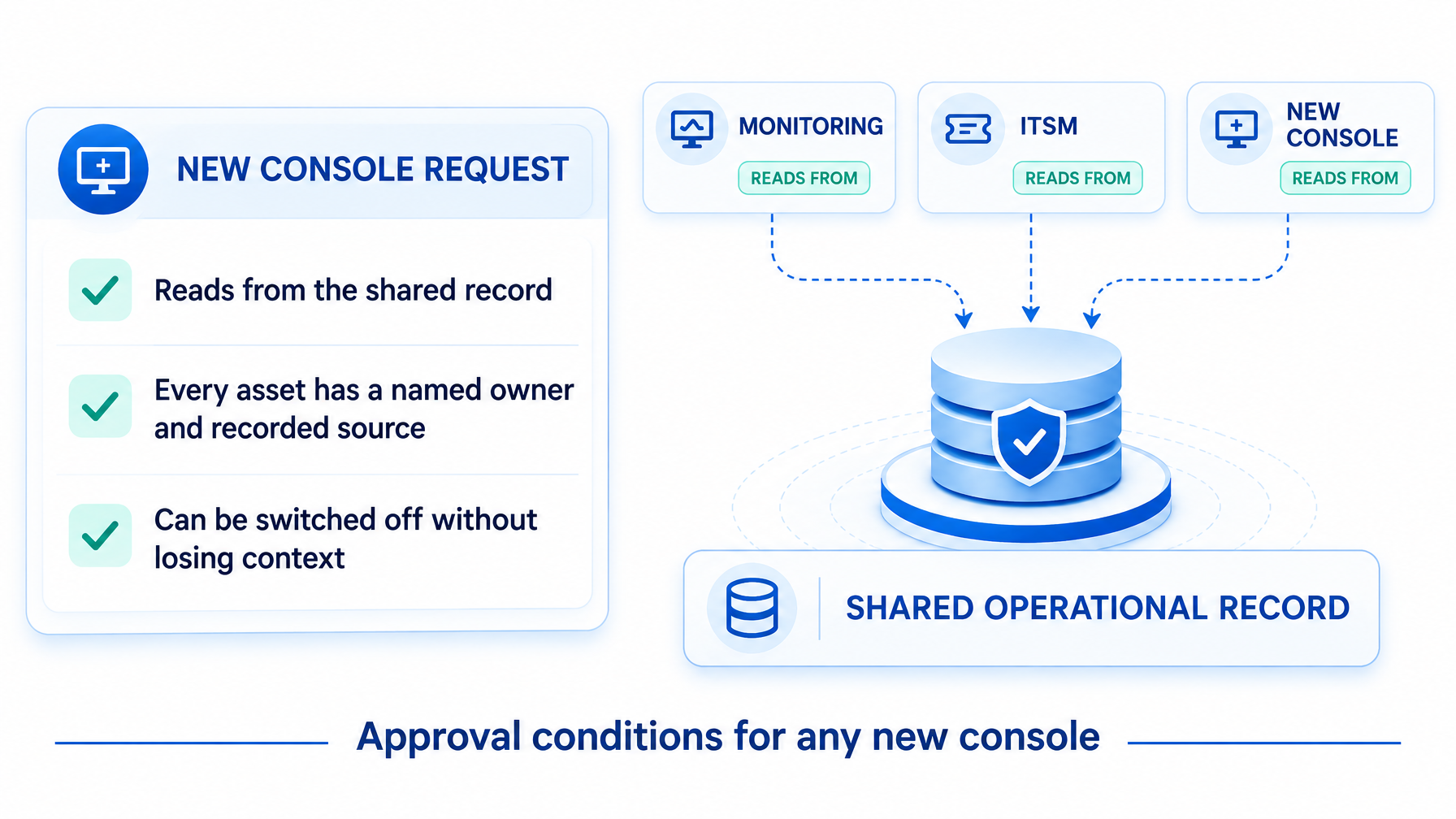
Three conditions can be attached to any new ITOM console approval: it must read from the existing shared record instead of building its own, every asset it displays must carry a named owner and recorded source, and it must be removable without losing that underlying data. A tool that fails any of the three adds an inventory to maintain, not only a view. These conditions can be pasted directly into an approval checklist, and your approval process enforces them.
- The console reads from the shared record instead of building its own. High-frequency scheduled discovery across on-premises, cloud, and remote assets keeps that record current, and each console reads the latest cycle.
- Every asset it shows has a named owner and a recorded source. People confirm ownership, and the CMDB stores and displays it. ViVID™ service maps then show dependencies once your team has defined the services.
- It can be switched off without losing context. The record sits independent of the consoles that read it, and it feeds your ITSM through integrations with ServiceNow, Jira Service Management, and other partners listed on the integrations hub.
| Another console | Shared record under existing tools | |
|---|---|---|
| Where its data comes from | Its own collectors and imports | Discovery cycles that every tool reads |
| What happens when it is retired | Its copy of the data goes with it | The record stays and other tools keep reading it |
| Who answers when two views disagree | Whichever team owns each console | The named owner of the asset |
| What the VP approves | A tool and a renewal | A tool that meets the conditions |
When a new console is the right call
A new console is the right call when the capability is specialised, and no current tool offers it. The team also commits to feeding it from the shared record. In that case, the console adds a view without adding another inventory to maintain. A request that can’t commit to that is reasonable grounds to reject it outright, rather than negotiate around the gap later.
How this plays out in four approval meetings
These are illustrative scenarios, not customer case studies.
- The AIOps console request: the team wants event correlation but has no agreed list of services for it to correlate against.
- The observability consolidation: eight tools become six, with no shared asset list behind the reduction.
- The regional team’s own console: a site buys what works locally, and its inventory drifts from headquarters.
- The ITSM add-on module: an extra module needs its own discovery scope before it can show anything useful.
Virima lets every console read the same estate record
Virima provides the discovery, CMDB, and service mapping layer. Your monitoring, event management, and ITSM tools keep handling events, workflow, and views. Virima handles discovery, relationships, and ownership data.
- For the tools you already run: they read one reconciled record through integrations, so a server carries the same name and owner in every view.
- For the console you are being asked to buy: it starts from an existing inventory with sources noted, which shortens setup and gives the team a baseline for judging its output.
- For the tool you want to retire: the record stays in place, so switching a console off removes a view and leaves the estate data intact.
Readers who want the display-layer side of this question can read what a single pane of glass requires from a data perspective.
A 60-day intake policy for ops tools
- Name the system of record for each data type: assets, relationships, and owners.
- List every console you run and the feed behind each one.
- Add the three conditions to the purchase checklist.
- Set a sunset review 90 days after any new tool goes live, and decide at that review whether it stays.
- Report once a quarter how many assets show a different value in two consoles.
The quarterly count gives you a metric to show your own CIO. A falling number means the record is doing its job.
See Where the Shared Record Would Sit in Your Stack
Bring your current console list to a working session with the Virima team. We will review the feeds behind each tool and show where a shared operational record would sit under them. Request a demo to schedule it.
Frequently Asked Questions
What is a shared operational record in ITOM?
A shared operational record is the discovery-sourced inventory, relationships, and ownership data that several ITOM tools read from. Each tool shows its own view while the underlying asset data stays in one place.
Why does adding another ITOM console create overhead?
Each console brings its own copy of asset data, its own asset identity, and its own admin and renewal cycle. Those costs recur every year the tool stays in service.
How does Virima feed asset data into ServiceNow and Jira Service Management without replacing them?
Virima exposes its discovery-sourced workflows through integrations, so ServiceNow, Jira Service Management, and other ITSM platforms read the same asset names, relationships, and owners instead of maintaining a separate copy. That gives IT operations a single source of truth without a rip-and-replace project.
When is a new ops console worth approving?
A new console earns approval when it delivers a specialised capability no current tool offers, and its team agrees to feed it from the shared record. A sunset review confirms the decision later.
Does Virima replace our monitoring or ITSM tools?
Virima supplies the discovery, CMDB, and service mapping layer that your monitoring and ITSM tools read from. Those tools continue to handle events, workflow, and dashboards.