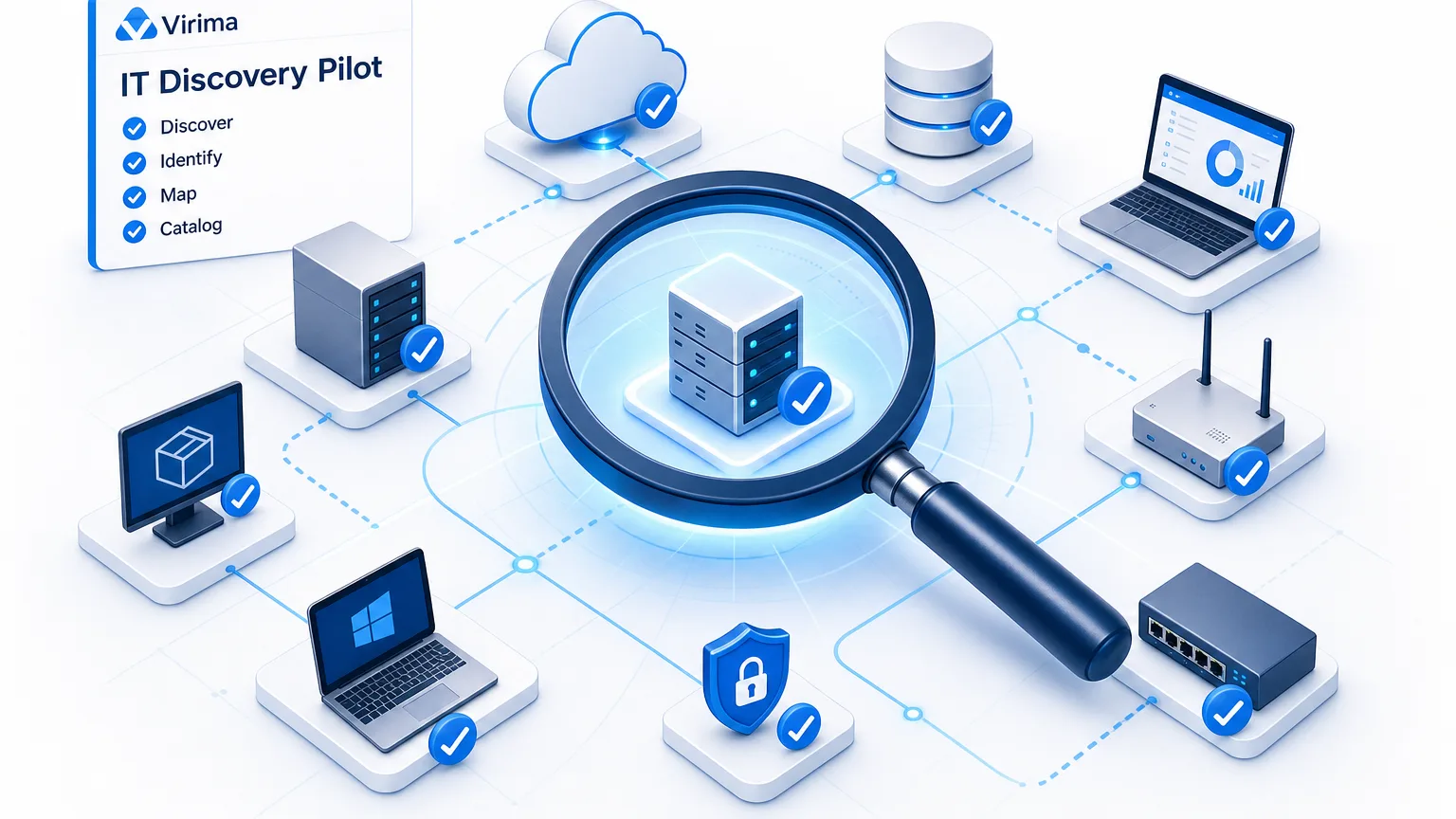
Explore an IT Discovery Pilot for Small IT Teams to Test Efficiency Before You Commit

A small IT team runs a first discovery scan on a Friday afternoon and gets a long list of hosts, interfaces, and cloud instances. By Monday, the pilot has stalled. Nobody agreed what success meant before the scan started, device names refuse to match the register, and nobody can say whether a missing device left the estate or simply sat offline over the weekend.
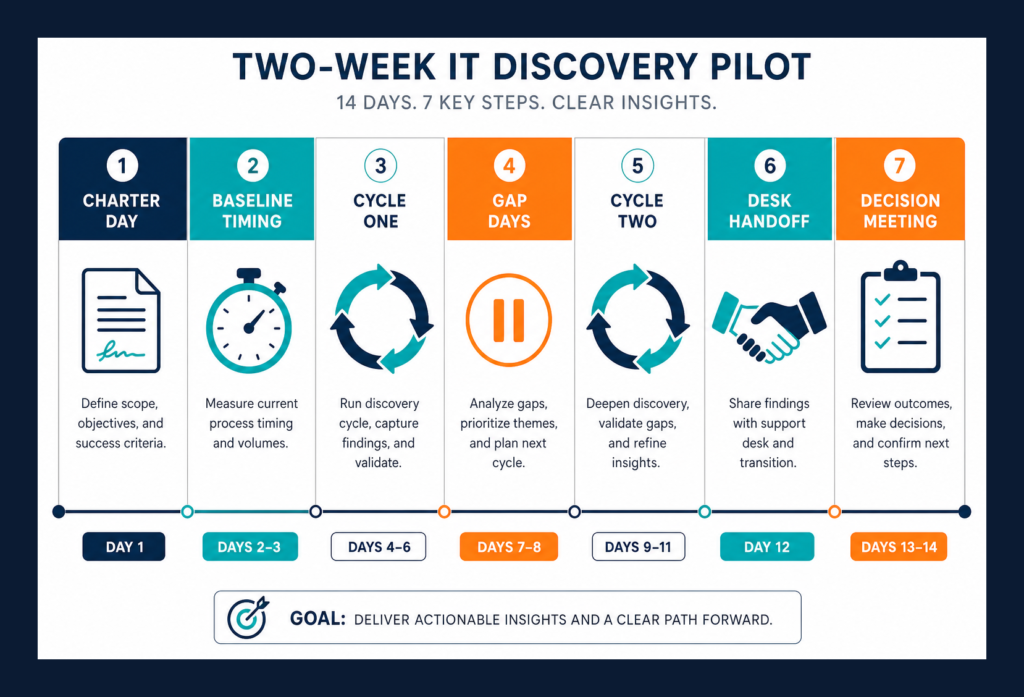
A useful pilot is a short experiment built around more than a single scan. You pick one slice of the estate, write measures in advance, run two scheduled cycles, hand one reviewed set of records to the help desk you already use, and end with a decision. The pilot tests efficiency by timing the same manual reconciliation task before discovery and again with the pilot’s output, then reading your own numbers.
Keep the work inside one to two weeks, one slice, two scheduled cycles, and one handoff. Tool selection is a separate job; see what to check before you pick a tool on its own track.
Scope the Pilot to a Slice You Can Finish in Two Weeks
Pick one slice you can finish: one site or network segment, one cloud account, or one device class. A broader slice produces more calendar work without producing more proof.
Write a five-line pilot charter before any scan runs: the slice name, the owner, the measures including the efficiency baseline, the start and end dates, and the person who makes the expand, tune, or stop call. Criteria written after the first results get shaped by those results, so write them first.
Capture the efficiency baseline in the first two days. Time one manual reconciliation of the slice against what the team can see today, then time the same task using the pilot’s discovery output. Record hours and minutes instead of dollar figures, and leave the enough threshold to the decision maker.
Set five measures before the first cycle. Three come from the CIS Control 1 assessment specification for enterprise asset inventory, and two come from pilot design.
| Measure | What it asks | Where it comes from |
|---|---|---|
| Accounted-for ratio | Of what discovery found, how much does the register already hold? | CIS 1.1 accuracy score |
| Detail completeness | Of the register’s rows, how many carry every needed field, including the durable ID? | CIS 1.1 completeness definition |
| Unseen-device explanation | Of the register’s rows discovery did not find, how many have a documented reason? | CIS 1.1 operations |
| Handoff check | Do the records the desk received match what discovery holds, without duplicates? | Pilot design |
| Reconciliation time | How long does the same reconciliation task take by hand versus with the pilot’s output? | Pilot design: the team’s own time log |
Collect the CIS 1.1 fields where they apply: network address when static, hardware address, machine name, owner, department, and approval to connect, plus the durable ID for the class and the last-verified date on each record. Prerequisites stay tool-neutral at first: a host for the discovery application, credentials scoped to the slice, and network paths that reach the targets. For Virima, confirm the discovery application requirements on the support site.
Plan for devices that belong to the organization and sit off the network. CIS Control 1 states those devices need manual discovery to enter the aggregate inventory, so schedule an agent path or a manual list, or exclude them in writing so the unseen list stays honest.
Choose the Durable ID for Each Device Class Before the First Scan
Hostnames change during rebuilds, image clones, and cloud renames, so set the durable ID for each device class before the first cycle and keep names and addresses as supporting evidence only.
| Device class | Durable ID | Supporting only |
|---|---|---|
| Physical server, laptop, desktop | Hardware serial number | Hostname, MAC, IP |
| Virtual machine | Hypervisor UUID | VM name, hostname |
| Cloud instance | Provider instance ID, stored with account or subscription and region | Instance name, IP |
| Network device | Serial number or chassis ID | Hostname, IP |
Match on the strongest intrinsic key the class offers. For VMware virtual machines, Virima treats the BIOS UUID as the primary identifier, as covered in the VMware ESXi discovery FAQ.
Hostname helps a human read a row; the durable ID joins two source systems into one configuration item.
After the first cycle, count rows with no durable ID, rows with a placeholder serial, and groups that share one ID, then fix collection, correct the value, or merge after review. Empty serials usually mean missing credentials or a missing agent; shared serials usually mean clones, templates, or a merge waiting for review.
Asset tracking software for small business still needs last-seen dates from discovery once devices leave check-out labels behind, and the pilot is where that join gets proven on a small slice.
Treat Last-Seen as a Test, Not a Column
Define last-seen once: the date discovery last verified the device. In Virima, each record carries a last-verified timestamp with a source tag, so you can see which method produced the attribute and when it was checked.
One scan cannot test last-seen, because the second scheduled cycle is where some rows advance and others stay still. Run at least two cycles with enough days between them for real differences on laptops, VMs, and cloud instances.
After the second cycle, list devices seen first and missing second, devices in the register that discovery never saw, and retired devices that still respond. Give every unseen device a documented reason such as offline, powered down, retired, credential gap, or unknown. Unknown is allowed and becomes a tune item if the count stays high.
CIS Control 1 notes that portable devices join a network and then disappear, and that cloud and virtual machines are hard to track when shut down or paused. Treat last-seen as a date with a reason, so a blank second-cycle result is evidence to explain.
Virima’s discovery agent skips a scheduled scan when it has no connection, and stores its data until the connection returns, so a laptop’s last-seen advances when it reconnects and a two-cycle window matters more than a single Friday scan.
CIS asks for a weekly process for unauthorized assets, an inventory review at least twice a year, and daily active discovery for higher implementation groups. A pilot sets a cadence the team can keep for two weeks. On each record, Virima’s IT discovery layer keeps the source tag and last-verified timestamp so both cycles stay comparable.
What is last-seen in an IT discovery pilot?
Last-seen is the date discovery last verified a device. A pilot runs at least two scheduled cycles so some rows advance and others stay still, then assigns each unseen device a documented reason such as offline, retired, credential gap, or unknown.
Hand One Reviewed Slice to the Desk You Already Use
The help desk stays the system of engagement for tickets, approvals, assignment, and service levels. The pilot hands it one class of records and a few selected properties after review. Brief the desk owner on one slice only; full-estate sync belongs after the pilot passes its measures.
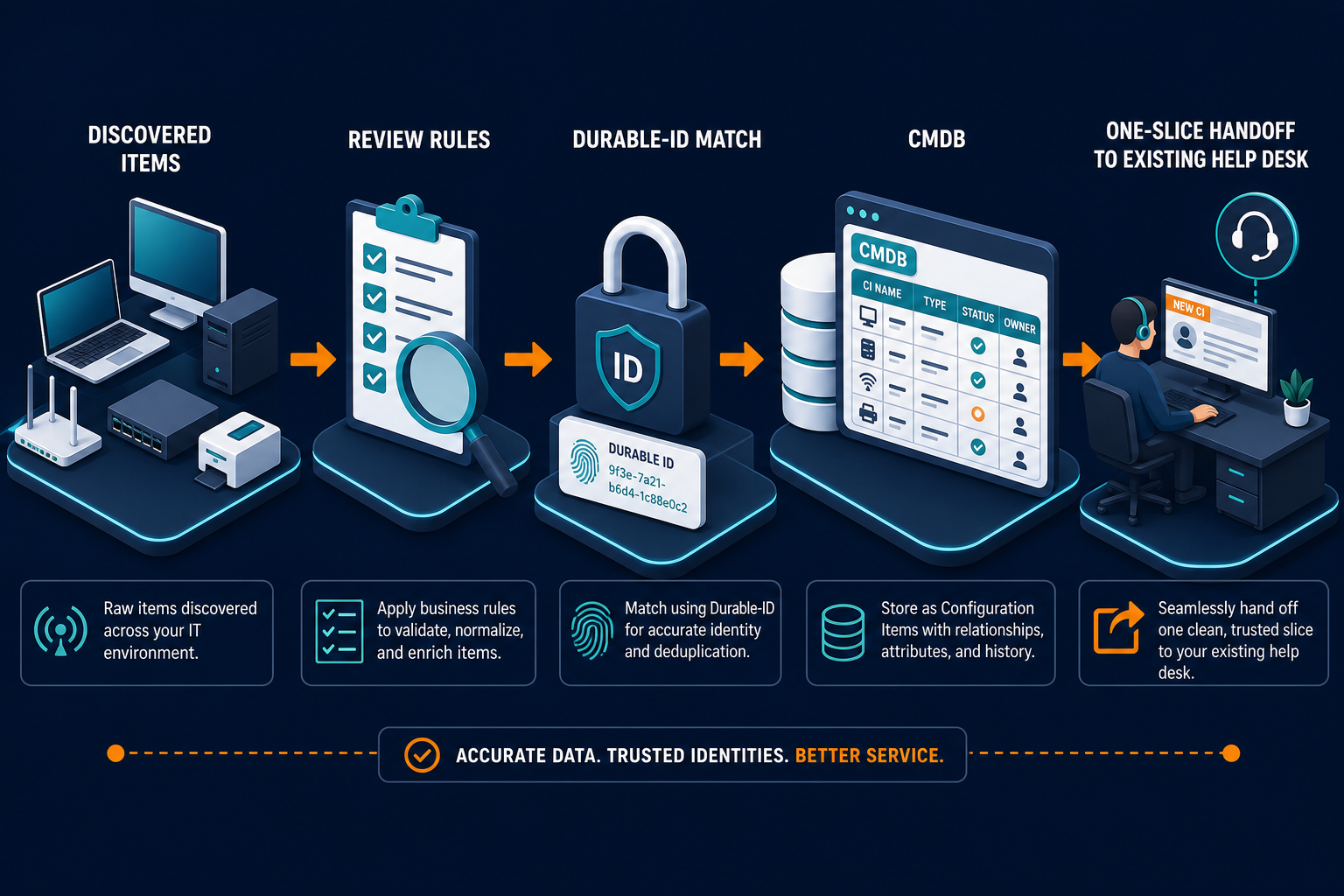
Review every candidate before anything moves into the configuration management database (CMDB). In Virima, discovered assets appear as Discovered Items, and new items stay unauthorized until someone chooses which records move. The Move to CMDB steps make that move deliberate after the scan finishes. Business rules can restrict what qualifies, and correlation factors keep the same device from landing twice under two names.
When the desk runs on ServiceNow, Jira Service Management, Ivanti, HaloITSM, Xurrent, or Hornbill, map a small blueprint for the pilot slice, choose which properties sync, and confirm correlators so duplicates stay out. Connection paths live on the integrations hub. Confirm field mapping on the pilot records before you widen scope.
For the handoff check, the desk owner samples the records received, confirms they match what discovery holds, and confirms there are no duplicates on the durable ID. This pilot only proves that one reviewed slice can land cleanly.
If remote monitoring and management (RMM) inventory already answers some estate questions, read RMM versus CMDB discovery for growing IT teams beside this pilot. The RMM can stay for patching and remote fix work while discovery feeds the CMDB the desk will read.
Leave reverse syncs and service maps out of the pilot window. Service definitions still come from your team, and maps belong after discovery records pass the durable ID and last-seen tests.
Staged Review, Source Tags, and Duplicate Checks Fit a Two-Week Pilot Too
Teams often assume a pilot with real controls needs an enterprise program office and specialist staff before any scan can be trusted. The mechanics a two-week pilot can use from day one are the same governed discovery and CMDB controls larger programs rely on.
Discovered items stay held for review until someone moves them into the CMDB, which is the first control. Business rules decide what qualifies to move. Correlation factors you configure decide how rows match. Duplicate checks run on the properties you choose, with merge or retain-and-delete as deliberate outcomes. Each record carries a source tag and a last-verified date. Credentials are entered once and stored encrypted on the host that runs the discovery application. Agent and agentless collection can run together on the same slice, and a governed sync can feed the desk after review.
Those mechanics are available on Business Pro with the same CMDB, IT asset management, integrations, REST API, and permission model the broader platform uses, while packaging and support differ by offer.
Running a two-week pilot with staged review, source tags, and duplicate checks? See what Business Pro includes for lean IT teams that need full discovery and CMDB controls.
State the limits in the charter. Your team defines services, and maps come after the pilot. Off-network devices need an agent or a manual path. Discovery refreshes on the schedule you set, so a change between cycles shows up on the next run. The pilot proves a method on one slice without certifying the whole estate.
What controls belong in a two-week IT discovery pilot?
Hold discovered items for review before CMDB entry, apply business rules and correlation factors, run duplicate checks on chosen properties, keep a source tag and last-verified date on each record, store credentials encrypted on the discovery host, and sync one reviewed slice to the existing help desk.
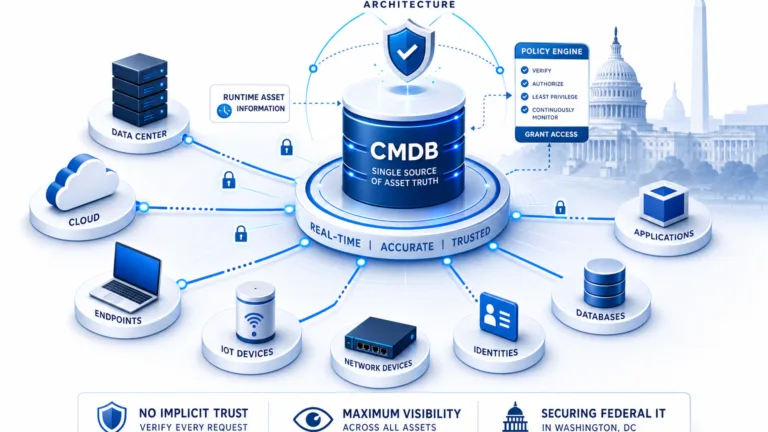
See Trusted Runtime Truth for the category frame behind discovery-sourced records the desk can trust after review.
Close the Pilot by Choosing to Expand, Tune, or Stop
Hold one decision meeting with the named decision maker and the measures written before the first scan. Bring the reconciliation-time log as the team’s own evidence, timed the same way before and during the pilot.
The decision meeting supports three outcomes. Expand means you add the next slice with the same charter pattern, then define the top few services after two clean slices so maps and ticket overlays mean something. Tune means you fix the credentials, segments, or agents that caused the gaps, rerun one cycle on the same slice, and re-score the five measures. Stop remains a respectable result when existing tools already meet the written measures, so you write down why and close without forcing a wider rollout.
Keep the register-versus-discovery lists, the key audit, the last-seen reasons, and the handoff check. When you are ready for the wider build, use the broader CMDB build as the after-pilot path.
Design the First Pilot, Then Decide
The first IT discovery pilot for small IT teams is two scheduled cycles, one slice, one reviewed handoff, and a written decision. The desk stays in place, efficiency is tested with your own timed task, and you expand, tune, or stop based on evidence collected on purpose.
Ready to scope your first two-week pilot on one slice with two scheduled cycles and one reviewed desk handoff? Walk through the charter, the measures, and the decision with the Virima team.
Frequently Asked Questions
How long should an IT discovery pilot take for a small IT team?
Plan one to two weeks with at least two scheduled cycles so last-seen has something to show. Write measures before the first scan, run the same slice twice, complete one desk handoff, and end with expand, tune, or stop.
What should a first discovery pilot cover?
Cover one slice only: a network segment, a cloud account, or a single device class. Broader slices add calendar without adding proof. Finish two cycles and one reviewed handoff before you widen scope.
What does last-seen mean, and why test it?
Last-seen is the date discovery last verified a device. A second cycle shows whether missing devices left the estate, sat offline, hit a credential gap, or still need a documented reason.
Do we have to change our help desk to run a pilot?
The desk stays the system of engagement for tickets, approvals, assignment, and service levels. The pilot hands it one reviewed slice, then the desk owner checks the records match and duplicates stayed out.
How do we know the pilot worked?
Compare results with measures written before the first scan, including reconciliation time by hand and with discovery output. Then expand, tune, or stop from that evidence and keep the lists for the next slice.