IT Asset License Tracking for Growing IT Teams Hinges on a Date Most Sheets Skip

A renewal notice lands on the same morning as a hardware refresh question. One person on a lean IT team owns both answers, and the files disagree. The license sheet lists products and seat metrics. A purchase email holds warranty paperwork. Discovery shows installs on devices that the warranty portal names differently. None of those sheets records when discovery last confirmed each device, so every “active” row looks the same whether the laptop still answers a scan or sat in a drawer since last quarter.
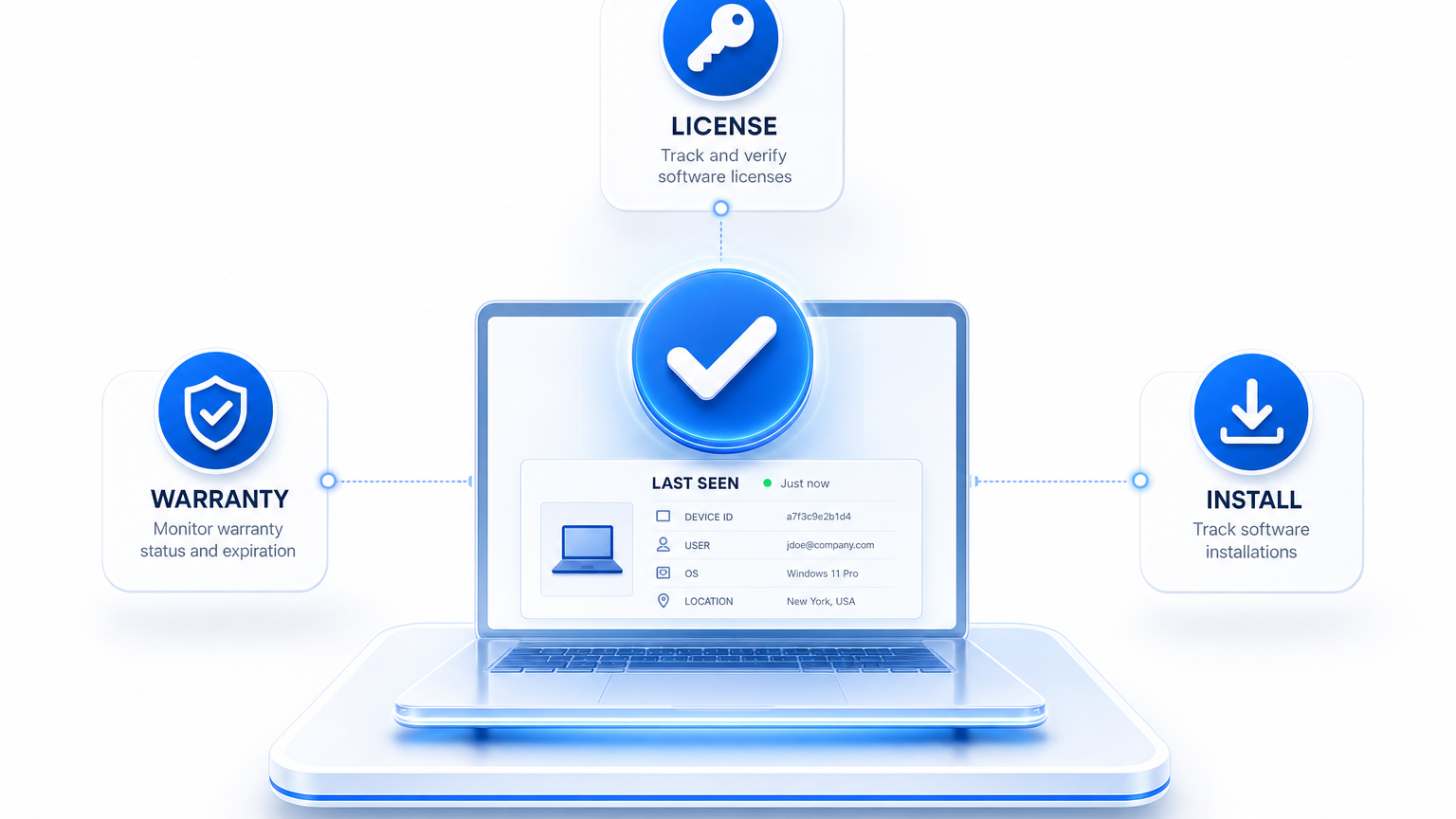
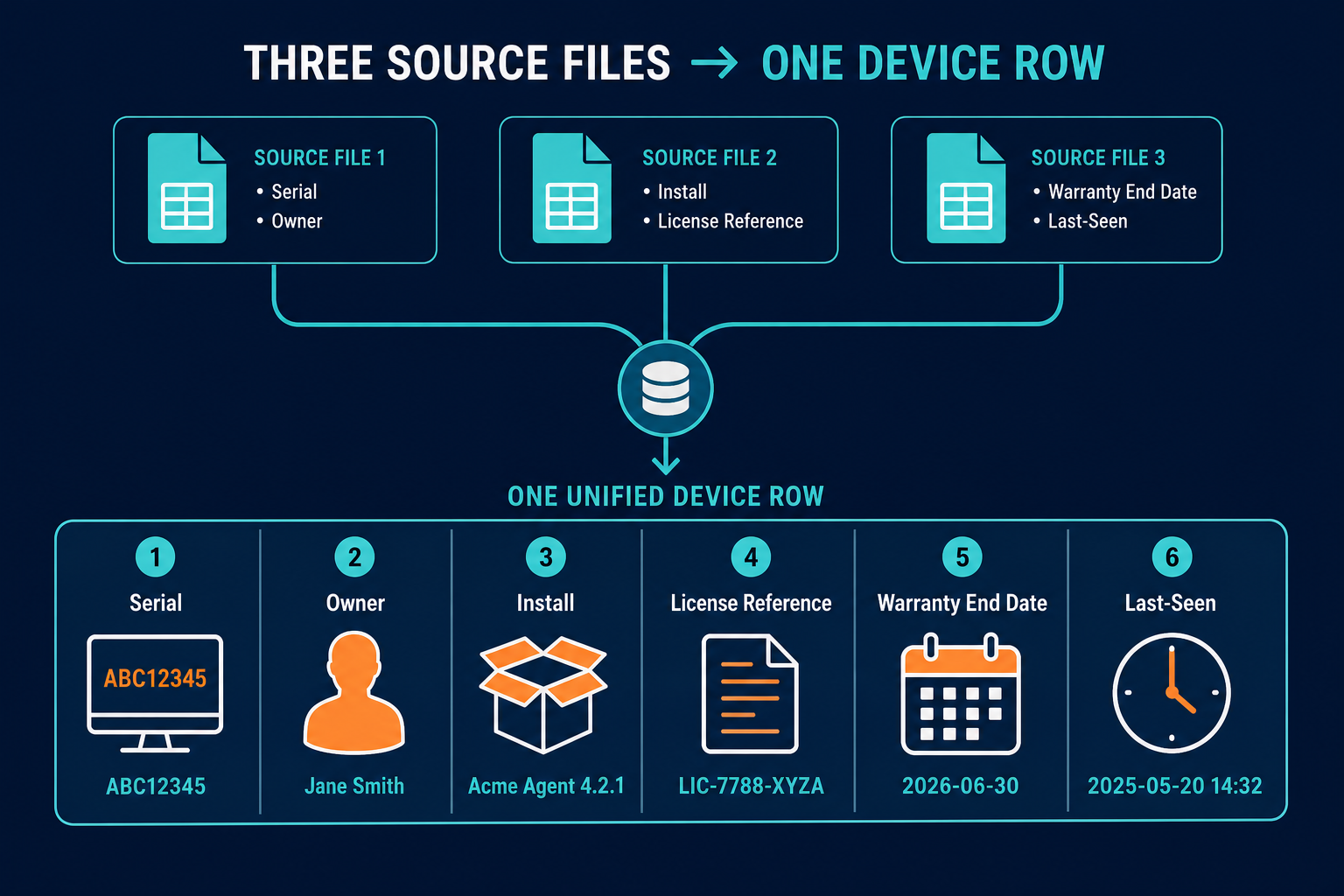
IT asset license tracking for growing IT teams starts with that missing date. Last-seen is the day discovery last verified the device. Without it, a correct license reference, a correct warranty end date, and a correct install can still push the wrong renewal or refresh decision. The smallest useful join puts license coverage, warranty end date, install, owner, and last-seen in one record per device for teams with no dedicated software asset management (SAM) owner. For the wider small-business inventory frame, see asset tracking software for small business.
Licenses, Warranties, and Installs Live in Three Places and Share No Key
License records are usually keyed on product, edition, and metric. Warranty records are keyed on the hardware serial number the vendor recognizes. Install records are keyed on the device discovery found. Ownership often lives in a fourth list. Hostnames help people talk about machines. They do not join those four sources, because names change, repeat across sites, and never appear on the vendor warranty form.
On a lean team, the same person fields renewals, refresh planning, and “who has this laptop” tickets. Each answer means opening a different file and hoping the rows describe the same machine. That is why the problem shows up as headcount pressure before it shows up as an audit letter.
ISO/IEC 19770-1:2017, the IT asset management standard, offers an optional tiered path. Its basic tier is trustworthy data, which the standard calls the most important tier for most end-user organizations. Later tiers cover life cycle integration and optimization. The series is written for organizations of all types and sizes. Trustworthy data is a legitimate stopping point when one person owns the spreadsheet and a full SAM office is not on the org chart.
The smallest join below produces that trustworthy baseline for licenses and warranties together.
The Smallest Join That Gives a Lean Team Trustworthy License and Warranty Data
Build one row per device. Every other field hangs off device identity. Use durable keys such as the hardware serial number for physical machines. Treat hostnames as labels only when you talk about machines.
| Field | Comes from | Joins on | If it is missing |
|---|---|---|---|
| Device identity | Discovery | Serial number | Nothing else attaches reliably |
| Owner | Ownership attribution | Device record | Reclaim and refresh questions have no one to ask |
| Installed product and version | Discovery | Device record | License side has nothing to compare |
| License reference | Entitlement record | Product, edition, metric | Installs cannot be matched to coverage |
| Warranty end date | Vendor lookup | Serial number | Refresh planning becomes guesswork |
| Last-seen | Discovery last-verified timestamp | Device record | A stale row looks like an active one |
Last-seen is the date discovery last verified the device. In Virima, that value is the last-verified timestamp carried on each discovered record, with a source tag so you can see how the observation arrived.
A lean team can skip publisher-specific rights engines, financial optimization models, and a standing enterprise reporting program at the start. Those jobs matter later when risk and staffing support them. The first answers a lean team needs are still “what covers this device” and “is this install still confirmed.” The full license-to-install chain is covered in software license management in ITAM.
Staffed ITAM programs still spend heavily on audit work. Flexera’s 2026 State of ITAM Report (512 respondents, June 2026) found ITAM teams spend 22 percent of their time on audit response, 22 percent on audit allocation, and 32 percent on software optimization. Those percentages describe teams that already have ITAM staff. A few people sharing help desk, renewals, and inventory do not have that bench. The join that follows is sized for that constraint.
What fields belong in a lean license and warranty join?
One device row needs durable identity, owner, installed product and version, a license reference on product edition and metric, warranty end date, and last-seen from discovery. Missing last-seen makes stale installs look active. Missing serial breaks warranty and install joins.
Join Warranty to the Device by Serial Number, Never by Name
Vendors look up hardware warranty by an identifier printed on the device or stored in firmware. Dell support asks for a Service Tag when you check coverage. Lenovo support asks for the serial number. Those values travel with the hardware. The friendly name your DNS server holds does not.
Discovery already collects serial numbers as part of the hardware record on network-connected machines and on agents for off-network endpoints. That gives you the lookup key before anyone opens a vendor portal during refresh planning. Virima ITAM supports automatic warranty status lookup by serial number for the vendors on its list, and the warranty integrations hub lists Dell and Lenovo warranty paths among other connections.
State the warranty limits in plain operational language. Some systems report a placeholder in the serial field, so blank or placeholder values need a manual fix before any lookup will succeed. Vendors outside the supported automatic list need a manual warranty end date keyed to the same serial. Cloud instances have no hardware warranty; their coverage sits in a cloud commitment or support contract, which is a different record type. Warranty end date and support coverage type can differ, so store both when the contract separates them.
Durable identity follows the same rule used for hybrid inventory work. Serial numbers (or cloud instance identifiers for cloud machines) survive renames. Hostnames remain labels after the serial join is set.
Join Licenses to Installs, Then Use Last-Seen to Find Reclaim Candidates
Match an install row (product and version on a device) to a license reference on product, edition, and the metric the vendor defines, such as per device or per user. Keep the comparison at that level on a lean team. The longer license-key to software configuration item to hardware configuration item chain is already documented in the software license management guide linked above.
Last-seen is the gate on that comparison. An install on a device discovery that has not been verified recently is unconfirmed. It is a candidate for review: retired, off-network, in storage, or still live. Confirm the device before you reclaim a seat or cut a renewal. Virima discovery carries a source and last-verified timestamp on each record so that gate is visible in the inventory itself.
Installed software is separate from software that is still used. Virima’s Windows Discovery Agent supports software metering so teams can find underutilized licenses, including on remote or off-network Windows devices. Metering surfaces reclaim candidates for human review. Compliance decisions rest on entitlement records and vendor terms.
Entitlement compared with install shows where to look: vendor agreements define compliance for each product; discovery supplies the evidence. That boundary stays fixed whether the estate is large or lean.
Every other field in the joined row can be correct and still mislead if the device has not been verified recently. A stale row looks identical to an active one until last-seen separates them. That is why license tracking hinges on the date most sheets skip.
Software that lives in accounts rather than on devices follows different assignment rules. SaaS seats and offboarding cover that path. Device-joined licenses and warranties stay on the serial-keyed row described here.
Does last-seen mean a software license can be reclaimed?
Last-seen does not authorize reclamation by itself. It flags devices that discovery has not verified recently. Confirm whether the device is retired, offline, or still in use before reclaiming. Usage data, where available, and the vendor agreement decide the next step.
The Join Mechanics Aren’t Reserved for Full SAM Programs
Many buyers assume this join requires a full SAM program and an enterprise-only contract. The mechanics behind it are documented discovery and ITAM capabilities that lean teams can run on scheduled cycles.
Virima discovery uses agent-based, agentless, and application programming interface (API) methods on a cadence you configure. Each record carries a source tag and a last-verified timestamp. License entitlements tracked against installs reach the device and its owner. Automatic warranty lookup by serial covers the supported vendors on the ITAM list. Software metering runs through the Windows Discovery Agent. Vendor and contract records, plus configurable lifecycle statuses, sit beside those joins. Multi-source discovery feeds reconciliation so duplicate observations can be reviewed instead of trusted blindly.
Business Pro and Enterprise share the same ITAM and discovery capability set. Commercial packaging and support level differ. The join fields described here stay available on both.
Virima frames discovery-sourced records under Trusted Runtime Truth. Virima supplies discovery-sourced inventory joins, entitlement context, assignment, and usage signals where metering applies. It stops short of publisher-specific rights engines for every metric. Vendor agreements still define what compliance means for each product. Warranty automation covers the vendors listed in product documentation. Software metering stays limited to the Windows Discovery Agent. Discovery refreshes on scheduled cycles, so a change between cycles appears on the next run.
Teams choosing a platform can start with the ITAM solution buyers guide for IT directors.
Can a lean IT team track licenses without a full SAM program?
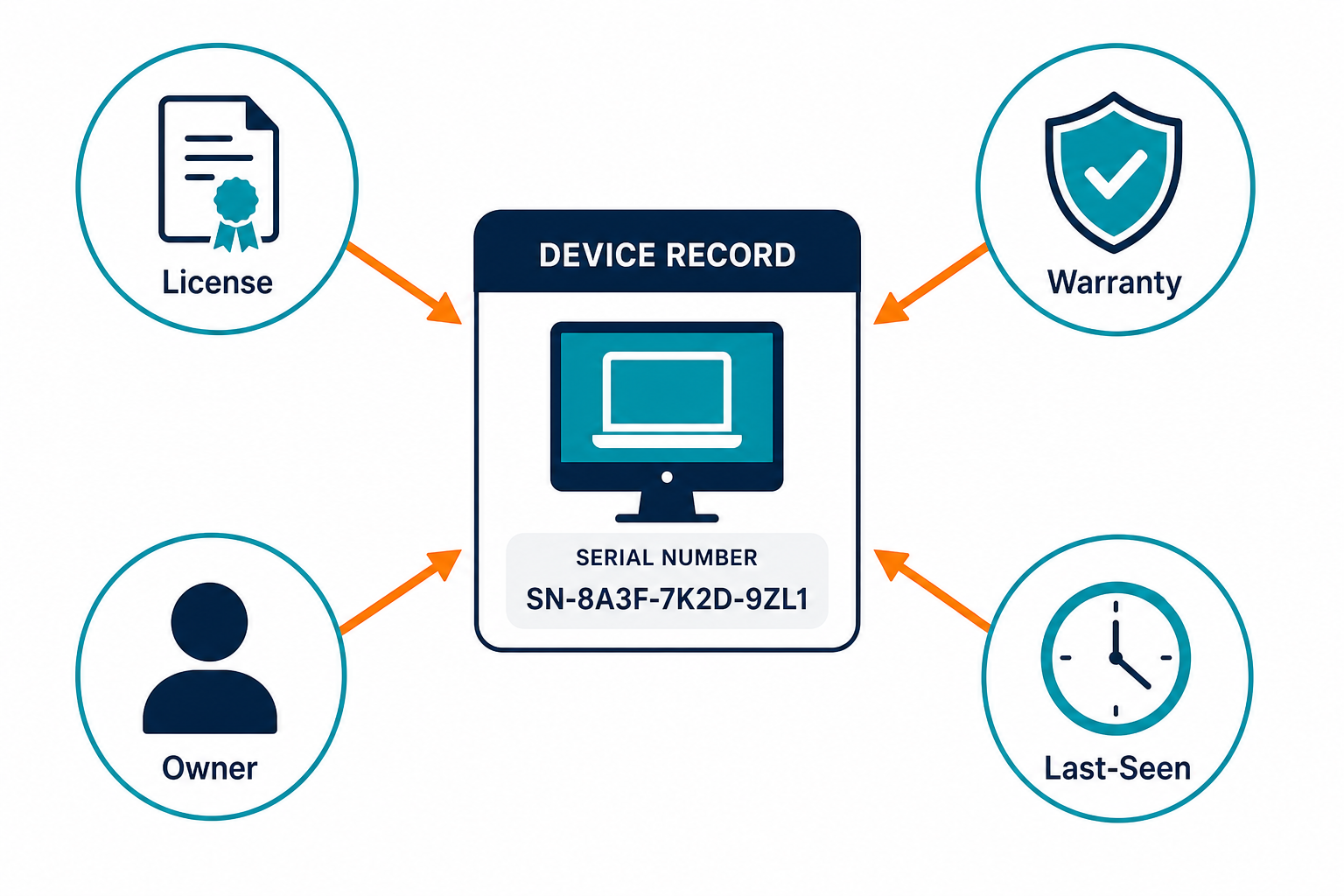
A lean IT team can track licenses without a full SAM program. Start with one device record that joins installs, license reference, warranty end date, owner, and last-seen from scheduled discovery. Add publisher rights engines and standing audit programs only when headcount and risk require them.
A Join Check One Person Can Run Before Each Renewal
Run five filters on the joined table before every renewal date visible in your contract list. Keep the renewal check field-based, without invented seat counts.
- Devices with no owner. Assign an owner or retire the record so reclaim and refresh questions have a person to ask.
- Devices with a warranty end date approaching, or none on record. Plan refresh work, or fix the serial so lookup can run.
- Installs of tracked products with no license reference. Find the entitlement or review whether the install should remain.
- License references with no matching install. Treat them as right-size candidates at renewal after you check usage where metering applies.
- Paid installs on devices not seen recently. Verify the device is still in service before reclaiming or cutting seats.
Standing compliance reporting, including effective license position work, belongs in ITAM practices for license compliance reporting rather than in this pre-renewal filter list.
NIST’s IT asset management practice guide (SP 1800-5) treats current, accurate asset records as a baseline for governance and risk work. That baseline is the same discipline this check enforces on a lean calendar: run it against contract dates you already know, rather than inventing a separate standing audit season.
When endpoint inventory still lives only in spreadsheets while this join is forming, keep computer inventory hygiene on a separate track from license and warranty fields. Device identity has to exist before the license and warranty fields can attach.
Keep One Joined Record per Device Before the Next Renewal Hits
A lean team can know what covers each device with one joined record per device, keyed on the serial, with an owner and a last-seen date discovery can defend. License reference and warranty end date hang off that identity. Installs compare cleanly once the device row is trustworthy.
Want license, warranty, owner, and last-seen on one discovery-sourced record for a lean IT team? See what Business Pro includes for that join.
Frequently Asked Questions
How do I track software licenses without a SAM program?
Keep one record per device with installs, a license reference, warranty end date, owner, and last-seen from discovery. Start with that join and add publisher process later when risk or headcount requires it.
What should a license and warranty join include?
Include device serial, owner, installed product and version, license reference on product edition and metric, warranty end date, and last-seen. Missing any of those fields breaks renewal or refresh decisions.
Does Virima support automatic warranty lookup by serial number?
Yes, for the vendors listed on Virima’s ITAM warranty-integration list, including Dell and Lenovo. Discovery already collects the serial as part of the hardware record, so the lookup key exists before anyone opens a vendor portal.
Does last-seen mean a license can be reclaimed?
Last-seen does not authorize reclaim on its own. It flags devices to verify first. Usage data, where available, and the vendor agreement decide whether a seat should move, stay, or drop at renewal.
Does Virima’s discovery need a full SAM program to track licenses and warranties?
No. Business Pro and Enterprise share the same ITAM and discovery capability set, so the device-level join of installs, license reference, warranty end date, and last-seen is available without a dedicated SAM office on the org chart.