RMM vs CMDB Discovery for Growing IT Teams: What Each Answers

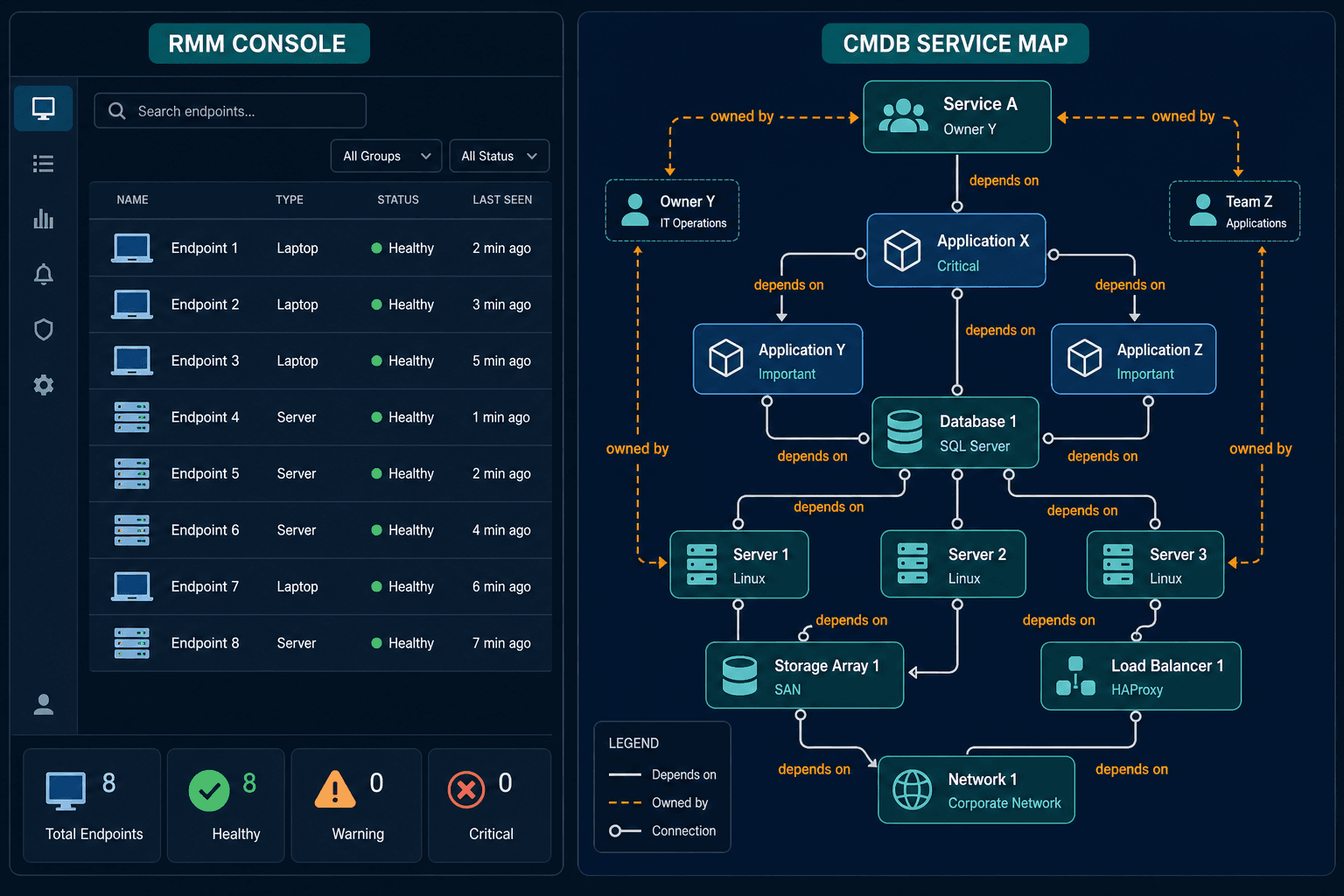
Illustrative scenario: a five-person IT team runs an RMM across every laptop and Windows server. The monitoring dashboard is all green, and patches land on schedule every week. Then the team plans a database migration, and someone asks which applications read from that database. The RMM shows the server as healthy. It cannot show which services call that server or who owns them.
Two engineers spend a full day rebuilding the answer from chat threads. The RMM did its job well — the question belonged to a different system, one a growing IT team eventually runs into as the question shifts from endpoint health to RMM vs. CMDB discovery. RMM inventory exists to watch and fix endpoints.
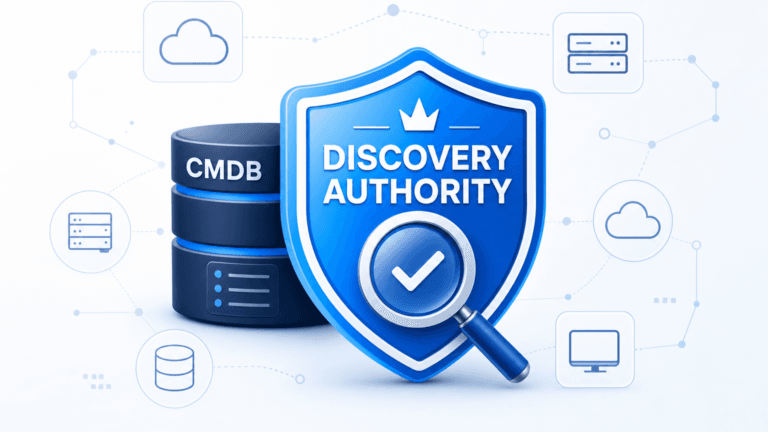
A discovery-sourced CMDB exists to hold estate truth — records, relationships, and ownership — across the whole estate. Growing IT teams usually need both, and the useful skill is knowing which question goes to which system.
What an RMM inventory is built to answer
RMM stands for remote monitoring and management. A software agent on each enrolled endpoint reports hardware details, installed software, operating system version, patch level, and health to a central console. Technicians use that console to push patches, run scripts, and open remote sessions. Platforms vary widely on depth and pricing; Virima’s comparison of the best RMM tools for MSPs in 2026 breaks down the leading options by discovery depth and CMDB integration.
That design answers endpoint questions well. It tells a technician whether a laptop is healthy, whether a security patch is installed, and which machines still run an old application version. It also lets the technician fix the problem without leaving the desk.
The inventory is a byproduct of the agent. It lists what the agent can see on the machines where the agent was enrolled, and nothing beyond that boundary. That boundary is not shrinking on its own: Flexera’s 2025 State of ITAM Report found complete visibility across the technology stack fell to 43%, down from 47% the year before, even as teams added more monitoring tools.
What a discovery-sourced CMDB is built to answer
A configuration management database stores configuration items and the relationships between them. Atlassian’s CMDB guide uses the ITIL 4 definition of a configuration item: any component that needs to be managed to deliver an IT service. A router, a server, an application, and a virtual machine all qualify.
The same guide lists three ways to populate a CMDB: manual input, integrations, and discovery tools. Discovery tools scan the network and gather an inventory of each physical and virtual device. A discovery-sourced CMDB relies on the third method. Records come from scans of the estate instead of from whoever remembered to enroll a device.
Virima discovery uses agent, agentless, and API methods on high-frequency scheduled cycles. It covers on-premises systems, network gear, and AWS and Azure workloads. Each record carries durable identifiers such as serial number or cloud instance ID, plus an owner field. The CMDB uses them to reconcile one device that appears in three source systems.
Atlassian lists infrequent discovery, missing automation rules, and manual input as common reasons a CMDB loses accuracy. Virima calls the result Trusted Runtime Truth: what exists, how it connects, what changed, what will break, and who owns it.
What is the difference between RMM and CMDB?
An RMM uses agents to monitor, patch, and remotely fix the endpoints it manages. A CMDB stores configuration items and the relationships between them, including owners and dependencies. A discovery-sourced CMDB fills itself by scanning the estate, so it also shows devices and cloud workloads that no RMM agent covers.
RMM inventory and CMDB discovery side by side
| Question | RMM inventory | Discovery-sourced CMDB |
|---|---|---|
| Primary job | Watch, patch, and remotely fix endpoints | Hold the record of what exists, how it connects, and who owns it |
| Where the data comes from | Agents on enrolled endpoints | Agent, agentless, and API discovery across the estate |
| Coverage | Managed laptops, desktops, and servers | Endpoints plus network gear, unmanaged servers, and AWS and Azure workloads |
| Relationships | Device details such as installed software and patch level | Typed links such as runs on, uses, exchanges data with, and virtualizes |
| Ownership and service context | Typically grouped by site or client | Owner, business service, and dependency fields on each record |
| Best question to ask | Is this machine healthy and patched? | What breaks if this server goes down, and who approves the change? |
| Main users | Technicians fixing endpoints | Change managers, auditors, incident leads, and the help desk |
| Can one replace the other? | No — it is an endpoint fix tool | No — it is the estate record |
The rows show why neither system can stand in for the other. An agent-based inventory is accurate about the devices it enrolled. A CMDB is accurate about the estate only when discovery reaches beyond the enrolled fleet.
Keep the RMM and add the layer underneath it
Virima is not an RMM. It does not patch devices, run scripts, or open remote sessions. Technicians keep the RMM for remote fix work, and the RMM stays the right tool for endpoint health.
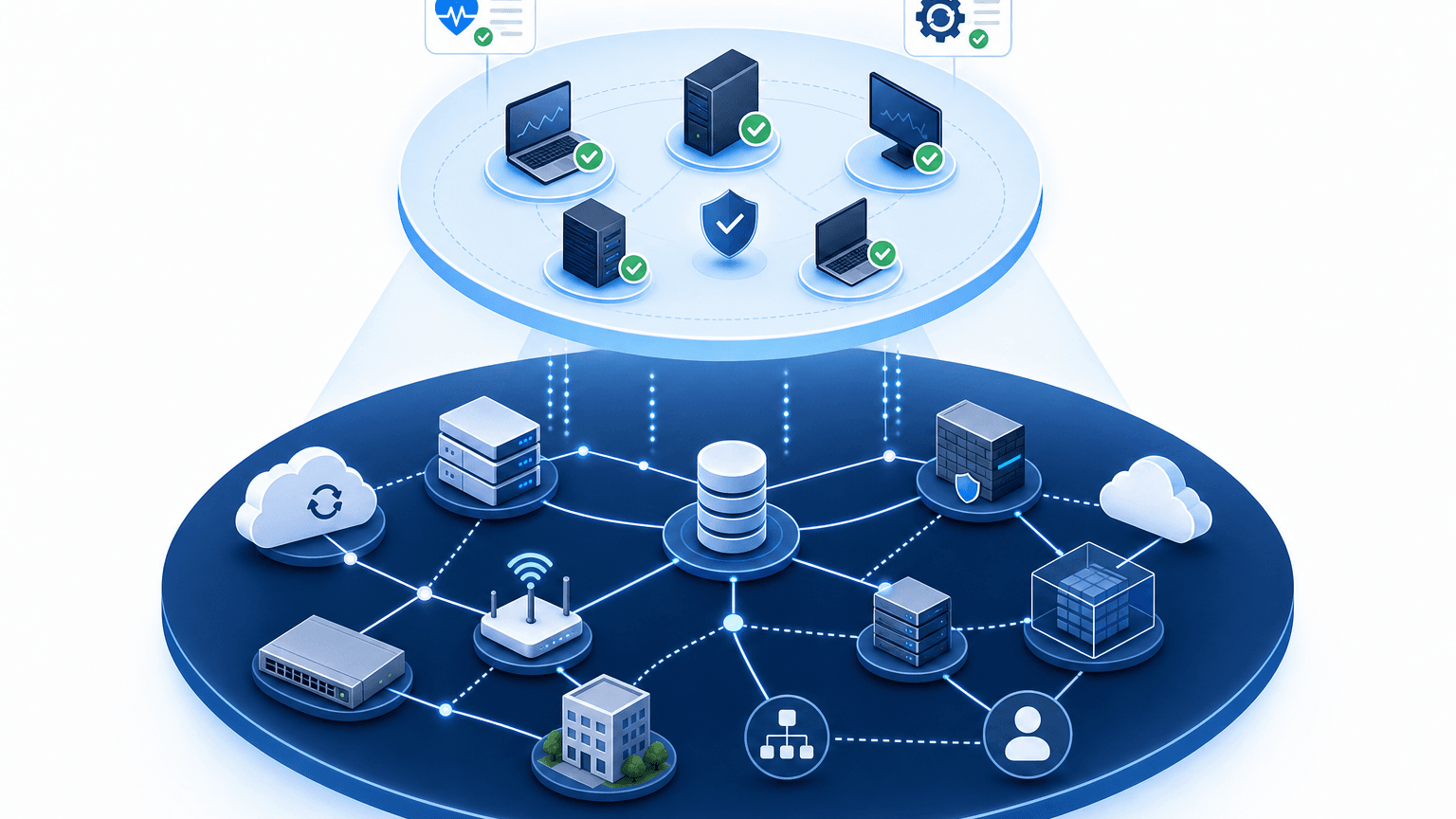
Discovery and CMDB add a second system of record beneath it. The RMM device list becomes one of several inputs that the CMDB reconciles against network scans and cloud accounts. Disagreements become visible, such as a device in the RMM with no owner or a cloud instance with no agent.
Teams still choosing between RMM platforms can read Virima’s Atera alternative breakdown. It shows where RMM and ticketing stop answering estate questions.
Where the gap shows up for a growing team
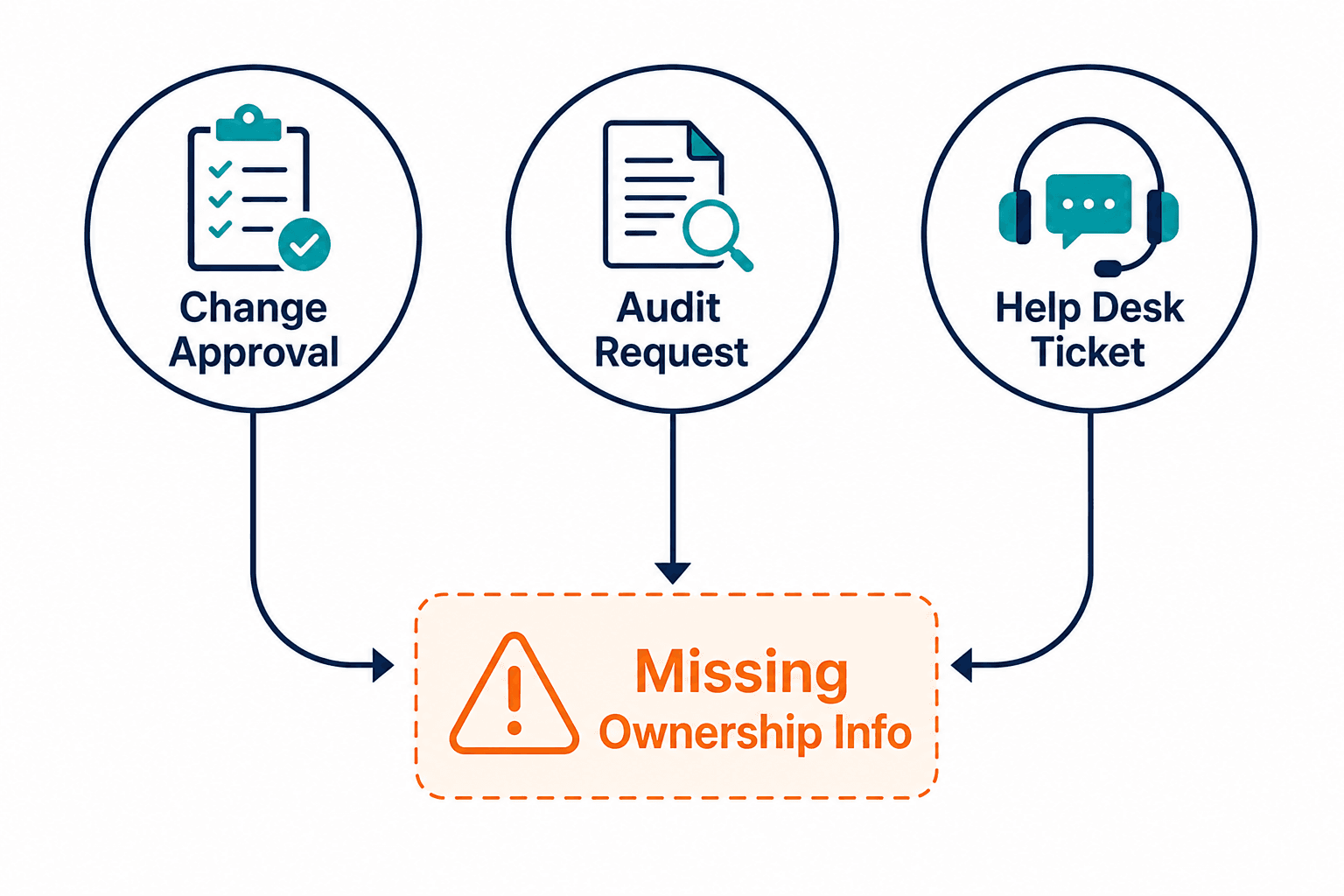
Growing teams hit the gap in three places, and each one appears in an ordinary week.
Change approval
A change approver asks which services depend on the target server and who signs off for each one. The RMM lists the device, its patch state, and its installed software. A CMDB lists the dependent applications, the business services above them, and the owners to notify. Atlassian’s guide notes that a CMDB improves change risk assessment by anticipating which users, systems, and other configuration items might be affected.
That assessment carries real stakes: Uptime Institute’s 2025 Annual Outage Analysis found IT and networking issues accounted for 23% of impactful outages in 2024, with change management and misconfiguration named as recurring causes — the exact blast-radius questions a CMDB’s dependency records are built to answer before a change ships, not after it fails.
Audit scope
An auditor asks for every system in scope for an access control, with an owner for each. An RMM export covers enrolled endpoints. Servers without agents, network devices, and cloud instances fall outside it, so the team fills the gap by hand in a spreadsheet. A discovery-sourced CMDB produces the same list from scan evidence with last-seen dates.
Help desk triage
A ticket arrives for a slow internal application. The analyst needs the configuration item, the hosts underneath it, and the owner. When the CMDB feeds the ITSM, that context appears on the ticket. The help desk keeps working in ServiceNow, Jira Service Management, Ivanti, HaloITSM, Xurrent, or Hornbill, with the configuration context attached.
Do I need a CMDB if I already have an RMM?
Keep the RMM for endpoint monitoring, patching, and remote fixes. Add a CMDB when change approvals, audits, or incident triage need to know what depends on what and who owns it. Those answers require relationships and ownership across the whole estate, including devices and cloud workloads the RMM agent never touched.
When RMM alone is enough, and when to add discovery
RMM alone is enough while the estate is mostly managed endpoints, changes rarely touch shared servers, and no audit covers infrastructure. Add a discovery-sourced CMDB when one of these signals appears:
- Change approvals ask which services depend on a server, and nobody can answer without a meeting.
- Auditors request an inventory with owners, and the team builds it by hand in a spreadsheet.
- Incidents involve servers, network devices, or cloud instances that no agent covers.
- Help desk tickets reach analysts without a configuration item or owner attached.
If the open question is which RMM to buy, Virima’s NinjaOne alternatives guide compares RMM options by use case.
A 30-day test on three services
Week one: pick three services that hurt when they fail, such as VPN, payroll file transfer, and the customer portal. Write down which applications and sites make up each service and who owns them. ViVID™ service maps build from those definitions, so the definitions come first.
Week two: run discovery against that slice and compare the results with the RMM device list. Log every device or cloud instance that one system holds and the other lacks.
Week three: run one change tabletop and one incident tabletop using only the CMDB records and maps. Note each time someone opens a chat thread or a spreadsheet to finish the answer.
Week four: push one enriched ticket into the ITSM and record the minutes saved and any wrong-record hits. Keep what worked and scope the next three services.
What to ask a discovery vendor before you add one
Four questions separate a working discovery layer from a diagram generator. Ask the vendor to show each answer on your own estate.
- Which discovery methods run, and on what schedule? Ask for the refresh cycle and the last-seen date on each record.
- Which identifiers join records from different sources? Machine names change, so look for serial number, cloud instance ID, and owner.
- How are service definitions supplied? Teams define services by manual entry, spreadsheet import, or integration, and maps build after that.
- How does configuration context reach the ITSM? Virima feeds it through its ITSM integrations, and the test is a real ticket showing the record and its owner.
If the RMM performed well, the remaining gaps sit in relationships and ownership. Full discovery, CMDB, and service mapping can be scoped to a small IT team’s estate without a platform program.
Run the 30-day test on three services, then walk through the results in a working session: request a Virima demo and bring what the test surfaced about ownership and dependency gaps.
Keep the RMM and add the record it cannot hold
The RMM keeps endpoints healthy and gets technicians to a fix quickly. The CMDB records the whole estate with its relationships and owners, so change, audit, and incident work start from evidence. Teams that run both stop rebuilding the same dependency answer in chat threads.
Frequently Asked Questions
Can an RMM tool work as a CMDB?
Not fully, because an RMM inventory covers only the endpoints where an agent is enrolled and lists device details. A CMDB also holds relationships between configuration items, owners, and business services across servers, network gear, and cloud workloads. Some teams export RMM data into a CMDB as one input.
What data should a CMDB hold that an RMM does not?
A CMDB holds typed relationships such as runs on and exchanges data with. It also holds an owner for each record, the business service a record supports, and change history. Records for devices and cloud instances that no agent reports belong there too, reconciled on serial number or cloud instance ID.
How often should CMDB discovery run?
No single interval fits every estate. Set the cadence by how quickly the estate changes and how fresh the last-seen date must be for change and audit work. Atlassian lists infrequent discovery among common causes of an inaccurate CMDB. A scheduled cycle with a named owner works better than occasional manual scans.
Is Virima an RMM tool?
No, Virima does not patch devices, run scripts, or open remote sessions. Teams keep their RMM for remote fix work and add Virima discovery, CMDB, and ViVID™ service maps for relationships, ownership, and change impact.
Does Virima integrate with ServiceNow or Jira Service Management?
Yes, Virima feeds configuration item and dependency context into ServiceNow, Jira Service Management, Ivanti, HaloITSM, Xurrent, and Hornbill. Tickets and changes then carry owner and relationship data from the CMDB.