How to Prevent Duplicate CIs and Sync Errors in ServiceNow CMDB Integration

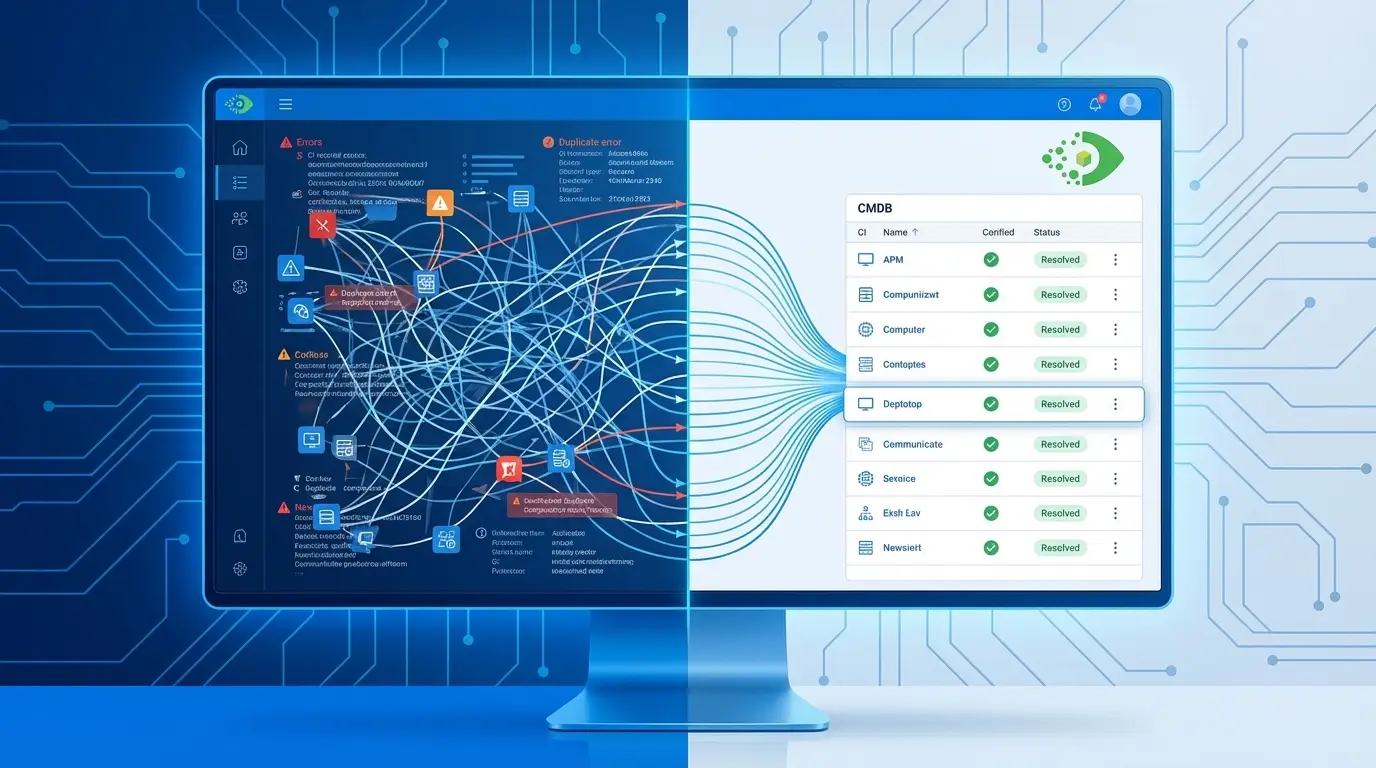
ServiceNow CMDB duplicate CIs start when several data sources push the same device with different identifiers. One system sends a hostname. Another sends an IP address. A third sends a serial number. As a result, ServiceNow’s Identification and Reconciliation Engine (IRE) cannot tell that these records are the same device. So it creates a separate CI for each one.
This problem grows fast. When you run three or more discovery sources, a single server can spawn five or more duplicate records. And it often happens before anyone notices. So this guide walks through four things. First, why duplicates form. Second, how the IRE fits in. Third, how to clean up the ones you already have. Finally, how a smart sync design keeps them from coming back.
Key takeaways
- Duplicates form when the IRE gets mismatched identifiers from different sources and cannot match them to one record.
- The most common hidden cause is a custom integration that skips ServiceNow Service Graph Connectors, so the IRE never runs.
- IRE data source rules and reconciliation rules are your two strongest controls for IRE duplicate CI prevention.
- To fix existing duplicates, follow this order: CMDB Health dashboard, pick the golden record, merge or retire, then audit the source.
- To stop them coming back, use per-CI sync status tracking, careful mapping control, picklist alignment, and a fixed schedule.
- Duplicates now create automation risk too, because AI agents read those records and miscalculate the impact of changes.
Why duplicate CIs are a costly ServiceNow problem
Duplicate CIs are not just messy. Each one creates real problems, and those problems grow with scale. Here is what goes wrong:
- Incidents and changes attach to the wrong CI, so your impact analysis is off.
- Software license counts climb, so you overpay during audits.
- Automation fires twice for one device, so you get duplicate alerts and tickets.
- Service maps break, because one server now shows up as two separate nodes.
Picture one server found by three tools. Each tool creates its own record. That single device can trigger dozens of downstream errors before anyone catches it. To make the scale clear, imagine a 10% duplication rate across 5,000 devices. That works out to about 500 phantom CIs. And each one quietly skews your reports, SLAs, and compliance records.
Bad or stale data is also a trust problem. In fact, it is one of the top reasons IT teams stop trusting their CMDB. EMA’s ServiceOps 2025 research makes the link clear. It ties CMDB accuracy directly to whether AI-driven operations give reliable advice or just noise. That connection matters more every time you hand a decision to automation.
| Root cause | IRE behavior | Business outcome |
| Inconsistent identifiers across sources | Creates a new CI instead of matching | Phantom duplicates per device |
| Custom integration bypasses the IRE | No identification logic runs | Uncontrolled CI creation |
| No sync status tracking | Full re-push every cycle | Duplicates on every sync run |
| Stale retired-device CIs | New device reuses an old identifier | Duplicate records coexist |
| Picklist value mismatch | Sync succeeds, field lands blank | Silent data quality failure |
Root causes of ServiceNow CMDB duplicate CIs and sync errors
Multiple discovery sources writing to the same table
Most IT environments use more than one data source. You might run native discovery, ITSM imports, cloud feeds, endpoint agents, and a third-party CMDB. Each source pushes records on its own. And without a shared way to match identifiers, duplicates appear.
The IRE leans on clean, consistent identifiers from every source. So when those identifiers differ, the IRE cannot link the records. Instead, it creates separate CIs. This is the root of most CMDB sync errors ServiceNow admins trace back later.
Custom integrations that bypass the IRE
This is the gap that CMDB admins find too late. Integrations built on ServiceNow’s native Service Graph Connectors run through the IRE. But custom API imports, CSV bulk loads, and direct table inserts do not. So when data lands outside that path, no matching logic runs at all. As a result, duplicate prevention falls entirely on your integration design.
Here is the catch. If your third-party CMDB or ITAM tool uses a custom integration, the match-or-create choice happens first. It happens before ServiceNow even sees the record. So the burden sits on how you built that integration, not on anything ServiceNow controls.
Weak or missing identifier attributes
The IRE can only match on the identifiers it receives. So even good routing fails when the data is thin. When an integration sends sparse or low-quality identifiers, the IRE has nothing solid to match on. Then it falls back to creating a new CI.
There is one more limit to know. The IRE matches within a CI class, not across classes. So records that land in the wrong class will not reconcile with the right ones. Because of this, a misclassified import creates duplicates that identifier rules alone cannot catch.
Uncontrolled or unscheduled imports
Manual CSV imports and ad-hoc data pulls often skip deduplication. They run without a set cadence or a pre-sync check. So each run can stack new records on top of old ones, rather than updating them.
Stale data persisting past device retirement
Sometimes a device retires, but nobody retires its CI. So the record lingers in the CMDB. Discovery tools then scan the network, find nothing, and mark it “not found.” Yet the CI stays. Later, a new device reuses that hostname or IP, and it gets a fresh CI right next to the stale one.
Sync without status tracking
You also need to track which CIs you have already synced. Without that, every cycle becomes a full re-push. Picture a platform that pushes all 10,000 records every time, instead of just the new or changed ones. Each run raises the odds of a new duplicate whenever matching fails.
How the ServiceNow IRE drives duplicate CI prevention
The fastest way to prevent duplicates is to understand the IRE. The IRE uses identification rules to match incoming data to records you already have. Each CI class has its own ranked list of identifiers. For the Network Gear class, the IRE checks Serial Number plus Serial Number Type first. Then it checks Serial Number alone. Then it works through the rest in order. If nothing matches, it creates a new CI.
Two IRE controls decide whether you get clean data or a pile of duplicates. Together, they form the base of IRE duplicate CI prevention:
- IRE data source rules stop a given source from inserting new CIs into a class. Say a discovery tool should update records but never create them. A data source rule enforces that line. So it is one of your most direct controls when duplication risk is high.
- Reconciliation rules settle conflicts when two sources update the same CI. They rank each source per attribute. As a result, a weaker source cannot overwrite trusted data from a stronger one.
Review both rule sets every quarter. Line them up with any new sources or infrastructure changes. That way, the IRE keeps working correctly as your environment grows.
When duplicates already exist: a remediation sequence
Maybe you already have duplicates. If so, prevention has to follow cleanup, not replace it. Here is a sequence you can repeat:
- Generate the de-duplication task list. Open ServiceNow’s native CMDB Health dashboard and run a duplicate detection job. It flags records that share key identifiers and groups them into de-duplication tasks.
- Identify the golden record. For each set, the golden record has the richest data and the most trusted source. So check the discovery_source field and how complete the identifiers are.
- Merge or retire. Use the CMDB Deduplication task workflow. Merge the good attributes into the golden record. Then retire the rest, and note the source of each one you retire.
- Audit the integration that created them. Every batch traces back to one data push. So find the integration that caused it. Check whether it runs through the IRE. Then close the gap before the next cycle.
- Implement prevention architecture. After cleanup, apply the rest of this guide. Sync status tracking, mapping controls, picklist alignment, and scheduling all keep the records from piling up again.
Do you have 25,000 or more duplicates? Then run the task in batches. Group them by CI class and source to avoid reconciliation bottlenecks. Yes, this takes real effort at scale. But that is the cost of an architecture that did not prevent them in the first place.
See how Virima’s integration architecture prevents duplicate CIs from reaching ServiceNow →
How sync status tracking prevents re-sync duplication
Quick answer: Per-CI sync status tracking stops duplicates by letting each CI enter the push queue only when it needs attention. Without it, the sync re-pushes every record on each run. When matching fails for even a few records, each re-run adds new duplicates. Status tracking limits the push to new and changed CIs only.
A good sync design tracks the state of every CI. That state decides what enters the push queue each cycle. Here are the three states you want:
- Not synced: the CI exists in your source CMDB but has not reached ServiceNow yet.
- Synced: the CI is in ServiceNow, and you have confirmed it.
- Pending update: the CI changed since the last sync, so it needs a targeted update.
With this model, each cycle only touches CIs that need work. So already-synced records with no changes stay out of the queue. As a result, redundant pushes can no longer create duplicates.
This setup also helps you recover faster. Say a cycle fails halfway through. The tracker still knows which CIs it processed and which it did not. So you skip a full re-run that reprocesses everything. Virima’s 6.1.1 release added clearer sync status visibility. Now admins can see each CI’s state right from the Virima interface.
Granular mapping control: the precision tool for CMDB accuracy
Mappings define how source attributes line up with ServiceNow fields. So one bad mapping can hurt every CI in that class. Those records may land with bad data, or they may fail reconciliation entirely. In short, weak mappings are a common and avoidable cause of poor CMDB data quality in ServiceNow.
Enable and disable individual mappings
Not every source attribute belongs in ServiceNow. Think of scan metadata, discovery timestamps, or interim confidence scores. They often just clutter your records. So toggle individual field mappings on or off instead of deleting them. That gives you tight control over scope, and you never have to rebuild from scratch.
Clone mappings for similar CI classes
Enterprise environments hold dozens of CI classes. You have servers, switches, storage arrays, virtual machines, databases, and certificates. Each class may need a slightly different mapping. So clone an existing mapping and adjust only the fields that differ. As a result, you avoid the errors that come from starting at a blank slate.
Reset to default
Over time, a custom mapping picks up small changes. Together, those changes can drag down data quality. When that happens, a reset-to-default option gives you a clean start. This matters most after major ServiceNow upgrades. New IRE rules or table changes can break mappings built on the old schema, so a full review helps.
Picklist property sync: a hidden source of CMDB data quality errors
Picklist mismatches between your source CMDB and ServiceNow cause quiet data quality decay. When a source sends a value that is not in the ServiceNow picklist, the sync still succeeds. But the field lands blank or defaults. These failures throw no error. So they build up unseen until reports, automation, and compliance checks turn unreliable.
Some ServiceNow fields only accept set picklist values. Common ones include OS type, hardware classification, and deployment status. So if a source sends a value that does not match, the field fails to populate or defaults to blank. Meanwhile, the sync still reports success. Nobody sees an error. And the CI lands with an empty classification.
To avoid this, your source system needs a value map. It must link its own vocabulary to the accepted ServiceNow picklist values for each field. And when ServiceNow changes those options after an upgrade, that map needs a refresh too.
So run a metadata refresh after any ServiceNow upgrade or picklist change. That keeps the source-to-destination translation current. Virima’s ServiceNow integration also surfaces picklist mismatches before they reach the CMDB. As a result, you fix value conflicts at the source instead of finding empty fields during an audit.
Agentic IT raises the stakes on duplicate CIs
Duplicate CIs corrupt AI agent outputs. When an agent calculates blast radius for a change, it reads dependency chains from the CMDB. Duplicates create ghost dependencies and missing links at the same time. So the agent returns a false impact list or misses real downstream services. Trusted runtime truth, meaning one authoritative record per asset, is what agentic IT needs to work.
IT teams are moving toward agentic operations. In this model, AI agents make or suggest decisions without a human checking every step. So the cost of duplicates changes. It shifts from a nuisance to a real automation risk. An agent acting on a duplicate can target the wrong asset, alert on a phantom device, or undercount the impact of a change.
The trust problem runs deep. An AI agent is only as accurate as the records it reads. And a duplicate does not look wrong to the agent. It looks like a second device, a second dependency, a second point of failure. So every recommendation the agent makes carries that error forward.
Trusted runtime truth fixes this. It means one discovery-sourced, policy-aware record per asset. And that single record is what makes agentic IT reliable. This is not a future worry, either. Teams already using AI for change management, incident triage, or CMDB maintenance face this risk today if they have not addressed duplicates. Our EMA ServiceOps 2025 report digs deeper into the data quality that agentic operations depend on.
ServiceNow CMDB integration best practices for long-term sync health
The right architecture prevents duplicates at the source. But discipline keeps that architecture healthy over time. So use these ServiceNow CMDB integration best practices to keep your sync durable.
Define and follow a sync schedule
Ad-hoc syncs build up risk. A steady schedule does the opposite. Run it hourly, daily, or right after each discovery cycle. A predictable rhythm makes problems easy to spot. For example, if a sync takes four hours instead of two, that gap is worth a look.
Run discovery before every sync cycle
Your ServiceNow data should reflect the latest discovered state. So run a full or incremental IT discovery pass right before each sync. That shrinks the window where ServiceNow holds stale data.
Monitor sync health metrics
Good monitoring tracks more than “did the sync finish.” So review these metrics on the cadence below:
| Metric | What it indicates | Recommended review frequency |
| Total CIs synced per cycle vs. expected | Unexpected drops signal integration breaks | After every sync run |
| CIs that failed IRE reconciliation | Identifier mismatch or mapping error | Weekly |
| CIs flagged as duplicates by CMDB Health | Active duplication occurring | Weekly |
| Fields that failed to populate | Picklist or mapping mismatch | After every ServiceNow upgrade |
| Sync duration vs. baseline | Performance degradation or volume spike | After every sync run |
Review these often. That way, you catch slow decay before it becomes a full data quality crisis. For more process guidance, see our ServiceNow CMDB best practices and CMDB governance best practices.
Audit CI identifier consistency quarterly
Every quarter, audit the fields the IRE matches on. That means hostname, serial number, MAC address, and asset tag. Identifiers drift over time. Devices get renamed, NICs get swapped, and serial numbers get corrected. So a quarterly audit stops these edge cases before they trigger another cleanup.
Virima’s approach to ServiceNow CMDB sync reliability
Virima’s CMDB platform connects to ServiceNow and pushes enriched CI data. It covers on-premises, cloud, and hybrid environments. And the design puts sync hygiene first. Here is how:
- Per-CI sync status tracking keeps redundant re-syncs from running.
- Granular class mapping gives you enable, disable, clone, and reset controls.
- Picklist visibility flags value mismatches before they reach ServiceNow.
- Configurable scheduling supports a metadata refresh after each upgrade.
Virima 6.1.1 expanded both sync status visibility and mapping controls. So your team gets the detail it needs to keep a clean ServiceNow CMDB integration at scale. For a look at where this is headed, read future-proofing your ServiceNow CMDB with Virima integration.
Conclusion
ServiceNow CMDB duplicate CIs are preventable. The causes are clear, and each one has a fix. Those causes include uncoordinated sources, integrations that skip the IRE, weak identifier data, missing sync status tracking, bad mappings, and picklist mismatches. Build the fixes into your architecture from the start. That costs far less than reconciling thousands of duplicates by hand later.
So ask your team a few simple questions. Does every CI have a sync status? Do your integrations run through the IRE, or skip it? Can you toggle individual mappings without a full rebuild? Do your picklist values still match ServiceNow after each upgrade? If any answer is “no” or “not sure,” start there.
Ready to eliminate ServiceNow CMDB duplicate CIs? Schedule a demo →
Frequently asked questions
What causes duplicate CIs in ServiceNow CMDB?
Duplicates form when the IRE gets mismatched identifiers from several sources. As a result, it cannot match a record to an existing CI. Inconsistent hostnames, IP addresses, and serial numbers are the most common trigger. And custom integrations that skip Service Graph Connectors make it worse, because they remove IRE matching entirely.
How does the ServiceNow IRE prevent duplicate CI records?
The IRE runs a ranked list of identification rules for each CI class. It checks each entry in order until it finds a match. If nothing matches, it creates a new CI. IRE data source rules add a second layer, since they limit which sources can insert new CIs into a class.
What is the fastest way to remediate existing CMDB duplicates at scale?
Start with ServiceNow’s native CMDB Health dashboard. It builds de-duplication task lists for you. Then pick the golden record for each set using the discovery_source field, merge the attributes, and retire the extras. For 25,000 or more duplicates, batch the work by CI class and source to avoid bottlenecks.
How does Virima’s sync status tracking prevent duplicate CI creation?
Virima tracks the state of every CI. It marks each one as Not Synced, Synced, or Pending Update. So on each cycle, only the CIs that need attention enter the queue. Already-synced records with no changes stay out, which removes the risk of duplicates from redundant pushes.
Why do picklist mismatches cause CMDB data quality issues that are hard to detect?
When a source sends a value that is not in the picklist, ServiceNow still accepts the sync. But it leaves the field blank or defaulted. No error appears. So the problem only shows up later, when reports or automation that rely on those fields return empty or inconsistent results.