MacOS Discovery in CMDB: Why Apple Devices Are a Blind Spot and How to Fix It

TLDR
Most CMDB discovery tools are built for Windows and Linux, so Mac endpoints either fail discovery or come back as incomplete generic Computer records — missing serial numbers, correct hostnames, and software inventory. The fix is a dedicated macOS CI type with an SSH-based discovery blueprint built specifically for what macOS actually exposes. Virima 6.1.1 adds this natively. This article covers why macOS is historically underserved by CMDB discovery, what data a proper macOS CI type captures, and best practices for keeping Mac records accurate at scale.
The Mac Enterprise Reality
The “Mac is a consumer device” assumption has not held in enterprise IT for years. Today, enterprise Mac deployment is a mainstream workforce technology decision, driven by three durable trends.
Workforce preference: Engineering and development teams at software companies run primarily on macOS. Design teams at agencies, media companies, and corporate creative departments standardize on Mac hardware. Executive leadership increasingly uses MacBook Pros as primary work machines.
Device management maturity: Apple Business Manager, Jamf Pro, and other Mac MDM platforms give enterprise IT teams the lifecycle management tools they need to deploy and manage Macs at scale. Mac is no longer a “bring your own device” problem. It is a managed endpoint class.
Apple Silicon performance: The M-series chip delivers performance that competes with high-end Intel workstations at lower power consumption. This makes MacBook Pro and Mac Studio attractive for CPU-intensive work: software compilation, video editing, financial modeling, and data analysis.
The practical result: enterprise IT teams now manage fleets of hundreds or thousands of Mac computers alongside Windows servers, Linux development machines, and network infrastructure. Your CMDB needs to reflect all of them.
Why macOS Is Historically Underserved by CMDB Discovery
Most CMDB discovery platforms evolved in environments dominated by Windows servers and Linux. The discovery protocols and CI schemas they built reflect that history. When you run standard macOS CMDB discovery against a Windows-centric platform, you get gaps.
Windows-first architecture: Enterprise discovery tools optimize for Windows Management Instrumentation (WMI) and Windows Remote Management (WinRM). These protocols do not apply to macOS. SSH-based discovery works for Mac, but many discovery platforms treat SSH as a secondary method, resulting in incomplete data collection or failed discovery attempts.
SNMP limitations: SNMP is the standard protocol for network device discovery. macOS does not run an SNMP agent by default. Enabling SNMP on macOS requires manual configuration. As a result, network-scan-based discovery approaches that work well for switches and servers do not work for Mac endpoints.
Generic computer CI types: Many CMDB schemas have a single “Computer” CI class covering Windows, Linux, and macOS under one blueprint. A Windows-centric blueprint asks for WMI data that macOS does not expose. When macOS SSH discovery runs against a generic Computer blueprint, it either populates partial data or fails validation entirely.
The specific data that goes missing
When macOS runs through a generic Windows-aligned blueprint, the following data is typically absent or incorrect:
- Hostname: macOS hostnames follow a different format than Windows hostnames. Normalization logic for Windows formats often corrupts macOS hostnames.
- Serial number: Apple hardware serial numbers come from a macOS-specific registry path, not from WMI.
- RAM: Apple Silicon and Intel Mac RAM reporting uses different units and attribute paths than Windows.
- Installed software: macOS applications live in /Applications, not in Windows Registry paths. Software discovery requires macOS-specific collection logic.
- User sessions: The last command output on macOS differs from Windows login event logs.
The cumulative effect: a Mac that runs through generic discovery produces a configuration item with a wrong or missing hostname, no serial number, no software inventory, and partial hardware specs. The CI exists in the CMDB but is unreliable. In some ways, that is worse than no CI at all, because it creates false confidence in Mac coverage.
macOS is one of several CMDB blind spots that standard discovery approaches miss. Containerized environments represent another significant gap, and Kubernetes CMDB discovery addresses this by tracking EKS, ECS, and AKS clusters, pods, and services as CIs. Both areas need endpoint-specific blueprints to produce reliable configuration data.
What a Dedicated macOS CI Type Enables
A dedicated macOS CI type solves the structural problem. It provides a blueprint designed specifically for the data that macOS exposes via SSH, making accurate macOS CMDB discovery possible at scale.
Blueprint-driven completeness: The macOS blueprint defines exactly which attributes to collect and how to collect them using specific SSH commands and file paths. Discovery runs against the blueprint to produce complete CIs with all required attributes populated, or it surfaces a validation error if a specific attribute is missing.
Correct CI classification: A Mac computer classified as a macOS Computer CI enables filtered CMDB views such as “all Mac endpoints running macOS 14.x or earlier” or “all Macs with less than 16 GB RAM.” These queries drive lifecycle planning, OS upgrade campaigns, and hardware refresh decisions.
Accurate hostname capture: macOS hostnames come from the ComputerName setting in System Preferences, which maps to the output of scutil –get ComputerName via SSH. A macOS-specific discovery routine uses this command directly, producing the correct hostname reliably.
Apple serial number collection: Mac serial numbers come from system_profiler SPHardwareDataType, an Apple-specific system profiler command. Every Mac CI in the CMDB carries its actual Apple hardware serial number, enabling accurate warranty and support tracking through Apple’s service portal. That same serial number also powers CMDB-to-ITAM auto-linking, connecting the Mac’s CI record to its ITAM asset record for lifecycle and audit purposes.
Virima 6.1.1 introduces a dedicated macOS CI type with a blueprint built for this data, enabling accurate Mac discovery via SSH without any Mac-specific agent installation. For environments that also need agent-based vs. agentless discovery flexibility, Virima supports both approaches across operating systems.
macOS-Specific Discovery Data
A properly configured macOS CMDB discovery routine, powered by the Virima IT Discovery engine, collects the following data categories.
Hardware Specifications
- CPU model and architecture (Intel Core or Apple Silicon M1/M2/M3/M4), clock speed, and core count
- RAM: total installed memory in GB
- Storage: primary drive capacity (total, used, free) from df output
- Battery (for MacBook models): cycle count, condition, and health percentage
- Display: resolution and model for iMac and Mac Studio
- Hardware model: specific product name such as “MacBook Pro (16-inch, 2023)”
Software Inventory
- Installed applications: name, version, and installation path from /Applications and system directories
- OS version: macOS version (e.g., Sonoma 14.4) and build number
- System extensions: kernel extensions and security-relevant components
User Sessions
- Last logged-in user: username from last command output
- Last login time: timestamp of most recent interactive session
- Active user session: current logged-in user, if any
User session data matters for two reasons. It confirms device activity (a CI with no login in 90 days may be a decommission candidate) and it links the device to the user accountable for it in HR and security contexts.
Network Configuration
- Active network adapters with IP addresses and MAC addresses
- Current Wi-Fi SSID, where discoverable
- DNS configuration: nameservers and search domains
Security Posture Indicators
- FileVault status: whether full-disk encryption is enabled
- Gatekeeper status: macOS application security policy configuration
- SIP (System Integrity Protection) status: kernel security mode
How macOS Fits into CMDB Relationship Mapping
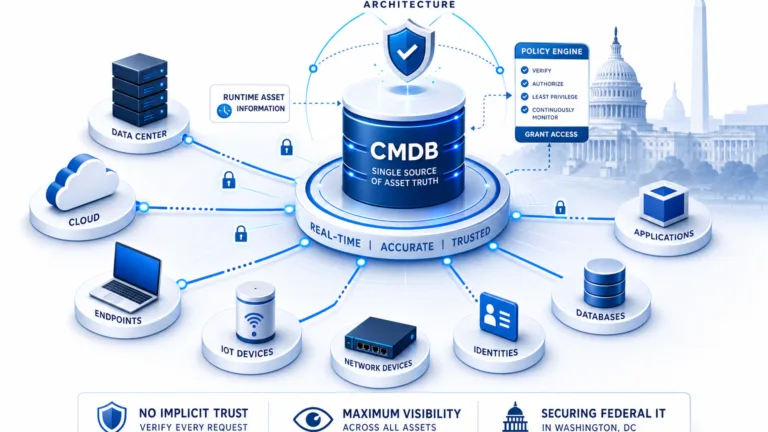
A Mac computer CI is not an island. It connects to network infrastructure, user accounts, applications, and business services. Those connections need to appear in the CMDB for ViVID™ Service Mapping to work correctly.
Mac-to-network relationships: Each Mac CI with a populated network interface inventory can map to the switch port it connects to or the wireless AP it associates with. This physical connectivity chain is the foundation of infrastructure dependency mapping.
Mac-to-application relationships: Software inventory on a Mac CI can link to Application CIs. If a Mac runs Salesforce, Slack, and a VPN client, those application CIs appear in the Mac’s relationship map. License compliance reporting counts installed instances per application.
Mac-to-user relationships: The last logged-in user attribute links the Mac CI to a User CI in the CMDB. This enables user-to-asset assignment reporting, access reviews, and decommission workflows.
Mac-to-service relationships: In a service mapping context, a business service like “Marketing Operations” runs on SaaS applications, on-premises servers, and user endpoints. A Mac running the marketing team’s design tools is an endpoint component of that service. Without Mac CIs in the CMDB, the service map is incomplete.
Compliance Implications: macOS in Audits and Vulnerability Management
CMDB data drives compliance, and macOS gaps create compliance risks. Accurate macOS CMDB discovery closes three specific exposure areas.
Software License Compliance
Software license audits count installed instances of licensed software. If Mac computers do not appear in the CMDB with accurate software inventories, any software installed on Macs is invisible to the audit. This creates two risks.
- Undercount: Licensed software on Macs goes untracked, creating unlicensed usage exposure.
- Overcount: If Mac software is tracked in Jamf and Windows software is tracked in the CMDB, reconciliation between the two systems is manual and error-prone.
A unified CMDB with macOS software inventory eliminates both risks. Organizations managing large mixed-OS fleets benefit from following IT asset management best practices that cover all endpoint types. For a deeper look at managing software lifecycle, the guide on software asset management lifecycle practices covers the full process.
Vulnerability Management
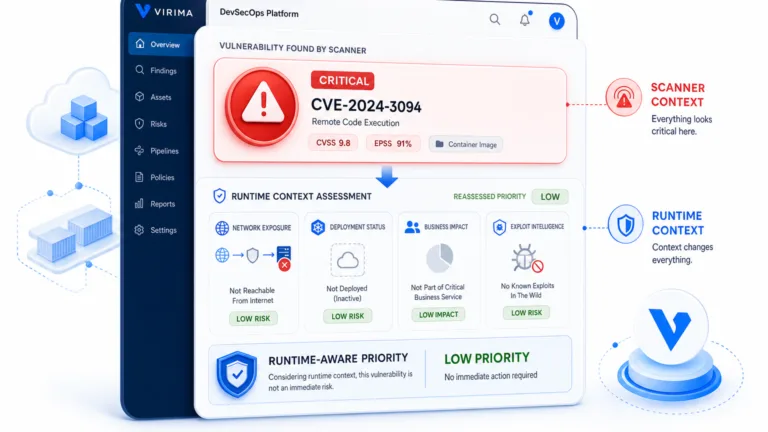
Vulnerability scanners report CVEs against specific OS versions and application versions. To close the loop from vulnerability scanner report to CI to owner to remediation ticket, the CMDB needs accurate OS version data for every Mac endpoint. Without macOS CI records, vulnerability scanner findings for Mac CVEs have no CMDB target to link to. Virima’s National Vulnerability Database integration enables CVE-to-CI correlation across all discovered endpoints, including Macs.
Hardware Refresh and End-of-Support Tracking
Apple publishes end-of-support timelines for each macOS version and hardware generation. An IT team that wants to run a report on “all Macs that cannot upgrade to macOS 15” needs accurate hardware model data for every Mac in the environment. That data comes from CMDB discovery techniques, not from manual spreadsheets.
| See macOS CMDB discovery in action. Schedule a demo |
Best Practices for macOS CMDB Discovery
- Use SSH with a dedicated service account. macOS CMDB discovery requires a service account with SSH access to each Mac. The account should have read access to hardware profile data (system_profiler), user session logs (last), and disk usage (df). Full root access is not required. Standard user access with read permissions is sufficient. For teams evaluating platforms that support this approach at scale, reviewing dedicated CMDB discovery tools is a useful next step.
- Enable Remote Login on managed Macs. macOS Remote Login (SSH) is disabled by default. Enable it via MDM configuration profile using Apple Business Manager or Jamf across your Mac fleet before running discovery. Pushing this configuration via MDM ensures consistency without manual per-device configuration.
- Schedule Mac discovery at login-time intervals. Mac endpoints change more frequently than servers. Users install software, update OS versions, and change networks. Daily discovery is appropriate for active Mac fleets. Weekly discovery is the minimum for any Mac in scope for compliance reporting.
- Correlate CMDB data with your Mac MDM. Jamf Pro, Mosyle, or Kandji data is a useful validation source. Cross-reference CMDB Mac CI counts against MDM enrollment counts to identify Macs enrolled in MDM but missing from the CMDB. Maintaining CMDB accuracy requires this kind of ongoing reconciliation.
- Use the macOS CI type, not the generic Computer type. Assigning macOS-discovered devices to a dedicated macOS CI class with a purpose-built blueprint is what ensures complete, accurate, and queryable Mac records in the CMDB. This is the foundational requirement. For a broader look at how different platforms handle CI accuracy and discovery depth, see top CMDB software compared.
Start with the Right CI Type, Get Accurate Mac Data
Mac computers are not niche devices. They run in finance, design, engineering, and executive roles across enterprise IT environments. A CMDB that does not accurately capture Mac hardware specs, software inventory, user sessions, and serial numbers is not a complete CMDB. It is a Windows-and-Linux CMDB with Mac-shaped holes.
The solution is dedicated macOS CMDB discovery built on a purpose-built CI type: SSH-based collection of Apple hardware serial numbers, macOS-specific software inventory paths, user session data from the last command, and OS version from system_profiler. With these in place, Mac CIs in the CMDB are as complete and accurate as any Windows server record.
Virima 6.1.1 delivers this through a dedicated macOS CI type and blueprint, enabling accurate macOS CMDB discovery without agents or additional tooling. To explore how it works alongside the broader Virima CMDB and hardware and software asset management capabilities, schedule a demo with the team.
Frequently Asked Questions
Why don’t standard CMDB discovery tools work for macOS?
Most CMDB discovery tools evolved around Windows-first protocols: WMI, WinRM, and Windows Registry paths. macOS exposes none of these. When a generic Computer CI blueprint runs against a Mac over SSH, it either returns partial data or fails validation entirely. The result is a CI record missing the serial number, correct hostname, software inventory, and RAM. The core issue is a schema mismatch, not a connectivity problem. A macOS-specific CI type with a purpose-built SSH blueprint solves it at the structural level. ServiceNow, Halo, Ivanti, Jira service Management, Xurrent.
What specific data is missing when my Mac fleet uses a generic CI type?
The gaps follow a predictable pattern. Apple hardware serial numbers require a macOS-specific system_profiler command that a Windows blueprint never calls. Installed applications on macOS live in /Applications, not in the Windows Registry. User session data comes from the last command, which returns different output than Windows login event logs. Hostnames are frequently corrupted because Windows normalization logic does not handle the macOS hostname format. Taken together, a Mac CI built from a generic blueprint looks populated but carries unreliable data in the fields that matter most for audits, vulnerability management, and hardware refresh.
How do I make sure Macs show up accurately in a software license audit?
The prerequisite is macOS CMDB discovery that collects software inventory from /Applications and system directories on each Mac, not just from your MDM. MDM tools like Jamf track managed apps. They do not always capture every installed application, and they do not integrate that inventory into the CMDB where your license compliance reporting runs. A dedicated macOS CI type with SSH-based software collection feeds all installed applications directly into the CMDB. From there, your license compliance reporting counts Mac and Windows installs in the same place, so you have one reconciled view at audit time.
How does Virima handle macOS CMDB discovery without installing an agent on every Mac?
Virima 6.1.1 uses SSH-based discovery with a dedicated macOS CI type. You configure a service account with read access on each Mac, enable Remote Login via your MDM configuration profile, and point Virima’s IT discovery engine at your Mac fleet. Virima runs macOS-specific SSH commands, including system_profiler for hardware and serial data, last for user session data, and df for storage, and maps the results to the dedicated macOS CI class. No agent is installed or maintained. For environments that need both options, Virima also supports agent-based discovery if your security policy requires it.