How to Track, Report, and Audit Decommissioned IT Assets in Your CMDB

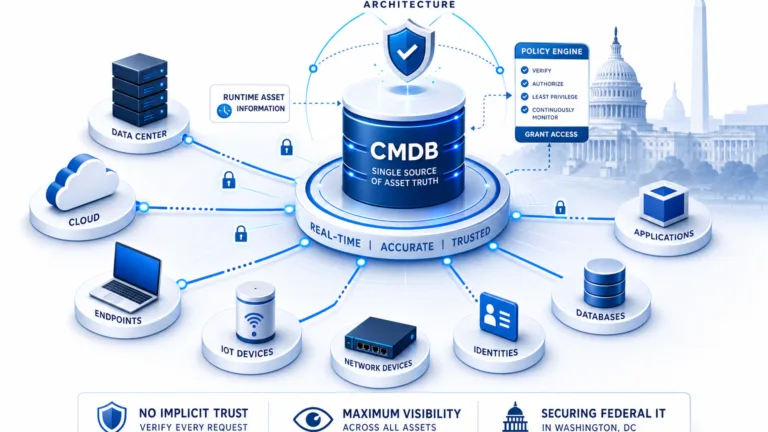
A decommissioned IT asset is a configuration item (CI). Teams permanently retire it from service and mark it inactive in the CMDB. The record keeps its full history for audit and compliance. Unlike deleted records, decommissioned assets retain discovery data, service relationships, ownership history, and a documented retirement reason. Ghost assets are devices and software that still appear in active records after retirement. They inflate software licensing counts, generate false audit findings, and create security exposure. A 2025 survey by WanAware found that ghost assets drain up to 25% of IT budgets. That figure covers unnecessary renewals, missed decommissions, and compliance remediation costs. Source: ITAM Coaches: Ghost Assets Are Costing You 25% of Your IT Budget.
Every IT environment has them: servers powered off months ago that still appear in asset reports. Laptops returned during offboarding that never got updated in the CMDB. Software products whose license keys remain allocated to devices that no longer exist. The root cause is almost always the same: the decommissioning process is inconsistent or informal. IT teams physically retire devices but do not update the CMDB. Software gets uninstalled, but license allocations persist.
Structured decommission tracking converts a perennial operational weakness into a defensible, documented process. Build it into the CMDB lifecycle with automated transitions and dedicated reporting. Add a clear policy for when to decommission versus delete.
What Are Decommissioned Assets?
Decommissioned IT assets are configuration items (CIs) permanently retired from active service. They move to an inactive lifecycle state in the CMDB. They retain their full historical record for audit, compliance, and license reconciliation. A decommissioned CI is not deleted. It remains queryable, reportable, and traceable. The record preserves the device’s complete history. That includes discovery data, installed software, service relationships, ownership records, and the retirement date and reason.
This distinction matters at audit time. When a compliance auditor asks which servers retired in a given quarter, a delete-based approach returns nothing. It also returns nothing about the software those servers ran. A decommission-based approach returns a complete, timestamped report.
The Ghost Asset Problem: What It Costs You
Software Licensing Exposure
When the CMDB shows software on a device that no longer exists, software asset management (SAM) tools count that allocation as active use. License renewals, compliance self-assessments, and true-up calculations all use that inflated number. Organizations often pay for hundreds of licenses they do not need. Their CMDB still shows an inflated installed base. A mature IT asset management practice catches these gaps before they compound. Source: Teqtivity article on the hidden costs of untracked IT equipment (ghost assets).
Audit Gaps and Compliance Findings
IT audits under ISO 27001, SOC 2, CMMC, and internal security frameworks check CMDB accuracy. Auditors want proof the CMDB matches operational reality. Records for retired devices with no decommission date create findings that need remediation. Missing retirement reasons and chain of custody do the same.
Security Exposure
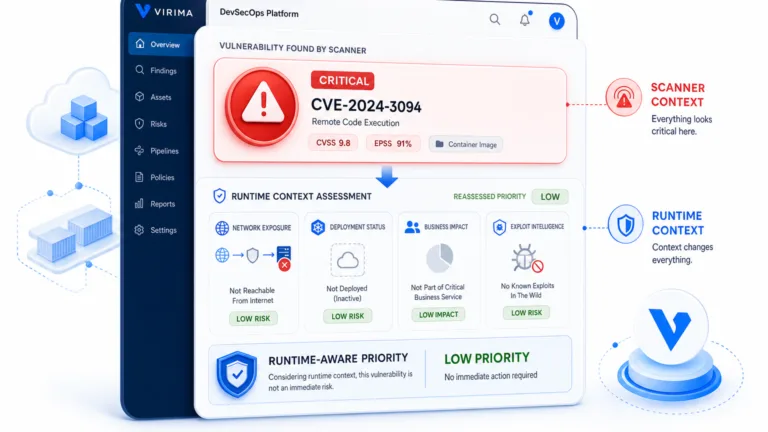
CMDB records for decommissioned devices sometimes stay linked to active service accounts. They can also stay tied to network access rules or vulnerability scan targets. Security teams waste time chasing vulnerabilities on devices that no longer exist. They can also miss a quietly reactivated device that reuses credentials tied to a “decommissioned” record. Cybersecurity asset management practices reduce this risk by keeping a validated, current asset inventory.
Decommissioned vs. Deleted: Why the Distinction Matters
This is one of the most important distinctions in CMDB lifecycle management. Teams also misunderstand it often.
Deleting a CI removes the record from the CMDB entirely. There is no audit trail and no decommission date. There is also no record of what the device was or when it left service.
Decommissioning a CI sets its operational status to “retired” and keeps the full record. The CI stays visible in the CMDB with its complete history. That history includes discovery data, relationships to other CIs, service associations, ownership records, and the decommission date and reason.
Compliance frameworks require evidence of proper asset disposal. That includes data destruction and hardware disposition. The decommissioned CI record anchors that evidence chain. Deleted records leave no anchor.
The practical guideline: Decommission CIs when real assets retire from service. Delete CI records only for entries created in error. That covers duplicates, test entries, and import mistakes where the CI never represented a real asset.
For the foundational behavior behind these transitions, read our CMDB asset lifecycle best practices guide. It covers what happens to each CI when its asset retires. It also covers which relationships persist, which fields stay, and what remains in the historical record.
The CI Lifecycle: From Discovery to Decommissioning
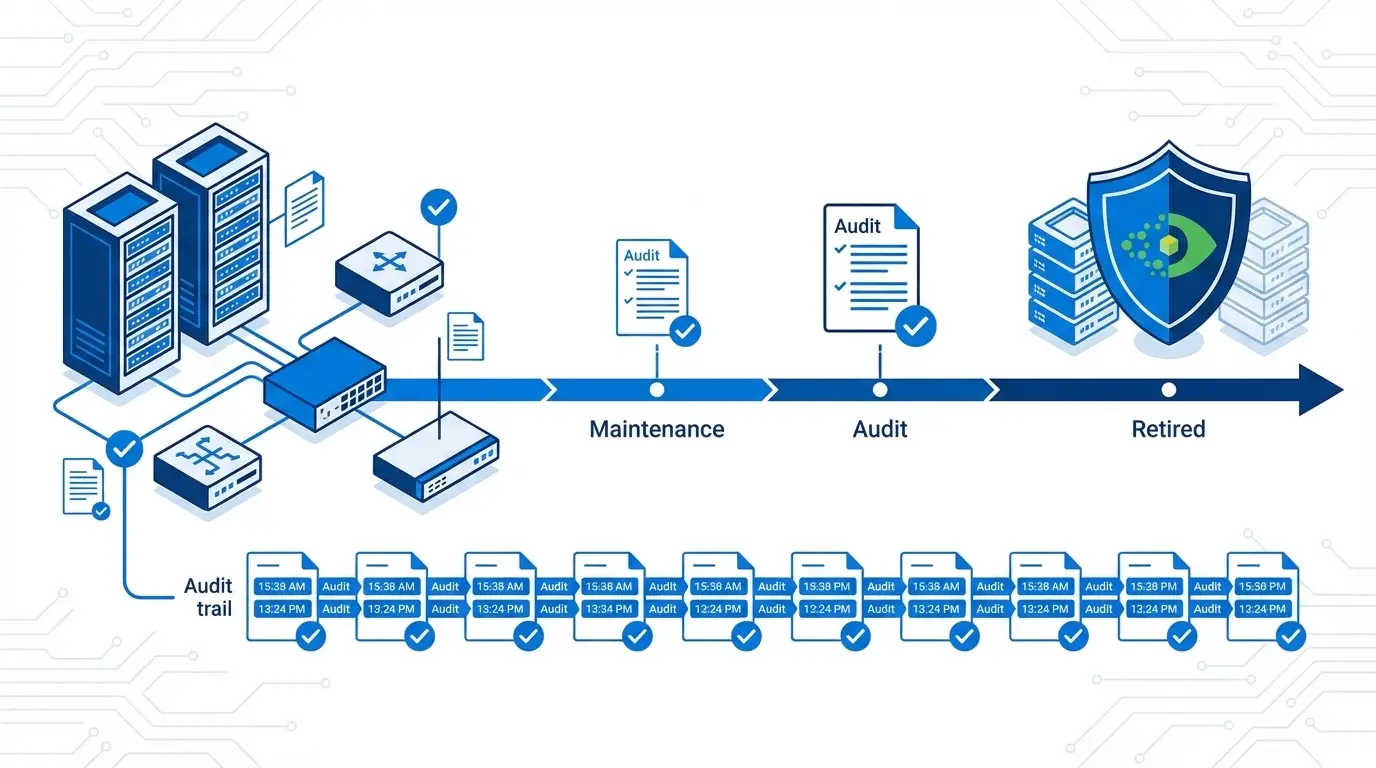
A well-governed CMDB CI follows a lifecycle with defined stage transitions:
- Discovered: CI detected by discovery scan; record created automatically
- Active: CI confirmed operational, in service, and under management
- Maintenance: CI temporarily out of service but expected to return (planned downtime, repair)
- Decommissioned: CI permanently retired from service; record retained for history and audit
- Deleted: Record removed (reserved for error-created CIs only)
Stage transitions are the governance control points. Most organizations leave the “Active to Decommissioned” transition informal. They rely on someone to update the CMDB record after a device goes offline. That informality is why ghost assets proliferate.
Automating this transition on objective criteria removes the need for someone to remember a manual update.
How to Automate Decommissioning with Business Rules
Business rules in a CMDB apply condition-based logic to CI lifecycle transitions. For decommissioning, the relevant conditions include the following.
Last-Seen Date Threshold
If a CI misses discovery scans for a set number of days, the business rule flags it as a decommission candidate. Thresholds vary by CI class and policy.
The last-seen date is a discovery-native signal. It needs no manual input.
Confidence Level Decline
Discovery tools assign confidence scores to CI records. Scores reflect how recently and completely discovery found the device through service mapping and dependency tracking. When confidence drops below a set threshold, that drop is a strong decommission signal. Confidence-based rules catch devices that fade gradually. Examples include devices powered down in stages or moved to isolated segments.
Human Approval Step
Automated rules surface decommission candidates. A human confirms the transition with a documented reason. Automation catches what manual processes miss. Human approval blocks false positives during temporary discovery gaps. Together they create a balanced, auditable workflow.
Integration with Offboarding Workflows
Devices returned during employee offboarding can trigger CMDB decommission workflows. Integrations with HR systems or ITSM platforms drive that trigger. The link ties the HR lifecycle event to the asset lifecycle change automatically. That closes a common gap in the decommission process.
Decommissioned Asset Reporting: Generating Audit-Ready Output
A decommissioned assets report serves four purposes. It supports operational cleanup tracking, audit evidence, license reconciliation, and disposal documentation.
Effective decommission reporting includes the following filters and fields:
- Date range filter: Show all CIs decommissioned between two dates. Example: all Q1 2026 retirements for quarterly review.
- CI class filter: Isolate servers, endpoints, network devices, or software for focused review.
- Decommission reason: Document why each CI retired. Reasons include end of life, hardware failure, lease return, and consolidation projects.
- Associated software assets: For each retired hardware CI, list installed software. Flag license keys available to reclaim.
- Linked relationships: Show services, applications, or other CIs tied to the retired device. Use this for service map cleanup.
Virima 6.1.1 introduced a dedicated Decommissioned Assets view and report. IT teams can filter decommissioned CIs by date range, CI class, and decommission status. They can export results in an audit-ready format. This removes the manual aggregation work teams once needed for audit or executive evidence packs.
Software Asset Decommissioning: The Licensing Compliance Angle
Hardware decommissioning and software asset decommissioning are related but distinct processes. When you decommission a server, the software on it should trigger a separate SAM reconciliation workflow:
- Identify all software on the decommissioning CI. Pull the installation records linked to the retiring device.
- Reclaim license keys. Return keys to the available pool in the SAM tool. Do not leave them allocated to a retired device.
- Update maintenance contracts. Flag renewals for software on decommissioned devices before auto-renewal.
- Retain license key records. After software decommissioning, keep the history of which key sat on which device and when teams released it. Auditors need that trail.
Organizations that decommission hardware without fixing software records overstate license positions at audit time. They may also auto-renew maintenance contracts for software on hardware that no longer exists.
Common Decommissioning Mistakes and How to Avoid Them
| Mistake | Risk | Correct Practice |
| Deleting CIs instead of decommissioning | No audit trail; compliance gap | Set decommissioned status; retain record |
| Decommissioning hardware without reconciling software | License overcount; auto-renewal waste | Trigger SAM workflow on hardware retirement |
| Manual-only decommission process | Ghost assets accumulate between audits | Automate via last-seen date and confidence thresholds |
| No documented decommission reason | Audit finding for missing chain of custody | Require reason field before transition completes |
| No offboarding integration | Returned devices stay active in CMDB | Connect HR/ITSM offboarding events to CMDB workflows |
How Virima Supports Decommission Tracking and Compliance
Virima’s CMDB and ITAM platform supports structured decommission workflows. It uses discovery-driven automation and dedicated reporting.
- Confidence-based decommission candidates: CIs below a set confidence threshold appear in a decommission review queue for administrator review.
- Last-seen date tracking: Every CI record tracks its last discovery observation. That gives teams an objective, non-manual decommission signal.
- Dedicated Decommissioned Assets view: Virima 6.1.1 added this view. It surfaces decommissioned CIs with decommission date, reason, and associated asset data for audit and reporting.
- Software asset integration: Software installations link to parent hardware CIs. Hardware decommissioning then surfaces related software records for SAM reconciliation.
For a broader view of how CMDB governance supports IT compliance, read ServiceNow CMDB Governance Best Practices.
Decommissioned Asset Tracking Is a Compliance Necessity
Decommissioned asset tracking is a compliance necessity, not an administrative convenience. Ghost assets inflate licensing costs, expose audit gaps, and create security risks. Those risks build quietly until the next audit surfaces them.
The structured approach defines the decommission lifecycle. It automates transitions through business rules. Records stay decommissioned rather than deleted. Audit-ready reports generate on demand. That converts a perennial operational weakness into a defensible, documented process.
Ready to see how Virima manages the IT asset lifecycle from discovery to decommission? Schedule a Demo at virima.com.
Frequently Asked Questions:
What does “decommissioned” mean in a CMDB?
In a CMDB, a decommissioned asset is a configuration item (CI) permanently retired from active IT service. Teams move it to an inactive lifecycle status. The record stays in full with its historical data, relationships, and a documented retirement reason. It is not deleted. This preserved record supports audit evidence, license reconciliation, and compliance reporting under ISO 27001, SOC 2, and CMMC.
What is the difference between decommissioning and deleting an asset in a CMDB?
Decommissioning keeps the CI record in an inactive state with full history. Deleting removes the record entirely and leaves no audit trail. Decommission real assets when they retire from service. Reserve deletion only for error-created records. That means duplicates, test entries, and import mistakes that never represented real infrastructure.
How do you automate the decommissioning of IT assets?
CMDB business rules automate decommissioning by watching two primary signals. The first is last-seen date. It flags CIs absent from discovery scans for a set number of days. The second is confidence score decline. It flags CIs whose discovery confidence drops below a minimum threshold. Automated rules surface candidates for human review and approval. That pairs detection coverage with governance control. Teams can configure thresholds by CI class.
How does decommissioning hardware affect software license compliance?
When you decommission a hardware CI, review all software installation records on that device right away. Return license keys to the available pool in the SAM tool. Flag maintenance contract renewals for review. Keep historical allocation records for audit. Skipping this step overstates license positions. It can also auto-renew contracts for software on retired hardware.
What fields should a decommissioned asset report include?
A complete decommissioned assets report should include these fields. List the CI name and class. Add the decommission date and documented retirement reason. Include associated software installations and license keys available to reclaim. Add linked service relationships for service map cleanup. Include the last-seen date from discovery. Virima’s Decommissioned Assets view (version 6.1.1) surfaces all of these fields. It supports date range and CI class filters for audit-ready export.