Enterprise Architecture Tools: Buyer’s Guide to the Top Options in 2026

How Enterprise Architecture Tools Shape Your Organization’s Evolution
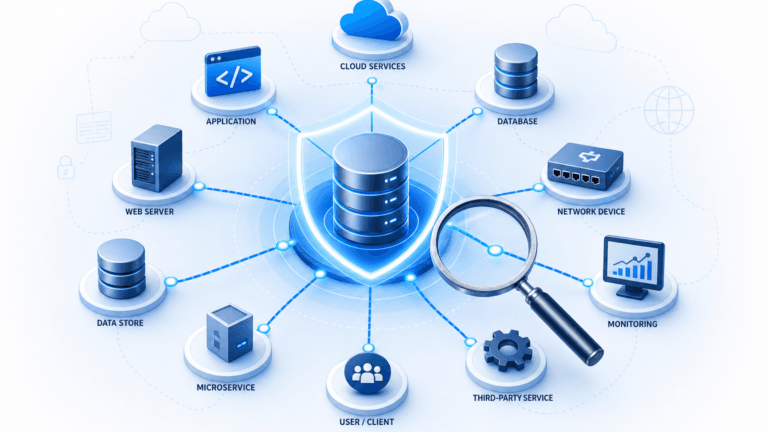
Enterprise Architecture (EA) tools help enterprise architects and other stakeholders manage and analyze how their organizations operate. These tools support visualizing, analyzing, and documenting every component of an enterprise. That includes business processes, information flows, applications and technologies, and IT infrastructure.
Good EA tools do more than draw diagrams. They give your team a shared view of how the organization operates today and where it needs to go. That shared view keeps IT investments aligned with business goals. For further context, see Virima’s guide on IT infrastructure management.
Advantages of Enterprise Architecture Tools
Here is what the right EA tool gives you:
- Visualization: clear visual maps of complex architectures so your team sees the same picture.
- Alignment: IT initiatives tied directly to business goals, so spend goes where it counts.
- Decision support: structured data behind every architecture decision.
- Standardization: consistent processes and less duplication across teams.
- Risk management: dependency visibility that surfaces risks before they become incidents.
- Compliance: support for IT governance and regulatory requirements.
- Change management: impact analysis before any change goes live.
- Cost optimization: a clear view of redundant or underused assets.
- Communication: a shared model that stakeholders across IT and the business can read.
- Long-term planning: a foundation for strategic roadmaps and future-state modeling.
Key Features to Look for in Enterprise Architecture Tools
Not all enterprise architecture tools are built for the same scale or environment. However, five capabilities separate the tools that grow with you from those that slow you down.
1. Multi-Cloud and Hybrid Environment Support
Your EA tool should discover and manage assets across cloud and on-premises environments without gaps. This capability directly supports your IT asset tracking strategy. It also gives you a complete picture of where everything lives.
2. Flexible Discovery Options
EA tools should support both agentless and agent-based IT discovery methods. High-frequency discovery cycles keep our asset data fresh. As a result, your architecture view reflects what is actually running in your environment, not what was there last quarter.
3. Centralized Asset Inventory Management
Centralizing all asset data into a single, customizable repository is foundational. It lets you track assets with the attributes that matter to your team. You can also generate reports that answer real questions about your IT environment.
4. Scalable Architecture
Scalability matters when your infrastructure spans cloud and on-premises environments. A scalable EA tool handles growing data volumes and expanding IT estates. Specifically, it does so without degrading performance or forcing you to rebuild your model.
5. Process Automation and Data Security
Automation of data gathering and reporting saves your team hours every week. Role-based access controls protect sensitive architectural data. They ensure the right people see the right information.
The Top 10 Enterprise Architecture Tools
Organizations use a wide range of tools to map their enterprise architecture and drive IT digital transformation goals. These tools fall into two main categories. The first covers general-purpose software adapted for EA work. The second covers dedicated EA platforms built specifically for architecture management.
General-Purpose Software for Enterprise Architecture
General-purpose tools are widely adopted, often already in your stack, and useful for specific EA activities. Here are the most common ones:
1. Excel (Spreadsheet Software)
Excel remains widely used for structuring and analyzing large datasets. Its data visualization features help teams build charts and graphs that communicate architectural information clearly. It works best for smaller EA initiatives where specialized tooling is not yet justified.
2. Microsoft Visio and Lucidchart (Flowchart and Diagramming Tools)
Microsoft Visio offers a professional diagramming environment with a wide range of shapes, stencils, and templates. It integrates directly into Power BI dashboards. It also supports export to Power Automate for workflow automation. Lucidchart is a browser-based alternative built for collaborative diagram creation. It handles flowcharts, org charts, and technical diagrams. Distributed teams often prefer it for its accessibility and real-time editing.
3. SharePoint and Atlassian Confluence (Knowledge Management Tools)
SharePoint and Confluence both support EA activities. They provide a centralized hub for organizing and sharing architectural information. SharePoint’s enterprise search makes EA documents accessible across the organization. Confluence focuses on knowledge management. It provides dynamic documentation for capturing architectural models and related artifacts.
4. Slack and Microsoft Teams (Collaboration Tools)
Slack and Microsoft Teams support EA communication. Both offer organized channels, searchable message history, and direct integrations with project management tools. They are most valuable when EA teams are distributed across time zones. In those cases, a persistent, searchable record of architectural decisions keeps everyone aligned.
5. SAP S/4HANA and Microsoft Dynamics 365 (ERP Software)
ERP platforms provide deep visibility into business processes, applications, and data flows. All of that feeds directly into EA planning. SAP S/4HANA and Dynamics 365 connect directly with enterprise architecture platforms. This connection gives architects access to operational data for informed decision-making.
6. Salesforce (CRM Systems)
Salesforce consolidates customer interaction data and business process information in one place. For EA teams modeling customer-facing systems and data flows, its analytics capabilities add useful context. Specifically, they show how business outcomes connect to the underlying IT architecture.
7. Tableau and Looker (Business Intelligence Software)
BI tools add data visualization depth to your EA work. Tableau excels at visual exploration and dashboard creation. Looker prioritizes data modeling and governance through LookML. It also offers strong support for IT security and compliance alignment.
8. CMDB and Visualization Solutions
A CMDB serves as a single source of truth about your IT assets. It tracks hardware, software, and interdependencies in one place. Beyond inventory, it supports change impact analysis. It also generates visualizations of asset relationships, service dependencies, and availability status.
ViVID™ Service Mapping goes further. It shows how business services are supported across application, compute, and network layers. These visualizations help EA teams understand the full impact of any planned change. You can see how this works at Virima Visual Impact Display (ViVID™).
9. Application Dependency Mapping (ADM) Solutions
ADM tools give EA teams a clear view of how applications connect and interact across the IT environment. They complement CMDBs with detailed, dynamic dependency visualizations. This helps architects understand the full scope of their application landscape. Learn more about the relationship between IT asset discovery and service mapping and when you need both.
Dedicated Enterprise Architecture Tools
Dedicated EA platforms are built for the complexity of large organizations. They capture, gather, and analyze architectural data at enterprise scale. These platforms collect information and metadata from IT environments, whether on-premises or in the cloud. They support both automated data ingestion and manual entry. Importantly, they are designed for use across departments, not just by the EA team.
Most dedicated EA tools also support business capability mapping. This gives architects a structured view of which business capabilities the organization needs. It also shows how current applications and technologies support those capabilities.
Top 5 Dedicated Enterprise Architecture Tools
The table below is based on Gartner Peer Insights reviews:
| EA Tool | Gartner Rating | Key Features | Integrations | Why Users Choose It |
|---|---|---|---|---|
| LeanIX Enterprise Architecture (SAP LeanIX) | 4.6 | Customizable dashboards, AI capabilities, surveys, quality seals, automation, catalogs | Apptio, Collibra, Confluence, Jira, Lucidchart, OData, ServiceNow | Company-wide trusted data source; IT landscape overviews with project impact analysis |
| ADOIT EA Suite (BOC Group) | 4.6 | Intuitive interface, modeling, reporting, integration, customizable dashboards, automated documentation | ADOGRC Suite, ADONIS BPM Suite, Confluence, SAP Signavio, ServiceNow | Alignment of dependencies; certification and compliance; role-based access |
| Bizzdesign Horizzon | 4.4 | Models and roadmaps, data integration, guided application portfolio management | ServiceNow, Jira, SAP, Tableau, Amazon Athena | Aligns investments to business goals; integrates data across platforms; guides APM |
| OrbusInfinity (Orbus Software) | 4.8 | Digital blueprinting, extensible SaaS platform, ITAM, out-of-the-box BI dashboards | Microsoft 365, SharePoint Online, Flexera, PPM Express, Microsoft Project | IT strategy aligned to business goals; critical insights delivered; lower TCO |
| HOPEX (MEGA International) | 4.8 | Unified repository, assessment engine, enterprise portal, dashboards, Open APIs, modeling engine | Microsoft Teams, SIEM/Log Systems, Relational Databases | AI-driven Application Portfolio Management; modern contextual search; granular user data access rules |
Before you evaluate any EA tool, you need to know what is actually running in your environment. Virima Trusted Runtime Truth gives you discovery-driven visibility across your entire hybrid IT estate. The result is an architecture model that reflects reality, not stale records. Explore Virima Trusted Runtime Truth at virima.com.
How Virima Gives Enterprise Architects Discovery-Driven Visibility
Knowing which enterprise architecture tools to evaluate is only part of the challenge. You also need accurate, current data about what exists in your environment. Without that, no EA model reflects reality. That is where Virima fits in.
Virima helps organizations understand their enterprise architecture by discovering and mapping hybrid IT environments, both cloud and on-premises. Virima uses agentless and agent-based discovery across AWS and Azure environments. It identifies hardware, software, and cloud assets across your network. As a result, you get an accurate foundation for any EA initiative.
ViVID™ Service Mapping builds dynamic dependency maps once you define your services. It gives you a live visual of how each component connects across application, compute, and network layers. This view of service dependencies helps EA teams assess availability risk and plan changes with confidence. It also keeps the architectural model grounded in what is actually running.
For teams managing IT assets across the full lifecycle, Virima’s IT Asset Management capability pairs directly with discovery. The result is accurate inventory data with no manual reconciliation required.
Choose Enterprise Architecture Tools That Reflect Your Real Environment
The best enterprise architecture tool gives your team a clear, accurate, and current view of your IT environment. General-purpose tools cover specific use cases. In contrast, dedicated EA platforms add modeling depth, roadmapping, and portfolio management. Both categories depend on one thing: accurate asset and dependency data.
That is the gap Virima fills. Discovery-driven visibility means your EA model starts with what is actually running. It does not start with what was documented last year. When your architecture reflects reality, every planning decision, change assessment, and compliance review becomes faster and more defensible.
Ready to build an EA program on accurate data? Schedule your demo and see Virima discovery in action.
Frequently Asked Questions
What is the difference between general-purpose EA tools and dedicated EA platforms?
General-purpose tools such as Excel, Visio, and SharePoint handle specific EA tasks like data organization, diagramming, and documentation. In contrast, dedicated EA platforms are built to manage the full complexity of enterprise architecture. They support modeling, roadmapping, application portfolio management, and business capability mapping across large organizations. For most enterprise teams, dedicated platforms provide the depth that general-purpose tools cannot.
What is business capability mapping and why does it matter?
Business capability mapping is the process of identifying the business capabilities an organization needs and tracing how current applications and technologies support each one. It gives architects a structured view of gaps between strategy and execution. As a result, teams can prioritize IT investments around the capabilities that drive business outcomes rather than maintaining systems for their own sake.
How do I know if my EA model is based on accurate data?
An EA model is only as accurate as the asset and dependency data behind it. If your inventory relies on manual entry or infrequent audits, your architecture view reflects what was documented, not what is actually running. The clearest sign of a data accuracy problem is when planned changes produce unexpected incidents. High-frequency discovery cycles that capture the live state of your hybrid IT environment are the most reliable way to close that gap.
How does Virima support enterprise architecture initiatives?
Virima provides the discovery-driven foundation that EA programs depend on. It identifies hardware, software, and cloud assets across AWS and Azure environments using both agentless and agent-based methods. Once assets are discovered, ViVID™ Service Mapping builds dynamic dependency maps across application, compute, and network layers. Together, these capabilities give EA teams an accurate, current view of the IT environment before any architecture model is built or updated.
Does Virima integrate with dedicated EA platforms?
Virima is designed to work alongside dedicated EA platforms, not replace them. It supplies the accurate, discovery-sourced asset and dependency data that EA tools need to function correctly. When your EA platform pulls from Virima’s inventory, the architecture model it builds reflects what is actually running in your environment. That foundation supports more reliable roadmapping, change impact analysis, and compliance reviews.