Asset Management Software for Small Business Still Fails When the Spreadsheet Is the System of Record

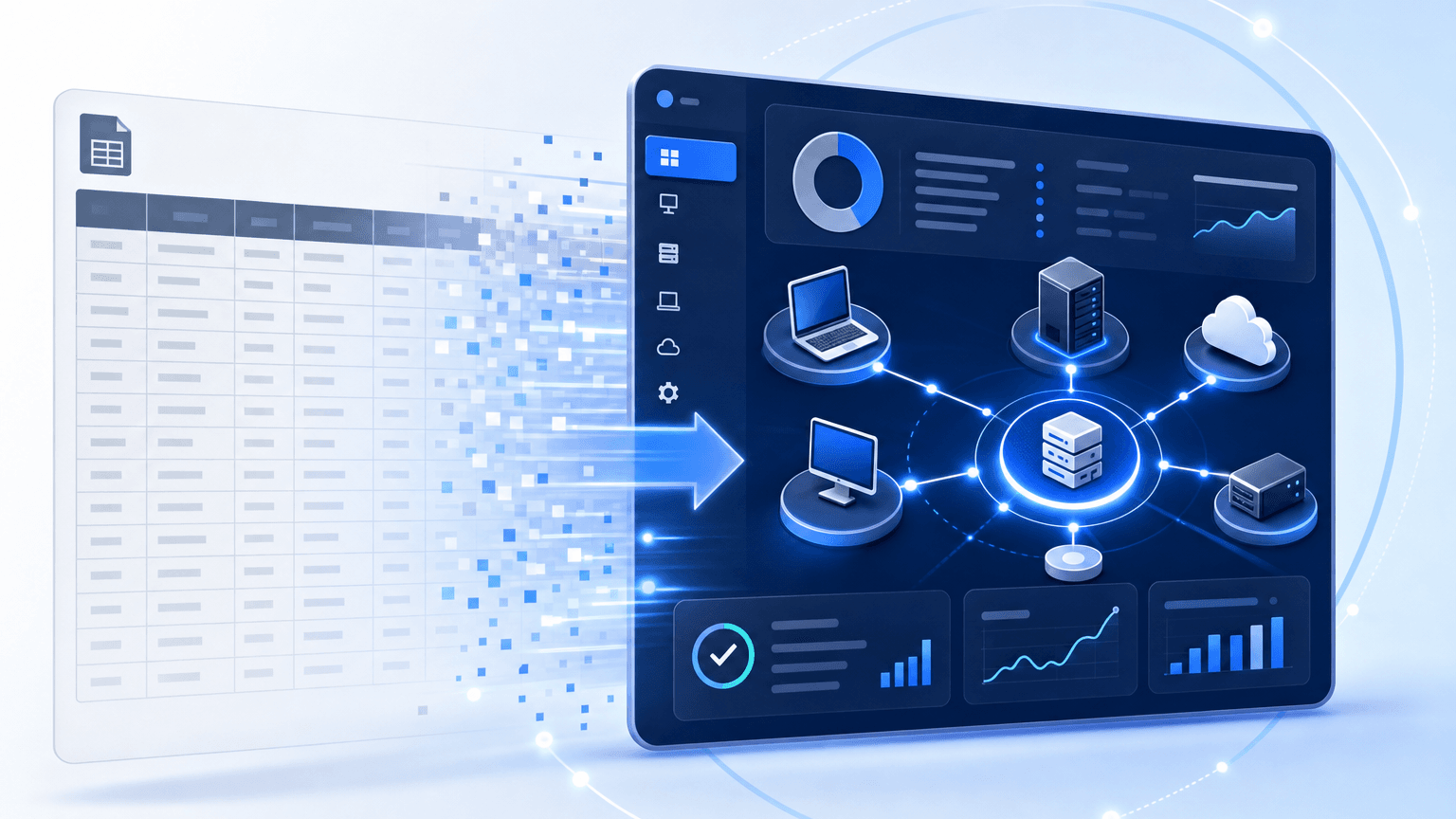
The insurance renewal landed on a Friday. The broker wanted a current list of laptops, servers, and cloud accounts. Finance wanted depreciation still tied to serials. Security wanted to know which devices still sat outside the last patch window. The only living record was a shared workbook with three owners, two forgotten tabs, and a last-updated cell from last spring.
That is the real test of asset management software for small business. Small IT teams do not fail because they refuse process. They fail because the tool they bought still treats inventory as a static register while the estate moves every week. New hires, contractor gear, SaaS seats, a second office VLAN, and a cloud subscription that never got a row- none of it makes it into the record.
For broad tool comparisons, use Top asset management tools you need to know about. For the enterprise ITAM director path, see How IT directors choose an ITAM solution. This guide covers when spreadsheets, free trackers, and facility-style asset apps stop answering hybrid IT questions, and what a discovery-backed inventory must prove before you buy.
For the category frame before you rewrite another inventory policy, start with Trusted Runtime Truth.
Why small-business asset tools break differently than enterprise programs
Small teams often wear three hats: help desk, admin, and part-time security. They buy asset management software for small business expecting check-in and check-out, barcodes, and a clean export for finance. Those jobs matter, but they are not enough when the same person must also answer audit samples, license true-ups, and questions about what broke after a host changed.
| Failure mode | What the sample finds | Why small IT hits it early |
| Spreadsheet as CMDB | Serials without last-seen or owner | No one has time for weekly manual refresh |
| Barcode-only register | Device left the cage; row still “in stock” | Tracking ends at the door, not on the network |
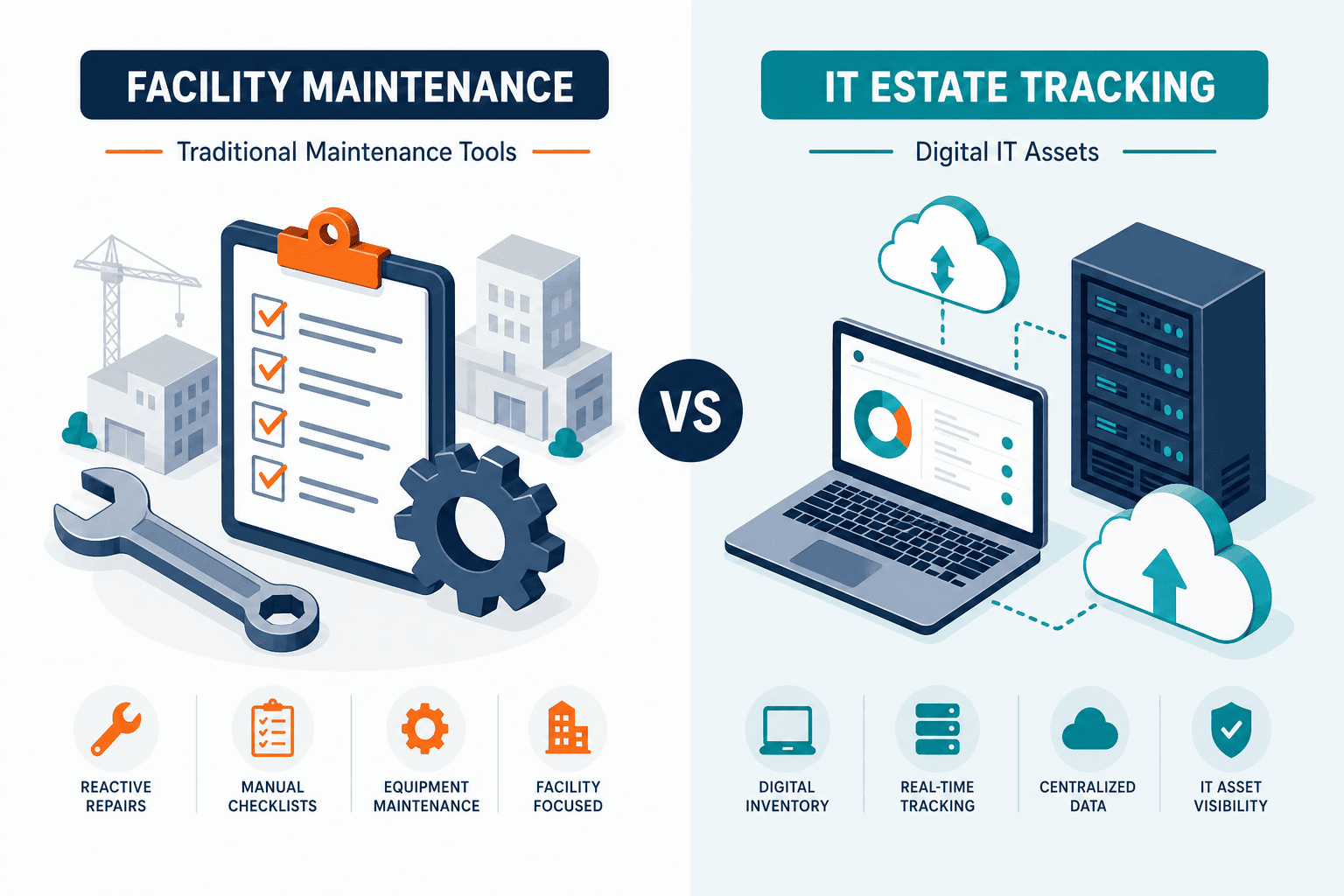
| Facility or CMMS tool | HVAC and desks tracked; VMs and SaaS missing | IT hybrid estate was never the product job |
| RMM seat list as inventory | Agents present; dark network gear and cloud accounts | Monitoring coverage is not estate truth |
| One-time import project | Clean week one; drift by month three | No high-frequency discovery cycle after go-live |
| MSP or co-managed IT | Two lists, two owners, neither complete | The provider’s list often covers only what it manages |
| Remote and hybrid laptops | Devices that rarely touch the office network | Scans limited to the office subnet never see them |
| Departmental SaaS on a company card | Seats in use with no row and no owner | Purchases bypass IT, so nothing feeds the register |
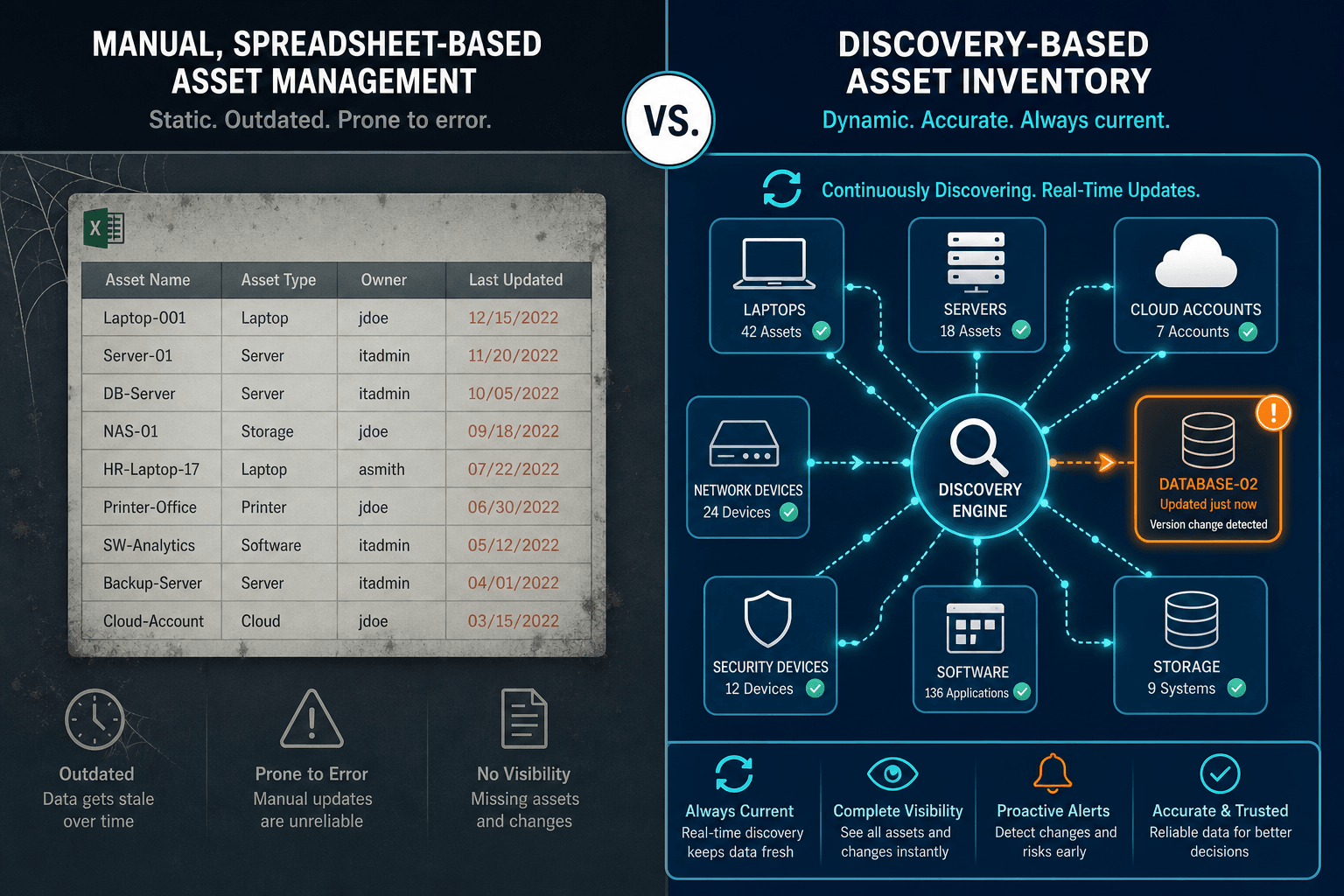
The pattern is common at this size. EasyVista and OTRS surveyed more than 1,000 IT leaders for The State of SMB IT for 2026. Two-thirds of respondents still rely on manual processes and Excel spreadsheets to link ITSM and ITAM. Only 39% have fully integrated their monitoring tools with their ITSM systems.
What is asset management software for small business in an IT context?
It is software that keeps a dated, owned record of IT hardware, software, and cloud resources a small organization runs, refreshed from discovery or trusted imports rather than one-off spreadsheets. Tracking location alone isn’t enough when audits, licenses, and changes require last-seen and owner fields.
What is asset management software for small business in an IT context?
It is software that keeps a dated, owned record of IT hardware, software, and cloud resources a small organization runs, refreshed from discovery or trusted imports rather than one-off spreadsheets. Tracking location alone is not enough when audits, licenses, and changes need last-seen and owner fields.
What asset management software for small business must prove
Asset management software for small business should prove five things before you treat any small business CMDB inventory as the system of record:
- Identity that survives moves: a serial number, cloud instance ID, or equivalent durable key, not only a friendly asset tag.
- An owner and cost center you can defend: a person or team accountable when insurance, finance, or security samples a row. At this size, assign the department lead, so one resignation does not orphan the record. Tie the owner field to offboarding, so a departure triggers recovery instead of a guess.
- Last-seen freshness: a date from discovery or a verified import, not a blank updated cell. For a starting point, CISA’s directive for federal agencies calls for automated discovery every 7 days and vulnerability enumeration every 14 days, roaming laptops included. It is not a small-business requirement, but the rhythm gives your own refresh target something to anchor on.
- Scope that matches IT reality: endpoints, servers, and network gear in scope, plus the cloud accounts you actually run, not only desks and badge readers.
- A path into tickets and change, publish into the help desk or ITSM you already use so incidents don’t invent a second inventory.
Can a spreadsheet serve as the system of record for small-business IT assets?
No. The spreadsheet is not the system of record. Lean IT still needs full discovery with last-seen dates, CMDB-grade identity and owners, and an ITSM handoff so tickets and change use the same estate truth.
It is not:
- A full facility CMMS for plants and fleets
- A pure barcode warehouse app with no network discovery
- A complete SAM rights engine for every publisher metric
- A GRC or insurance filing product by itself
Small-business buyers often compare free trackers and lightweight SaaS first. Those tools can win on check-out workflows. They lose when hybrid discovery and CMDB-grade joins become the real job. For how barcode and physical tags fit next to discovery, see IT asset tracking.
Five buying traps that waste a small IT budget
1. Buying a facility tracker for an IT estate
Many “small business asset management” pages mix maintenance CMMS, equipment logs, and IT inventory. If your pain is laptops, servers, and SaaS, a work-order CMMS is not SMB asset inventory software; it will not close the gap.
2. Treating the RMM agent list as the CMDB
Remote monitoring tools excel at agent health. They still miss unagented network devices, shadow VMs, and cloud control planes outside the agent estate. Monitoring coverage is not discovery authority.
3. Skipping refresh discipline after go-live
A clean CSV load feels like progress. Without high-frequency scheduled discovery cycles, the register is stale before the next renewal. Hardware-only registers also break license and SaaS true-ups. Small firms still face publisher audits and seat sprawl.
4. Assuming the MSP’s list is yours
If a managed service provider or co-managed partner supports your IT, ask who holds the authoritative asset list. Providers often track what they manage, which can leave out gear, cloud accounts, and SaaS you bought yourself. Keep one record you own, and let the provider work from it.
5. Choosing on help desk size instead of estate scope
Match the tool to the estate it must cover, not to the size of the help desk team. Seat-based help desk tools and discovery-backed ITAM platforms scale on different things, so compare them on estate size and discovery scope. Ask each vendor what happens to coverage and upkeep when a second office or an acquisition doubles the asset count.
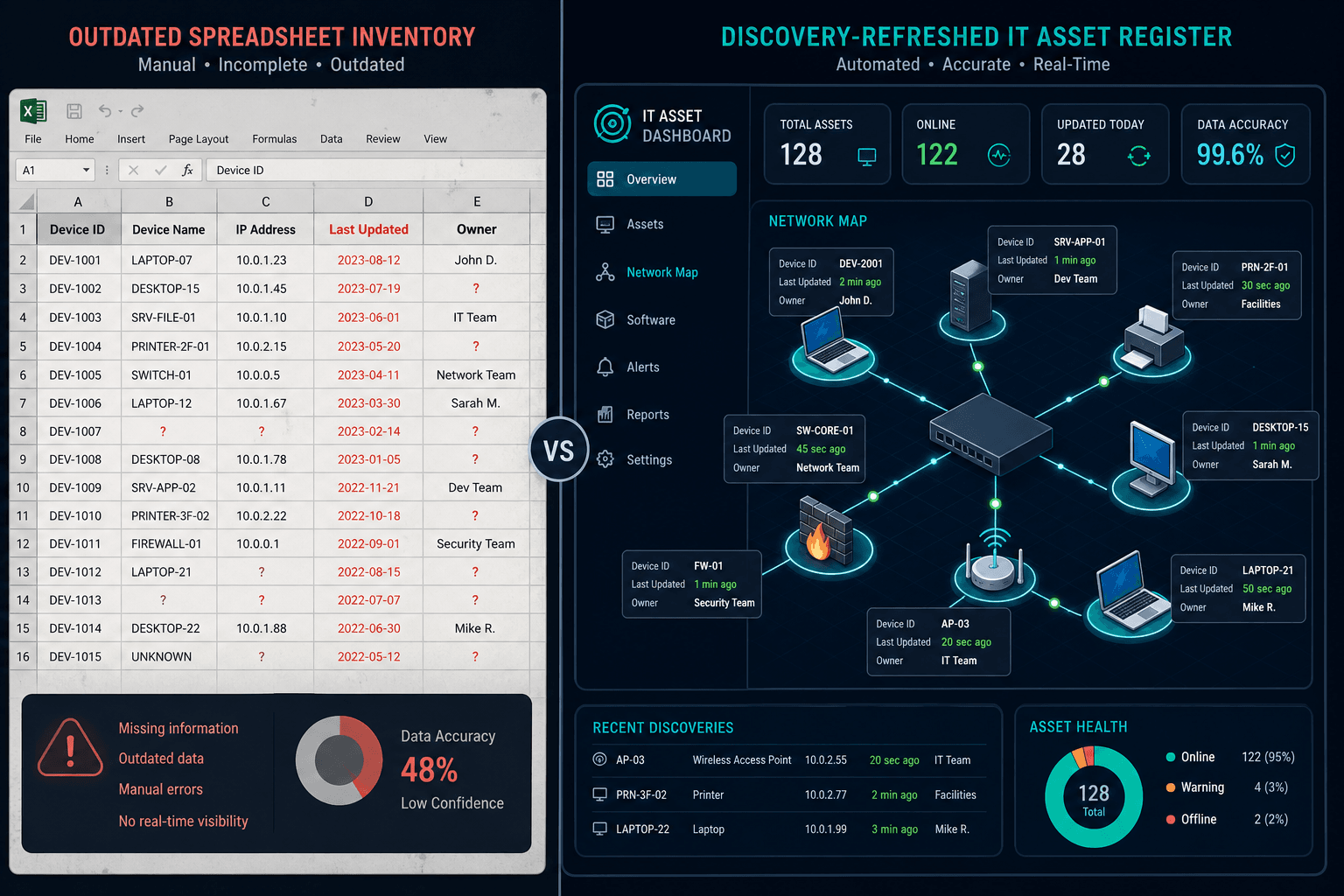
If the shortlist is really about full CMDB, maps, and ITAM on a path built for growing IT estates rather than another seat of ticket software, explore how Business Pro fits your environment.
A practical shortlist checklist for small-business IT buyers
Use this packet in vendor demos. Keep it short enough for a two-person IT team.
A scope statement should name what is in scope, not say all IT. For an illustrative 120-person firm, it might read: 120 laptops, 6 servers, 2 switches at each of 2 sites, 1 firewall, 1 Microsoft 365 tenant, and 1 AWS account.
- Scope statement: name the endpoints, servers, network gear, and cloud accounts in scope, not “all IT.”
- Discovery method: agent, agentless, or API, and what stays dark without credentials.
- Freshness commitment: how often records refresh, and who owns exceptions past last-seen.
- Owner model: fields and workflow for assignment and recovery on offboarding.
- ITSM join: CSV alone is not enough if tickets still invent hosts, so prefer a hub into ServiceNow, Jira, Ivanti, or your desk via supported ITSM integrations.
- Setup and upkeep: confirm a two-person team can finish setup in a working session, and ask who maintains the record after week one.
- Growth path: what changes in coverage and upkeep when a second office, an acquisition, or a contractor season adds assets.
- Boundaries: confirm the vendor is not selling OT plant control, full multi-OS vulnerability management, or compliance filings as part of the same product.
Enterprise-grade depth, sized for a small estate
Virima is a discovery-sourced CMDB, ITAM, and visibility layer. Small and mid-size IT teams use it when spreadsheets and free trackers stop defending ownership and freshness, and they need estate truth under tickets and change.
Here is what Virima contributes to that job:
- Automated IT discovery across the hybrid paths Virima covers, so identity keys and last-seen dates stay current.
- CMDB and ITAM records that carry source and freshness, ready for audit samples and renewals.
- ViVIDTM dependency maps once service definitions are provided.
- Windows Server NIST NVD overlays on maps where that signal applies, without claiming full multi-OS vulnerability management.
- Publishing into ServiceNow, Jira, Ivanti, and more, so tickets carry device and owner context.
The same discovery, CMDB, and dependency-mapping capabilities larger IT teams rely on apply to small estates. Our guide to a scalable CMDB for small IT teams walks through what that looks like day to day.
Virima does not replace a facility CMMS, a barcode warehouse app, or a full software-rights engine for every publisher. It also does not invent business services without a definition as input, and it offers no legal or insurance advice for filings.
For capability depth, see ITAM, IT discovery, and CMDB. Adjacent free-tool ceilings are covered in Spiceworks IT asset management and Snipe-IT asset management.
When should a small business move off spreadsheets for IT assets?
Move when renewals, audits, or incidents need owners and last-seen dates the workbook cannot defend, or when cloud and unmanaged devices never appear in the register. That is when discovery-backed asset management software becomes the system of record instead of a side file.
Close the register before the next renewal asks for proof
Asset management software for small business is won or lost on freshness, owners, and hybrid scope, not on how many barcode fields the form offers. Spreadsheets and free trackers still help custody. They fail when the estate outruns manual updates and the next sample needs a dated discovery source.
When you want to pressure-test discovery coverage and package fit on a live hybrid estate, schedule a demo.
Frequently Asked Questions
Is asset management software for small business the same as a facility CMMS?
No. Facility and maintenance tools track plants, fleets, and work orders. IT asset management for small business must cover endpoints, servers, network gear, and cloud resources with discovery-backed identity and owners. Some vendors mix categories in marketing; buy for the estate you actually run.
Can free spreadsheet templates replace IT asset management software?
Templates work for a short static list. They fail when devices move weekly, cloud accounts appear outside the sheet, and audits need last-seen and owner fields. Use a sheet as a temporary bridge, not as the long-term system of record for hybrid IT.
How is this different from a top asset management tools listicle?
Listicles compare many vendors across enterprise and mid-market jobs. This article focuses on the small-business failure path: spreadsheet and barcode ceilings, hybrid discovery needs, and package fit when estate size drives the buy.
Does Virima replace our help desk or RMM?
No. Virima supplies discovery-sourced inventory and CMDB context. Help desk and RMM tools still own tickets and agent monitoring. Publish estate truth into the desk you already run rather than inventing a second inventory inside every ticket.
Where should we check packages and estate bands before a demo?
Walk the vendor through discovery scope on your hybrid paths and confirm coverage against the inventory you must keep current.
How can my small business manage its assets?
Name one system of record, then assign an owner and a last-seen date to every row in it. Replace manual updates with scheduled discovery or verified imports so laptops, servers, network gear, and cloud accounts refresh automatically. Join that inventory to the help desk you already run so tickets carry device and owner context. Review package fit against estate size and discovery scope before you lock a quote.