InvGate Insight Alternative: When You Need Discovery-Sourced CMDB Depth

The inventory looks solid until the change board asks a dependency question. An IT manager at a mid-market company has been running InvGate Insight for asset lifecycle work. Owners, warranties, and installed software sit in clean records. Then someone asks what else depends on one database server. The answer lives in a few hand-built diagrams and in two people’s heads.
InvGate Insight, now sold as InvGate Asset Management, still earns that inventory job for many teams. This page is about a different job: where CMDB data comes from, and what the map does after business services are defined. Search still uses the legacy name, so the title keeps it. From here, the product is InvGate Asset Management. Insight appears only where the older label helps a reader match a search.
What InvGate Insight Does Well
InvGate Asset Management is strong when the buying job is hardware and software lifecycle with a clear commercial trail.
Discovery coverage on published tiers includes an agent for Windows, macOS, Linux, and Android. It also covers agentless network scanning across more than eleven protocols, connectors for AWS, Azure, and Google Cloud, and paths for VMware vCenter and Hyper-V. Teams can pull from Jamf, Intune, and SOTI, and they can bulk import when needed.
Lifecycle and finance depth covers contracts, warranties, vendor management, software metering, software deployment, and end-of-life enrichment through Atlas. Teams that already run InvGate Service Management get a native path where service requests sit next to the CMDB record. That link is a durable reason to stay on that stack for the desk and the asset file.
InvGate also publishes its pricing and offers a free trial on its own site. Commercial terms are easy to inspect without a private quote first. On G2’s comparison surface, InvGate Asset Management shows about 4.7 out of 5 from eleven reviews, mostly small-business raters, with pros and cons still marked as limited data. Ease of use shows up often in that thin sample.
All of that is asset-first strength. A CMDB that has to answer change impact across hybrid estates is a separate buying question, even when the same vendor offers CMDB features beside ITAM.
Choosing an InvGate Insight CMDB Alternative? Check the Data Source First
InvGate’s CMDB can be filled three ways: manual, API-driven, or discovery. Auto-mapping can propose relationships for a person to review. Auto-mapping sits on Pro and Enterprise rather than Starter. Application service discovery now covers Windows and Linux.
Discovery is therefore real in the product. The center of gravity is still a mix of manual entry, integrations, and discovery. Discovery is one feed among several, rather than the default spine for every configuration item and relationship.
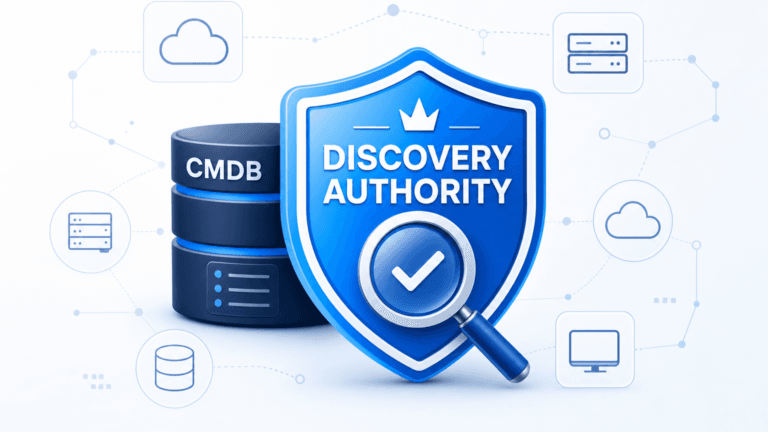
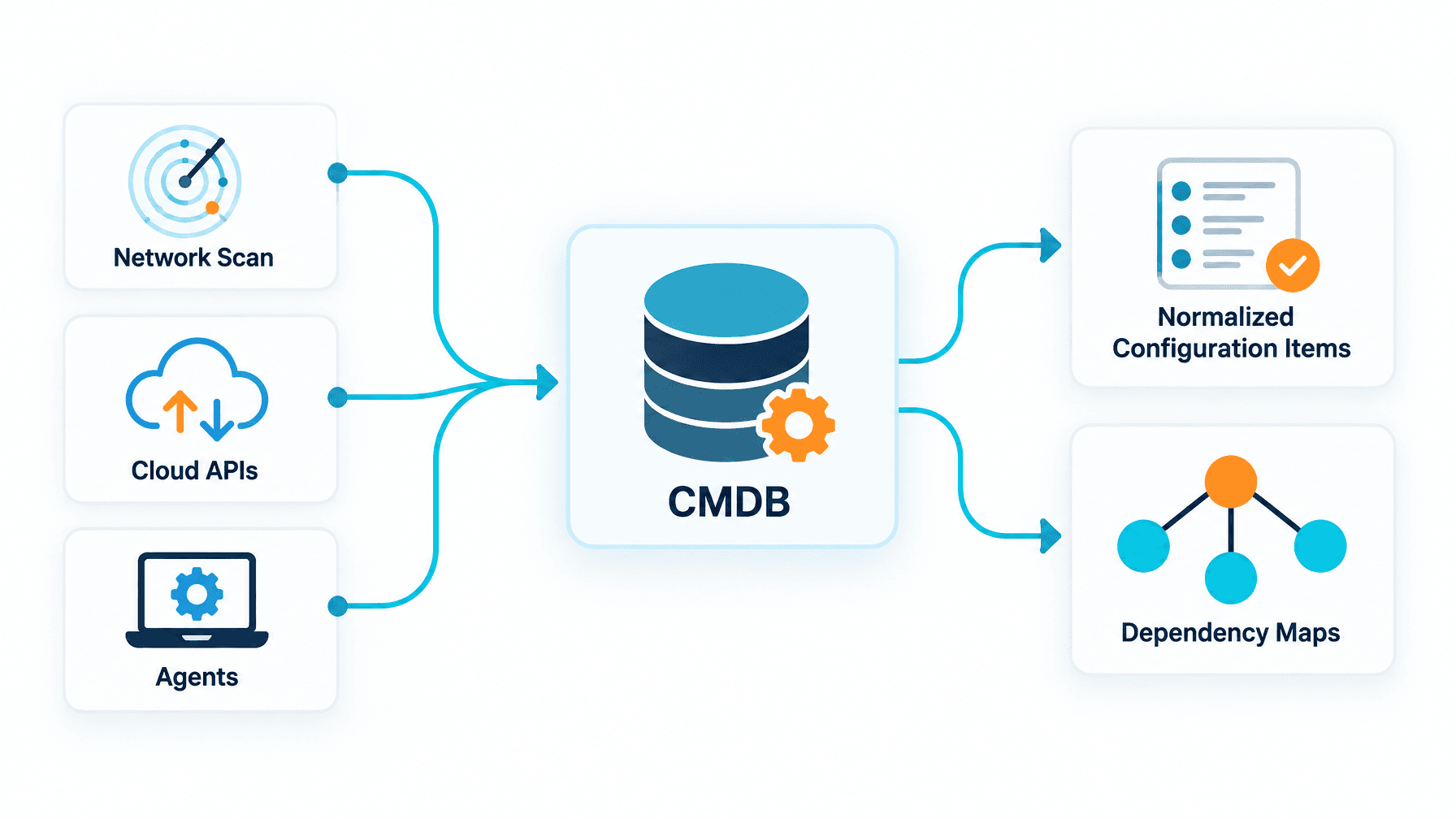
Virima treats discovery as the primary feed into the CMDB. Scheduled agentless and agent-based discovery, cloud connectors, and API connectors for third-party asset tools load the estate. Normalization, de-duplication, and federation reconcile what lands. Imports and third-party feeds still work when a team needs them. The difference is priority. Discovery runs on high-frequency scheduled cycles and remains the main source of truth for infrastructure CIs. Other feeds support that spine rather than replace it.
Why the source matters shows up in industry numbers as well as in war rooms. Complete IT visibility fell to 36% in Flexera’s 2026 State of ITAM Report, down from 43% the year before, among 512 respondents surveyed early in 2026. Ownership and warranty fields can look tidy while dependency and coverage stay thin. Change boards still stall on questions the asset file never answered.
InvGate’s own summary of reviewer feedback on hardware asset management software lists themes such as manual work for virtual machines and assets in other subnets, discovery that is more limited without Active Directory, and agent-dependent data patterns. That roundup lives on InvGate’s hardware asset management software article. Attribute those limits to InvGate’s own write-up of market feedback rather than to a thick independent review base.
For a smaller estate with a handful of business applications, manual population and suggested relationships can work well. The gap widens as the estate grows and as change rate climbs. Every relationship that still waits on a person becomes another stale edge on the next change window.
Explore how discovery-sourced ground truth supports safer change decisions on Trusted Runtime Truth.
What Happens After You Define the Services
Where both tools need a person
Both products need a person to define what a business service is. Virima states on its service mapping pages that service definitions come from institutional knowledge. Teams enter them in the UI or by CSV. They are not inferred automatically. InvGate also expects human judgment on which applications and infrastructure form a service. Shared ground stops the false claim that one vendor invents services without people.
What each does next
After definitions exist, the products diverge.
InvGate’s mapping view offers relationship suggestions a person reviews and applies. InvGate documents five native relationship types: Technical Owner, Security Auditor, Commercial Owner, Runs on, and Stored in. Custom types are allowed. That model fits teams that want controlled acceptance of every edge.
ViVID™ service mapping builds dependency structure from those service definitions plus the latest discovery data. It refreshes the structure with each scan cycle. Views go beyond a suggestion queue. Operators see communication flows with ports and protocols, including hosts that are not yet configuration items. They also see cloud relationships, network device dependencies, and service topology.
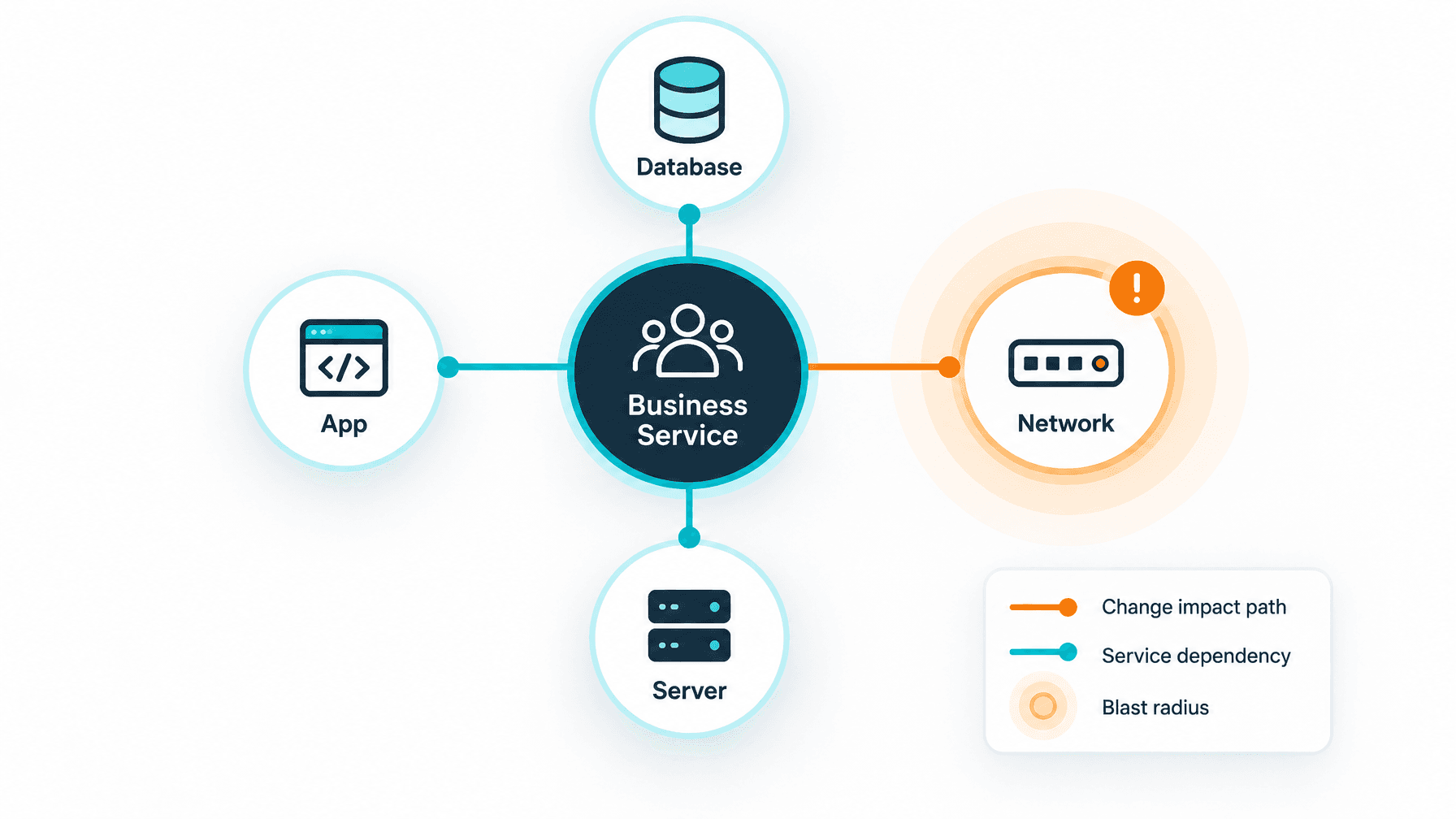
Before a change is approved, operators can inspect blast radius on the same map. Overlays can show incidents, pending changes, and NVD vulnerabilities in context. Incident and change overlays require a supported ITSM platform such as ServiceNow, Jira Service Management, Ivanti, Halo, Xurrent, TeamDynamix, or Hornbill. InvGate Service Management is not on that supported overlay list today. Pair designs need an honest desk path.
The practical payoff is a change conversation that starts from discovered dependencies and defined services. Teams spend less time rebuilding the same picture from slide decks after each release train.
Discovery-Sourced CMDB Depth Without an Enterprise-Only Stack
Many mid-market buyers hear “discovery-sourced CMDB and service maps” and picture only a heavy enterprise platform, a long services engagement, and an enterprise-only budget. Virima packages the same core capability set for growing IT estates that already need normalization and maps. Depth is full platform work on a right-sized commercial path, rather than a stripped starter kit.
On both Business Pro and Enterprise, the platform includes the same class of work:
- Business-rule normalization, de-duplication, and federation across installations
- The six ViVID™ map views
- ViVID™ Insights for blast radius, incident and change impact, vulnerability context, host-down signals, and impacted CIs
- The full ITAM suite for hardware, software, license, and contract work
- Bidirectional ITSM sync with supported desks
- A full REST API
What differs across plans is licensing shape, asset capacity, discovery app install count, support level, and hosting options. Those details live with the product team during a trial conversation, so this article stays accurate when commercial terms change.
Business Pro is the named path for teams that want that full discovery, CMDB, ViVID™, ITAM, and API stack without treating maps as an enterprise-only add-on. A free trial can be requested. A product specialist follows up rather than an instant self-serve checkout path.
When discovery-sourced CMDB depth and ViVID™ maps are the buying job, see how Business Pro packages full platform capability for growing IT estates.
Keep InvGate, Pair It With Virima, or Choose Virima
Keep InvGate if asset lifecycle is the job
Keep InvGate when lifecycle, finance, software metering, deployment, and the native InvGate Service Management link are the real jobs. Keep it when CMDB needs stay limited to a few business applications and when the service desk is already InvGate Service Management. That path is a clean fit. Saying so is how a fair alternative page earns trust.
Pair them if InvGate stays the record
Pair when InvGate remains the asset and lifecycle system of record and Virima adds a discovery-sourced CMDB plus ViVID™ maps for the services that drive change risk.
Neither vendor currently lists a packaged Virima-InvGate connector on public integrations pages. Both expose APIs. Virima documents API connectors for third-party asset tools. Plan the handoff through APIs or export, and confirm scope with solutions before promising field-level sync.
Remember that ViVID™ incident and change overlays need a supported ITSM. InvGate Service Management is outside that list today. Overlay design may still need another desk or a different proof path.
Choose Virima if the CMDB and maps are the job
Choose Virima when the buying job is the CMDB and the maps: discovery as the main source of configuration items, relationship depth across on-premises and cloud, blast radius before change, and bidirectional sync with a supported desk.
Remote management and software deployment remain InvGate strengths without a matching counterpart on Virima’s Business Pro feature list. Teams that need those operating motions keep them on the InvGate side or on another tool.
Hardware, software, license, and contract work still sits inside Virima’s ITAM surface when the CMDB path is primary. For a wider market view, read a wider look at ITAM tools and how ITAM and a CMDB differ.
A fair test is simple. Run both against the same subnet. Compare what lands in the CMDB and what each map shows after services are defined.
Close the decision with a scoped proof
Keep InvGate when lifecycle and the native desk link are enough. Pair when InvGate owns assets and Virima owns discovery-fed CMDB depth and maps. Choose Virima when configuration truth and service dependency views are the reason you opened an alternative search.
Request a free trial or schedule a demo with the same subnet and service list you already use in change boards. Judge the tools on what the CMDB and map return after the next discovery cycle.
Frequently Asked Questions
Is InvGate Insight the same product as InvGate Asset Management?
Yes. InvGate renamed Insight to InvGate Asset Management in 2024. Review sites and search still use the older name, which is why alternative pages keep both labels in the title and opening lines.
Is there an InvGate Insight CMDB alternative built on discovery data?
Yes. Virima centers the CMDB on scheduled agentless and agent-based discovery, cloud connectors, and reconciliation, then builds ViVID™ maps from service definitions plus that discovery data after each scan cycle.
Can I use Virima alongside InvGate Asset Management?
Many teams keep InvGate for lifecycle and add Virima for discovery-sourced CMDB and maps through APIs or export. Confirm field mapping with solutions. ViVID™ incident and change overlays need a supported ITSM desk.
Does InvGate Asset Management include a CMDB?
Yes. InvGate documents CMDB population through manual entry, API integrations, and its discovery tool, with auto-mapping relationship suggestions on Pro and Enterprise for people to review and accept.
How should teams compare InvGate and Virima commercially?
Both vendors publish plan information on their own sites. Units and packaging differ, so compare scope and proof results on the same subnet before deciding. Request a Virima free trial when you want a hands-on read of discovery and maps.