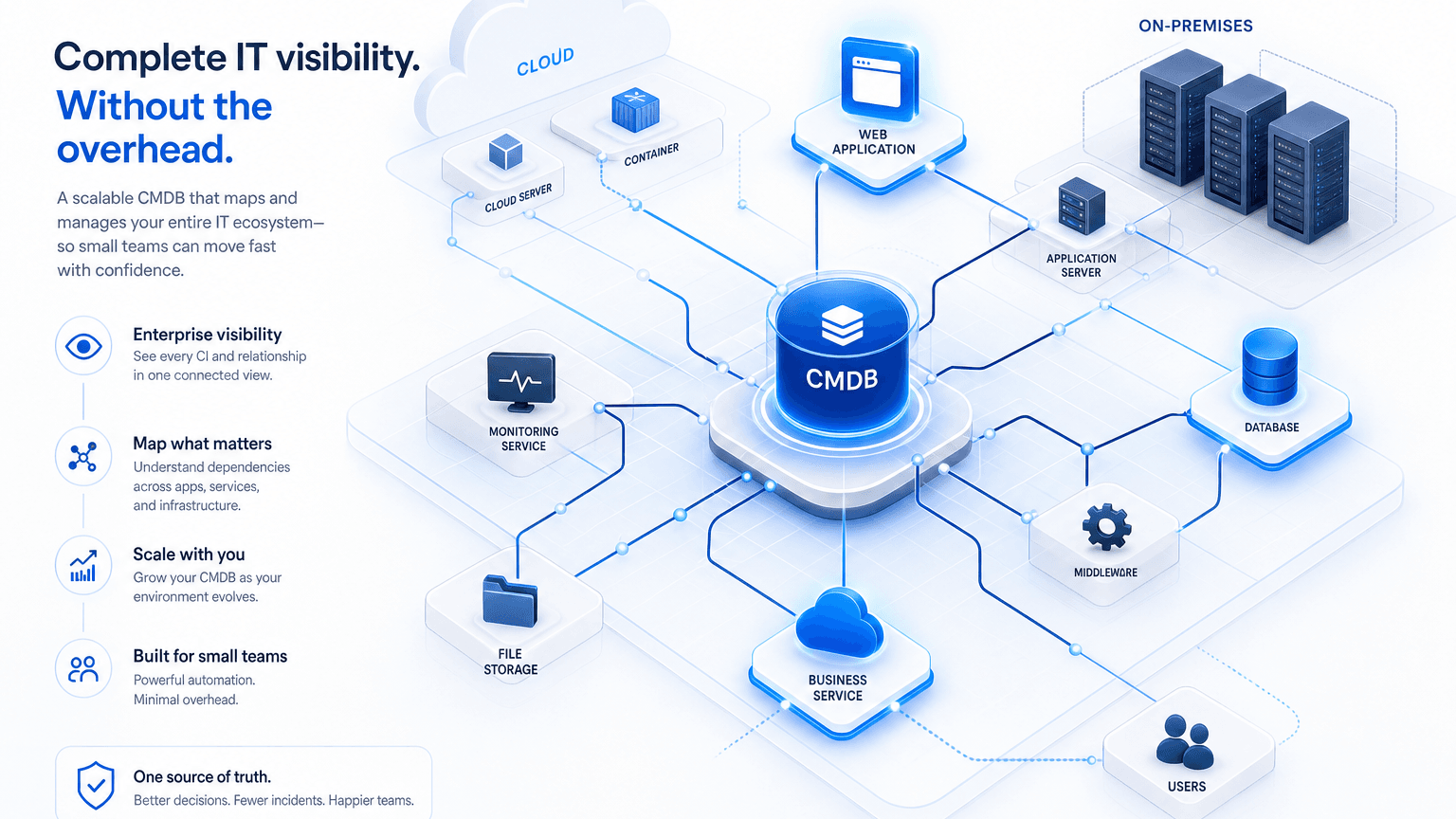
Scalable CMDB for Small IT Teams: Enterprise Visibility, Not Enterprise Overhead

A four-person IT team at a 200-employee company gets a ticket about a slow application server. Asset data lives in a spreadsheet, an RMM console, and whatever the last engineer who touched the host still remembers. Nobody can say which databases, batch jobs, or customer-facing paths sit on that box. The next hour goes to Slack threads and hallway questions instead of a lookup in a shared record.
That pattern is familiar long before anyone labels it a CMDB problem. The gap is not that small teams need a thinner version of configuration management. They need the same underlying capability enterprise operations depend on: current inventory, owners, and dependency context, sized so one person can keep it running without a full-time configuration admin.
When the ticket queue is already full, the difference between guessing and knowing is whether the team can map how one server connects to everything else from a living service view, rather than reconstructing it under pressure.
What “Scalable” Actually Means for a Five-Person IT Team
For a lean IT group, scalable means the CMDB covers the servers, applications, and services that would create a bad day if they failed, and stays current without a dedicated steward. Day one does not require every laptop peripheral history or every deprecated lab host. It does require authoritative records for production paths, shared infrastructure, and the relationships that shape change and incident work.
Staffing reality makes that bar higher, not lower. Pave’s analysis of IT staffing ratios across 1,856 companies puts the median near one IT team member per 75 employees, with wide spread by size and industry. Smaller organizations often run leaner still. Tooling has to absorb work a larger staff would handle with handoffs and dedicated roles.
Most of those environments are hybrid from the start. Cloud accounts and on-prem gear share the same ticket queue, so managing cloud and on-prem assets together is part of right-sizing, not a later upgrade. This framing applies to small teams without a dedicated configuration or asset-management owner. Teams that already staff that role still need currency and dependency truth; the operating constraint is different.
The Capability Trap: What Scales Is the Environment, Not the Capability
Many SMB-tier stories in this category imply the small-business plan is a feature-thin preview. Dependency mapping, ITSM sync, and vulnerability context get framed as enterprise unlocks. “Scalable” sometimes gets used the same way: more capability arrives only after you grow into a higher tier. That is the wrong model when the product already ships the sophisticated layer on the same commercial path as inventory.
In right-sized CMDB architectures, what scales is the environment under management, not which core CMDB capabilities you are allowed to use. The same platform design that large deployments use for discovery-sourced records, maps, and operational insight can sit directly in a small-team footprint. The differences that matter commercially are install count, hosting options, and service depth, not a withheld map engine.
Concrete parity matters more than slogans. The full ViVID™ Service Maps set, including business service mapping, application dependency mapping, communication view, cloud relationships, network device dependencies, and service topology view, can ship identically without gating mapping tiers.
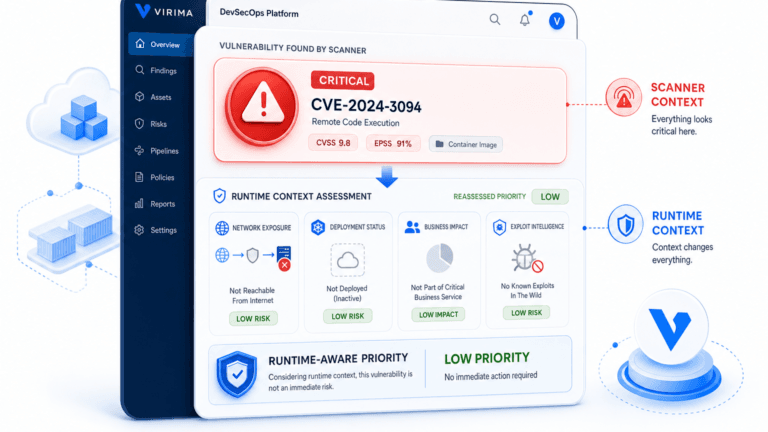
ViVID™ Insights follows the same pattern. Blast radius, incident and change impact, vulnerability insight, hostdown, and CI-impacted views fit into that same architecture. That is the layer that answers what else is affected when a host or path fails, so a five-person team gets the same insight model a large deployment uses.
Workflow automation stays aligned across tiers as well. No-code, CMDB-aware runbooks and data-level business rules do not need to be held back for enterprise contracts. Security and access controls, including SSO, MFA, and advanced permissions, match across deployment sizes so governance posture does not wait on an organizational tier change.
Enterprise plans still add real value where scale and white-glove delivery matter: unlimited discovery app installations, a multi-tenant portal for MSP-style multi-client work, private hosting and dedicated hosted environments, plus premium support, a dedicated customer success manager, global deployment assistance, and concierge service. Those operational options are about how widely you deploy and how much hands-on help you buy. They are not a second, richer CMDB hiding behind a higher price.
A small IT team is not buying a reduced form of dependency mapping or vulnerability context. It is buying the same capability stack, with room for full hardware and software lifecycle tracking beside configuration truth. What grows as the estate grows is the asset count covered, not a permission slip for maps and automation.
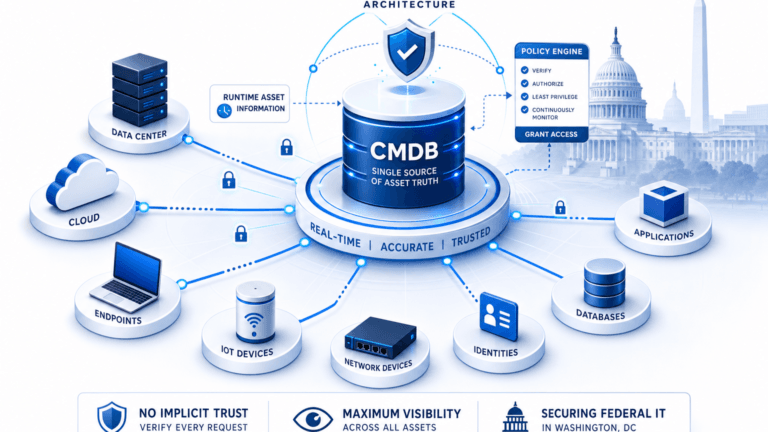
Trusted runtime truth is the category name for that stack: discovery-sourced inventory, relationships, and change-ready context so people and future automation act on what is actually running. See how Virima frames Trusted Runtime Truth when the record has to stay explainable under incident and audit pressure.
Where Small IT Teams Actually Lose Ground Today
The pain shows up as process immaturity long before anyone renames it a CMDB gap. EasyVista and OTRS Group’s State of SMB IT for 2026 survey of 1,000 SMB IT leaders and practitioners found that 67% still rely on manual work or spreadsheets to bridge ITSM and ITAM processes. Only 12% report a fully mature, proactive ITSM framework. Nearly 40% run on basic ticketing, spreadsheets, or manual workarounds without a consistent ITSM process.
Those numbers describe the same root cause. Asset and configuration data that lives in a spreadsheet or in one engineer’s memory degrades as soon as that person is out or the environment changes. Nothing catches the drift until an incident, audit, or customer questionnaire forces the question. Adding more process on top of stale inventory multiplies the busywork. The durable fix is tooling that refreshes the record on a high-frequency schedule so ownership and dependencies stay usable between crises.
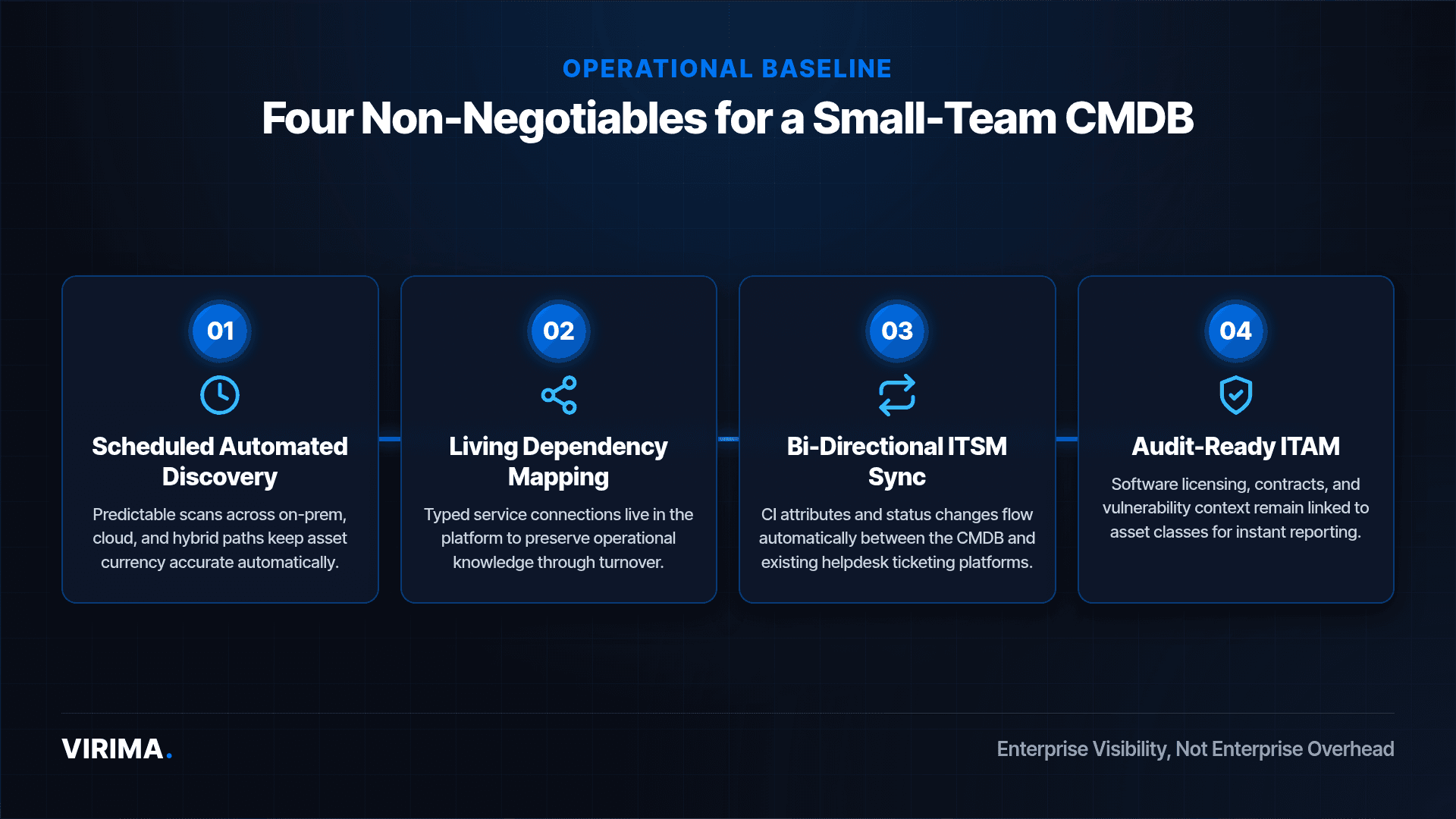
The Non-Negotiables for a Small-Team CMDB
Treat the next list as a functional bar for the record itself, not a scored vendor matrix. Every small-team CMDB needs core operational capabilities that keep configuration management running smoothly:
- Scheduled Automated Discovery: Scans must run predictably across on-prem, cloud, and hybrid paths so last-seen dates stay accurate without manual intervention.
- Living Dependency Mapping: Relationship graphs must live inside the platform as typed connections across services, so critical operational knowledge survives team turnover.
- Bi-Directional ITSM Synchronization: CI attributes and status changes need to flow automatically between the CMDB and existing helpdesk ticketing platforms.
- Audit-Ready ITAM and Vulnerability Context: Software licensing, contract records, and vulnerability overlays must remain continuously linked to asset classes for instant reporting.
Right-sizing still starts with discipline. Successful programs start with a minimum viable set of configuration items and expand on evidence, not on a desire to model everything on week one. The same right-sizing logic shows up in guidance built around five core CI class categories: scope the classes that carry incident, change, and audit weight first, regardless of which ITSM brand sits on top.
Signs Your “Good Enough” CMDB Has Stopped Being Good Enough
Growth shows up as concrete operational friction rather than a vague feeling that tooling is outdated. Clear indicators show that current processes have hit their limit:
- Onboarding Relies on Shadowing: Team growth has surpassed what one person can remember, and new hires must ask senior engineers where components live.
- Audit Requests Trigger Rush Work: Producing asset inventories or change evidence for insurers or auditors takes days of manual exports and reconciliation.
- Incidents Cause Dependency Archaeology: Engineers spend the first twenty minutes of an outage figuring out what else relies on a host before starting recovery.
- Point Tools Offer Conflicting Records: Spreadsheets, RMM tools, and cloud consoles show different asset counts and ownership details when leadership asks for clarity.
Outgrowing a small-business tier is a sign the environment has grown into the next operating envelope. It is a planning signal, not a verdict on the team.
Start With Capability Parity, Then Size the Estate
Small IT teams need the same configuration and dependency truth large organizations rely on. They need it packaged so a handful of people can operate it. Scale the asset ceiling and discovery footprint as the environment grows. Keep maps, ITAM, automation, and ITSM sync at full strength from the first serious deployment.
If that reframe matches how your team already works under tickets and audits, schedule a conversation against your environment and pressure-test the record where incidents actually start.
If the shortlist is really about full CMDB, maps, and ITAM on a path sized for lean IT, not a stripped starter tier, start with Business Pro and review how plans map before you lock a package.
Frequently Asked Questions
Do small IT teams really need a CMDB, or is that only for enterprises?
Small teams need current inventory, owners, and dependency context whenever incidents, changes, or questionnaires hit production paths. Enterprise branding is about program size and support depth. The underlying record job is the same whenever more than one person shares the environment.
How is a small-business CMDB different from an enterprise one?
A small-business CMDB differs mainly in deployment scope, hosting options, and support depth. A right-sized plan keeps the same core design as larger deployments, including discovery-sourced records, service maps, operational insights, lifecycle tracking, workflow automation, and ITSM integration.
How much setup does a small team need to run a CMDB day to day?
Day-to-day work centers on scoped CI classes, scheduled discovery cycles, and clear owners, not a standing cleanup project. Teams that start with a minimum viable model and bi-directional ITSM sync spend less time re-keying inventory and more time using the record during changes and incidents.
Can a scalable small-business CMDB still map service dependencies and sync with ITSM tools?
Yes. A scalable plan for small teams includes service dependency mapping and ITSM integration in the same tier as inventory and discovery. That combination keeps maps and ticket context aligned, so lean teams work from shared dependency truth during incidents and changes.