Alternative to ServiceNow application dependency mapping: Exploring Virima

ServiceNow is a go-to platform for application dependency mapping. It maps how applications, servers, databases, and network components connect and rely on each other. For many IT teams, it’s the default.
But ServiceNow’s dependency mapping ships as part of its broader ITOM platform. You license Discovery and Service Mapping separately, work through a complex rollout, and watch costs climb. If your team needs accurate dependency maps without that baggage, it’s worth looking at what else is out there.
Virima is one option worth a closer look. It handles application dependency mapping through agentless and agent-based discovery, automated service mapping, and visual dependency analysis with ViVID™. Simpler deployment and, for most mid-size teams, significantly lower total cost than ServiceNow Discovery and Service Mapping.
Is Virima a practical alternative to ServiceNow application dependency mapping? ServiceNow fits teams that need ADM and service mapping native to the Now Platform CMDB and change model. Virima fits teams that want discovery-sourced dependency maps, ViVID™ impact views, and CMDB sync without the full ServiceNow ITOM mapping stack, including ServiceNow ITSM shops that augment rather than rip and replace. See how trusted runtime truth supports safer dependency-driven change
ServiceNow application dependency mapping vs Virima
| Category | ServiceNow ADM / ITOM mapping | Virima | Better when |
|---|---|---|---|
| Platform coupling | Native to Now Platform CMDB, change, and ITOM modules | Standalone CMDB + Discovery; syncs to ServiceNow and 7 other ITSM platforms bidirectionally | ServiceNow wins for single-platform standardization; Virima wins for multi-ITSM or ITSM-plus-discovery split |
| How dependencies are found | Application Dependency Mapping inside ServiceNow Discovery (connection-and process-oriented) | Agentless probes plus optional Discovery Agent; relationships feed the CMDB on recurring scans | Choose based on credential access, segment design, and whether you already run ServiceNow Discovery well |
| Service map construction | Service Mapping patterns and platform service modeling inside ITOM | Service dependency maps build after service composition is defined (manual, import, or EA input); map maintenance follows discovery | ServiceNow for native CSDM modeling depth; Virima for faster map ops once services are defined outside a heavy ITOM program |
| Visualization and impact | Dependency Views and platform visualizations tied to CMDB CIs | ViVID™ overlays incidents, changes, events, and selected vulnerability context on dependency maps | ServiceNow for in-platform views; Virima when operators need impact overlays without living in multiple SN modules |
| Implementation profile | Often needs experienced ServiceNow Discovery/Service Mapping configuration | Positioned for shorter time-to-maps for mid-size and mixed-stack teams | ServiceNow when platform investment is already committed; Virima when mapping ROI must land without a full ITOM program |
| Commercial packaging | Discovery and Service Mapping commonly licensed as ITOM capabilities on top of ITSM | Discovery, service mapping, CMDB, and ViVID™ offered as an integrated path (confirm current quote) | Compare total cost for your CI count and modules, not list price folklore |
Stay on ServiceNow, augment, or replace mapping?
Stay on ServiceNow ADM and Service Mapping when Now Platform consolidation is non-negotiable, Discovery is already healthy, and dependency views inside ServiceNow meet CAB and incident needs.
Augment ServiceNow with Virima when ITSM stays on ServiceNow, but maps are thin, stale, or expensive to expand, and you want discovery-sourced relationships plus ViVID™ overlays synced into the CMDB.
Use Virima as the mapping system of record when you run a different ITSM, you are early in ServiceNow ITOM spend, or you need dependency truth without a full ServiceNow Discovery and Service Mapping rollout.
Ready to compare map quality in your stack? Request a Virima demo
What is ServiceNow application dependency mapping?
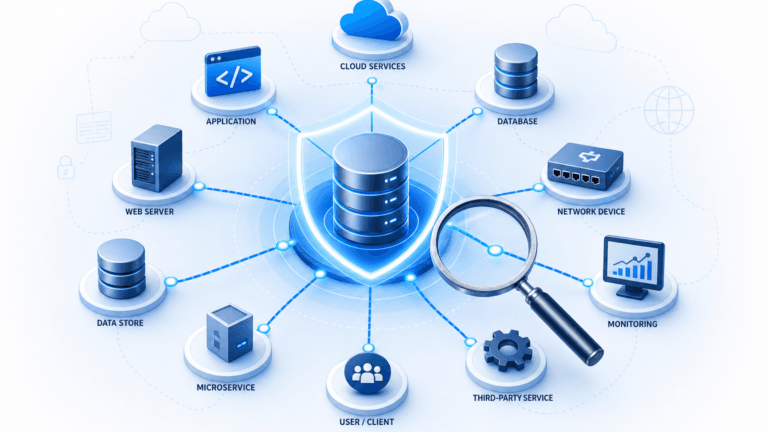
Application dependency mapping in ServiceNow sits inside its IT Operations Management (ITOM) suite. It identifies relationships between applications and the infrastructure they run on: servers, databases, network devices, and cloud resources.
IT teams use it to see how a change to one component could ripple across connected services. That visibility feeds change impact analysis, faster incident troubleshooting, and more predictable service delivery.
How does application dependency mapping actually work?
Application dependency mapping relies on automated scanning to detect assets on your network and trace connections between them. Scanners figure out which servers host which applications, which databases those applications query, and which network paths carry the traffic.
What you get is a map of dependencies: not only a static inventory, but a picture of how components talk to each other in production. When a database server goes down, the map shows which applications and services sit on top of it. That is the difference between guessing what broke and narrowing the blast radius in minutes.
Why application dependency mapping matters
Technology rarely works in isolation. Most IT environments run dozens or hundreds of interconnected applications, each depending on shared infrastructure. When those dependencies go undocumented, problems stack up.
A routine server patch takes down a business-critical application nobody knew was connected. A firewall rule change breaks an integration feeding data to three downstream services. Without a dependency map, your team finds out about these connections during outages, not before them.
That’s why dependency mapping is table stakes for any team managing change, responding to incidents, or planning infrastructure migrations.
What happens when dependencies aren’t mapped?
Unmapped dependencies are blind spots. Changes go through without impact analysis because nobody knows what’s connected. Incidents drag on because the blast radius isn’t visible. Audit prep turns into a manual scramble.
The operational cost shows up in the numbers: higher MTTR, more failed changes, more downtime, and compliance gaps that auditors flag. For teams running complex hybrid environments, these blind spots compound quickly.
What ServiceNow application dependency mapping does well
ServiceNow’s ADM covers several use cases that matter for operations teams:
Business dependency mapping
ServiceNow maps servers, applications, and communication paths between them. This helps teams understand what they’re working with before decommissioning or consolidating assets, so nobody retires a server that another service still depends on.
Change impact analysis
Before a change window, IT teams can see which services a proposed change could affect. ServiceNow’s CMDB service mapping ties change records to dependency data, giving the change advisory board (CAB) what it needs to make informed calls.
Root cause analysis
When incidents hit, a dependency map helps isolate whether the problem is a failed connection, a bottleneck, or a downstream ripple from an upstream failure. Pinpointing the root cause faster means faster recovery.
Incident response planning
Accurate dependency maps show which systems sit in the blast zone during outages or security events. Teams can build response plans and failover strategies around actual dependency chains, not guesswork.
Where ServiceNow fits you better
ServiceNow application dependency mapping is often the right default when dependency data must stay native to the Now Platform. Teams already standardized on ServiceNow ITSM, Change, and a CSDM-aligned CMDB get workflow context, approvals, and reporting in one system of record without introducing a second discovery authority.
ServiceNow also fits when leadership wants a single-vendor ITOM path: Discovery, Service Mapping, Event Management, and related operations modules under one enterprise agreement and one admin model. If your constraint is platform consolidation inside ServiceNow, not mapping cost or multi-ITSM flexibility, staying on ServiceNow ADM and Service Mapping is rational.
Virima is the stronger conversation when you need discovery-sourced maps and visual impact analysis without buying the full ServiceNow mapping stack, or when ServiceNow remains the ITSM while another system must supply fresher runtime dependency truth.
What are the limitations of ServiceNow application dependency mapping?
ServiceNow’s ADM is tightly coupled to its ITOM platform. To get dependency mapping, you typically license ServiceNow Discovery and Service Mapping on top of your existing ITSM license. Implementation is involved; most organizations bring in dedicated ServiceNow engineers or consultants.
For mid-size teams or organizations already running a different ITSM platform, the cost and complexity can outweigh what you get back. Mapping quality also hinges on how well Discovery is configured. Misconfigured scans produce incomplete maps, and incomplete maps undermine every decision you make with that data.
Those limits matter most outside a committed Now Platform ITOM program. Inside a mature ServiceNow operation with skilled Discovery owners, the same coupling is a feature: one CMDB, one change model, one support path.
Key factors when evaluating ServiceNow application dependency mapping alternatives
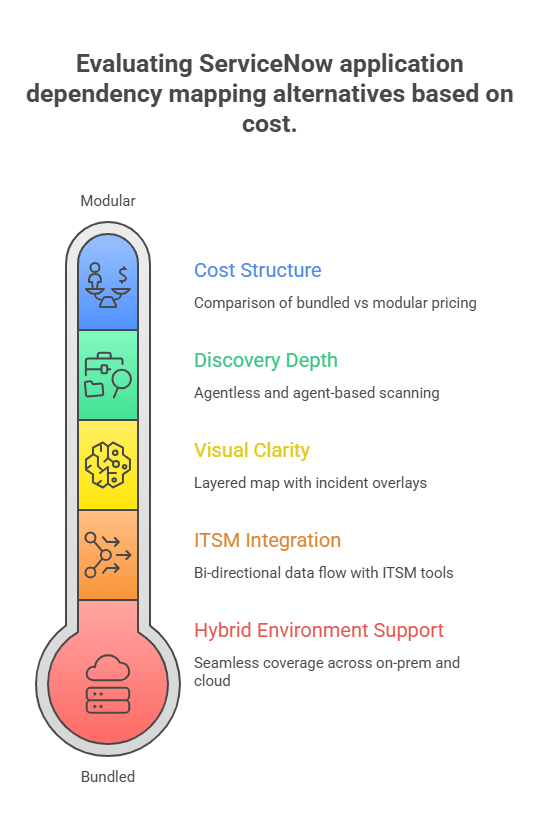
If ServiceNow’s dependency mapping doesn’t fit your budget or your environment, here’s what to weigh in an alternative:
- Hybrid environment support. The tool should discover and map assets across on-premises data centers, major cloud platforms like AWS and Azure, and hybrid setups. Single-environment coverage means gaps.
- Discovery depth. Look for agentless scanning, WMI, SSH, SNMP, plus agent-based options for segmented networks. The tool should map relationships between assets (ports, protocols, service dependencies), not just the assets themselves.
- ITSM integration. Your ADM tool needs to push data into whatever ITSM platform you run, ServiceNow, Jira Service Management, Ivanti, or something else. Bi-directional sync keeps both systems current without manual reconciliation.
- Visual clarity. Dependency maps only help if teams can actually read them. Look for tools that overlay operational context, open incidents, pending changes, and vulnerability alerts onto the map. Static topology diagrams aren’t enough.
- Cost structure. Some vendors bundle discovery and mapping together. Others charge per module. Know what’s included before you start comparing.
What is the difference between service mapping and application dependency mapping? Application dependency mapping focuses on how applications connect to infrastructure. Service mapping traces a named business service down through the supporting application and infrastructure chain. Many platforms cover both; buyers should ask how service boundaries are defined and how often relationships refresh.
How Virima delivers application dependency mapping
Virima takes a different approach than ServiceNow. Instead of requiring a full ITOM platform, Virima bundles IT discovery, service mapping, CMDB, and visualization into one integrated solution.
Agentless and agent-based discovery
Virima discovers assets with agentless scanning using over 140 extendable probes, WMI for Windows, SSH for Linux/Unix, SNMP for network gear, and REST APIs for cloud platforms including AWS and Azure. Where agentless scans can’t reach, segmented networks, and firewall-restricted zones, the Discovery Agent fills the gap. Scans run on recurring schedules, not continuously, but they run often enough to catch configuration drift between change windows.
Service mapping that feeds the CMDB
Discovery data flows straight into Virima’s CMDB, creating and updating configuration items (CIs) and their relationships automatically. Virima uses machine learning techniques to map relationships and dependencies between assets, so the dependency maps build themselves from scan data rather than manual configuration. No stale records sitting around for months. When a new server comes online or a database connection shifts, the next scan catches it and updates the dependency map.
ViVID™ for visual impact analysis
ViVID™ (Virima Visual Impact Display) sits on top of Discovery and Service Mapping as the visualization layer. It doesn’t build dependency maps; Discovery and Service Mapping handle that. What ViVID™ does is overlay operational context onto those maps: open ITSM incidents, pending change requests, event management alerts from platforms like SolarWinds, Nagios, and LogicMonitor, and NIST National Vulnerability Database overlays for qualifying Windows Server findings, weighted with asset and service context, at no extra cost. Treat ViVID™ as runtime and impact context alongside your dedicated vulnerability scanner, not as a full multi-OS VM replacement.
During a change window, ViVID™ shows your team which services are affected and whether open incidents or known vulnerabilities overlap with the planned change. That’s the kind of impact analysis a CAB can actually act on.
ITSM integration with bi-directional sync
Virima connects to seven ITSM platforms: ServiceNow, Jira Service Management, Ivanti, HaloITSM, Xurrent, Hornbill, and TeamDynamix. For ServiceNow, Jira Service Management, Ivanti, and HaloITSM, sync runs both ways: CIs that Virima discovers show up in your ITSM’s CMDB, and updates in the ITSM flow back. Xurrent and Hornbill integrate for CMDB enrichment and ViVID™ overlays, with deeper sync capabilities on the roadmap.
Your team doesn’t need to rip out what’s already in place. Virima layers on top of whatever you’re running. The ServiceNow integration, for example, is 100% codeless, configured through Virima’s web admin portal with over 100 pre-built blueprints that map directly to ServiceNow tables, including custom objects.
ITIL-certified processes
Virima has ITIL-aligned workflows across six processes: SACM, change management, incident management, problem management, request management, and knowledge management.
Can you do application dependency mapping without agents? Yes. Agentless scanning uses protocols such as WMI, SSH, SNMP, and cloud APIs so you avoid installing agents on every host. Agents still matter for segments that block credentialed scans. Most hybrid estates run both.
How ViVID™ strengthens your existing ServiceNow environment
Already on ServiceNow and not planning to switch? ViVID™ can still make your setup work harder. Virima’s bi-directional ServiceNow integration means ViVID™ pulls dependency data from your existing CMDB and layers operational intelligence on top: incidents, changes, vulnerability data, as visual maps.
- Operational visibility across ServiceNow data. ViVID™ surfaces which CIs have open incidents, pending changes, or known vulnerabilities. One visual view of service health, instead of pulling separate reports.
- Change impact context. Before your CAB approves a change request, ViVID™ shows the full dependency chain for affected CIs. Not just the target CI, but every upstream and downstream service that could take a hit.
- Cross-department accountability. Dependency maps that show which teams own which CIs in a service chain make accountability for incidents and changes concrete. Less finger-pointing, faster response.
- Faster root cause identification. ViVID™ surfaces which services have open incidents and traces how they connect. When something goes down, your team follows the dependency chain visually instead of querying ServiceNow tables one at a time.
Why Virima is a practical alternative to ServiceNow application dependency mapping
ServiceNow’s application dependency mapping works. But it comes with licensing complexity, heavy implementation, and costs that mid-size teams struggle to justify. Virima delivers the same core result: accurate, automated dependency maps feeding your CMDB and supporting change management, with a simpler deployment and a lower price tag. Many mid-size teams evaluate Virima because discovery, service mapping, and ViVID™ ship as one path, which avoids stacking separate ServiceNow Discovery and Service Mapping programs on top of ITSM. Ask for a scoped comparison against your ServiceNow ITOM bill of materials rather than relying on generic list pricing.
IT discovery, service mapping, ViVID™, ITIL-compliant ITSM, and seven platform integrations. The visibility operations teams need, without the overhead they don’t.
Upgrade to discovery-sourced dependency maps and ViVID™ impact views in your environment. Request a demo with our team.
FAQs
- What is ServiceNow application dependency mapping used for?
Teams use it to see how applications, servers, databases, and network components depend on each other so change impact, incident blast radius, and migration planning rely less on tribal knowledge.
- When should you keep dependency mapping inside ServiceNow?
Keep it inside ServiceNow when ITSM, CMDB, and ITOM standardization on the Now Platform is the operating model and Discovery/Service Mapping quality already meets CAB and incident needs.
- Do you need agents for application dependency mapping?
Not always. Agentless methods cover many networks with standard protocols and cloud APIs. Agents help in restricted or segmented networks where credentialed scans cannot reach.
- Can Virima work alongside ServiceNow instead of replacing it?
Yes. Many teams keep ServiceNow as the ITSM and CMDB system of engagement while Virima supplies discovery-sourced relationships and ViVID™ impact views through bi-directional sync.