RMM Tools vs. Attacker-Installed Remote Access Software

A ransomware operator and your help desk can both run the exact same remote monitoring and management (RMM) tool on the same server — one to fix a ticket, one to keep a foothold. Telling expected RMM tools from attacker-installed remote access software means checking who installed it, what it’s approved to reach, and what it’s actually doing, not just what it’s called.
Security operations and IT asset owners need an agreed list of expected tools, the systems each one should reach, and evidence from endpoint and access logs when an observation falls outside that list. A software inventory can narrow the investigation, but a security analyst must determine what happened.
MITRE ATT&CK describes remote access tools used by adversaries alongside legitimate administration software, and that tactic is accelerating: RMM abuse rose 277% year-over-year in 2025, according to Huntress’s 2026 Cyber Threat Report. That dual use makes authorization, installation context, and observed behavior important parts of the investigation.
Establish what authorized RMM and remote access tools look like
Start with the systems team, service desk, security team, and managed service providers. Ask each owner which remote monitoring and management (RMM) products they operate. Record the purpose, approved deployment method, accountable owner, and asset groups covered by each product.
An approval for one environment should specify its boundaries — a support utility permitted on employee laptops may have no approval for domain controllers, and a vendor authorized for a maintenance segment may only be approved during an agreed support window. A valid contract does not establish that each observed session is authorized.
Keep the expected state detailed enough to test an observation. Useful fields include the product and publisher, business owner, deployment mechanism, permitted systems, vendor relationship, review date, and known exception. Where available, include approved tenant or management-console identifiers. Track the evidence for each approval — a service request, change record, or vendor access agreement.
Assign someone to review approvals when contracts or system responsibilities change. A remote support tool may remain installed after a vendor engagement ends. The asset owner and security team should decide whether the installation still serves a documented purpose. Record their decision so the next investigator has a reliable reference.
Does an approved remote access product make every installation authorized?
An approved product can still appear on a system outside its permitted scope. An organization should verify the asset, responsible owner, approval period, and management tenant before accepting an installation as expected. The same product may have different authorization boundaries across business units or service providers.
A useful baseline also identifies systems that discovery cannot currently inspect. An unscanned laptop or inaccessible server should be recorded as a coverage gap. Treating a missing record as proof that software is absent can leave the investigation incomplete.
Compare the software inventory with that baseline
Collect the installed software inventory from available discovery and endpoint management sources. Note which source observed each record and when it last collected data. Compare product names, publishers, and versions with the approved catalog, then review the assets associated with each result.
A comparison should produce review categories rather than a binary malware verdict: a match on product and asset group, a match on product but an unexpected system, or no matching approval or owner at all — each leading to a different follow-up question.
Use a stable asset identifier to join records wherever possible: a hardware serial number for physical devices, or an instance identifier with its account and region for cloud assets. Hostnames can change or be reused, so they are useful context rather than durable identity on their own.
Check the age and reach of each inventory source before comparing counts. A device that missed its most recent scan may have a stale record. Investigate missing coverage before concluding that a management tool was removed or never present.
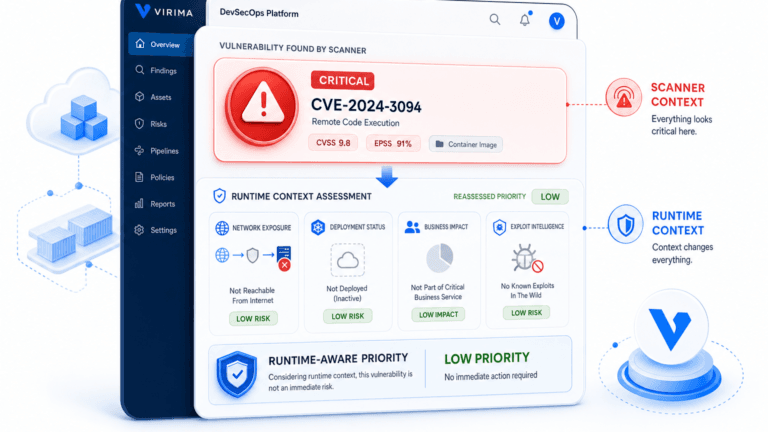
Virima’s scheduled discovery can collect installed application information from supported systems. Its configuration management database can associate discovered software and asset details with configuration items. Teams can review that context alongside their approval records, accounting for each discovery cycle’s scope and timing.
Explore Trusted Runtime Truth for IT teams to see how discovery-sourced records support questions about what exists, how assets connect, who owns them, and what a change could affect.
Investigate the context around an unexpected record
An unfamiliar installation deserves a review, but unfamiliar does not automatically mean malicious. Ask the service owner whether the system is covered by a separate contract, emergency support arrangement, or recent change. Check whether the asset belongs to a subsidiary or managed service provider with its own approved tooling.
Then identify the source and timeline of the observation, preserving the discovery timestamp and available software details, and ask endpoint administrators for the installation event, process history, and deployment record when those sources exist. A signed publisher or familiar file name can support identification, but neither proves the use was authorized.
A legitimate product can be connected to an attacker-controlled management environment. Security analysts should compare the observed management destination or tenant with the approved configuration where logs expose that information. They should also examine the initiating account, session time, and related support request. A mismatch is an investigation signal, not a standalone attribution of intent.
Consider the host’s role when setting priority. A remote support client on a shared administrator workstation has different implications from the same client on a development test machine. Ownership, privileged access, business importance, and reachable systems can help responders decide which cases to inspect first.
Can a digitally signed remote access tool still be misused?
A valid digital signature can help identify the software publisher, but it does not establish who is controlling a particular session. Security teams should compare the observed account, destination, asset, and support request with the organization’s approved remote access arrangement.
Keep the investigation record separate from the asset inventory. Record the analyst’s conclusion, supporting evidence, and next review date in the team’s case management process. Update the approval baseline only after the responsible owner confirms a legitimate exception.
Cover portable tools and approved-product abuse
Installed software records are one view of remote access activity. Portable executables can run without appearing as conventional installations. A malicious operator may also use a tool the organization already deploys instead of custom malware. Dark Reading reported that Huntress observed traditional hacking tool use fall 53% as attackers shifted toward this approved-tool abuse. Products such as ScreenConnect, AnyDesk, and SimpleHelp are both common legitimate support tools and common targets for this kind of abuse. Neither situation can be resolved by checking the installed applications list alone.
Endpoint detection and response telemetry can provide process execution, parent process, file location, and user context where collection is configured. Network and identity logs may add destination, authentication, and session details. Compare the evidence with the approved support process and investigate unexplained activity according to the incident response plan.
Look for the sequence rather than relying on a single signal. A support request, approved technician identity, and expected management destination may support a legitimate explanation. An unexpected download followed by execution and an unrecognized remote connection may warrant escalation, and each organization should define its own thresholds and retain the underlying evidence.
Application controls can restrict approved software and manage portable execution when configured for that purpose. Security teams should test controls against their support workflows before enforcement. They should also define how urgent vendor access is approved and removed, and test any restriction for business impact before enforcing it.
Will installed software inventory find portable remote access tools?
A portable remote access executable may run without creating a conventional installed software entry. Endpoint process telemetry and network records can supply evidence about execution and connections when those sources are configured. A missing inventory entry therefore cannot establish that a device had no remote access activity.
Give analysts asset context without overstating detection
Asset context can make an investigation more efficient when ownership and identifiers are current: an analyst can use the asset record to locate the owner, environment, operating system, and associated business service, then confirm whether a support arrangement applies.
Discovery coverage still defines what the inventory can show, and an offline or inaccessible endpoint may be missing from the latest cycle. Security telemetry and human investigation remain necessary. Closing the gaps: How Virima strengthens Xurrent’s CMDB with a robust discovery
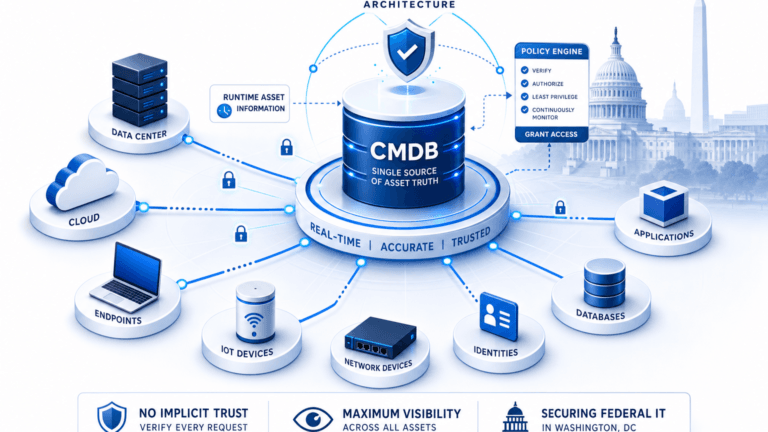
Service relationships add context for response planning. If the organization has provided service definitions, ViVID™ can build dependency maps from the available configuration item data, so responders can review those relationships before isolating a system that supports a business service. The map supports impact assessment rather than proving which activity is malicious. Teams connecting this context to broader incident workflows can also review blog post on service map incident response ownership.
Work with the endpoint, identity, and network teams to confirm the fields that can be shared for an investigation. A discovery record should retain its collection time, and security event records should retain their own timestamps and source context, so analysts can distinguish an older inventory snapshot from a current security event.
Respond to an unapproved or suspicious finding
When the owner cannot explain an observation, escalate it under the organization’s incident response procedure. Preserve relevant records before changing the endpoint when practical and consistent with that procedure. The security team should determine the appropriate containment action based on severity and available evidence.
Containment may affect active support sessions or dependent business services. Coordinate with the asset owner before disabling a tool or isolating a system when the situation permits. For an active incident, follow the response team’s authority and urgency, and record the action taken and the reason for it.
Review accounts, access sessions, and related assets as directed by the investigation. If a vendor connection is involved, confirm the vendor’s authorized contact through an established channel rather than contact details provided in the suspicious session or message. Security staff should handle access revocation and forensic collection using approved procedures.
After the incident or exception review, update the control that failed. The fix might be an expired approval, an unmanaged deployment path, or a discovery coverage gap. Assign an owner and a due date for the corrective action. Confirm that the approved software catalog reflects the final decision.
Build a repeatable remote access review
Review the approved product list at a cadence suited to the organization’s risk and change rate, and reconcile it with available software inventory after significant vendor, support, or asset ownership changes. Sample exceptions to verify that approvals remain valid and their scope still matches the systems being accessed. Teams formalizing this cadence can also review Audit-Ready Asset Management Dashboards With Continuous Discovery.
Measure the review process using evidence the team can collect: the number of unreviewed exceptions, the age of the oldest exception, and the proportion of in-scope assets with recent inventory. Record coverage gaps separately from confirmed unauthorized software so these measures identify work that needs an owner without inventing a threat verdict.
Bring the service desk, IT asset management, and security teams into the same review. The service desk can validate support arrangements, asset owners can confirm system roles, and analysts can assess security evidence. A shared review gives each team a clear handoff when an unexpected tool appears.
Connect asset records to the security investigation
A dependable remote access review combines an approved baseline, current asset context, and security evidence, and each source has different coverage limits. Record the source and timestamp so responders can understand what the available evidence supports. This process helps teams tell expected RMM tools from attacker-installed remote access software before it becomes an incident.
See how discovery-sourced software and configuration item records can cut the time it takes to confirm whether a remote access tool is expected or a threat. Schedule a Virima demo to review your asset investigation workflow.
Frequently Asked Questions
How can a team tell whether remote access software is authorized?
Compare the observed product and asset with the approved owner, deployment scope, and support arrangement. Review the management destination and relevant session records when available. An analyst should investigate discrepancies before drawing a conclusion.
Can legitimate remote management software be used by attackers?
Legitimate remote access products can be misused by an attacker. Their presence alone does not establish malicious activity. The user account, asset, destination, timing, and supporting authorization help a security team investigate.
What should happen when an unknown remote access tool is found?
Record the asset and discovery time, then contact the responsible owner and security team. Preserve available evidence and follow the organization’s incident response procedure. The security team determines whether containment is appropriate.
How can Virima support a remote access software review?
Virima can collect installed application data from supported systems during configured discovery cycles. Teams can use asset and configuration item context alongside separate approval records and security evidence. Coverage and collection timing should be checked for each investigation.
Does Virima determine whether a remote session is malicious?
Installed software inventory provides context for a security review. Security analysts use separate endpoint, identity, and network evidence to assess session activity and intent. Virima discovery records should be interpreted within their configured scope and collection schedule.