What Are the Stages of IT Asset Lifecycle Management? | Virima

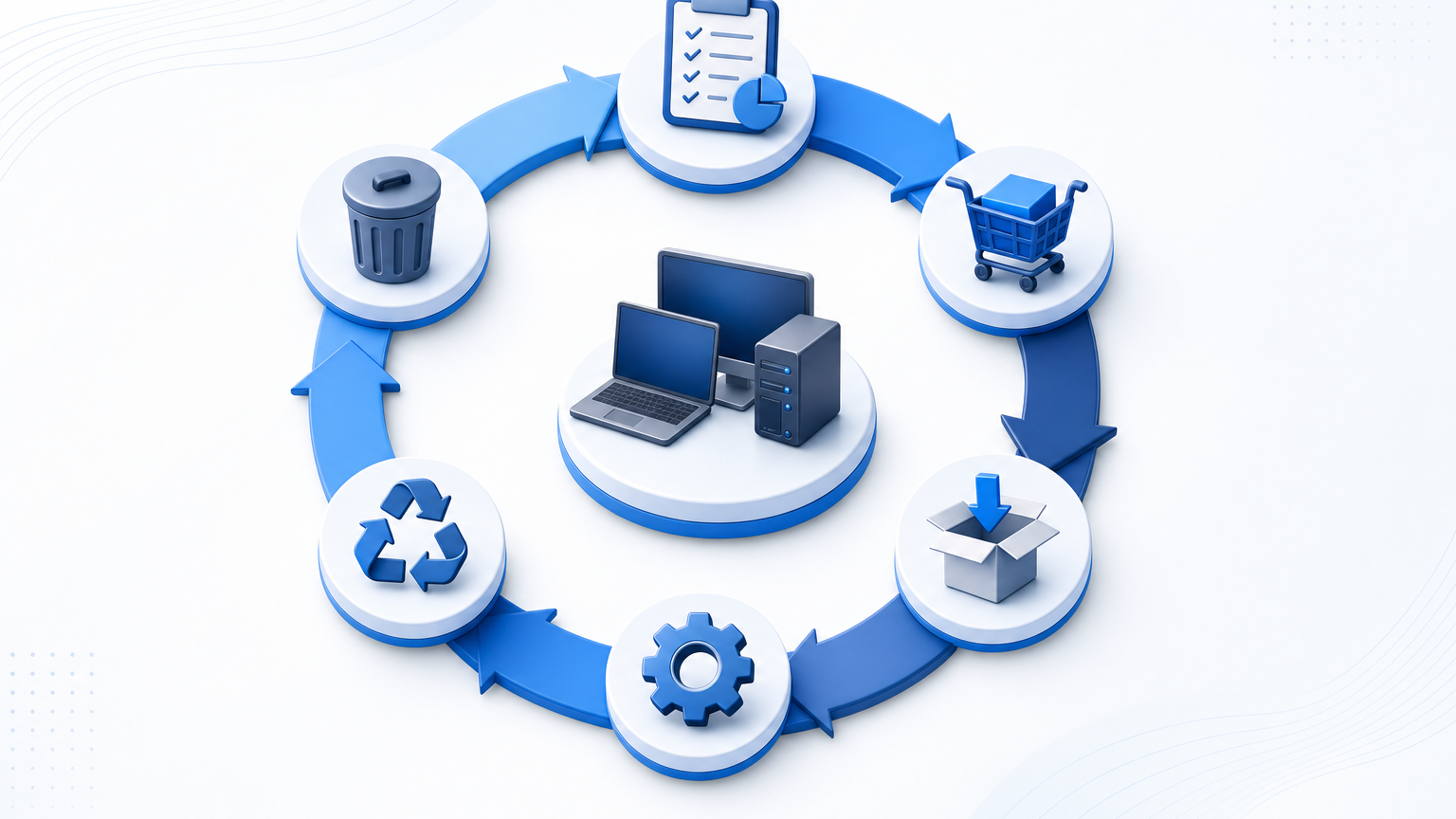
IT asset lifecycle management usually runs through six stages: plan, procure, deploy, operate and maintain, refresh or reassign, and retire or dispose. Each stage needs one durable asset record, discovery-backed inventory, and clear ownership so cost, risk, and compliance stay visible from request to wipe.
When an organization manages two hundred laptops and a dozen switches, a single spreadsheet can seem workable. As the fleet expands past one thousand devices across hybrid offices, data centers, and cloud subscriptions, that spreadsheet fractures. Purchase orders detach from deliveries. Decommissioned servers linger in active directories. Maintenance contracts renew for equipment that left months earlier. Without a structured lifecycle model anchored to verified asset data, IT teams pay support on ghost hardware, fail software audits, and discover end-of-life risks only after a production failure.
Understanding the six stages gives IT operations, procurement, and security a shared playbook for tracking hardware, software, and virtual assets through their full service life.
The 6 stages at a glance
The IT asset lifecycle spans every milestone from initial business need through physical destruction or cloud teardown. Industry frameworks describe between four and six stages, and most enterprise IT operations settle on six functional gates because that split gives audit, finance, and security work a clear owner at each of the asset lifecycle management stages. These six gates also map onto Virima’s more granular 8-step asset management process flow, for teams needing additional operational checkpoints within procurement and deployment.
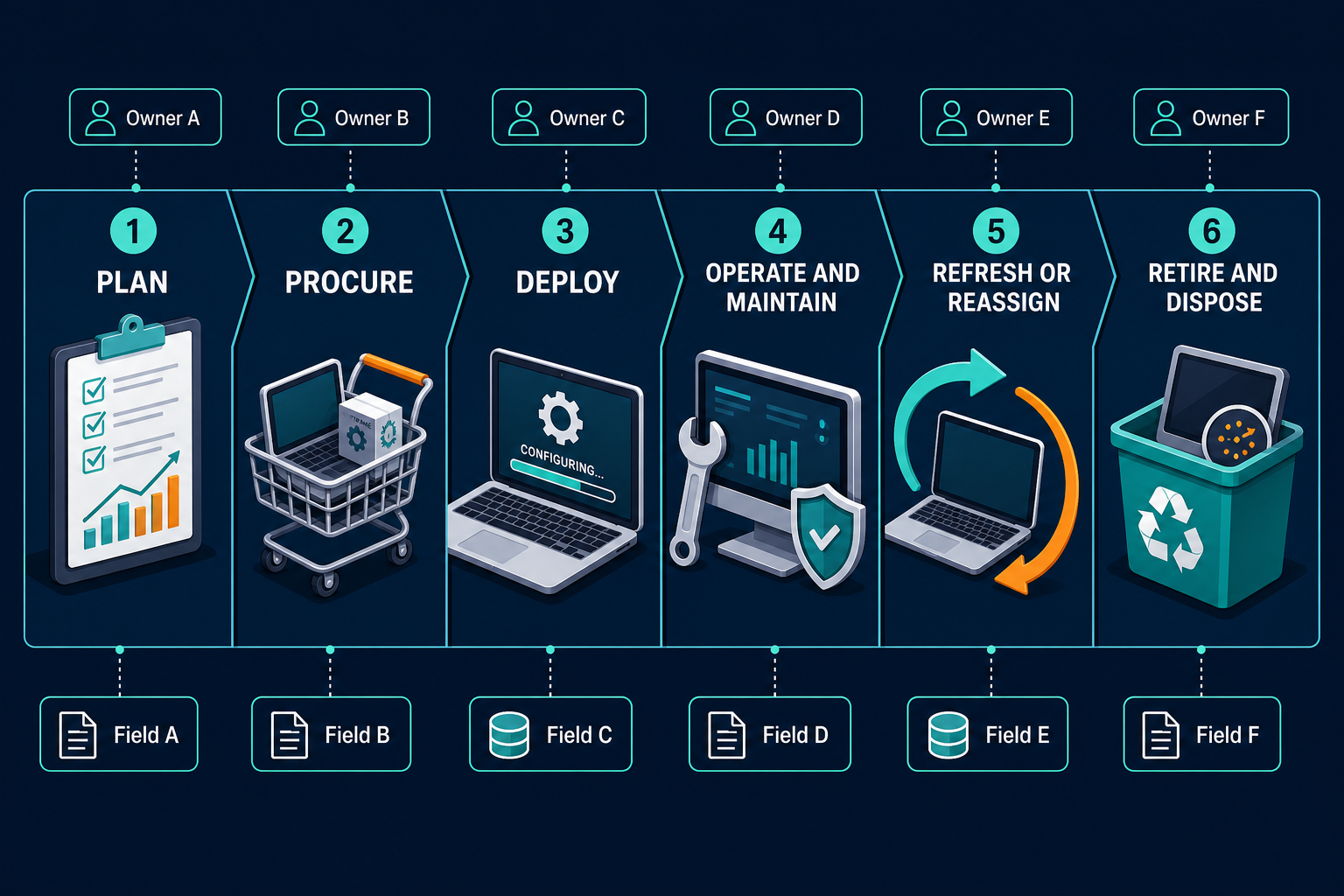
| Stage | Primary Purpose | Key Activities | Record Fields Created or Updated | Primary Owner |
|---|---|---|---|---|
| 1. Plan | Evaluate demand, business requirements, and architectural standards | Capacity planning, vendor evaluation, budget allocation, technical specification review | Asset class, planned budget, requesting cost center, target deployment date | IT Planning / Architecture / Finance |
| 2. Procure | Acquire hardware, software licenses, or cloud subscriptions compliantly | Purchase order generation, vendor negotiation, contract logging, shipping receipt | PO number, vendor name, purchase price, warranty terms, invoice reference | Procurement / Sourcing |
| 3. Deploy | Prepare, configure, and assign the asset to an active user or service | Imaging, tagging, agent installation, credential provisioning, baseline inventory scan | Serial number, MAC address, assigned user, location, initial discovery timestamp | Desktop Support / Field IT / SecOps |
| 4. Operate and Maintain | Support daily use, monitor performance, and patch vulnerabilities | Incident resolution, routine patching, scheduled maintenance, warranty renewals | CI relationship, installed software versions, maintenance logs, open tickets | IT Operations / Service Desk / Sysadmins |
| 5. Refresh or Reassign | Evaluate continued viability or recondition for a secondary user | Performance evaluation, return processing, wipe and re-image, reallocation | Reassignment date, previous user, secondary department, refresh status | IT Asset Managers / Service Desk |
| 6. Retire and Dispose | Safely decommission the asset and remove all corporate data | Data sanitization, e-waste pickup, certificate of destruction, license revocation | Disposal date, sanitization method, certificate ID, asset status = Retired | ITAD Partner / SecOps / Compliance |
What is the most critical gate between IT asset lifecycle stages?
The transition from procurement to deployment represents the highest failure rate in asset governance. If an asset is not assigned a durable join key like a manufacturer serial number or cloud instance ID before it connects to the network, it enters operation as unmanaged inventory.
Stages 1 and 2: plan and procure (demand, budget, entitlements)
The asset lifecycle begins well before purchase orders are signed. IT leadership evaluates technical requirements, existing capacity, and architecture standards, checking whether unassigned inventory can satisfy the request before new spend is approved. Standardizing on a limited catalogue of hardware and software also lets procurement negotiate volume pricing and sets expected operational life, depreciation schedules, and replacement windows up front.
Once approved, procurement generates purchase orders, negotiates contracts, and establishes warranty terms. For software, this stage captures licensing entitlements, per-core or per-user metrics, and renewal schedules.
The handoff between procurement and receiving is where inventory gaps first develop. When hardware arrives or licenses land in an administrator inbox, procurement records must link immediately to the asset tracking system. NIST’s SP 1800-5 IT asset management practice guide treats this kind of accurate, current record as the baseline for later governance and audit work. That’s why PO number, invoice reference, and warranty dates need to land in the tracking system the day equipment arrives, not weeks later.
Stage 3: deploy and assign (imaging, tagging, user link)
Deployment converts purchased inventory into working production assets. Technicians unbox hardware, verify specifications against the purchase order, apply asset tags, and configure base operating systems, baseline corporate software, endpoint security agents, and compliance policies.
Asset assignment links the device to a responsible owner, cost center, and physical or virtual location. For data center infrastructure and cloud instances, deployment also registers the system in network directories.
Accurate deployment depends on durable join keys. Hostnames change during re-imaging or reassignments, and IP addresses rotate across DHCP pools. Manufacturer serial numbers, BIOS UUIDs, or cloud instance IDs must serve as the primary identifier across supporting databases instead.
Once configured, an initial discovery scan confirms the asset matches baseline standards and is visible to management tools. This step marks the transition from stockroom inventory to active operational configuration item.
Why should IT teams avoid using hostnames as primary asset identifiers during deployment?
Hostnames are frequently modified during device re-imaging, role reassignments, and operating system updates. Relying on hostnames causes duplicate records and broken history chains. Durable hardware identifiers like serial numbers and cloud instance IDs provide permanent reconciliation across systems.
Stage 4: operate and maintain (support, warranty, changes)
The operate and maintain stage covers the longest portion of the asset lifecycle. Assets deliver business value while IT teams handle patching, configuration changes, break-fix support, and performance monitoring.
Operational visibility requires connecting the asset record to four recurring workflows: linking assets to support tickets to highlight chronic defects, assessing service impact before patches or configuration changes, tracking warranty expiration to avoid out-of-warranty repair costs, and auditing installed software against purchased entitlements to reduce compliance fines.
Achieving visibility across all four remains elusive even for teams actively trying. Flexera’s 2025 State of ITAM Report found only 43% of enterprises report complete visibility into their technology estate, down from 47% a year earlier. That gap persists even though operate and maintain consumes most of an asset’s working life. Because production environments change continually, scheduled discovery cycles need to sweep the network regularly to catch configuration drift, unapproved software, and newly attached peripherals.
IT teams looking to standardize this phase can explore how IT lifecycle management benefits business operations.
Stages 5 and 6: refresh, reassign, retire, and dispose
Refresh or reassign
Every asset eventually reaches the end of its useful life. The fifth stage evaluates whether an asset should be refreshed, upgraded, or reassigned. When an employee departs, their laptop can be recovered, wiped, re-imaged, and assigned to a new hire. Reassignment resets user and location fields while preserving purchase, repair, and ownership history.
Most organizations now make that call sooner than they used to. Sage’s 2026 IT Asset Management Benchmarking Report found average laptop refresh cycles dropped from 4.3 to 4.0 years in 2025, as resale values on returned hardware climbed and repair costs for aging devices kept rising.
Retire and dispose
When an asset reaches end-of-life or repair costs exceed replacement value, it enters stage six: retirement and disposal.
Retirement removes the asset from active production. For servers and network appliances, teams take services offline, re-route traffic, and migrate hosted data. IT teams must also remove retired assets from monitoring consoles, active directories, and backup schedules to prevent phantom alerts and wasted agent licenses.
Disposal handles physical or logical destruction under regulatory and environmental standards. For storage media, organizations follow data sanitization standards set by NIST 800-88, which complements the acquisition-accuracy guidance in NIST SP 1800-5 cited above. The same Sage report found that 52% of organizations now align disposal practices with the NIST 800-88 framework, up from 34% a year earlier — though roughly a quarter still rely on the older DoD 5220.22-M wipe standard, which the report calls obsolete for solid-state drives. Documenting disposal requires:
- De-authorizing and revoking installed software licenses so they return to the available pool.
- Executing physical or cryptographic data erasure on all storage drives.
- Handing equipment to a certified IT Asset Disposition (ITAD) vendor.
- Archiving a Certificate of Destruction linked to the retired asset record.
- Updating configuration database status so retired components stop cluttering active views.
Teams establishing formal policies for this phase should reference a comprehensive guide to IT asset lifecycle management policy to align procurement, security, and disposal obligations.
What data must update at every stage
An asset lifecycle process is only as reliable as the audit trail it produces. Many organizations collect detail during procurement but fail to update fields as the asset changes hands.
| Lifecycle Stage | Mandatory Field Updates |
|---|---|
| Plan | Asset Class, Business Justification, Budget Code, Target Spec |
| Procure | PO Number, Vendor, Cost, Invoice Date, Warranty End Date |
| Deploy | Serial Number, MAC Address, Assigned User, Location, IP/Subnet |
| Operate | CI Dependencies, Patch Level, Open Tickets, Software Installs |
| Refresh / Reassign | New Custodian, Re-image Date, Condition Score, Department Code |
| Retire / Dispose | Decommission Date, Sanitization Log, ITAD Vendor, Cert of Wipe |
When an asset is retired, configuration managers must also resolve its relationship to downstream applications. Reviewing what happens to CIs when IT assets are decommissioned keeps service maps and CMDB health scores accurate after hardware leaves production.
How discovery and CMDB support every stage of IT asset lifecycle management
A common misconception treats the IT asset repository and the Configuration Management Database (CMDB) as interchangeable. They serve distinct but tightly coupled purposes: asset management tracks financial and contractual data — purchase price, ownership, depreciation, lease terms — while configuration management tracks operational relationships, including what breaks if an asset fails.
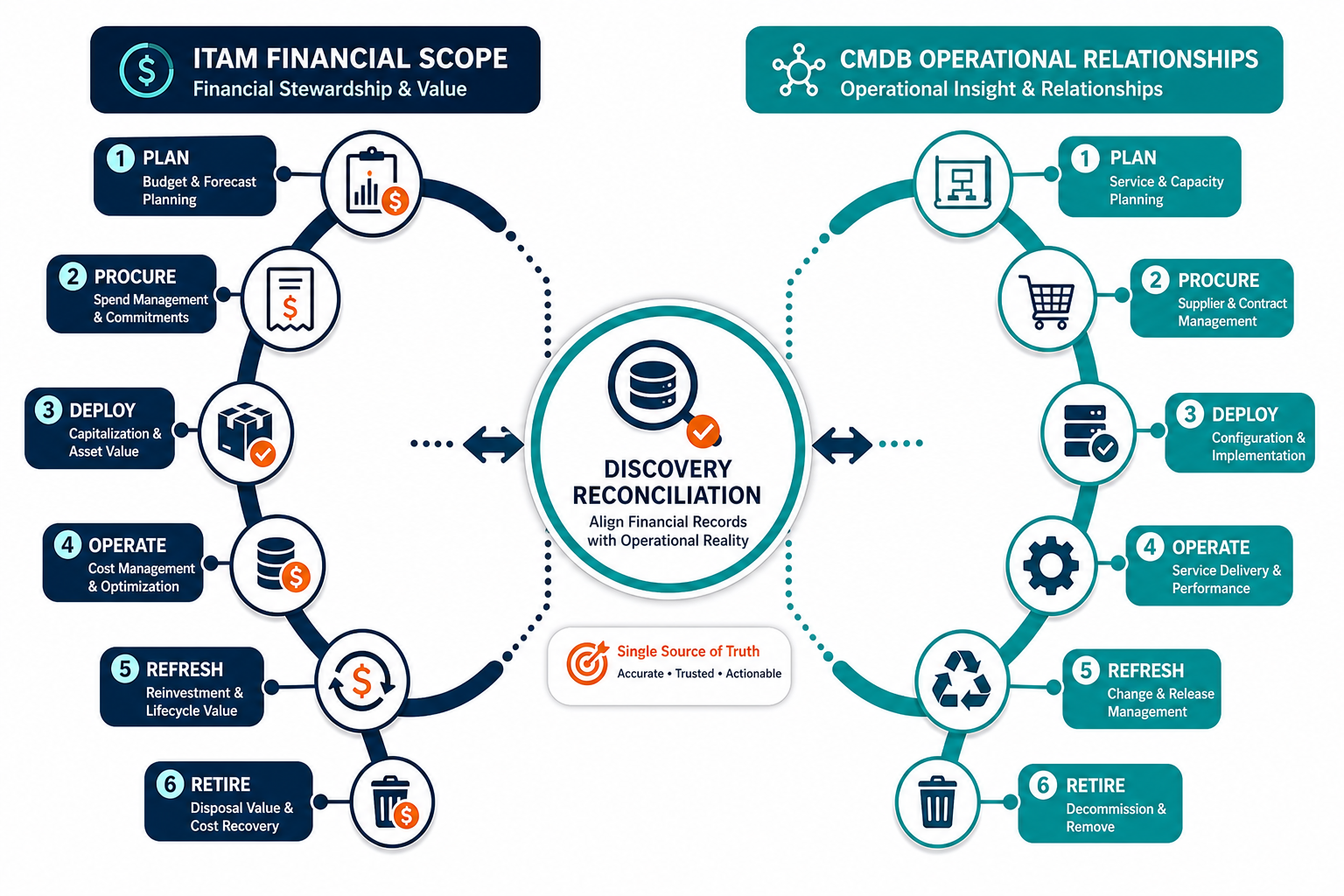
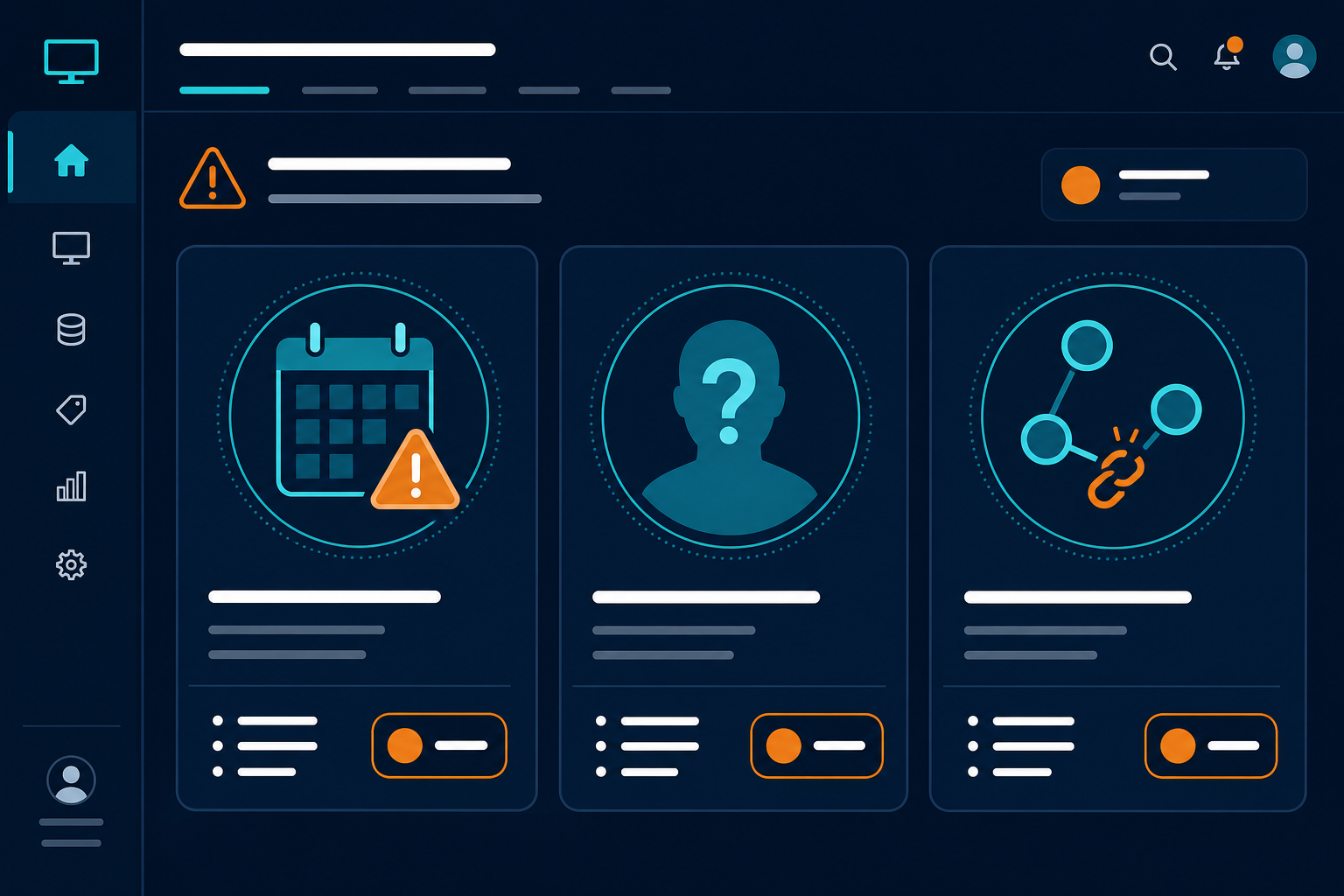
Automated discovery bridges both views. Scheduled sweeps detect physical devices on-premises and cloud workloads across AWS and Azure, validate whether an asset recorded during procurement is active on the network, flag unauthorized software installed during operation, and catch when an asset stops reporting before disposal is logged.
Readers evaluating tools for these stages can review modern ITAM features.
Where Virima fits
Virima delivers automated discovery, IT asset management, and CMDB capabilities in one connected system built around these six lifecycle stages.
Rather than relying on manual inventory audits or static spreadsheets, Virima employs agent-based and agentless discovery across enterprise networks, hybrid data centers, and cloud infrastructure, reconciling hardware, software, and configuration data against purchase records and active user assignments. Virima’s CMDB keeps that reconciled data as the system of record so asset, configuration, and ownership fields stay in sync instead of drifting apart stage by stage.
Virima’s ViVID™ service maps visualize multi-tier dependencies between infrastructure and business services, so teams can assess downstream impact before maintenance, patching, or decommissioning. Discovered asset and relationship data synchronizes with enterprise service management platforms including ServiceNow, Jira, and other leading service desks through verified integrations.
Teams that want a short orientation on category foundations can also read what is ITAM before a live estate review.
Download the IT Asset Lifecycle Record-Field Checklist — the exact fields to capture at each stage of IT asset lifecycle management, from PO number to Certificate of Destruction, so nothing falls out of your CMDB between procurement and disposal. A comprehensive guide to IT asset lifecycle management policy
Frequently Asked Questions
How many stages are in the IT asset lifecycle?
Most enterprise frameworks define between four and six IT asset lifecycle stages. The six-stage model — plan, procure, deploy, operate and maintain, refresh or reassign, and retire or dispose — gives financial procurement and physical disposal equal oversight alongside daily operations.
What is the difference between IT asset lifecycle and ALM?
Asset Lifecycle Management (ALM) is an umbrella discipline spanning physical, industrial, facilities, and digital assets. IT asset lifecycle management is the sub-discipline focused on technology infrastructure — servers, endpoints, cloud instances, network switches, and software licenses.
When does an asset move from operate to refresh?
Assets enter the refresh phase when warranty or software support approaches expiration, performance no longer meets workload demands, or user reassignment occurs. Most enterprise hardware policies mandate refresh evaluations between thirty-six and sixty months depending on device class.
What data is required before secure disposal?
IT teams must record verified sanitization logs, unbind all associated software licenses, capture certified vendor chain-of-custody documentation, and archive a Certificate of Destruction linked to the permanent asset serial number.
Does Virima’s discovery data automatically update asset and CMDB records across all six lifecycle stages?
Virima’s agent-based and agentless discovery verifies assets during the deploy, operate, and refresh stages, then reconciles that data against procurement and CMDB records. It cannot capture planning discussions, purchase order paperwork, or disposal certificates — those still require administrative recording.