ServiceNow Foundation Data: Prep Before Legacy CMDB Loads

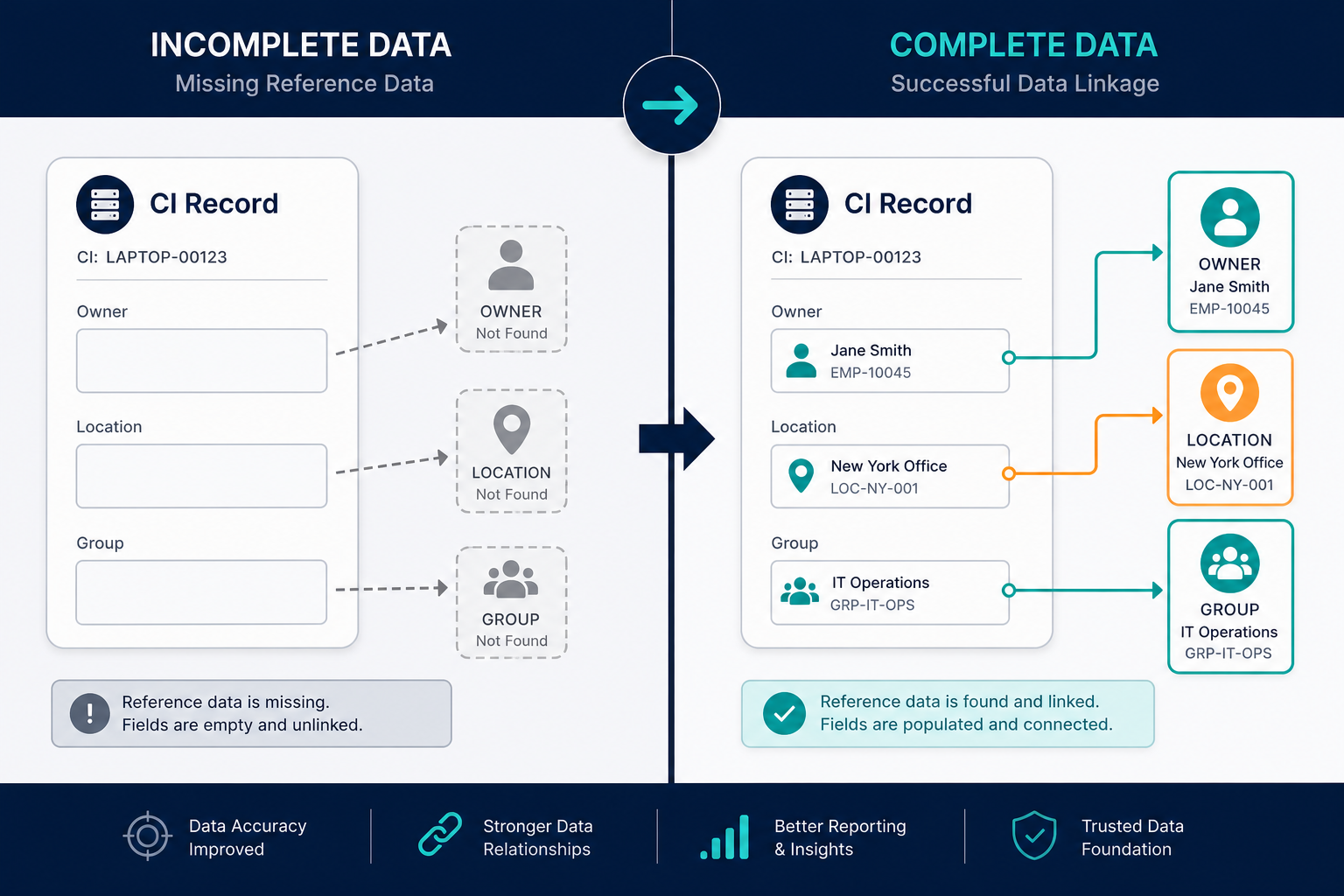
Consider an illustrative load test. The CI extract is mapped, reviewed, and approved. The first test load finishes, and thousands of records come back with blank owners, unmatched locations, and missing support groups. The CIs were fine. The reference data they point to did not exist in ServiceNow yet.
This pattern appears often when teams plan a move from a legacy ITSM tool to ServiceNow. ServiceNow foundation data preparation for legacy CMDB records decides whether the load lands cleanly. Foundation data comes first, CI identifiers come second, and the load itself comes third.
This guide starts after you have decided which records move. It covers what to prepare in ServiceNow so those records resolve to the right company, location, group, and user. It is written for CMDB owners and platform leads, and for the project managers who schedule the load.
What counts as foundation data in ServiceNow
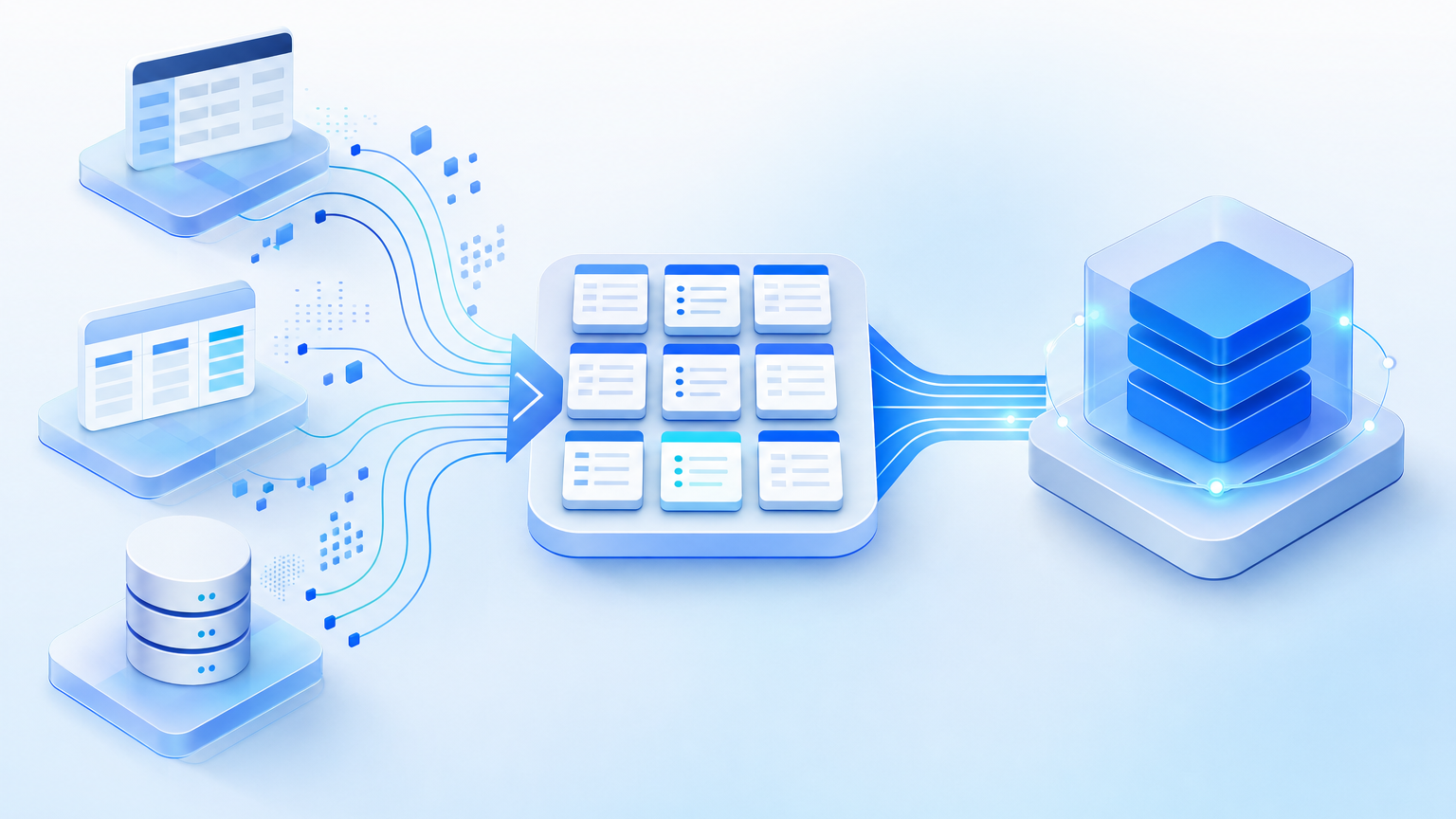
ServiceNow’s Common Service Data Model documentation defines a Foundation domain. It holds the referential data that other records point to. Common examples are organizational structure (company, business unit, department), locations, groups, and users. The same domain also covers contracts, product models, CMDB groups, value streams, business processes, and life-cycle values.
The documentation states that foundational data must be populated before you can use ServiceNow products. It also notes that foundation tables are not used in CMDB relationships. They hold reference values that CI records and tickets look up.
The word “foundation” here refers to this CSDM domain. It does not refer to a project phase or a build stage.
Use this table to find where each data set usually lives today.
| Foundation item | What CI records use it for | Where the legacy copy usually lives |
|---|---|---|
| Company, business unit, department | Cost allocation, ownership roll-up, reporting | HR system, finance system, old CMDB fields |
| Location | Site, building, and room of each device | Facilities list, directory, spreadsheets |
| Group | Support group and managed-by group | Old ITSM tool, directory groups |
| User | Owned-by and managed-by people | Directory, HR feed |
| Product model | Make and model of hardware and software | Old CMDB, procurement records |
| Life-cycle values | Installed, retired, in maintenance status | Old CMDB status fields |
A ServiceNow Community checklist for ITSM implementations adds items such as cost centers and SLAs. Treat your own project scope as the final list.
Five checks for every foundation data set
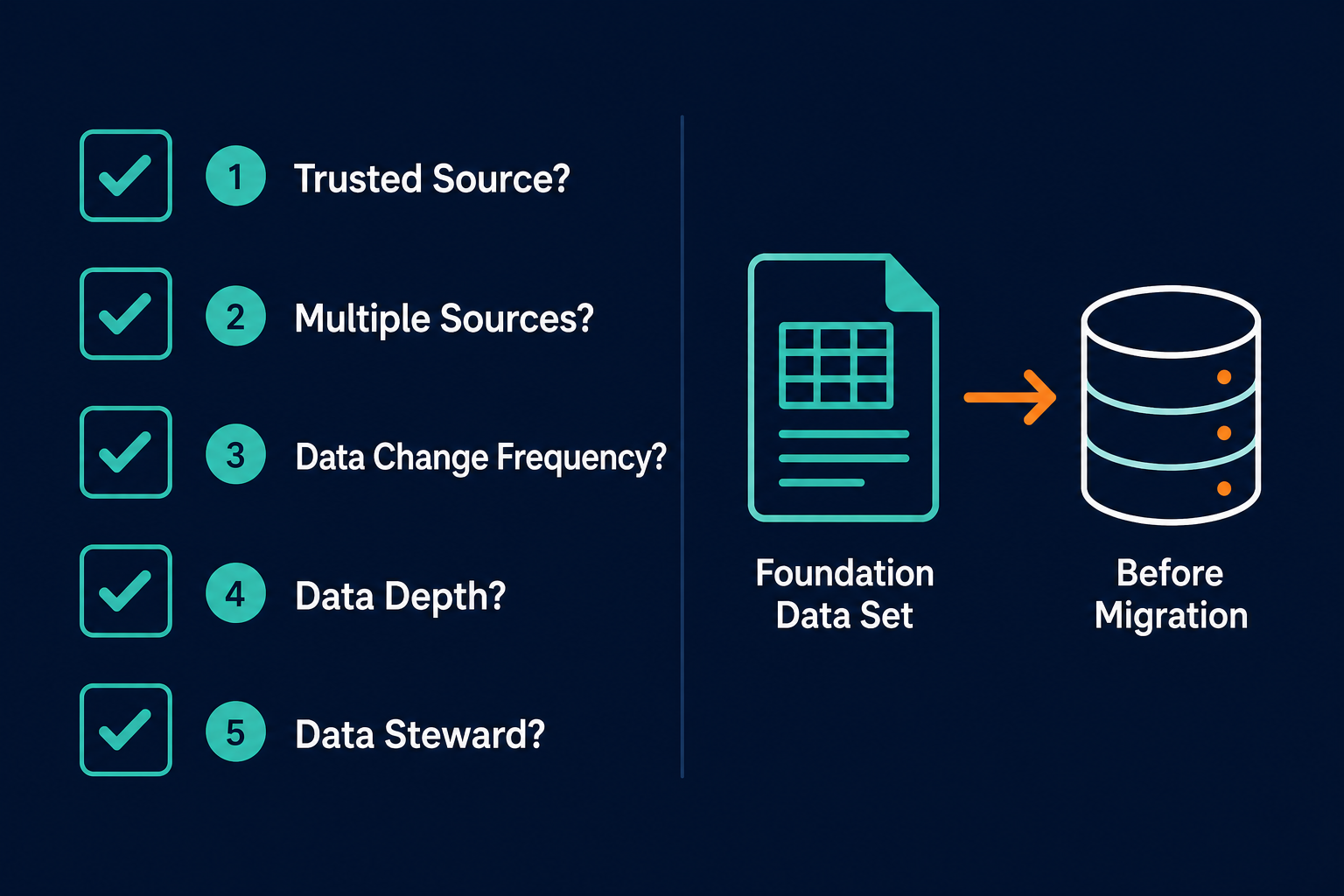
ServiceNow’s documentation lists five questions to confirm before you implement a foundation data set. Apply them to each row in the table above.
- Which source do you trust for this data?
- Do multiple sources exist for it?
- How often does the data change?
- Does it have enough depth for your CIs?
- Who will maintain it?
The second question matters most in a legacy move. The same person or group often exists in two or three tools with different spellings. A location may appear as “HQ Building 2” in the old CMDB and “Headquarters, Bldg 2” in the directory. Pick one trusted source for each data set before anything loads.
The fifth question needs a named person. ServiceNow’s documentation describes data stewards who maintain organizational and user records. Assign one steward per data set before the load, and record the answer in a short table.
| Data set | Trusted source | Refresh rate | Steward |
|---|---|---|---|
| Companies and departments | |||
| Locations | |||
| Groups | |||
| Users |
A blank cell in this table is a finding. It tells you which decision still needs an owner before the load can proceed.
Map legacy values to ServiceNow’s reference structures
Once each data set has a trusted source, map the legacy values to the ServiceNow structure. Five mappings need a decision before load.
Organization hierarchy. ServiceNow’s CSDM Foundation stage guidance says companies, business units, and departments should reflect how the organization is structured. Decide how many levels you need before loading, because every CI owner and cost record attaches to this tree.
Locations and groups. Legacy lists are usually longer and messier than the target. Years of renamed offices, retired teams, and one-off entries accumulate. Consolidate duplicates and retire dead entries before load so that CI records do not point to them.
Life-cycle status. The same guidance advises mapping legacy status data to CSDM life-cycle value pairs. A legacy value such as “In Stock” or “Decommissioned” needs a defined target value. Write the mapping as a two-column list and have the CMDB owner approve it.
Product models. The guidance notes that discovery can populate hardware product models once it is operational. Other product models need planning with the product owners who manage them.
Reporting needs. ServiceNow advises deciding early how you want to report on CI information. Aligning early reduces rework, because changing a reference structure after records load means updating every record that uses it.
The Foundation domain page and the Foundation stage page come from different ServiceNow releases. Neither states a required order for populating foundation data. Confirm both against the release your instance runs.
Prepare CI data so it can be identified and normalized
Foundation data covers the references. The CI records need their own preparation so that ServiceNow can recognize each one.
Enterprise Management Associates (EMA) surveyed IT professionals about asset data quality in its 2026 ITAM benchmark, a study sponsored by Virima. Of 200 respondents who answered, 18.5% rated the accuracy and completeness of asset data in their ITSM and CMDB tools at 95% or higher, and 60.0% chose the 80% to 94% band. These are self-reported ratings from the EMA ITAM in the Age of AI report. They show that most legacy sources carry gaps worth checking before a load.
Identifiers. ServiceNow’s Identification and Reconciliation Engine (IRE) matches CIs using ranked identification rules per class. A record with a missing or inconsistent identifier cannot be matched to an existing CI. Check that serial numbers, hostnames, and other identifying keys are present and consistent in the extract.
Import set risk. ServiceNow’s documentation on applying IRE to import sets warns that populating CMDB tables through import sets can inadvertently create duplicate CIs. The IRE call is added in the transform map’s onBefore script, and each import set uses one transform map. The documentation also says mandatory fields are not checked by this call. Recheck the page for your release.
Normalization. Cleanse and normalize values before they reach the target tables, and keep the class hierarchy intact. Normalizing manufacturer names, model names, and operating system strings in the staging area keeps those variations out of the CMDB.
Class mapping. Legacy classes rarely map one-to-one to ServiceNow classes. Decide the target class for each source class and document the decision. ServiceNow’s CSDM migration guidance suggests rationalizing custom attributes and starting with a small set of CIs.
Owner fields. Owners and support groups must resolve to the users and groups you loaded as foundation data. An owner value that matches no loaded user leaves the CI without an owner.
Mandatory attributes. Confirm that each target class has its mandatory fields populated in the extract. A record missing a mandatory value fails the load or loads incomplete.
Before the full load, run this three-line check on a sample of 100 records:
- Every record has at least one identifier that IRE can match.
- Every owner, location, and group value resolves to a loaded foundation record.
- Every mandatory attribute for the target class has a value.
For help with duplicate detection after identifiers are prepared, read about preventing duplicate CIs and sync errors in a ServiceNow CMDB integration.
Load in dependency order, through the matching engine
ServiceNow documentation sets no required order for populating foundation data. The sequence below is a practice recommendation that follows how the records depend on each other.
- Foundation data: companies, departments, locations.
- Users and groups, which reference the organization and locations.
- CIs, which reference owners, groups, and locations.
- Relationships between CIs, which need both ends to exist.
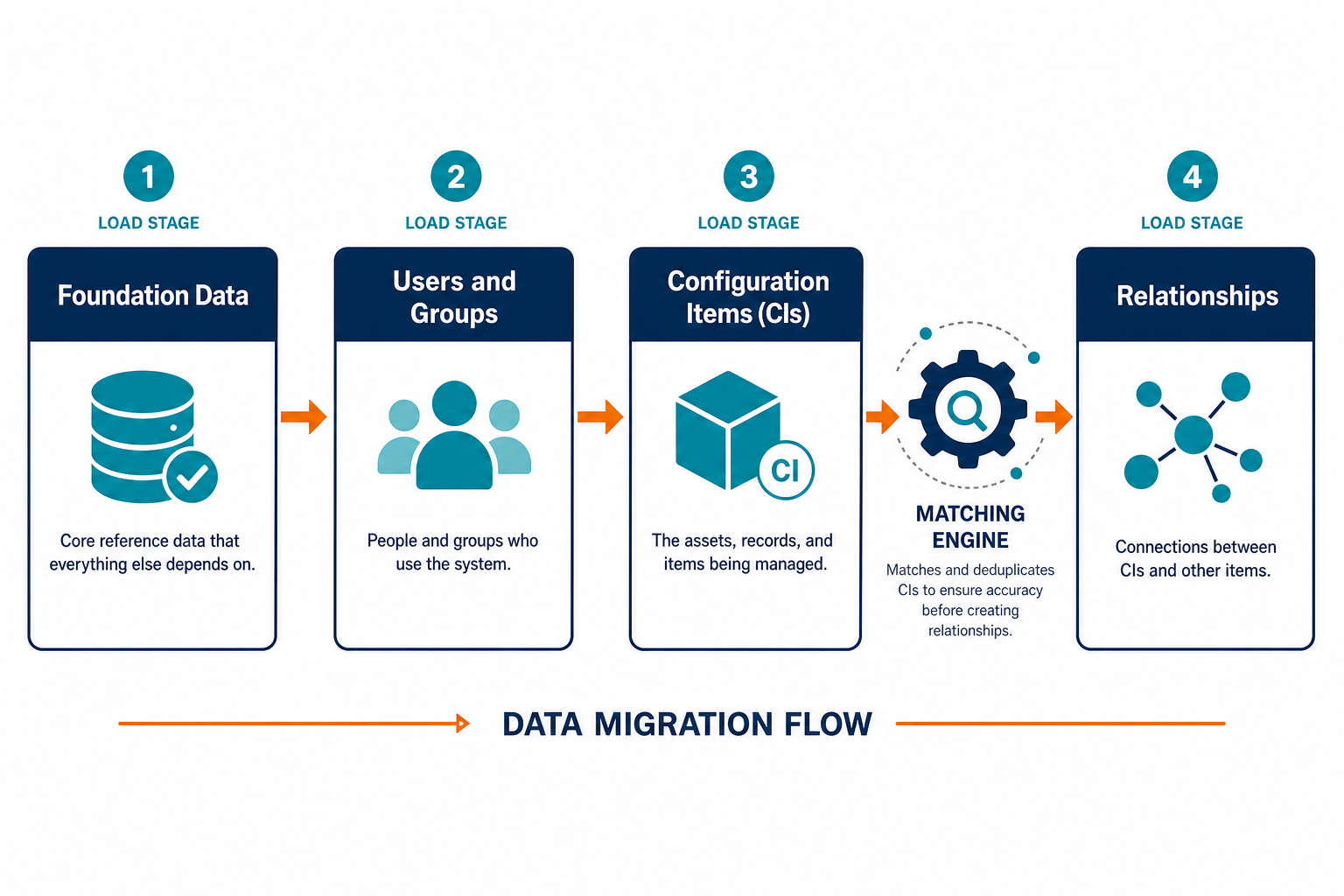
Use a staged load instead of writing directly to CMDB tables. A practitioner reply on the ServiceNow Community notes that IntegrationHub ETL applies IRE automatically, while raw import sets need the IRE call coded. This matches the import set documentation above. Whichever route you choose, confirm that every CI passes through IRE.
Run test loads and remediation in a sub-production instance. A ServiceNow Community article on aligning to CSDM advises against remediating in production and recommends a backup before changes. Its 20 steps to align to CSDM also recommends mapping dependencies before you move data.
Keep a source export of the legacy data through the hypercare period. If a question about a record arises after go-live, the export is your reference. For the wider project plan, follow the step-by-step CMDB implementation guide.
Validate before go-live
Validation confirms the load did what the mapping said it would. Run these checks on each target table.
- Compare record counts against the extract and explain every difference.
- Sample records across different years of creation, because older records tend to carry older formats.
- Confirm that owner, location, and group references resolve on a sample of CIs.
- Review the CMDB Health and data foundations dashboards on the classes you populated.
Record each check and its result in the project log. That log becomes the evidence the migration project manager needs for the go-live decision.
Why loading CIs first and fixing reference data later costs more
A common argument runs like this. The deadline is fixed, discovery will repopulate many CIs after go-live, and reference data can be corrected in place later.
The argument has merit for some data. A product model list can grow after go-live. References that fail at load time are different. They leave records without owners or locations, and each record then needs a manual repair or a second load. ServiceNow’s own guidance notes that aligning early avoids expensive rework.
A minimum foundation set is cheaper to prepare than the repair work that follows. Companies, locations, groups, and users should exist before the first CI loads.
Checking legacy CI records against discovery before load
Legacy records often hold devices that no longer exist and miss devices that do. Comparing them against discovery results before the load shows both gaps.
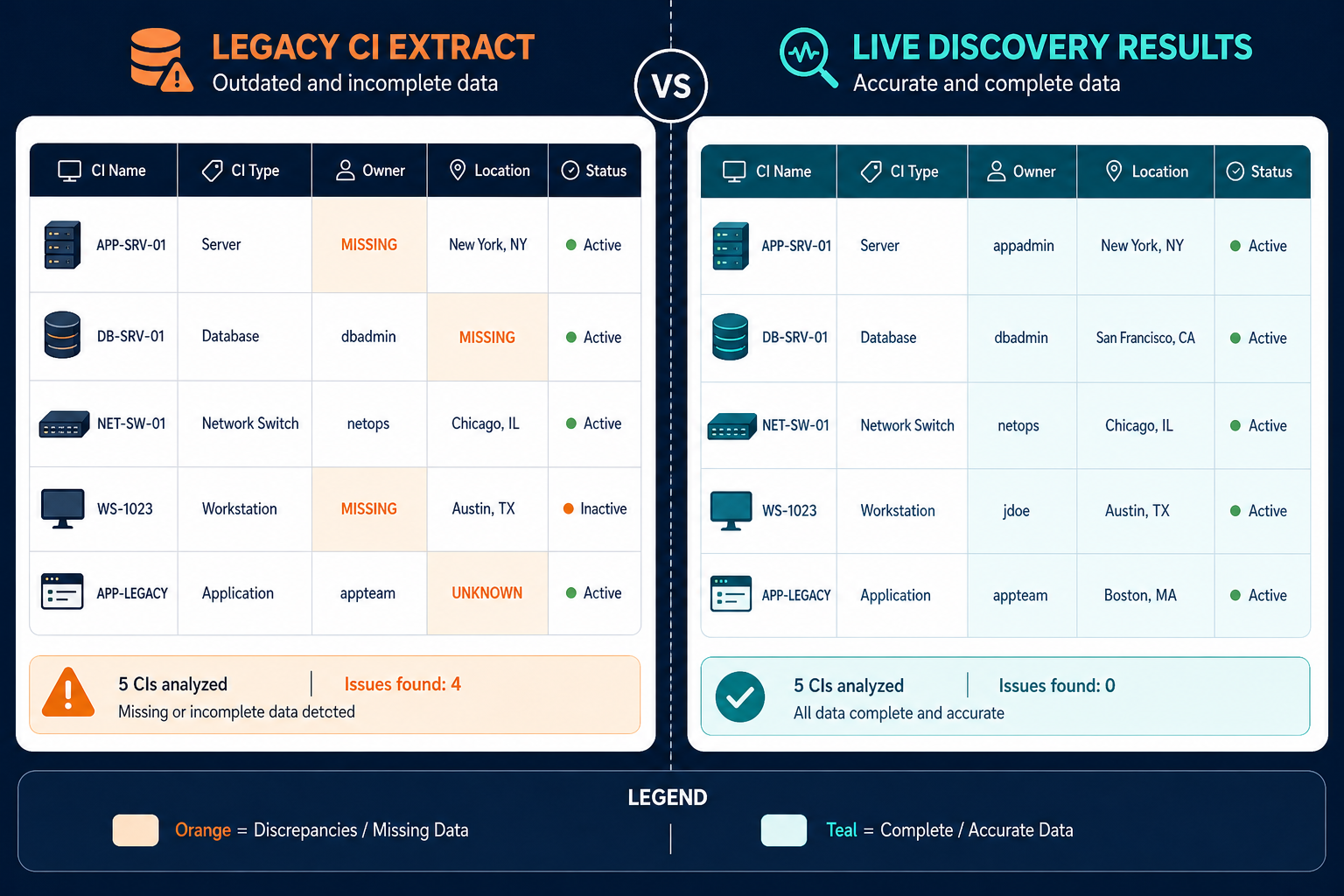
Run scheduled discovery alongside the legacy records and compare identifiers such as serial number, hostname, and MAC address. The comparison reveals records the legacy tool never held and records it holds incorrectly. Teams can then decide which extract rows to correct before they enter the staging area. Explore Trusted Runtime Truth to see how discovery-sourced data supports this check.
Virima’s ServiceNow integration syncs CI data into the ServiceNow CMDB with status tracking and mapping controls. The full list of supported partners is on the integrations page.
Discovery does not supply organizational foundation data such as companies, departments, and users. That data comes from HR systems, directories, and process owners.
Start with four reference data sets this week
The load works when reference data exists, identifiers are present, and the sequence follows dependencies. Fill in the five-check table for companies, locations, groups, and users this week. Then run a 100-record test load in a sub-production instance and review what resolves.
If you want to see how scheduled discovery can validate your CI extract before it loads, request a demo with Virima.
Frequently Asked Questions
What is foundation data in ServiceNow?
Foundation data is the reference data that other records point to. It includes organizational structure, locations, groups, and users. It also covers contracts, product models, and life-cycle values.
Should I load foundation data before CIs?
Yes, as a practice recommendation. Loading references first lets owners, locations, and groups resolve when CIs arrive. ServiceNow documentation does not state a required order.
Can I load CIs straight into the CMDB tables?
Loading through import sets can create duplicate CIs unless the Identification and Reconciliation Engine is applied. Route every load through IRE so existing records are matched first.
Does discovery populate foundation data?
Discovery does not supply organizational data such as companies, departments, and users. ServiceNow notes that discovery can populate hardware product models once it is operational.
Where should I test a CMDB load?
Use a sub-production instance. ServiceNow community guidance advises against remediation in production and recommends a backup before any change.