Does Your ServiceNow ITSM Subscription Include the CMDB? How To Check

Your ServiceNow renewal is coming up, and nobody on the team can say for certain whether ServiceNow’s ITSM subscription includes CMDB licensing. That coverage may instead sit in a separate ITOM package you have not purchased. The ITSM subscription supports service workflows, but the team also wants current infrastructure records and application dependencies, and those two needs do not automatically share one line item.
The core CMDB and ServiceNow’s Discovery tools are separate capabilities. A ServiceNow Community answer describes CMDB tables as available with ITSM Pro without a Discovery subscription. ServiceNow documents Discovery and Service Mapping under ITOM subscriptions.
For an ITSM manager or procurement lead, the next step is to separate the records your team needs from the tools that create and manage them, then verify the terms before budgeting for an expansion.
What ServiceNow says about the CMDB and ITOM
The ServiceNow CMDB holds configuration items, known as CIs, and information about their relationships. ITSM teams can use configuration data as context for service workflows, including incidents and changes.
A responder in a ServiceNow Community discussion said CMDB tables are available with ITSM Pro without a Discovery subscription. The response offers a practical starting point, although it is a community answer rather than your organization’s contract. ServiceNow sells ITSM in Standard and Pro editions; the CMDB tables in that answer sit at the Standard tier per published documentation, which Pro inherits.
ServiceNow’s ITOM Visibility documentation identifies Discovery and Service Mapping as applications in that offering. It says the Discovery and Service Mapping plugins require an ITOM Visibility subscription for that configuration.
ServiceNow also describes an ITOM Discovery package as a smaller, standalone package and a subset of ITOM Visibility, not a separate licensing track. Its documented features include Discovery, Service Graph Connectors, and CMDB 360.
That distinction gives procurement a more useful question: Which package covers the specific capabilities our team plans to use? It matters for your ServiceNow CMDB license as much as for Discovery or Service Mapping — licensing options vary by agreement, and the community answer doesn’t establish base CMDB entitlement across every ITSM edition or confirm every CMDB Workspace, Class Manager, or Data Manager function is included.
Can you use the ServiceNow CMDB without ITOM Discovery?
A ServiceNow Community answer says CMDB tables are available with ITSM Pro without a Discovery subscription. ServiceNow also documents CI imports through Import Sets. Confirm your agreement’s terms for CMDB access, each import method, and the applications your team plans to use.
Three CMDB layers to check separately
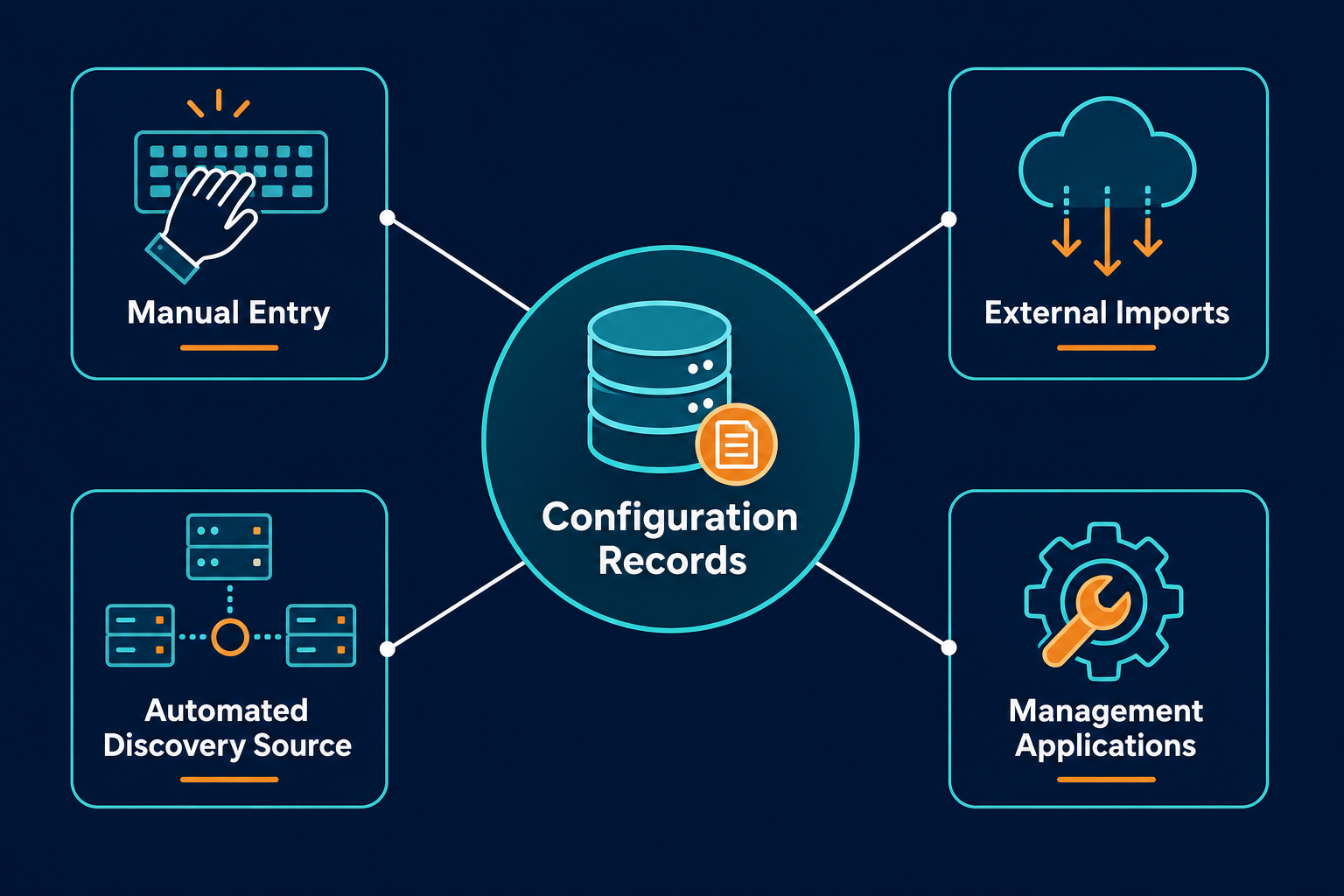
The word “CMDB” can refer to records, the methods that populate them, or the applications used to manage them. Each layer answers a different licensing question.
CMDB tables, classes, and relationships
The data layer stores CIs and their relationships. A CI might represent a server, application, database, or another component used by IT services.
Your team may maintain records manually or bring information from another system. The Common Service Data Model, or CSDM, helps organize service-related information in the ServiceNow data model.
Ask ServiceNow which base tables and operations your ITSM agreement covers. Include any custom classes and the way your team intends to create, update, and use records.
Sources that populate records
The population layer provides information about the components your organization wants to track. Sources can include ServiceNow Discovery, imports, and integrations with other systems.
The Import Sets documentation describes importing CIs into CMDB tables and explains how teams can apply the Identification and Reconciliation Engine, or IRE, to identify existing records. Many teams add a discovery source such as Virima alongside ServiceNow to keep those imported records current without manual re-entry, the licensing implications of that kind of integration are covered later in this article.
An import capability doesn’t guarantee every connector or usage scenario is covered by ITSM alone — check the specific integration’s subscription requirements and its effect on any measured usage. Teams weighing which sources should feed the CMDB can read Virima’s blog post on choosing CMDB discovery and data sources.
Applications that manage the data
CMDB Workspace, CMDB 360, and CMDB Data Manager provide different ways to work with configuration information. ServiceNow describes Workspace as an application for searching the CMDB and reviewing health and activity, and lists CMDB 360 under the ITOM Discovery package.
Verify the entitlement for Workspace and Data Manager separately, including the specific functions your team intends to use.
| Capability | What it does | What to verify |
|---|---|---|
| Core CMDB records | Store configuration items and relationships | Tables, operations, and custom classes covered by your agreement |
| Manual entry and imports | Add or update records from supplied information | Permitted methods, applications, and usage terms |
| ServiceNow Discovery | Discovers supported infrastructure and updates CIs | Applicable ITOM package and subscription units |
| Service Mapping | Builds application service maps | Applicable ITOM subscription and intended scope |
| CMDB management applications | Support tasks such as examining data and managing its lifecycle | Entitlement for each named application and function |
How ITSM and ITOM licensing differ
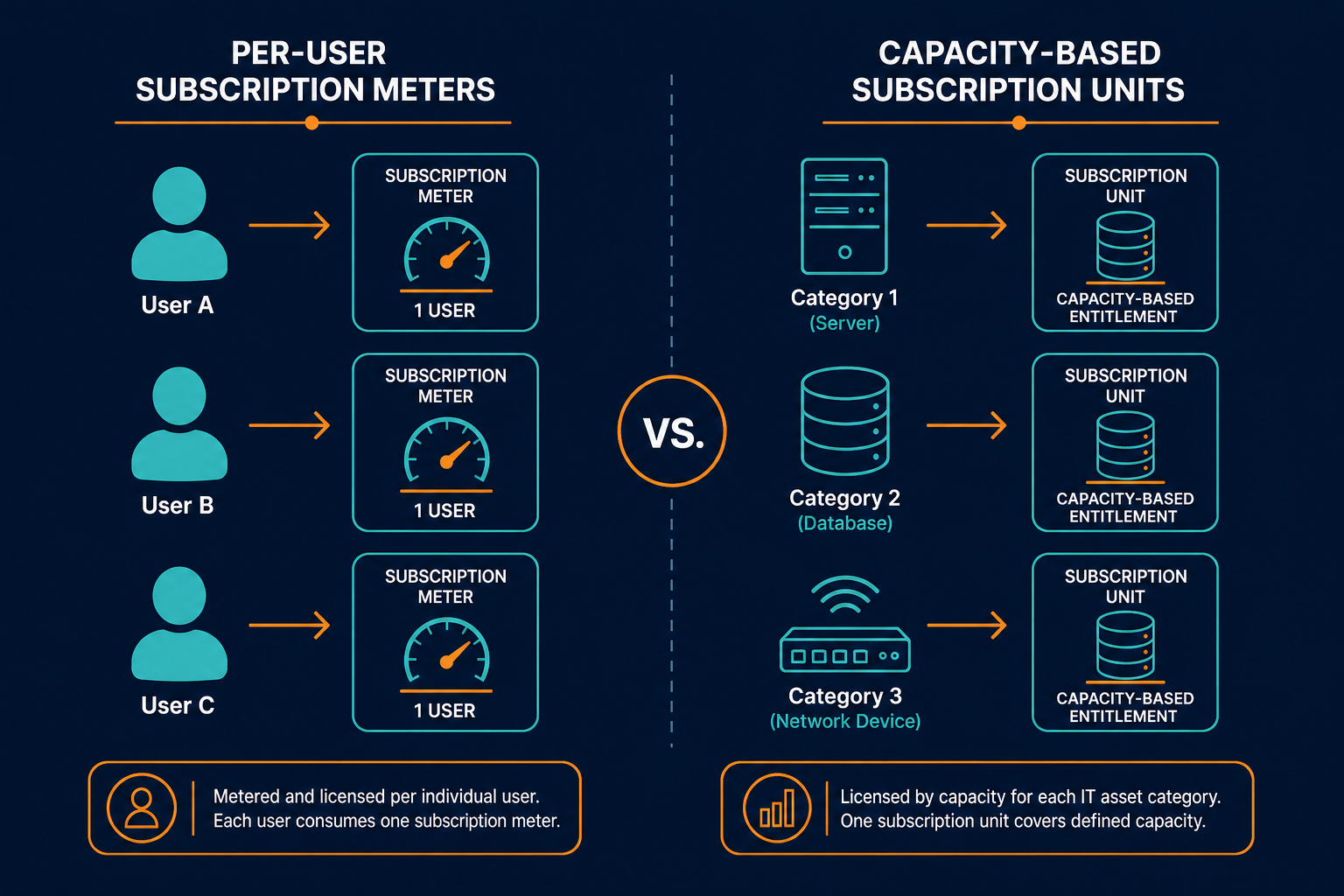
ITSM subscriptions and ITOM subscriptions can use different measures. Your order form should identify the products purchased and the applicable meters.
ServiceNow’s subscription type documentation describes per-user meters that include fulfiller users, alongside capacity-based measures for resources such as devices and subscription units.
ServiceNow’s ITOM documentation measures licensed usage through subscription units tied to categories of resources. Depending on the category, one subscription unit can cover a different number of resources — don’t assume one discovered node always equals one unit. Ask the account team to identify the CI categories and allocation ratios in your contract.
The distinction also matters when the team adds a data source. ServiceNow says ITOM Visibility reports CIs populated by Service Graph Connectors as well as CIs found through Discovery, and the resource categories in your agreement determine how those records affect your subscription.
When comparing options, record these details beside each proposed capability:
- The product or connector your team intends to use.
- The subscription named in your current agreement.
- The CI classes and resource types involved.
- The usage measure and applicable allocation ratio.
- The systems and teams responsible for maintaining the data.
Teams that want a deeper walkthrough of subscription-unit allocation ratios and CI categories can read ITOM and ITSM: How Virima enhances IT service management.
How ServiceNow Service Graph Connector requirements vary
A connector can bring data from another system into ServiceNow. Its technical purpose does not establish its licensing terms, so check the specific connector rather than relying on the source system’s name.
For example, ServiceNow’s documentation for the Service Graph Connector for Microsoft Intune specifies an ITOM Visibility or ITOM Discovery subscription unit. It says qualifying resources created or modified by the connector can increase subscription-unit consumption.
Other integrations can have different commercial terms: a third-party Intune connector listing on the ServiceNow Store describes its product for organizations that don’t hold an ITOM license, though customers should still verify all applicable terms with both ServiceNow and the integration provider.
For SCCM, cloud sources, or another connector, ask the vendor to identify the exact application and version, then confirm its subscription requirements, any separate vendor charge, and how imported resources are counted. The same source system may support more than one integration method: compare them by the records created, how updates are handled, and what each agreement permits. For a broader comparison of discovery sources that feed a CMDB alongside ServiceNow connectors, see Virima blog post on CMDB discovery sources and ServiceNow integration.
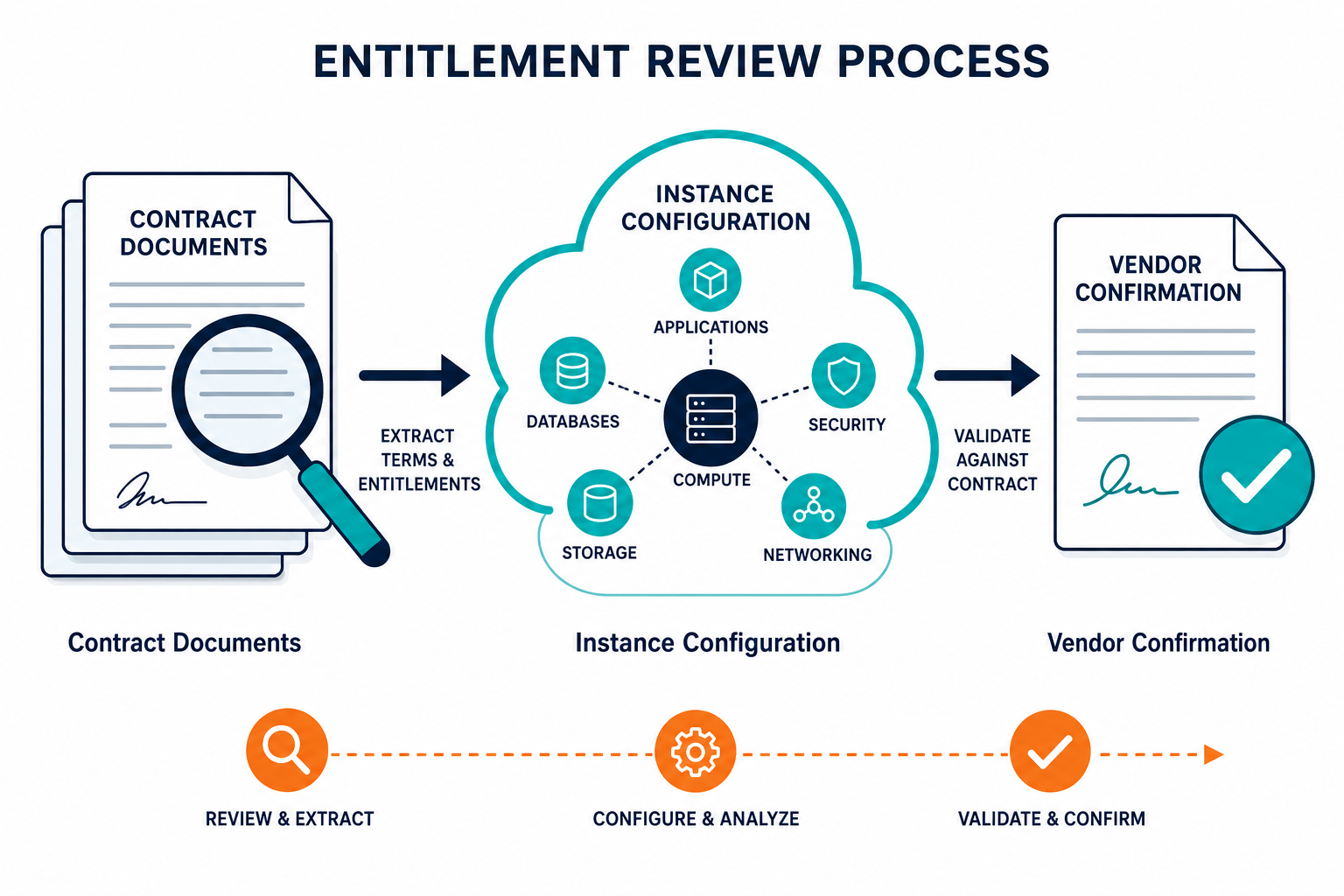
How to check your own entitlement
A useful review brings procurement, the ServiceNow platform owner, and the CMDB owner together — each contributes a different part of the evidence.
1. Gather the signed documents
Collect the current order form, product terms, amendments, and renewal documents, and record the purchased ITSM and ITOM subscriptions, quantities, and contract dates. A summary can omit details that only appear in the product terms, so ask procurement to identify the documents governing the current subscription period.
2. Compare the agreement with the instance
Ask your ServiceNow administrator to review Subscription Management and compare the subscriptions and reported usage against the signed purchase records. Record any discrepancies for the account team to resolve, and note which production, test, and development instances the question concerns.
3. List the functions and sources in use
Identify the CMDB tables, applications, plugins, and integrations your team uses, and record planned additions separately from the current configuration. For each source, document the connector name and version, the CI classes it updates, the expected scope, and the team responsible for maintaining it.
4. Ask ServiceNow for written clarification
Send the account team questions tied to your order form and intended use:
- Which base CMDB tables and operations are covered by our ITSM subscription?
- Which package covers our planned use of Discovery or Service Mapping?
- What terms apply to CMDB Workspace, CMDB 360, and Data Manager functions?
- What subscription requirements apply to each proposed connector and CI class?
- How are the relevant resources converted into subscription units?
Ask ServiceNow to identify the contract term and product terms supporting its answer, and share the response with procurement and the platform owner.
5. Keep the decision with the contract
Save the clarification alongside the agreement and record any unresolved questions. Revisit the decision when the team changes a connector, expands discovery, or approaches renewal.
Populating a ServiceNow CMDB without ServiceNow Discovery
Your team may decide to maintain CMDB records through manual updates, imports, or another discovery source. The right approach depends on the data your service workflows need and the terms covering each method.
Start with the CI classes and attributes incident and change teams actually need, assign owners to review the records, and agree how often each source should update them. When multiple sources report the same attribute, decide which one takes precedence, and use durable identifiers, a serial number or cloud instance ID, where applicable, to match records across sources. Virima’s automated CMDB keeps those records current without manual upkeep, even when ServiceNow is one of several sources feeding it.
Virima’s IT Discovery runs scheduled discovery across supported environments and can send discovered CIs and relationships into the ServiceNow CMDB, where teams keep using their existing service workflows. Before deployment, verify the integration method and any ServiceNow licensing implications with your account team, and identify who will review failed imports and reconcile conflicting attributes.
For teams comparing population methods, weigh the scope and terms of each connection alongside the available integration options; a data source should fit the records your team needs and the maintenance process it can support.
Confirm the details before your next renewal
ServiceNow’s CMDB, Discovery, and Service Mapping serve different purposes. Treat the entitlement for each capability as a separate contract question.
Bring the order form, instance inventory, and proposed data sources into the same review. Written clarification helps your team budget for the capabilities it needs and avoid relying on an assumption about a connector.
To evaluate Virima as a scheduled discovery source for your ServiceNow CMDB, request a Virima demo.
Frequently Asked Questions
Is the ServiceNow CMDB included with ITSM Pro?
A ServiceNow Community answer says CMDB tables are available with ITSM Pro without Discovery. That response does not establish the terms for every agreement. Ask ServiceNow to confirm the tables and uses covered by your ServiceNow CMDB license.
Does ServiceNow Discovery require an ITOM subscription?
ServiceNow documents Discovery under ITOM subscriptions, including ITOM Visibility and a separate ITOM Discovery package. Confirm which package and usage terms apply to your agreement before planning the deployment.
Can a CMDB receive data without ServiceNow Discovery?
ServiceNow documents CI imports through Import Sets, and other integrations can provide CMDB data. The applicable license depends on the chosen method, connector, and customer agreement. Confirm those terms before implementation.
Can Virima feed discovered CIs into ServiceNow?
Virima supports an integration that can send discovered configuration items and relationships to the ServiceNow CMDB. Define the required data scope and confirm the applicable ServiceNow terms before deployment.
Does Virima remove ServiceNow licensing requirements?
Virima does not determine your ServiceNow entitlements or remove contractual requirements. Ask ServiceNow to confirm the terms for your CMDB use, integration method, data sources, and relevant subscription units.