Device Management Tools Compared: Intune, Jamf, Kandji

An asset review can stall when endpoint consoles and purchasing records report different device counts. The IT asset manager must explain which records represent active equipment and which require investigation.
That reconciliation becomes harder when teams compare device management tools and use separate consoles for different operating systems. A device can appear in multiple inventories, remain in one after retirement, or miss enrollment altogether.
Comparing mobile device management (MDM) tools such as Intune, Jamf Pro, and Kandji means starting from different reference points, since each one handles enrollment, policy, and inventory differently. Kandji is now called Iru, and its endpoint platform has expanded beyond Apple devices.
Compare the platforms against your fleet
The strongest choice depends on the operating systems your team supports and the controls it needs. Licensing, administration skills, and identity requirements also affect the decision.
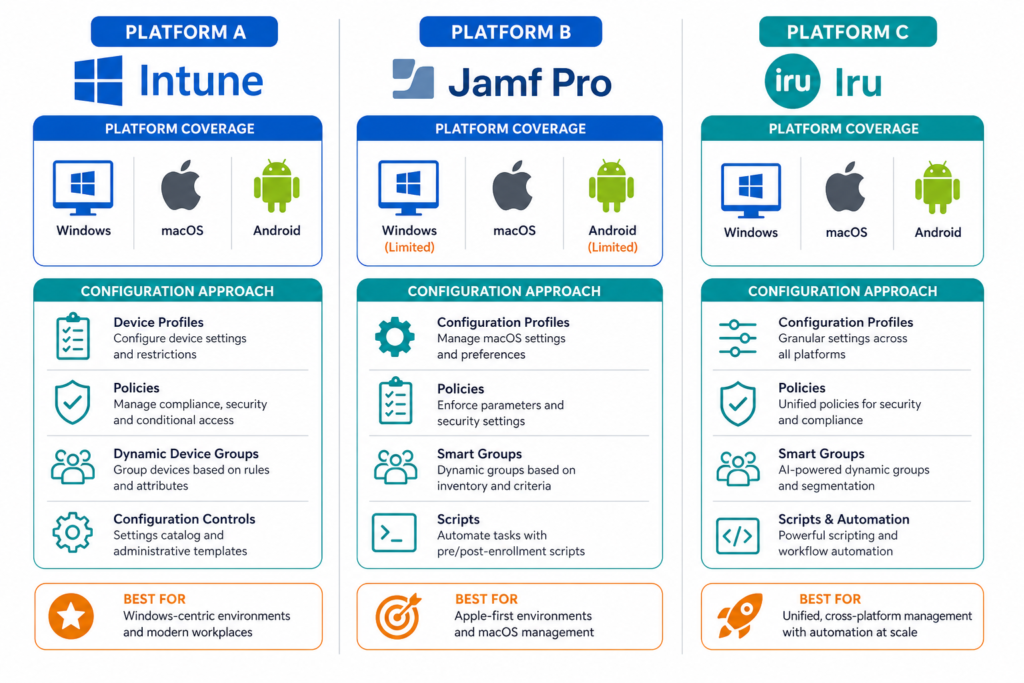
The table below gives a quick Apple device management comparison alongside Windows and Android coverage, summarizing the products discussed in this comparison. Feature availability can vary by operating system, subscription, and configuration.
| Evaluation area | Microsoft Intune | Jamf Pro | Iru, formerly Kandji |
|---|---|---|---|
| Starting point | Cross-platform endpoint management within the Microsoft environment | Apple device management and security workflows | Apple roots with endpoint management across Apple, Windows, and Android |
| Platform considerations | Supports several platforms, with features varying by operating system | Focuses on Apple devices | Check current feature availability for each operating system |
| Configuration approach | Device profiles, policies, and Microsoft Entra groups | Policies, scripts, smart groups, and inventory attributes | Assignment Maps, configuration controls, and custom scripts |
| Identity context | Works closely with Microsoft Entra ID and Conditional Access | Integrates with identity providers, including Microsoft and Okta | Offers identity capabilities alongside endpoint management |
| Shortlist fit | Organizations centered on Microsoft tooling | Teams with substantial Apple-specific requirements | Teams evaluating Apple, Windows, and Android management together |
1. Microsoft Intune: a Microsoft-centered choice for mixed fleets
Microsoft Intune manages devices and applications from a cloud administration console, and is often the default choice for mixed fleet device management inside a Microsoft-centered environment. According to Microsoft Intune documentation, supported platforms include Windows, macOS, iOS, iPadOS, Android, and Linux.
Support across those platforms does not mean every control works identically everywhere. Check the exact operating system versions and management features your fleet requires.
Where Intune fits well
Intune is a practical starting point when Microsoft Entra ID already handles workforce identity. Administrators can assign device configurations and applications to user or device groups.
Intune also reports device compliance status to Microsoft Entra. Conditional Access policies can use that status when deciding whether to allow access.
For Windows provisioning, teams can evaluate Windows Autopilot alongside their existing Microsoft subscriptions. Autopilot reduces the need to prepare each eligible device manually before delivery.
Intune also supports mobile application management without enrolling the entire device. That option can help organizations protect work data on eligible personal devices.
Where Intune requires closer evaluation
Apple requirements deserve a separate proof of concept: test the specific profiles, application packages, scripts, and operating system controls your administrators need, since Intune supports Apple management but a successful pilot depends on the workflows you select. Ask administrators to investigate a failed policy and recover a device with an enrollment issue.
Also review licensing before assuming your organization already has the required capabilities. Some advanced functions require additional subscriptions or specific Microsoft plans.
Choose Intune when
Choose Intune when your existing Microsoft 365 or Enterprise Mobility + Security licensing already covers the device management tier you need. Confirm that tier unlocks the specific Apple and cross-platform controls your fleet requires, and document any gaps that would mean another product or a manual process.
2. Jamf Pro: Apple management for detailed administration
Jamf Pro focuses on managing Apple devices. It supports workflows for Mac, iPhone, iPad, and Apple TV.
The product is worth evaluating when Apple administration has requirements beyond basic enrollment and configuration. Those requirements can include custom inventory fields, device groups, and scripts.
Where Jamf Pro fits well
Jamf Pro uses smart groups to organize devices according to defined criteria. Administrators can use those groups to target policies and software.
Its inventory also supports extension attributes for additional device information. Jamf documentation describes how administrators can define computer extension attributes.
For employees, Self Service provides access to approved applications and other resources. That can reduce routine requests when the catalog and permissions match company policy.
Jamf also offers products beyond Jamf Pro, including identity and endpoint security offerings. Review each component separately rather than assuming it comes with the base subscription.
Where Jamf Pro requires closer evaluation
Organizations with Windows or Android devices need a separate plan for those platforms. That can involve another management console and another inventory source.
Beyond product capability, weigh vendor stability: Francisco Partners completed a $2.2 billion take-private acquisition of Jamf in January 2026, per a Nasdaq-syndicated announcement. Ask the vendor directly about roadmap and support continuity through the transition.
The operational cost includes more than licensing. Someone must maintain scripts, review group criteria, investigate policy failures, and keep device records accurate.
During a pilot, ask the team to build an actual group and deployment workflow. Compare the result with the same task in the other shortlisted products.
Choose Jamf Pro when
Choose Jamf Pro when Apple-specific depth is worth paying for over broader but shallower cross-platform coverage — Jamf is typically quoted per device, so confirm current pricing and any minimums against your fleet size before shortlisting it. For mixed fleets, weigh that cost against the integration work of feeding Jamf records into your asset inventory.
3. Iru, formerly Kandji: Apple roots with broader endpoint coverage
The vendor’s endpoint management platform covers Apple, Windows, and Android devices, a broader scope than the Apple-only product many teams remember. The Iru product transition page explains the name change and describes the expanded platform. Buyers should still confirm which controls apply to each operating system and subscription.
That wider platform scope also means more device types an asset team eventually has to reconcile against a CMDB — a Windows or Android device enrolled in Iru needs the same identifier-matching discipline covered later in this article.
Where Iru fits well
Iru offers Assignment Maps for assigning applications and settings through visual logic. Administrators can inspect how assignments apply to groups of devices.
Its Auto Apps catalog supports application deployment and updates for Mac and Windows. The vendor also lists custom scripts, self-service options, and security controls.
For organizations with an established Kandji deployment, the Apple management history remains relevant. Ask the vendor how the current Iru experience applies to your tenant and planned rollout.
Where Iru requires closer evaluation
A cross-platform product still needs platform-specific testing. An application workflow available for Mac may differ from the equivalent workflow on Windows or Android.
Ask which features are generally available for your operating systems and which require additional products. Request a demonstration using your own enrollment, patch, and reporting requirements.
Iru also offers identity and compliance products alongside endpoint management. Confirm whether your evaluation covers the endpoint product alone or a broader package.
Choose Iru when
Choose Iru when consolidating Apple, Windows, and Android management under one console outweighs the cost of migrating off an existing tool. Ask the vendor for current per-device pricing and tier minimums, and still run a pilot before deciding, especially where the fleet spans multiple operating systems. Record the same test results for each shortlisted product.
What happened to Kandji device management?
Kandji is now Iru, and Kandji Device Management is called Iru Endpoint Management. The vendor describes support across Apple, Windows, and Android devices. Existing customers should ask how tenant changes, feature availability, and subscription terms apply to their particular deployment.
Test enrollment, applications, and security before choosing
A comparison table helps create a shortlist. A pilot reveals whether each product can support the work your administrators perform.
Use representative devices and document the starting conditions. Record operating system versions, identity settings, network access, and subscription entitlements.
Enrollment and device ownership
Test a company-owned laptop from initial setup through policy assignment, then include a device already in use, since migration often surfaces requirements a clean setup won’t.
For Apple devices, check how the product works with your organization’s Apple enrollment arrangements. For Windows devices, verify the provisioning method and any prerequisites.
Test employee-owned devices separately if your policy permits them. Confirm whether the tool manages the whole device or protects work applications only.
Application deployment and updates
Choose applications that represent your actual workload. Include a standard productivity application and one internally packaged application.
Ask the administrator to deploy, update, and remove each application. Then check the status reported in the console and the result on the device.
Pay attention to failures and retries. A useful product should help your team identify whether a failure came from packaging, assignment, or device connectivity.
Security and compliance policies
Select a small group of controls your security team already requires. Examples include disk encryption, screen lock, and operating system version requirements.
Check how each tool reports exceptions and how administrators resolve them. Where access depends on device compliance, test the identity policy that consumes the status.
A compliance template can speed configuration, but your team remains responsible for selecting appropriate controls. Review the evidence your auditors expect before treating a template as sufficient.
How should teams test device management tools?
Use the same representative devices and tasks for each product. Test enrollment, application deployment, a failed policy, and removal of an application. Record prerequisites and administrator actions alongside the results, so the comparison includes operational effort as well as available features.
Compare the work behind each console
A product demonstration often follows a successful device from enrollment to compliance. Your evaluation should also cover exceptions that create work for the service desk.
Ask each vendor to demonstrate an offline device returning after an extended absence. Check whether the console shows the last successful contact and the current policy state.
Then test how administrators handle an employee departure. Review how administrators remove access, recover the device, preserve relevant records, and update asset ownership.
For application changes, identify who approves a package and who can deploy it. Review how administrators stage a change before applying it to a broader group.
Finally, estimate the expertise required to maintain the configuration. Count the scripts, custom packages, identity rules, and exceptions that your team must own.
Questions for vendor references
Ask a reference customer about a workflow that required unexpected effort. A specific deployment or troubleshooting example is more useful than a general satisfaction score.
Confirm whether their fleet resembles yours. Operating system mix, geographic distribution, and administrator capacity can change the implementation experience.
Ask how the customer exports inventory and handles records for retired devices. Those answers reveal work that may continue after rollout, a detail covered further in Audit-Ready Asset Management Dashboards With Continuous Discovery.
Understand the inventory gap before feeding a CMDB
MDM inventories are valuable sources for asset teams, but they aren’t a substitute for a CMDB. Their records can include enrollment state, operating system details, assigned users, and device identifiers.
Coverage depends on what each product manages and what its integrations collect. A device outside the relevant enrollment or discovery scope may require another source.
Device records can also become stale over time. A device that has not checked in may still appear in a console after it leaves active use. This pattern is explored further in Why do Common Service Data Models (CSDM) matter for CMDB success?.
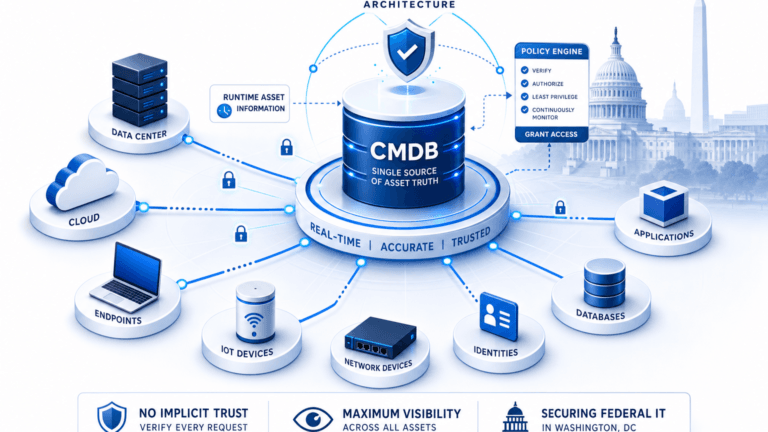
The configuration management database, or CMDB, can bring device records together with other asset and configuration data. Its usefulness depends on matching rules, source coverage, and ownership of exceptions.
Match devices with stable identifiers
Use a serial number as a primary matching candidate for physical devices where it is available and reliable. For cloud assets, use the relevant cloud instance ID.
Hostnames can change or be reused. Treat them as supporting evidence rather than durable identifiers.
Even serial numbers require validation before records merge. Missing values, supplier formatting differences, and shared identifiers can create ambiguous matches.
Define a source precedence order for when sources disagree — for example, treating discovery or MDM check-in data as more current than a purchasing record that hasn’t been updated since procurement. An asset owner should review the exception before a record is merged or retired, per CMDB Business Rules: Automate IT Operations.
Compare source dates and coverage
Store the date each source last observed or updated the device. A recent import can still contain an old device check-in.
Compare source records against purchasing, endpoint management, and discovery data where those sources are available. Investigate differences before treating either count as authoritative.
A missing discovery result does not prove that a device is retired. Network access, credentials, device availability, and scan scope can affect what discovery finds.
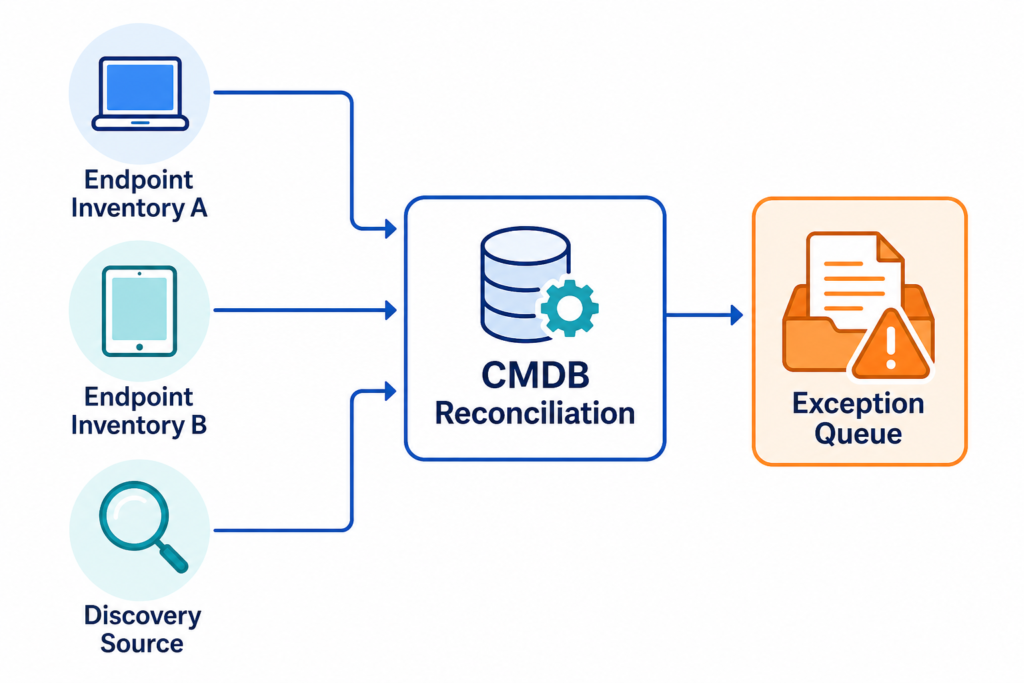
Connect device records to broader asset context
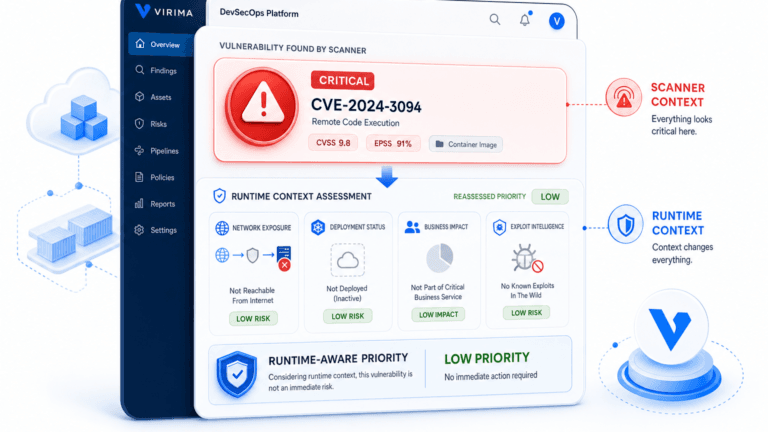
Virima supports scheduled discovery cycles and multi-source configuration item reconciliation. Its discovery methods include agent-based and credential-based approaches.
Teams can use those records to investigate differences between available sources. Results depend on configured scope, access, and the systems supplying data.
Virima also supports service dependency mapping. Your team provides service definitions, and ViVID™ builds maps from those inputs and discovered relationships.
A laptop record may have an assigned user without a mapped business-service relationship. Review the relationship data available for each asset before drawing conclusions about impact.
For Intune, verify the available integration and fields against your deployment. For Jamf Pro and Iru, confirm the available import or integration method before committing to a design.
Why can device counts differ across management tools?
Device counts can differ because tools use different enrollment scopes, check-in dates, and retirement rules. A recent import can contain an older device observation. Compare identifiers and source timestamps before merging records, then investigate exceptions that lack enough evidence for a reliable match.
Select a tool and plan the inventory handoff
Choosing between Intune vs Jamf vs Kandji (now Iru) usually comes down to how centered your fleet is on Microsoft identity versus Apple-specific administration, and whether Windows or Android coverage matters enough to shortlist Iru. Its current platform scope makes the older Apple-only description incomplete.
Run a common pilot, document the exceptions, and agree on the inventory handoff before procurement. That work gives the asset team a clearer basis for reconciliation.
Request an asset visibility demo to see how scheduled discovery and multi-source records can support your CMDB.
Frequently Asked Questions
What is the difference between Intune, Jamf Pro, and Kandji?
Intune supports several operating systems and integrates closely with Microsoft Entra ID. Jamf Pro focuses on Apple device management. Kandji is now Iru, whose endpoint product covers Apple, Windows, and Android devices.
Can Intune and Jamf Pro be used together?
Organizations can use both products when their requirements justify separate workflows. Define which product owns each device policy, and test the identity and compliance integrations before rollout.
How should teams match device records across systems?
Use serial numbers for physical devices when reliable values are available. Use cloud instance IDs for relevant cloud assets. Review missing or conflicting identifiers before merging records, and retain source timestamps.
Does Jamf Pro integrate with a CMDB?
Jamf Pro exports device inventory and policy status but does not function as a CMDB on its own. A CMDB adds relationship and ownership context, such as which business service a device supports, that endpoint consoles typically don’t track — most teams feed Jamf’s inventory into a CMDB rather than treating one as a replacement for the other.
How can Virima help with device inventory reconciliation?
Virima supports scheduled discovery and multi-source configuration item reconciliation. Teams can compare available source records and investigate discrepancies. Coverage depends on discovery scope, access, and the data each source provides.
Does Virima need service definitions before building service maps?
Your team provides service definitions for ViVID™. Virima then builds service dependency maps using those definitions and available discovered relationships.