Secure IT Discovery With a CMDB Feed, or a Bolt-On Scanner With No Service Context?

In October 2022, CISA issued Binding Operational Directive 23-01. It requires federal agencies to run automated asset discovery on a 7-day cycle across at least the entire IPv4 space they use. It also requires vulnerability enumeration of discovered assets every 14 days. CISA states the reason plainly: asset visibility is a basic pre-condition for any organization to effectively manage cybersecurity risk.
Most security teams already own a vulnerability scanner, so the real question is what the scanner knows about the asset it just flagged. It knows an address, a software version, and a finding, but usually not the owner, the business service, or whether the host was on your inventory at all.
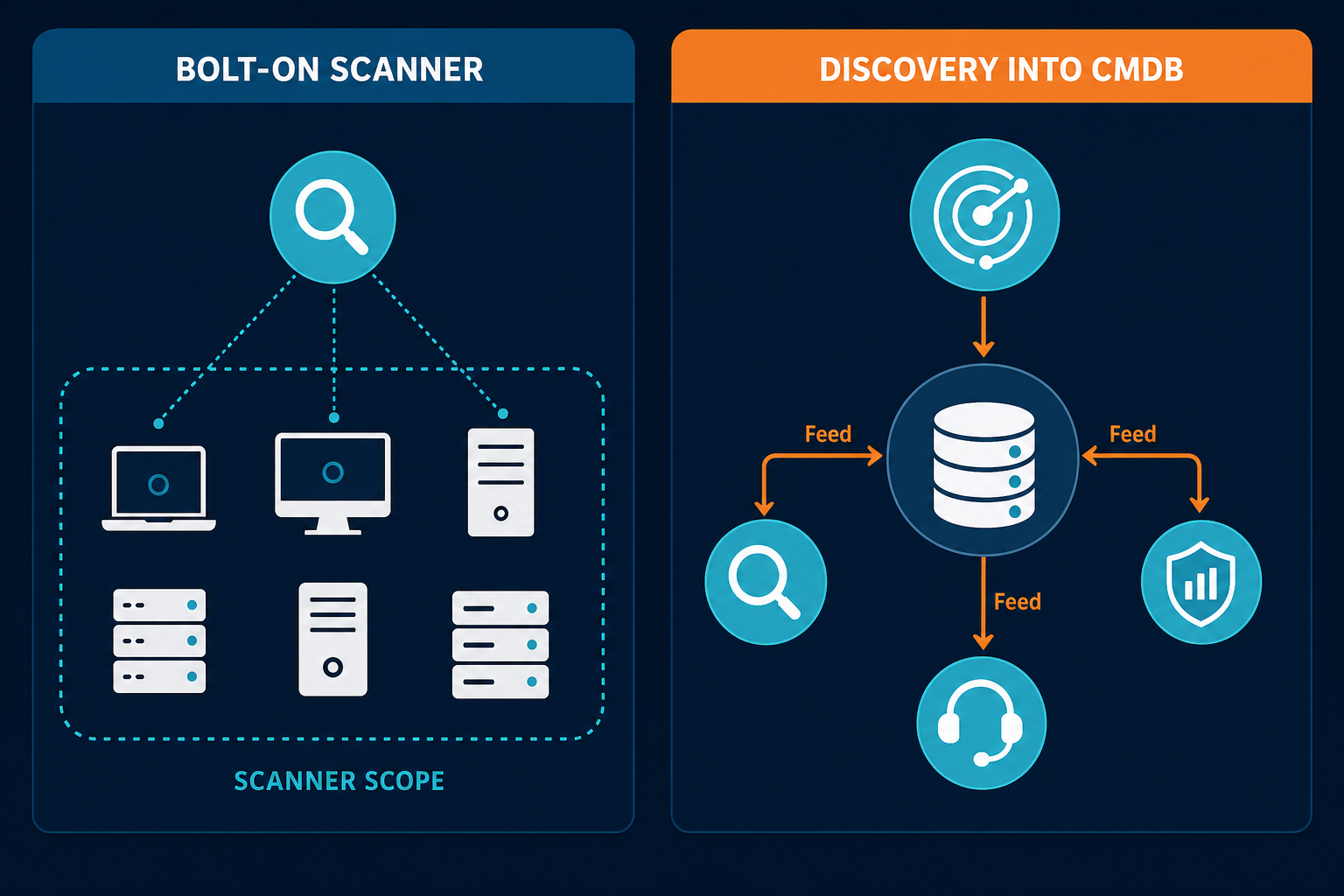
This post compares two designs for secure IT discovery: a bolt-on scanner that works alone, and discovery that writes into a CMDB which then feeds your security stack. It also covers the part CISOs tend to find last: the discovery system holds privileged credentials, so it needs the same scrutiny as any other privileged system.
What Is Secure Discovery, and What Is a CMDB Feed?
Secure discovery is asset discovery that you can defend in a security review, and it has three properties. The collection method limits what credentials it holds and where they live. The data path is encrypted and documented. Every change it makes to the record is attributable.
A CMDB feed is the output of that discovery, delivered to other tools. Instead of each scanner, SIEM, and ticketing queue keeping its own list, they read one reconciled record of configuration items. That record carries identity, ownership, relationships, and history.
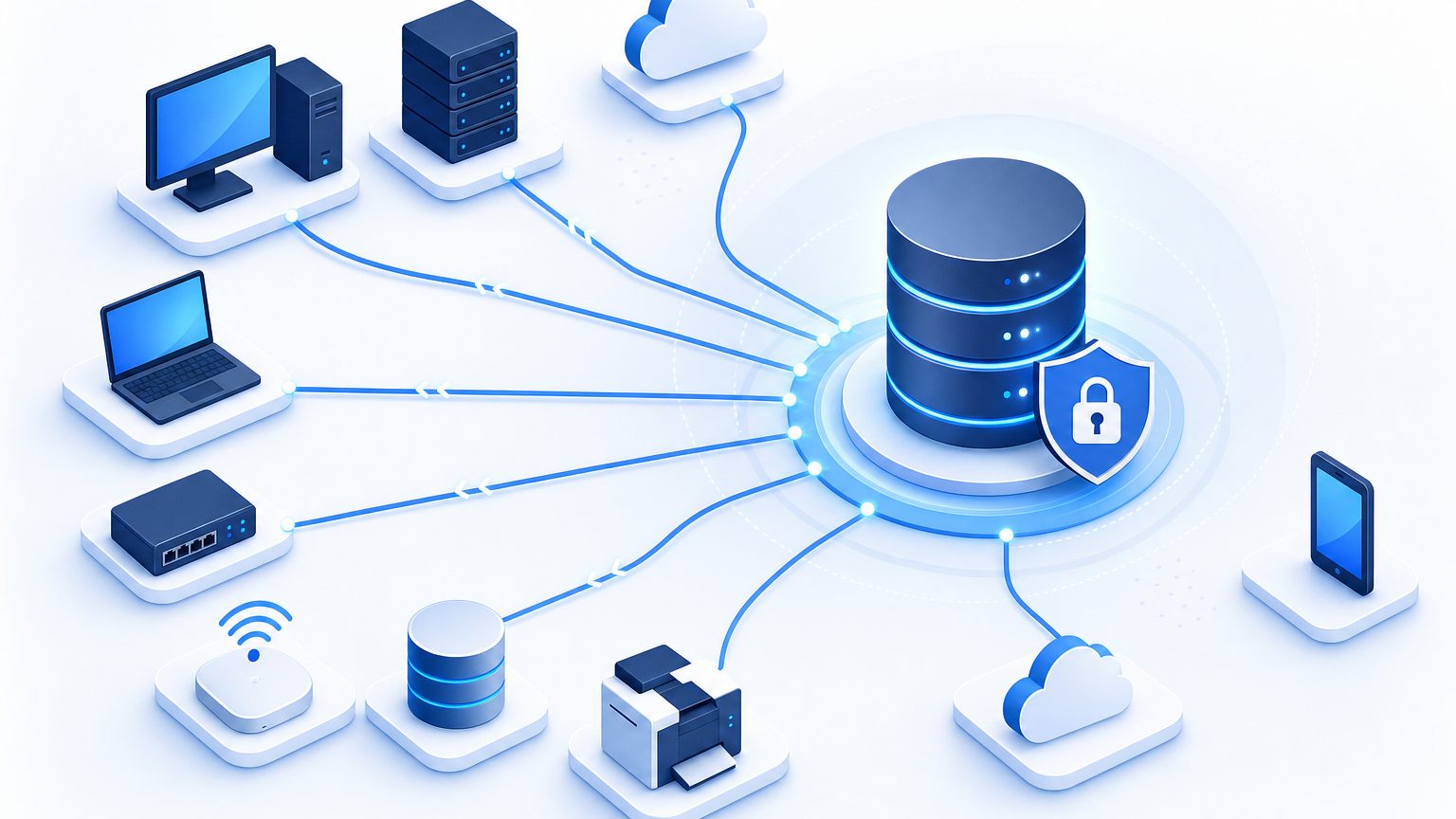
Virima’s IT discovery page describes the collection side: agentless probes over SNMP, WMI, SSH, and other protocols, an agent for Windows, macOS, and Linux, and API-based discovery for cloud sources. Results are reconciled into the Virima CMDB. The feed side is the rest of this post.
One boundary matters up front. Virima is discovery-driven and does not perform active exploit testing. Its vulnerability documentation says dedicated scanners complement it. This is not a scanner replacement argument. It is an argument about where asset identity and service context should come from.
Every Scanner and Discovery Tool Holds a Privileged Account
Authenticated scanning gives better results, and it creates a powerful credential. Tenable’s documentation says that to scan accurately, you must grant the scanner privileged authentication and access levels on the end system. It recommends administrator or root-equivalent accounts. It describes custom low-privilege accounts as fragile and not recommended, because the privileges required can change as assessment methods evolve.
Tenable also lists compensating controls that apply to any tool in this category. Monitor use of the account outside change windows. Rotate its password more often than your normal standard. Enable the account only during the scan window. Block remote root logins on non-Windows systems and use key authentication instead of passwords. Tenable also advises using agents where available.
Discovery tools face the same trade-off. Virima’s FAQ states that agentless discovery requires network connectivity and admin credentials. The page does not claim least privilege. The honest comparison is how many separate privileged systems you run, and how each one stores and uses its credentials.
| Security review question | Bolt-on scanner (per Tenable documentation) | Secure discovery with CMDB feed (per Virima documentation) |
|---|---|---|
| Privilege level | Administrator or root-equivalent recommended | Admin credentials for agentless discovery |
| Alternative to stored credentials | Agents, where available | Agent for Windows, macOS, and Linux |
| Where credentials live | Per the scanner’s own configuration | Encrypted on the Discovery App server, never transmitted externally |
| Who can run it | Per scanner role model | Role-based access controls who can configure and run discovery |
| Compensating controls | Account monitoring, rotation, time-boxing | Your own controls; confirm what the product enforces |
Running both tools means two sets of privileged credentials, two rotation schedules, and two places to monitor. That cost drops only if your scanner consumes the CMDB’s asset list instead of holding its own parallel scope. Plan that explicitly, because it does not happen by default.
Where Does the Collected Data Go?
A CISO review should follow the data, not the brochure. Virima’s documentation says the Discovery App runs on a server you own, that credentials are encrypted on that server, and that discovery data transmits to Virima’s platform over encrypted channels. Its page says nothing moves in plaintext.
Several details the page does not state matter to a review. It does not say where discovery data is stored at rest, and it does not list agent communication ports. Ask for both in writing. Virima’s agent documentation describes remote devices reporting over secure internet communication to a cloud-based Discovery App, so confirm which model applies to your agents.
For assurance, Virima announced completion of a SOC 2 Type 2 examination on August 7, 2025. The announcement says the audit by AARC covered its SaaS and on-premises platforms against the AICPA Trust Services Criteria. Listed areas include secure data handling and access control, availability, monitoring and alerting of vulnerabilities, and change management and incident response. The announcement does not state the observation period. Request the report itself under NDA and read the scope and exceptions yourself.
What a Bolt-On Scanner Cannot Tell You
Scanners are built to find vulnerabilities, and they do that well. What a standalone scanner lacks is a record of what the asset means to the business. Virima’s CMDB vulnerability management article lists the gaps: CI-level asset linkage, service dependency context, and asset criticality in prioritization. It presents those as gaps a scanner leaves, not as flaws in scanning itself. That is a vendor view, so test it against your own findings.
For a CISO, the missing context shows up in four places:
- Identity. Is the flagged host a known configuration item, or something no one registered?
- Ownership. Who is accountable for the fix, and is that person recorded anywhere the scanner can read?
- Service. Which business service depends on this host, and what happens if it is taken offline to patch?
- History. Was this host changed recently, and by which ticket?
A scanner can answer none of these from its own data. A CMDB can answer all four if the discovery behind it is current. The mechanics of linking CVEs to CIs are already covered in the article linked above, so this post does not repeat them.
Discovery also finds assets that were never registered, which a scanner scoped to a known list will miss. Virima’s article on finding shadow servers and unknown network devices describes that workflow in detail.
If your team needs a single place to see how discovery-sourced inventory supports safer prioritization, review how Virima frames Trusted Runtime Truth for operational and security decisions.
What Should the CMDB Feed Carry to Your Security Stack?
A feed is only useful if it carries fields your analysts act on. This table lists what to require, and what Virima documents for each.
| Feed field | Why security needs it | What Virima documents |
|---|---|---|
| CI identity and discovery source | Separates registered assets from unknown ones | Reconciled CIs from agentless, agent, and API-based sources |
| Software name and version | Input for vulnerability matching | Matched against the NIST NVD CPE dictionary, with CVEs linked to CIs |
| Business service and criticality | Orders remediation by impact | ViVID™ service maps and CI criticality once service definitions are provided |
| Source, timestamp, and rule per attribute | Shows why a value is trusted | Attribute-level authority rules, with conflicts logged and queued for review |
| Change history | Ties a finding to a recent change | Every CI change logged |
| Owner | Routes the fix | Verify in your configuration; the pages reviewed do not specify an owner field |
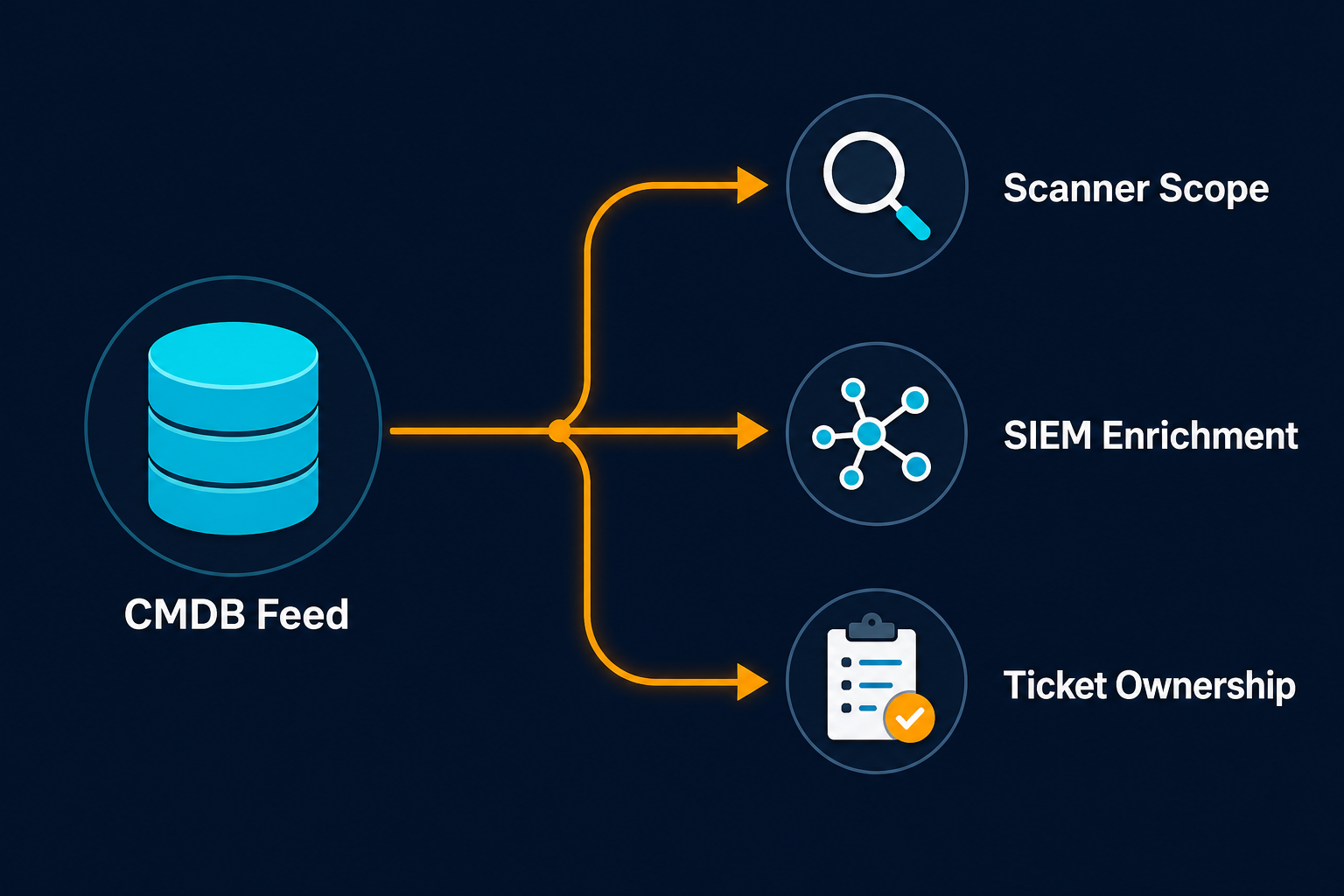
Delivery is the next question. Virima documents a REST API with token authentication for reading and writing CI records, dependency maps, health scores, and change history. It also documents ITSM integrations through its integrations hub, including a bi-directional ServiceNow integration. Its cybersecurity page says Virima can integrate with vulnerability scanners and threat intelligence platforms, but it names no products. Ask for the supported list and the integration method for the scanner and SIEM you run.
One limit should shape your expectations. CVE correlation depends on the software versions discovery records. Virima’s documentation says it runs on a configurable schedule after each discovery cycle. It is not an exploit test, and it will not see a vulnerability that depends on a runtime condition.
Cadence and Coverage Against a Federal Yardstick
BOD 23-01 applies to federal civilian agencies, but its numbers make a useful yardstick. Discovery every 7 days across the whole address space, and enumeration every 14 days, set a floor for how stale an inventory can be before it stops supporting risk decisions.
Two questions follow from that yardstick. The first is what your actual interval is, measured from the last successful discovery of each asset and not from the last scheduled job. The second is whether your scanner scope updates itself from discovery or someone maintains it by hand.
Virima runs high-frequency scheduled discovery, with the schedule set in the Discovery App. If the agent cannot reach the Discovery App at scan time, Virima’s agent documentation says it skips that scan and holds the pending data until the connection returns. Use that behavior in your evidence: ask for a report of the last successful discovery per CI, and sort by oldest.
When a Bolt-On Scanner Alone Is Enough
A fair evaluation includes the cases where the extra layer does not pay off.
A scanner on its own can be enough when your estate is small and stable. It also works when your CMDB already holds ownership and service data you trust, and the scanner’s scope is generated from it.
It also holds when your main need is exploit-level testing. Virima does not provide it, and its documentation says so. Keep your scanner for that job under any design.
The design in this post earns its place when assets appear faster than anyone registers them. It also helps when findings stall because no one owns the host, or when an auditor asks how a record came to hold a value.
Eight Questions for Your Security Review
Put these to every vendor in the evaluation, in writing.
- What privilege level does collection require, and what is the lowest that works?
- Where are credentials stored, how are they encrypted, and can they leave the collector?
- Which roles can create, edit, and run discovery jobs, and are those actions logged?
- Which ports and protocols does each collection method need, in which direction?
- Where is collected data stored at rest, and in which region?
- What does the SOC 2 report cover, and what exceptions does it list?
- Which method delivers data to our scanner and SIEM, and with what authentication?
- What happens when a source disagrees with another, and where is the conflict recorded?
A vendor that answers the fourth and fifth questions plainly has probably done the work.
A Read-Only Pilot on One Network Segment
A pilot settles these questions faster than a document review. Choose one segment that already has scanner coverage, so you can compare.
Setup. Create a dedicated service account for the pilot with the narrowest privileges that work, and record what it needed. Enable it only for the test window. Note every firewall rule and credential store you touch.
Run. Discover the segment, then compare the discovered list with your scanner’s target list. Count the hosts in each list but not the other. For each, record whether an owner and a service were available.
Evidence. Check that the account’s activity appears in your logs, that the credential never left the collector, and that the CMDB shows the source and timestamp of each value.
Decision rule. Agree the pass criteria first: every host in both lists has an owner and a service, unknown hosts are explained, and the account’s footprint is acceptable to your team.
Test It on One Segment Before You Decide
If you want to test the credential handling and feed on your own network, start with Virima’s IT discovery overview and bring the eight questions above. Ask for the SOC 2 report alongside them, then request a demo when you are ready to walk a single segment through a read-only pilot.
Frequently Asked Questions
What is secure discovery in an IT discovery context?
It is asset discovery you can defend in a security review: limited, monitored credentials held on a collector you control, an encrypted data path, and attributable changes. The output then feeds other tools through a CMDB.
Can a CMDB feed replace a vulnerability scanner?
No. Discovery-driven platforms that skip active exploit testing still need dedicated scanners. The feed supplies asset identity, ownership, and service context that scanners need to prioritize findings.
Does discovery add another privileged account to my environment?
Yes. Agentless discovery typically needs admin credentials. An agent reduces stored credentials, and scanner vendors often recommend agents where available. Plan rotation, monitoring, and time-boxing for every collector you run.
What evidence should I request from a discovery vendor?
Ask for the SOC 2 report, the port and protocol list per method, the data storage location, the credential handling description, and the role model. Verify each claim during a pilot, not only on paper.
How long should a security pilot of Virima discovery take?
One network segment can be tested in about two weeks. Use one week to configure and run discovery, and one to compare results with scanner scope and check logs, with pass criteria agreed beforehand.