Retired VMs Still in Backups? Reconcile VM Inventory

A virtual machine can disappear from a hypervisor while its backup records remain. The backup administrator then faces a difficult question: should those recovery points stay, expire, or be investigated?
Removing the wrong backup can eliminate a recovery option or violate a retention requirement, while keeping every unresolved record leaves an unreliable inventory and a growing exception queue — and during an incident, nobody can say with confidence what’s protected. The infrastructure team, backup owner, and service owner need a shared decision for each record.
Reconcile VM inventory by checking retired VMs still in backups against VMware and Hyper-V records and retirement evidence. A missing VM is a prompt for investigation, not proof that its backups are disposable. Review retention, legal holds, and recovery requirements before making any change in the backup platform.
Why retired VMs remain in backup records
A VM retirement and its backup lifecycle are separate events. An infrastructure team may remove a VM from its host after a migration. The backup platform may retain its recovery points for a contract, policy, or recovery requirement.
Backup records can also remain after an incomplete handoff — a decommission ticket that closes without identifying the backup job or its owner, a VM that moves to another management environment under its former identity, or failed discovery and limited access that make an active VM look absent from an inventory.
These situations call for different decisions: an approved archive can remain after retirement, a failed backup on a VM that’s still required needs investigation, and a stale catalog reference may need an administrative correction, subject to the backup product’s behavior. Left unresolved, that backlog has its own cost — a growing queue of unverified records inflates storage spend and audit prep time the longer it sits open (the real cost of CMDB inaccuracy).
Veeam’s deleted-items retention guidance shows why the distinction matters: behavior depends on job settings and backup-chain format, and data can remain after a machine stops being processed (other products and versions vary, so check your own documentation).
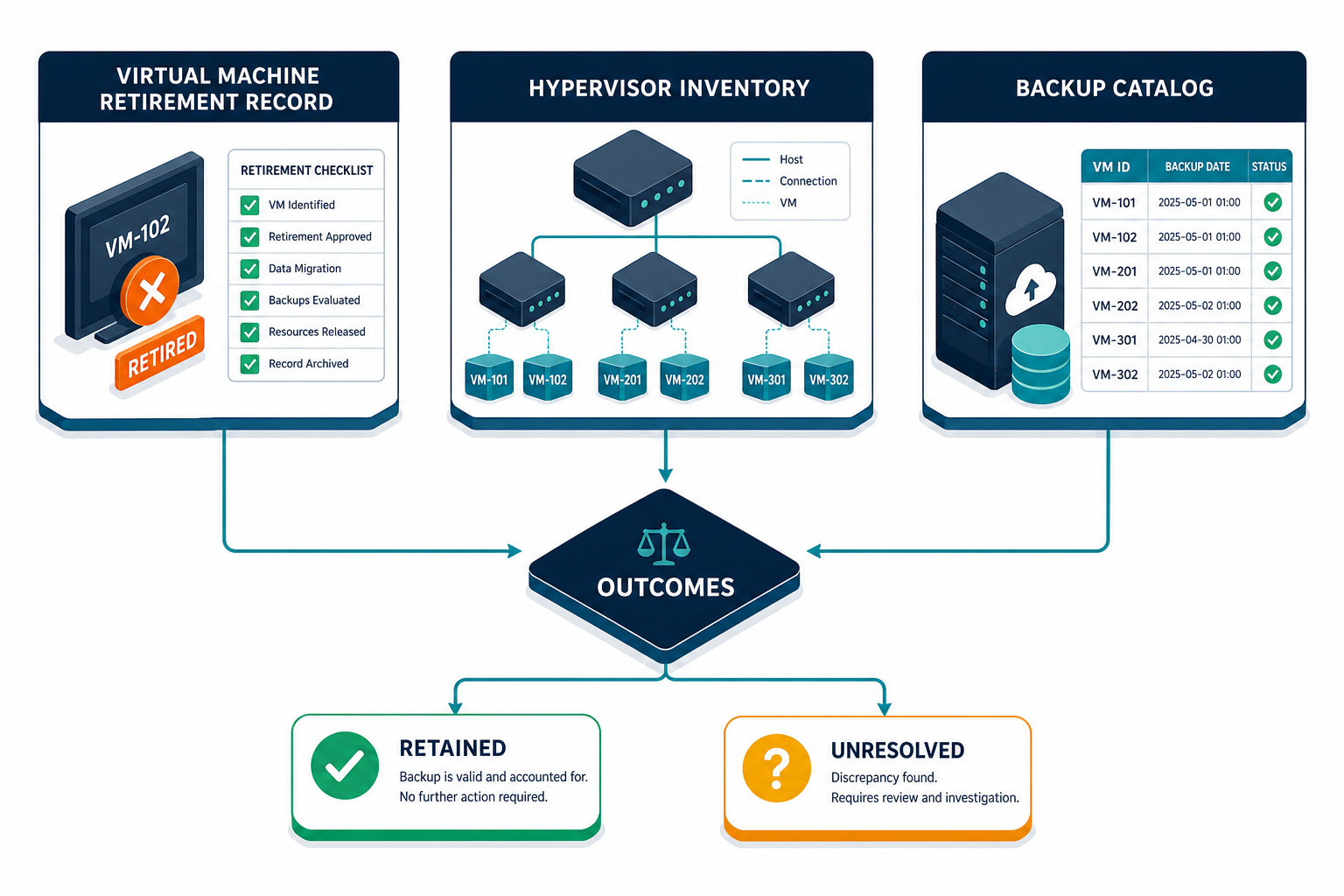
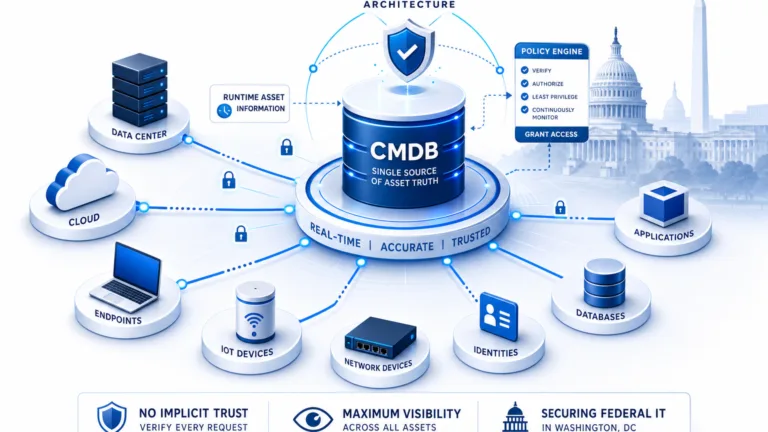
Virima’s Trusted Runtime Truth approach connects discovery-sourced records with ownership so teams can see what exists, how it connects, and who owns it — the backup system remains responsible for its own jobs and retention settings.
Does a retired virtual machine always need its backups removed?
A retired virtual machine may still require retained recovery points after its infrastructure has been removed. Legal holds, contractual requirements, recovery plans, and organizational policies can require preservation. The backup owner should document the retention decision and expiration date before changing protection or deleting data.
Collect four records before comparing inventories
Start with a defined scope — one VMware environment and its backup jobs, plus relevant Hyper-V hosts when identifiable separately — and record the extraction time and responsible team for each source.
Hypervisor inventory
Export VM identifiers, names, host or cluster, power state, and capture time from each management source, noting the environment or domain since identifiers may have different scopes. A powered-off VM can still be required and should stay visible in the comparison.
Discovery and CMDB inventory
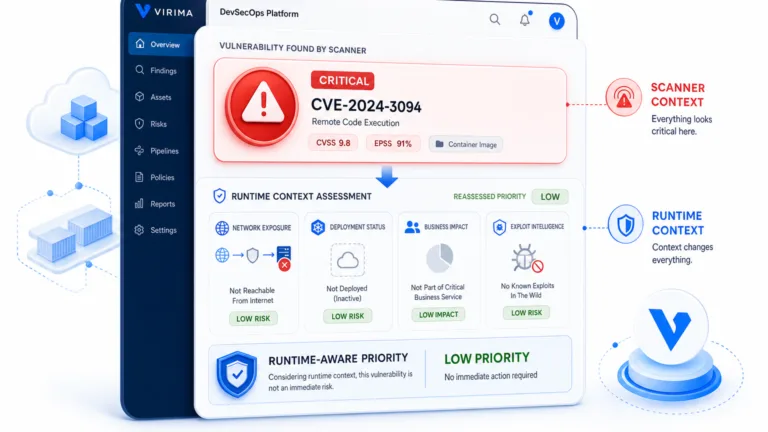
Collect the latest available discovered VM records, their source, last-seen information, lifecycle status, and owner fields. Confirm the discovery scope and credentials before treating a missing VM as retired — a coverage gap and a genuine retirement produce the same symptom but need different follow-up. Scheduled discovery captures evidence at a particular time and may not cover every system; a high completeness score doesn’t guarantee the populated fields are accurate (CMDB health score vs. discovery findings).
Backup catalog
Ask the backup administrator for protected object identifiers, job or policy names, last successful backup, recovery-point details, retention information, and any backup copies or repositories the team can report.
Retirement evidence
Obtain approved change records, retirement dates, service-owner decisions, and migration or replacement references, and ask the records or legal team whether a hold applies — if a VM was replaced, capture the relationship to its successor.
The resulting comparison needs a common observation window — mark evidence dates clearly, since sources captured at different times can look like a retirement gap when it’s really a timing gap.
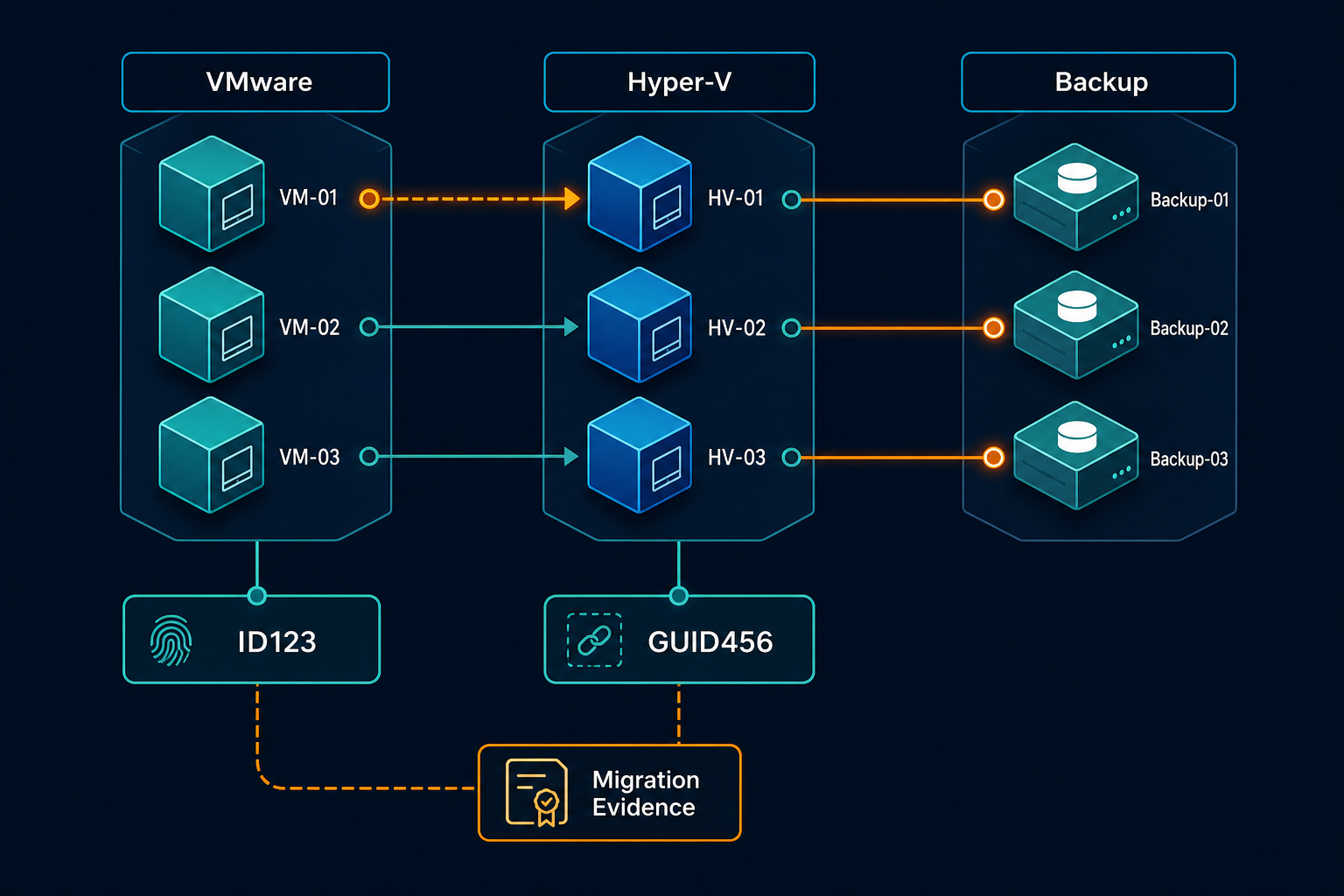
Match VMware and Hyper-V records without relying on names
Names help people navigate an exception list, but they can be reused or changed. A new VM can inherit the name of a retired machine. A migration can also produce a different identifier for the workload even when its service remains the same.
Use a platform-provided VM identifier when the source and backup systems expose a reliable mapping, and keep the management domain and identifier type beside the value. For VMware, record the vCenter context and the identifiers available from the relevant systems. VMware’s own developer documentation describes the moRef as the identifier unique within a single vCenter Server, and the instanceUuid as the property meant to track a VM across multiple vCenter Servers. It also notes that actions like vMotion or a backup restore can leave the BIOS UUID no longer matching the instanceUuid (VMware VDDK programming guide). For Hyper-V, record the VM’s unique identifier (GUID) alongside the host or cluster name — removing a VM from Hyper-V Manager doesn’t remove its job from the backup console, so the backup platform can keep protecting a GUID that no longer resolves to a running VM until someone updates the job’s source list. Validate the mapping against your product documentation and data exports.
A serial number may help as supporting evidence once its uniqueness and lifecycle are confirmed, but a hostname alone is not a durable join key. Cloud instance IDs apply to cloud workloads, outside this VMware/Hyper-V scope.
When identifiers disagree, examine the approved migration record, timestamps, host history, and backup-job association. Ask the platform owner to confirm the relationship before joining records. Keep the original identifiers in the audit trail instead of replacing them with a guessed match.
What should teams do when a virtual machine identifier changes after migration?
Keep both the old and new virtual machine identifiers with their management-domain context. Use the approved migration record and owner confirmation to establish the relationship. Review backup protection for the successor separately, because an older recovery point does not establish that the replacement workload is protected.
Unmatched records should remain exceptions until someone resolves them. An analyst can suggest a match using names and timing, but a suggested match is not an approved identity. Document who reviewed the evidence and what source supported the decision.
Classify each mismatch before changing backup settings
Build an exception list that separates lifecycle decisions from backup actions, using the categories below as a starting point for owner review:
- Active VM with current protection: It appears in the scoped inventory with a backup record — check the last successful backup and policy rather than assuming the job is healthy.
- Active VM without an expected backup: Confirm the workload requires protection and the backup inventory is complete, then route confirmed gaps to the backup owner.
- Retired VM with approved retention: Preserve recovery points for the documented period. Record the owner, reason, policy, and next review date.
- Retired VM with an unresolved record: Confirm retirement, associated services, legal holds, and recovery obligations. Keep the item open until the responsible owners decide.
- Backup record with no confident inventory match: Check discovery scope, migrations, permissions, and identifier mapping. Assign an owner before considering any backup change.
A failed job can belong to an active, retired, or moved VM — review it with the source record, since a failure message alone doesn’t establish whether a recovery point should be retained. A successful job, similarly, doesn’t prove the retention period meets business requirements; confirm that with the service owner and records team.
Record each decision — identity evidence, timestamps, decision maker, retention basis, and follow-up date — in the change or exception process, naming the next action and owner for anything left unresolved.
Make retention and recovery decisions with the right owners
The infrastructure owner confirms whether the VM was removed, moved, or replaced; the service owner confirms whether its data is still needed; and the backup administrator identifies recovery points and retention behavior.
Legal, records, security, or compliance teams may need to review the decision depending on the data and policies involved, and any legal hold should be resolved through the appropriate authority before deletion is considered.
Separate the decision to stop future protection from the decision to remove historical data — a backup product may offer different choices for each. Microsoft’s Azure Backup guidance describes options with different effects on future backups and recovery points; verify the equivalent behavior for your VMware or Hyper-V backup product.
Before an authorized change, confirm recovery dependencies: a retired application’s database, file archive, and configuration records may sit under different owners, so identify what’s needed to restore it and who can do so.
A restore test shows a recovery point works under tested conditions; record the date, scope, and result — a past success doesn’t guarantee every later recovery point will work.
Who approves deletion of a retired virtual machine backup?
The organization should assign deletion authority through its retention and change policies. The service owner confirms business recovery needs, while the backup administrator verifies the technical consequences. Legal or records owners should resolve applicable holds before an authorized person changes or deletes retained data.
Use discovery and CMDB records to support the review
Virima can inventory VMware and Hyper-V virtual machines through configured discovery, producing records teams can compare against backup exports. Coverage depends on configuration, access, and the timing of the scheduled discovery cycle.
Its configuration management database (CMDB) can hold configuration item records, lifecycle information, and relationships from available sources, helping teams identify owners and investigate discrepancies — though a populated field isn’t the same as a correct one, so treat completeness as a starting point for the review, not proof it’s finished (why completeness is the wrong CMDB metric).
ViVID™ can show service dependencies once the organization supplies service definitions, helping a service owner judge whether a VM supported a business service — the map is limited to those definitions, so an absent relationship still needs investigation. The backup catalog remains a separate source of evidence, validated per environment; Virima should not be assumed to inspect backup chains, enforce retention, or delete recovery points.
For a practical first review, select one environment and a sample of backup objects, compare source identifiers, last-seen dates, retirement records, and ownership, then have the backup administrator resolve each unmatched item with the service owner. Track recurring causes: missing access often means a discovery coverage gap, reused names often mean an identity-mapping problem, and a closed retirement ticket without a retention decision usually means a process gap, not a technical one.
Keep the comparison useful after the first review
Agree on a review cadence that fits the rate of VM changes and recovery obligations, run scheduled discovery within the approved scope, then compare its output against backup and retirement records — align timestamps first, since exports captured at different times can look like a retirement gap when it’s really a timing gap.
Track unresolved exceptions by age and owner, keeping missing inventory matches separate from unconfirmed retention decisions, since combining them hides the work needed to close each case. Review the results after every migration or decommissioning wave: a replacement VM may need its own backup policy while the predecessor’s recovery points stay under an approved retention period, so document both decisions rather than treating the replacement as automatic continuation.
Keep that evidence — tickets, policies, owner records — accessible across systems to the people who must act during an incident.
Reconcile the retirement decision with the recovery record
A reliable VM retirement decision connects the hypervisor record, backup catalog, owner, and applicable retention evidence. Investigate mismatches before changing protection or recovery points. Keep approved archives visible until their retention obligations have been resolved.
Frequently Asked Questions
Why does a retired VM still appear in backups?
Its recovery points may be retained under an approved policy, or its catalog record may need review. Confirm the VM’s retirement, backup status, and applicable retention requirements before making changes.
Can a powered-off VM be treated as retired?
A powered-off VM may still support recovery, testing, or a planned workload. Confirm its lifecycle status with the infrastructure and service owners before changing its backup protection.
Which identifier should teams use to reconcile VM backup records?
Use a platform-provided identifier that both sources can map, together with its management-domain context. Validate migration history and identifier behavior in the relevant products. A hostname alone is not a durable join key.
How can Virima help teams reconcile VM inventory?
Virima can discover VMware and Hyper-V virtual machines within configured scope and maintain configuration records. Teams can compare those records with backup exports and retirement evidence, subject to available identifiers and access.
Does Virima decide when retained backups should be deleted?
The organization sets retention and deletion policy, and its backup platform controls recovery points. Virima can provide inventory and relationship context for review, while authorized owners make the decision.