IT Workflow Management Is Already Failing Your Next Change Window

On 19 July 2024 at 04:09 UTC, CrowdStrike shipped a Rapid Response Content update meant to improve Windows sensor telemetry. Within about 78 minutes, the update was reverted, but hosts that loaded Channel File 291 in that window crashed with a blue screen. CrowdStrike’s own preliminary Post Incident Review describes a content validator gap and a deployment path that trusted prior Template Instance success. The BBC reported grounded flights, payment friction, and healthcare disruption the same day.
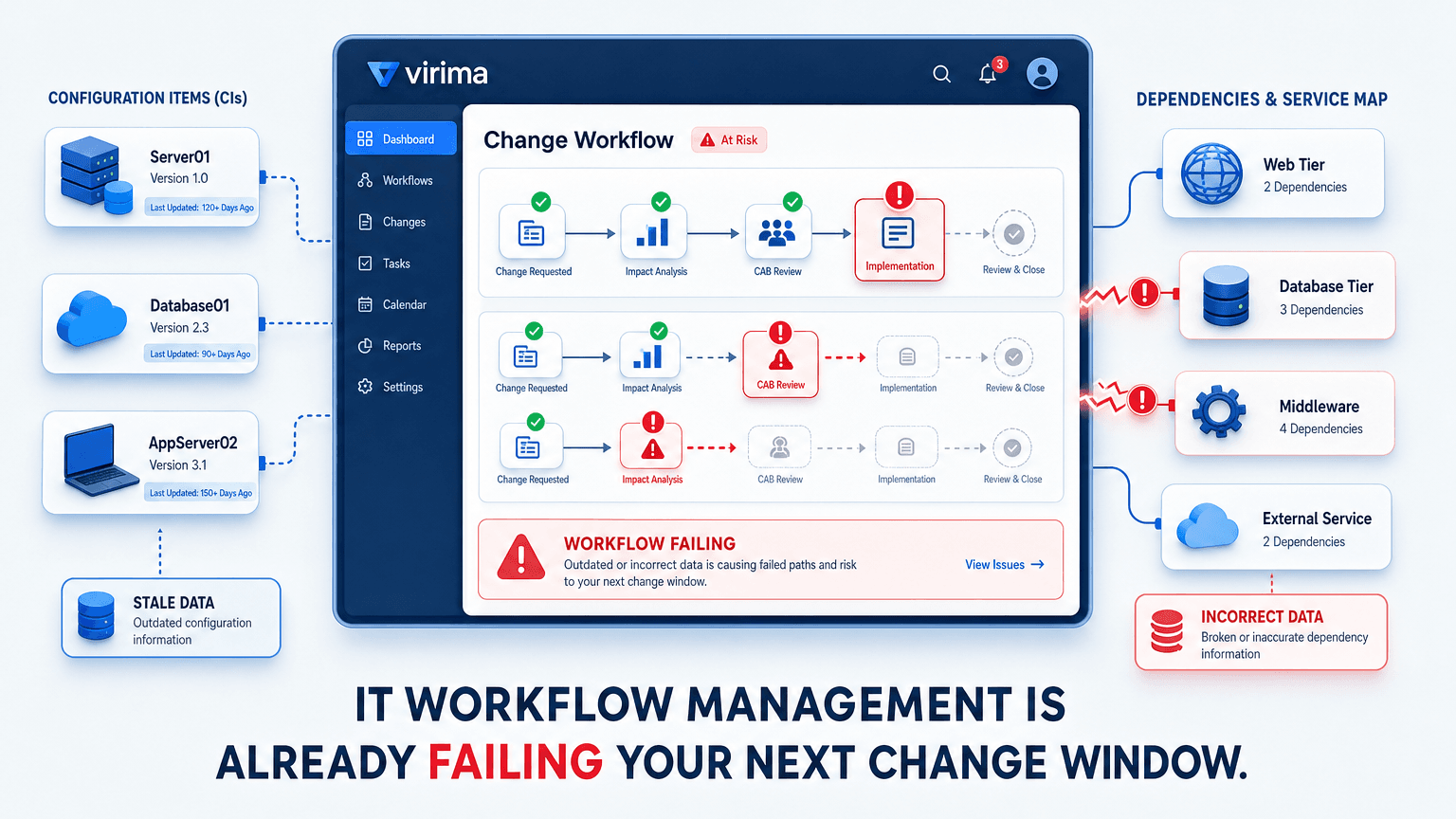
That outage was not a missing ticket queue in IT workflow management. The release path existed. What failed was staged validation and controlled rollout for a content class that could take hosts offline at scale. Ops teams live a smaller version of the same pattern every week. Change and incident workflows look complete on paper, then route on stale ownership, missing dependencies, or severity that never maps to the configuration item (CI) that is failing.
IT workflow management is the discipline of routing incident, change, and request work to the right owner using current configuration and dependency data, not just a ticket’s category field. Automation alone does not fix them. The data behind each step does.
What is IT workflow management?
IT workflow management is the discipline of defining how IT work moves from request or event to resolution, with clear ownership, service targets, and an audit trail. In ITIL 4 terms, it sits inside practices such as incident, problem, change enablement, and request fulfillment. The goal is consistent service delivery, not a prettier form.
A workable IT workflow needs more than a status field:
- Defined steps from intake through close
- Named owners for each step and for the affected service or CI
- Service level agreement (SLA) targets and clocks that match severity
- Escalation paths that fire before the breach, not after
- An audit trail that shows who decided what, and on which data
Those requirements only hold when the ticket is joined to current environment truth. A change form can list “impact analysis” as a step. If the form has no live dependency view and no verified owner, the step is theater.
An ITIL-compliant IT service management platform can host the workflow. It still depends on configuration and discovery data to decide who should act and what is at risk.
The hidden problem
| Situation | What happens |
|---|---|
| Change ticket approved on schedule | CAB reviews a risk field filled from last quarter’s CI list. A new shared database is never flagged. |
| P1 incident opened against “email” | Queue rules send the ticket to messaging ops. The failing host is a directory dependency owned by identity. |
| Access request auto-approved after manager sign-off | Provisioning runs against a group that still includes decommissioned app roles. |
| Patch job marked successful | Post-check confirms agent heartbeat. Nobody verifies the business service still reaches its database tier. |
The workflow software may be healthy. The inputs are not.
Linear vs. conditional IT workflows
Ops teams rarely need a five-type academic taxonomy. Two patterns cover most of the work.
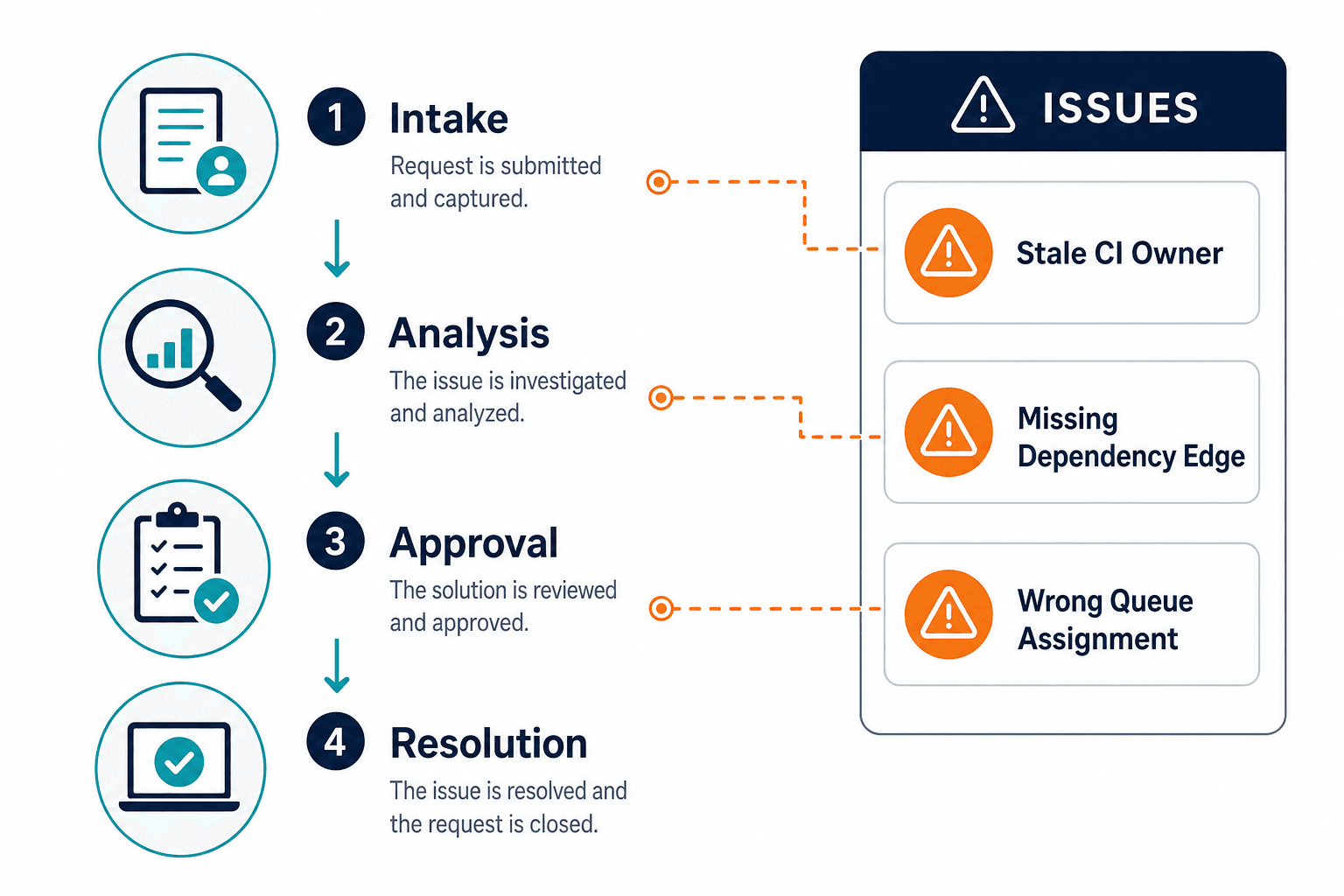
Linear (sequential). Steps run in a fixed order with little branching. A password reset is a good example: submit, verify identity, reset, confirm, close. Speed and consistency matter more than rich dependency data, though the identity source of truth still has to be current.
Conditional (rule-based). Routing changes when a field or score changes. Incident severity selects the SLA tier and on-call path. Change risk score decides standard track versus full change advisory board (CAB) review. Conditional workflows only improve outcomes when the condition is grounded in real CI ownership, service maps, and recent discovery. A risk score built on tribal knowledge recreates the same failure with better branding.
Why is IT workflow management important?
Broken workflows show up as downtime, missed SLAs, and audit findings, not as abstract inefficiency. When a change lands without dependency context, the outage cost is paid in customer impact and recovery labor. When an incident bounces between queues, the SLA clock does not pause while teams argue about ownership. The workflow management benefits of fixing this are concrete: fewer misroutes, faster incident resolution, and audit trails that hold up under review.
Demand for structured IT service work keeps rising with hybrid estates and cloud adoption. The Business Research Company estimates the IT service management market at $14.36 billion in 2025 and projects $28.01 billion by 2030 (13.9% CAGR). Growth in tooling does not automatically mean better outcomes, though. Teams that only automate ticket motion still fail when the underlying asset and service data is wrong.
Uptime and change risk research points the same way. Uptime Institute’s 2024 Annual Outage Analysis continues to show that many serious incidents still trace to change, configuration, and process issues rather than pure hardware failure. Workflow design is part of that risk surface.
Where IT workflow management breaks down
- Workflows built on stale ownership or CI data. Tickets route to the team that owned the box last fiscal year. The current owner never sees the work until the SLA is already red.
Result: Wrong queue, burned clock, delayed fix. - No dependency visibility before a change. Approval checks the calendar and the template, not the services that share a load balancer, database, or identity path.
Result: Approved changes create unplanned outages. - Manual escalation paths. Severity is set by whoever opened the ticket. Nobody recalculates the path when the affected CI maps to a higher business service.
Result: Major incidents miss the SLA window before leadership is even paged.
SLA monitoring and reporting only tells the truth when severity, CI, and owner are correct at intake.
Why do IT workflows fail even when the ticketing tool is stable?
IT workflow management fails when the ticketing tool works but its inputs don’t. A change or incident ticket can route on schedule and still assign the wrong owner if the configuration item (CI) behind it has stale ownership or an unmapped dependency; the tool succeeds while the process fails.
Who pays when IT workflow management goes wrong
For change managers
CAB time is expensive. When blast radius is reconstructed from chat threads and tribal knowledge, approvals become risk theater. Change managers carry the outage narrative afterward even when the form fields looked complete. Incomplete dependency data turns every standard change into a potential emergency change in disguise.
For incident responders
Mean time to repair stretches when the first hour is spent rebuilding the environment map. Responders re-discover which apps share a host, which VIP fronts which pool, and who owns the database. NIST’s SP 800-61 Rev. 2 incident handling guidance stresses preparation and accurate asset context before detection and response scale. Without that context in the ticket, preparation is reinvented during the incident.
For CMDB and ops owners
Every broken route becomes a reconciliation project. Ops owners spend cycles explaining why the CMDB record was wrong after the fact, then manually correcting entries the workflow never consulted. That labor does not show up as a line item labeled “workflow debt,” but it dominates sprint capacity.
If you are evaluating change management tools compared side by side, put data readiness next to workflow features. Feature parity on forms is common. Parity on discovery-backed impact is not.
Teams that want a clearer picture of runtime dependencies and ownership can start with Virima’s view of Trusted Runtime Truth before they redesign every template.
How automation and context fix broken IT workflows
Three mechanisms move IT workflow management from ticket motion to service-safe execution.
- Workflow templating. Pre-built paths for incident, change, and request work encode business rules once. Linear request templates stay simple. Conditional change templates branch on risk score, CI criticality, and required approvals. Templates fail when risk score is a free-text guess. They work when score inputs come from ownership, environment class, and known dependencies.
- Runbook automation for repetitive steps. No-code triggers can handle password resets, post-patch reboots, or standard validation checks, with explicit exception paths when automation cannot finish. This is workflow automation for IT teams in the structured sense, not a claim of self-healing infrastructure. Exception paths must land with the correct owner, or automation only accelerates the wrong queue.
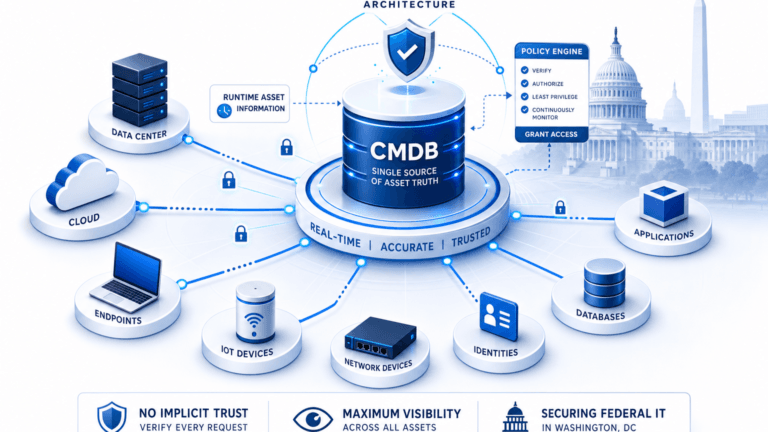
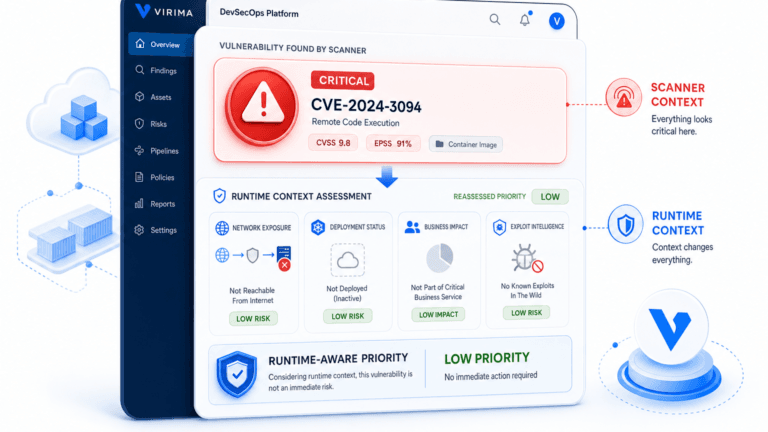
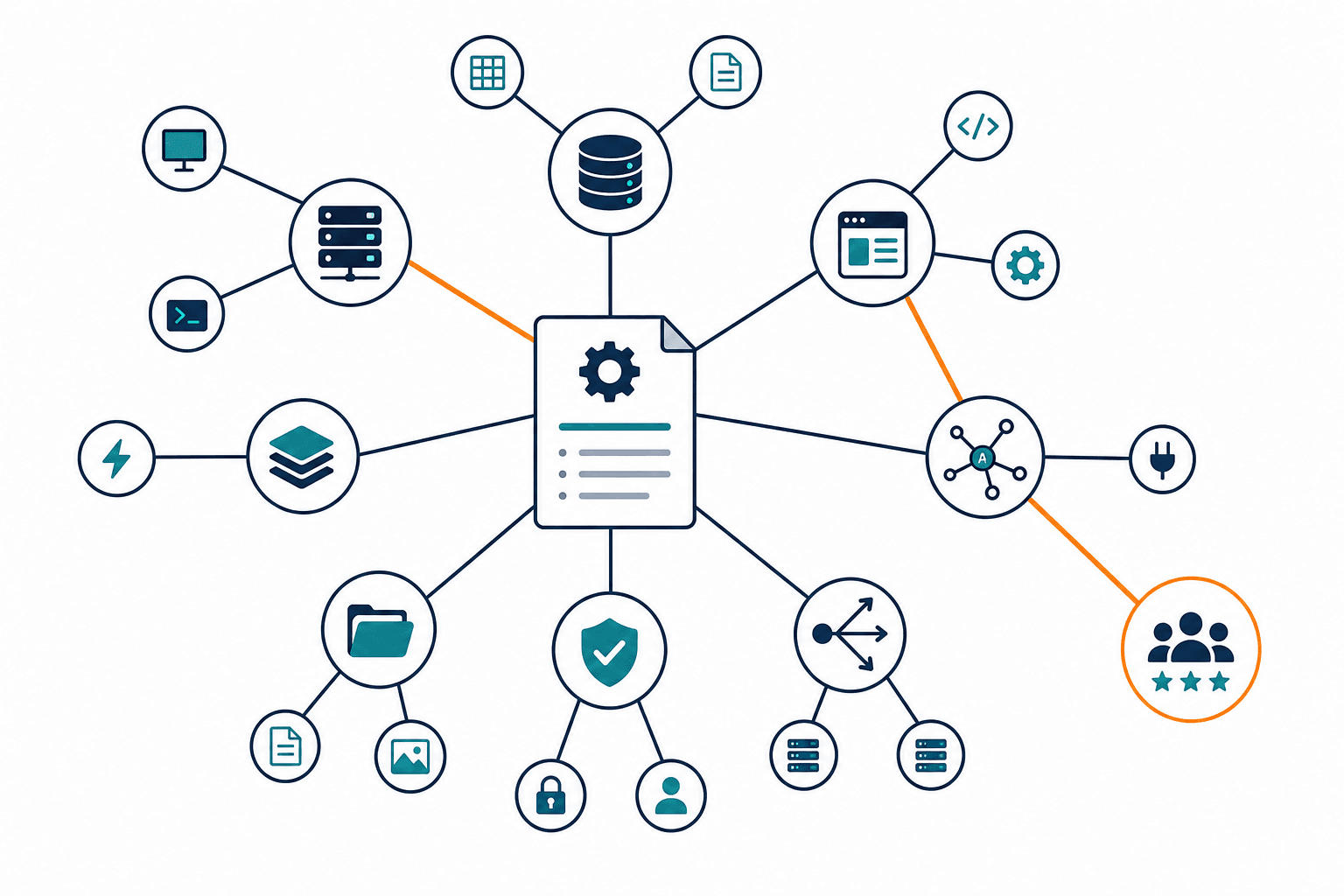
- Dependency-aware routing. Once service definitions are provided, ViVID™ service maps build application-to-infrastructure dependency maps and keep them current as infrastructure changes through scheduled discovery cycles. Change and incident work can then reference the map before the ticket advances. Responders see the impact path. CAB sees shared risk. Routing follows CI owner plus service criticality instead of category keywords alone.
| Dimension | Manual workflow | Automated, context-aware workflow |
|---|---|---|
| Routing accuracy | Category and free-text assignment | CI owner, service criticality, dependency path |
| Time to resolution | Hours lost to environment rebuild | Faster triage against a current map |
| Audit trail | Ticket comments and email | Ticket plus CI/service evidence used at decision time |
| Dependency visibility | Optional attachment or tribal knowledge | Map consulted before approval or escalation |
What makes an IT workflow context-aware?
A context-aware IT workflow joins each ticket to current CI ownership, service membership, and dependency paths sourced from discovery data, so routing and escalation rules use environment truth instead of static category fields.
IT workflow examples in practice
- Standard change deployment. Request enters a template, risk score pulls CI criticality and shared dependencies, CAB sees the map before approval, rollback plan references the same CIs.
- Major incident escalation. Severity is set, then adjusted when the affected CI maps to a tier-1 business service. Paging follows the service owner, not only the first-line queue.
- Access or provisioning request. Self-service intake triggers manager and risk approval, then provisioning against groups and roles that still match live directory and app inventory.
- Patch management rollout. Staged waves select CIs by environment and service; pre-checks confirm inventory, post-checks confirm service path health rather than agent check-in alone.
IT workflow templates ops teams actually need
Start with templates that encode the fields responders already hunt for in chat.
- Incident response. Severity, affected CI, business service, SLA tier, escalation path, communications owner.
- Standard change request. Risk score inputs, CAB requirement flag, maintenance window, rollback plan, dependency review status.
- SLA escalation. Breach threshold, notification chain, bridge criteria, customer impact statement.
- Access and provisioning. Role requested, system of record, approver chain, joiner-mover-leaver reason, expiration.
- Problem and root cause. Linked incident IDs, suspected CI, workaround status, permanent fix owner, known error flag.
Keep templates short enough that people complete them. Empty mandatory fields train teams to type “n/a.” Pair each template with application change management strategies that define when a standard change is allowed and when full review is mandatory.
Federal asset visibility guidance such as CISA BOD 23-01 is written for federal networks, yet the core lesson travels: you cannot run reliable operational processes on an incomplete asset picture. Private-sector change and incident workflows inherit the same constraint.
How Virima supports IT workflow management
Evaluating workflow management software for IT ops should weigh CMDB depth and discovery method as heavily as ticket routing features — a workflow engine is only as good as the ownership and dependency data feeding it.
Immediate operational impact
Virima’s ITSM capabilities include a workflow generator and runbook automation so common incident, change, and request paths do not start from a blank form. Runbooks remove repetitive clicks. Templates keep required fields consistent. The gain shows up first as fewer misroutes and cleaner handoffs, not as a slogan about transformation.
Long-term accuracy
Workflows stay honest only while the CMDB matches the estate. Virima uses agent-based, agentless, and API discovery across on-prem, VMware, and cloud sources such as AWS and Azure, then reconciles results into a discovery-sourced CMDB. High-frequency scheduled discovery cycles refresh CI and relationship data so ownership and inventory do not rot between quarterly cleanups. Virima does not claim passive continuous or event-stream discovery in its current product; scheduled multi-source cycles are the operating model.
Integration with existing workflows
Most enterprises already run change and incident in platforms such as ServiceNow, Jira Service Management, or Ivanti. Virima is built to add discovery, CMDB depth, and service-map context beside those systems rather than demand a rip-and-replace. Partner names stay plain text here; the single integrations entry point is Virima’s integrations hub. Bi-directional patterns push authoritative CI and relationship data into the tools where tickets already live, so dependency-aware routing does not require a second desk.
DORA’s research program, including the 2024 Accelerate State of DevOps report, keeps tying elite performance to tight change management and fast recovery. Context-rich workflows are how ITSM teams borrow that lesson without pretending every org is a pure product software shop.
Moving from manual to context-driven workflow management
| Old way | Context-driven way |
|---|---|
| Route by ticket category | Route by CI ownership and dependency risk |
| Approve on calendar availability | Approve after map review for shared services |
| Escalate when someone notices | Escalate when severity and service tier rules fire |
| Prove control with ticket screenshots | Prove control with ticket plus CI evidence used at decision time |
Faster resolution. Less time spent rebuilding topology during the incident.
Fewer missed SLAs. Clocks start against the right owner and the right tier.
Audit-ready records. Decisions reference the data that was visible when approval or escalation happened.
Getting started
- Map the top incident, change, and request paths you run today, including hidden side channels in chat.
- Mark where ownership, CI, or dependency data is missing or stale at each decision point.
- Template the three highest-volume or highest-risk workflows with mandatory CI and service fields.
- Automate only the repetitive steps that already have clean exception owners.
- Monitor SLA and change-failure impact for those three paths over several cycles, then expand.
For a deeper build path, use Virima’s ITSM automation guide alongside the templates above.
Context-driven IT workflow management is a data problem first and a forms problem second. Teams that invest only in faster ticket motion still approve blind changes and page the wrong on-call. Teams that join workflows to discovery-sourced CIs and service maps give automation something true to act on. When you are ready to inspect that path in your own estate, review the broader IT service management systems guide for platform selection context.
See how discovery-sourced CMDB data and ViVID™ maps give change and incident workflows the dependency context CAB and on-call teams need before the next window. Schedule Demo
Frequently Asked Questions
What is IT workflow management?
IT workflow management defines how incident, change, request, and related IT work moves from intake to close. It sets owners, steps, SLA targets, escalations, and audit evidence so service work is repeatable instead of improvised in chat.
What are the benefits of workflow management for IT teams?
Clear workflows cut misroutes, shorten time spent finding owners, and produce cleaner audit trails. When workflows also use current CI and dependency data, teams reduce change-induced outages and protect SLA targets on major incidents.
What are some common IT workflow examples?
Common examples include standard change deployment with CAB review, major incident escalation by severity and service tier, access provisioning with approval chains, and staged patch rollouts with pre- and post-CI checks tied to business services.
Does Virima’s ITSM platform include workflow automation and CI data together?
Yes. Virima’s ITSM includes a workflow generator and runbook automation, backed by a discovery-sourced CMDB and ViVID™ service maps, so routing and risk scoring use current CI ownership and dependency data instead of static categories.
How does automation improve IT workflow management?
Automation removes repetitive steps such as resets, notifications, and standard validations, and it can branch on risk or severity rules. Improvement holds only when those rules read discovery-sourced ownership and dependencies rather than static categories alone.