Hardware Inventory Software for Small Business Teams

Hardware inventory software for small business usually starts as a serial-number spreadsheet, then fails the first time a laptop leaves the building without updating the row.
When a small IT team manages 50 to 500 endpoints, tracking devices seems manageable in Excel or Google Sheets. Someone records tag numbers, purchase dates, serials, and employee names. The list feels clean until an employee moves to another branch, an access point is replaced during an outage, or an auditor asks for proof that decommissioned hard drives were wiped. Within six months, the spreadsheet reflects what you bought, not what is running on your network.
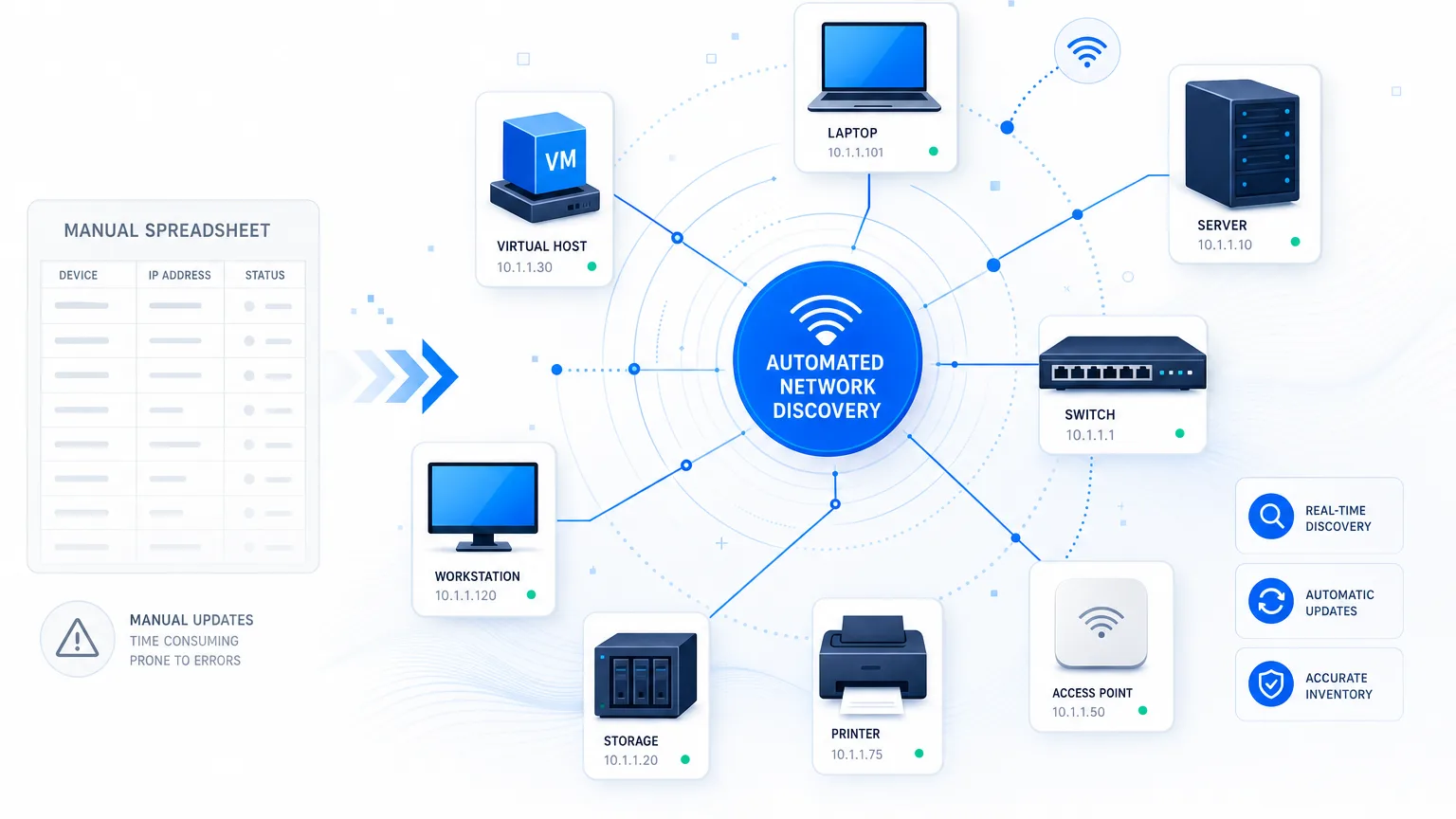
Hardware inventory software for small business is a system that discovers and tracks physical IT assets across a network automatically, instead of relying on someone remembering to update a shared file. Moving beyond spreadsheets does not mean buying an expensive enterprise framework that requires a dedicated administrator. It means moving from static check-out records to discovery-backed inventory that shows what exists, where it connects, and who relies on it.
Why serial-number spreadsheets fail lean IT teams
Spreadsheets don’t fail because someone is careless. They fail because hardware changes continuously – a new hire’s laptop image, a firmware update pushed overnight, a swapped access point – while a shared file only changes when a person remembers to open it. In fact, 67% of small and midsize IT teams still rely on manual work or spreadsheets to reconcile asset records against service desk tickets. That’s per EasyVista and OTRS Group’s 2026 State of SMB IT research. That mismatch in update speed creates three specific failure modes lean IT teams hit within the first year of skipping automated discovery.
The remote and hybrid blindspot
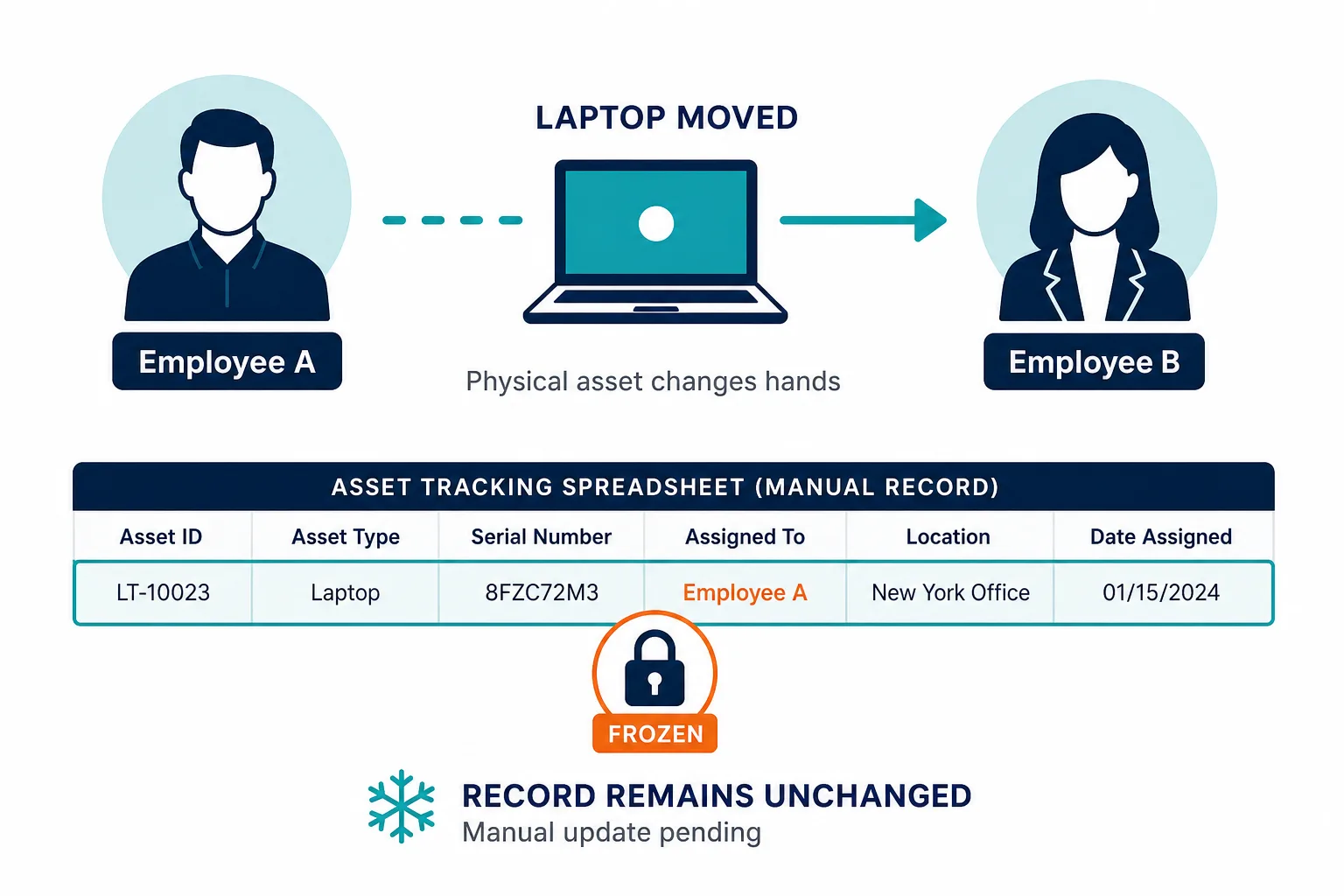
Laptops change hands, home offices receive dock replacements, and off-grid devices miss patch cycles. If an employee departs and swaps hardware with a colleague, the serial number on the sheet stays assigned to the former employee until an incident occurs.
The unmapped infrastructure layer
Spreadsheets excel at tracking user endpoints like laptops and monitors. They fail at tracking network infrastructure. Unmanaged switches, secondary access points, IP printers, and power units quietly accumulate on the floor without clear ownership or firmware visibility.
Audit and renewal friction
When cyber insurance renewals or compliance audits arrive, manual records force manual verification. IT staff spend days physically inspecting desks or running terminal scripts to match serial numbers against purchase orders.
The problem is not that small businesses lack discipline. The problem is that hardware environments change faster than manual documentation can keep up.
What hardware inventory software needs beyond physical tags
Many small business asset tracking tools – including open-source options like Snipe-IT – focus on barcode scanning and physical check-out workflows. Those tools solve custody tracking well; they just don’t discover what’s actually connected to the network. While physical tags help with warehouse storage and equipment lockers, they solve custody rather than network reality.
Effective IT hardware inventory management for growing teams needs to bridge physical custody and network truth across four core areas:
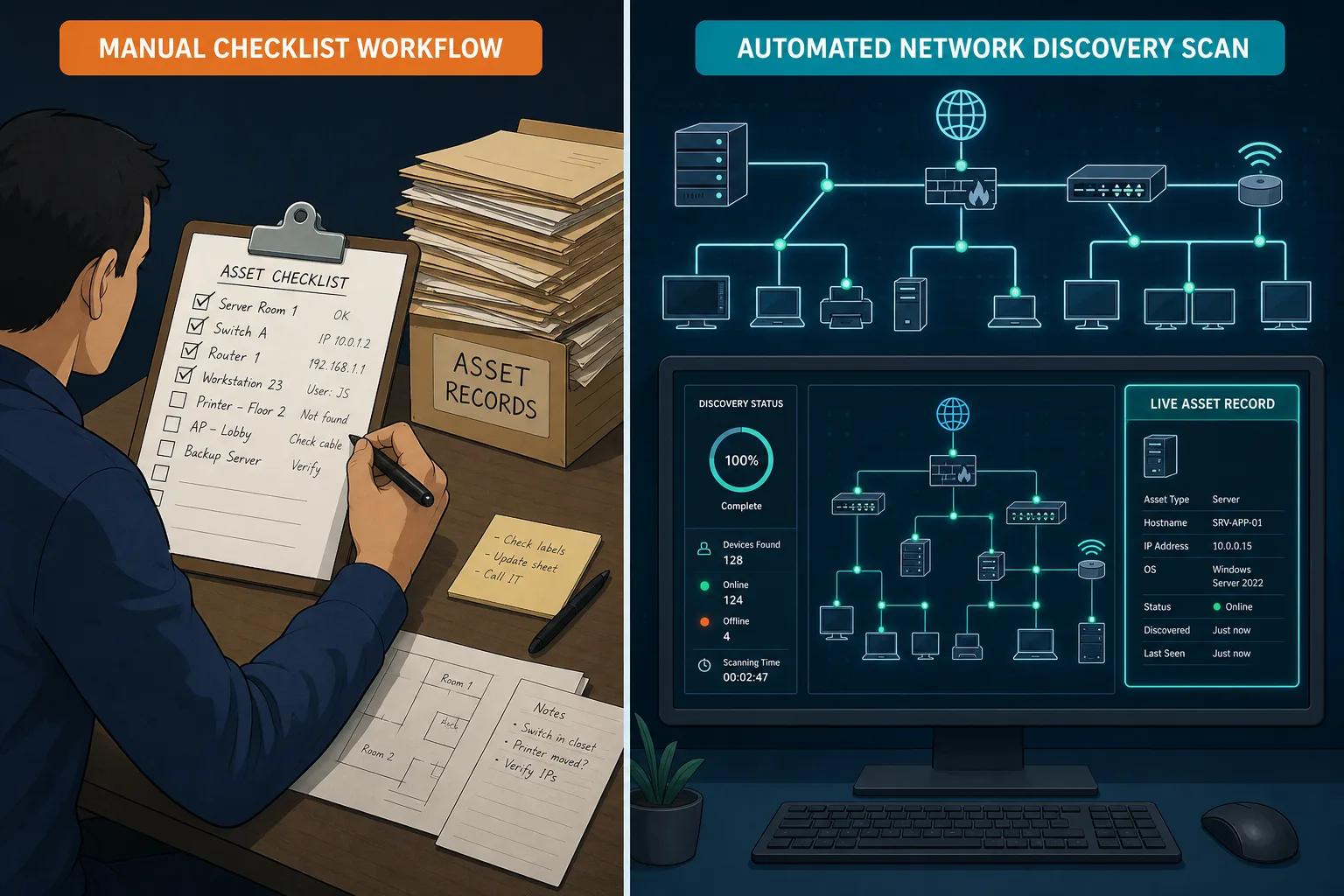
- Network-Sourced Discovery: Instead of waiting for manual entry, agentless hardware discovery should actively identify devices using standard network protocols – IP addresses, MAC addresses, operating system versions, and hardware specifications – as they join the network.
- Last-Seen Currency: Knowing a serial number is useless if you do not know when the machine last communicated. Currency data highlights ghost devices, missing endpoints, and unpatched hardware before a security gap opens.
- Hardware-to-Software Linkage: Hardware does not run in isolation. Your inventory must connect physical assets to installed software, operating system build levels, and active vulnerability notices.
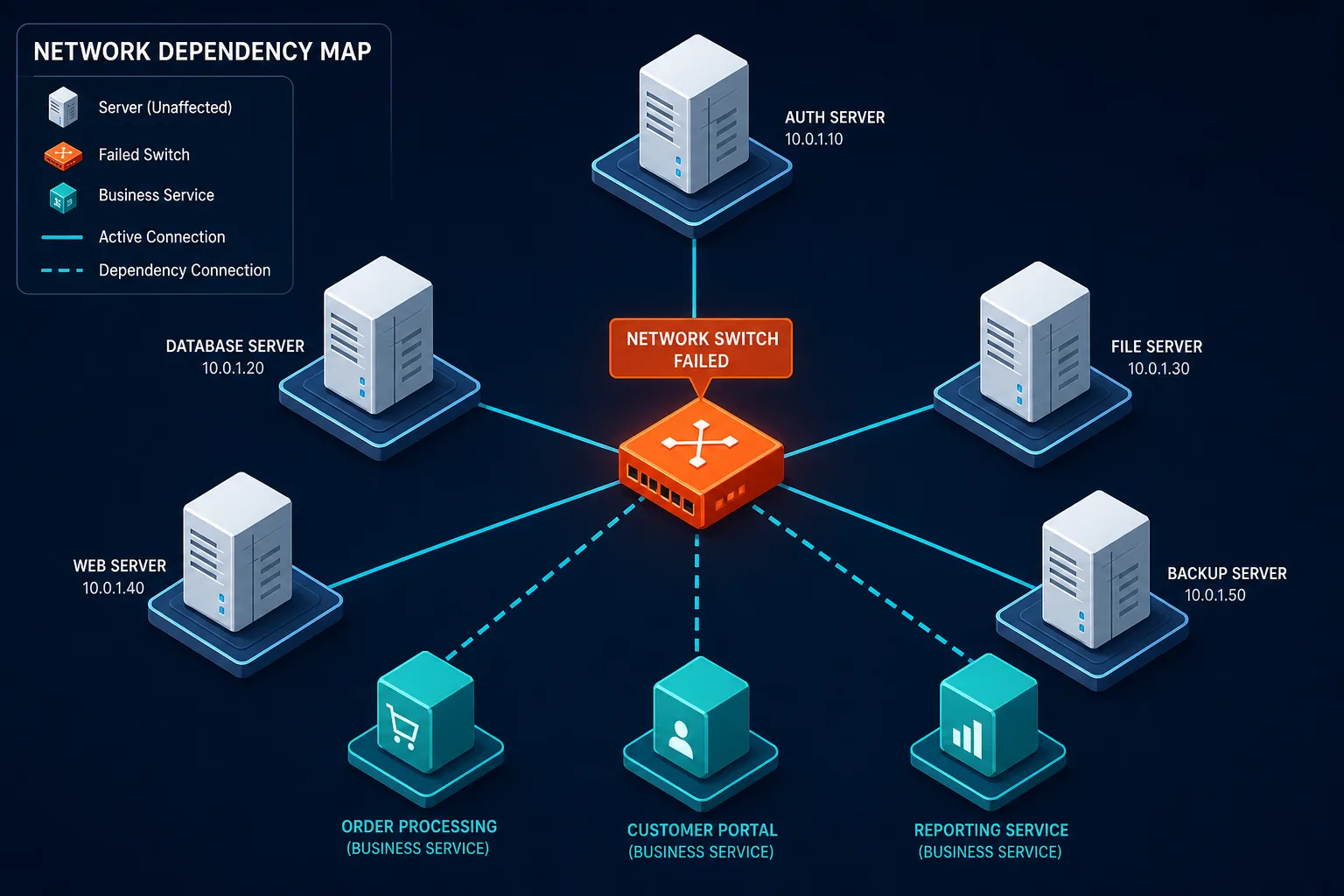
- Dependency Context: When a core switch or firewall fails, knowing its serial number does not tell you which office services will go offline. Linking hardware assets to network connections provides immediate blast-radius visibility during an outage.
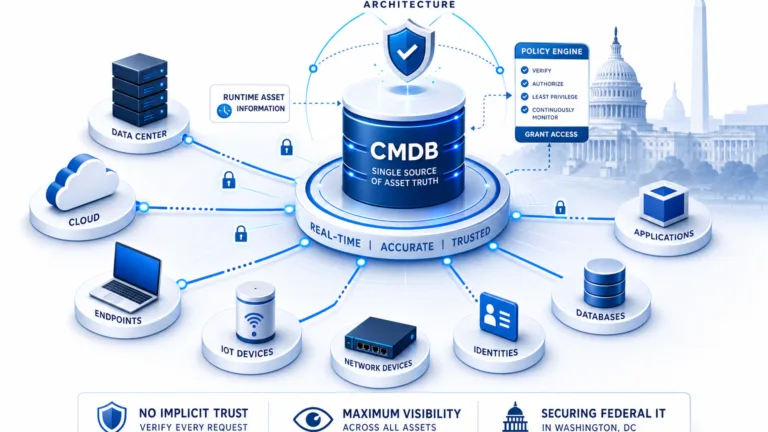
That currency gap has real consequences. Globally, 74% of cybersecurity incidents trace back to unknown or unmanaged assets, based on Trend Micro’s April 2025 study of more than 2,000 cybersecurity leaders. A hardware record that only reflects what IT remembered to log cannot close that gap. Network-sourced discovery keeps the CMDB itself current, so the same record that answers “what do we own” can also answer “what changed since last week.” For a broader statistical picture of unmanaged-asset risk, see Virima’s IT asset management statistics roundup.
To understand how network-backed inventory changes daily operations, see how Trusted Runtime Truth establishes an authoritative baseline across physical and virtual assets.
Physical custody tools vs. discovery-backed inventory
To choose the right approach, lean IT teams must distinguish between simple custody management and discovered hardware truth.
| Capability | Serial Spreadsheet / Tag App | Discovery-Backed Hardware Inventory |
|---|---|---|
| Data Source | Manual entry / Barcode scan | Automated network discovery + Agent/Agentless scans |
| Network Presence | Static log (where it should be) | Live status (last seen on subnet) |
| Infrastructure Visibility | Limited to labeled devices | Discovers unmapped switches, APs, and network gear |
| Vulnerability Mapping | None | Links hardware build levels to OS & security notices |
| Maintenance Burden | High (requires manual updates) | Low (automated discovery updates hardware details) |
Physical tag apps answer who checked out this laptop? Discovery-backed inventory answers what is running on our network, what is its patch status, and what breaks if it goes down?
Manual custody records also stall the moment an audit begins. 44% of ITAM professionals report spending more than $1 million on audit-related costs over a three-year window. That’s per Flexera’s 2026 State of ITAM report, largely because entitlement, install, and hardware records live in separate places. Agentless and agent-based discovery closes that gap by keeping one hardware record current instead of three disconnected ones.
What lean teams can start with: Virima Business Pro
Growing organizations often assume they must choose between fragile spreadsheets and complex enterprise ITAM suites that require months to configure. Virima Business Pro fills this gap by delivering full-featured IT discovery and CMDB capabilities tailored for lean operating models.
Instead of a stripped-down “SMB-lite” tool, Virima Business Pro provides enterprise-grade discovery, hardware asset management, and service mapping scaled for smaller environments. Capability depth does not shrink because the team is lean: the same ViVID™ service mapping and discovery-sourced CMDB that larger IT organizations run stay available to lean teams on Business Pro. Deployment scope and support intensity change with team size, and feature depth stays the same. As the estate grows, Virima scales with it rather than forcing a platform swap.
Key capabilities for growing estates include:
- Automated Hardware Discovery: Agentless and agent-based discovery options collect detailed hardware profiles across servers, workstations, network devices, and cloud resources.
- Native CMDB & Service Maps: Hardware assets are automatically mapped to their underlying dependencies and supported business services, providing clear context for change management and troubleshooting.
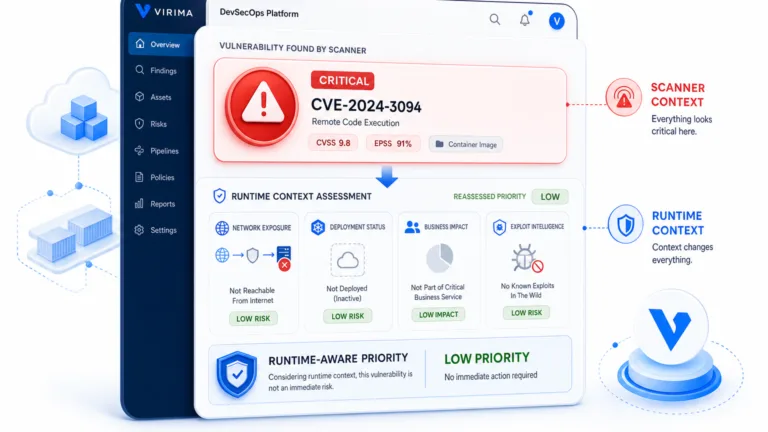
- Vulnerability Insights: Hardware inventory is correlated with known vulnerability databases (such as NIST NVD for Windows Server environments) so you can prioritize hardware maintenance based on risk.
- Extensible Integrations: Connects with your existing service desk and ticketing platforms through the Virima Integrations Hub.
The same audit-cost pressure cited above is exactly what growing teams avoid by starting with discovery-backed records instead of retrofitting them after the first painful audit. For teams still weighing free tools against a paid platform, this breakdown of free IT asset management software’s tradeoffs and a guide to standing up a minimum viable CMDB are useful starting points before scaling up.
Virima packages this capability for growing IT estates. To see how it fits a lean team, explore Virima Business Pro.
Moving from asset lists to actionable hardware truth
Replacing serial-number spreadsheets is not about accumulating more data points. It is about making sure every hardware record reflects network reality so your team can make confident operational decisions.
When hardware inventory is backed by automated discovery:
- Hardware Refreshes Become Predictable: You can instantly filter devices by age, CPU architecture, or memory limits to plan budget cycles without desk-side audits.
- Security Audits Move Faster: When compliance checkers request hardware logs, you provide verified network records instead of estimated spreadsheet rows.
- Outages Are Resolved Quickly: When a hardware failure occurs, network relationship maps show affected services immediately, reducing mean time to resolution.
When ticket data and asset data never reconcile, that disconnect shows up hardest during an outage: the on-call engineer troubleshoots against a service map that doesn’t match what’s actually plugged in, adding minutes to every escalation that a discovery-backed record would have prevented.
By grounding hardware management in discovered truth rather than manual tracking, lean IT teams gain full visibility over their environment without adding administrative overhead.
Frequently Asked Questions
What is the difference between IT asset tracking and hardware inventory software?
IT asset tracking focuses primarily on custody, location, and physical lifecycle events like check-ins or barcode scans. Hardware inventory software goes deeper by discovering active network devices, recording hardware configurations, monitoring operating system builds, and mapping how hardware connects to business services.
Can small businesses perform hardware discovery without installing agents on every device?
Yes. Agentless discovery uses standard network protocols like SNMP, WMI, and SSH to scan IP ranges and query connected hardware. This allows small IT teams to discover servers, switches, printers, and network appliances without needing to deploy software agents on every endpoint. For a deeper comparison of when to use each method, see Virima’s guide to agent-based vs. agentless discovery.
How often should small business hardware inventory be updated?
Rather than relying on annual or quarterly manual audits, hardware inventory should be refreshed through automated discovery cycles. Running scheduled discovery daily or weekly ensures new devices, configuration changes, and retired assets are accurately logged without manual overhead.
Why is a serial number spreadsheet insufficient for cyber insurance audits?
Insurers and auditors require proof of active controls, current operating system patch levels, and verified hardware lifecycle data. A static spreadsheet cannot prove when a device was last active on the network or whether unmanaged hardware exists across your subnets.
Does Virima Business Pro support agentless discovery for teams under 500 endpoints?
Yes. Virima Business Pro runs the same agentless and agent-based discovery methods used at enterprise scale, so a lean team with a few hundred endpoints gets the same discovery-sourced CMDB and service maps as a larger organization. Teams that are still small can treat it as the platform they will grow into as headcount and endpoint count expand.
If your hardware inventory still lives in a spreadsheet, see how Virima Business Pro turns network-sourced discovery into a live CMDB and service map for lean IT teams.