Computer Lifecycle Management: A Complete Guide

What Is Computer Lifecycle Management?
Computer lifecycle management is the process of planning, procuring, deploying, maintaining, and retiring computing hardware. It covers every physical computing device in your organization: desktops, laptops, servers, and mobile endpoints. The goal is straightforward. You want every device to be known, tracked, maintained, and retired on a planned schedule, not in a crisis.
Computer lifecycle management sits within the broader practice of IT asset management. It focuses specifically on hardware assets and their operational state at each stage of their life. When you manage the computer lifecycle well, your team gains predictability. Budget cycles become easier to plan. Compliance audits move faster. Hardware failures stop catching you off guard.
| What is computer lifecycle management? Computer lifecycle management is the end-to-end process of planning, procuring, deploying, maintaining, and retiring computing hardware in an organization. It gives IT teams full visibility into every device’s status, age, ownership, and configuration, so decisions about hardware refresh, software patching, and secure disposal are data-driven rather than reactive. |
The Five Stages of Computer Lifecycle Management
Most organizations manage hardware across five phases. Understanding each stage helps you design a process that works at scale.
1. Planning and Procurement
Sound procurement starts with knowing what you already have. Before buying new hardware, your team needs a clear picture of current inventory, performance gaps, and upcoming refresh needs. That data drives purchasing decisions that match your actual environment rather than rough estimates.
Poor planning at this stage leads to over-buying, under-buying, or buying the wrong specs for specific roles. All three outcomes cost money. Accurate inventory data is the most reliable input for sound procurement decisions.
2. Deployment and Configuration
Once hardware arrives, deployment includes imaging, configuration, and asset tagging. Each device should receive a unique identifier so your tracking system can follow it throughout its life. Deployment records should also capture the assigned user, physical location, and initial software load.
Many organizations lose track of devices at this stage. A machine gets deployed but never properly registered. Later, it becomes a ghost asset, consuming support resources without appearing in any inventory.
3. Maintenance and Monitoring
This stage covers the longest stretch of any device’s life. Maintenance includes software patching, hardware diagnostics, warranty tracking, and performance monitoring. Issues get caught early rather than turning into unplanned outages.
High-frequency discovery cycles play a key role during this phase. They verify that every device’s actual configuration matches what your records show. Configuration drift happens when someone upgrades RAM, installs unauthorized software, or moves a machine without logging the change. Discovery catches that drift before it causes problems. Understanding whether active vs. passive IT asset discovery fits your environment better helps you pick the right approach for this phase.
4. Refresh and Replacement
Hardware has a natural lifespan. Most enterprise laptops and desktops perform well for three to five years. After that, performance degrades, vendor support ends, and security risk rises. So refresh planning should begin before devices reach end of life, not after.
A refresh cycle works best when planned from day one. If you know the procurement date for every device, you can forecast refresh costs years in advance. That turns a reactive scramble into a budgeted, predictable line item.
5. Retirement and Secure Disposal
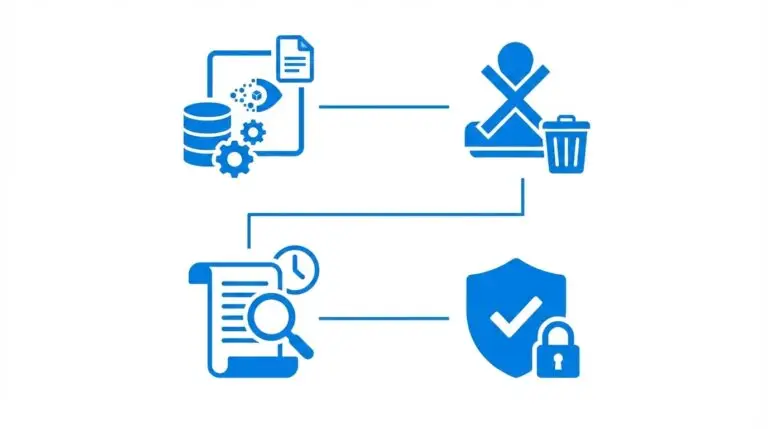
End-of-life hardware carries real risk when it is not handled correctly. Devices often contain sensitive data, including cached credentials, proprietary documents, and encryption keys. Proper retirement means data wiping or physical destruction before any device leaves your custody.
Retired assets also need to be formally removed from your CMDB and ITAM records. Leaving ghost records in your system skews your inventory counts, your license calculations, and your security posture assessments.
| What are the five stages of computer lifecycle management? The five stages of computer lifecycle management are: (1) planning and procurement, (2) deployment and configuration, (3) maintenance and monitoring, (4) refresh and replacement, and (5) retirement and secure disposal. Each stage depends on accurate asset records. Without discovery-driven data connecting each phase, organizations risk ghost assets, compliance gaps, and unplanned hardware failures. |
Why Accurate Asset Data Drives Every Lifecycle Decision
- The biggest failure point in computer lifecycle management is not process. It is data. Most teams understand the five stages. However, they manage those stages using spreadsheets, manual audits, or CMDB records that have not been updated in months.
- When your data is stale, every downstream decision gets worse. You budget for one number of refresh cycles and discover you actually have many more machines. You patch most of your fleet but miss the rest because those devices were never registered. You retire a machine and find it still appearing in your license count three months later.
- This is where industry guidance is worth weighing. Gartner has noted that many organizations still refresh devices on a fixed three-to-five-year schedule instead of using performance analytics and telemetry to replace hardware on an as-needed basis. Refreshing on a calendar rather than on real device data tends to mean replacing some machines too early and running others past the point where they should have been retired.
- High-frequency discovery cycles address this directly. They scan your environment on a recurring schedule and populate your CMDB with current, accurate hardware records. Your lifecycle decisions then reflect what actually exists, not what someone recorded six months ago. When you know what you have, you stop paying for what you do not need.
| Why does asset data accuracy matter in computer lifecycle management? Stale or incomplete asset data breaks every stage of computer lifecycle management. Procurement buys hardware based on wrong counts. Patch management misses unregistered devices. Retirement records stay bloated with ghost assets. High-frequency discovery cycles that feed a live CMDB give IT teams the accurate, current data they need to make lifecycle decisions that reflect reality. |
Common Lifecycle Management Challenges
Even mature IT teams hit predictable problems. Recognizing them early helps you avoid the most costly mistakes.
- Ghost assets. Devices that appear in your records but are no longer active still consume license fees, warranty coverage, and support overhead. Ghost assets build up when retirement is not completed properly in the CMDB.
- Shadow IT hardware. Employees sometimes purchase or bring personal devices into the environment. These machines enter your network without being registered, creating gaps in both security and compliance coverage.
- Missed refresh windows. Without a clear view of each device’s age and warranty status, refresh planning becomes reactive. Teams wait for hardware to fail rather than replacing it on a planned schedule.
- Data silos. Procurement, help desk, and security teams often maintain separate records. As a result, no single system gives you a complete picture of any device’s lifecycle.
- Compliance gaps. Many regulatory frameworks require you to demonstrate control over every device that touches sensitive data. Incomplete lifecycle records create gaps that auditors will find.
Computer Lifecycle Management Best Practices
These practices separate organizations that handle computer lifecycle management proactively from those that react to problems after they occur.
- Centralize your asset records. Every device should have a single record in your CMDB that all teams reference. That clears up conflicting spreadsheets and ensures everyone works from the same data.
- Run discovery scans on a recurring schedule. Discovery cycles verify that your records match your actual environment. They catch new unregistered devices, configuration drift, and machines that have gone offline unexpectedly.
- Tie procurement to current inventory data. Before approving any hardware purchase, check current utilization. Under-utilized devices may cover the gap without additional spend.
- Build a rolling refresh calendar. Using procurement dates, warranty expiry, and performance trends, build a three-to-five-year refresh forecast. That converts a reactive process into a planned budget line.
- Document the retirement process. Create a formal checklist for retiring devices: data wipe, CMDB update, asset tag removal, and disposal certificate. Following that checklist every time helps prevent ghost asset accumulation.
- Integrate with your ITSM platform. When your lifecycle data connects to your service management workflows, incidents, changes, and asset records align together. That context speeds up troubleshooting and reduces change risk.
| What are the best practices for computer lifecycle management? Best practices for computer lifecycle management include centralizing asset records in a CMDB, running high-frequency discovery cycles to verify accuracy, tying procurement to current utilization data, building a rolling refresh calendar, documenting the retirement and data-wipe process, and integrating asset data with your ITSM platform for full incident and change context. |
How Virima Supports Every Stage of the Computer Lifecycle
Managing the computer lifecycle well requires three things: accurate data, connected systems, and structured workflows. Virima brings all three together.
Virima’s IT asset management capability gives you a centralized record for every device in your environment. Each asset record tracks procurement date, assigned owner, location, warranty status, and configuration history. Your refresh and retirement decisions then rest on data your team can trust.
Virima’s IT discovery runs high-frequency discovery cycles across your on-premises infrastructure and cloud environments, covering AWS and Azure through API-based discovery. Those cycles populate your CMDB with current hardware data. When a new device appears on the network, it gets added. When a device goes permanently offline, your records reflect that. So your CMDB stays accurate between manual audits, not just immediately after one. For teams working to build a CMDB from scratch, Virima’s discovery-driven approach gives you a foundation built on what actually exists.
When a device’s configuration changes, ViVID™ Service Mapping builds dynamic dependency maps that show you how that change affects connected services and dependent applications. That context matters during refresh cycles. Replacing a server that three business-critical applications depend on carries very different risk than refreshing an isolated workstation.
Virima also integrates with leading ITSM platforms, including ServiceNow, Ivanti, Halo, Jira Service Management, and Xurrent. Lifecycle data flows directly into your incident, change, and service request workflows. Your help desk sees device age and warranty status during ticket resolution. Your change team sees dependency context before approving any hardware swap. For more on keeping that foundation reliable, see Virima’s CMDB best practices guide for how lifecycle data feeds an accurate, maintainable CMDB.
| Start with the data that makes every computer lifecycle management decision reliable. Schedule a demo to see how discovery-driven runtime truth powers your IT operations request-demo |
Turn Hardware From a Source of Surprises Into a Planned Budget Line
Computer lifecycle management gives your IT team control over one of the largest and most unpredictable cost drivers in your budget. When your asset data is accurate, your refresh cycles are planned, and your retirement process is documented, hardware stops being a source of surprises.
The missing ingredient for most teams is not a better process. It is discovery-driven asset data that reflects what is actually deployed. When your CMDB, your ITAM system, and your ITSM workflows share that accurate ground truth, lifecycle management shifts from reactive to predictable.
| Schedule a demo today to see how discovery-driven asset data transforms your approach to the computer lifecycle: request-demo |
Frequently Asked Questions
What is the typical computer lifecycle in an enterprise?
Most enterprise laptops and desktops have a reliable lifespan of three to five years. Servers often run four to seven years before refresh becomes necessary. However, vendor support end dates, performance degradation, and security vulnerability risk can all shorten that window for specific devices before the typical refresh date arrives.
How does a CMDB support computer lifecycle management?
A CMDB provides a single source of truth for every device’s procurement date, configuration, ownership, and relationship to other IT assets and services. When a CMDB is populated through high-frequency discovery cycles, it accurately reflects the current state of your environment. That accuracy makes every lifecycle decision, from refresh planning to retirement, reliable and defensible.
What is a ghost asset in IT lifecycle management?
A ghost asset is a device that appears in your asset records but is no longer active in your environment. Ghost assets inflate inventory counts, skew license calculations, and create false positives in security scans. They typically accumulate when retirement processes are incomplete and devices get physically removed without a corresponding CMDB update.
How often should IT teams run discovery scans for lifecycle management?
Most IT teams benefit from running discovery scans on a weekly or bi-weekly schedule. That frequency catches configuration drift, new unregistered devices, and recently decommissioned machines before they create data quality problems. Annual manual audits alone leave too much time for records to fall out of sync with your actual environment.
How does Virima help with computer lifecycle management?
Virima combines IT asset management, high-frequency discovery cycles, and a discovery-driven CMDB to give IT teams an accurate, current view of every device in their environment. That data supports procurement planning, maintenance scheduling, refresh forecasting, and retirement tracking, all connected to ITSM workflows through integrations with ServiceNow, Ivanti, Halo, Jira Service Management, and Xurrent.