What Is CI-to-Hardware Asset Auto-Linking and Why Does It Matter for ITAM Accuracy?

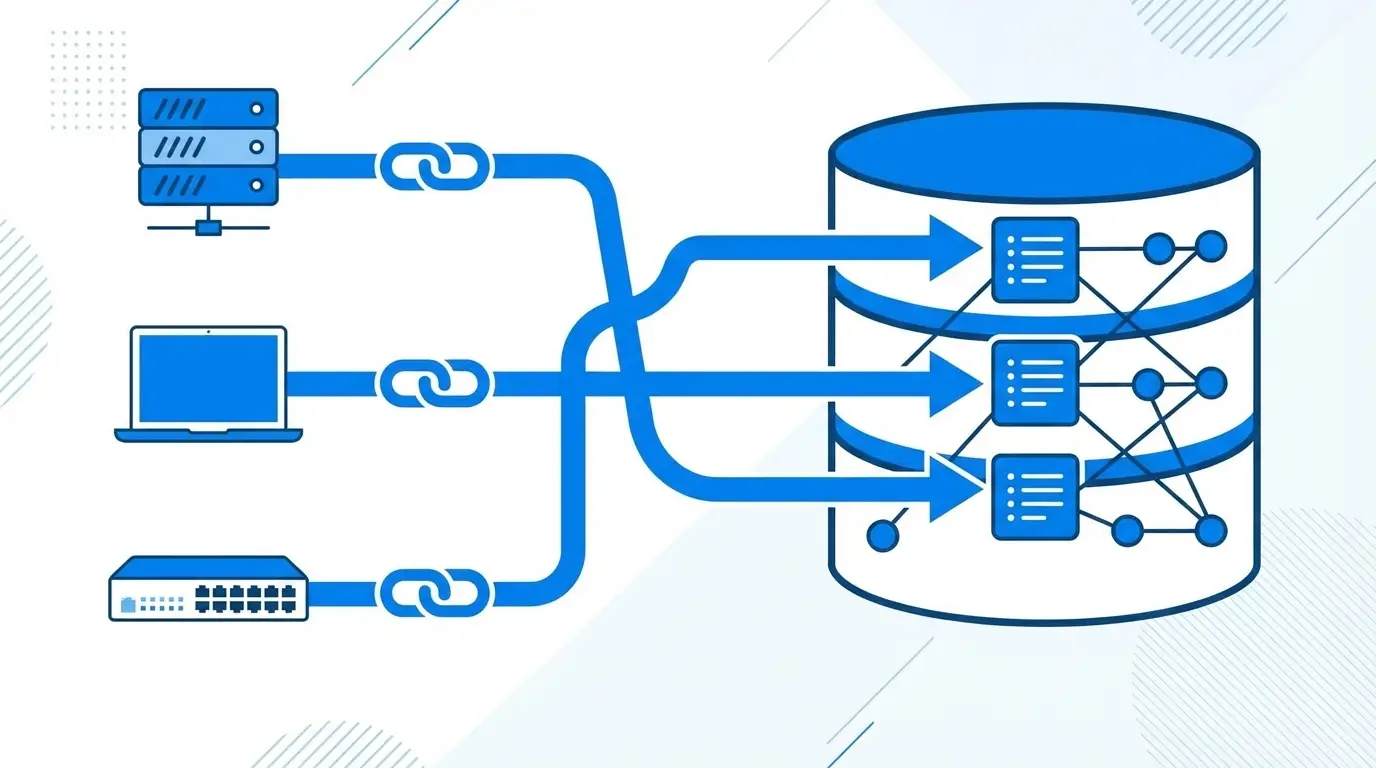
CI-to-hardware asset auto-linking is the automated process of creating a persistent, auditable relationship between a configuration item (CI) in a CMDB and the corresponding physical hardware asset record in an IT Asset Management (ITAM) system. The link is established by matching a shared identifier — most commonly the device serial number — across both systems. This FAQ answers the most common questions IT professionals ask about how the process works, why it matters for ITAM accuracy, and what to do when it breaks down.
What Is CI-to-Hardware Asset Linking?
CI-to-hardware asset linking is a relationship record that connects a configuration item in the CMDB to its corresponding physical hardware asset entry in the ITAM system. The relationship is stored as a reference between the CI’s unique identifier and the asset record’s unique identifier, creating a bidirectional connection between the two systems.
Without this link, a CMDB CI and an ITAM asset record describing the same physical device exist as entirely separate, unconnected entries. The link makes it possible to query both records together — pulling financial, lifecycle, and procurement data from ITAM alongside operational, service, and relationship data from the CMDB. For a detailed look at how these two disciplines compare, see CMDB asset management vs ITAM.
Why Are CMDB and ITAM Records Separate?
CMDB and ITAM systems exist as separate databases because they serve different purposes and store different categories of information.
An ITAM system tracks the financial and lifecycle details of physical assets: purchase date, cost, warranty, contract, assigned user, and disposal status. It answers the question: what do we own and what does it cost?
A CMDB tracks the operational and service context of configuration items: OS version, installed software, network relationships, service dependencies, open incidents, and recent changes. It answers the question: how does this device function within our IT environment?
No single system is well-suited to serve both purposes simultaneously. The separation is by design — but the two records must be linked to give IT teams a complete, unified view of each physical device. (Ivanti)
How Does Auto-Linking by Serial Number Work?
Auto-linking by serial number works by running a matching job that compares the serial number attribute on each hardware CI in the CMDB against the serial number field on each asset record in the ITAM system. When the engine finds an exact match, it creates a link record connecting the CI to the asset and records the timestamp, the matching method, and the system account that created the link.
The process runs in batch mode — typically on a scheduled cycle — and processes all unlinked CIs in a single pass. CIs that match a unique asset record are linked automatically. CIs whose serial number matches no asset record are flagged as orphaned. CIs whose serial number matches two or more asset records are flagged as conflicted and routed to a manual review queue. The entire operation is logged in an immutable audit trail.
What Is a Serial Conflict in CMDB?
A serial conflict in a CMDB context is a state where two or more hardware asset records in the ITAM system share the same serial number value, preventing the auto-linking engine from determining which record is the correct match for a given CI.
Serial conflicts most commonly arise from duplicate imports (the same device entered from multiple data sources without de-duplication), asset refresh processes where the old record is not decommissioned before the replacement record is created, and virtualized environments where VMs inherit their host server’s serial number.
When a conflict is detected, the engine does not create a link to either conflicting record. Instead, both records are placed in a conflict queue for human review and resolution. Resolving the conflict typically requires retiring the duplicate record and re-running the auto-link job. Understanding dependencies between configuration items in the CMDB helps teams assess downstream impact before resolving each conflict.
What Happens When a Linked Asset Record Is Deleted?
When a hardware asset record that has an active CI link is deleted or decommissioned in the ITAM system, the behavior depends on how the CMDB-ITAM integration is configured. In a well-designed implementation, the link record is either automatically removed or flagged as stale — and the CI is moved back to orphaned status, making it visible in the next link coverage report.
The CI itself is not deleted; only the relationship between the CI and the now-inactive asset record is severed. This is important because the CI may still be active in operations, now running on replacement hardware. The CI should be re-linked to the new asset record (either automatically if the replacement hardware is discovered with its own serial number, or manually by an administrator).
Stale links — where the asset record was removed without the link being properly closed — are a common source of silent data quality degradation and should be monitored through periodic link validity audits.
How Do You Audit CI-Hardware Asset Link Coverage?
CI-hardware asset link coverage is audited through a link coverage report that measures the percentage of CIs and asset records that have an active, valid link. A standard coverage report includes four metrics: paired CIs (linked to an asset record), orphaned CIs (no link exists), unlinked asset records (asset exists in ITAM with no corresponding CI), and the current conflict queue size.
Coverage audits should run on a scheduled basis — monthly at minimum. A target coverage rate of 90% or above is a reasonable benchmark for mature CMDB-ITAM environments, though this varies by environment size and asset velocity. According to the Flexera 2025 State of ITAM Report, IT teams are increasingly losing visibility as technology environments grow — underscoring why tracking link coverage over time is essential to detecting data quality drift before it affects operations.
Orphaned CI lists from the coverage report should feed directly into a remediation workflow: each orphan is investigated to determine whether the missing link is due to a serial number gap on the CI, an unregistered asset in ITAM, or a decommissioned asset that was not properly retired.
What Is the Difference Between Auto-Linking and Manual Linking in CMDB?
Auto-linking creates a CI-to-asset relationship automatically based on a shared identifier match (typically serial number) without requiring human intervention. It runs in batch mode on a schedule and handles the majority of matches in a well-maintained environment.
Manual linking is an administrator-initiated action that creates a CI-to-asset relationship directly, bypassing the serial number matching logic. Manual linking is used when a CI has no serial number (virtual machines, legacy records), when the serial numbers in the two systems differ despite representing the same physical device, or when the relationship involves a composite asset structure (such as a blade chassis containing multiple individually-tracked blades).
Both auto and manual links are recorded in the same audit trail with equivalent metadata. The method field on the link record distinguishes whether the relationship was created by the automated engine or by a named administrator. Manual links created in error can be removed by an administrator and the CI re-queued for the auto-link process. Maintaining a high auto-link rate relative to manual links is one of the key indicators of a healthy effort to build a CMDB with durable, trustworthy data.
Want to see CI-to-hardware asset auto-linking in action for your CMDB environment? Virima 6.1.1 includes native auto-linking by serial number, conflict detection, manual linking controls, and link coverage reporting — all designed to give IT teams a fully reconciled CMDB-ITAM dataset without manual reconciliation overhead. These capabilities reflect CMDB best practices for organizations serious about data quality at scale.
Schedule a demo at virima.com to see how it works in your environment.