What Is a CMDB? A Complete Guide for IT Teams

When something breaks in your IT environment, every minute counts. You need to know which system failed, what depends on it, who owns it, and what the blast radius looks like. If your team can answer those questions in minutes rather than hours, you have a healthy CMDB.
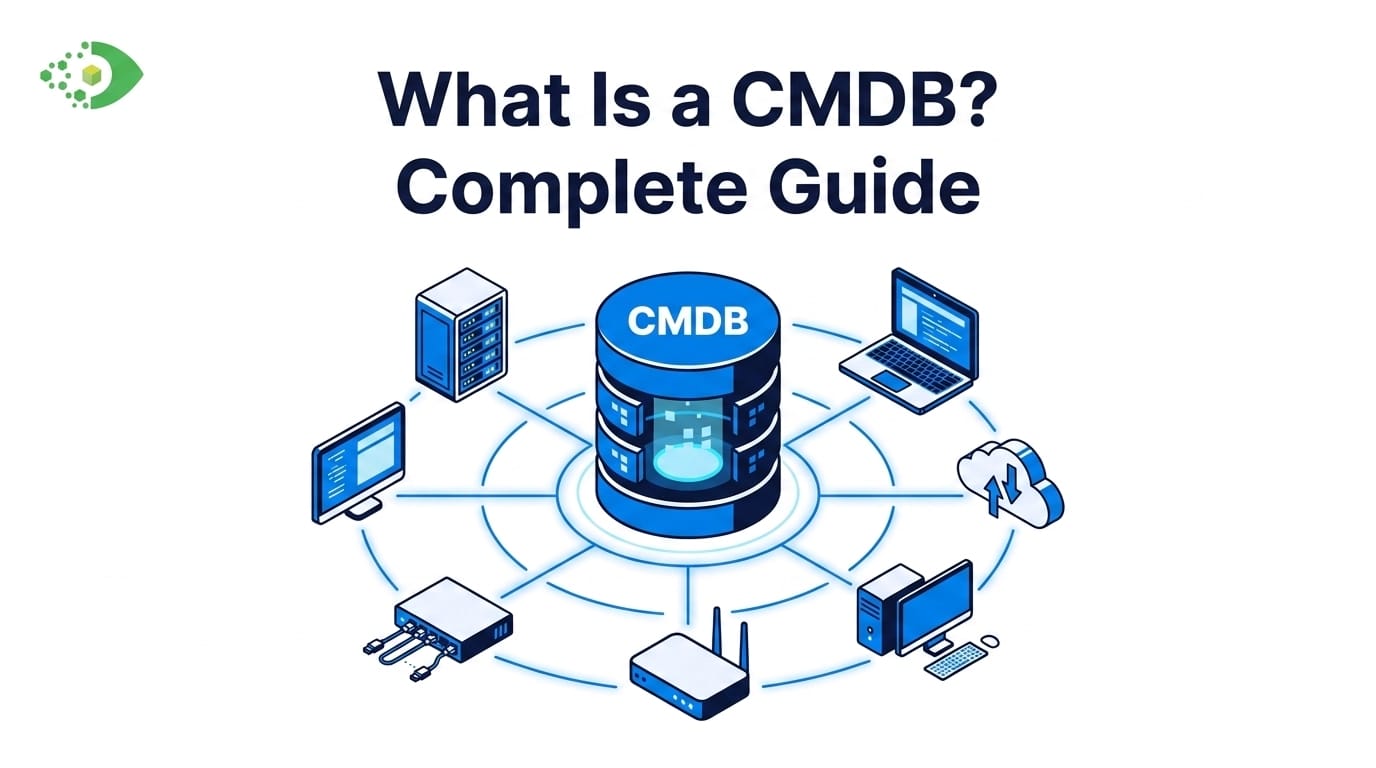
A Configuration Management Database (CMDB) is a centralized repository that stores information about all the components in your IT environment — the hardware, software, networks, virtual machines, cloud services, and the relationships between them. A CMDB is more than an inventory list. It captures how those components connect, depend on each other, and map to the business services your organization relies on.
This guide explains what a CMDB is, how it works, what makes one effective, and what separates a high-performing CMDB from one that creates more problems than it solves.
What Is a Configuration Item (CI)?
To understand a CMDB, start with the concept of a configuration item. A configuration item (CI) is any component that needs to be managed and tracked to deliver an IT service. CIs are the building blocks of your CMDB.
CIs include:
- Hardware: Servers, laptops, desktops, network equipment, storage arrays
- Software: Operating systems, applications, databases, middleware
- Network devices: Routers, switches, firewalls, load balancers
- Virtual machines: VMware VMs, Hyper-V instances, containers
- Cloud assets: AWS EC2 instances, Azure virtual machines, GCP resources
- Services: Business applications running on top of the infrastructure
Each CI record in the CMDB contains attributes — the type of asset, its owner, its status, its location, version or model number, and its relationships to other CIs.
Why CI Relationships Matter More Than the CIs Themselves
An isolated CI record tells you what an asset is. A CI with its relationships mapped tells you what happens when it fails.
A database server linked to three application servers, which are linked to a business service used by 300 employees, gives your IT team the full blast radius of an outage before it happens. That context is what transforms a CMDB from a static database into a real decision-making tool.
Why Does a CMDB Matter?
When something goes wrong at scale, the cost is immediate. Research from Information Technology Intelligence Consulting (ITIC) found that 98% of organizations say a single hour of unplanned downtime costs more than $100,000 — and for a third of enterprises, that figure climbs between $1 million and $5 million per hour. A well-maintained CMDB is one of the most effective tools for reducing both the frequency and the duration of those outages.
IT teams without a CMDB — or with a stale one — face the same recurring problems:
- Change failures. A change is approved without knowing all the systems it touches. A downstream dependency breaks.
- Slow incident resolution. During an outage, engineers spend time mapping the environment manually instead of solving the problem.
- Audit failures. Compliance teams can’t produce a complete, accurate asset inventory because the data lives in spreadsheets, emails, and institutional memory.
- Security blind spots. Unknown or unmanaged assets can’t be patched. Vulnerabilities go undetected because the organization doesn’t know what it owns.
- License waste. Software is over-purchased because no one knows what’s already installed.
A CMDB addresses all of these problems by giving your IT organization a single, authoritative source of truth about what exists in your environment, how it connects, and what it supports.
The CMDB in ITIL
The CMDB is a core component of the ITIL (IT Infrastructure Library) framework. Under ITIL, the CMDB belongs to the Service Asset and Configuration Management (SACM) process. ITIL requires that your CMDB not just store asset data, but maintain the relationships between CIs and the services they support.
This is why CMDB accuracy is foundational — it underpins every other ITIL process, including Change Management, Incident Management, and Problem Management.
How Does a CMDB Work?
A CMDB collects, normalizes, stores, and displays data about configuration items and their relationships. Here is how that process works in practice.
Step 1: Discovery
Before you can populate a CMDB, you need to know what’s in your environment. IT discovery tools scan your network using two primary approaches:
- Agent-based discovery. A lightweight software agent is installed on each endpoint. The agent reports hardware inventory, installed software, running processes, and network connections back to the discovery platform.
- Agentless discovery. The discovery platform uses credentials (SSH, WMI, SNMP) to query devices directly over the network without installing software on each endpoint.
Most IT environments use a combination of both. For a deeper look at how these approaches compare, see our guide to agent-based vs agentless discovery.
Step 2: Normalization and Reconciliation
Raw discovery data from multiple sources is rarely clean. The same server may appear in three different tools with three different names. CMDB software normalizes that data — deduplicating records, standardizing naming conventions, and reconciling differences between sources into a single authoritative CI record.
Step 3: CI Population and Relationship Mapping
Once normalized, CI records are written into the CMDB. Relationship mapping then connects CIs to each other — server to database, database to application, application to business service. This linking process is what gives the CMDB its analytical value.
Step 4: Ongoing Synchronization
A CMDB that isn’t kept current becomes a liability. Discovery jobs run on a scheduled basis, updating CI attributes when changes are detected. When a new server is provisioned, it gets discovered, added to the CMDB, and linked to its relevant relationships.
CMDB vs IT Asset Management: What’s the Difference?
IT asset management (ITAM) and CMDB are related but distinct disciplines. Understanding the difference prevents budget confusion when evaluating tools and helps clarify which gaps your organization actually needs to fill.
IT Asset Management (ITAM) focuses on the financial and operational lifecycle of assets. ITAM tracks what you own, what it costs, when it was purchased, when warranties expire, and whether software licenses are compliant. For hardware specifically, that lifecycle spans procurement through secure disposal — a practice known as computer lifecycle management, which governs how individual devices are planned, deployed, maintained, refreshed, and retired.
A CMDB focuses on technical relationships and service impact. It tracks what your assets do, how they interact, and what business services they support.
| ITAM | CMDB | |
|---|---|---|
| Primary question | What do we own and what does it cost? | What do we have and how does it connect? |
| Data focus | Financial, procurement, lifecycle | Technical attributes and relationships |
| Key use cases | Procurement, budgeting, license compliance | Change management, incident response, service mapping |
| ITIL process | IT Asset Management | Service Asset and Configuration Management |
| Typical owner | IT Asset Manager, Finance | Configuration Manager, IT Director |
Many modern platforms combine ITAM and CMDB in a single tool. Virima, for example, delivers IT discovery, CMDB, and ITAM together — so organizations get both financial and operational visibility without managing two separate systems
Common Reasons CMDBs Fail (and How to Avoid Them)
Most organizations have struggled with a CMDB at some point. The failure is rarely a technology problem. It’s almost always a process problem.
Manual Data Entry
If your CMDB depends on people to update it, it will go stale. Staff forget, processes change, and the CMDB gets updated last. Automated discovery is the only reliable method for keeping CI data current.
No Clear CI Scope
Not every asset belongs in the CMDB. Organizations that attempt to track every cable, peripheral, and decommissioned test machine end up with an unmanageable database. Defining what you will and won’t track before you begin is essential.
No CI Ownership
Every CI should have an assigned owner — a team or individual responsible for keeping that record accurate. Without ownership, no one is accountable when records go stale.
Integration Gaps
A CMDB that exists in isolation provides limited value. CMDBs deliver their full potential when integrated with your ITSM platform — ServiceNow, Jira, or Ivanti — and with your change and incident management processes. Without those integrations, your teams can’t act on CMDB data in real time.
Starting Too Big
Organizations that try to import everything at once and build a CMDB from scratch in a single project almost always fail. A better approach: start with a specific, high-value use case — such as mapping your top 10 critical business services — prove the value, then expand from there
How to Keep Your CMDB Accurate
CMDB accuracy is the hardest ongoing challenge in configuration management. These practices matter most.
Automate discovery. Run scheduled discovery jobs across your full environment — agent-based for endpoints, agentless for network and cloud. Don’t rely on manual updates.
Define CI reconciliation rules. When multiple discovery sources report the same asset differently, your CMDB needs clear rules for which source wins. This prevents duplicate records and conflicting data.
Implement CMDB health scoring. Track accuracy, completeness, and staleness metrics for your CI records. Set thresholds. Alert CI owners when records fall below acceptable scores.
Integrate with change management. Every approved change should trigger a CMDB update. If an asset is modified, decommissioned, or added during a change window, that change should be reflected in the CMDB immediately.
Conduct regular CI audits. Even with automation, periodic manual reviews catch gaps. Quarterly audits of your highest-priority CIs are a reasonable starting cadence for most organizations.
For a detailed look at maintaining long-term CMDB health, see our guide to CMDB best practices.
CMDB Use Cases
Change Management
Before a change is approved, the CMDB shows change managers exactly which CIs will be affected and which business services are at risk. Change Impact Analysis reduces the number of emergency changes and failed changes — the two most expensive categories of change-related incidents.
Incident Response
During an outage, engineers need to identify what failed and what depends on it within seconds. A well-maintained CMDB lets incident teams identify the root CI, trace its relationships to affected services, and prioritize recovery by business impact — not guesswork.
Vulnerability Prioritization
A vulnerability on a server supporting a tier-1 business service gets patched before a vulnerability on a decommissioned test box. A CMDB that links your asset inventory to a vulnerability data source (such as NIST NVD) lets your security team make those prioritization decisions with confidence. According to the IBM Cost of a Data Breach Report 2025, the average global cost of a data breach reached $4.4 million — making asset visibility a financial priority, not just an operational one.
Compliance Auditing
SOC 2, ISO 27001, NIST 800-53, and PCI-DSS all require organizations to demonstrate control over their IT environment. A CMDB with complete, accurate CI records and a full audit trail of changes provides the evidence auditors need — without a manual evidence-collection effort before every audit cycle.
IT Financial Management
When CMDB data is combined with ITAM cost data, IT leaders can tie infrastructure costs to the business services they support. Budget conversations become more defensible because you’re mapping investment to business outcomes, not just listing line items.
The Bottom Line
A CMDB is foundational for any IT organization managing a mixed on-premises and cloud environment. The difference between a CMDB that delivers value and one that sits ignored comes down to three things: automated discovery to keep it current, a defined CI scope to keep it manageable, and integration with your ITSM processes to make the data actionable.
Not all tools and approaches are equal, and picking the right fit for your organization’s size, environment, and maturity level matters as much as the implementation itself. If you’re evaluating CMDB software or looking to improve an existing implementation, see how Virima automates discovery, CI population, and service mapping in a single platform. Schedule a Demo at Virima.com to learn more!
Frequently Asked Questions
What is a CMDB in simple terms?
A CMDB (Configuration Management Database) is a centralized database that stores information about every component in your IT environment — hardware, software, networks, cloud assets — and the relationships between them. It gives IT teams a single, accurate picture of what exists, how everything connects, and what business services depend on it.
What is the difference between a CMDB and IT asset management?
IT asset management (ITAM) tracks the financial and operational lifecycle of assets — what you own, what it costs, and whether licenses are compliant. A CMDB focuses on technical relationships and service impact — how assets connect and what breaks when one fails. Many modern platforms, including Virima, combine both disciplines in a single tool.
Why do CMDBs become inaccurate over time?
CMDBs go stale when they depend on manual updates. Environments change constantly — new servers are provisioned, old ones decommissioned, software is upgraded or removed — and manual processes can’t keep pace. Automated discovery with scheduled synchronization is the only reliable way to maintain long-term CMDB accuracy.
How long does it take to implement a CMDB?
A full CMDB implementation can range from 4 weeks to 6 months, depending on environment size, integration complexity, and how clearly the CI scope is defined before the project begins. Organizations that start with a focused use case — such as mapping 10 critical business services — and expand from there tend to see value faster than those attempting a full environment build from day one.
What is the difference between a CMDB and a service map?
A CMDB stores CI records and their technical relationships. A service map is a visual representation of how those CIs relate to a specific business service. Service maps are built from CMDB data — they show the infrastructure underpinning a service, from web servers down to databases and network devices. Virima ViVID™ generates service dependency maps automatically from CMDB data once service definitions are provided.