Computer Inventory Software for Growing IT Teams Still Breaks When Excel Is the Source of Truth

A new hire starts Monday. The laptop serial is in a sheet someone last touched in March. The warranty tab says something else. Change opens and nobody can prove which desktops sit on the path. Headcount stayed small. Endpoint count did not. Computer inventory software for growing IT teams is discovery-backed tracking of laptops, desktops, and hybrid endpoints that stays current without manual upkeep — and it fails the moment a team substitutes a spreadsheet for that discovery layer while production keeps moving.
You need PC, laptop, and desktop truth that survives rebuilds, office moves, and hybrid paths. You need last-seen dates operators trust. You need handoff into the ITSM you already run. You do not need another static list that looks complete on day one and lies by day thirty.
Why growing IT teams outgrow spreadsheet computer inventory first
Growth shows up as more endpoints before it shows up as more inventory staff. Remote and hybrid laptops leave the cage. Desktops get reimaged. Contractors rotate. Cloud jump boxes appear beside on-prem gear. The sheet still has columns. It no longer has currency.
Procurement can buy seats. But audit still asks for owners, last-seen, and serials that match the device in hand. Incident still asks which computers sit under a broken service. A list built for checkout cannot answer those questions without discovery under it.
CISA BOD 23-01 pushed operators toward complete asset visibility on networks they run. The public-sector frame differs. The operating lesson does not. Incomplete computer inventory weakens every control that assumes you know what is online. The scale of that gap shows up across Virima’s rundown of IT asset management statistics.
Is computer inventory software for growing IT teams only a better spreadsheet?
No. Growing teams still need authoritative discovery, durable device identity, life cycle fields, and ITSM handoff. Spreadsheets and check-out lists can start custody. They do not stay current when laptops, desktops, and hybrid paths change weekly without a discovery-backed record.
What is a CMDB?
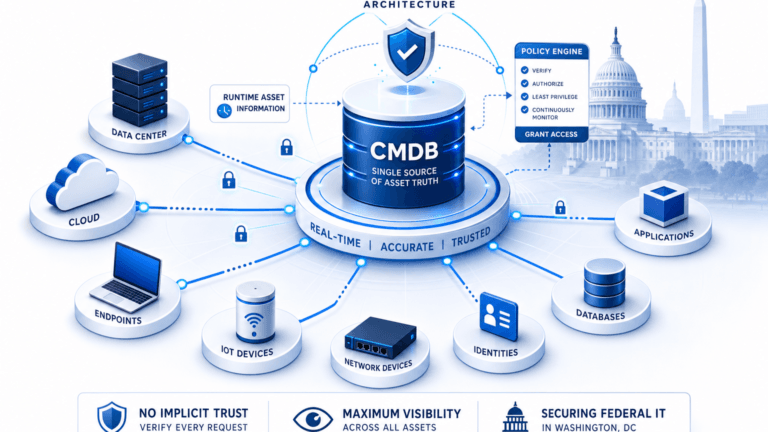
A CMDB (configuration management database) is the system of record that stores IT assets and the relationships between them — computers, applications, and the services that depend on each other. A spreadsheet can hold asset rows, but it cannot maintain relationship data or refresh itself, which is why a stale CMDB is a common cause of failed change approvals.
What enterprise-grade computer inventory still means at lean headcount
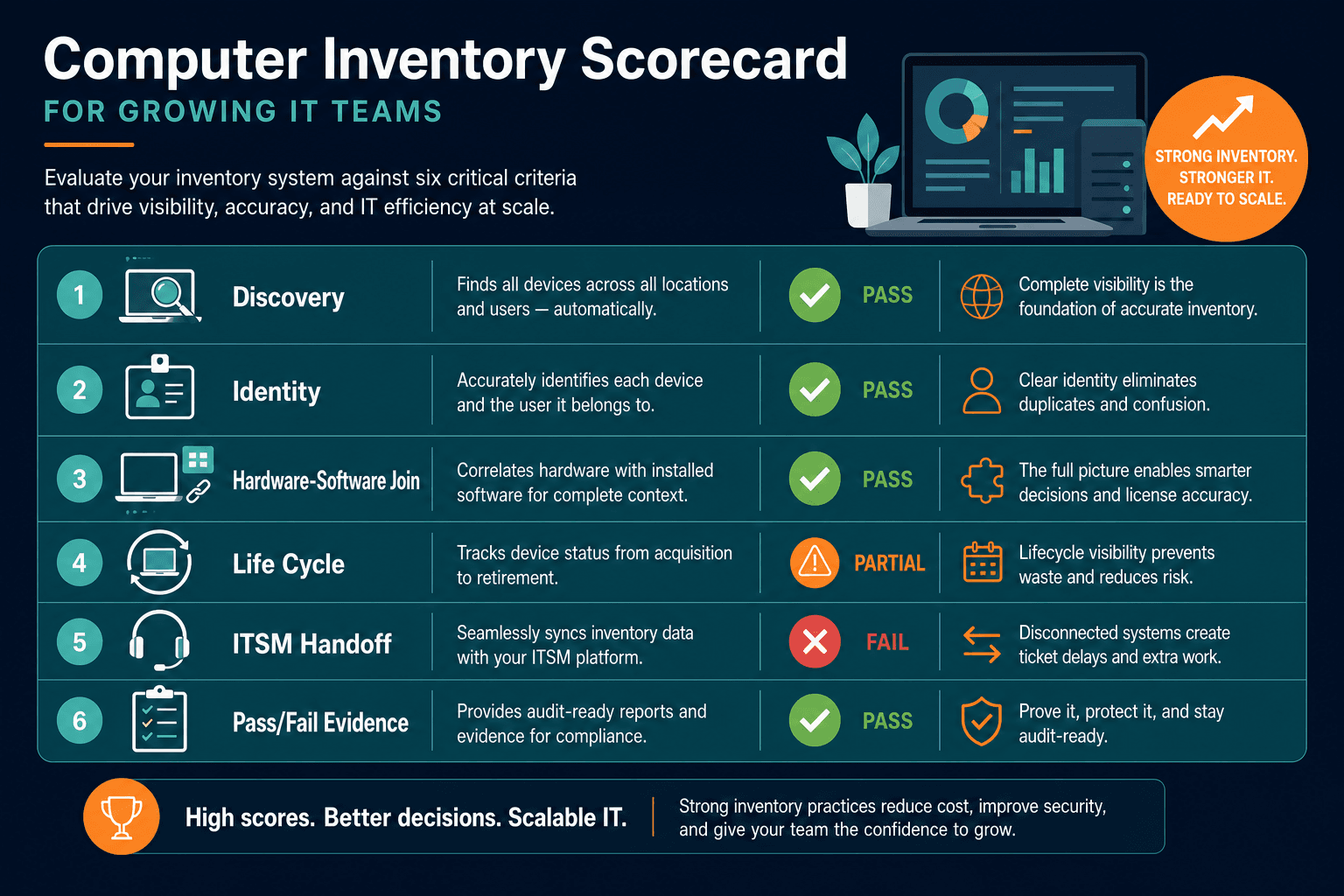
Vendor pages sell endpoint counts. Force five tests on a pilot slice of laptops, desktops, and related gear.
1. Discovery under the list
Inventory that floats on manual entry rots. The stack needs agent, agentless, and API discovery on high-frequency scheduled cycles. Scheduled cycles keep last-seen dates current.
2. Durable identity across rebuilds
Serial number, MAC, and cloud instance IDs must survive reimage and move. Without durable keys, duplicates multiply every refresh and warranty joins fail.
3. Hardware and software context together
CPU, OS, installed packages, and owner matter together for audit and license work. A bare serial list is not enough once software sprawl rides the same machines.
4. Life cycle fields operators can defend
Request, deploy, transfer, repair, renew, and retire need fields you can show. Checkout alone leaves retire and renew blind.
5. CMDB and ITSM handoff without a second desk
CMDB work and ITSM ticketing are related but separate jobs. Lean teams keep ServiceNow, Jira Service Management, Ivanti, HaloITSM, Xurrent, or Hornbill for tickets. Computer inventory should enrich that CMDB layer, not replace the ticketing tool.
Patterns growing teams actually shortlist
Pattern 1: Excel plus shared drive
Fast to start. Breaks when two admins edit offline copies and nobody trusts last-seen. Change and audit samples fail first. A 2026 survey of 400 businesses found 85% still lean on spreadsheets as a primary inventory tool, including 53% of companies with 500 or more employees. Growing teams are the norm here, not the exception, per inFlow Inventory’s 2026 survey.
Pattern 2: Free check-out and label trackers
Strong for custody and cage control. Weak when hybrid discovery, relationship truth, and ticket enrichment become weekly work. Labels do not replace network and agent truth after the device leaves the building.
Pattern 3: Endpoint scanners with pretty grids
Scan data helps conversations. Grids are not a governed CMDB or life cycle system of record. Pretty inventory without ownership and reconciliation rules fails sampling.
Pattern 4: Full platform modules the lean team cannot staff
Capability can be high. Module programs and platform factories often exceed what a growing IT org can run. Many teams keep the ITSM for engagement and place discovery-sourced inventory truth beside it.
Pattern 5: Discovery ITAM and CMDB
Discover computers with authority. Hold configuration and asset fields you can govern. Feed tickets and renewals. Add service mapping after service definitions exist when change blast radius matters. Virima covers this pattern: discovery-sourced data, ITAM and CMDB depth, ViVID™ service maps that visualize dependencies and blast radius across computers and the services relying on them, and ITSM augmentation alongside your current tools.
Criteria table for computer inventory on a growing estate
Score each row with evidence from your laptop and desktop slice.
| Criterion | Enterprise bar | Fail signal |
|---|---|---|
| Discovery coverage | Agent, agentless, and API on hybrid paths (on-prem plus AWS and Azure as needed) | Manual entry or single-method scan treated as complete |
| Refresh discipline | High-frequency scheduled cycles with last-seen you can defend | Refresh claims with no schedule or exception queue |
| Identity durability | Stable keys across rebuilds, reimage, and cloud moves | Duplicate PCs after every refresh |
| Hardware and software join | OS, installs, and serials meet in one record operators trust | Two sheets never reconcile before audit |
| Life cycle fields | Deploy through retire with owners and warranty joins | Check-out only with no retire path |
| ITSM handoff | Enrich the desk you already run | Forces a second system of engagement |
| Operating load | Lean team can keep records current without an inventory PMO | Value only after a multi-quarter platform factory |
What makes computer inventory software fail as an IT team grows?
It fails when the record depends on manual updates while laptops and desktops change faster than staff can type. Missing discovery currency, duplicate identities after reimage, and no ITSM handoff leave change and audit work guessing from a stale sheet.
How Virima meets the bar: computer inventory software for growing IT teams
Virima gives IT operations trusted runtime truth: what exists, how it connects, what changed, what will break, and who owns it. For computer inventory on a growing estate, that means:
- Authoritative discovery across methods your endpoints need, on high-frequency scheduled cycles you control.
- ITAM and CMDB fields for serials, owners, OS, installs, and life cycle joins, not a side spreadsheet.
- ViVID™ service maps after service definitions are provided, when change and incident need typed dependencies under those computers.
- ITSM augmentation so the desk of record stays ServiceNow, Jira Service Management, Ivanti, HaloITSM, Xurrent, Hornbill, or peers while Virima holds discovery-sourced truth.
Virima provides full discovery, ITAM, CMDB, and service mapping capability for endpoint inventory at growing IT teams.
How is computer inventory and CMDB software for growing IT teams priced?
Discovery-backed inventory and CMDB platforms for growing IT teams are typically sold through a qualification call rather than self-serve checkout, because pricing depends on endpoint count and discovery method mix. Buyers should expect a scoped quote after a pilot, not a published per-seat rate.
If you want the category line in one place, start with Trusted Runtime Truth.
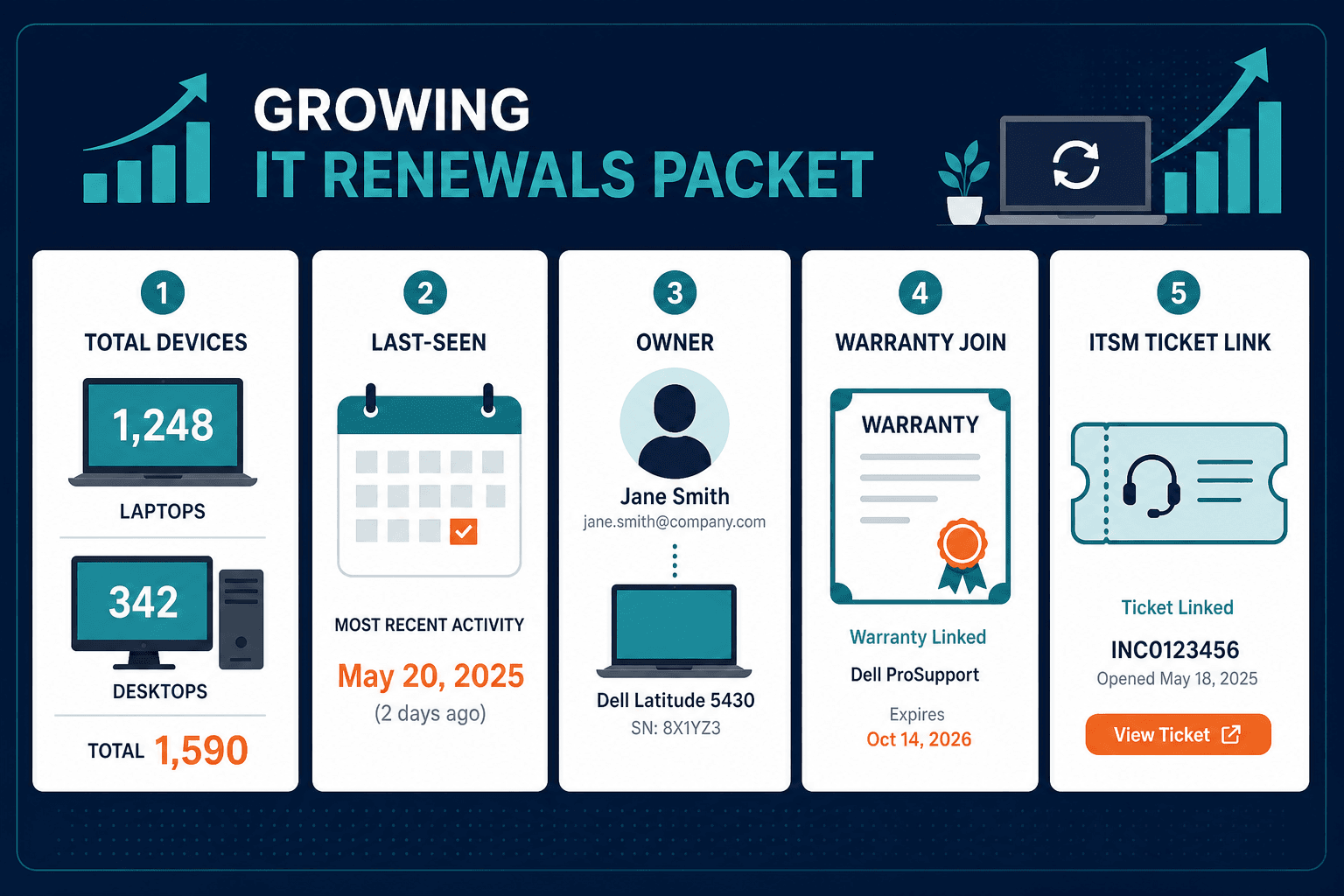
For how discovery methods fit together, guide to Virima’s discovery methods is a companion piece for this growing-team computer inventory frame — read it alongside this evaluation, not instead of it.
A 30-day evaluation plan lean teams can finish
Week 1. Define the computer population in scope: laptops, desktops, and in-scope VDI or jump hosts. Name owners for three critical services that depend on those machines.
Week 2. Run discovery against that slice. Compare last-seen and identity to the spreadsheet of record. Log gaps, duplicates, and offline ghosts.
Week 3. Join one warranty or contract set and one software family on those computers. Force one change tabletop and one audit sample using only inventory and CMDB fields.
Week 4. Push one enriched ticket path into your ITSM. Measure minutes saved and wrong-CI rate. Decide stay, pair, or replace inventory-only tools with eyes open.
The sample in this plan is sized for lean team capacity.
How should a growing IT team pilot computer inventory software?
Run a 30-day pilot on a named laptop and desktop slice. Prove discovery last-seen, durable identity, one warranty or software join, and one enriched ticket path before expanding. Expand only after that slice survives renewals and audit-style sampling.
What to ask in the demo and the contract
Before you commit, ask the vendor to show discovery methods, refresh schedule, and what growth costs once the estate expands.
When ITSM handoff is on the shortlist, confirm feeds into ServiceNow, Jira Service Management, Ivanti, HaloITSM, Xurrent, and Hornbill are configured through the all integrations hub.
Choose computer inventory that stays honest as the estate grows
Computer inventory software for growing IT teams should pass enterprise tests on a lean operating model. Prefer discovery authority, durable identity, hardware and software joins, CMDB durability, and ITSM handoff over pretty grids. Virima gives growing IT teams discovery-sourced computer inventory with CMDB and ITSM handoff.
Pressure-test the laptop and desktop slice the same way you would any enterprise control: discovery currency, identity durability, one join, one ticket path. Name the owners, the critical services, and the offline ghosts the sheet still treats as live. Write down which warranty and software joins must survive the pilot. Decide in advance what wrong-CI rate and last-seen lag will force a no-go. When that packet is ready, bring the scorecard into the demo conversation so the pilot scope is already defined before you sit through a vendor pitch.
Treat the first thirty days as a control test, not a feature tour. If discovery cannot keep last-seen honest on the named slice, stop. If identity duplicates after reimage, stop. If warranty and software joins still need a side sheet, stop. If the ticket path still points at the wrong computer, stop. Those gates are how lean teams buy enterprise inventory without pretending they have enterprise headcount.
The same checks support finance and audit work, and they reduce tool overhead for operators. Computer inventory software for growing IT teams earns its place when it speeds Monday starts, change windows, and audit sample pulls.
If laptops and desktops still drift from the sheet while change and audit need last-seen truth, explore how Business Pro brings full discovery and CMDB-grade inventory to a lean IT team without replacing your ITSM.
Frequently Asked Questions
What should growing IT teams require from computer inventory software?
Require discovery that stays current, durable device identity, hardware and software joins, life cycle fields, and handoff into your existing ITSM. Team size changes staffing. It should not remove enterprise inventory discipline on laptops and desktops.
When does Excel stop being enough for computer inventory?
Excel fails when two people edit offline copies, last-seen goes stale, and audit or change samples need proof the sheet cannot give. That usually arrives as endpoint count and hybrid paths grow faster than inventory headcount.
Is free check-out software enough for a growing IT team?
Free check-out tools can handle custody for a while. They usually fail when hybrid discovery, last-seen currency, software joins, and ticket enrichment become weekly work. Treat them as a stage once the computer estate keeps moving outside the cage.
Does Virima replace ServiceNow, Jira Service Management, or our existing ITSM tool?
No. Virima enriches ServiceNow, Jira Service Management, Ivanti, HaloITSM, Xurrent, and Hornbill with discovery-sourced computer inventory and CMDB data. The ITSM stays your system of engagement; Virima holds the underlying asset truth.
How long should a computer inventory pilot take?
A focused 30-day pilot on a defined laptop and desktop slice is enough to test discovery freshness, identity durability, one warranty or software join, and ITSM handoff. Expand only after that slice survives renewals and audit-style sampling.
How does Virima keep computer inventory current without adding headcount?
Virima runs agent, agentless, and API discovery on high-frequency scheduled cycles, so laptop and desktop records refresh automatically instead of depending on manual spreadsheet updates.