Certificate Lifecycle Management: Best Practices to Prevent Outages and Automate Renewals

What Is Certificate Lifecycle Management?
Certificate lifecycle management (CLM) is the end-to-end process of managing digital certificates from initial request through retirement. It covers SSL/TLS, code-signing, and client authentication certificates. CLM ensures no certificate expires unexpectedly, becomes misconfigured, or falls out of compliance across your infrastructure.
Effective CLM answers three foundational questions. What certificates exist across your infrastructure? When do they expire, and who gets the alert? Who is responsible for each renewal?
Without a structured CLM process, large IT environments quickly accumulate shadow certificates. These are certificates deployed outside formal tracking, often tied to services without a clear owner. Shadow certificates are among the most likely to cause outages, because no one is monitoring them.
PKI management covers the full cryptographic infrastructure, including certificate authorities, trust chains, and key management. Certificate lifecycle management is a focused subset of PKI management. It handles the operational stages of individual certificates from request through revocation. That is where most day-to-day risk lives.
The 6 Stages of the SSL Certificate Lifecycle
Understanding the full lifecycle helps you build a process that addresses each stage, not just renewal.
1. Request and Procurement
A certificate request is initiated, either manually or through a CLM platform. The request specifies the domain, the required validation level (DV, OV, or EV), and the issuing Certificate Authority (CA).
2. Issuance
The CA validates the request and issues the signed certificate. Internal PKI environments often use a self-managed CA, while public-facing services rely on trusted third-party CAs. Issuance errors at this stage usually come from incomplete validation or misconfigured certificate signing requests.
3. Deployment and Installation
The certificate is installed on the target server, load balancer, API gateway, or device. Errors here, such as installing a certificate on the wrong endpoint or skipping chain configuration, are a leading cause of TLS handshake failures. These failures are difficult to diagnose under production pressure.
4. Monitoring and Tracking
Once active, you need to track the certificate for expiration date, configuration drift, and revocation status. This is where most manual processes break down. Certificates get added to spreadsheets that quickly become stale. Others never get tracked at all, creating invisible risk inside your infrastructure.
5. Renewal
Renewal should begin at least 30 to 60 days before expiration. For organizations preparing for 47-day validity windows, programmatic renewal workflows become a hard requirement, not just a best practice.
6. Revocation and Retirement
When a certificate is compromised, replaced, or no longer needed, you must formally revoke it and remove it from your certificate register. Failing to revoke compromised certificates creates a security exposure. Failing to remove retired certificates adds noise that obscures genuine risk during audits and incident response.
Certificate Lifecycle Management Best Practices
1. Build a Complete Certificate Inventory First
The foundation of any CLM program is a centralized, complete catalog of every certificate in use. Capture the certificate’s common name, issuing CA, validity period, deployment location, associated service or application, and the responsible team or individual.
Teams that use IT asset management platforms with discovery capabilities have a structural advantage here. Instead of manually cataloging certificates, discovery cycles surface active certificates across servers, containers, cloud workloads, and network devices. This removes the need for teams to self-report their certificates.
2. Assign Ownership at the Certificate Level
Every certificate needs a named owner, meaning a team or individual responsible for renewal notification and execution. Ownership gaps are among the most common reasons certificates expire unnoticed. This happens most often after team restructuring, acquisitions, or system migrations where no formal handoff was documented.
3. Automate Renewal Alerts
Manual calendar reminders break down beyond a small handful of certificates. Build notification workflows that alert certificate owners at 90-day, 60-day, and 30-day intervals before expiration. For organizations moving toward shorter validity windows, additional alerts at 14 days and 7 days provide a final safety net.
4. Integrate Certificate Data with Your CMDB
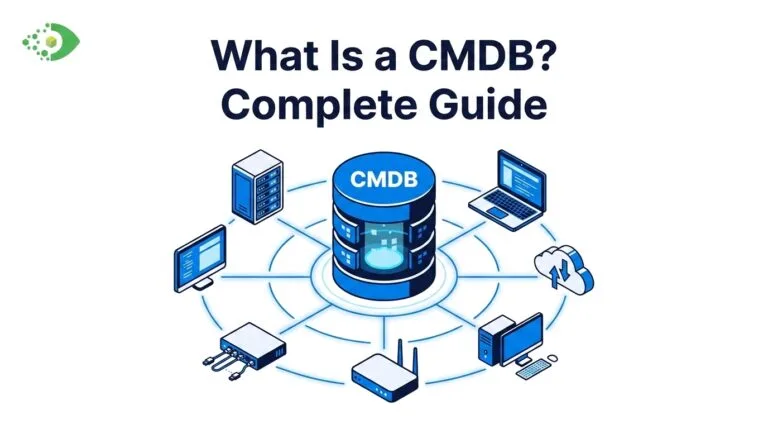
A CMDB that reflects certificate data alongside the assets those certificates protect gives you critical operational context. When an incident occurs, you need to know which service was affected, which infrastructure it ran on, and who owns the upstream dependencies.
CMDB best practices consistently point to discovery-driven data as the foundation for operational accuracy. Certificate tracking is no exception. Certificates managed in isolation from asset data create blind spots that surface at the worst possible moments.
5. Eliminate Shadow Certificates Through Discovery
Shadow certificates carry your highest outage risk, because no one is monitoring them. Eliminating them requires scheduled discovery scans that surface deployed TLS endpoints across your infrastructure, including ones your team never knowingly provisioned.
Your approach to active vs. passive IT asset discovery directly affects your certificate-level insight. Active discovery methods produce a more complete picture of certificates in production. This matters most in hybrid and multi-cloud environments, where manual tracking breaks down fastest.
6. Prepare Now for Shorter Validity Periods
In April 2025, the CA/Browser Forum approved Ballot SC-081v3, reducing maximum public SSL/TLS certificate validity to 47 days by 2029. The transition starts in 2026. Organizations relying on annual manual renewals will face an impossible operational burden unless they automate certificate management today.
7. Enforce Policy-Driven Certificate Governance
Governance means documented and enforced standards. Decide which CAs your organization accepts, what validation levels different service tiers require, and what the escalation path is when a certificate owner is unavailable. Policy enforcement prevents low-trust certificates from reaching production and gives compliance teams an auditable framework for decisions.
8. Conduct Quarterly Certificate Audits
Even with workflow-based tracking in place, schedule quarterly reviews of your certificate inventory. These audits catch decommissioned services that still hold active certificates, certificates approaching expiry that slipped past alerts, and discrepancies between your CMDB record and what is actually installed in production.
Virima’s Trusted Runtime Truth surfaces discovery-sourced certificate visibility inside your CMDB, so you can trace every cert back to the asset it protects. See how it works at virima.com/trusted-runtime-truth
Manual vs. Automated Certificate Lifecycle Management
| Capability | Manual Management | Discovery-Driven CLM |
| Certificate discovery | Spreadsheet-based, manually maintained | Discovery cycles surface certificates across your tracked infrastructure |
| Expiry tracking | Calendar reminders, frequently missed | Policy-driven alerts at configurable thresholds |
| Renewal execution | Manual request and installation | Programmatic issuance and deployment via ACME or CA APIs |
| Shadow cert detection | Minimal to none | Scan coverage across managed and unmanaged endpoints |
| Outage risk | High — a single missed reminder can cause downtime | Lower — renewal workflows close expiry gaps before they open |
| Compliance reporting | Manually compiled and error-prone | On-demand from a centralized certificate register |
| Scale | Breaks down above 100 to 200 certificates | Scales to tens of thousands of certificates across hybrid estates |
How to Avoid Certificate-Related Outages
Certificate outages are preventable. The patterns behind them are consistent: no centralized inventory, no ownership assignment, and no programmatic renewal workflow. Certificate-related outages frequently involve at least two of these three gaps at once.
- Centralize tracking first. You cannot manage what you cannot see. Start with a discovery-driven inventory rather than a manually maintained spreadsheet. Discovery cycles produce an accurate picture of active certificates, including ones no team member ever documented.
- Automate before you scale. The move to 47-day certificate validity makes automation necessary, not optional. Any organization managing more than 50 certificates should already be building renewal workflow automation.
- Tie certificates to services. An expired certificate tells only half the story. You also need to know which service is affected, which dependent systems are downstream, and which users are impacted. Integrating certificate data with ViVID™ service maps and your CMDB gives you that impact context before an outage, not during the post-mortem.
- Test your revocation response. Certificate revocation drills are rare but valuable. Teams that have never practiced a fast revocation and replacement workflow are consistently slower under pressure when a compromised certificate requires emergency response in production.
To avoid certificate-related outages, build a discovery-driven certificate inventory, assign named owners to every cert, and set automated renewal alerts at 90-, 60-, and 30-day thresholds. Integrating certificate data with your CMDB gives your team the service-impact context needed to act before an expiry causes a disruption.
How Virima’s Discovery Layer Surfaces Certificate-Level Insight
Virima’s IT discovery engine scans infrastructure across on-premises, cloud, and hybrid environments. As part of that scan, Virima surfaces SSL/TLS certificates tied to every host and service it covers. Your team gets certificate visibility without manual data entry or self-reporting from application owners.
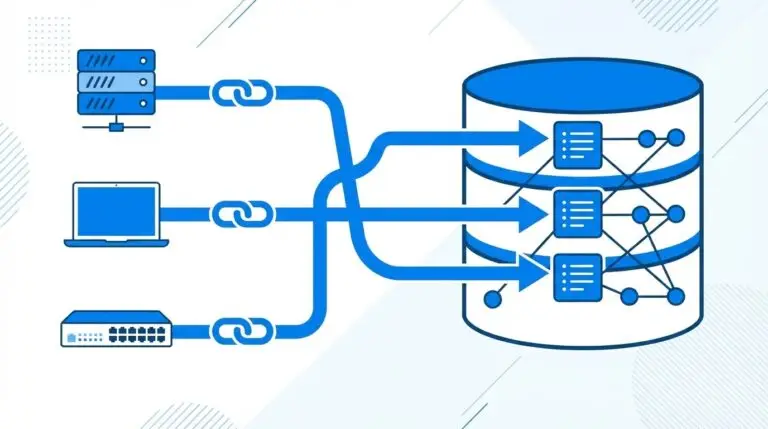
This data feeds directly into your CMDB, associating certificates with the configuration items (CIs) they protect. Those CIs might be a server, a load balancer, an application tier, or a network device. The result is cert-level visibility grounded in Trusted Runtime Truth, rather than manually maintained records that drift out of date within weeks.
For teams using ServiceNow as their ITSM platform, certificate data flows into ServiceNow as part of Virima’s broader CMDB sync. Certificate-bearing CIs carry their associated cert metadata, giving service desk and security teams a unified view. You no longer need to maintain separate inventories in separate tools.
Virima’s cybersecurity asset management module extends this foundation by layering security posture data on top of the discovered asset inventory. Certificate configurations become part of the broader security surface your team governs and audits, visible alongside vulnerabilities, ownership records, and dependency context.
Building a CMDB that includes certificate-bearing assets as first-class configuration items is the foundational step toward closing the inventory gaps that lead to certificate outages. When your asset data is accurate and grounded in discovery data, your certificate visibility follows.
See how Virima’s discovery engine surfaces certificate data across your infrastructure. Schedule a demo at request-demo
Frequently Asked Questions About Certificate Lifecycle Management
Certificate lifecycle management (CLM) and PKI management are related but distinct. PKI management covers the full cryptographic infrastructure, including CAs, trust chains, and key policies. CLM is a focused subset covering the operational stages of individual certificates, from request through revocation. CLM is where most day-to-day risk lives.
What is the difference between certificate lifecycle management and PKI management?
PKI management covers the full cryptographic infrastructure, including certificate authorities, trust chains, key management, and certificate policies. Certificate lifecycle management is a subset focused on the operational stages of individual certificates, from request through revocation. CLM is where most day-to-day operational risk lives.
Why do certificates expire if they are configured correctly?
Certificates expire by design. Fixed validity periods limit exposure if a private key is ever compromised. The problem is not the expiry itself. It is the failure to track and renew before the expiry date passes. A correctly configured certificate that goes untracked will still expire.
How many certificates should trigger a CLM solution?
Security practitioners generally recommend automating certificate management once an organization holds more than 50 active certificates. At that scale, manual tracking carries a meaningful risk of oversight, especially as team composition changes and certificates accumulate across cloud, hybrid, and on-premises environments.
What is a shadow certificate?
A shadow certificate is a certificate deployed in your infrastructure that does not appear in your official certificate inventory. Shadow certificates are typically created by developers during testing, provisioned by third-party vendors during integrations, or installed during system migrations without notifying the central IT team. They are among the most common sources of unexpected certificate expiry outages.
How does the CA/Browser Forum’s 47-day validity mandate affect certificate management?
Starting in 2026, maximum SSL/TLS certificate validity will begin declining in stages, reaching 47 days by 2029. Organizations that currently renew annually or biannually need to shift entirely to programmatic renewal workflows. Manual renewal at 47-day intervals is not operationally sustainable for organizations managing more than a small number of certificates.
Stop Certificate Outages Before They Start
Your certificates form a machine identity layer that spans every service, server, and application in your environment. When one expires without a plan in place, the impact spreads fast. A discovery-driven certificate inventory, combined with the right governance and renewal workflows, gives you the visibility to act before the expiry window closes.
With 47-day validity windows arriving in 2026, the organizations that automate certificate management today will be the ones that avoid the outages their competitors scramble to explain tomorrow.
See how Virima surfaces Trusted Runtime Truth for your certificates, CIs, and full hybrid infrastructure. Request a demo at request-demo