Bring Your Own Device (BYOD) Policy: What It Should Cover and Where It Breaks Down

Company-owned laptops for every role burn budget and time. Procurement cannot keep pace with every remote hire, contractor, or seasonal worker, so hybrid teams already reach mail, chat, and SaaS from phones and home machines whether IT issued them or not.
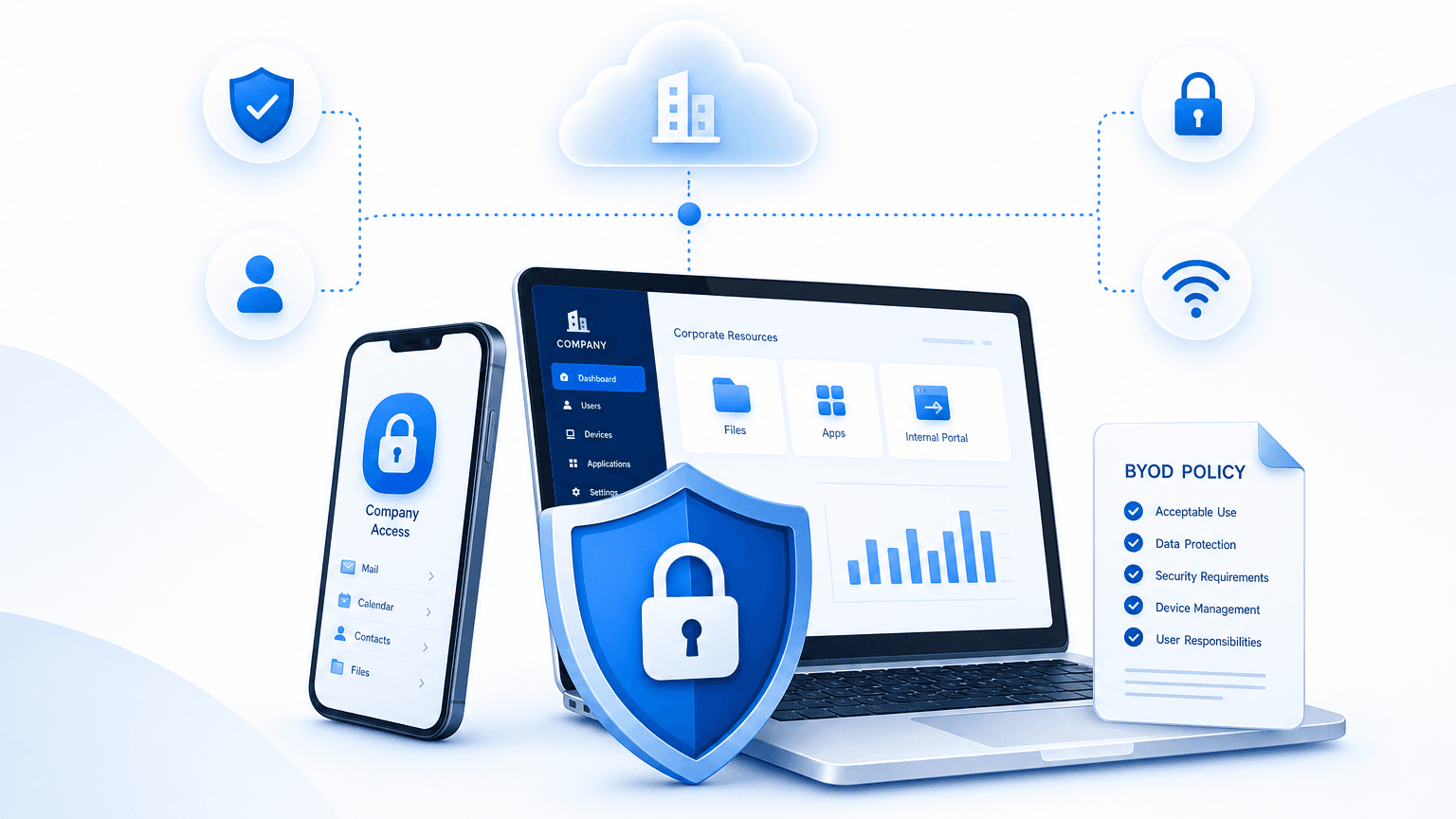
A bring your own device (BYOD) policy is a set of rules — covering eligibility, security baselines, access limits, and offboarding — that lets employees use personal phones, laptops, and tablets for work under defined conditions. It exists because that behavior is already running, not because IT chose to invite it.
Most written policies still fail at the same checkpoint: verifying device state against policy requirements in real time. IT cannot prove the device in front of the user is encrypted, enrolled, patched, and still authorized. Unmanaged BYOD devices are a standing breach path. IBM’s Cost of a Data Breach Report finds that 35% of breaches involved unmanaged data sources, often called shadow data, where classification and protection never kept up.
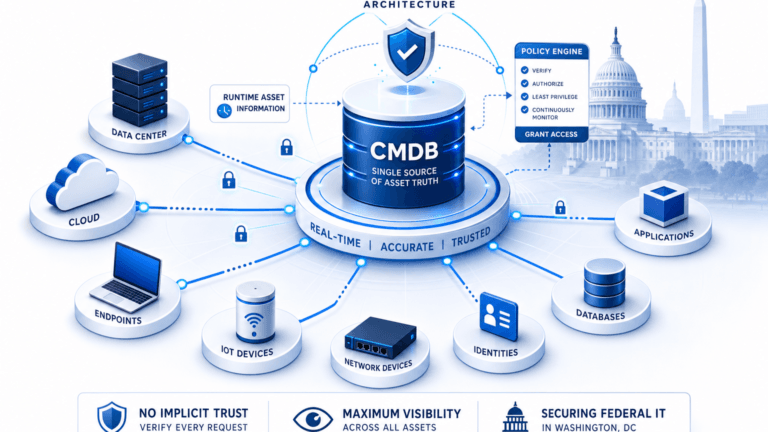
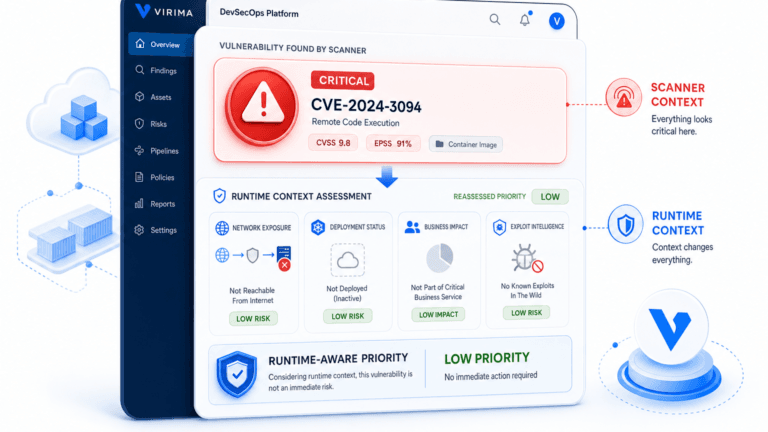
This guide covers why BYOD becomes necessary or allowed. It also covers what the policy should include, benefits and risks in brief, and the visibility gap that decides if those rules hold. For runtime context on devices and services outside the approved list, start with Trusted Runtime Truth.
What a BYOD policy is
A BYOD policy lets employees use personal phones, laptops, and tablets for work tasks under stated conditions. It differs from full company-owned fleets, and from choose your own device (CYOD) programs, where the employer still owns or sponsors the hardware even when the worker picks the model.
Hybrid and remote work pushed personal devices from exception to default for many roles, but access still needs boundaries. Onboarding speed matters when a new hire needs mail before a corporate laptop ships, and contractors or part-time staff often never enter the company hardware program at all. The policy turns informal use into governed use — it does not pretend the personal device is missing from the workflow.
Asset programs that treat home and office endpoints as one operational problem sit next to broader hybrid estate discipline. Clear rules without inventory still leave security and support guessing which phones hold work data tonight.
What is a BYOD policy?
A bring your own device (BYOD) policy is a workplace rule set that allows personal phones, laptops, and tablets for work under defined eligibility, security, access, acceptable use, and offboarding conditions. It differs from company-owned fleets and from choose your own device (CYOD) models where the employer still owns or sponsors the hardware.
What the policy should cover
The standard list is familiar to most teams; what matters is whether your CMDB keeps up with live device state.
- Device eligibility: which device types and operating systems may enroll.
- BYOD security requirements: encryption, multi-factor authentication (MFA), minimum OS versions, and mobile device management (MDM) enrollment.
- Access boundaries: which company resources and data the device may reach.
- Acceptable use: prohibited apps and network restrictions.
- Privacy disclosure: what the employer can and cannot see or wipe on personally owned hardware.
- Offboarding: remote wipe of company data and deprovisioning when someone leaves or a device is lost.
Each line is a control target, not proof it holds. Writing “remote wipe” into the policy is not the same as confirming the wipe command reaches a given device — that gap is why validating controls, not just listing them, belongs in the same review cycle. None of these clauses create inventory by themselves. HR can publish the PDF tomorrow and still lack a list of which personal serial numbers hold customer files.
For how hybrid ITAM work ties device custody to security outcomes, see ITAM in a hybrid workplace.
Benefits and risks, briefly
Benefits include lower hardware spend and faster onboarding when a hire already owns a workable device. Employee satisfaction often rises when people prefer their own kit. Risks include data leakage from mixed personal and work storage, unpatched OS and apps, and lost or stolen hardware. Compliance exposure rises when auditors ask which personal endpoints held regulated data.
Verizon’s 2025 Data Breach Investigations Report found that 46% of devices logging corporate credential artifacts were unmanaged endpoints — most likely BYOD, personally owned laptops, or work-from-home devices outside endpoint detection and response (EDR) visibility. That finding tracks with the checkpoint most policies never verify.
These hardware-vs-security tradeoffs are familiar. The differentiated failure mode is verification, not the bullet list on page one of the handbook.
BYOD CMDB visibility: why devices stay invisible
A written policy governs intended behavior. It does not create visibility into whether a device is encrypted, enrolled, current, and still tied to an active worker.
BYOD endpoints are a clear form of shadow asset. They join Wi-Fi, VPN, or SaaS, then drop offline without ever appearing in a manual inventory spreadsheet. Configuration management database (CMDB) teams that only trust purchase orders and HR laptop lists miss the phones and home PCs that actually carry mail and files.
IBM’s Cost of a Data Breach research ties unmanaged data sources to a large share of breach volume. Personal devices that store or cache work data outside MDM-managed containers, or that never enrolled in MDM at all, sit in that same unmanaged zone. A policy without verification is a rulebook nobody checks against live estate records.
Support tickets show the same gap. The help desk resets a password for “the user laptop” while the CMDB still shows only the desktop issued two years ago. Change and incident teams inherit wrong ownership and wrong blast radius — the personal endpoint never became a configuration item (CI).
Programs that want fewer dark endpoints treat discovery as the feed under the CMDB, not a side project. Purchase orders and HR laptop lists cannot fill that feed on their own. For how inventory fails when discovery is missing, see unmanaged devices and shadow IT.
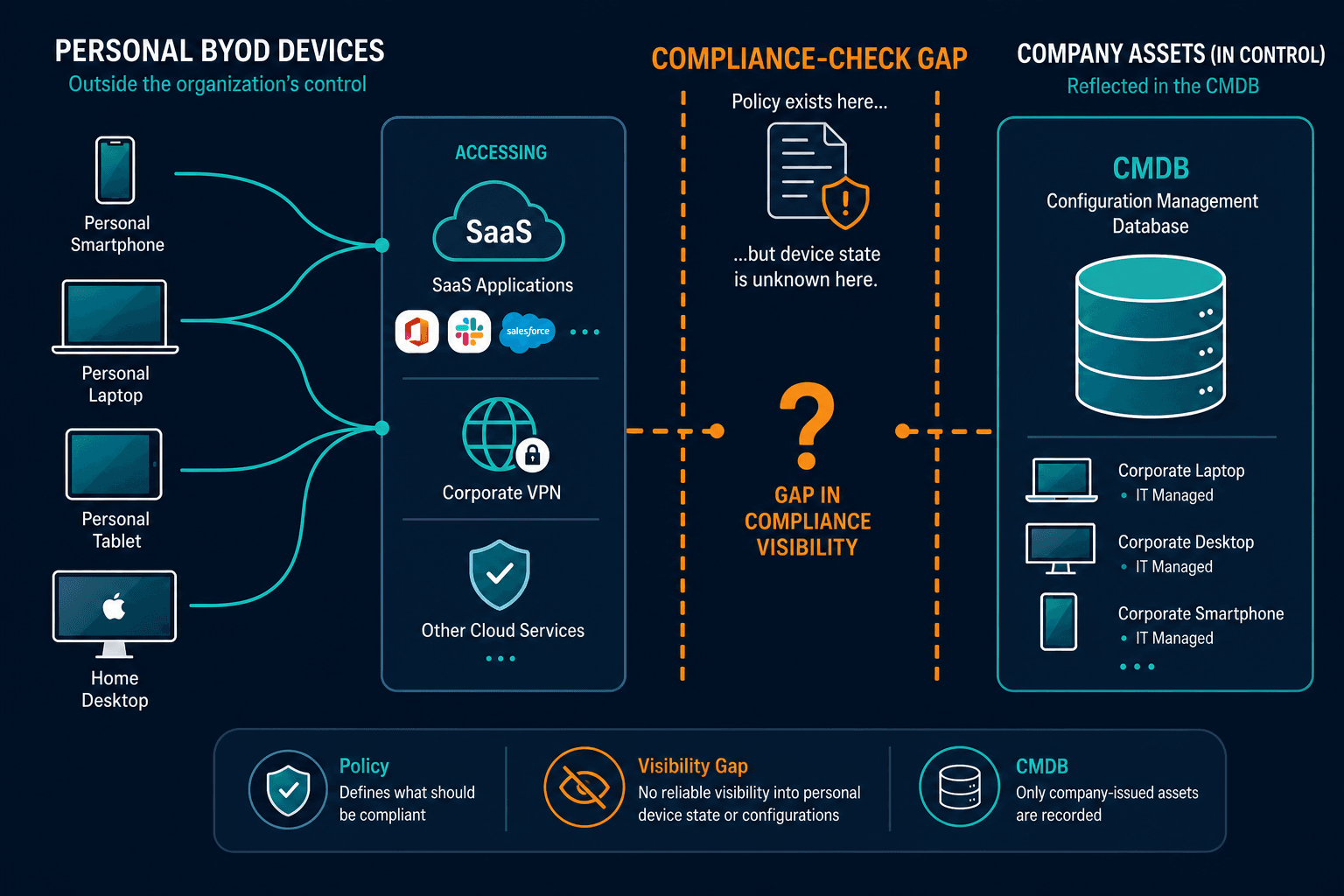
Why do BYOD devices stay invisible in many CMDBs?
Personal devices join and leave networks without a purchase record, so manual inventories and company-owned asset lists never see them. A bring your own device (BYOD) policy states enrollment and security rules, but the configuration management database (CMDB) only reflects those rules when discovery or management tools report the live device state.
Enforcing the policy without owning the device
Ownership stays with the employee. Control still needs layers that do not require wiping family photos by default.
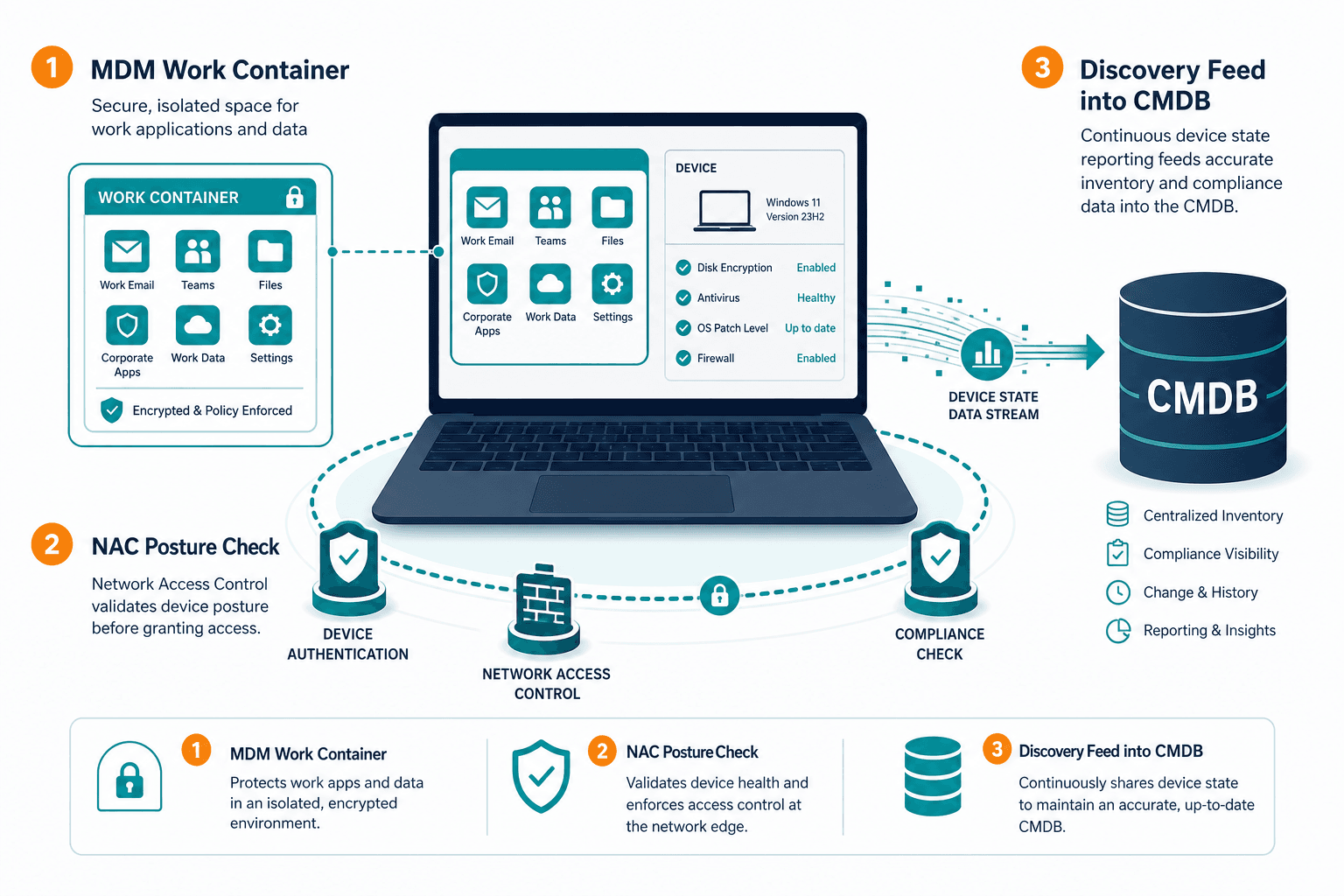
Mobile device management (MDM) and enterprise mobility management (EMM) enrollment can install a work profile or container that separates company apps and data from personal space. Remote wipe then targets the container, not the whole handset, when policy allows. A lighter alternative, mobile application management (MAM), isolates work apps and data without managing the entire device — many BYOD programs favor MAM on personally owned phones because it enforces company control without the privacy friction of full-device management. Lost-device and leaver workflows should name that container wipe path so legal and HR are not debating full-device erase under pressure.
Network access control (NAC) checks device posture before the session reaches sensitive segments. Encryption state, OS version, and enrollment status can gate access on personally owned laptops. NAC products vary, but every deployment still needs a trustworthy view of which device is asking for a port.
Active and passive discovery methods catch devices that connect without completing enrollment. Scans and traffic observation surface hosts that never took the MDM or MAM path. Guest Wi-Fi, home ISP routes, and split-tunnel VPN all create paths where a personal phone can reach SaaS without ever touching the enrollment portal.
Federal asset-visibility work keeps pressing the same foundation. CISA BOD 23-01 frames inventory as a prerequisite for vulnerability detection. BYOD programs inherit that limit when personal endpoints hold work data and never appear on the asset list auditors sample.
Keeping BYOD visibility current
Policy enforcement is only as good as the last verified device status. Enrollment day is not forever — OS versions drift, profiles get removed, and lost phones stay in directory rows long after the SIM is gone. Contractors finish a project and keep cached files on a personal MacBook that never checked in again.
Method choice for finding those hosts still matters. Active probes and passive observation each miss different classes of personal devices. Teams that need a clear method comparison can start with active vs passive discovery.
Scheduled, high-frequency discovery cycles refresh what connected outside the enrollment path. Agent, agentless, and API collection can feed the same CMDB your IT service management tools already read. Virima’s Work from Anywhere (WFA) agent supports off-network devices that rarely sit on corporate LAN.
That cadence is deliberate. Waiting for annual laptop refresh or voluntary self-report leaves months of dark personal endpoints. Identity providers may still show an active account while the personal handset that held the last MFA prompt is already sold. Security and ITAM both need the device row, not only the user row.
Offboarding is the stress test
When employment ends, remote wipe of the work container must pair with removal of access everywhere else that device could still reach:
- Wipe the MDM or MAM work container.
- Revoke VPN, SaaS, and directory access tied to the device.
- Mark the corresponding CI as deprovisioned in the CMDB.
The CMDB should show the personal device as deprovisioned for company data, not only as a closed HR ticket. Residual risk stays high when the inventory row never existed.
Audit samples make the same point
Reviewers ask which personal devices held regulated data in the last quarter. Teams that only have a signed policy PDF cannot answer with device names, owners, last check-in, or wipe timestamps. That gap is an inventory problem wearing a policy label.
Incident response feels the gap directly
Security operations feel it during incident response. An alert fires on a user account, yet the responding team cannot name which personal phone or home laptop held the session. Containment stalls while people argue about ownership of a device that was never a CI. BYOD policy language does not shorten that argument — a current, discovery-fed record does.
How do teams keep BYOD visibility current without owning the hardware?
They combine mobile device management (MDM) or mobile application management (MAM) enrollment, network access control (NAC) posture checks, and scheduled high-frequency discovery that reports personal devices into the configuration management database (CMDB). Ownership stays with the employee while company data, access, and inventory status remain under IT control.
The policy sets the rules. Visibility confirms them.
A written bring your own device policy is necessary, but it does not enforce itself. Eligibility, MFA, encryption, containers, and offboarding wipe all matter — none of those clauses replace a current record of which devices hold company data, and none replace proof that those devices meet the bar you wrote down.
Before the next remote cohort onboards on their own hardware, check whether your CMDB and security tools can name the personal endpoints in scope. If the answer is a signed PDF and an empty inventory row, fix the visibility path first.
Frequently Asked Questions
Why do companies allow BYOD in the first place?
Hardware cost, hybrid and remote scale, faster onboarding before procurement issues a laptop, and contractor or seasonal roles that never get company devices. Personal use of work systems is already common, and the policy formalizes that use.
What should a BYOD policy include?
Device eligibility, security baselines such as encryption and multi-factor authentication (MFA), access boundaries, acceptable use, privacy disclosure, and offboarding steps including remote wipe of company data.
What are the main risks of BYOD?
Data leakage on mixed personal and work storage, unpatched devices, lost or stolen hardware, and compliance exposure when personal endpoints hold regulated data without a verified inventory.
How does Virima’s discovery feed BYOD device status into an existing CMDB?
Virima’s agent, agentless, and API discovery methods report personal devices that connect over Wi-Fi, VPN, or SaaS into the CMDB as configuration items, alongside the MDM and NAC data your team already collects.
Does Virima require replacing our existing MDM or NAC tools for BYOD visibility?
No. Virima’s discovery works as a neutral layer alongside your existing MDM and NAC tools, closing the CMDB visibility gap they don’t cover on their own.
If your BYOD policy can’t yet name the personal devices touching company data today, see how discovery-sourced runtime truth closes that gap alongside the MDM and NAC tools you already run — schedule a demo and walk through what your next BYOD cohort would look like in your CMDB.