When to Implement a CMDB: In Conversation with Will Johnson and Franco Powers

Virima and Halo ran the first session of a four-part CMDB webinar series on October 1, 2026. The session was titled “Why a CMDB Matters, and When You’re Ready for One.” The series moves from awareness to education, value, and expansion. Jason Lam, a product manager from Halo, hosted the webinar. Halo is a platform that integrates with Virima.
Virima’s Will Johnson, who runs commercial sales and alliances, and Franco Powers, Director of Solution Engineering, answered Jason’s questions on two problems. What separates a CMDB from the asset list you already keep, and how do you decide when to implement a CMDB? This article follows those answers, question by question.
What Is the Real Difference Between an Asset Inventory and a CMDB?
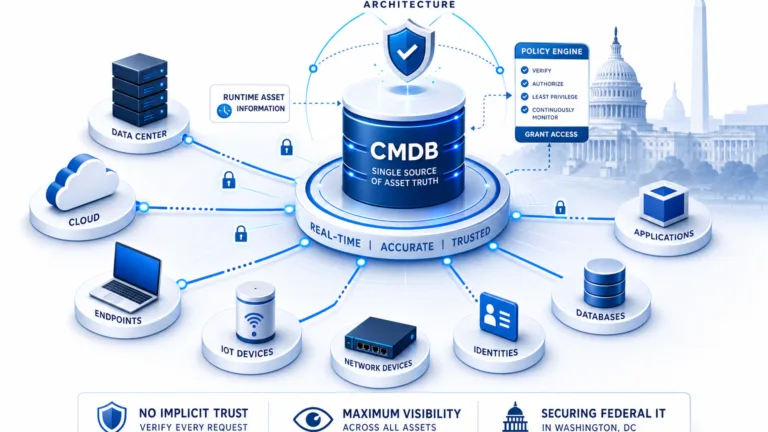
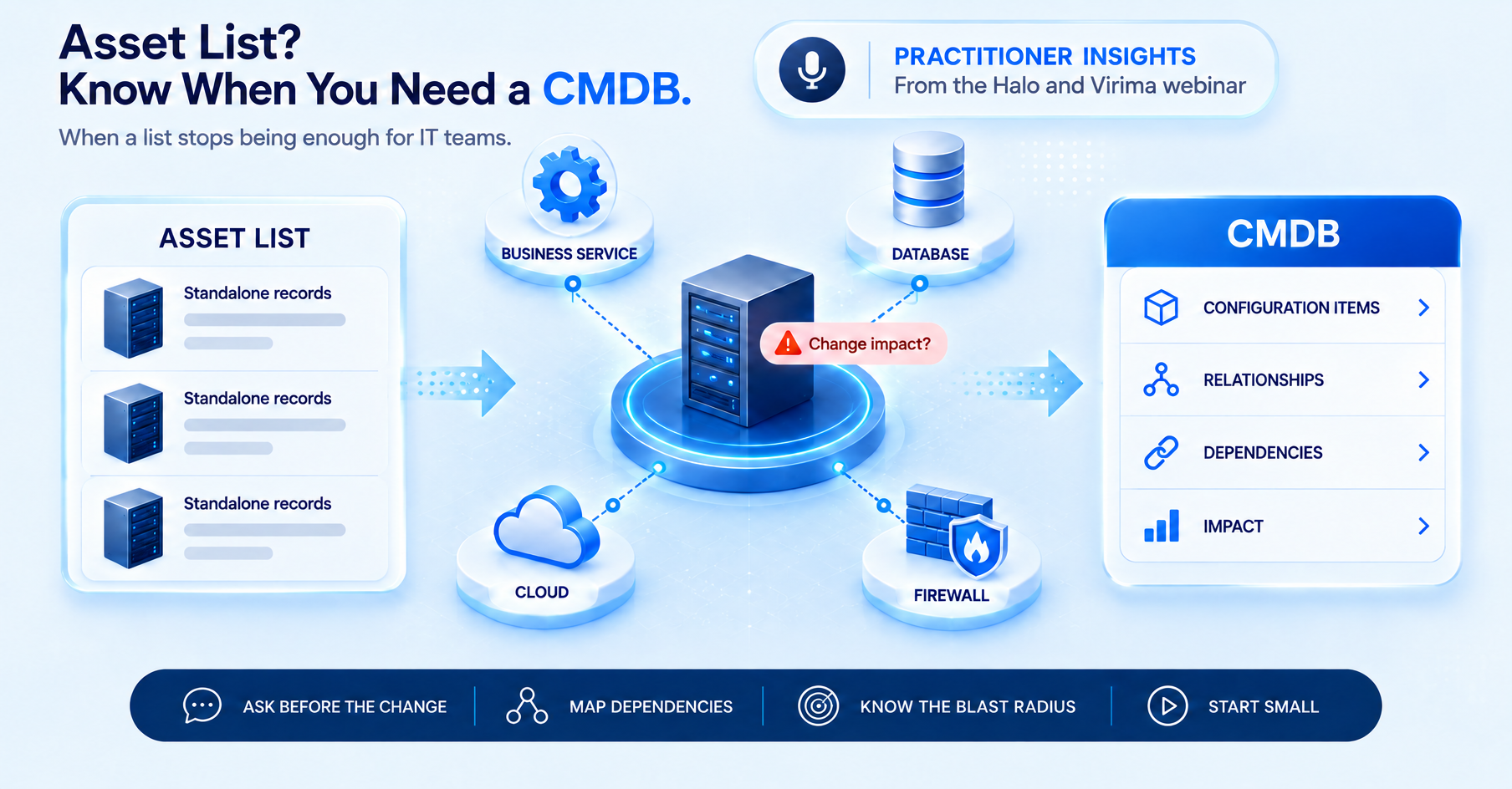
Jason opened with a question Halo customers have asked for. What is the real difference between an asset inventory and a CMDB, and why can’t teams just keep a spreadsheet current? Will answered first: an asset repository tells you what you have, and that is about all it does. A proper CMDB also records how those assets are connected, so, with the right technology, it can show what is affected when one of them goes offline.
When Jason asked whether that context helps with incidents and forward planning, Franco compared a dependency map to an air traffic controller’s screen. You see every plane, but the value is in how the traffic lines up: which enterprise services are the “big rocks,” what sits upstream, and what sits downstream. He called that 360-degree view the executive summary of the whole exercise.
The webinar answered the spreadsheet half of the question by implication. A list records that an item exists, not what depends on it. Virima’s comparison of Excel and discovery-driven dependency mapping acknowledges that Excel can work for a small, stable environment. It breaks down as infrastructure changes faster than people can update it.
Will added that people now want a visual CMDB and that, in his words, the days of ingesting data through forms are over. The same split separates a CMDB from IT asset management, which tracks ownership, cost, and lifecycle while a CMDB records operational context.
What Is the Difference Between a List and a CMDB in Incident and Change Work?
Jason’s next question was how a list differs from a CMDB in practice. He added that discovery tools are often lumped in with compliance tools such as Intune. Will did not compare specific tools. He pointed to how dependency data changes in change management. When a team takes a server offline without knowing which services depend on it, a key service can go down during business hours.
Knowing the blast radius beforehand is the core of change impact analysis. Will said it reduces failed changes and speeds up the response when something does break. Virima’s write-up on change advisory boards makes the same point: a blast radius estimated from memory is an educated guess.
Franco said many customers feel trapped. They have not moved to discovery, so they still have a list, and they must sell leadership on funding it. His advice was to ask one question. If this server goes down, what is impacted, and ideally what will it cost? A CMDB will not calculate the cost, he noted, but seeing the impact makes the financial stakes clear.
Will urged caution on outage-cost averages. He called some industry figures almost unbelievable and told attendees to use their own numbers, such as what an hour of outage costs their business. A cost savings calculator planned for a later session lets you enter those figures.
Jason then offered his own summary: a CMDB holds the dependencies in your environment, while a list holds standalone records. Asked whether that was right, Franco agreed and widened the picture with examples from his cloud migration work. In one, a bank plans to move online banking, and the team believes it has identified most of the configuration items in the move group but is not certain. A dependency map shows what else travels with the service, so nothing is left behind.
Franco also named security and architecture. A map shows what a machine or software item communicates with, which raises the question of whether it should be leaving the network. Enterprise architects use the same maps when they plan changes such as replacing Windows servers with Linux. In his words, it is not just for change advisory board calls.
Where Do Most Organizations Sit, and What Moves Them Toward Optimized?
Jason asked where organizations normally sit and what allows them to move up. Will described four stages: chaotic, reactive, proactive, and optimized. In the chaotic stage, there may be no inventory at all, and the knowledge lives with a couple of people who happen to know where everything is. Will called that heavy on tribal knowledge. In the reactive stage, a spreadsheet exists, with some idea of the hardware and software in place.
Teams in both stages are in what Will called firefighting mode. They respond to incidents and outages, and little time is left for innovation. Moving to proactive and optimized needs technology to support the process: automated discovery of networks and cloud environments, run frequently enough that the data reflects what is actually there. Franco’s answer was shorter: what moves a team up is discovery, plus process.
Jason asked whether a team can jump straight from chaotic to proactive. Will was clear that there are no shortcuts. “You can’t really skip rungs, but you can certainly move through the rungs faster.” Jason described the climb as a loop: better changes remove noise, which frees time to plan, which moves the team toward ongoing improvement.
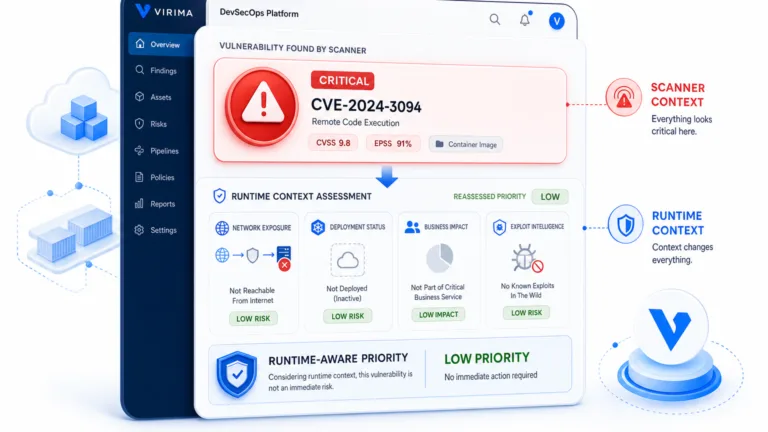
Will warned that climbing disrupts established habits, so executive sponsorship matters, especially for teams starting in the chaotic or low reactive stages. His case for an executive rested on trusted data, change management, and security. A vulnerability rated low can matter a great deal if it sits on a device that supports a critical service. Jason shared early results from the series’ CMDB Health Check pre-assessment, where many attendees who completed it sat at the same early stage.
When to Implement a CMDB: At What Maturity Does It Make Sense to Engage?
Jason relayed an attendee question that had two parts. What needs to exist in the platform and CMDB, and at what maturity does it make sense to bring in a discovery service for the best return? Will said the right time is when the environment is too big or too dynamic to maintain by hand. At that point, the risk is taking down a service because nobody understood the blast radius of a device.
He added that the return is available at every stage. What matters is when the environment becomes too large for you to control on your own. Jason’s wrap-up made a related point. Automated discovery is not always the right first step, but it becomes necessary as a team matures, and each team can set its own pace.
On what to discover, Will recommended casting a wide net first, then choosing what belongs in the CMDB. He suggested starting with servers and IP-based infrastructure such as routers, since traffic passes through them. Franco’s advice was to let the machine do the work: feed in your subnets and let scans fill a pre-CMDB holding area (Virima calls it Discovered Items). Then pick what moves on to the CMDB and to Halo.
Virima’s implementation guide keeps the CMDB itself narrow at first, recommending that phase one cover only three to five configuration item types. The take-home plan Jason outlined began the same way: consolidate everything into one source, and align the team on what separates an inventory from a CMDB.
How Can Small Companies Deal With the Cost of Discovery Tools?
Jason passed on an attendee question about cost and whether there are other options. Will noted that Virima offers plans sized for small organizations. His main advice for teams with no budget was to start small. Pick your critical services, map them in a spreadsheet, and do not try to boil the ocean. It is not ideal, he said, but it is practical.
In a static environment, a weekly validation may be enough. Virtualization and cloud make it harder because the environment is more dynamic. Will’s view was that a good tool does more than show what is on the wire, since it also supplies relationships and dependencies. Jason summarized the choice as a trade-off between how quickly you want to move, what it costs, and how far you want to go.
What Are the Biggest Mistakes When Starting a CMDB Journey?
Franco’s first answer was planning, and specifically talking to stakeholders early. The network and infrastructure teams hold the credentials, and someone on their side enters them into the scanner. The scanner is also a credential store, so discovery coverage depends on their cooperation. Application owners matter just as much, because they validate what discovery finds. His advice was to get everyone into the pool first and then throw the party.
His second point was that some customers assume process takes care of itself. Discovery finds the machines and builds the maps, but it cannot tell you that the payroll system is called “Excelsior” internally and only one person knows it. Will added the advice he gave earlier: start with one critical service instead of the whole estate.
Jason noted that this is also why a healthy CMDB matters for enterprise service management, where HR and other functions depend on the same infrastructure. Will called the CMDB the heartbeat of IT, and for digital businesses, the heartbeat of the business.
Who Typically Owns a CMDB?
Jason relayed an attendee question: is the CMDB centralized, or are individual teams expected to keep their own items current? Franco said it is centralized, though the shape depends on company size. A dedicated team may keep scans running and feed in new subnets as they appear.
Will described the range: in smaller organizations, someone on the ITSM team owns it while wearing several hats. More mature organizations have a configuration manager who owns the process. Some run the CMDB as its own line of business, because so many groups benefit from it.
Does the Halo and Virima Integration Work Both Ways?
An attendee asked how the integration works today and whether it already runs both ways. Jason answered directly: by default, it runs one way, from Virima into Halo, with Virima as the system of record and Halo as the system of support. Once discovery data is in Halo, technicians have the context to resolve incidents, complete changes, and review impact before acting.
A two-way sync is possible with some configuration in Halo’s native integrator, for example, to bring ticket data from Halo back into Virima. Virima’s HaloITSM integration page adds that scans are agentless and run on a schedule you set.
A later multi-part question asked how items become configuration items in Halo, how duplicates are avoided, and how relationships are determined. Jason covered the Halo side: you can choose which configuration items to import, use a unique identifier to prevent duplicates, and map fields so only selected attributes arrive. On the Virima side, he added, matching attributes called correlators identify a configuration item and its class.
Franco took the relationships part: a Linux server running Apache is discovered through the same scan, and the Apache instance becomes a child item of the server.
Where to Start
Across the questions, Will and Franco kept returning to one point: the technology matters less than whether people and process are ready for it. Will’s advice was to start with one critical service instead of the whole estate. Franco’s was to bring the network, infrastructure, and application teams in early. Try both this week on the service your business would miss most. List what it depends on, ask each owner to confirm the list, and note where the answers disagree. Where they disagree, you have found the gap a CMDB closes. How long it takes to reconcile them by hand is your readiness test. The series continues with sessions on education, value, and expansion.
Frequently Asked Questions
What is the difference between a CMDB and an asset inventory?
An asset inventory lists what you own. A CMDB also records how those items connect, so you can see which services depend on a server before you change it, or when it fails.
Why is a CMDB important?
It shows the dependencies behind your services, so change reviewers can assess blast radius, incident teams can trace impact faster, and security teams can see which critical services a vulnerable device supports before deciding priority.
When should you implement a CMDB?
Implement a CMDB when the environment is too large or too dynamic to maintain manually. Before that, start with one critical service, map its dependencies, and validate the map on a regular schedule while the process matures.
Who should own the CMDB?
It depends on size: smaller organizations often assign it to someone on the ITSM team, while mature ones appoint a configuration manager. Some run a dedicated team that keeps scans running and onboards new subnets.
Can you start a CMDB without a discovery tool?
Yes, though it is not ideal. Choose one critical service, document its dependencies in a spreadsheet, and validate it regularly. That builds the process and stakeholder habits that automated discovery later depends on.