What is SCOM? System Center Operations Manager Explained

The bridge call starts with a red console. Someone says the SCOM alert fired on a database host. Someone else asks which business service sits on that host. The room goes quiet because the monitoring tool answered the health question and the ownership map never left a sticky note. That is the practical entry point for what is SCOM (System Center Operations Manager) in modern hybrid estates. It is a mature Microsoft monitoring platform that sees symptoms fast, and still needs a separate authority for inventory, relationships, and blast radius.
This guide is for IT operations managers, Windows platform leads, and CMDB owners who keep hearing SCOM in war rooms and architecture reviews. It is not a licensing guide, a SCOM administration course, or a tool-replacement pitch. The focus is a clear answer to what is SCOM, how it differs from discovery and CMDB work, and where teams still need trusted runtime truth after the alert lands.
Answer first: what is SCOM in one sentence
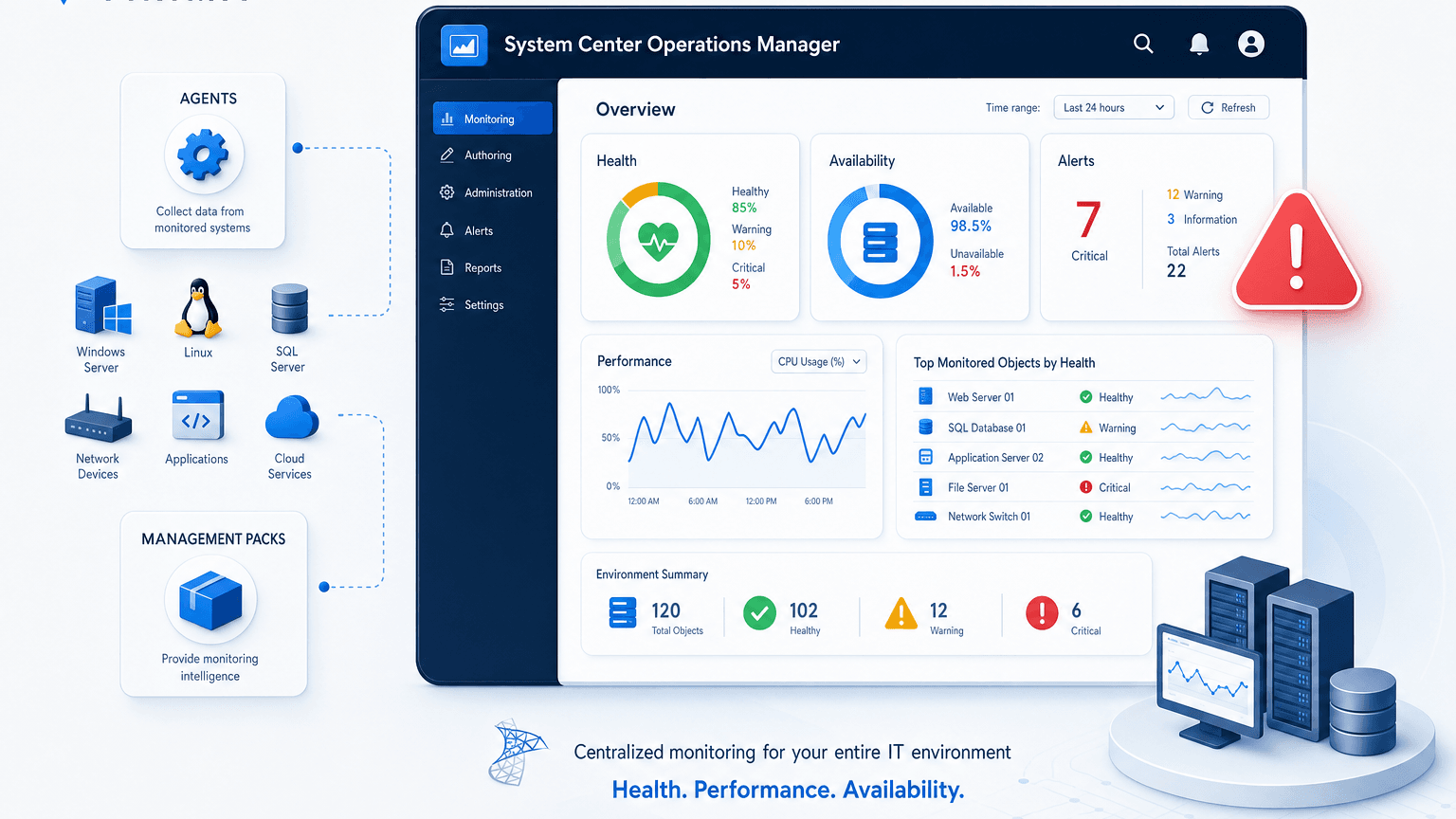
What is SCOM? SCOM is System Center Operations Manager, Microsoft’s product for monitoring the health, performance, and availability of infrastructure and applications across Windows-heavy and mixed estates. It collects signals through agents and management packs, evaluates rules and monitors, raises alerts, and gives operators a console to investigate degraded systems.
Microsoft’s Operations Manager documentation describes SCOM as infrastructure monitoring that teams use to watch public and private environments from a central operations view. In plain terms, SCOM answers questions like “is this host healthy right now?” and “did this service counter cross a threshold?” It does not, by itself, become your discovery-sourced system of record for every CI, owner, and dependency across hybrid cloud.
That distinction matters. Teams that treat what is SCOM as “our CMDB” inherit false confidence. Teams that treat SCOM as monitoring and pair it with discovery authority inherit cleaner incident and change paths.
What is SCOM?
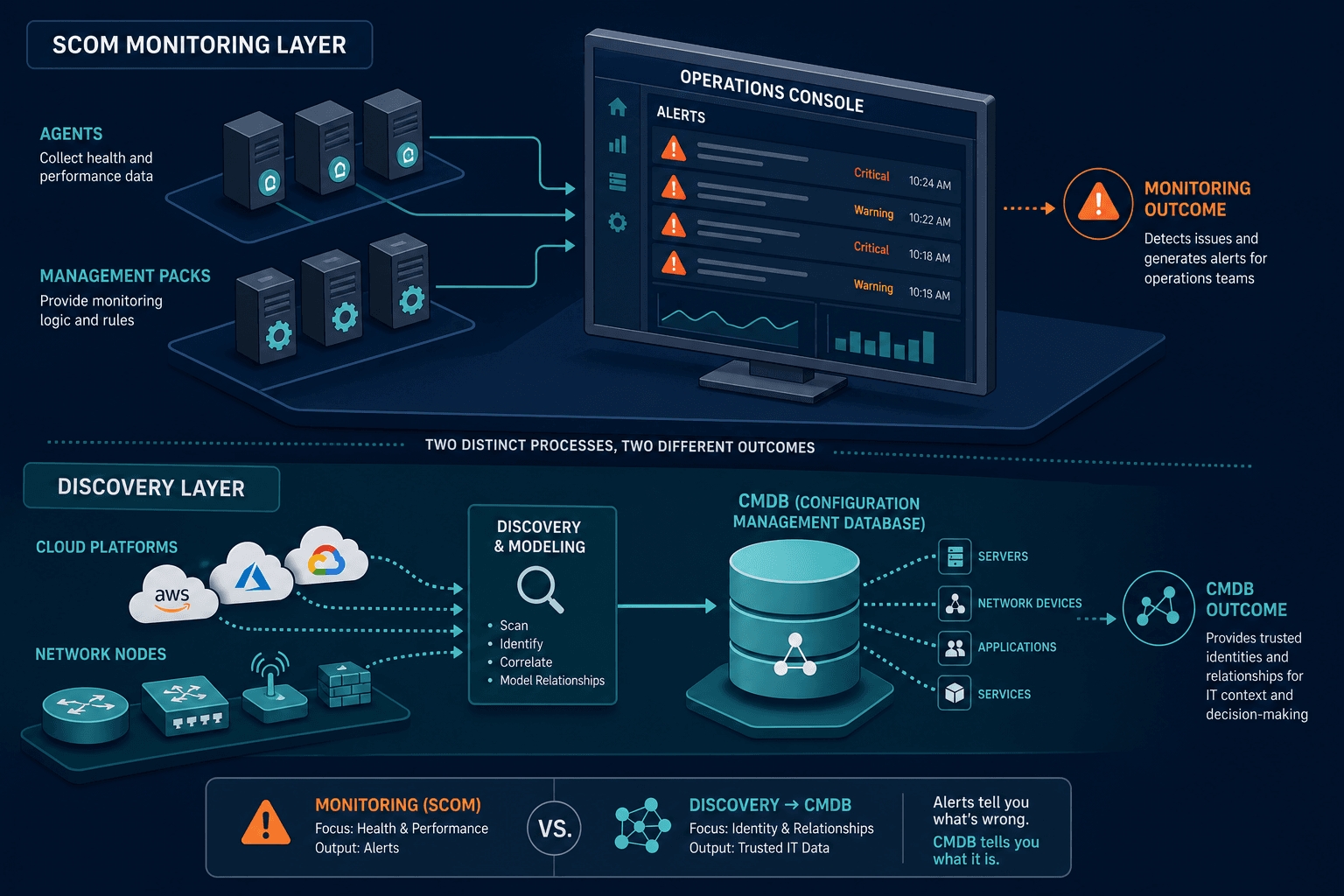
SCOM is System Center Operations Manager, Microsoft’s infrastructure monitoring platform. It watches health, performance, and availability using agents, management packs, rules, and alerts. It is an operations console for symptoms, not a full discovery-sourced CMDB for estate identity and service dependencies.
How SCOM Monitoring Works in Day-to-Day Operations
Understanding what is SCOM requires a short map of the pieces operators actually touch.
Agents, management packs, and the management group
SCOM typically deploys agents on monitored computers. Management packs carry the knowledge for specific products and roles: what to collect, which thresholds matter, and how to classify health. A management group holds the management servers, databases, and consoles that process that data. Operators live in the console views, dashboards, and alert queues those components feed.
Alerts, monitors, and rules
Monitors track state over time. Rules can collect events or performance data and raise alerts when conditions match. The value of SCOM shows up when a trained operations team tunes noise, overrides, and notification paths so real failures rise above chatter. Untuned SCOM estates produce alert fatigue. Tuned SCOM estates shorten time-to-notice for known classes of failure. Microsoft’s Operations Manager documentation covers management pack tuning guidance in more depth than a single blog section can.
What SCOM sees well
Microsoft SCOM has deep history in Microsoft-centric server rooms: Windows Server roles, SQL, Exchange-era patterns, Hyper-V, and many third-party management packs. Cross-platform coverage expanded over versions — current management packs extend to Linux distributions and other non-Windows workloads — yet many enterprises still associate SCOM with the Windows operations center of gravity. That strength is real. It is also a boundary: monitoring coverage is not the same as complete hybrid inventory coverage.
What SCOM is not: inventory authority and service truth
A clean answer to what is SCOM also states the negative space.
Monitoring is not discovery authority
SCOM knows a lot about objects it monitors. It does not automatically become the default source of truth for every asset that can appear on a network, in a cloud account, or on a VLAN nobody enrolled in a management pack. Shadow hosts, short-lived cloud instances, and decommissioned gear that still answer pings can sit outside the monitored set. CISA BOD 23-01 keeps public pressure on accurate, timely asset visibility. Federal language is not every enterprise’s compliance frame. The operating lesson travels: incomplete inventory is a control failure when risk and change programs still trust a partial picture.
Alerts are not blast radius
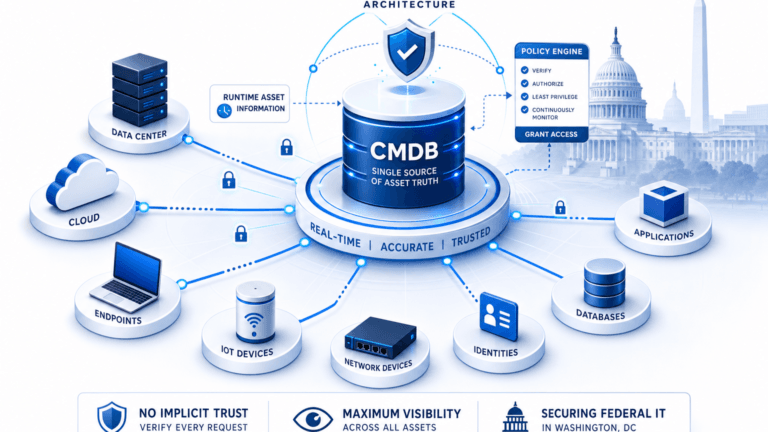
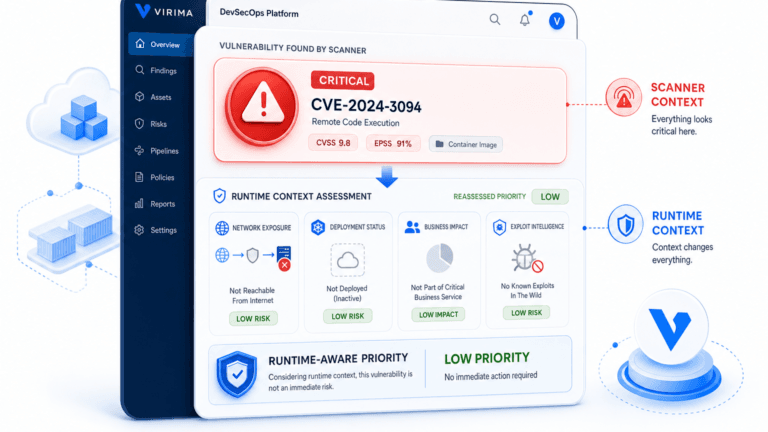
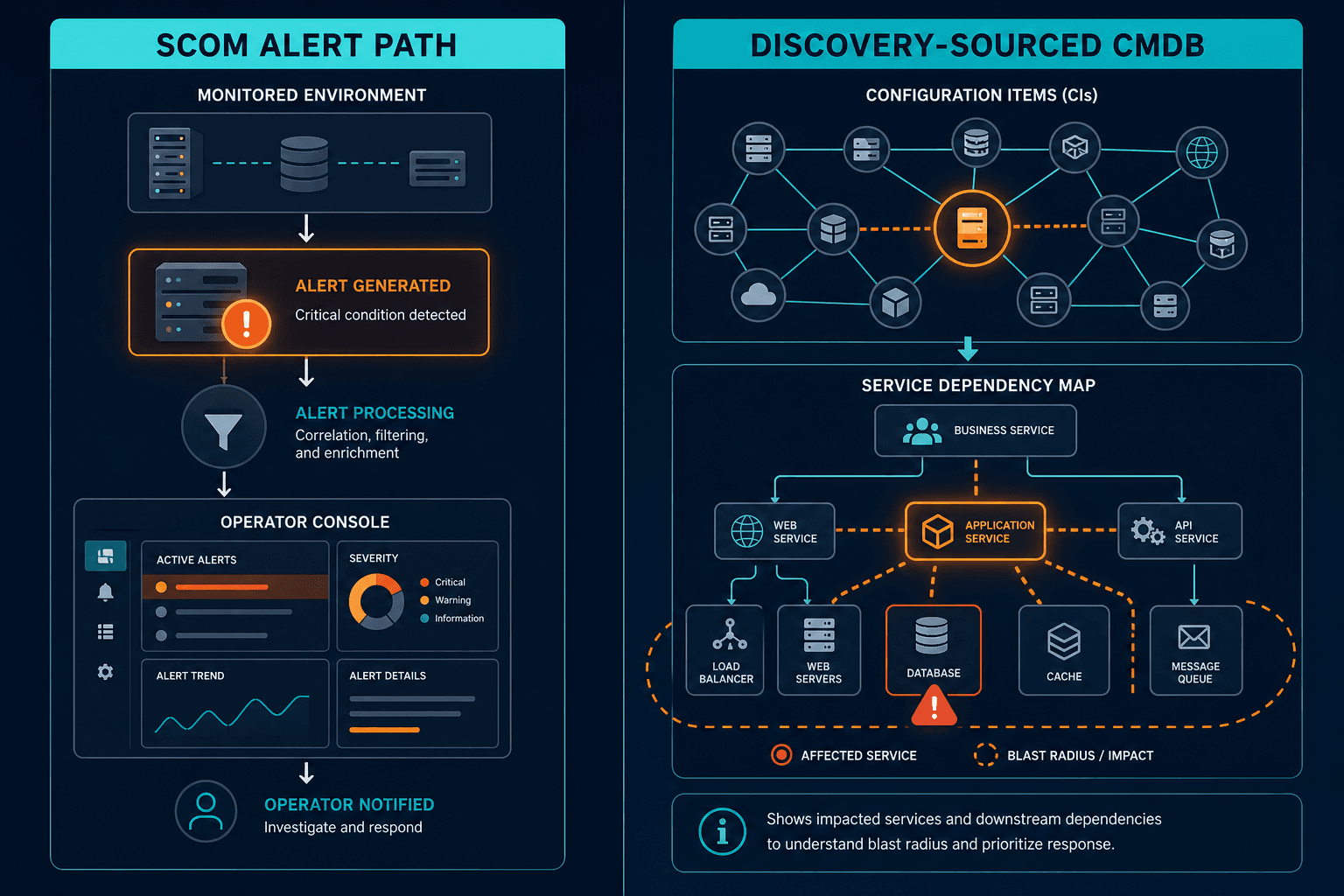
An alert names a sick object. Blast radius names the business services and owners downstream of that object. Without dependency context, SCOM triage still depends on tribal knowledge. Once service definitions exist, ViVID™ service maps can show installed-on and runs-on style links on discovery-fresh CIs. Virima ViVID™ builds those maps from defined services rather than inventing service composition automatically. Maps stay useful only while infrastructure CIs stay discovery-fresh. (The five-check scorecard later in this guide is a fast way to test whether your team has already closed this gap.)
SCOM is not a license and lifecycle book of record
ITAM questions about purchased licenses versus installs, end-of-support flags, and hardware refresh lists need inventory and entitlement joins. Monitoring health does not replace that ledger. Flexera’s 2024 State of ITAM Report keeps documenting cost and control pressure when technology intelligence stays incomplete. SCOM can surface a failing agent on an aging host. It does not close the ITAM gap by itself.
Is SCOM the same as a CMDB?
No. SCOM monitors health and raises alerts for enrolled systems. A CMDB stores configuration items, relationships, and ownership used for change, incident, and audit. Some data can flow between them, but monitoring coverage is not discovery-sourced configuration authority across the full estate.
SCOM versus nearby Microsoft and ops tools (quick orientation)
People who ask what is SCOM often mix it with adjacent acronyms.
SCOM versus SCCM / ConfigMgr / Microsoft Intune paths
Configuration Manager historically focused on deployment, configuration, and software distribution. SCOM focused on operations monitoring. Modern endpoint and cloud management paths evolved, yet the conceptual split remains useful: build and configure on one track, and watch runtime health on another. Do not assume one console replaced the other for every duty.
| Question | SCCM / ConfigMgr / Intune | SCOM |
|---|---|---|
| Primary job | Deploy, configure, and patch systems | Monitor health, performance, and availability |
| Answers | “Is this software installed and configured correctly?” | “Is this system healthy right now?” |
| Typical trigger | A change or deployment event | A threshold breach or failure |
SCOM versus APM and observability stacks
Application performance monitoring and modern observability tools instrument traces, metrics, and logs for application paths. SCOM remains stronger as an infrastructure operations monitor in many Microsoft-centric shops. Enterprises often run both classes of tool. The integration problem is correlation identity: can an alert land on the same CI that the CMDB and service map trust?
SCOM versus discovery and CMDB platforms
Discovery platforms populate what exists. CMDB platforms hold reconciled CIs and relationships. SCOM consumes or aligns to some of that truth when teams invest in connectors and naming discipline. When they do not, SCOM becomes a second partial inventory with health flags glued on. For the naming and reconciliation discipline that connectors depend on, see Multi-Source CMDB Reconciliation: Why Last-Scan-Wins Destroys Data Quality.
SCOM vs CMDB: the short version
SCOM ships its own internal database — Microsoft’s documentation calls part of that operational data warehouse a “CMDB” — but that store tracks monitored objects for alerting, not enterprise configuration items, owners, or service relationships. An ITSM or discovery-sourced CMDB is a different system built for change, incident, and audit. Confusing the two is an easy mistake: SCOM’s internal “CMDB” and your organization’s CMDB solve different jobs, even though both use the same three letters.
Where SCOM fits with Trusted Runtime Truth
Teams that already run SCOM should not scrap monitoring to fix inventory. They should stop asking monitoring to carry jobs it was never designed to own.
Keep SCOM for symptoms
Preserve SCOM for health state, performance counters, and alert workflows your NOC already trusts. Tune management packs. Reduce duplicate notifications. Measure noise.
Add discovery authority for existence
Agent-based discovery fits deep OS and software inventory where agents are allowed. Credentialed agentless discovery fits locked ranges. Cloud API pull covers images and instances that never sit on the corporate LAN. High-frequency discovery cycles on agreed scopes keep CI existence honest between quarterly cleanups.
Virima does not claim passive continuous event-driven discovery today. Scheduled agent, agentless, and cloud cycles on a written policy still beat annual rebuild-the-monitor-group exercises. This is the same discipline covered in Why do Common Service Data Models (CSDM) matter for CMDB success? – cadence, not one-time cleanup, keeps CI existence honest.
Internal teams evaluating platform fit should review how Virima IT discovery combines agent-based and agentless methods with software and hardware inventory on a shared schedule. A discovery-sourced CMDB stays useful when monitoring tools receive stable identity instead of free-text host labels alone.
Correlate alerts to CI and service
The operating win is the join: alert payload to immutable CI identity to service path to owner. That is how a SCOM red state becomes a business conversation instead of a hostname debate. Related How to Implement Business Continuity Planning with ITAM and Service Mapping sits in the same cluster as this explainer when teams move from definition to method.
When partial inventories still drive change and incident decisions, start with Trusted Runtime Truth. Pressure-test whether existence and last-seen facts still come from discovery after the last monitoring pack rollout ends.
Integrate without inventing a second source of truth
Integrations can push inventory truth into ServiceNow, Jira Service Management, Ivanti, HaloITSM, Xurrent, and Hornbill workflows. Tickets stop inventing parallel CI lists. Partner connections sit on the Virima integrations hub. SCOM stays the symptom plane. Discovery keeps the existence plane honest, and ITSM runs the engagement plane on top of both.
A short scorecard: are you overloading SCOM?
Use five checks before you fund another monitoring-only project.
- Every in-scope production class has monitoring coverage you can name, and a separate discovery method for existence you can name.
- Alert payloads carry stable IDs that match CMDB keys, not only DNS names.
- High-impact services have dependency context on discovery-fresh CIs so SCOM alerts climb to business impact.
- Decommissioned systems leave both the monitor set and the CMDB on a controlled path.
- ITAM and audit populations do not treat the SCOM agent list as the full estate census.
How to Build an AI-Ready CMDB Checklist for 2026 turns this list into a one-page reference your team can run before the next monitoring pack rollout.
When those conditions hold, what is SCOM becomes a clear layer in the stack instead of a catch-all label for ops tooling. Flexera’s ITAM research cited above keeps showing why incomplete technology intelligence still hurts cost programs. CISA’s visibility directive keeps the same pressure on risk programs. Monitoring excellence does not erase those gaps.
If your teams still resolve ownership only after the SCOM alert because inventory never became discovery authority, the scorecard above is the place to start. Validate cadence and join keys against the estate you already run before the next monitoring pack rollout changes what SCOM enrolls.
Frequently Asked Questions
What is SCOM used for in enterprise IT?
SCOM is used to monitor infrastructure and application health, collect performance and event data, and alert operations teams when monitors or rules detect problems. It is an operations monitoring platform, not a complete substitute for discovery, CMDB, or ITAM systems of record.
Does SCOM replace a CMDB?
No. SCOM tracks health for enrolled systems. A CMDB holds configuration items, relationships, and ownership for change, incident, and audit. Data can be shared, but the jobs differ. Treat monitoring and configuration authority as paired layers.
Is SCOM only for Windows environments?
SCOM began with deep Microsoft infrastructure roots and still shows strength there. Cross-platform monitoring expanded over time. Many estates still run SCOM beside other monitors for non-Windows or cloud-native paths. Coverage design should follow what you actually enroll, not the acronym alone.
How does Virima relate to SCOM?
Virima supplies discovery-sourced inventory, CMDB relationships, and service maps after you define services. That runtime truth helps correlate alerts to CIs and business impact. SCOM can keep watching health while discovery keeps existence and dependency context honest.
Should we turn off SCOM if we invest in Virima’s discovery and CMDB?
Usually no. Keep SCOM for the symptom plane your operators already run. Invest in discovery authority and service context so alerts land on trusted identity and blast radius. Replacement debates belong after join keys and coverage are honest.