What Is IT Help Desk Automation? Examples & Benefits

Help desk automation is the use of software, rules, workflows, and AI to handle IT service requests — ticket routing, resolution, and escalation — without manual intervention at every step. Self-service options let users resolve common issues without waiting for an agent. Most automation guides stop at the workflow layer: rules, AI triggers, and escalation logic. The routing and resolution decisions underneath depend on CMDB data that is often stale, and that is where automation quietly breaks.
One distinction worth making upfront: this article covers IT service desk automation, the internal function that handles employee-facing IT requests, incidents, and changes. That differs from customer support automation, which handles external user queries about products or billing. The two share some tooling, but the data dependencies and integration requirements are different. IT service desk automation depends heavily on asset and configuration data in ways that customer support tools do not.
What help desk automation involves
Help desk automation applies at every stage where a decision or action can be handled by a system rather than an agent.
At the intake stage, automation handles ticket creation from email, chat, phone transcription, and monitoring alerts. A ticket submitted by email is parsed, categorized by issue type, prioritized by urgency, and routed to the correct assignment group. No human touches it between submission and assignment.
At the resolution stage, automation surfaces relevant knowledge articles, retrieves the affected user’s asset history from the CMDB, and suggests a resolution path. For high-frequency requests, such as password resets, software installation, and VPN access, automation can execute the resolution entirely without agent involvement.
At the escalation and SLA stage, automation monitors open tickets against service level targets, escalates when a threshold is breached, and notifies the appropriate team lead.
According to a recent Gartner analysis, organizations that implement IT service desk automation reduce their average cost per ticket by 15 to 30 percent. Most of that reduction comes from deflecting routine requests toward self-service or automated resolution, away from agents.
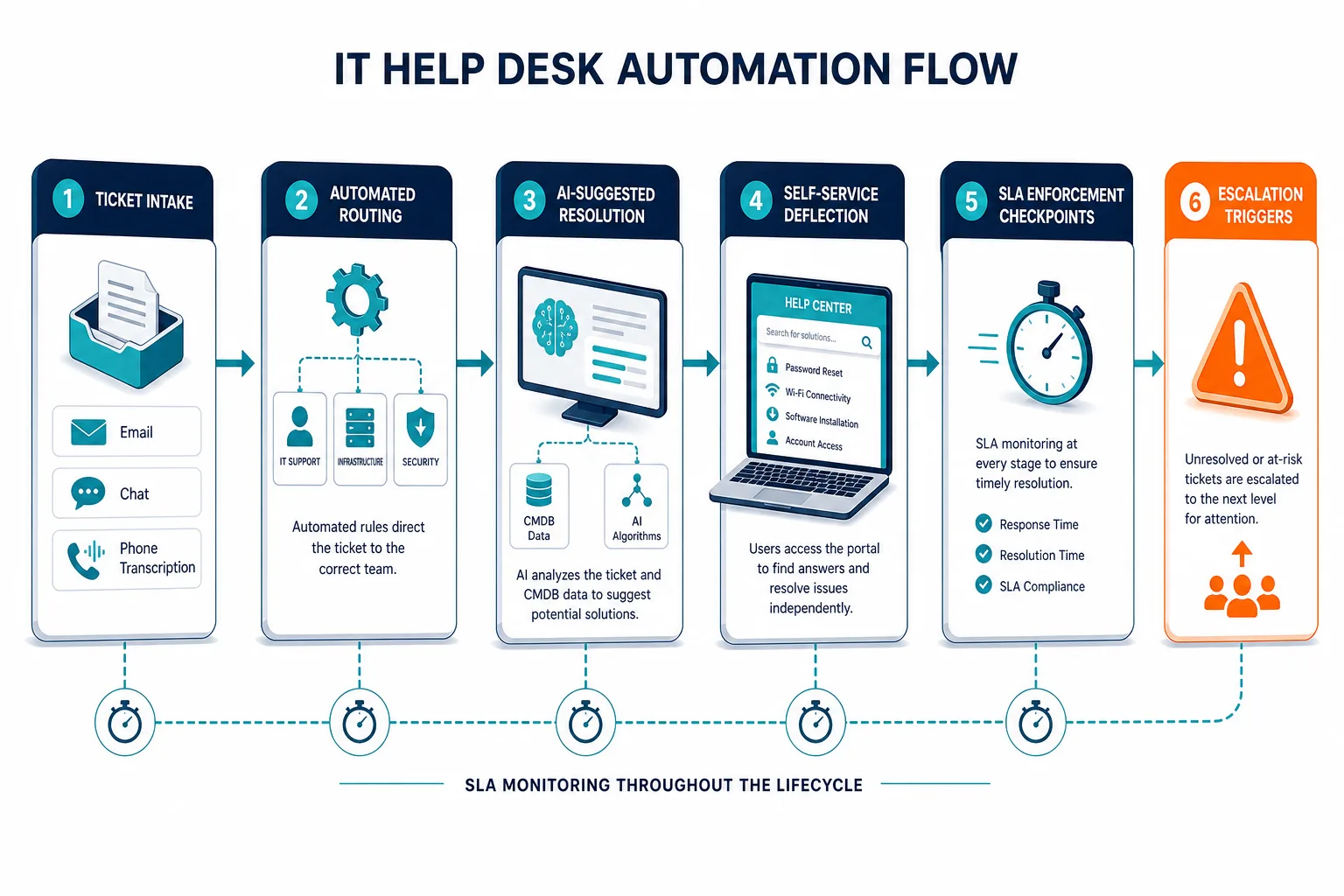
Common examples of IT help desk automation
Some request types are well-suited to automation because they are high-volume, predictable, and follow consistent patterns.
Password resets and account unlocks are the most commonly automated IT help desk request. A self-service portal with identity verification handles the majority of these without agent involvement. Recent HDI benchmarking data places password resets among the top three ticket categories at most enterprise IT service desks.
Software provisioning requests connect approval workflows to a software catalog. A user requests an application, an automated rule checks license availability and manager approval, and provisioning runs without manual IT involvement.
Hardware request routing uses CMDB data to determine which team handles the affected device type, the user’s location, and the asset’s support tier. Automated routing assigns the ticket and attaches the asset record directly.
Incident auto-categorization parses ticket text, matches it to known issue types, and assigns the correct category, urgency, and affected service. This removes a manual step that is often applied inconsistently between agents.
Change request triage applies standard change templates automatically, checks for scheduling conflicts, and routes to the correct change advisory board queue based on risk classification.
New employee onboarding triggers a sequence of provisioning tasks, hardware assignments, and access grants from a single intake form. Each step runs on a defined schedule without agent coordination.
Chatbot-driven tier-1 triage uses a conversational interface to collect ticket details, match the request to a knowledge article or automated fix, and hand off to a human agent only when the issue falls outside its resolution scope. This is often the first automation layer end users interact with, ahead of routing or provisioning workflows.
Benefits of IT help desk automation
The productivity and cost case for automation at the IT service desk is well established. These four outcomes are the most consistently measurable.
Faster first-contact resolution. Automation routes tickets to the right team faster and delivers CI context, past incident history, and relevant knowledge articles to the agent at the moment the ticket opens. Agents spend less time gathering information and more time resolving. That same data dependency shows up beyond the help desk too: accurate CMDB data cuts incident MTTR across IT operations generally, not only at first contact.
Reduced cost per ticket. A recent Gartner analysis of IT service desk operations finds that automated or self-service resolutions cost 80 to 90 percent less than agent-handled resolutions:
| Resolution path | Cost per ticket |
|---|---|
| Self-service / automated | $1 – $2 |
| Agent-handled | $15 – $25 |
Lower agent burnout. High-volume, repetitive tickets create fatigue without producing meaningful work. Automating standard requests frees agents to focus on complex incidents and change management work that requires judgment.
24-hour coverage without on-call staffing. Automated workflows and self-service portals handle routine requests outside business hours. SLA clocks do not pause overnight for password resets or access requests.
Why CMDB accuracy determines whether automation works
Does help desk automation require CMDB data? Yes — routing, AI-suggested resolutions, and auto-categorization all depend on current CI records at the decision point, not just at setup. Without that data, each of those steps degrades to a guess dressed up as a rule.
Where the dependency actually lives
Most discussions of help desk automation focus on the workflow layer: rules, AI triggers, and escalation logic. The data layer gets less attention. That is where most automation failures originate.
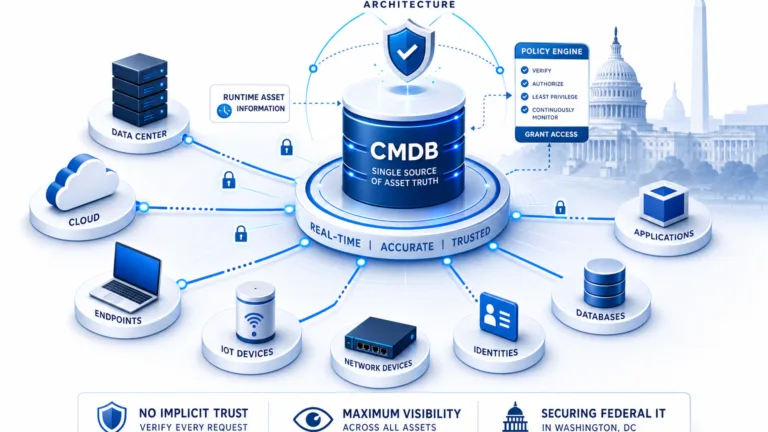
Every automated routing decision depends on CI data. Which team owns this device? What service does this application support? What configuration is this user’s workstation running? Those answers come from the CMDB. When the CMDB is stale, routing rules route incorrectly.
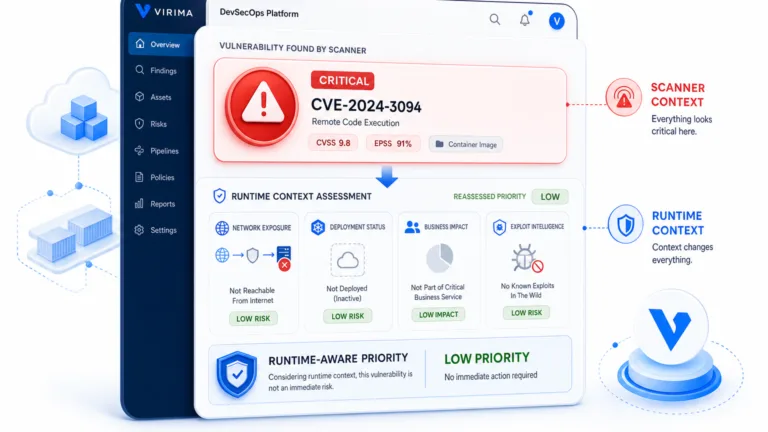
AI-suggested resolutions carry the same dependency. A suggestion to restart a service or apply a patch is only useful if the AI knows what version that service is running and what configuration state the asset is in. A resolution suggested against a six-month-old CI snapshot may not apply to the asset’s current state. One IT team’s AI co-pilot for incident management ran into exactly this problem: its first recommendation was wrong because it was built on outdated CI data.
Auto-categorization depends on knowing which services and assets are active. If a monitoring alert references a cloud instance that was decommissioned last week but remains active in the CMDB, the auto-categorization creates a ticket for a resource that does not exist.
Building routing rules on discovery-sourced CI data
Service desks that feed automated routing rules from discovery-sourced CI data report fewer first-assignment misroutes. Routing rules that reference current CI ownership, service tier, and configuration state perform accurately. Rules built on stale snapshots produce the same mismatch rate as manual routing, just faster.
Virima maintains a discovery-sourced CMDB that keeps CI records current across on-premises and cloud environments. When your ITSM platform pulls CI context for routing and resolution logic, it draws from an inventory that reflects what is actually running. That applies whether you use ServiceNow, Jira Service Management, Ivanti, HaloITSM, Xurrent, or Hornbill. Virima’s CMDB capability feeds accurate, actively maintained CI data into the automation layer your service desk already has. Virima’s ViVID™ service maps extend that further by showing which services and applications depend on each CI, so auto-categorization and change-impact routing can account for downstream effects, not just direct ownership.
This is the foundation of Virima’s Trusted Runtime Truth approach: discovery-sourced ground truth that makes automation reliable, not just fast.
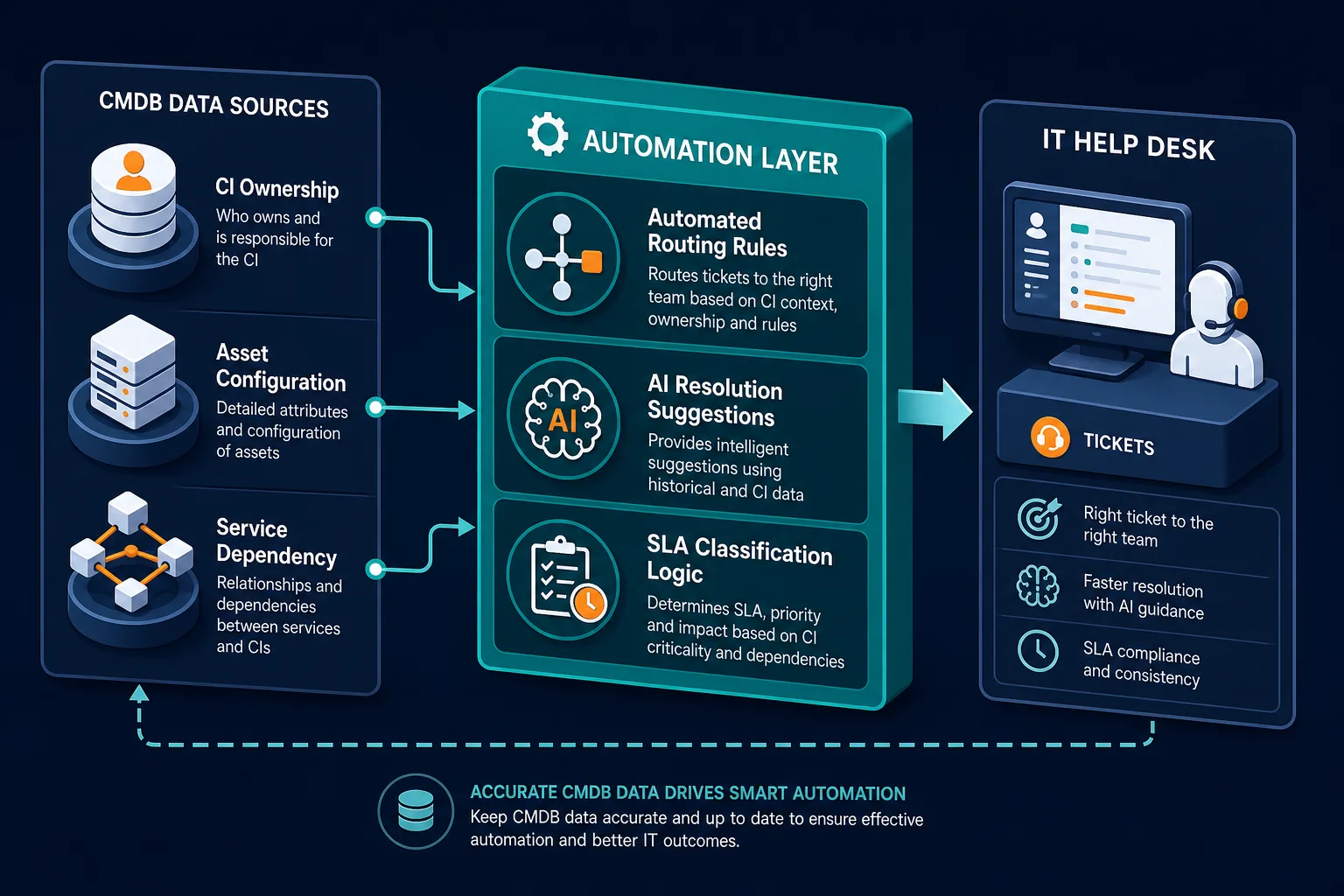
Best practices for implementing IT help desk automation
Start with the highest-volume, lowest-complexity ticket types. Password resets, software access requests, and standard hardware routing are the right starting point. They are predictable, well-defined, and automatable without complex decision logic.
Audit your CMDB before building routing rules. Routing rules are only as accurate as the CI data they reference. Before configuring automated assignment groups based on asset ownership or service dependencies, verify that your CMDB reflects the current state of your environment. Automation built on stale data routes incorrectly from the first ticket. For a closer look at what that audit needs to catch, see why a zero-touch service desk needs a zero-doubt CMDB.
Attach CI context to every automatically created ticket. Every ticket for an asset-related issue should arrive with the relevant CI record attached: device model, OS version, owner, last change, and current configuration. Agents and automation engines both perform better with context delivered at ticket creation rather than retrieved manually during triage.
Build SLA rules around asset criticality, not just ticket category. A P2 ticket on a production database server has a different urgency profile than a P2 ticket on a development workstation. SLA automation that reads CI criticality from the CMDB applies appropriate urgency without depending on the submitting user to self-classify correctly.
Measure deflection rate and routing accuracy as separate metrics. Deflection rate measures how many tickets automation resolved without agent involvement. Routing accuracy measures how many automatically routed tickets reached the correct team on first assignment. High deflection with low routing accuracy means automation handles the easy requests well but mismanages escalations — check this pairing first if you’re unsure whether your CMDB is ready to support automated routing. It’s a signal that CI data quality needs attention. Virima’s IT discovery continuously refreshes CI records to keep routing rules accurate as the environment changes.
Before you automate ticket routing, know whether your CMDB can support it. See how Virima’s discovery-sourced CMDB keeps CI data current across your environment, so routing rules and AI resolutions work from what’s actually there — not a stale snapshot.