What Is Asset Monitoring Software?

A laptop goes dark for six weeks before anyone notices it is gone. A server quietly opens a new port during a weekend patch, and nobody flags it until the breach report arrives. A spreadsheet says a device sits in the Chicago office, but that device has not touched the Chicago subnet in months. Asset monitoring software is a platform that tracks the status, location, and configuration of assets on scheduled cycles and alerts you the moment something changes.
Traditional asset management registers capture a static point-in-time record. Someone logs a laptop serial number, records an invoice date, or tags a network switch during deployment. But physical hardware moves between facilities, virtual instances change IP addresses, and operating system packages update without notification. When tracking stops at static spreadsheets, operations teams struggle with unauthorized changes, missing equipment, and failed compliance audits.
Modern asset monitoring combines automated data collection with rule-based alerting. Rather than waiting for a manual annual audit, the system continuously checks estate health against defined baseline states. Establishing trusted runtime truth across physical servers, cloud workloads, and distributed endpoints gives engineering and security teams a continuous view of that baseline. That visibility lets them respond to configuration drift before minor discrepancies trigger operational downtime.
What’s the difference between asset tracking and asset monitoring?
Asset tracking records static details — ownership, location, purchase cost, warranty status — at a point in time. Asset monitoring measures operational health continuously: open ports, software versions, patch levels, and configuration drift. Tracking tells you what you own; monitoring tells you what state it’s in right now.
Definition of asset monitoring software
Asset monitoring software is an operational technology platform designed to track the physical presence, network health, operational performance, and configuration state of enterprise assets throughout their lifecycle.
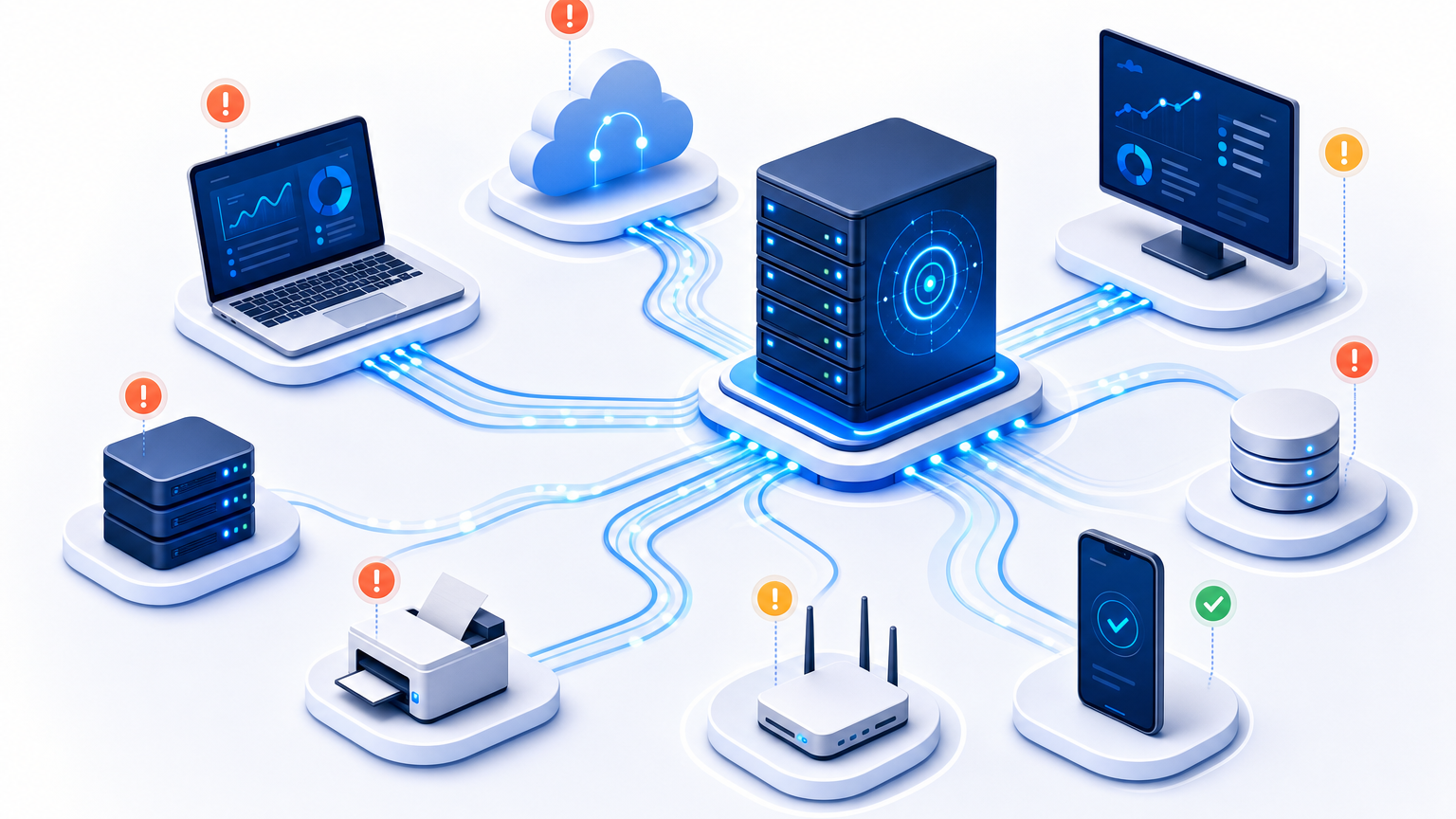
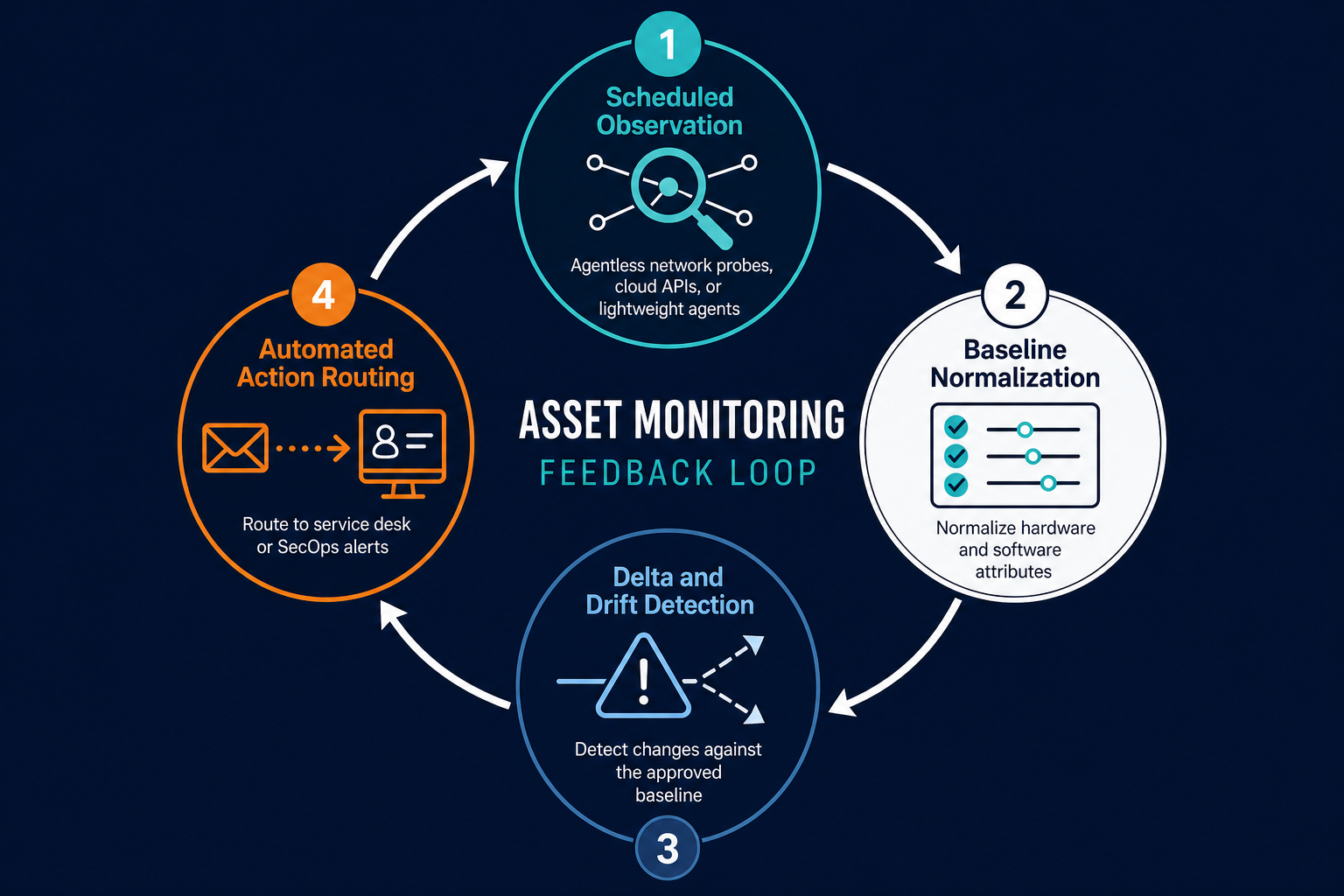
The software operates through automated data feeds rather than manual data entry. In industrial settings, monitoring platforms consume data from IoT sensors, GPS beacons, and onboard vehicle diagnostics. In enterprise IT environments, monitoring platforms query network subnets, endpoint operating systems, cloud APIs, and hypervisors to record changes in memory, disk capacity, open ports, software builds, and patch levels.
Unlike basic inventory tools that answer only what equipment do we own, asset monitoring software answers three critical operational questions:
- Where is the asset operating right now? Identifies whether a device is communicating on a trusted corporate subnet, connecting through remote VPN gateways, or completely dark.
- Has the asset’s configuration changed? Flags unexpected software installations, modified network routing tables, altered registry keys, or expanded cloud compute instance sizes.
- Is the asset functioning within expected operational boundaries? Tracks system responsiveness, storage utilization ceilings, and network connectivity states.
What is asset monitoring software?
Asset monitoring software is an automated platform that observes the status, location, performance, and configuration of enterprise assets across scheduled cycles. It compares runtime data against approved baselines and generates alerts when physical equipment moves or when IT systems experience unauthorized configuration drift.
Physical vs. IT asset monitoring comparison table
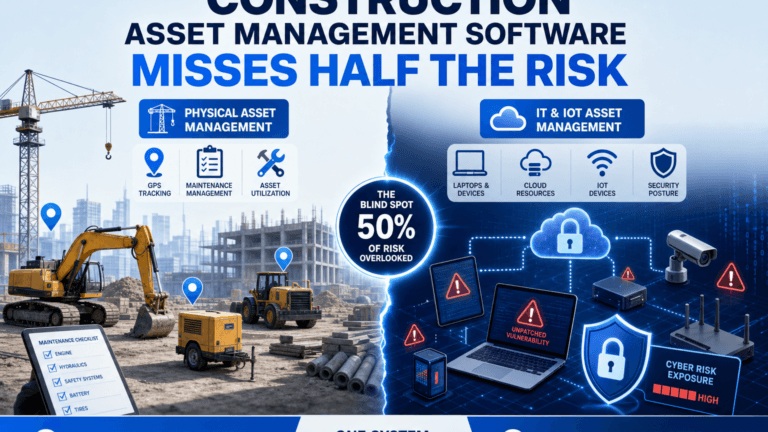
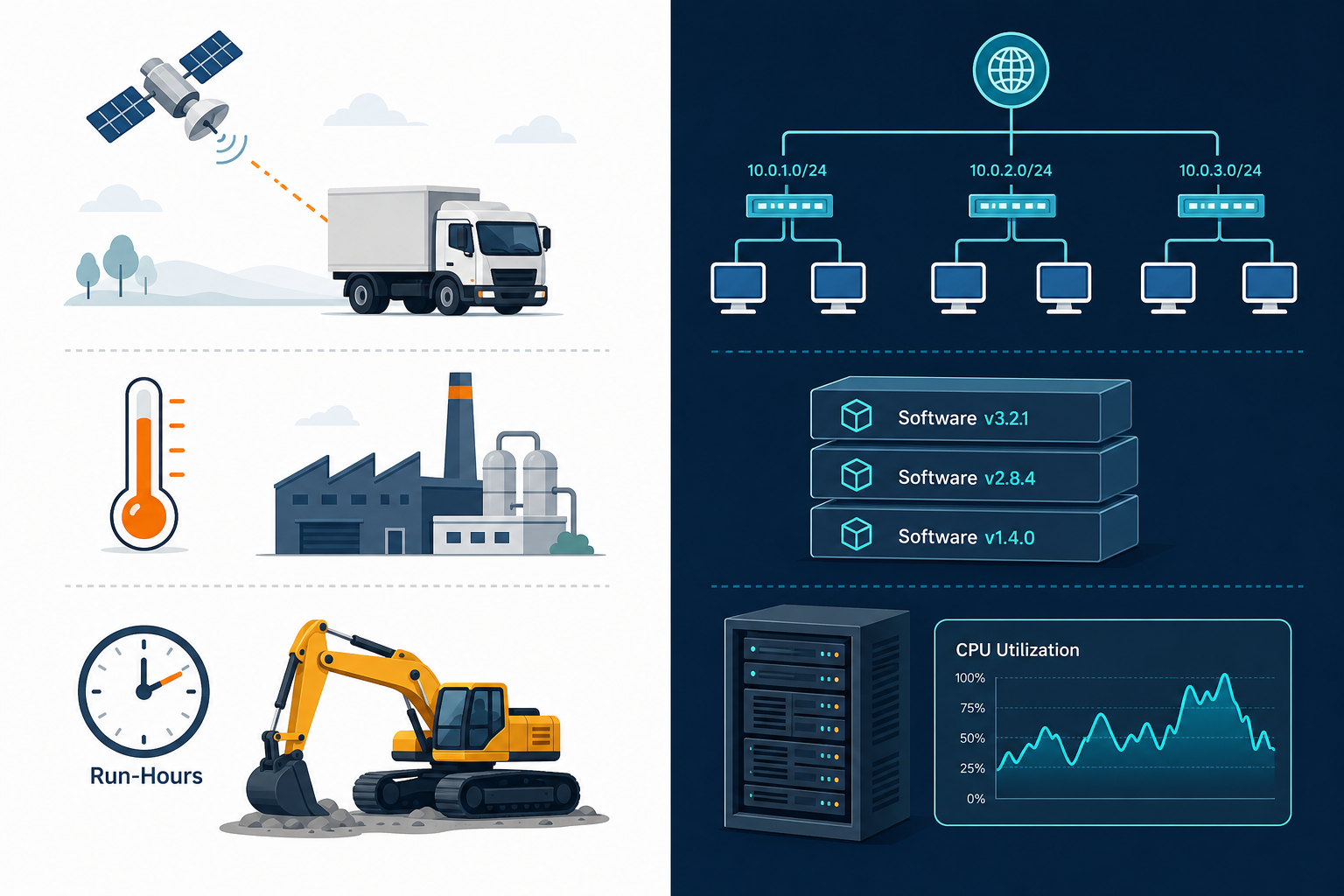
While the concept of monitoring applies across many industries, physical and IT asset monitoring rely on vastly different data collection mechanisms, refresh frequencies, and operational objectives.
| Dimension | Physical Asset Monitoring | IT Asset Monitoring |
|---|---|---|
| Primary Asset Types | Heavy machinery, delivery fleets, warehouse pallets, medical devices, manufacturing tools | Physical servers, cloud virtual machines, network switches, employee laptops, storage arrays |
| Core Technology Stack | GPS beacons, cellular telematics, RFID tags, Bluetooth Low Energy (BLE) gateways, vibration sensors | Agentless network scanning (SNMP, WMI, SSH), endpoint operating system agents, cloud provider APIs |
| Primary Metrics Tracked | Geographic coordinates, operating temperature, engine hours, battery charge, fuel consumption | IP and MAC addresses, last-seen timestamps, installed software packages, open listening ports, disk and RAM capacity |
| Detection Frequency | Periodic GPS pings or event-driven sensor threshold breaches | Scheduled discovery cycles, directory synchronization feeds, and automated API polling |
| Primary Risk Addressed | Physical equipment theft, job-site loss, unexpected mechanical breakdowns, preventative maintenance lapses | Shadow IT installations, unpatched vulnerabilities, audit compliance failures, configuration drift |
| Downstream Consumers | Fleet dispatchers, warehouse logistics managers, facilities engineers, operations directors | IT service desks, cybersecurity analysts, infrastructure engineers, compliance auditors |
Organizations exploring endpoint and network visibility often review dedicated IT asset tracking methodologies to contrast baseline inventory tracking against active operational monitoring.
What metrics to monitor on IT assets
Monitoring an enterprise IT estate requires tracking indicators across identity, network presence, hardware capacity, and software governance. Effective monitoring systems focus on six primary data categories.
1. Network connectivity and last-seen timestamps
Recording the exact timestamp an asset was last detected on an enterprise subnet or cloud VPC represents the primary metric for device health. When a critical database server fails to respond during scheduled discovery sweeps, the monitoring platform immediately raises an alert.
For mobile employee laptops, tracking last-seen dates isolates inactive devices that should be reclaimed or remotely locked to prevent data leakage.
2. Hardware capacity and storage consumption
Running out of disk space on production application servers causes catastrophic database crashes. Asset monitoring platforms observe storage volume thresholds, memory utilization ceilings, and processor spikes.
Tracking hardware capacity trends enables infrastructure teams to forecast storage expansion cycles months before operational bottlenecks impact end users.
3. Installed software and binary versions
Shadow IT is an ongoing organizational liability. Asset monitoring platforms inspect local software registries and file system directories to identify every executable binary running on corporate hardware.
Monitoring software versions flags unauthorized peer-to-peer file sharing applications, unapproved remote management tools, and outdated software packages vulnerable to remote code execution.
4. Operating system build and patch levels
Patch compliance requires continuous verification. Asset monitoring systems track kernel versions, service pack releases, and individual security patch identifiers (such as Windows KB numbers).
Comparing runtime patch states against corporate security baselines isolates unpatched servers that expose the organization to exploit chains.
5. Network listening ports and open services
An unauthorized open port on an internet-facing server often indicates an active security compromise or an accidental firewall misconfiguration.
Monitoring listening ports across TCP and UDP protocols detects unauthorized web servers, remote desktop services exposed to external networks, and rogue database listeners.
6. Custodian identity and user assignment
IT assets must remain tied to responsible custodians. Monitoring systems cross-reference discovered hardware against identity providers like Microsoft Entra ID or Active Directory.
When an employee departs the organization, automated alerts trigger equipment collection workflows before hardware is misplaced. Assets that never get reassigned carry their own audit liability beyond the monitoring gap. Unowned IT assets complicate audit prep the moment custodianship goes unresolved.
NIST SP 1800-5 IT Asset Management recommends continuous hardware verification and telemetry, and outlines how automated discovery baselines protect operational security.
Do you need software agents for asset monitoring?
Not always. While lightweight agents offer deep visibility into employee laptops and remote endpoints, agentless discovery protocols like SNMP, WMI, SSH, and cloud APIs monitor infrastructure where agents cannot be installed, such as network routers, core switches, hypervisors, and storage arrays.
Alert thresholds and configuration drift
The true value of asset monitoring software lies in automated configuration drift detection, not generic anomaly pings. Without intelligent thresholds, administrators drown in thousands of routine status alerts.
Configuration drift occurs when an asset’s live state quietly diverges from its approved operational baseline. Over time, routine maintenance, emergency weekend hotfixes, and manual adjustments introduce subtle configuration discrepancies. Left unchecked, drift leads to inexplicable system outages and security vulnerabilities during failover events. Comparing what changed between two discovery scans is often the fastest way to catch that kind of drift before it becomes an incident.
Asset monitoring platforms mitigate drift through three alert mechanisms:
- State Delta Alerts: The platform compares each new discovery scan against the previous scan record. If a network engineer disables an interface, or if a technician connects an unapproved USB peripheral, the platform generates a delta report detailing the exact change.
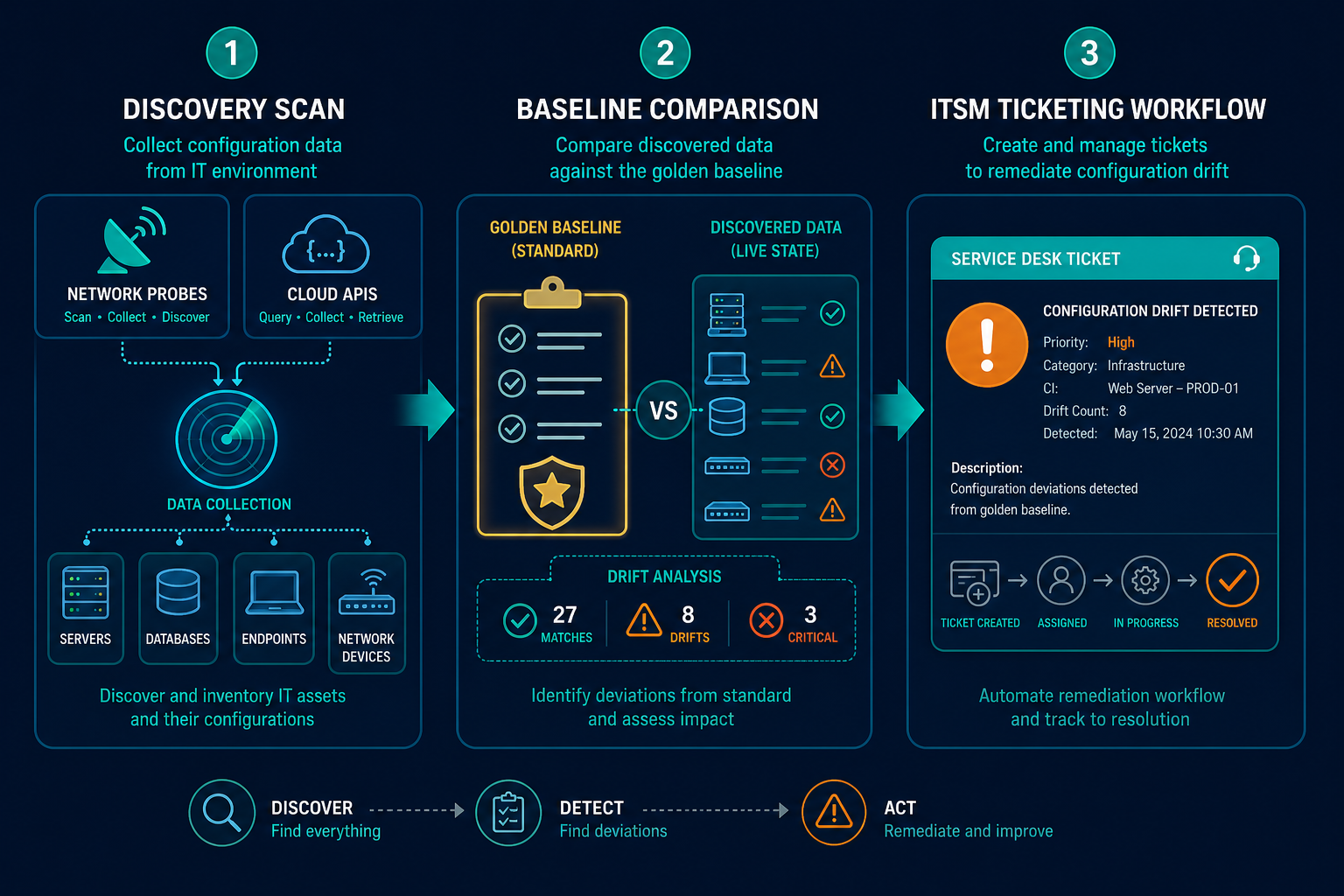
- Baseline Compliance Alerts: Organizations establish golden images defining required security configurations, mandatory endpoint agents, and banned application signatures. When an endpoint violates the baseline, an alert routes directly to security operations.
- Threshold Ceiling Alerts: Metrics like disk space or memory consumption trigger tiered warnings. Reaching 80 percent disk capacity logs an informational ticket, while passing 95 percent triggers an emergency page to prevent database corruption.
According to the Flexera State of ITAM Report, enterprise technology teams face increasing visibility gaps across hybrid infrastructure when monitoring is fragmented. That fragmentation significantly increases audit risk and software overspend.
Where Virima automated discovery fits
Virima delivers automated IT discovery that bridges static inventory tracking and dynamic operational monitoring.
Instead of relying on fragile spreadsheets or disconnected point scanners, Virima employs scheduled discovery cycles across multi-cloud environments, on-premise data centers, and remote employee endpoints. Through agentless IT discovery protocols, Virima interrogates enterprise subnets using SNMP, WMI, SSH, and cloud APIs. This scans core switches, hypervisors, and storage devices where software agents cannot reside.
For distributed remote workforces, lightweight discovery agents track employee laptops regardless of whether devices connect to corporate office networks or public home connections. Discovered data flows directly into the configuration management database, establishing reliable relationship mappings between physical assets, virtual machines, and business services.
When hardware specifications change or unauthorized applications appear, Virima captures the delta. Monitoring and the CMDB serve different jobs: the CMDB is the system of record for a configuration item, while monitoring is the continuous verification that keeps what’s recorded in the CMDB matched to what’s actually running. Once those relationships are mapped, ViVID™ service maps show the blast radius of that drift — which services, applications, and downstream systems actually depend on the asset that just changed. This gives IT operations, security analysts, and procurement teams a unified, verified record of enterprise infrastructure truth.
Can asset monitoring alert on configuration changes?
Yes. Asset monitoring software detects configuration changes by capturing system state during scheduled discovery cycles and comparing it against prior baseline records. If network ports open, disk capacity surges, or software packages update without authorization, the system immediately generates an incident alert.
Tired of blind spots in your IT estate? See how automated discovery keeps every asset’s status, location, and configuration current.
Closing: move from reactive firefighting to proactive monitoring
Operating an enterprise IT environment without active asset monitoring forces engineering teams into permanent firefighting mode. When teams discover hardware failures only after customer-facing services crash, operational credibility suffers.
Asset monitoring software transforms infrastructure management from reactive triage into proactive governance. By continuously tracking device availability, measuring hardware capacity trends, and alerting on unauthorized configuration drift, modern platforms eliminate infrastructure blind spots. Moving beyond static inventory registers to automated operational observation ensures your IT estate remains secure, compliant, and dependable.
Frequently Asked Questions
Asset tracking vs. asset monitoring: what’s the difference?
Asset tracking primarily records static administrative details like ownership, physical location, purchase cost, and warranty status. Asset monitoring actively measures operational health, system telemetry, open ports, and runtime configuration changes over time.
Do I need software agents for asset monitoring?
Not always. While agents provide deep operating system telemetry for remote laptops, agentless discovery protocols like SNMP, WMI, SSH, and cloud APIs monitor servers, network switches, and hypervisors without installing local software.
Can asset monitoring alert on configuration changes?
Yes. Monitoring systems compare scheduled discovery scans against established baselines to detect configuration drift, alerting administrators when new software installs, open ports appear, or system hardware settings change.
What does asset monitoring software cost?
Pricing varies by licensing model. Per-asset licensing for mid-market IT asset tools often runs $2 to $12 per asset annually, in line with published per-asset pricing on Capterra. Enterprise platforms bundling multi-cloud discovery and CMDB relationship mapping land closer to the roughly $65,000-per-year benchmark that IBISWorld reports for IT asset management software.
How does Virima detect configuration drift?
Virima runs scheduled agentless and agent-based discovery across physical servers, cloud workloads, and endpoints, then compares each scan against the prior baseline recorded in the CMDB. When a port opens, a software package changes, or a device moves off its expected subnet, Virima flags the delta and syncs the updated state back into the CMDB automatically.