IT Procurement Fails Before the Purchase Order Does

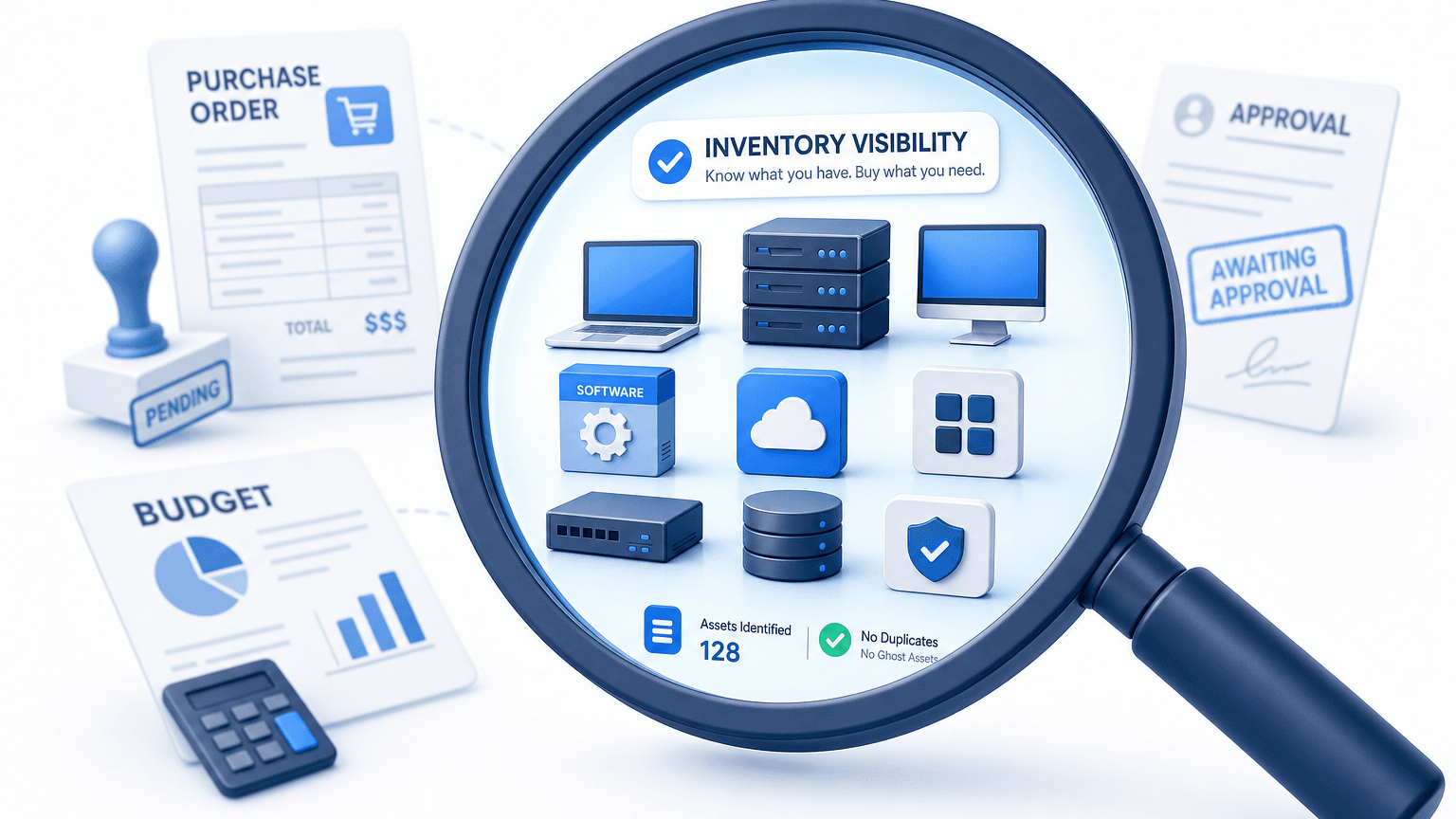
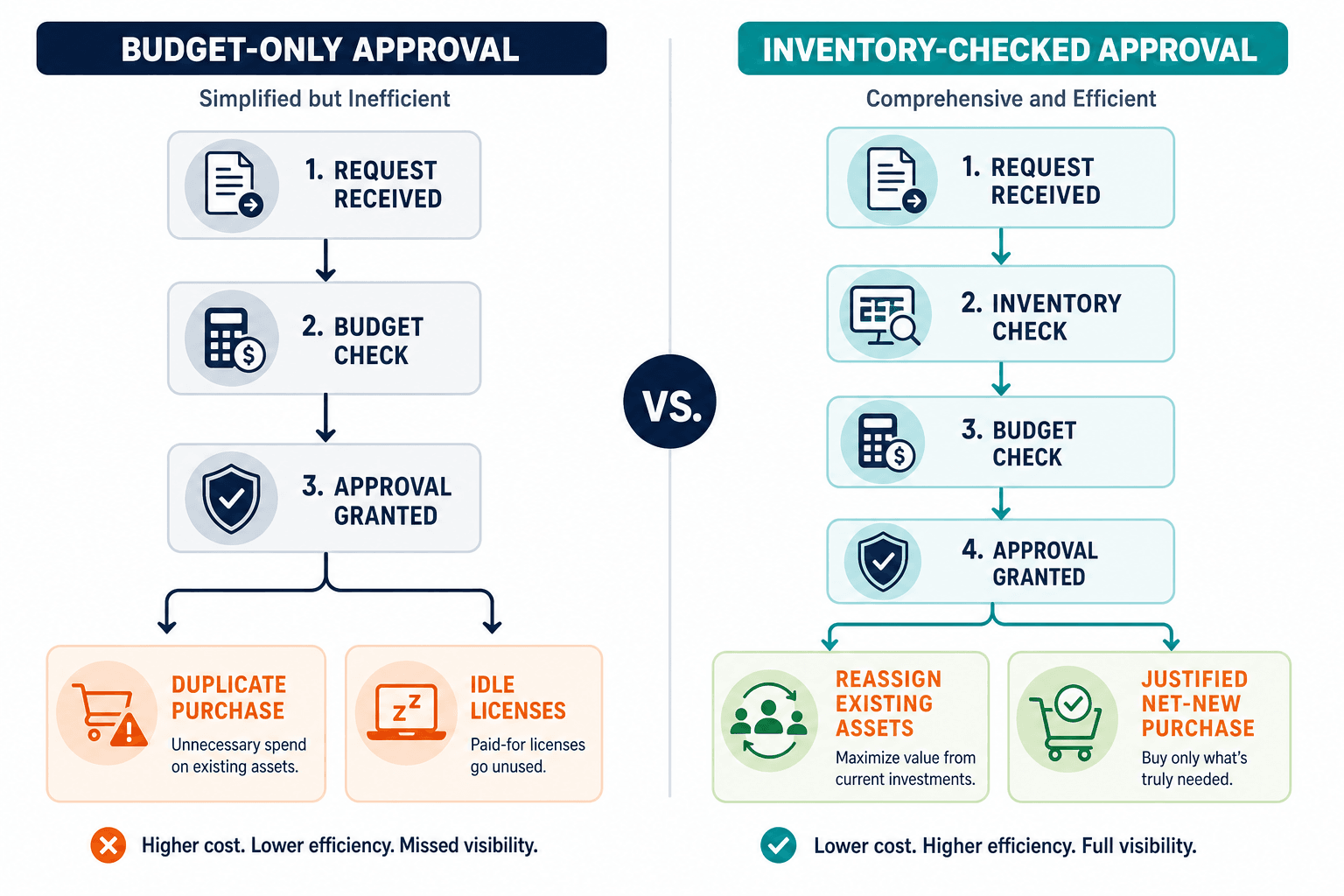
Most IT purchase requests get approved the same way: someone asks, someone checks the budget, and almost no one checks what the organization already owns. The purchase order still looks clean. The vendor quote still clears legal. Finance still sees a line item that fits the remaining budget. Months later, the same estate shows unused licenses, idle hardware, and another renewal nobody can defend.
That pattern is the real failure mode in information technology procurement. Process steps after the request matter. The decision that matters first is whether the request should exist at all, given current inventory and use.
Procurement is stage one of the IT asset lifecycle you already manage. Skip the visibility check at intake, and you fund the ghost-asset problem that shows up at decommission and audit.
What information technology procurement actually covers
Information technology procurement is broader than buying laptops. It covers hardware (endpoints, servers, network gear, peripherals), software (perpetual licenses, subscriptions, SaaS seats, maintenance), and services (managed support, professional services, cloud capacity commitments). Each lane carries a different risk profile.
Hardware risk is often capacity, warranty windows, and standard images. Software risk is entitlement vs. install mismatch, seat hoarding, and audit exposure. Services risk is double-paying for coverage you already hold or buying capacity against an estate map that no longer matches production.
Treating procurement as hardware buying alone works for receiving docks and asset tags, but it fails modern IT budgets. Software licenses, SaaS subscriptions, and cloud capacity commitments dominate technology spending, where answering whether the organization already owns equivalent capacity is primarily a software inventory question.
Hardware vs. software procurement also differs in proof. Hardware leaves a serial number and a dock receipt. Software leaves installs, named users, and usage signals that only show up if discovery and license records stay current.
The step everyone skips before step one
Standard procurement workflows follow a familiar sequence: define requirements, collect vendor quotes, issue the purchase order, receive the shipment, and deploy the asset. The systemic break rarely happens in the purchase order template or vendor negotiations. The breakdown happens before step one, when requests are approved without verifying existing inventory and active utilization across the enterprise.
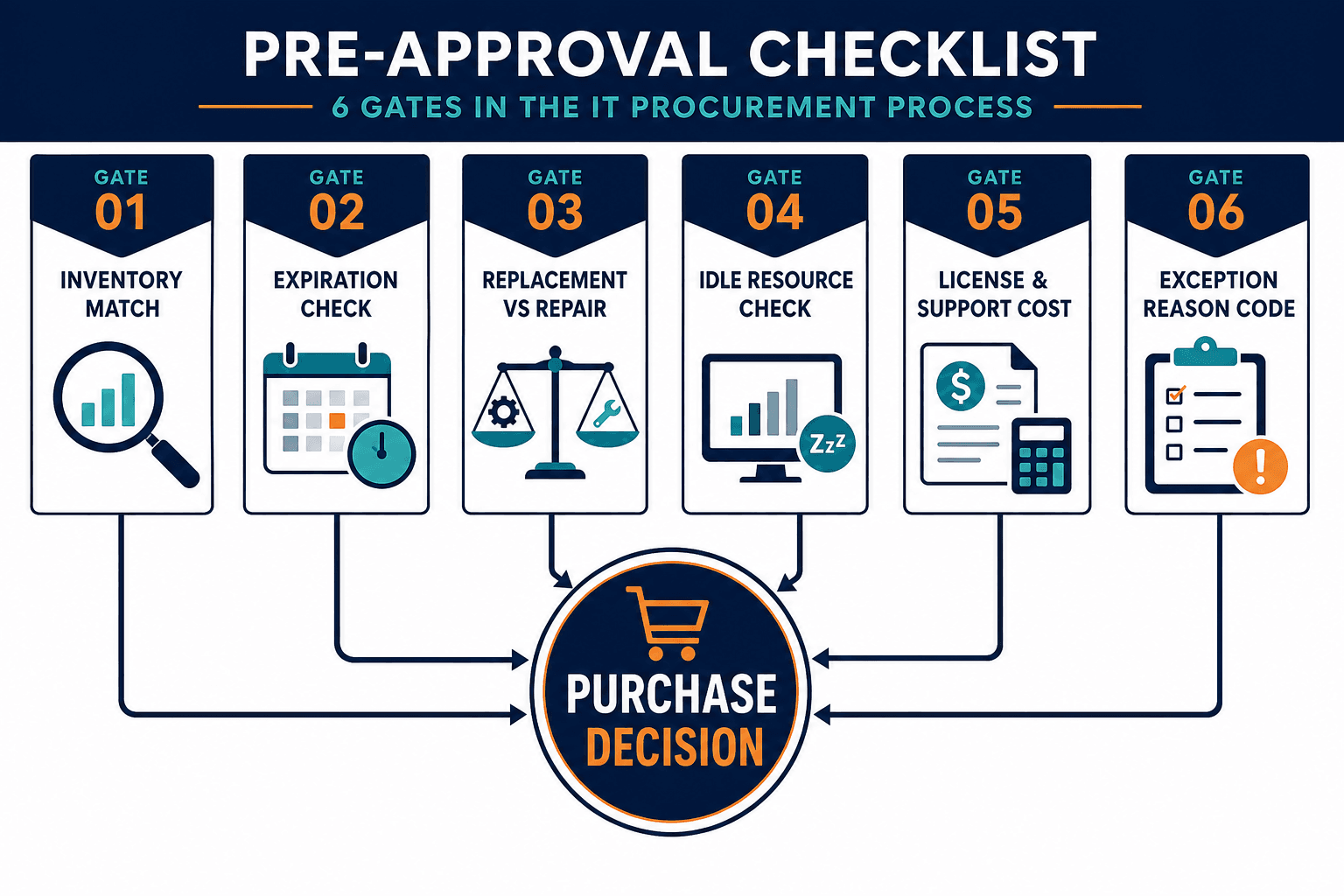
Mature IT asset management programs evaluate four baseline questions before committing capital to a purchase request:
- What do we already own that meets this need?
- What is expiring, out of warranty, or end-of-support soon enough to change the buy vs. extend decision?
- What is worth replacing versus repairing or reassigning?
- What will the true cost be once licenses, support, and idle estate are counted?
Those questions only work if the answers come from a current estate picture. A budget code is not an inventory. A prior PO archive is not proof of what is still deployed and in use.
Approval-threshold rules (who signs off above what dollar amount) and workflow-automation tools that route requests faster both have a place in a procurement process. Neither one answers whether the request should exist in the first place – only the inventory check above does.
What should you check before approving an IT purchase request?
Before approving an IT purchase request, confirm existing owned and deployed inventory for the same need, check warranty and support windows that change buy-versus-extend, separate repair or reassign options from net-new spend, and estimate cost after idle licenses and unused hardware are counted. Approvals without that check buy against a stale picture of the estate.
What skipping it costs: ghost assets and duplicate spend
When approvals run without a current inventory check, waste shows up in two common forms.
Duplicate purchase: a new laptop pool, software SKU, or SaaS seat block is ordered while equivalent capacity already sits idle or under-assigned. This is the direct answer to why IT keeps buying licenses it already has – nobody checked the install base before the PO went out.
Ghost estate cost: hardware and software still on the books (paid, insured, licensed, or maintained) after productive use has ended. Industry blogs often repeat a round number that ghost assets can consume a large share of IT budget (sometimes stated near a quarter of spend). That figure circulates widely across vendor content, including older ITAM roundups, but a clean primary research citation is hard to pin down after source pages moved or merged. Treat the exact percentage as unverified folklore. Treat the mechanism as real.
Better-anchored 2026 visibility research still supports the same operational story. Lansweeper’s Shadow IT in 2026 analysis reports that 56% of organizations lack visibility into shadow IT activity, and only about a quarter of shadow IT instances are identified proactively. Unknown apps and devices expand outside procurement review. Teams then buy again for needs that unmanaged tools already partially cover, or they renew seats nobody can map to active use.
Flexera’s 2026 State of ITAM press summary adds another pressure signal. Only 36% of organizations report complete IT asset visibility, down from 43% in the prior year, while AI-related spend and inventory blind spots rise together. Procurement that assumes complete visibility is approving against a minority position.
Downstream, the same missed intake check becomes the ghost-asset cleanup problem covered in Virima’s companion on decommissioned assets and budget drain. This article owns the gate before money leaves. That piece owns what happens when the gate was never real.
Why the inventory behind procurement decisions goes stale
Procurement systems record what was ordered and received. They do not reliably record what still exists, who uses it, or whether the last owner left six months ago.
Manual audits and spreadsheet inventories lag reality by design. Between audit cycles, assets drift in ways no spreadsheet catches:
- Redeployed without a ticket update
- Decommissioned informally
- Provisioned through shadow SaaS
- Moved across cost centers
Cloud instances and VMs appear and vanish faster than quarterly true-ups. Software installs drift from entitlement counts after every image refresh.
The CMDB inherits the same lag when it is filled from imports and one-time projects instead of scheduled discovery. Approvers then open “the inventory” and see last quarter’s truth dressed as today’s decision support.
CISA Binding Operational Directive 23-01 treats asset visibility as a foundational control for federal networks for the same reason private-sector IT finance feels: you cannot govern, patch, or justify spend on assets you cannot list with confidence.
Stale inventory does not only create security gaps. It creates purchase decisions that look rational on paper and wasteful in the ledger.
Where discovery and CMDB accuracy fit before a purchase gets approved
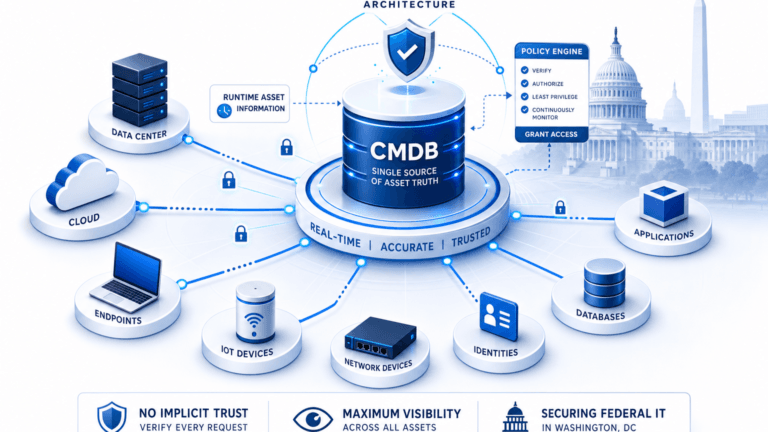
Virima’s territory here is not purchase-order software. Virima does not issue POs, run vendor quote workflows, or replace your procurement platform. Its job is the visibility check procurement should run before those workflows start: what is deployed, how it relates, what software is present, and what the governed CMDB holds as discovery-sourced ground truth.
Agent-based, agentless, and API-based discovery on a defined schedule feeds that CMDB. High-frequency discovery cycles reduce the gap between last audit and today’s request. Multi-source reconciliation reduces the “two tools, two answers” problem that freezes approvers into budget-only decisions.
When an approver can see matching hardware pools, installed software, and idle candidates before saying yes, the IT procurement process changes shape. Net-new spend still happens. It happens with a reason that survives finance review.
For the product path, start with IT Discovery and the CMDB that discovery keeps current enough to trust at approval time. Virima integrates with ServiceNow, Jira Service Management, Ivanti, and more through one integrations hub: all integrations.
First step for teams still buying against spreadsheets: put discovery-sourced estate truth under the approval conversation. See how Trusted Runtime Truth, Virima’s discovery-sourced inventory model, frames live, explainable inventory and dependency context for those decisions.
How does asset visibility reduce procurement waste?
Asset visibility reduces procurement waste when approvers compare each request to discovered hardware and software still in the estate, including idle capacity and expiring support windows. Teams reassign or extend before they buy net-new, which cuts duplicate purchases and renewals that only exist because inventory lagged the real environment.
The compliance angle procurement teams underweight
GRC, internal audit, and software license compliance teams care about procurement because buying is where entitlement and custody often begin.
Software license compliance: purchasing seats without install and usage context creates both over-buy and under-license surprises at true-up. Discovery-fed software inventory is the evidence base for “do we need more” versus “we already have unused capacity.”
Audit trail integrity: a clean PO trail that cannot be joined to what was deployed and later retired is weak evidence in an audit sample. Inventory and CI history close that join.
Segregation of duties: the person who requests should not be the only control on need. An independent inventory check is a control point, not a courtesy.
This section stays general on purpose. It does not claim Virima replaces a GRC platform, SAM suite, or legal opinion on a named framework. It states the dependency: compliance narratives about licensed and controlled IT estates fail when procurement and inventory cannot agree on what exists. Have legal or compliance review any framework-specific language before you publish or operationalize it in policy.
Software-heavy buying also pairs with lifecycle discipline covered in how to manage the software asset lifecycle. Procurement is the intake gate; lifecycle management is the rest of the path.
A practical pre-approval checklist
Use this as a scoped operating list, not a promise that waste disappears.
- Match the request to discovered inventory for the same role, site, or application before a PO is cut.
- Check software entitlement and install signals for the requested title or adjacent titles that already cover the need.
- Review warranty, EOS, and support windows that change the buy vs. extend math.
- Flag reassign or reclaim candidates (idle endpoints, unused seats) before net-new quantity.
- Record the inventory evidence used in the approval (what was checked, when discovery last refreshed the relevant class of assets).
- Route exceptions (true net-new standards, rush capacity) with an explicit reason code finance and audit can read later.
These steps reduce avoidable duplicate spend and surface gaps early. They do not guarantee compliance outcomes or remove every emergency buy.
Close the gate before the purchase order
Information technology procurement fails in public at the PO, the invoice, and the renewal. It fails in private earlier, when nobody checked what the organization already owned and still used.
Fix the intake picture with discovery-sourced CMDB data. Keep the PO system you have. Change the evidence the approver sees. Start with the checklist above at your next approval cycle, then see how high-frequency discovery keeps that inventory current enough to trust on the IT Discovery page.
Related reading: IT asset lifecycle management policy guide · decommissioned assets and ghost assets · asset lifecycle management best practices
Frequently Asked Questions
What is information technology procurement?
Information technology procurement is the process of requesting, evaluating, approving, and acquiring IT hardware, software, and related services. It includes more than the purchase order. The quality of each approval depends on whether teams can see current inventory and use before they spend.
How is IT procurement different from hardware procurement alone?
Hardware procurement focuses on devices and receiving. IT procurement also covers software licensing, subscriptions, and services, each with different compliance and waste patterns. Software decisions especially need install and usage evidence, not only quote comparison.
How do ghost assets affect IT purchasing decisions?
Ghost assets are hardware or software still paid for or tracked as active after productive use ends. They inflate counts and budgets, so teams buy more capacity while idle estate remains on the books. Cleaning decommission records helps after the fact; inventory checks at approval reduce how often the problem is funded again.
Does better asset visibility replace a procurement system?
No. Procurement platforms still own requests, approvals routing, vendor records, and purchase orders. Discovery and CMDB accuracy supply the estate picture those approvals should check. Virima sits on the visibility side of that split, not as a PO tool.
How can Virima support IT procurement decisions?
Virima runs agent, agentless, and API discovery on a schedule into a governed CMDB so approvers can see deployed hardware and software context before they approve spend. It does not issue purchase orders. It reduces the chance that approvals run on stale spreadsheets.