
Device42 Asset Management: Pros, Cons & Alternatives

Device42 asset management gives you a suite of features for IT asset tracking and management. It helps organizations control their IT infrastructure by automating discovery, centralizing inventory, and providing basic dependency mapping.
But Device42 asset management is not the right fit for every environment. This post breaks down what Device42 does well, where it falls short, and why Virima IT Asset Management is a stronger pick for teams that need deeper discovery, dynamic service mapping, and tighter ITSM integration.
What does Device42 asset management offer?
Device42 provides a centralized platform for managing IT assets across physical and virtual environments. It automates discovery by scanning your network and identifying servers, network devices, applications, and cloud resources. That removes the need for manual spreadsheet tracking and gives you a single view of your IT landscape.
Core Device42 asset management features
Here is a closer look at what Device42 brings to the table for IT asset management:
Automated asset discovery
Device42 scans your network and populates your inventory with discovered assets automatically. It cuts out manual tracking of hardware and software, giving you a more accurate and current picture of your infrastructure.
Centralized asset repository
All IT asset data lives in one place within Device42. Instead of scattered spreadsheets and siloed data, you get a single repository that supports faster lookups and better decisions.
Detailed configuration management
Beyond basic discovery, Device42 captures configuration data for each asset: operating systems, software versions, hardware specs, and more. That detail helps you troubleshoot faster, manage changes with more confidence, and stay compliant with industry regulations.
Basic dependency mapping
Device42 provides basic dependency mapping. You can see relationships between applications and servers, network connectivity, and service ownership hierarchies. These maps help you anticipate the impact of changes before you roll them out.
ITIL compliance
Device42 aligns with ITIL best practices for configuration management. That standardized approach keeps your team consistent in how they manage configuration items and track changes.
Benefits of Device42 asset management
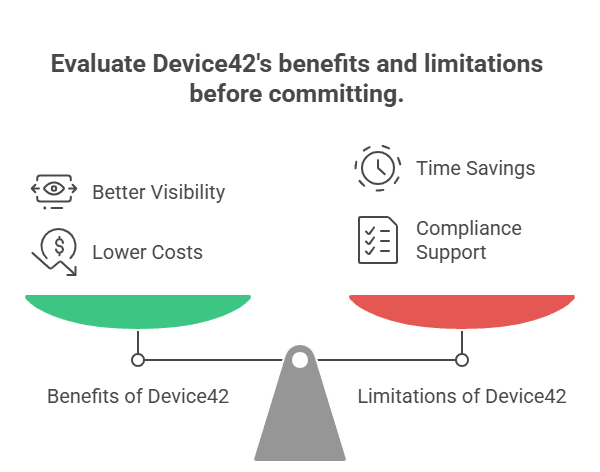
- Better visibility: A centralized view of IT assets helps you make informed decisions about resource allocation, software licensing, and hardware upgrades.
- Time savings: Automation cuts the hours your team spends on manual asset tracking, freeing them for higher-value work.
- Lower costs: Accurate asset data helps you optimize licenses, avoid duplicate hardware purchases, and reduce downtime from asset-related incidents.
- Compliance support: ITIL alignment and configuration tracking support regulatory and audit requirements.
That said, Device42 asset management has limitations worth evaluating before you commit.
Where Device42 asset management falls short
No tool is perfect, and Device42 is no exception. While it handles asset tracking well, you may face issues as your setup grows. Some limits appear only at scale. So, it’s important to know where it may slow you down.
- Scalability issues: You may notice slower performance during large discovery scans. This often happens in complex, multi-site environments. As a result, data processing can take more time.
- No external database support: Device42 does not support external databases. So, you cannot easily scale or move your data storage. If you handle large data volumes, this can feel limiting.
- Limited reporting: You may struggle to export detailed hardware change reports. For example, tracking CPU or memory changes is not easy. This can affect compliance checks.
- Manual upgrades: Your team must handle updates themselves. This adds extra work and planning. So, maintenance can take more effort.
- ITIL alignment gaps: While basic practices are covered, some workflows feel incomplete. For example, change management lacks a deeper context. This can slow down ITSM processes.
Overall, these limits may not affect you at first. However, they grow with your environment. If you need scale and flexibility, they can add up fast.
What to look for in a Device42 asset management alternative
If Device42’s limitations match your pain points, here is what to prioritize when evaluating alternatives:
- Discovery depth and flexibility: The solution should support agentless scanning plus optional agents, with coverage across on-prem, cloud (AWS, Azure), virtual, and edge devices. It should capture detailed configuration data and map relationships automatically.
- Dynamic service mapping: Basic dependency maps are not enough for change management. You need visual service maps that show ITSM context: open incidents, pending changes, and known vulnerabilities overlaid on dependency views.
- Reporting and compliance: Accurate, exportable reports on asset configuration, license entitlements, and vulnerability exposure are table stakes for audit readiness.
- Scalability: The solution should handle enterprise-scale environments without performance degradation as your asset count grows.
Why Virima is a stronger Device42 asset management alternative?
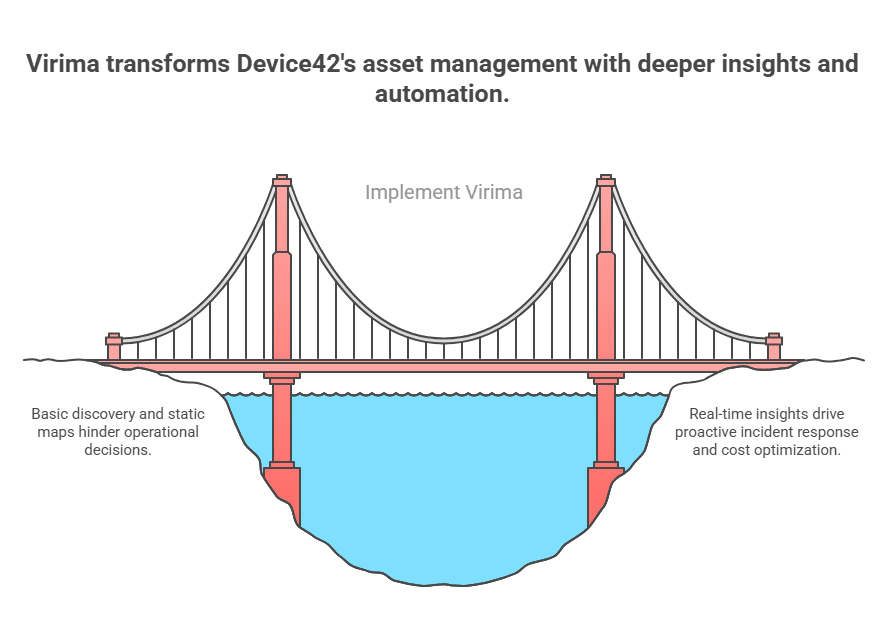
Device42 covers the basics, but Virima goes further across discovery, service mapping, CMDB automation, and ITSM integration. Here is where Virima pulls ahead:
Deeper, more flexible IT discovery
Virima’s IT discovery runs agentless IP-based scanning with over 100 extendable probes. Optional agents cover Windows, MacOS, and Linux, including a work-from-anywhere agent that tracks configuration changes and software usage on remote PCs over the internet. Additional discovery runs through API integrations with cloud providers, hypervisors, containers, orchestration, network, storage, and monitoring solutions.
That covers data center infrastructure (servers, network, storage), virtual assets (VMs, hypervisors, containers), edge devices (desktops, printers, IoT), and cloud resources across AWS and Azure.
Where Device42’s discovery can slow down under complexity, Virima is built for large-scale, hybrid environments.
Dynamic service mapping with Virima Visual Impact Display
Device42 offers basic dependency maps. Virima offers Virima Visual Impact Display (ViVID).
ViVID does more than show static dependency diagrams. It overlays ITSM records, including open incidents, pending changes, and recently completed changes, directly onto service maps. It also integrates with the NIST National Vulnerability Database (NVD) at no extra charge, so your team can see which assets in a service chain have known vulnerabilities.
Picture this: a network switch fails at 2 AM. With ViVID, your team can immediately see which services are affected, which changes were recently made, and which vulnerabilities might be in play. That is the gap between a basic dependency map and an operational decision-support tool.
| How does dependency mapping in Device42 compare to Virima? Device42 generates application dependency maps that show relationships between applications and infrastructure. Those maps help you understand what connects to what, but they are largely static views without operational context. Virima starts with machine-learned relationship mapping during discovery. It automatically identifies infrastructure relationships, application dependencies, network topologies, and system communications. Those auto-generated maps feed into ViVID, which layers in live ITSM data and vulnerability information. For an IT ops team planning a change window, Virima’s maps show not just what depends on what, but which services have open incidents, what changes are pending, and where vulnerabilities sit. Device42’s maps do not provide that level of operational context. |
Automated CMDB that stays current
Virima’s CMDB gets populated and maintained automatically through discovery. Business rules automate CI promotion, updates, and maintenance tasks, so your configuration data does not go stale between manual audits.
The CMDB integrates tightly with ViVID. Every relationship discovered feeds directly into your service maps. That is foundational for accurate change management, incident response, and compliance reporting.
Device42 offers a CMDB, too, but Virima’s automated approach with machine-learned relationships and granular business rules cuts the manual maintenance that causes most CMDB projects to fail.
Software license tracking and metering
Virima’s IT Asset Management tracks license entitlements against actual software installs with device-level and ownership details. The Windows Discovery Agent meters actual software usage, helping you identify and reclaim underutilized licenses. For teams facing enterprise software audits or vendor negotiations, having accurate install-versus-entitlement data is the difference between paying for what you use and paying for what a vendor claims you use.
Autonomic Social Discovery for human intelligence
Virima’s Autonomic Social Discovery (ASD) automates the gathering of human intelligence about IT assets. ASD fills knowledge gaps that no scan can cover: asset lifecycle status, ownership information, business criticality, policies, and SLAs.
Device42 does not have this capability. For ops teams that need accurate ownership and criticality data for incident escalation and change approvals, ASD closes a gap that manual processes struggle to fill.
Cost-effectiveness
Virima offers predictable, transparent subscription plans, including Business Pro for growing IT organizations alongside Enterprise tiers. The core discovery bundle includes CMDB, ViVID™ service mapping, and ITAM out of the box. Device42 uses tiered, per-device pricing where advanced features and plugins may require separate purchases.
For teams evaluating total cost of ownership, Explore Business Pro to see how Virima provides a clear, scalable path without per-device add-on penalties as your infrastructure expands.
Device42 asset management is built around a powerful configuration management database (CMDB) that acts as a single source of truth. Device42 features automatically discovering and tracking all IT assets across on-premises and cloud environments in real time.
Device42 software captures service management ITSM, everything from hardware, software assets, user devices, and cloud assets to business applications, along with their service dependencies and lifecycle details.
Choose the right Device42 asset management alternative for your team
Device42 asset management is a solid starting point. But if your team needs discovery that scales across hybrid environments, service maps with real operational context, a CMDB that maintains itself, and ITSM integrations that keep every team on the same page, Virima is built for exactly that.
The difference goes beyond features. It comes down to whether your asset management tool gives your team the visibility to make faster, more confident decisions during changes, incidents, and audits.
Schedule a demo to see how Virima’s discovery, ViVID service mapping, and ITSM integrations work in your environment.
FAQ
Does Device42 support agentless discovery?
Yes. Device42 supports both agentless and agent-based discovery. It uses SNMP for network device discovery and offers tools for scanning physical, virtual, and cloud environments. That said, users report that its SNMP-based discovery can be slow during complex tasks, and its reporting on discovered asset changes is limited. Device42 also lacks a dedicated persistent Windows discovery agent for ongoing off-network monitoring.
Can Device42 integrate with ServiceNow and Jira?
Device42 integrates with several ITSM platforms, including ServiceNow and Jira. Virima supports a broader set of native integrations:
These integrations sync discovered CIs to your ITSM platform’s CMDB, and for platforms like ServiceNow, Jira Service Management, and Ivanti, the sync is bi-directional. ITSM records (incidents, changes) show up in ViVID service maps. That flow gives your service desk, change advisory board, and security team the same accurate, current asset data.
How much does Device42 cost compared to Virima?
Device42 uses a subscription model with tiered pricing based on the number of managed devices. Exact pricing requires a custom quote, but third-party sources place starting costs in the $100-$500 range, depending on scope. Additional modules and plugins may carry separate costs.
Virima offers competitive pricing with service mapping, and ViVID is included in the core bundle. There are no hidden costs for adding discovery locations or enabling service mapping. For organizations scaling from hundreds to thousands of assets, Virima’s pricing stays predictable. Contact Virima for a detailed pricing comparison based on your environment size.





