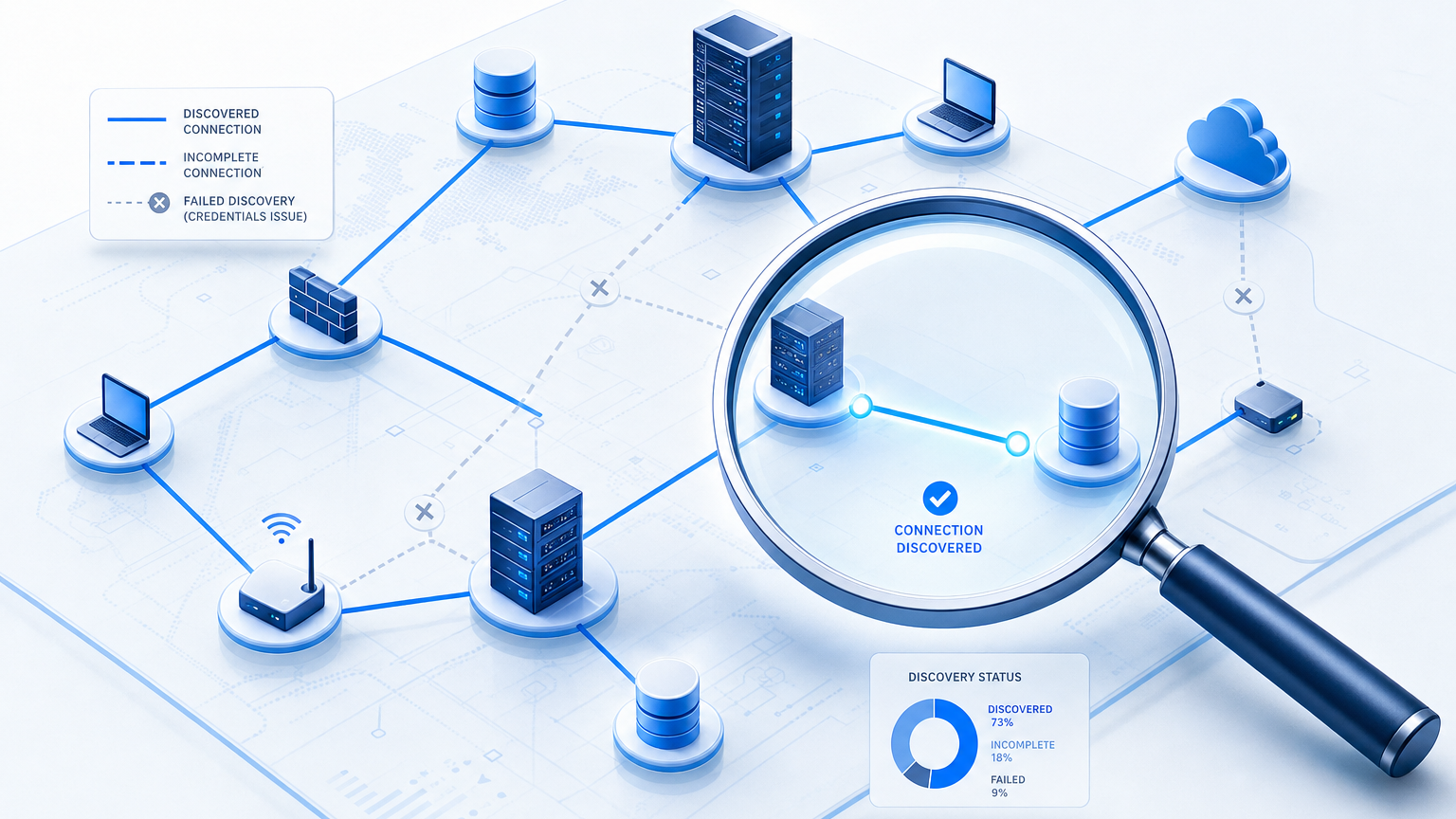
Why CMDB Discovery Credentials Fail Quietly and What Breaks First

A successful credential test does not always lead to successful discovery. One administrator reported that problem while trying to discover a group of Linux servers.
In the ServiceNow community discussion, the credentials passed the test, but discovery reported an unreachable host and no valid SSH credential. The administrator confirmed that the Unix classification step was failing, and the thread never identified a final cause. This is why CMDB discovery credentials fail quietly: a passing authentication test confirms login, not that discovery collected every attribute the CI record needs.
For a configuration management database (CMDB) owner, that distinction shapes the investigation. A firewall rule, an expired credential, or insufficient permissions can interrupt collection, and each requires a different fix.
Device groups across a mixed estate can have different access requirements, administrators, and rotation schedules. Testing the resulting records alongside authentication helps teams spot gaps before they rely on older information.
What are CMDB discovery credentials?
Discovery credentials are the accounts and authentication details a discovery tool uses to access devices and collect configuration information. They are separate from the accounts people use to sign in to the CMDB.
The authentication method depends on the protocol and target. SSH can use a username and password or a private key. SNMP can use a community string or user-based authentication details. Windows Management Instrumentation, or WMI, typically uses a Windows account with permissions to query the target.
A credential inventory should record these details:
- Protocol and authentication method: Record whether the set uses SSH, SNMP, WMI, or another method.
- Permitted access: Give the account read-only access where practical, scoped to the tasks it performs.
- Account owner: Name the person or team responsible for the credential.
- Rotation procedure: Record how the credential changes and how collectors receive its replacement.
- Coverage: Document the device groups, sites, or ranges the credential should reach.
Two controls in NIST SP 800-53 are relevant to this work. AC-6 addresses least privilege, while IA-5 addresses authenticator management. Security teams can review discovery access against those controls and their organization’s policies.
Why do shared SSH credentials break CMDB accuracy?
A credential failure can leave configuration items, or CIs, missing, incomplete, or stale. The outcome depends on the discovery tool, other data sources, and the CMDB’s reconciliation rules.
In EMA’s 2026 ITAM benchmark, only a minority of respondents rated their ITSM and CMDB asset data at 95% accuracy and completeness or higher. The Virima-sponsored research surveyed 203 IT professionals at North American organizations with at least 1,000 employees. Credential failures can contribute to incomplete or stale records, although the survey does not establish their contribution to its findings.
A failed login does not always remove an existing CI. An earlier record may remain visible even though its attributes were not refreshed. That staleness is not all one kind: some stale CIs represent devices that were decommissioned and should be retired from the CMDB, while others represent devices that still exist but became undiscoverable because of a credential or access failure. Reconciliation rules should treat these differently, since removing the first and investigating the second call for different actions.
Five failure modes to check
High-frequency scheduled discovery can help teams identify these issues sooner, provided they review failures and incomplete results.
1. Coverage gaps
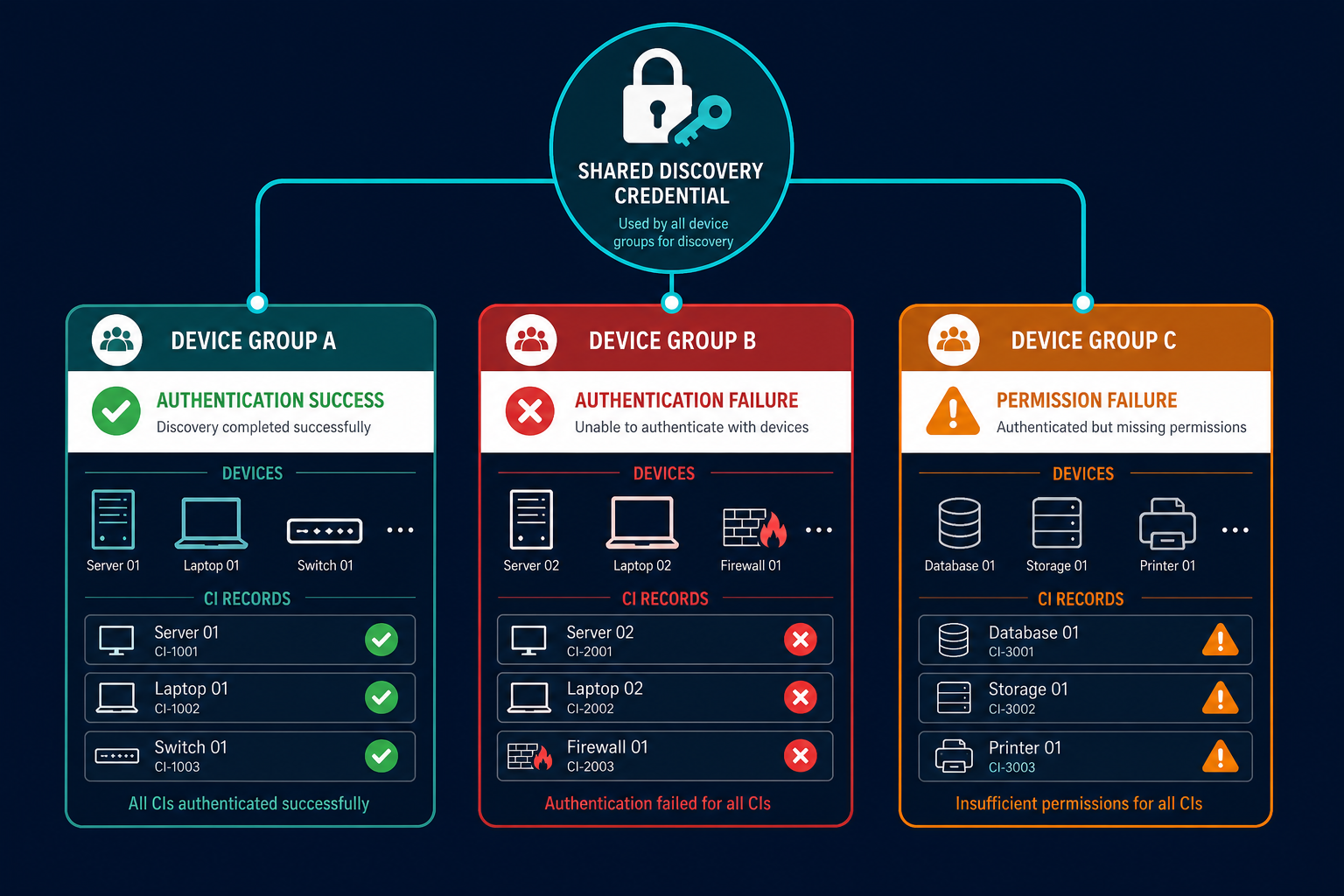
A shared account may work at one site but fail on hosts that require a different key or authentication policy.
Result: Some devices remain undiscovered or appear with limited identification data.
2. Partial records
Authentication succeeds, but the account cannot run a command needed to collect additional details.
Result: A populated CI may lack software, process, or relationship information.
3. Account lockouts
Repeated attempts using an invalid password can trigger a lockout policy. Multiple collectors sharing an account can contribute attempts before the credential is corrected.
Result: Discovery may lose access to other targets using that account.
4. Rotation outages
A password or key changes on target devices, while a collector still holds the earlier value.
Result: Records for affected targets can become stale until collection resumes.
5. Access removed during review
A security team may restrict a broad account when its purpose or coverage is unclear.
Result: Discovery returns fewer details until teams agree on the required access.
What a shared credential costs each team
CMDB owners
Investigation begins with two checks: can the collector reach the device, and can it authenticate? A network timeout points toward routing, firewall rules, or device availability. An authentication error points toward the account, key, password, or target policy. Successful authentication followed by missing attributes points to permissions and collection commands, not the credential itself.
These checks take time when ownership is unclear — a CMDB owner may need a network engineer, a server administrator, and a security owner to resolve one failure. Track the hours spent on these investigations each week, then compare the total after moving to scoped credentials. For the broader cost case behind that math, see Virima’s guide to CMDB data accuracy.
Security teams
A shared credential can give its holder access to more systems than one discovery task requires. If an attacker obtains it, the affected scope depends on where the account is accepted and what it can do.
MITRE ATT&CK describes how adversaries can use valid accounts to access remote machines over SSH. Restricting an account’s reach and permissions can limit exposure if it is compromised.
Shared accounts also complicate investigations: logs may identify the account without showing which collector initiated an action. Documented ownership and collector logs help teams interpret those events.
Change and service mapping teams
Change reviewers depend on available CI relationships when assessing impact. If discovery cannot collect a relevant relationship, the reviewer may see an incomplete view of the affected service.
ViVID™ service maps depend on those same CI relationships to show blast radius before a change window opens. Credential and permission failures belong in the investigation before teams trust that map for a change decision.
Isn’t one account simpler?
A dedicated discovery account shared across a consistent group of Linux servers can be practical. Administrators can provision it under the same policy, test representative hosts, and maintain one credential for that group.
A ServiceNow community explanation describes both a common discovery user and separate credentials for geographic or functional groups. The article is older, so teams should check current documentation before applying its implementation details.
The trade-off appears as the estate becomes less uniform. A set that works across one group may not meet another group’s authentication requirements. Creating a separate credential for each device can also increase administrative work.
Credential selection matters as well. Failed attempts may contribute to alerts or lockouts if a collector tries several incorrect credentials. Check your tool’s selection behavior before expanding the number of sets.
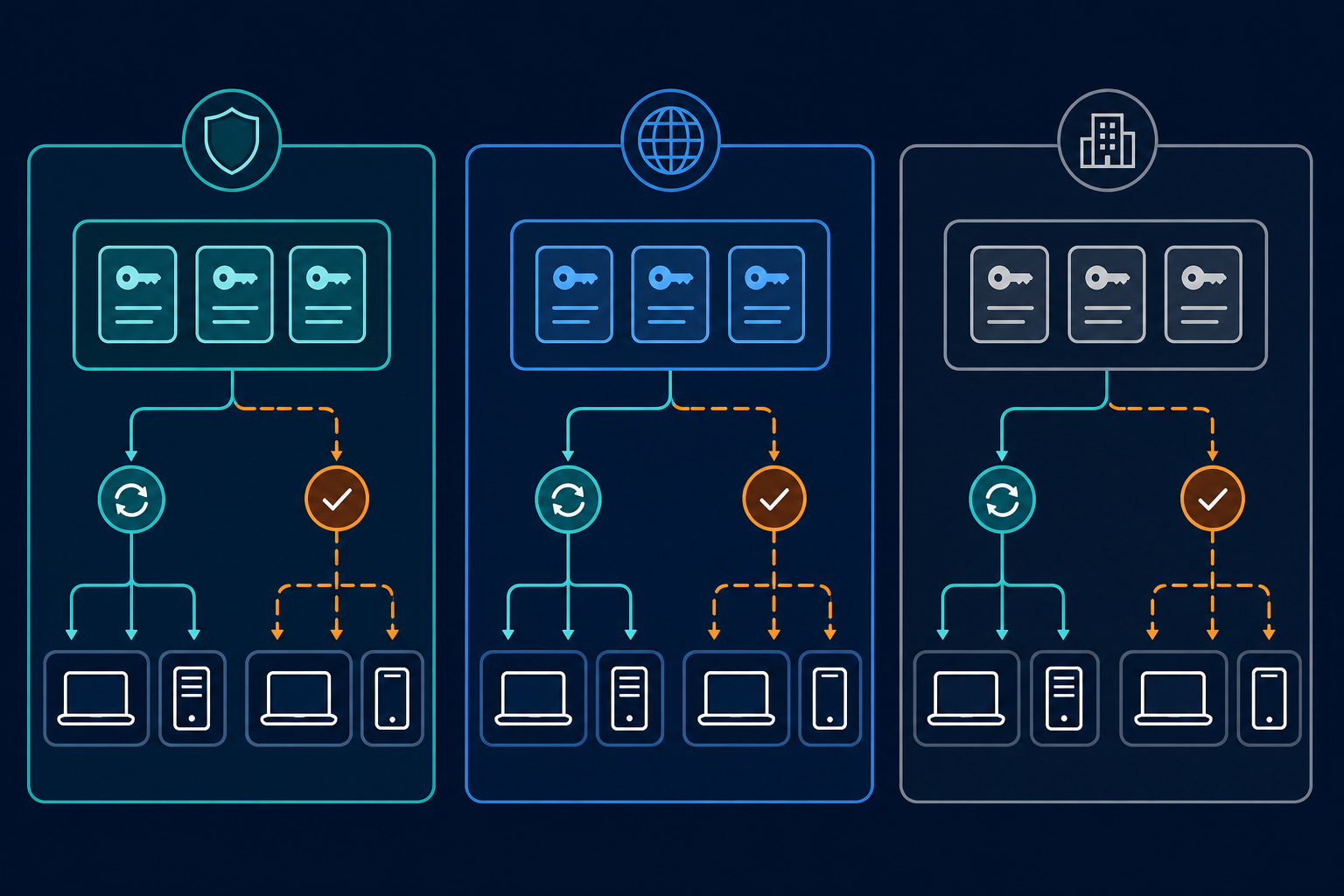
Group devices that share access requirements, then separate groups with different trust boundaries, administrators, or rotation procedures.
Designing scoped discovery credentials
Credential scoping supports CMDB accuracy alongside reconciliation rules and clear ownership of configuration records.
Scope sets to segments and roles
Start with groups your administrators already recognize. A Linux fleet in one data center may use one set, while a separately administered DMZ uses another, and network devices may need their own SNMP credentials.
Record each group’s owner, intended targets, authentication method, and collector. Keep exceptions visible, including hosts that require keys rather than passwords.
Google’s Migration Center documentation illustrates credentials assigned to asset groups with individual overrides — configuration options vary by product.
Prove least privilege through the output
A successful login establishes that authentication worked for that test. The team still needs to prove that least-privilege SSH credentials actually collect the required attributes, not just that login succeeded.
Define expected output for a representative device, then compare it with the resulting CI. Check hardware identifiers, installed software, and relationships where the discovery tool supports them.
If a command fails for lack of permission, review it with server and security owners, grant the approved access for the collection task, then repeat the test.
Tenable’s least-privilege SSH scan guidance describes an iterative method for its scanner: review commands requiring elevation, update permissions, and scan again. Confirm the command and privilege requirements for your own discovery product.
Plan vault access and rotation together
Some discovery products can retrieve credentials from a privileged access management vault, such as CyberArk, rather than storing them directly. Where supported, check how the collector authenticates to the vault and what happens if retrieval fails.
For credentials stored in the discovery product itself, document how replacements reach each collector, and coordinate the target-side change and collector update in the same change plan.
Rotate one scoped set, test a representative target, and review the discovery results before moving to another group.
| Consideration | One shared set | Scoped sets |
|---|---|---|
| Administration | Fewer sets to maintain | More sets and owners to document |
| Rotation impact | A mismatch can affect targets using the set | A mismatch affects targets using the changed set |
| Diagnosis | Investigate differences across a broad group | Start with the affected group and collector |
| Security review | Review the account’s combined access | Review permissions and reach for each group |
| CI completeness | Depends on access across target types | Can be tested against each group’s requirements |
Credential handling in Virima discovery
Virima supports credential-based agentless discovery using protocols including SNMP, WMI, and SSH. Teams configure discovery for the systems they want to inventory and run scheduled discovery cycles.
Virima documents that credentials remain encrypted on the Discovery App server, with role-based access controls for configuring and running discovery. Teams should confirm the server deployment and permission model that applies to their environment during a security review.
That data can populate Virima’s CMDB, where health scoring helps teams review completeness and staleness. Those scores can highlight records that need further investigation after discovery failures.
Teams running ServiceNow, Jira Service Management, or another ITSM platform alongside Virima can feed that discovery data into the CMDB they already use instead of replacing it. Virima integrates directly with ServiceNow to enrich existing CMDB records with discovery-sourced data. A credential or coverage fix made in Virima’s discovery layer carries through to the system of record teams already rely on.
For a mixed estate, test representative targets from each planned group, compare the discovery output with the attributes your CMDB needs, and investigate failed authentication separately from missing permissions. The target administrators and security team remain responsible for approving the account’s access and rotation process.
A scoped rollout also makes a failed change easier to investigate: if one group returns fewer results after rotation, the team can check the affected credentials and targets before changing access elsewhere. Review the next scheduled cycle to confirm that collection has resumed.
Recurring CMDB discovery credential failures
A credential test gives administrators one useful signal. A discovery job includes additional steps, so review the collector and resulting output as well.
- A successful test followed by failed discovery. Check the collector, classification step, and logs before changing the credential. A test can establish authentication without confirming the full discovery workflow.
- Multiple collectors using one account. Correlate authentication failures with collector schedules, and check the credential configured on each collector before retrying a locked account.
- A key that works from one collector. Compare the key available to each collector with the public key authorized on the target. File permissions and passphrases can also affect authentication.
- Windows domain controllers. Domain controllers do not use the ordinary local-account arrangement found on member servers. Ask the Windows team which domain account and permissions the discovery method requires.
Replacing one shared set: five steps
- Inventory the credentials. List each discovery account, key, or SNMP credential, its owner, collector, and intended targets. Store secrets only in an approved location.
- Group the devices. Separate targets by operating system, site, trust zone, and administrative ownership. Record exceptions requiring different authentication.
- Test required access. Agree on the attributes the CMDB should receive from representative devices. Review failed commands and grant approved permissions.
- Coordinate rotation. Document who changes credentials on targets and who updates or verifies them in discovery. Test a representative device after the change.
- Report coverage gaps. Review authentication failures alongside expected device counts and incomplete CI fields. Assign an owner and follow-up date to each unresolved group.
These steps give the CMDB owner a way to compare credential coverage with the records already present.
Review your discovery coverage
Start with a device group where failed scans or incomplete records have already raised questions. Confirm which account and collector reach those devices, then compare the latest results with the attributes your team expects.
Record the gaps, assign owners, and check the next scheduled discovery cycle after access is corrected. That review gives CMDB owners and security teams evidence for both data quality and credential decisions.
See how Virima IT discovery collects asset information to support your CMDB.
Frequently Asked Questions
What are CMDB discovery credentials?
They are the accounts and authentication details a discovery tool uses to access devices and collect configuration data. Common methods include SSH, SNMP, and WMI. These credentials are separate from the accounts people use to access the CMDB.
Why is one SSH credential for every device a problem?
One credential can work well across a uniform device group. Problems arise when targets have different access requirements, or when a shared credential is locked or changed without updating the collectors that depend on it.
Does Virima support scoped discovery credentials across device groups?
Yes. Virima’s agentless discovery can be configured with multiple credential sets applied to specific device ranges, which supports the segment-based scoping approach described in this guide — separate credentials by site, trust zone, or device group rather than one shared account across the whole estate.
How often should discovery credentials be rotated?
Follow your organization’s security policy and the requirements for each credential type. Plan rotation with the target and collector owners, and respond promptly to suspected exposure. Verify collection after the changed credential has been deployed.
What happens to CMDB records when a discovery credential fails?
The outcome depends on discovery and reconciliation settings. A new device may remain undiscovered, while an existing CI may retain older values or lack some attributes. Review collection errors and timestamps before assuming the record was refreshed.