Best CMDB Software for Small and Medium Businesses (150-500 Employees)

A firewall change was approved for Friday evening for a 320-employee distribution company with two sites and one IT administrator covering network and systems. The service desk ticket listed three servers by hostname, the spreadsheet listed two of them under older names, and the cloud console showed an additional jump host nobody had documented. The change went ahead, order tracking went down for forty minutes, and Monday morning started with a root cause meeting that had no agreed asset record to review. That Friday is the reason teams with 150 to 500 employees evaluate the best CMDB software for small and medium business 150-500 employees differently from large enterprises. Staffing is lean; one person often owns discovery, changes, and audits, and every record must support incidents and changes without a dedicated tools team. This shortlist scores each option against the same operating bar and shows where Virima fits honestly.
How this 150 to 500 employee shortlist was scored
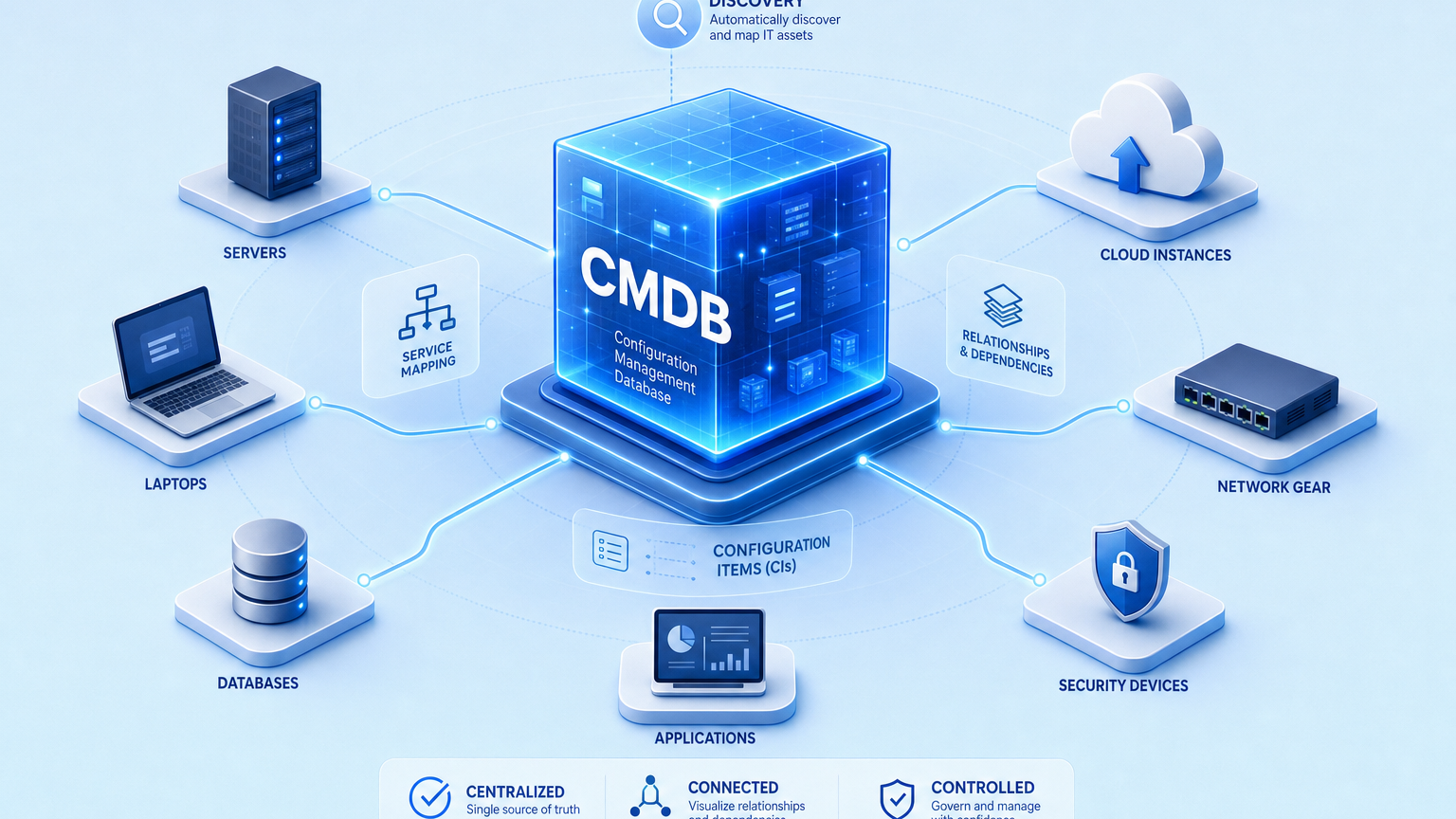
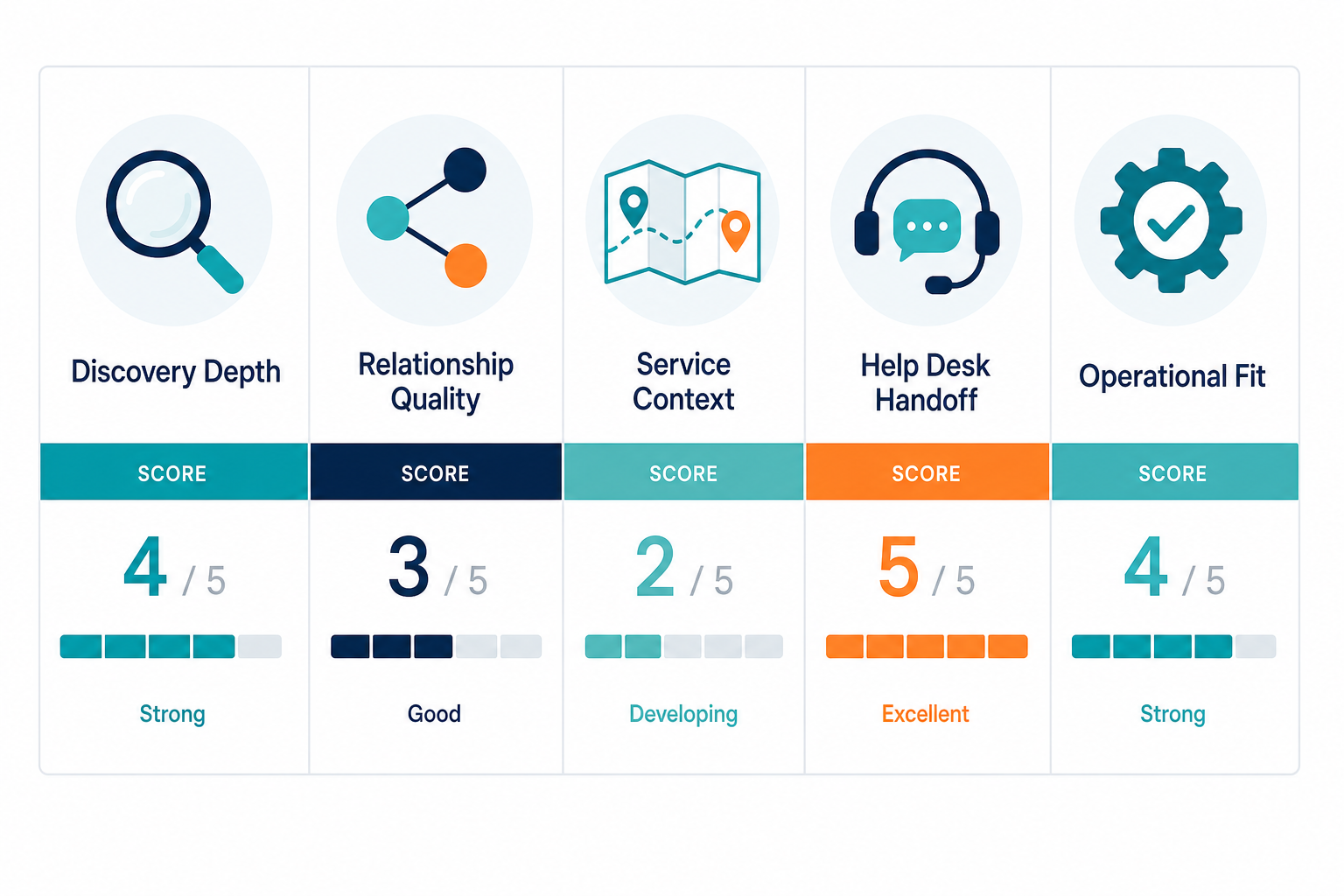
Every product below was scored on five checks that matter when headcount is lean, and systems keep growing. Discovery depth asks whether scheduled discovery finds servers, laptops, network gear, printers, and cloud workloads with serial numbers or cloud instance IDs as durable identity. Relationship quality asks whether the system stores typed relationships such as runs on, connects to, and depends on, instead of a flat inventory list. Service context asks whether service maps are built after service definitions are provided, so maps reflect named business services rather than guessed clusters. Help desk handoff asks whether incidents and changes receive CI and dependency context inside the existing desk workflow. Operational fit asks whether a team of one to four administrators can sustain the result with scheduled refresh cycles and clear ownership. Products that need a dedicated platform team lost points here even when their enterprise depth is strong. Products that keep accurate records with shared roles gained points.
What good looks like before you compare vendors
A useful result for this size band answers four questions during a change or incident. What exists right now across office, remote, and cloud. How each item connects to services and to other infrastructure. What changed since the last scheduled discovery cycle. Who owns each service when something breaks. Hostname alone cannot answer those questions because the same device can appear under different names across tools. Durable identity comes from serial numbers for physical assets or cloud instance IDs for cloud workloads, joined to install data and last seen dates. High-frequency scheduled discovery refreshes those joins without promising event-driven updates the team cannot staff. Service definitions come first, usually from a spreadsheet import or an existing service catalog, and then dependency maps show impact by service. That sequence keeps maps useful for change review instead of decorative.
The shortlist for 150 to 500 employees
1. ManageEngine ServiceDesk Plus with CMDB
ManageEngine ServiceDesk Plus fits teams that want ticketing and asset records in one purchase with familiar Windows-centered administration. Discovery covers common office and data center assets, the configuration database stores standard relationships, and change records can reference affected items. Teams with Microsoft-heavy estates onboard faster because agent and agentless patterns match common Windows practices. Limits appear when hybrid estates grow and when service impact needs named service context rather than device lists. Choose this option when the desk must remain the single console and the estate stays largely on premises with standard applications. Pair it with stronger discovery when cloud workloads and multiple sites create duplicate records.
2. Freshservice with CMDB
Freshservice fits cloud-first teams that want fast setup, approachable administration, and a service catalog that staff already understand. The configuration database supports core relationships, incident records link to affected items, and change planning benefits from that linkage. Small teams appreciate the lower administrative load and the clear request workflows for onboarding and offboarding. Limits appear when discovery depth must reconcile laptops, network gear, and cloud resources under one durable identity. Choose this option when ease of use and fast desk adoption matter more than deep infrastructure reconciliation. Keep the desk as the system of engagement and strengthen discovery where assets churn often.
3. Virima with discovery-sourced CMDB and ViVID service mapping
Virima fits teams where discovery depth, service maps built after service definitions, and help desk handoff decide the outcome. Scheduled discovery from multiple sources builds configuration records with serial numbers or cloud instance IDs, which reduces duplicates across sites and cloud accounts. Service definitions are provided first through import or catalog input, and then ViVID service mapping builds dependency views from those definitions. Incident and change work receives CI and dependency context while the existing desk remains the workflow where tickets are resolved. Teams that support hybrid infrastructure across office and cloud with shared administrators gain the most here. The tradeoff is process discipline, because service definitions and ownership must be named before maps carry full value. Learn how discovery-sourced truth supports operations before comparing feature checklists.
When the shortlist comes down to package fit for a growing estate rather than another feature row, review the right sized path for lean teams before locking the purchase.
That placement is deliberate. Virima is not ranked first for show because many teams in this band prioritize a familiar desk bundle over discovery depth. Virima earns its place when Friday change failures trace back to stale records, duplicate hostnames, or missing cloud workloads. An evaluation pilot should compare last seen dates against the current ticket queue and confirm that owners resolve correctly for the top five services. More product context sits on the CMDB overview and the discovery overview, each worth one careful read during evaluation.
4. Jira Service Management with Assets
Jira Service Management with Assets fits software-led companies that already track work in Atlassian and want asset records near development workflows. Assets supports schemas, relationships, and service linkage, and the broader Atlassian documentation explains how service management connects work and services. Teams with strong Jira administration skills configure quickly and connect incidents to services with familiar automation. Limits appear when network and hybrid infrastructure need deeper scheduled discovery than native patterns provide. Choose this option when development workflow alignment matters most and infrastructure discovery can be supplemented. Keep ownership clear because flexible schemas drift without regular review.
5. InvGate Asset Management and Insight
InvGate fits teams that want combined asset and discovery coverage with practical reporting for audits and refresh planning. Asset records support lifecycle states, discovery feeds populate the inventory, and service views help change planning. Mid-market IT teams often find the balance of depth and administration sustainable. Limits appear when complex service dependencies need richer mapping after formal service definitions. Choose this option when audit evidence and lifecycle tracking lead the purchase and mapping stays moderately scoped. Validate duplicate handling across sites before committing to the rollout plan.
6. SysAid with CMDB
SysAid fits teams that want service desk automation plus asset records with approachable controls. Discovery populates the inventory, relationships support common impact questions, and automation reduces repetitive ticket handling. Lean teams benefit when one console covers requests, incidents, and asset linkage. Limits appear when hybrid cloud reconciliation and service level impact analysis require stronger discovery authority. Choose this option when desk automation carries equal weight with configuration accuracy. Confirm that cloud workloads resolve to durable IDs during the trial rather than after purchase.
7. SolarWinds Service Desk with CMDB functions
SolarWinds Service Desk fits infrastructure-heavy teams that already monitor networks and want asset linkage near operational tooling. Discovery patterns cover network-connected devices well, service desk records reference assets, and change context improves over spreadsheet tracking. Teams with network-centered estates find the operational language familiar. Limits appear when SaaS seats, contractor endpoints, and cloud jump hosts dominate growth rather than switches and servers. Choose this option when network visibility leads the estate and desk needs stay standard. Supplement discovery where endpoint churn outpaces scheduled network scans.
How to run a two-week evaluation that predicts production
Week one should establish truth, not compare dashboards. Select fifty to one hundred representative assets across laptops, servers, network gear, printers, and cloud workloads. Record serial numbers or cloud instance IDs, last seen dates, owners, and service membership. Run scheduled discovery in each candidate and measure duplicate rate, missing assets, and stale records after two refresh cycles. Week two should test operations. Open a test incident, link the affected service, review upstream and downstream dependencies, and confirm the change record shows the same service context. Score each candidate on the five checks from the opening section and keep notes by service rather than by device count. Teams that follow this sequence select durable accuracy over attractive demos. Broader enterprise comparisons such as the enterprise CMDB software review remain useful for scale context, but the purchase decision should rest on the pilot results for this band.
What is the best CMDB software for small and medium business with 150 to 500 employees?
The best fit depends on staffing and hybrid complexity. Desk bundles suit cloud first teams, while discovery led options suit hybrid estates with duplicate records. Score discovery depth, typed relationships, service context, desk handoff, and operational fit before selecting.
Where integrations fit without adding another console
Most teams in this band keep ServiceNow, Jira Service Management, Freshservice, or another desk as the place where tickets are resolved. The configuration database should feed accurate CI and dependency context into that workflow rather than asking staff to work in two systems. Partner names such as ServiceNow, Jira, Ivanti, HaloITSM, Xurrent, and Hornbill stay relevant as workflow destinations, and connection paths are summarized through the integrations overview. Confirm during evaluation that CI updates, ownership, and service linkage flow into incident and change records on a schedule the team can sustain. That handoff matters more than the number of connectors listed on a pricing page.
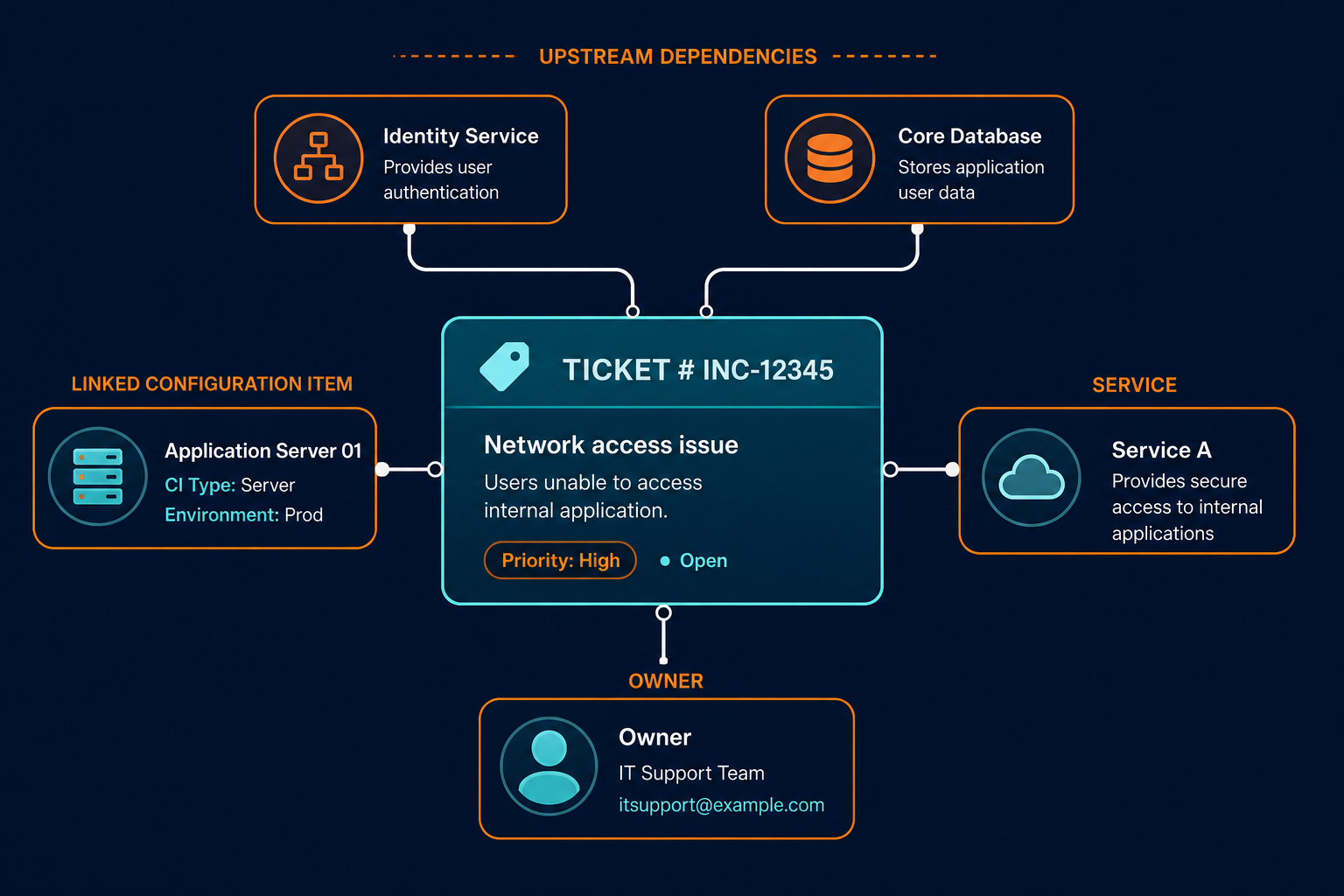
How should a lean team sustain CMDB accuracy with 150 to 500 employees?
Assign one owner for discovery schedules, service definitions, and ownership reviews. Refresh on a fixed schedule, reconcile duplicates by serial or cloud instance ID, and review the top five services monthly. Accuracy holds when ownership and schedule stay explicit.
When does Virima fit best for a 150 to 500 employee estate?
Virima fits when hybrid infrastructure creates duplicates, changes need service impact context, and the desk must stay as the workflow. Discovery builds durable records, maps follow named service definitions, and context flows into incidents and changes.
Frequently Asked Questions
Do small teams need a full CMDB at 150 to 500 employees?
Teams at this size need reliable service impact answers during incidents and changes, which spreadsheets stop providing once cloud and multi site growth arrive. A right sized configuration database with scheduled discovery and named service ownership prevents repeat outages without requiring enterprise staffing.
How is this different from lightweight CMDB for small IT teams?
This shortlist ranks vendor options for the 150 to 500 band using shared scoring rules. The lightweight guide defines the operating bar for good enough accuracy without ranking vendors. Readers who need criteria should start there, while readers ready to compare products should stay on this page.
Does Virima replace our help desk?
No, Virima feeds CI and dependency context into the existing desk where tickets are resolved. ServiceNow, Jira Service Management, Freshservice, and similar tools remain the system of engagement. The desk workflow stays familiar while records behind it become more accurate.
Which discovery identity should we standardize first?
Standardize on serial numbers for physical assets and cloud instance IDs for cloud workloads, joined to install data and last seen dates. Hostnames change too often across tools to serve as durable identity. That single choice removes most duplicate record problems.