CMDB Software Options ServiceNow Teams Actually Evaluate in 2026

ServiceNow already holds the tickets, changes, and configuration records your service desk trusts. Hybrid estates still change faster than manual CI imports and occasional discovery jobs can keep up. When a change window opens on last week’s owners and missing edges, responders pay identification tax before the first fix step. This list is for ServiceNow users shortlisting CMDB software in 2026: when to stay on the platform CMDB, when to add discovery-sourced inventory under that desk, and when a multi-desk estate needs the same truth layer across systems of engagement.
| When ServiceNow is the desk of record but CMDB currency and blast radius still lag the estate, start with discovery-backed accuracy under that desk. Explore Trusted Runtime Truth. |
What is the best CMDB software for ServiceNow users?
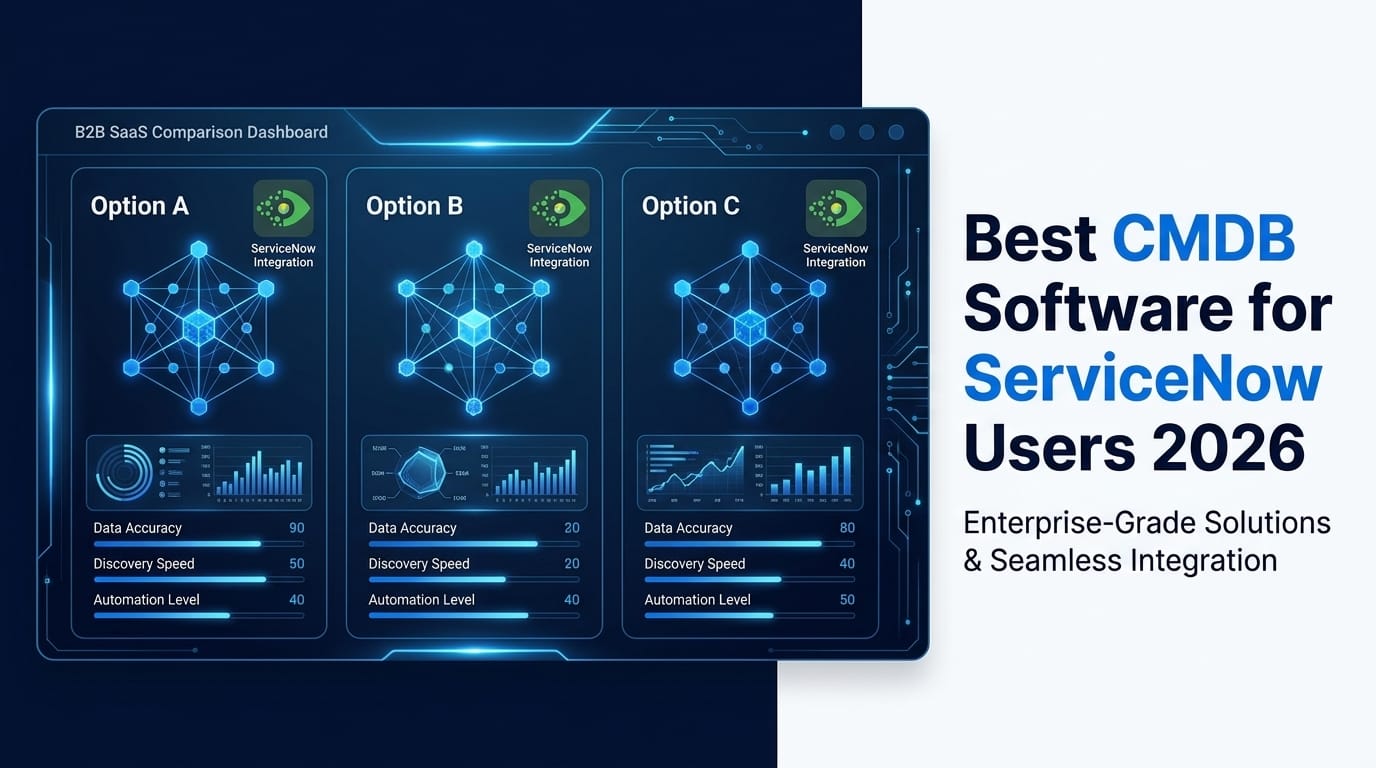
There is no single best CMDB for every ServiceNow estate. ServiceNow remains strong as ITSM and CMDB of record. Shortlists usually weigh hybrid discovery depth, service maps after definitions exist, bi-directional sync into ServiceNow, and honest limits. Virima, Device42, BMC Helix, Jira Assets, and HaloITSM fit different discovery and desk-fit jobs.
Does Virima replace ServiceNow CMDB?
No. Virima does not replace ServiceNow. ServiceNow stays the system of engagement for tickets, changes, and CMDB workflows. Virima supplies multi-method discovery, multi-source inventory, ownership, and ViVID™ maps on high-frequency scheduled cycles, then syncs that context into ServiceNow so configuration data stays usable for service and asset decisions.
How we ranked this list. Inclusion favored tools ServiceNow-era buyers actually shortlist for configuration management: native ServiceNow CMDB, discovery-led CMDB platforms that sync into ITSM, ITSM suites with a CMDB module, and lightweight inventory generators teams sometimes mislabel as a full CMDB. We weighed hybrid discovery (agentless, agent, API), relationship and service mapping after definitions exist, ITSM coexistence (especially ServiceNow), automation for CI maintenance, and deployability for mid-market and enterprise teams. Pricing bands below are directional only. Confirm every figure on the vendor’s live commercial pages. Virima is the publisher of this guide and appears first as the discovery-sourced option built to feed ServiceNow, not as a claim that every buyer should rip out their desk.
| Tool | Best for | Discovery model | ServiceNow relationship | Honest limit |
|---|---|---|---|---|
| Virima | Discovery-sourced CMDB + maps under ServiceNow | Agentless, agent, API; high-frequency scheduled cycles | Augments SN; bi-directional CMDB sync | Not a full ITSM desk replacement |
| ServiceNow | Enterprise ITSM + platform CMDB of record | Native Discovery / ITOM (licensed modules) | System of engagement and CMDB of record | Discovery depth and cost scale with ITOM modules |
| HaloITSM CMDB | Mid-market all-in-one desk + CMDB | Suite-native; depth varies by package | Alternative desk; multi-desk estates may still need shared discovery | Not a ServiceNow replacement play for large SN shops |
| Device42 | Infra-heavy discovery, IPAM, DC visualization | Strong auto-discovery; Freshworks ecosystem | Can feed or sit beside SN; also powers Freshservice paths | ITSM workflow depth lives in the desk you pair it with |
| BMC Helix CMDB | BMC Helix ITSM estates | Deep with BMC discovery stack | Peer enterprise stack; coexistence is a program decision | Heavyweight implementation and custom commercial model |
| Ansible CMDB | Ansible-centric inventory reports | Inventory from Ansible facts | Not a SN CMDB substitute | Report generator, not enterprise multi-source CMDB |
| Atlassian (Jira Assets) | Jira Service Management estates | Schemas + third-party discovery | Peer desk; multi-desk needs shared discovery truth | Discovery is not native at SN ITOM depth |
| SolarWinds CMDB | Teams already in SolarWinds ITSM | Monitoring-fed configuration views | Peer suite path | Best when already invested in that stack |
| Freshservice CMDB | Freshservice ITSM + lighter CMDB | Native CMDB; Device42 path for deeper discovery | Peer desk; Device42 adds discovery muscle | Enterprise discovery may need Device42 packaging |
| EasyVista CMDB | ITIL-aligned EasyVista ITSM shops | Suite CMDB + dependencies | Peer desk path | Fit is strongest inside EasyVista, not as SN rip-and-replace |
What should ServiceNow teams evaluate in a CMDB shortlist?
Evaluate hybrid discovery coverage, how service maps are built after definitions exist, bi-directional sync into ServiceNow, CI ownership and change context, automation for classification and promotion, and whether the tool replaces your desk or feeds it. Price only after those jobs are clear. Directional blog bands are not vendor list prices.
Three decision paths for ServiceNow users
Stay on ServiceNow CMDB alone when ITOM Discovery (or equivalent) already keeps CIs current, service maps match how you run change, and identification time on majors is already acceptable.
Pair ServiceNow with Virima discovery when the desk and platform CMDB are correct as the system of engagement, but responders still lose time on stale owners, missing CIs, and edges that never entered the last import. Keep ServiceNow for tickets and CM. Add Trusted Runtime Truth for discovery-sourced inventory under that desk.
Choose Virima under a multi-desk estate when ServiceNow sits beside Jira Service Management, Ivanti, HaloITSM, Xurrent, Hornbill, or another desk and you need the same discovery-sourced CI and map context across systems of engagement. Virima does not replace ServiceNow. Confirm desk coverage on the integrations hub.
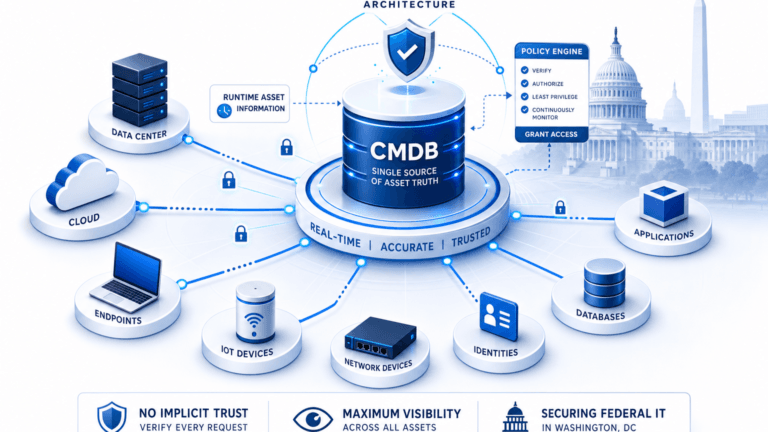
Federal asset-visibility guidance, including CISA Binding Operational Directive 23-01, treats complete asset visibility as a prerequisite for vulnerability and operations programs. That is the same bar ServiceNow users face when CMDB currency lags hybrid change.
You know that feeling when something breaks in your IT stack, and no one knows who owns it, what it connects to, or whether it even matters anymore?
Most IT teams have been there when ownership and impact are unclear.
That’s why CMDBs (Configuration Management Databases) exist. Not to be another asset list no one checks, but to give you clarity when the infrastructure gets messy. The problem is, not all CMDBs are built for the way IT works today, especially when cloud, remote work, AI operations, and microservices enter the picture.
We did the homework for 2026 across vendor docs, forums, and commercial pages.
We looked at the tools everyone’s talking about, read the forums (and the fine print), pulled current pricing and feature updates, and broke down the top 10 CMDB solutions, warts and all. We also asked real users what’s actually working on the ground.
Read on for tradeoffs, directional pricing diligence, and which path fits ServiceNow users who need discovery-sourced inventory under the desk they already run.
What is CMDB software, and why does it matter in 2026?
A Configuration Management Database (CMDB) is a software system that acts as a central source of truth for all your IT assets, from servers and applications to databases, licenses, and network components.
More than just a static inventory, a CMDB maps how everything connects, who owns it, where it sits, and how it impacts business services.
In large organizations, where one application might rely on multiple servers, load balancers, databases, and APIs, and in turn support other systems, these interdependencies can become too complex to track manually.
A well-maintained CMDB captures these relationships and helps you answer critical questions like:
- What breaks if this server goes down?
- Who owns this app?
- What SLAs are tied to this system?
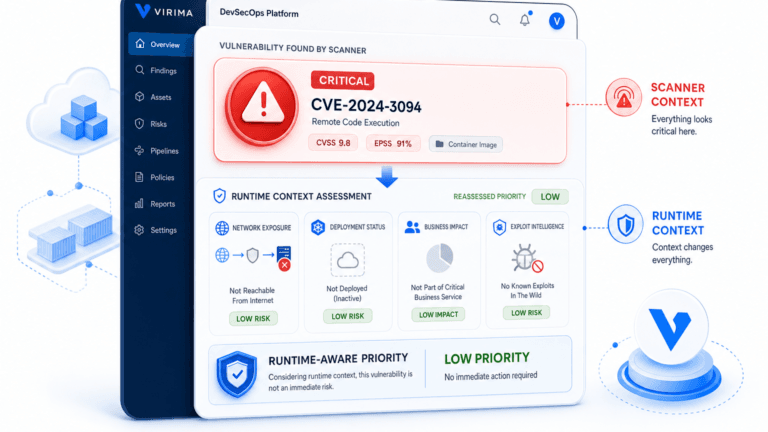
The CMDB in vulnerability management (2026 use case): If an AWS S3 bucket is found non-compliant (e.g., not encrypted), the scanning tool can query the CMDB for its owner and trigger a compliance ticket to the responsible team. The CMDB lets you report which systems are affected by a zero-day, track remediation progress, and dynamically create change requests, all while staying traceable and compliant.
Key features to look for in a CMDB tool
While conducting our research on the best CMDB tools, we identified these features as consistently discussed on platforms such as G2, Reddit, and Gartner Peer Insights. Here’s what matters most:
Automated discovery of IT assets
Your CMDB is only as good as its data, and data doesn’t stay accurate for long. That’s why automated discovery isn’t just a feature; it’s a must-have.
Look for tools that support both agentless scans for broad visibility and agents for deep dives into systems. Virima checks both boxes. It discovers everything from cloud instances to shadow IT and keeps your inventory current without manual effort. Many practitioners still say discovery quality decides whether the CMDB stays trusted:
Relationship mapping & service visualization
A CMDB shouldn’t just tell you what exists. It should show how everything connects. Tools with service maps, dependency mapping, and topology visualizations give you clarity when planning changes or resolving outages. Pairing your CMDB with the right network management tools strengthens that visibility, giving network and operations teams a shared view of how devices and connections behave.
With Virima, you get auto-updating views of your IT environment. It scans your environment when scheduled according to your requirements. These visual maps reveal the ripple effect of issues, such as which application depends on a failing database server, before you change it.
Even better, Virima exposes unmanaged assets in communication paths, so nothing slips through the cracks. Try doing that with a spreadsheet.
Integration with ITSM and other systems
Your CMDB shouldn’t live in a silo.
The best tools integrate directly with your ITSM, whether that’s ServiceNow, Jira Service Management, Ivanti, or HaloITSM, so that tickets and changes are linked directly to the correct configuration items.
Virima makes it actionable with ViVID™, which overlays ITSM incidents, change records, event management alerts (from tools like SolarWinds, Nagios, and LogicMonitor), and NIST NVD vulnerabilities directly onto live service maps. Support teams can spot root causes, assess impact, and act faster, without digging through separate systems.
With Virima, your CMDB becomes more than a database. It becomes a live operations dashboard, something most platforms don’t offer out of the box.
Automation & maintenance
Manual CMDB maintenance burns out teams and kills adoption. Without automation, data gets outdated, teams get overwhelmed, and the CMDB becomes more of a burden than a benefit.
The right platform lets you create rules and workflows that handle classification, linking, and updates automatically. Virima lets you define business logic to clean, promote, and sync CI data, even across your ITSM platform.
It’s not just about capturing data; it’s about keeping it clean without constant human intervention.
Reporting & analytics
Eventually, CIOs and IT leaders will ask, “What changed? What’s at risk?”
Your CMDB should have an answer. Look for tools with built-in dashboards, impact analysis, and audit trails. Virima delivers these reporting features, which provide integrated vulnerability insights utilizing Windows Server NVD data to identify exposed assets and assess the potential spread of that exposure. Perfect for compliance reviews, security posturing, or exec-level reporting.
10 best CMDB tools in 2026
Here is our list of the best CMDB tools based on their distinctive features, strengths, limitations, and current 2025/2026 pricing. We’ve drawn an unbiased review for you on the basis of user feedback across Capterra, G2, Gartner Peer Insights, and Reddit.
- Virima , Best for: ServiceNow integration & hybrid IT visibility.
- ServiceNow , Best for: Large enterprises with mature ITSM practices and in-house ServiceNow expertise
- HaloCMDB , Best for: HaloITSM users who want lightweight CMDB features with added depth via Virima integration
- Device42 CMDB (a Freshworks company) , Best for: IT teams seeking detailed infrastructure mapping and asset discovery across complex data center environments
- BMC Helix CMDB , Best for: Large, legacy-heavy environments already using BMC’s ITSM suite
- Ansible CMDB , Best for: DevOps teams needing a simple, open-source CMDB for static infrastructure reports
- Atlassian CMDB , Best for: Jira Service Management users looking for native CMDB functionality with plugin-based extensibility
- SolarWinds CMDB , Best for: Teams looking for basic CMDB features tied into existing SolarWinds monitoring tools
- Freshservice CMDB , Best for: Small-to-mid-sized teams wanting a cloud-first ITSM suite with emerging CMDB capabilities via Device42
- EasyVista CMDB , Best for: Mid-sized orgs wanting a user-friendly ITSM+CMDB combo with customizable dashboards
1. Virima – Best for ServiceNow Integration & Hybrid IT Visibility
Strong fit for ServiceNow users who need discovery-sourced CMDB data:
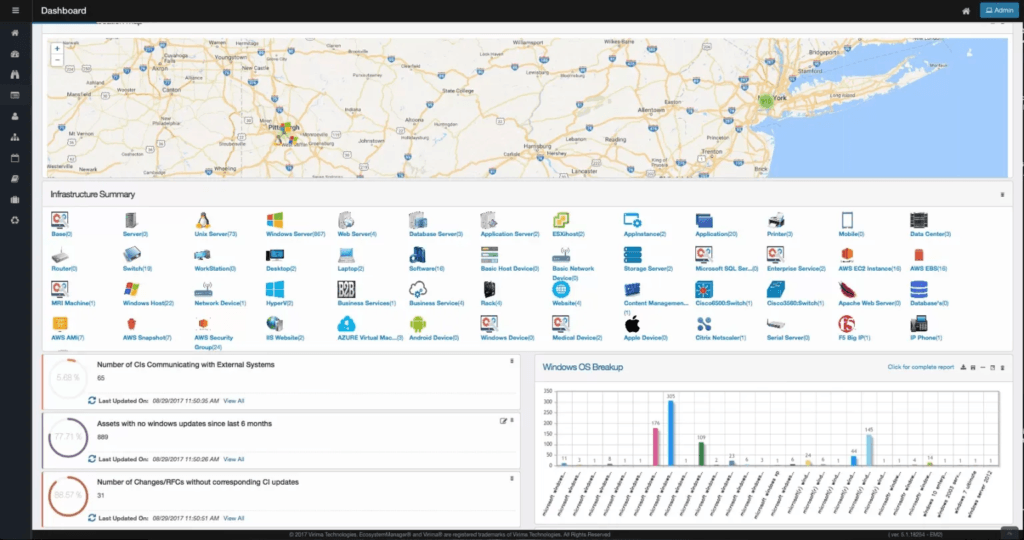
Virima is a modern IT discovery and CMDB solution built for today’s hybrid environments. It brings clarity to complex infrastructure without the bloated cost, steep learning curves, or slow rollouts typical of legacy tools.
While most CMDB platforms take weeks to implement and require constant upkeep, Virima is ready in hours, with automated discovery, intuitive service mapping, and deep integrations with your ITSM ecosystem right out of the box.
Whether you’re leading IT operations, managing service desks, or securing infrastructure, Virima keeps your configuration data accurate, visual, and actionable. See Virima’s CMDB in detail.
Why Virima wins the ServiceNow integration category: In a head-to-head evaluation, a global entertainment company tested Virima, ServiceNow Discovery, and Device42 in the same lab environment. Virima outperformed both on discovery breadth, relationship mapping, and ServiceNow CMDB integration. The client’s director of infrastructure stated that Virima won on functionality, ease of deployment, and licensing costs. Even the client’s ServiceNow ITSM team was impressed by how Virima’s discovery capabilities and tight integration with ServiceNow CMDB made it the clear-cut winner.
Here’s how Virima works:
- Automatically discover all your IT assets across cloud and on-prem using agentless scanning, optional agents, and integrations with tools like vCenter, AWS, and Azure
- Map out complex relationships between systems, applications, and services with interactive service maps generated by Discovery and Service Mapping
- Overlay live ITSM data from platforms like ServiceNow, Jira Service Management, Ivanti, and HaloITSM using ViVID™ (Virima Visual Impact Display), so support teams always see the full picture
- Leverage human-sourced CI attribute capture to automate human intelligence gathering for CI attributes that scanners cannot detect, such as ownership, lifecycle status, business criticality, policies, and SLAs
- Define business rules to automate CI promotion, classification, and syncing between your CMDB and ITSM tools
- Visualize changes and risks with dashboards that help you spot unmanaged assets, misconfigurations, and known vulnerabilities (via NVD integration)
- Export data or share visual reports with stakeholders, operations, or compliance teams, no manual work required
All in one platform means:
- Your CMDB stays accurate and up to date without endless spreadsheets
- IT and support teams can immediately understand the impact of incidents or changes
- You eliminate busywork and speed up audits, compliance, and root cause analysis
What customers are saying about Virima:
“Our business relationship with Virima is second to none. When we had to meet a crazy launch deadline, the implementation team committed to 30+ days of 12-16 hour a day, 7 days a week work with us. When we were up at 4AM for the second day of our launch window, they were right there with us. They have been one of the few vendors where it really does feel like we’re in a partnership.” , Capterra Verified Review
“We are a mid-size company without in-house skills to build/manage a complex CMDB. We did not want to blow our budget on a single product. We consulted with Gartner, with end users and had demos from half a dozen players. Frankly, buying Virima felt risky. Their presence is not huge. Their prices are very reasonable. Their product seemed straightforward. What was the catch? None. I am moving on to a brand new company needing a greenfield infrastructure build. My choice for their CMDB is simple, Virima.” , Capterra Verified Review
“I like the socially intelligent automated algorithms that perform discovery. These algorithms and engines are far better than all of the products I’ve ever used. As an industry recognized discovery and ITAM tool expert, I have spent countless hours evaluating tools for diverse customers.” , Capterra Verified Review
Key takeaways for Virima CMDB:
- Agent-based + agentless discovery for on-prem and cloud (AWS and Azure)
- Dynamic service mapping and dependency visualization
- ViVID™ overlay: ITSM tickets, event management alerts, and NVD vulnerabilities on live service maps
- Business rules engine for automation and CI maintenance
- Bi-directional CMDB sync with ServiceNow, Jira Service Management, Ivanti, HaloITSM, and Cherwell
- Over 120 pre-defined and configurable asset blueprints
- Data certification and attestation workflows for ongoing CMDB accuracy
- Share maps and reports as PDFs or live dashboards
Pros
- Ease of deployment. Ease of use. Running in no time. (Source)
- Agentless probes for broad discovery coverage
- Socially intelligent, automated discovery engines (Source)
- Optional lightweight agent for Windows
- Exceptional customer support (Source)
- Maps application dependencies, business services, infrastructure, communication, and network topology in one place (Source)
- Competitive subscription-based pricing that scales with assets managed
Cons
- Smaller market presence compared to ServiceNow or BMC
- Browser-based management has a slight learning curve
- Forms aren’t WYSIWYG, so some shuffling required for layout customization
Pricing: Subscription-based, scaling with the number of assets/devices managed. Contact Virima for a custom quote.
2. ServiceNow
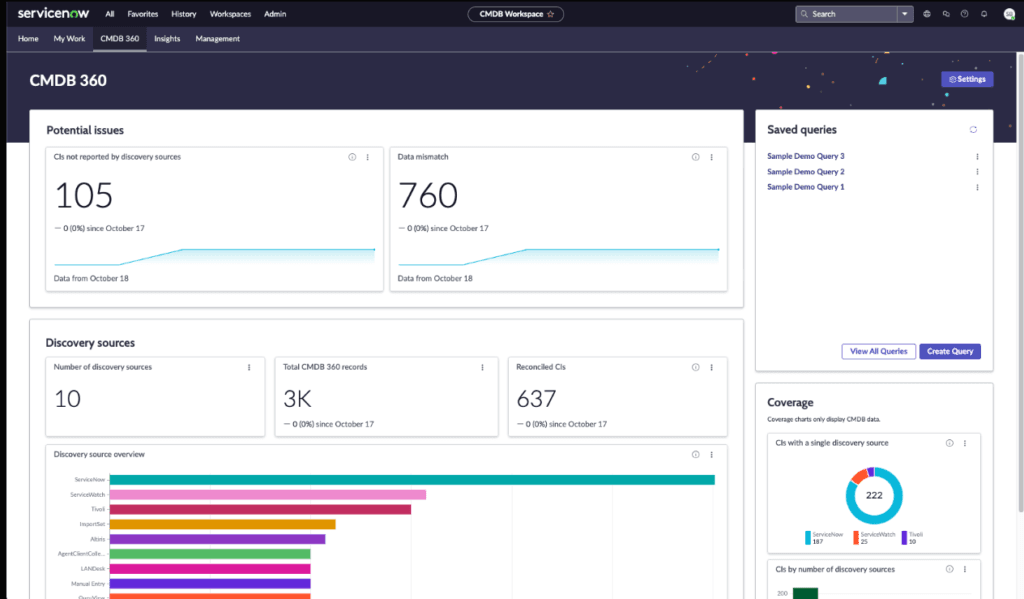
ServiceNow CMDB is one of the most powerful configuration management tools available, especially for enterprises already using the broader ServiceNow ecosystem. It offers deep discovery capabilities, strong ITSM integration, and extensive customization options.
Its biggest perk is its ability to map complex infrastructures using horizontal discovery, agent-based collection, and cloud connectors for AWS, Azure, and more. If you have the expertise and governance in place, it can become a central repository of truth for your IT environment. Day-to-day administrators typically work inside the CMDB workspace ServiceNow provides to navigate CI records, relationships, and health metrics.
However, setting it up is no small feat. Users frequently report that implementation is complex, time-consuming, and highly dependent on internal skill sets or costly consulting.
Out-of-the-box, ServiceNow doesn’t remove stale assets. Custom processes must be built to keep the CMDB clean and accurate.
Another downside is maintenance. Many IT pros note that keeping ServiceNow CMDB up-to-date is a full-time job. Without ongoing attention, data can become outdated fast, leading to poor trust and adoption across teams. A disciplined governance program is what keeps CMDB software for servicenow accurate over time, with clear ownership, data standards, and regular validation.
2026 pricing update
ServiceNow doesn’t publish fixed pricing. ServiceNow does not publish a fixed public rate card for every package. Directional market quotes for ITSM Professional often land roughly in the $100-$140 per fulfiller/month band for mid-sized organizations, with higher Enterprise tiers (including AI features such as Now Assist) often quoted higher. Confirm current package pricing with ServiceNow before budgeting.
CMDB is included with the ServiceNow platform, but ITOM Discovery (needed for automated CMDB population) is a separate licensed module. Contracts typically include a 5-10% annual uplift clause, so costs increase every renewal cycle even if usage stays flat. For a 200-agent IT organization on ITSM Professional at scale, multi-year licensing and implementation often reach six figures annually before discovery modules. Confirm with ServiceNow.
The issue? While the tool is capable, getting full value often requires significant investment in both time and resources. That’s why many teams, especially mid-sized ones or those without deep ServiceNow experience, look for lighter, faster alternatives that don’t compromise on functionality.
Pro Tip: A half-populated CMDB is worse than none. Pair Virima’s discovery and service mapping with your ServiceNow CMDB. You get the best of both worlds: a clean, discovery-sourced CMDB feeding accurate data into ServiceNow workflows on high-frequency scheduled cycles, at a fraction of the cost of ServiceNow’s own ITOM Discovery module. For a closer look at how that data flows on a schedule, our step-by-step guide to syncing the cmdb in servicenow breaks down each stage of the process.
3. Halo CMDB
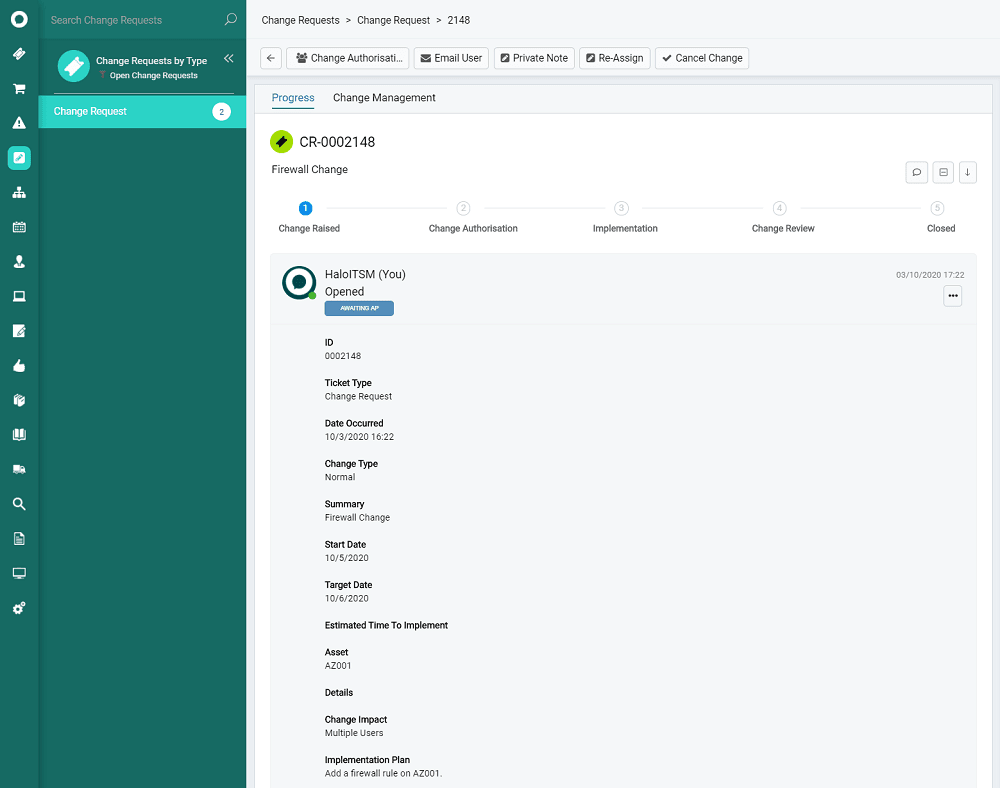
HaloCMDB is a configuration management tool built into the HaloITSM platform. It’s designed for IT teams who want an all-in-one service management suite with native CMDB functionality, ideal for mid-sized organizations looking to unify service desk operations and asset tracking.
It’s highly configurable, which is great if you have specific workflows or want to support multiple departments like IT, HR, or legal. But that same flexibility can also make things feel more complicated than they need to be.
The strength is tight integration. Since HaloCMDB is baked into the broader ITSM tool, you can easily link assets to incidents, changes, and problems without needing multiple platforms. The UI is clean, and workflows are easy to configure for non-technical users.
However, HaloCMDB’s built-in discovery capabilities are limited. It doesn’t natively support dynamic service mapping or deep asset discovery across hybrid cloud environments.
If you need automated CI classification, scheduled scan-based mapping, or broader IT visibility, you’ll likely need to pair it with a dedicated discovery tool like Virima.
2026 pricing update
HaloITSM uses a per-agent monthly subscription model, with all-inclusive licensing. Public and partner materials often place HaloITSM roughly in a mid-market per-agent monthly band when billed annually; volume discounts may apply. Confirm current rates with Halo. Unlike some competitors, CMDB and asset management are included in the base subscription at no extra cost. Implementation/onboarding packages typically run $4,000-$20,000+ depending on complexity. On-premise deployment is also available at the same per-agent rate, though you manage your own infrastructure.
Learn how Virima enhances IT with Halo CMDB to better understand how Virima fills in common IT operational gaps for modern enterprises.
4. Device42 CMDB
Device42 is an infrastructure-focused CMDB platform that comes packed with features for tracking IT assets across hybrid environments. Now a Freshworks company, Device42 brings built-in support for IP address management, data center visualization, and hardware discovery, making it a strong fit for IT teams managing large on-prem setups or complex network topologies.
Device42 offers robust auto-discovery tools that can scan your environment, identify assets, and map physical and virtual relationships without requiring manual input. For more technical users, there’s plenty of depth: support for SNMP, REST APIs, software license tracking, and even power and rack layouts help teams maintain control of their infrastructure stack.
Device42 also gives teams a way to centralize infrastructure data and feed it into existing workflows. The platform’s native integrations with tools like Jira, SCCM, and ServiceNow allow for broader visibility, even if you’re working across silos.
However, while it’s excellent at capturing asset-level detail, Device42 lacks more advanced features like dynamic service mapping tied to business services, visual impact analysis overlays, or flexible workflows that align with ITSM processes. The CMDB is closely tied to Device42’s discovery engine, which can make customization tricky. If you want to create a service-aware CMDB, define business rules, or analyze change impacts visually, you’ll likely need to layer in additional tools.
2026 pricing update
Device42 licensing is quote-based through Freshworks. Older public entry points cited figures near $1,499/year; confirm current standalone and Freshservice+Device42 package pricing with Freshworks before budgeting. Since its acquisition by Freshworks, Device42 now powers Freshservice’s enhanced CMDB capabilities. Standalone Device42 licensing and Freshservice+Device42 bundle pricing are both available. Contact Freshworks/Device42 for current enterprise quotes.
5. BMC Helix CMDB
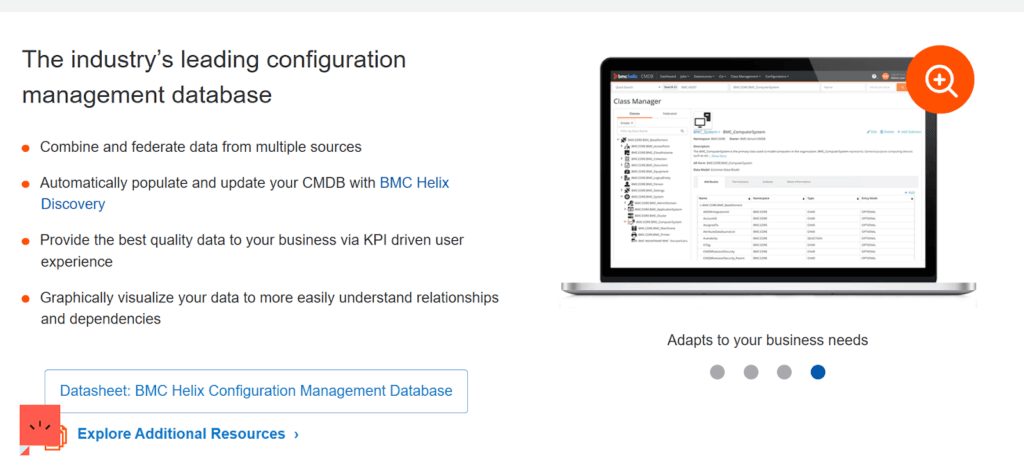
BMC Helix CMDB (formerly BMC Remedy CMDB) is a core component of the BMC Helix ITSM suite, designed to help enterprises build a structured, unified view of their IT assets and services. It supports a wide range of enterprise use cases, from service impact modeling to change risk assessment, and integrates deeply with BMC’s discovery and automation tools.
Its standout advantage lies in how tightly it integrates with the broader BMC ecosystem. If you’re already using Helix for incident, problem, or change management, Helix CMDB fits in neatly, serving as the foundation for smarter operations and compliance reporting.
BMC CMDB also supports service modeling and federated data, giving you the ability to create relationships and dependencies between assets, services, and business functions. The Common Data Model (CDM) it’s built on offers a consistent framework for maintaining configuration items across your environment.
However, BMC Helix CMDB comes with critical tradeoffs. It’s not known for being lightweight or easy to implement. Customization often requires a significant time investment, and the learning curve for new users can be steep. You’ll likely need a dedicated team to maintain it, and even more effort if you want to integrate it outside the BMC stack.
Remedy CMDB can feel rigid in fast-moving hybrid or cloud-native environments, where relationships and assets change frequently. While it does offer discovery and automation through BMC Discovery, the experience isn’t as dynamic or visual as modern platforms demand.
2026 pricing update
BMC Helix uses custom enterprise pricing with no public rate card. Multi-year commitments are standard, and total deployment costs can reach six figures annually for mid-to-large enterprises. Implementation typically requires BMC certified consultants.
Virima, with its lightweight integration and dynamic service mapping, can complement BMC Helix CMDB with discovery-sourced inventory and maps under the ITSM desk you already run.
6. Ansible CMDB
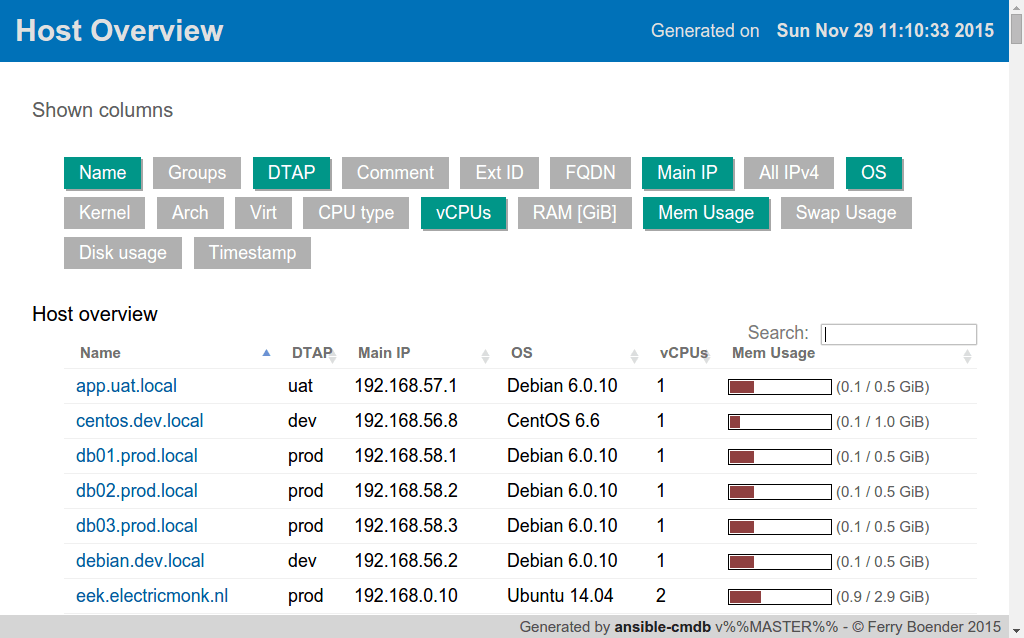
Ansible CMDB is a lightweight tool that generates reports from inventory data collected by Ansible. Its biggest advantage lies in its simplicity: it pulls structured data directly from Ansible’s inventory and presents it in a human-readable format, like HTML or CSV. For teams already using Ansible to manage infrastructure, this seems like a natural next step for visibility.
You can create quick overviews of host configurations without needing to set up a full-blown CMDB. That’s part of the appeal: it’s minimal, doesn’t require much overhead, and works well for environments that are already automated via Ansible playbooks.
But Ansible CMDB only gives you a snapshot of the current state. It doesn’t track changes, manage relationships between assets, or provide built-in service mapping. It also lacks automation for CI lifecycle processes, which makes it harder to maintain data accuracy over time. And while it does a good job visualizing host-level details, it doesn’t scale well for hybrid environments or multi-cloud infrastructures. There’s no native support for ITSM integrations, and exporting data for external use is limited.
2026 pricing update
Free and open-source. No licensing costs. However, you’ll need internal resources for setup, maintenance, and any customizations.
Read more: How Virima’s automation capabilities enhance usability of Ansible CMDB
7. Atlassian CMDB

Atlassian CMDB, via Jira Assets (formerly Insight), is a natural extension for teams already embedded in the Atlassian ecosystem. It allows users to define custom object schemas, visualize asset relationships, and automate workflows tied to the asset lifecycle. When properly configured, it centralizes visibility across infrastructure and applications, improving decision-making during incident management or change planning.
However, the major drawback is that Atlassian CMDB lacks built-in asset discovery. Unlike other solutions that automatically scan networks and populate the CMDB with current data, Jira relies entirely on manual imports or third-party integrations. It doesn’t scan your environment or identify CIs on its own.
That’s where Virima comes in. Unlike Jira Assets, Virima offers robust IT asset discovery and service mapping out of the box, with the ability to scan your environment and auto-populate the CMDB with minimal manual effort. Better yet, Virima integrates directly with Jira Service Management through bi-directional CMDB sync, so you don’t have to choose between them.
2026 pricing update
Jira Service Management Premium (which includes Assets/CMDB) is sold on Atlassian cloud per-agent plans. Confirm the live cloud rate card on Atlassian before budgeting. The Free tier supports up to 3 agents with basic functionality. Data Center (self-managed) pricing scales based on agent count with annual licensing. No separate charge for the CMDB module itself, but discovery requires third-party tools.
8. SolarWinds CMDB
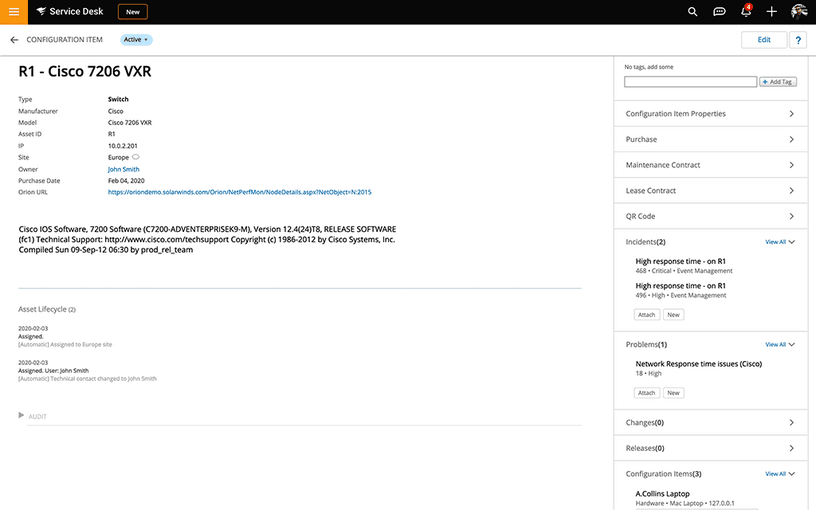
SolarWinds CMDB is a configuration management system integrated into the SolarWinds ITSM platform (formerly Samanage), designed to help IT teams manage asset relationships and maintain infrastructure visibility.
If your organization is already embedded in the SolarWinds suite, this provides a streamlined experience. You can feed monitoring, alerting, and configuration data directly into the CMDB, allowing for richer incident context and more effective change planning.
However, for all its convenience within the SolarWinds ecosystem, the CMDB starts to feel restrictive once you try to scale or customize it.
A major point raised by real-world users: the API (SWQL) is widely regarded as clunky. Users report having to export data nightly from SolarWinds into other tools just to enable automation that couldn’t be done natively. SolarWinds isn’t designed for modern, automation-first IT environments. If your team is building toward infrastructure-as-code, CI/CD pipelines, or robust self-healing systems, SolarWinds CMDB will likely hold you back.
2026 pricing update
SolarWinds ITSM (which includes CMDB) uses per-agent pricing bundled into the ITSM platform subscription. Contact SolarWinds for current quotes. The platform is positioned as budget-friendly for small-to-mid-sized teams already invested in SolarWinds monitoring.
9. Freshservice CMDB
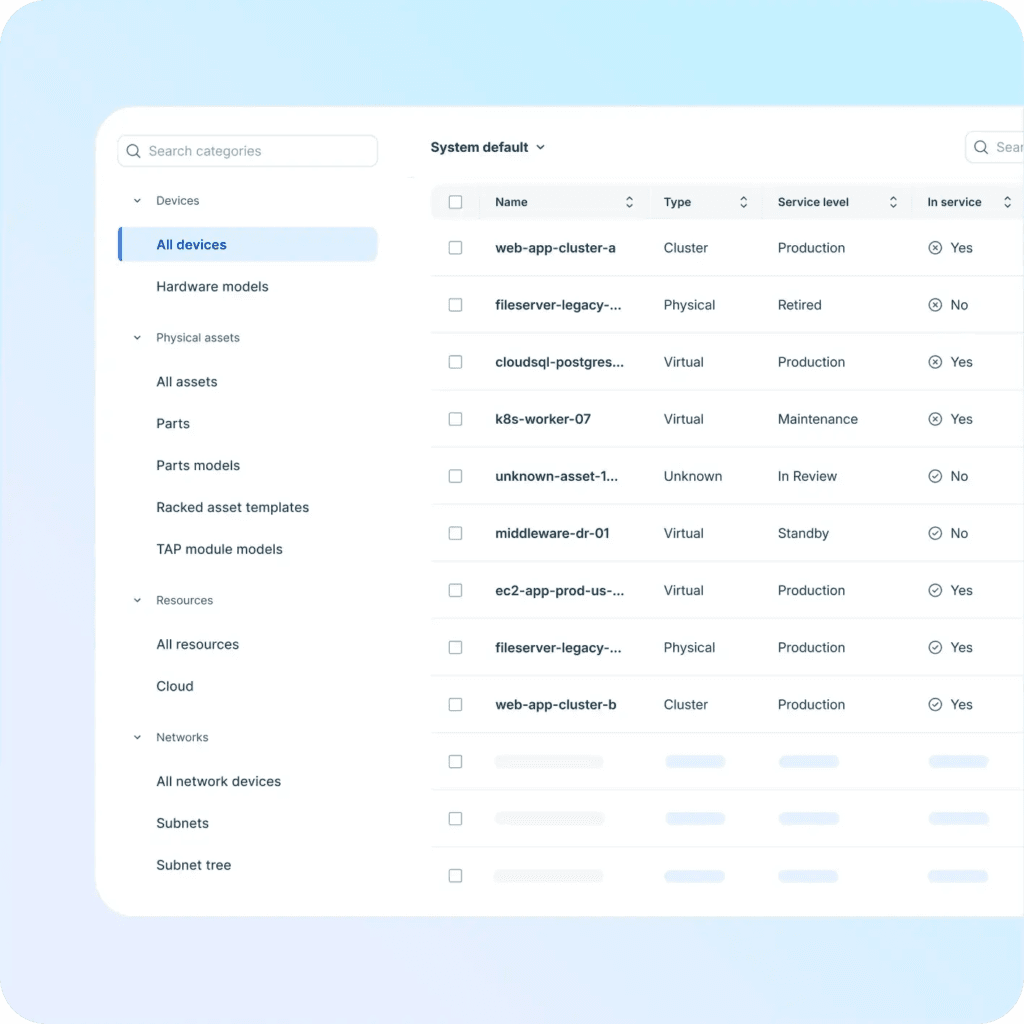
Freshservice CMDB offers a lightweight, plug-and-play CMDB that’s tightly integrated with its broader ITSM suite. For teams already using Freshservice for ticketing, it’s a convenient add-on that helps track network devices, link assets to incidents, and visualize ownership across the asset lifecycle.
Recent improvements following Freshworks’ acquisition of Device42 have sparked hope for better discovery and asset intelligence. The Freshservice + Device42 integration now brings enterprise-grade agentless discovery, dependency mapping, and detailed infrastructure visibility into the Freshservice workflow.
However, the CMDB still has constraints. Reporting can be rigid, asset types have quirks (like inconsistent OS detection), and some critical fields are locked or require workarounds. Full asset management and CMDB capabilities are locked behind higher-tier plans, making it expensive to scale.
2026 pricing update
Freshservice publishes tiered per-agent plans; CMDB depth usually increases on higher tiers. Confirm live Freshworks pricing pages before budgeting, including any Device42 discovery package. The Device42 integration adds enterprise discovery capabilities but may carry additional licensing depending on the deployment model. Contact Freshworks for Freshservice + Device42 bundle pricing.
For a deeper analysis, read our blog on What the Freshworks + Device42 deal means for customers.
If you’re not using Freshservice for ticketing, the CMDB’s core integration advantage disappears. That’s where Virima comes in, offering deep automated discovery, dynamic service mapping, and visual relationship modeling without needing to glue multiple tools together.
10. EasyVista CMDB {#10-easyvista-cmdb}
EasyVista CMDB is part of EasyVista’s broader ITSM suite, offering a structured approach to managing configuration items (CIs) and service dependencies. If your organization is already committed to ITIL processes like incident, problem, and change management, EasyVista provides a centralized and compliant way to maintain asset relationships.
The CMDB integrates smoothly with the wider EasyVista platform, giving IT teams the ability to map services, link CIs to tickets, and build visual service maps. EasyVista also supports multi-tenant deployments, multiple languages, and role-based access control, which can make it appealing to global IT departments or MSPs.
The flip side of EasyVista’s governance-heavy approach is that it’s not particularly nimble. Customization exists, but the UI and logic often require expert configuration or assistance from professional services. In dynamic, complex environments where visibility and intelligent automation are critical, EasyVista’s CMDB can fall short.
2026 pricing update
EasyVista uses custom pricing; contact EasyVista directly for current quotes. Positioned for mid-sized organizations seeking a user-friendly ITSM + CMDB combination with ITIL alignment.
Walk one of your own ServiceNow change or incident paths with discovery-sourced CI context and ViVID™ maps under the desk you already run. Leave with a clearer picture of how much identification time and missing-CI risk your team can still reclaim.
Pick the CMDB path that feeds ServiceNow, not a desk you already trust
ServiceNow users do not need another generic best-CMDB trophy list. They need a clear path: stay on platform CMDB when discovery and maps already keep change safe, or add discovery-sourced inventory under ServiceNow when imports and occasional scans still leave owners and edges dark. Virima does not replace ServiceNow. It supplies Trusted Runtime Truth under the tickets and change windows where ownership, dependency, and blast radius decide whether a routine change stays routine.
Disclaimer: Product capabilities, packaging, and commercial terms change over time. Confirm current ServiceNow, peer-vendor, and Virima features and pricing on vendor documentation. Outcomes vary by estate, discovery scope, credentials, and desk configuration. Star ratings and price bands in third-party directories move; this guide avoids fixed score claims for that reason.
Frequently Asked Questions
What is CMDB software, and why do ServiceNow teams still shortlist other tools?
A CMDB holds configuration items, relationships, and service context used in change, incident, and asset work. ServiceNow already provides a strong platform CMDB. Teams still shortlist discovery-led tools when hybrid estates outpace platform discovery jobs, imports go stale, or multi-desk estates need one discovery authority under more than one system of engagement.
Does Virima replace ServiceNow?
No. Virima and ServiceNow solve different layers. ServiceNow is the ITSM desk and CMDB of record for service management workflows. Virima discovers and maps the estate, then supplies multi-source inventory and ViVID™ context into ServiceNow. Used together, they cover engagement and discovery-sourced truth without replacing either product.
How much does CMDB software cost?
Pricing models vary: open-source report tools, per-agent ITSM suites, and enterprise platform licensing. Mid-market suites are often sold per agent. Enterprise platforms can reach six figures annually with implementation. Treat any blog band as directional and confirm on each vendor’s live commercial pages before budgeting.
What is the difference between a CMDB and an asset management tool?
IT asset management tracks hardware, software, and lifecycle records. A CMDB adds relationships and service dependency context those assets support. Many programs need both: discovery-sourced inventory for what exists, and CMDB relationships for what breaks when a CI changes.
Can a CMDB help with vulnerability prioritization?
Yes, when inventory and service context are current. Overlaying vulnerability intelligence such as NIST NVD data on Windows Server CIs, weighted by service criticality, helps teams prioritize remediation. Pair that with dedicated vulnerability scanners for broader multi-OS coverage. Discovery-sourced CMDB data is the inventory layer, not a full replacement for a VM platform.