How Do You Track End-of-Life and End-of-Support Dates for IT Hardware and Software?

Windows 10 reached end of support on October 14, 2025. Plenty of IT teams only found out when a patch stopped installing, or an auditor asked why machines were still running an unsupported OS.
That’s the pattern with end-of-life and end-of-support dates: they land on a vendor’s schedule, not yours, and a spreadsheet nobody has updated since June is useless by December. To track end-of-life and end-of-support dates for IT hardware and software, match a live asset inventory against vendor lifecycle pages, alert owners well before each support date, and record a decision for every asset on the list.
This guide covers the definitions, where the dates come from, six tracking steps, a worked example, IT hardware lifecycle tracking versus software and cloud dates, sample report fields, and alert thresholds.
EOL vs EOS vs EOSL defined
Vendors use several terms for the final stages of a product’s life. These definitions come from Cisco’s published policy and from Flexera’s guide.
- End of sale: According to Cisco’s End-of-Life Policy, the product is no longer offered for sale after this date.
- Last date of support: Cisco defines it as the last date to receive support under active service contracts for covered hardware and software.
- End of life: Cisco describes it as a process that guides the final business operations of a product’s life cycle. Once the milestones are complete, the product is obsolete.
- End of service life (EOSL): Flexera defines it as the point when a manufacturer stops servicing a product, usually hardware.
Flexera’s guide breaks the final years into four milestones. Vendors label each one differently, so record every date under the vendor’s own term.
| Milestone | What changes | Examples of vendor labels |
|---|---|---|
| End of sale | The product is no longer sold, and support and fixes continue for a set period. | Cisco: End of Sale (EOS) date |
| End of mainstream support | New features and non-security fixes stop, and security updates continue. | Microsoft: end of mainstream support, then extended support |
| End of support | The vendor stops security updates and technical support. | Microsoft: end of support; Cisco: Last Date of Support (LDOS) |
| Paid extended security updates | Time-limited security fixes become available for a fee, usually without technical support. | Microsoft: Extended Security Updates (ESU) |
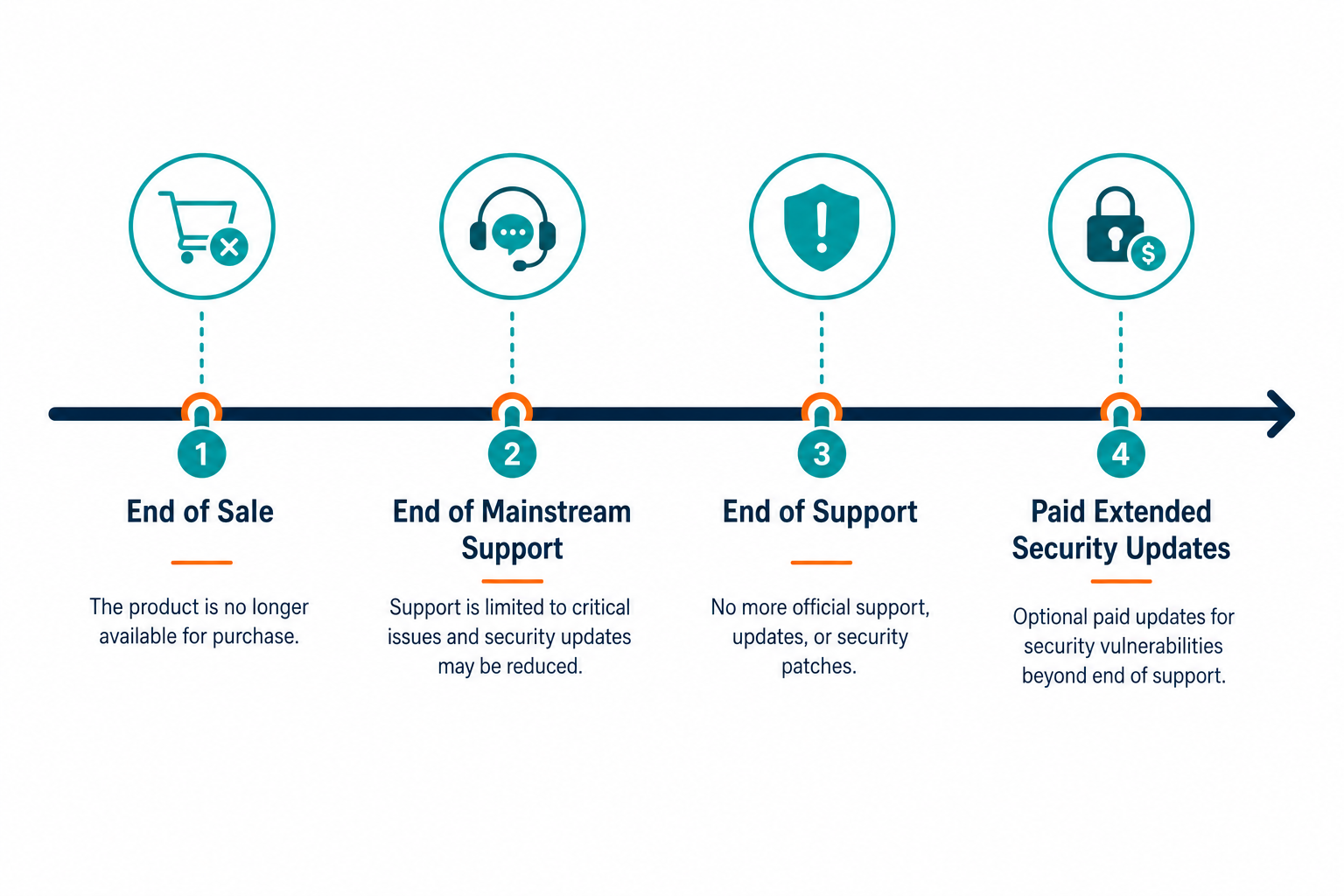
Because support continues for a set period after end of sale, the two dates are tracked as separate fields.
Where vendor lifecycle data comes from
Vendor lifecycle pages are the primary source for EOL and EOS tracking. Microsoft publishes support dates by product with a product search, a list of end-of-support and retirement dates by year, and a page for exporting lifecycle information. Cisco publishes end-of-sale and end-of-life notices for its hardware and software lines.
Aggregators help with coverage. endoflife.date documents EOL dates and support lifecycles for 485 products and offers an API and iCalendar support. It aggregates data from various sources and takes corrections through GitHub, so confirm each date against the vendor’s page before budgeting against it.
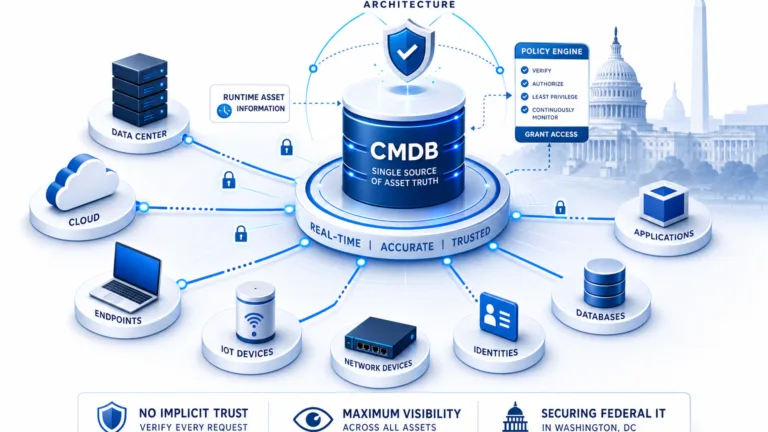
Hardware needs a second lookup, because warranty status and end of support are different dates. Virima’s IT asset management features include automatic warranty status lookup by serial number for HP, Dell, and Lenovo. They also track assets that are out of warranty, out of support, or due for renewal.
How to track end-of-life and end-of-support dates: step by step
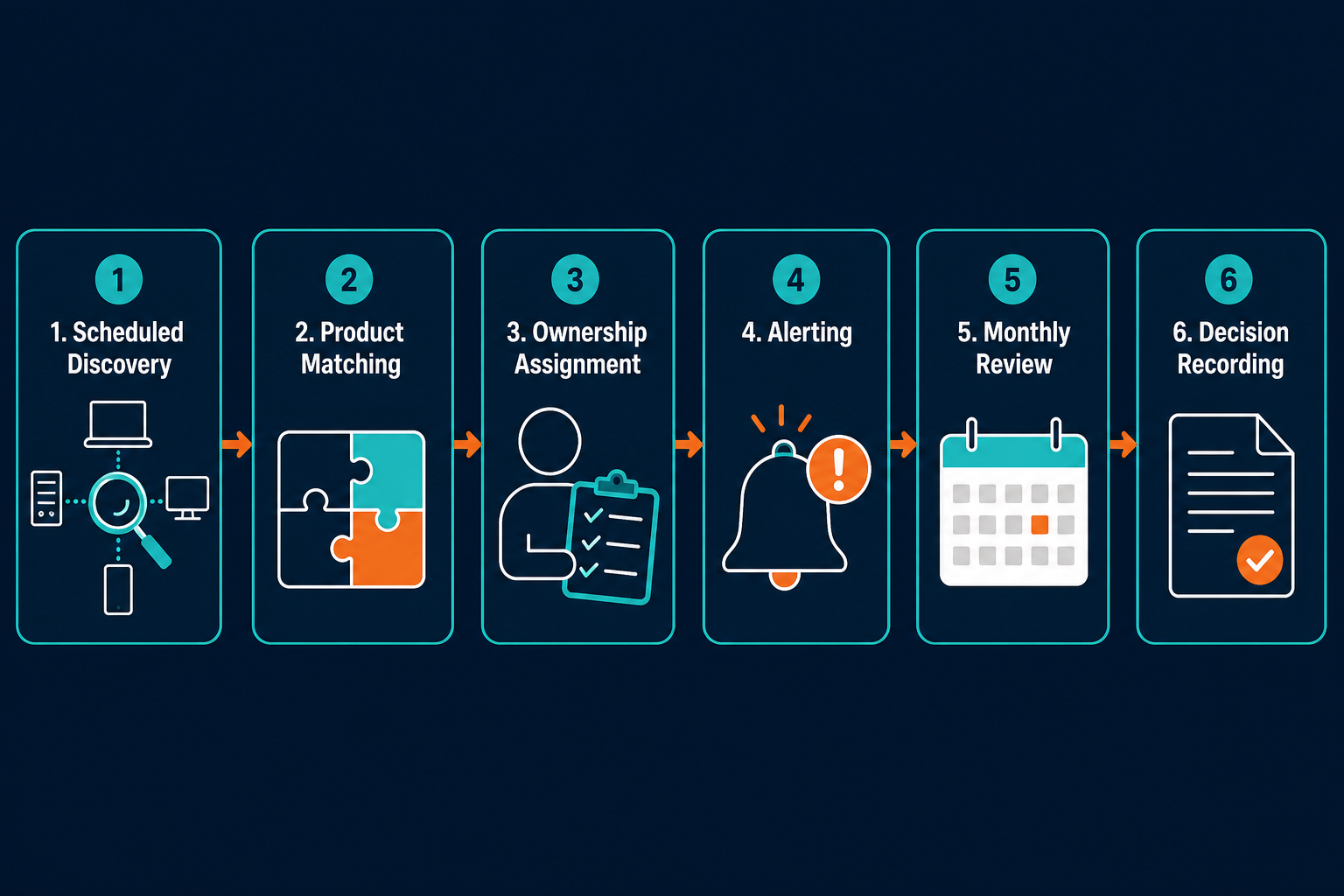
- Run scheduled discovery: use agentless and agent-based discovery across hardware, operating systems, and installed software, including AWS and Azure accounts. Virima IT Discovery uses more than 140 extendable agentless probes, plus a lightweight agent for Windows, macOS, and Linux, so new and changed assets surface automatically instead of waiting on a manual inventory pass. Each record captures the OS version, patch level, and installed software versions that the next two steps depend on, and the scan schedule tells you how old each record is.
- Normalize product names and versions: one product should carry one name across sources, because a lifecycle match fails when the same operating system appears under two different labels. Store the vendor, product, edition, and version as separate fields.
- Match each product to the vendor’s dates: match at the level the vendor publishes, such as the Home, Pro, Pro Education, and Pro for Workstations editions of Windows 10. Record the end-of-sale date and the end-of-support date from the vendor’s own page. Virima normalizes OS and software titles so vendor support status can be joined to discovery records, and it flags assets past vendor support.
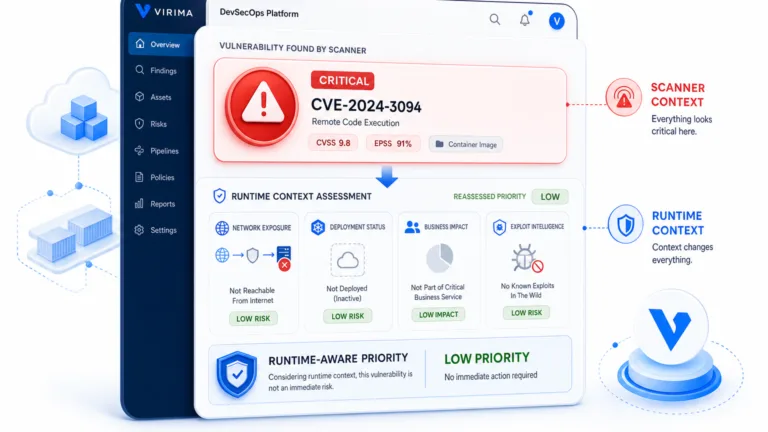
- Add an owner and a service: attach a named owner and the service each asset supports, so a date has a person and a consequence. In the Virima CMDB, each configuration item carries a source, a freshness timestamp, and an owner. That same service link feeds ViVID™ service maps, so an asset nearing end of support already shows up in the dependency view before it becomes an incident.
- Set alerts: send each owner an alert at 180, 90, and 30 days before the end-of-support date, as described below. Steps 1 through 5 work as a single pipeline — discovery feeds the product match in step 3, and the match drives the alert dates here — so no one has to notice a date by hand.
- Review monthly: the owner confirms a replacement date, a funded extension, or a recorded exception for each asset on the list.
Windows 10 as a worked example
Windows 10 shows how the fields fill in for a real product. Microsoft’s lifecycle page lists Windows 10 Home and Pro with a start date of July 29, 2015, and states that support ended on October 14, 2025.
After that date, Microsoft’s Extended Security Updates program lets PCs keep receiving critical and important security updates through an annual subscription. Year One started in November 2025, and the price doubles every consecutive year for a maximum of three years. The program delivers security updates only, and Microsoft limits ESU support to license activation, installation, and possible regressions of the ESU itself.
Long-Term Servicing Channel (LTSC) editions follow their own timelines. Flexera notes that Windows 10 Enterprise LTSC 2021 reaches end of support on January 12, 2027.
In a tracking report, these facts become rows:
- A Windows 10 Pro device carries an end-of-support date of October 14, 2025, an ESU status, a named owner, and a decision date.
- A Windows 10 Enterprise LTSC 2021 device carries its own end-of-support date of January 12, 2027.
- Both rows carry the service the device supports, so the owner can rank them against other work.
Every lifecycle date needs a discovered, owned, and current asset record behind it. See how Trusted Runtime Truth supplies that record. Explore Trusted Runtime Truth.
Tracking hardware, software, and cloud dates
Hardware, software, and cloud services carry different dates, so the report treats them as three record types.
- Hardware: key each record by manufacturer and model, plus the serial number for warranty lookups. The dates to capture are end of sale, the last date of support under a service contract, and end of service life where the manufacturer uses that term — the core of IT hardware lifecycle tracking. Virima’s IT Discovery page notes that hardware nearing the end of its service life can be planned for replacement proactively.
- Software: key each record by vendor, product, edition, and version. Discovery records installed versions, usage data, and license counts, so the same record shows how many devices run an affected version.
- Cloud: AWS and Azure resources discovered through API connectors feed the same configuration item record as network assets. Microsoft’s Lifecycle Policy pages list Azure service retirements alongside end-of-support dates for related on-premises products, so a cloud service retirement belongs in the same report.
For Cisco hardware, the end-of-sale notice comes first, typically six months ahead. Support then continues until the last date of support for customers with active service contracts.
Replace, extend, or isolate
When a date arrives, each asset needs one of three decisions. Flexera’s end-of-life and end-of-support practices cover all three.
- Replace: plan upgrades and budgets well before the end-of-life date, and test new solutions in a controlled environment to confirm compatibility and minimal disruption.
- Extend: some vendors offer extended support for an additional cost. Flexera describes it as a temporary bridge during a transition, and Windows 10 ESU is one example.
- Isolate: if an upgrade must wait, consider workarounds or isolation strategies that reduce the risk of unsupported software.
Flexera advises addressing mission-critical assets first as end of support nears. The owner records the decision in the report, so every asset on the list shows a choice and a date.
An N-1 policy keeps software on the current major version or one major version behind. Flexera notes that staying inside that window keeps vendor fixes available and upgrade paths short, so fewer assets drift toward end of life.
Closing the loop when an asset retires
A replaced asset still needs a record that shows what happened to it. Virima ITAM supports configurable lifecycle statuses, from requested through production to decommissioned. In the CMDB, decommissioned assets are flagged and keep a timestamped change log.
A named owner confirms each retirement before the record closes. The asset lifecycle management guide lists disposal as the final stage, with safe shutdown, data wiping, and recycling. An audit sample that includes retired or unsupported assets needs that same named owner and decision on record: the post on operational and audit risk from end-of-support assets covers how to rank them by service impact.
Sample report fields
A tracking report works best when each row answers three questions: what is it, when does support end, and who decides.
| Field | Purpose |
|---|---|
| Asset or product name, vendor, model or version | Identifies what to match to the vendor’s lifecycle record. |
| End-of-sale date | Marks the last date to buy more units, which guides purchasing decisions. |
| End-of-support date | Marks when patches and support stop, which drives the alerts. |
| Days remaining | Counts down from the end-of-support date and sorts the list. |
| Owner and service | Names who decides and what depends on the asset. |
| Last discovered date | Shows how fresh the record is. |
| Status and decision | Records replacement, extension, or isolation, with a decision date. |
| Replacement budget line | Links the date to the funding request. |
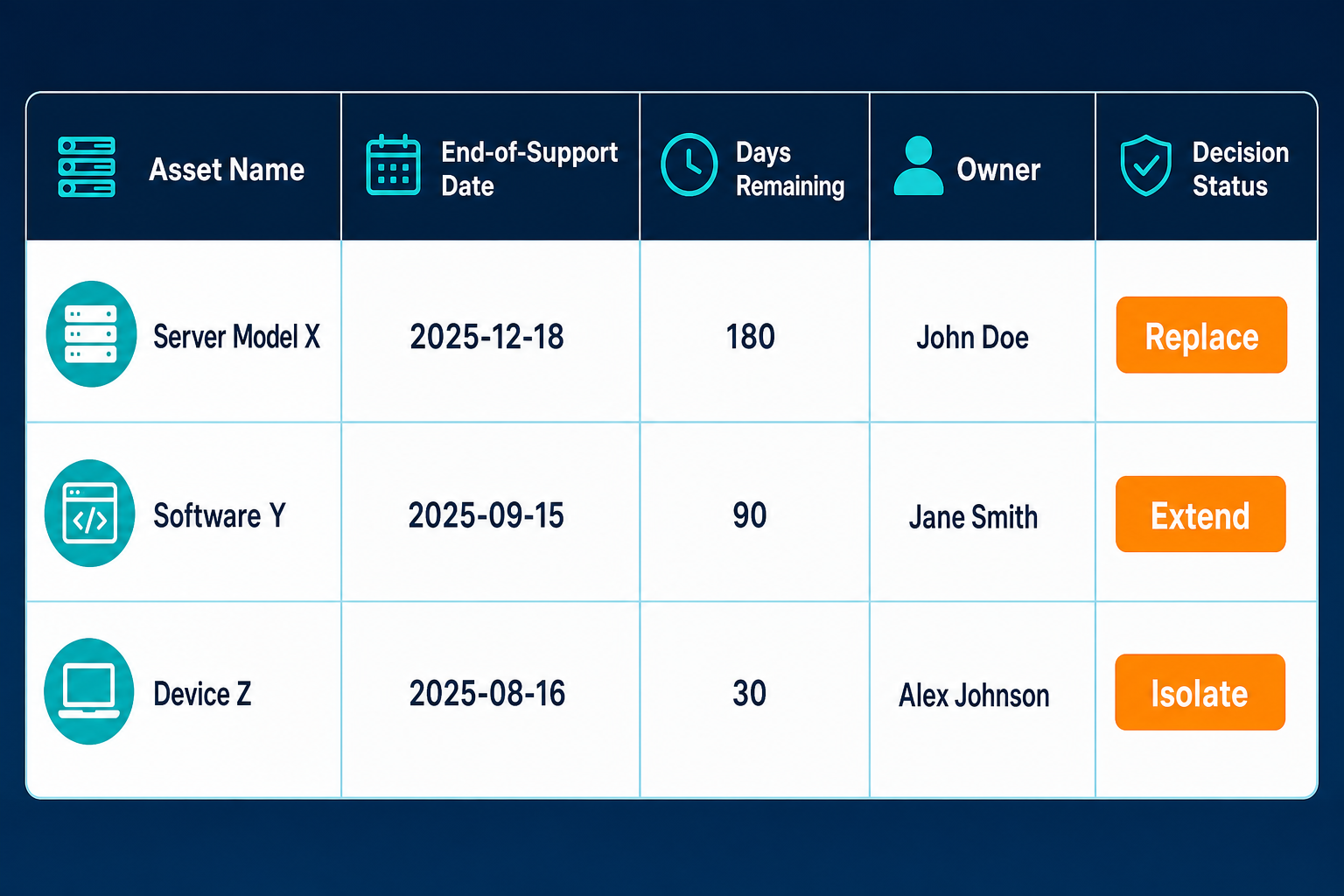
Sort the report by days remaining so the nearest end-of-support dates appear at the top of the list. Most tools can export this table directly using the same fields: product, vendor, end-of-sale date, end-of-support date, days remaining, owner, service, and decision.
Alert thresholds (180 / 90 / 30 days)
A defensible EOL/EOS tracking process sends owner alerts at three fixed intervals:
- 180 days: confirm the owner, scope the replacement, and open a budget line — Cisco states that external notification of end of sale is typically six months ahead, a comparable planning window.
- 90 days: approve the plan and place orders for replacement hardware or software.
- 30 days: migrate the asset, or record a named risk-acceptance exception.
These three thresholds are starting points. The right lead time equals your longest procurement and migration time, so move each threshold earlier if replacements take more than 90 days to arrive.
When should you alert owners before end of support?
Send owner alerts at 180, 90, and 30 days before the end-of-support date. At 180 days, confirm the owner and open a budget line. At 90 days, approve the plan and order replacements. At 30 days, migrate the asset or record a named exception.
Who owns each step
Lifecycle tracking crosses several teams, so each step needs a named role.
- ITAM manager: maintains the report, checks that each product matches a vendor date, and reviews the list monthly.
- Asset owner: receives the alerts, decides to replace, extend, or isolate, and confirms each retirement.
- Finance partner: opens the budget line at 180 days and approves the spend at 90 days.
- Security lead: reviews every asset carrying an exception at 30 days and ranks the exceptions by the service each one supports.
Write these roles into the report itself. A row with an owner, a decision, and a date has a clear next action at each threshold.
Keeping the list current
A lifecycle report is only as current as the records behind it. Virima’s CMDB health score method sets a freshness window of 30, 60, or 90 days, depending on environment volatility. Any configuration item that exceeds the window counts against the staleness score, and CI lifecycle validity is one of the method’s six metrics.
The same post recommends monthly audits as a minimum for most enterprise environments, and weekly audits for high-velocity environments with frequent deployments.
Sources can also disagree about one asset. Virima’s post on attribute-level authority rules describes configuring authority per source and per attribute, with disagreements that matter landing in a queue for review. Apply the same rule to the version and model fields that feed a lifecycle match.
Mistakes that break a lifecycle report
- Treating end of sale as end of support: the two dates run on separate schedules, so give them separate fields and separate alerts.
- Trusting a single aggregated date: confirm any aggregator’s date against the vendor’s own page before it drives a budget decision.
- Letting records age: treat any configuration item past its freshness window as a lifecycle match that’s overdue for a check.
- Skipping the owner field: an alert needs a named person to act on it.
What Unsupported Assets Mean for Operations and Audits
Devices past their support date stop receiving security fixes unless an extended program covers them, as the Windows 10 example shows. After that date, a device on the list needs a replacement plan or a recorded exception.
An audit sample that includes these assets needs a named owner and a decision for each one. The post on operational and audit risk from end-of-support assets covers how to rank them by service impact.
A short pilot shows what your network runs today and which products need a vendor date matched. Schedule a Virima demo to run discovery on one of your own subnets and review the results with each asset’s owner and status in view.