Where Does the Version Live? Structuring Software Models in a CMDB

A vulnerability notice can leave a CMDB owner comparing several unfamiliar software names before confirming which installations are affected. Some records show a build number. Others list only a product name, so when a security team asks for an installation count, they get an answer nobody can defend.
Software version tracking in a CMDB depends on a clear relationship between product identity and installation evidence, using parent and child software models to organize suites and components at whatever level of detail your team’s decisions require.
Start with the product, the version, and the installation. Add edition, suite, and lifecycle relationships only where they answer a specific operational question, and keep the original discovery evidence available for review.
What Is a Software Model Hierarchy in a CMDB?
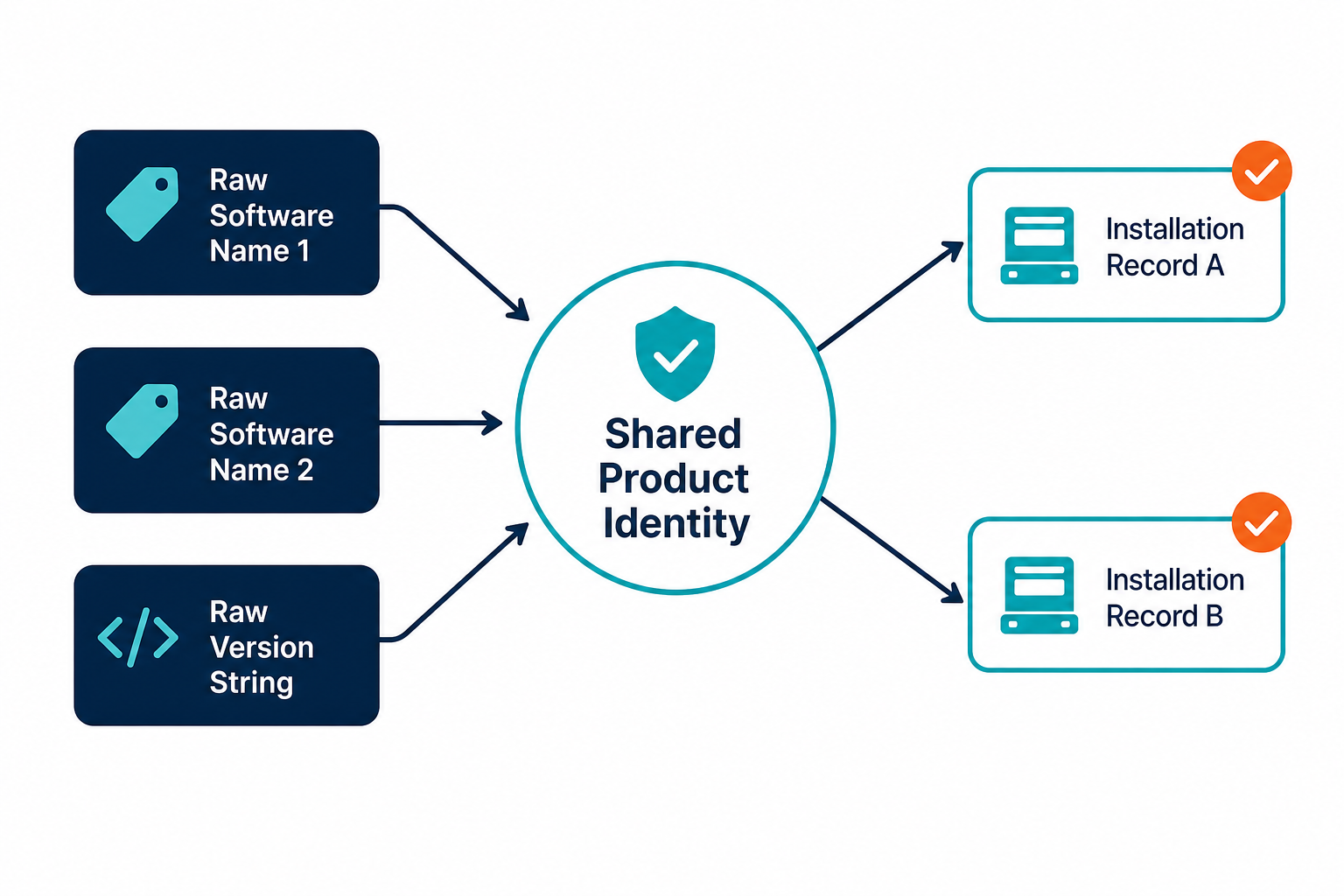
A software model describes a product or a defined version of it within a CMDB, while an installation record describes an observed deployment on a particular device or host. The model gives related installations a shared identity for reporting and analysis.
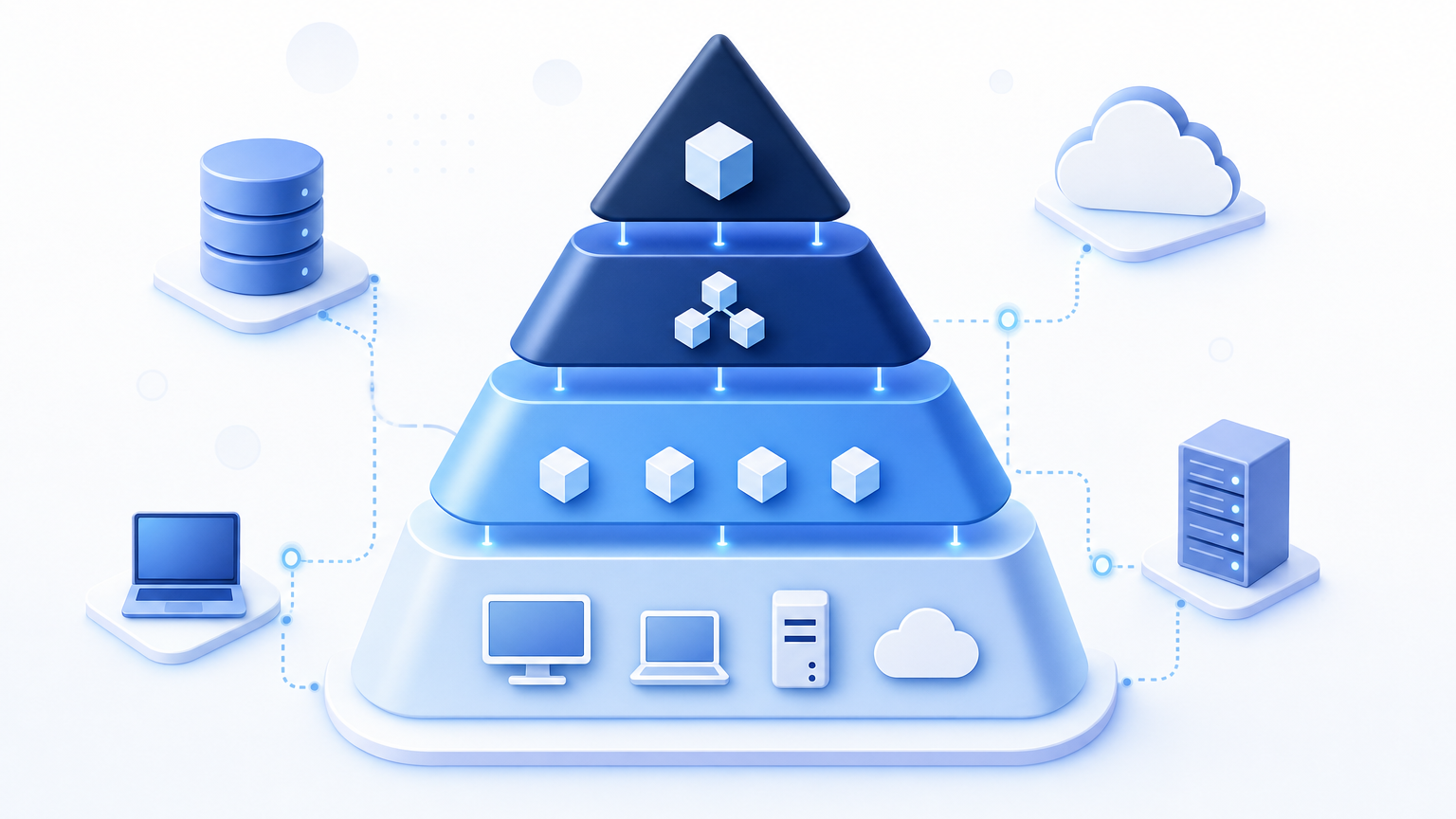
A hierarchy describes how those identities relate: a publisher may have several products, a product may have multiple versions, and a suite can group components sold together. The structure depends on the platform and the organization’s reporting needs.
BMC’s product catalog guidance describes a hierarchy with manufacturers, product suites, products, versions, and patches. Its catalog is one example of a design, rather than a universal CMDB schema.
A common identity also supports comparisons between installations and entitlements. The software normalization guide covers that financial reconciliation in detail.
Why Do Flat Software Records Break Version Tracking?
A flat list can describe installations accurately when its fields are consistent, and its reporting needs are modest. Still, problems arise when different records express the same identity in incompatible ways. In the Virima-sponsored EMA ITAM maturity benchmark, 18.5% of 200 respondents rated their ITSM and CMDB asset data at 95% or higher for accuracy and completeness. In a separate question, 65.5% reported using manual entry alone or alongside discovery to populate their CMDB. Five checks help a CMDB owner identify where interpretation breaks down.
1. Product names do not group cleanly. A discovery source may report a vendor’s display name differently across installation packages, so a report grouped by the raw name can split one product across multiple rows. Keep each observed name, then map validated variants to a shared product identity.
Result: The product count requires a review of names before the team can report it.
2. Version matching uses the wrong level of detail. A major-version group may be useful for planning, but a security notice can distinguish individual builds. ServiceNow’s discovery model documentation describes an exact-match-first approach with a fallback to a major version, part of ServiceNow’s own documented matching process.
Result: A broad grouping can hide build differences if the original version string is discarded.
3. Missing versions disappear from the decision. Some sources cannot identify a version reliably. BMC recommends an unknown-version catalog entry to support normalization and later review, and your team should preserve those records in an exception list.
Result: A report excludes uncertain records unless the team explicitly includes them.
4. Edition and version share one ambiguous field. A product’s edition may affect the terms attached to it, and if it appears only in free text, reviewers may struggle to separate installations covered by different agreements. Record edition independently when the source and licensing evidence support the distinction.
Result: A version count may be useful while the edition breakdown remains unresolved.
5. A business application carries conflicting technical details. One business application can depend on several deployments with different software versions, so a single technical version on the application record needs another way to describe exceptions. Relationships between the application, services, and installations preserve those distinctions.
Result: Reviewers can trace a version question to the deployment that supplies the evidence.
How Should Parent and Child Software Models Be Structured?
The hierarchy should support the questions your team asks, including which product is installed and which versions need attention. The following pattern is a design option. Field names and relationship types vary across products.
Product, version, and edition as the core chain
Start with a publisher and product identity that a reviewer can distinguish from other products. Under that identity, record versions at the level required for support, security, or inventory reporting. Add edition when the distinction affects the decision being made.
The version record can use a canonical label while the installation retains its observed value. For example, a team may group several patch releases for an estate-wide count, but should still retain the detailed build a notice or support decision depends on.
A version model describes a category of software; each installation describes evidence from a specific host at a specific discovery time.
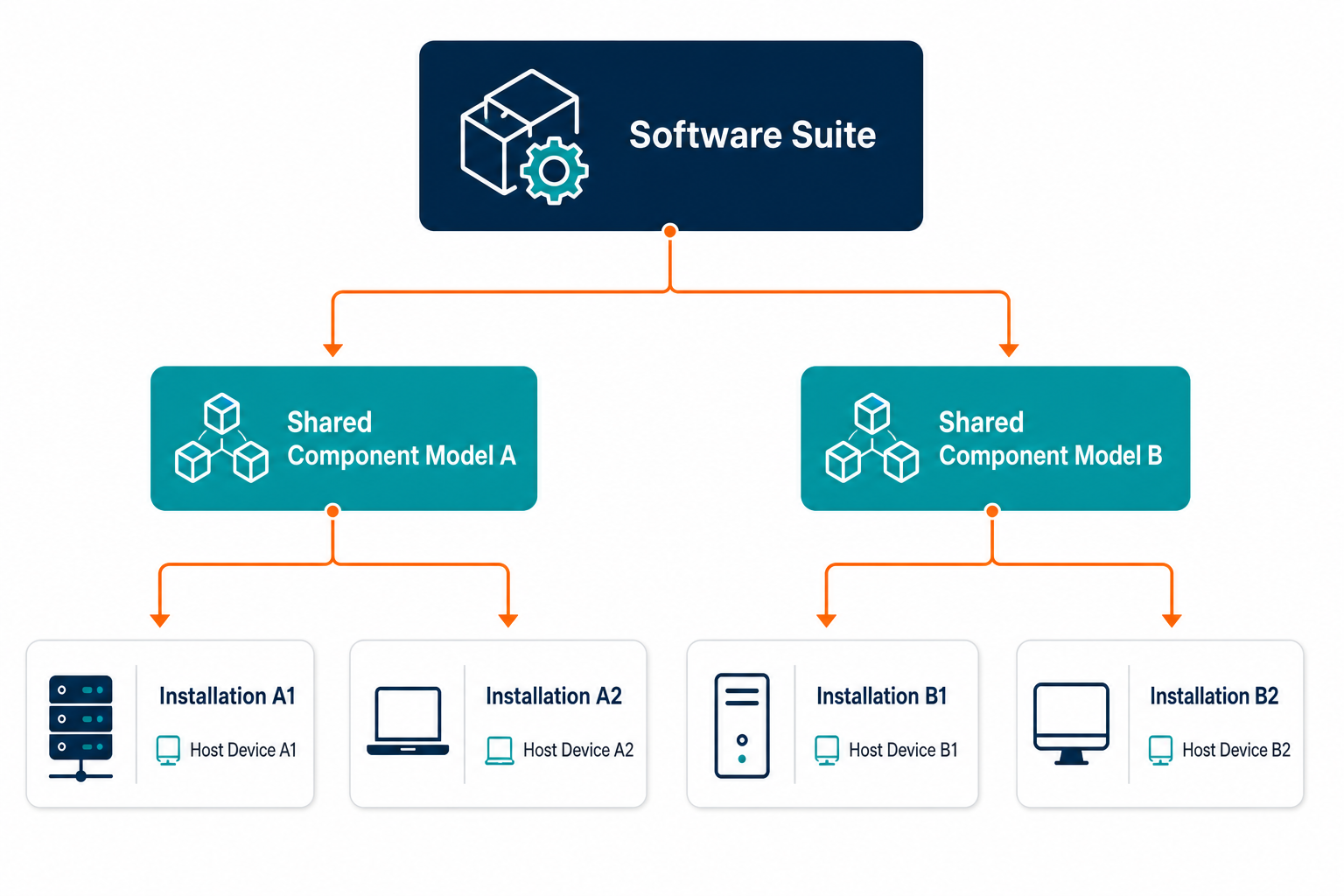
Suites as parents and components as children
A suite relationship connects the product sold as a group to its component products. ServiceNow’s software suite documentation uses Microsoft Office as an example of a parent with Word and Excel as components. It also describes components that belong to more than one suite and suites that contain another suite.
Treat those examples as modeling options, then check your own publisher agreements and platform, since allocation and subscription terms can affect what a suite entitlement actually covers. Field names for this hierarchy also differ across ITSM platforms — a suite relationship in ServiceNow is not named or structured the same way in Jira Service Management or Ivanti, so document the actual field and relationship names your platform uses rather than assuming a shared schema.
What attaches at each level?
The table below separates reference information from evidence observed on a host. Your platform may represent these levels as fields, records, or relationships.
| Level | Illustrative example | Information to maintain | Keep separate from |
|---|---|---|---|
| Publisher | Software vendor | Approved publisher identity | Individual installation evidence |
| Product | Document editor | Canonical product name | Unreviewed discovered names |
| Version | Release 8.0 | Version identity and lifecycle status | Specific host installation |
| Edition | Professional edition | Edition identity when relevant | Unsupported assumptions about rights |
| Suite parent | Office suite | Documented component relationships | Contract-specific entitlement decisions |
| Installation | Editor on a workstation | Host, observed version, and discovery time | Canonical product definition |
A software model can participate in different kinds of relationships. Consult the CMDB relationship guide when deciding how composition differs from operational dependency.
Which Object Should Carry the Version?
Keep a canonical version with the software identity and retain the discovered version with the installation evidence: the model supports consistent reporting, while the observed string supports verification and build-specific checks.
For example, a team’s catalog may classify installations under version 8.0. An installation reporting version 8.0.4 should retain the 8.0.4 observation. A reviewer can then check a security advisory that identifies a specific affected build.
Choose the mapping rule before merging records. Exact matching preserves detail but produces more categories to maintain; grouping by major release simplifies reporting, provided finer evidence survives for decisions that need it. Test exceptions against actual publisher version schemes instead of assuming a single numbering convention.
A business application can reference the services or deployments that support it. If production and test need separate ownership or change histories, separate records may be useful.
How should teams handle a version match with incomplete evidence?
Keep the original software observation and mark the proposed match for review when the available evidence is incomplete. Assign an owner to confirm the publisher, product, and version using another trusted source. Until that review is complete, include the record in exception reporting rather than silently treating the match as certain.
Isn’t a Flat List With a Version Field Simpler?
A flat list may be sufficient for a small, stable estate: a product name, version, installation host, and discovery date can answer straightforward inventory questions without a formal suite hierarchy.
The decision changes when the same component appears in multiple suites or when teams need separate lifecycle histories. Ask whether a report can distinguish the products and versions that matter without repeated manual cleanup. If it can, keep the simpler approach and document who maintains it.
Add relationships when a specific question requires them. For example, a suite relationship helps a reviewer understand which components belong to a purchased bundle. A version-level lifecycle record helps the same reviewer separate an older release from a supported one.
Lifecycle and Next-Version Links
A software version has a lifecycle separate from the device it runs on: an organization may approve a release, later restrict it, and eventually retire it. Publisher support dates add another dimension, but internal approval and publisher support are different statuses.
Record the source and date for each lifecycle decision. An internal owner can approve an exception even when a publisher has ended support. That exception should include a review date and the person responsible for the decision. A lifecycle field without an owner can remain unchanged long after the underlying decision expires.
Some platforms also support a reference to the next version, useful for documenting a planned successor once the team has confirmed the migration path. A link alone does not prove compatibility: deployment teams still need to check the installed version after the change.
For version-specific vulnerability work, preserve the identity details needed to compare an installation with the advisory. The NIST Common Platform Enumeration (CPE) dictionary provides a standardized naming resource for product identification. A match still needs review against the scope and conditions in the relevant advisory.
The software license management guide describes Virima’s records linking licenses, software, and hardware.
Building the Hierarchy in Five Steps
1. Select a manageable starting group. Choose products with the largest operational importance or the clearest reporting problem. Include the CMDB owner, an IT asset manager, and a security representative when their decisions depend on the same records. Record the questions each person needs the data to answer.
2. Establish product and version identities. Define a canonical product name and decide which version detail the team needs. Preserve publisher identifiers and observed strings alongside the mapping. Document whether matching uses an exact value, a defined range, or a broader release family.
3. Add suite relationships where they help. Use publisher documentation and purchase records to identify a suite and its components. Record shared components once in the catalog when the platform supports that pattern.
4. Create a review path for uncertain records. Flag missing versions, conflicting publisher names, and unverified matches. Assign each exception to an owner and record the next review date. Keep the original observation so a reviewer can reproduce the decision.
5. Test the model against installation evidence. Select a sample of actual installations across relevant sources and environments. Compare the canonical mapping with the discovered product and version on each host. Correct the mapping rules before expanding the process to more products.
A useful first check: choose one product, count its distinct records, and review the differences in names and versions before deciding which represent separate identities. That gives the team a concrete starting point without a full catalog redesign.
Software Versions in Virima Discovery
Virima Discovery inventories installed software and versions through scheduled discovery cycles, producing records that connect software observations with the devices they run on. Coverage depends on configuration, access, and the sources included in each cycle, so this evidence is only as current as the cycle that produced it.
Virima’s published software license management guide describes a chain connecting a license key record, a software configuration item, and a hardware configuration item, so an asset manager can examine software records alongside license information.
Virima 6.1.6 release notes describe a Version column in the Software Usage Report and its Excel export. That field helps reviewers identify version information in the usage records included in the report.
The software suite models described earlier are platform-specific design choices, not a universal schema.
Start With One Product’s Records
Select one important product and review its discovered names, versions, and installation evidence. Use the findings to define an initial mapping rule and assign an owner for exceptions. Explore Trusted Runtime Truth to see how discovery-sourced information supports a clearer view of assets and their relationships.
Frequently Asked Questions
What is a software model in a CMDB?
A software model describes a product or a defined version for consistent identification, while installation records provide evidence of where that software appears. Separating the two lets teams group observations while preserving per-host detail.
Should the version sit on the software model or the installation record?
Both can carry version information: a model holds a canonical version or matching rule, while an installation retains the observed version string. Document the matching choice and review exceptions.
How do software suites change version tracking?
A component can belong to more than one suite in some software models, so recording its identity separately reduces repeated definitions. Review the publisher’s terms before using suite membership to assess licensing rights.
How does Virima record software versions?
Virima Discovery inventories installed software and versions on discovered assets. Its Software Usage Report includes a Version column in the grid and Excel export. Available evidence depends on configured discovery sources and reporting coverage.
Can Virima connect software records to license information?
Virima’s published license management guide describes relationships between license key records, software configuration items, and the hardware configuration items where software runs. Teams should confirm their configuration and entitlement details before relying on a report.