Assign Asset Ownership Across EDR, Cloud, AD and CMDB

A change request can stall when an asset record points to the wrong team. The CMDB may name an application owner, while a cloud account identifies a platform administrator. Endpoint and directory records add more names, each collected for a different purpose. To assign asset ownership across EDR, cloud, AD and CMDB correctly, the CMDB owner must determine which team can act, then confirm what evidence supports that assignment and when to review it — treating any single record as universal is how requests get misrouted.
Why ownership differs across systems
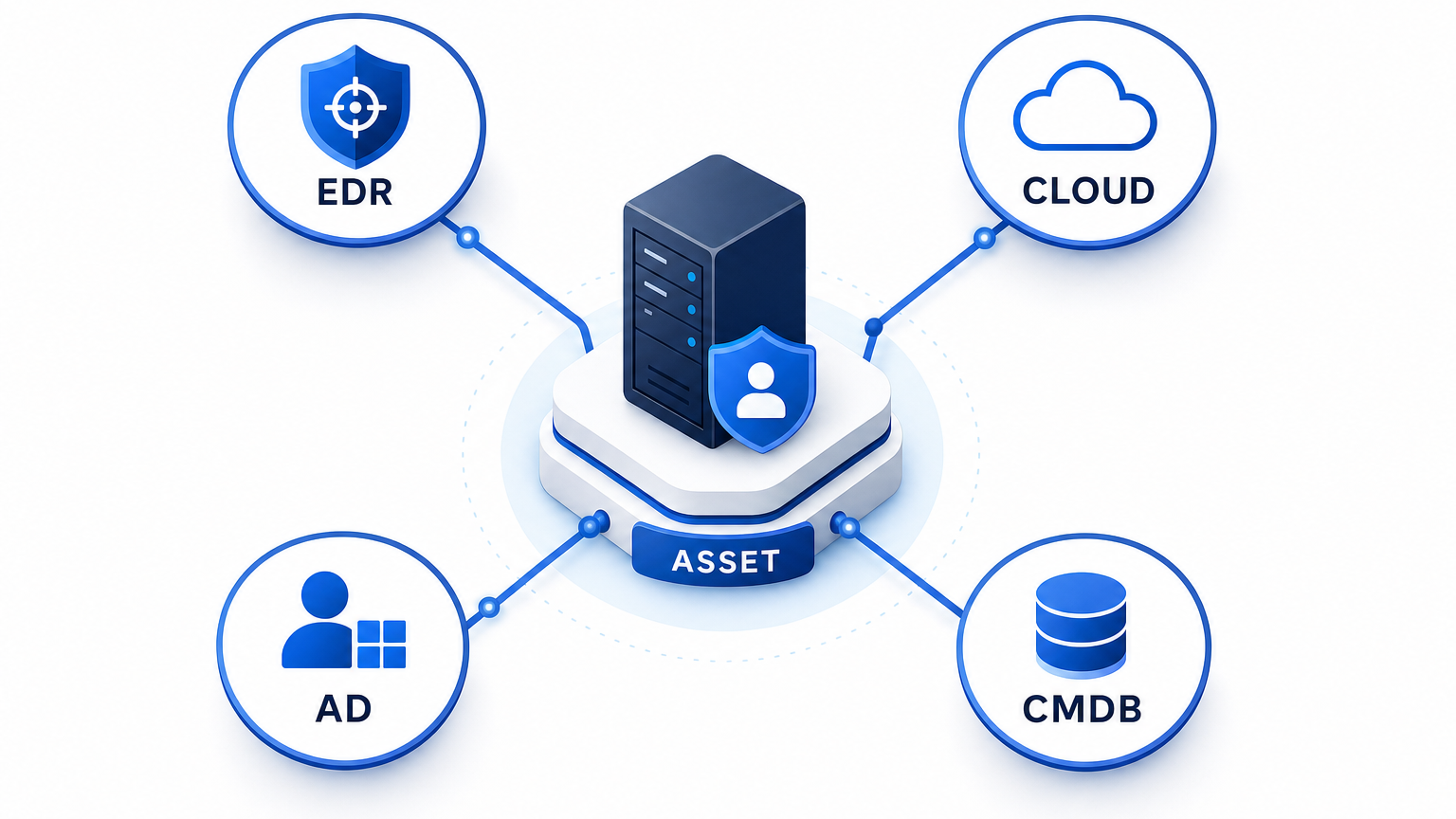
Endpoint detection and response (EDR), cloud platforms, Active Directory (AD), and the configuration management database (CMDB) collect different evidence.
An EDR record may show a device and its recent user. A cloud resource may carry a team tag or belong to a platform-managed account. An AD computer object may sit in an organizational unit maintained by a directory team. A CMDB record may name the application team that uses the asset.
Each value can be correct within its own scope — the trouble starts when a team treats those values as interchangeable.
Complete visibility across the technology stack fell to 43% in 2025, down from 47% the year before, according to Flexera’s 2025 State of ITAM Report. Fragmented ownership records are one direct symptom of that visibility gap.
Consider an illustrative cloud server supporting a customer portal. The cloud platform team administers its account. An infrastructure team maintains the server, while the application team owns the portal. An engineer who recently investigated a fault may appear as the last user.
The platform administrator can answer account questions. The application team can assess the service impact of a proposed outage. The recent user may have neither responsibility.
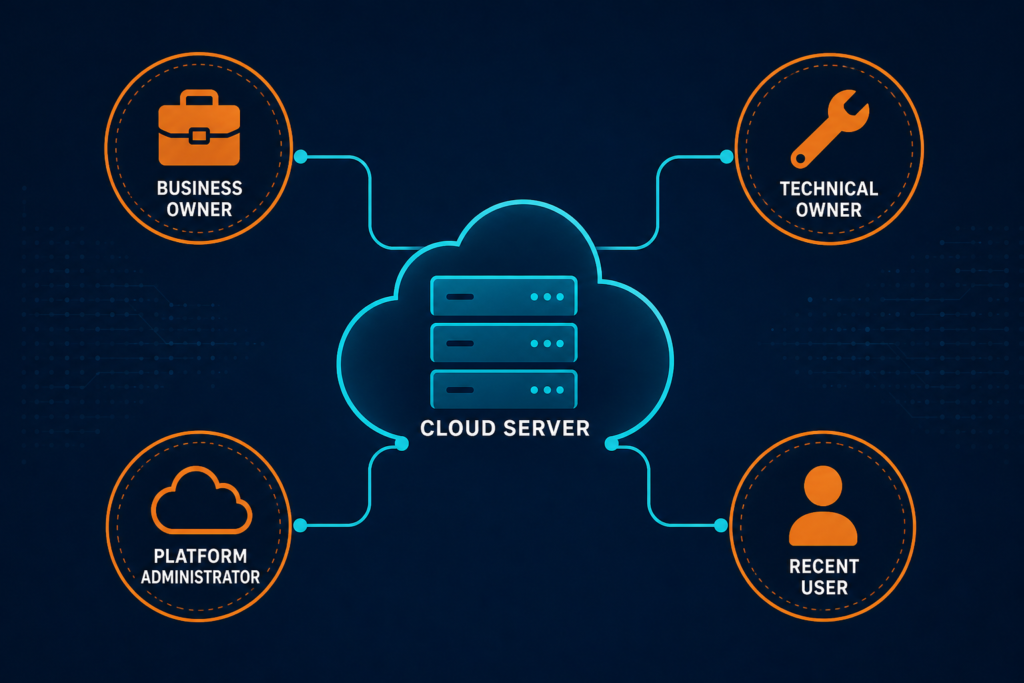
Why can one asset have several valid owners?
An asset can have several valid owners because business accountability, technical maintenance, and platform administration are separate responsibilities. Shared infrastructure may also support more than one business service. Record each applicable role separately, then define who decides when a request crosses those responsibilities.
Virima’s Trusted Runtime Truth approach brings discovery-sourced asset information together with relationships and recorded ownership. It helps teams examine what exists, how it connects, what changed, and what may be affected by a change. For a closer look at how discovery data feeds CMDB accuracy over time, see ServiceNow CMDB Accuracy: Why Native Discovery Falls Short at Scale.
Define ownership roles before comparing records
Start with the decisions teams need to make about an asset. Then define the responsibilities that support those decisions.
A practical ownership model can include these roles:
- Business owner: Accountable for the asset’s business purpose and related decisions.
- Technical owner: Responsible for maintaining the asset’s configuration and operation.
- Platform owner: Administers the hosting account, subscription, or shared platform.
- Assigned user: Holds or uses a device when individual assignment applies.
- Record steward: Coordinates corrections and unresolved ownership conflicts.
One person or team may hold more than one role. Shared infrastructure can also support multiple services with different business owners. Record those relationships rather than forcing each service into one generic field.
Define the decision boundary for each role. A technical owner may assess a maintenance window, while a business owner approves the service interruption. A record steward coordinates missing evidence and directs unresolved questions to the appropriate team.
Use a monitored team queue or maintained directory group as an operational contact. Add a named contact when individual accountability is required. Review the contact route when a team reorganizes or an employee leaves.
A filled field alone does not establish acceptance. Ask the listed team to confirm that it owns the defined responsibility. Record the confirmation date and the evidence used to reach the decision.
Match the asset before selecting an owner
Ownership reconciliation starts by identifying records that describe the same asset. An accurate owner attached to the wrong server can still misroute a request.
Choose identifiers that fit the asset class. A verified hardware serial number can support a physical-device match. For cloud instances, use the provider’s instance ID with account and region context. Keep each source’s record identifier so reviewers can trace the evidence.
Hostnames help analysts investigate potential matches. They should not serve as durable join keys on their own. Names can change or be reused, while IP addresses can move between assets.
When stronger evidence is unavailable, keep the records as candidates for review. An AD object and an EDR device may share a hostname without representing the same current device.
Give each match a visible outcome:
- Confirmed: Reliable identifiers and supporting context agree.
- Needs review: Available evidence suggests a match but leaves uncertainty.
- Separate: The evidence indicates different assets or distinct lifecycle records.
Do not merge candidates solely to reduce the duplicate count. A false merge can attach one team’s responsibility to another team’s asset. Virima’s CMDB reconciliation capabilities bring configuration item data together from multiple discovery sources.
What should teams do with an uncertain asset match?
An uncertain asset match should remain a review candidate until stronger evidence is available. Keep the source identifiers and observations for both records, including their most recent observation dates. A reviewer can compare lifecycle dates, account context, and serial numbers before copying ownership.
Choose authority across EDR, cloud, AD, and CMDB
Once the asset records match, decide which source can support each ownership role. A source that identifies a device may not establish its business owner.
The following table offers a starting point. Adjust it to the organization’s policies and the quality of its records.
| Ownership field | Starting evidence | Review before accepting |
|---|---|---|
| Business owner | Service catalog or approved application register | Confirm that the team accepts accountability for the service. |
| Technical owner | Approved support group or operations record | Confirm that the group maintains the asset. |
| Cloud platform owner | Account or subscription administration record | Separate platform administration from application ownership. |
| Assigned user | Device assignment record, supported by endpoint data | Check whether the person is a custodian or recent user. |
| Record steward | CMDB or IT asset management governance record | Confirm who resolves missing or conflicting fields. |
Cloud asset ownership often starts with a tag, but validate what it actually tracks before treating it as the owner field — a tag named owner may identify a project, an individual, or a billing contact rather than an operational owner.
An organizational unit may show who administers an object rather than who owns the asset. Review the group’s purpose before using it as an ownership source.
Keep the source value even when it does not determine the final assignment. A reviewer can then understand why a candidate was considered and identify corrections needed upstream. Teams still define ownership roles and review procedures for their environment.
Resolve conflicting owner assignments
A source hierarchy needs an exception path. The newest value can be wrong, while an older assignment can remain valid.
Document the decision rule for each ownership field:
- Identify the approved sources for that responsibility.
- Define the evidence needed to accept a candidate.
- Set the review interval for the asset class.
- Name the team that resolves disagreements.
Consider a server maintained by the infrastructure team, where a cloud tag names the application team as owner. Check whether the tag refers to the service or the server, then record application ownership separately from server maintenance — ask both teams to confirm their responsibilities and log the responses.
If both teams reject technical responsibility, mark the assignment as disputed, send the asset identifier and source evidence to the designated governance owner, and keep the disputed status visible to teams that rely on the record. Give any temporary fallback contact an escalation date and an accountable decision maker so review doesn’t stall. For service management handoffs, review the available ITSM integration options and confirm which fields apply. For a deeper walkthrough of blast-radius visibility during change windows, see blog post on change management and blast radius visibility.
Review ownership when assets change hands
Ownership can change when an asset moves between teams, services, or environments, and periodic reviews can miss transfers between confirmation cycles. Trigger a review when a service changes hands, a cloud account moves, or a support group is retired — include ownership checks during onboarding and decommissioning, and record who requested the change and who accepted the new responsibility.
If the business or technical owner is unknown during onboarding, assign a temporary steward with a route to the team that can confirm the assignment, and set a review date so the temporary assignment does not become permanent by default. Retain ownership history according to policy, and confirm the lifecycle decision with the responsible teams before closing an asset record.
Track asset evidence and ownership confirmation separately. A recently confirmed owner can still be attached to an asset last observed outside the expected discovery cycle — likewise, a recent scan alone does not confirm that the listed owner has accepted responsibility; always pursue explicit confirmation from the named team.
For federal civilian agencies within its scope, CISA’s asset visibility directive requires asset discovery every seven days and vulnerability enumeration initiated every 14 days across discovered assets, excluding ephemeral assets.
Organizations outside that scope should set schedules according to their own risks and obligations. Discovery cadence provides asset evidence, while ownership confirmation requires a separate decision. For more on preparing ownership records before an audit, see The Impact of GDPR on IT Asset Management.
Measure confirmed ownership
A populated owner field only shows that a value exists, not that the team accepts responsibility or can act.
Track a small set of measures by asset class and ownership role:
- Confirmed ownership coverage: Assets with an accepted owner, divided by assets requiring that role.
- Disputed ownership: Assets with competing assignments that remain unresolved.
- Expired confirmation: Assignments past their agreed review date.
- Time to resolution: Time from opening an exception to an accepted decision.
- Match confidence: Assets awaiting confirmation across source records.
Define the denominator for each measure. A shared network device, a user laptop, and a short-lived cloud instance may require different fields. Document which roles apply to each class before comparing coverage.
Sample confirmed assignments with the listed teams. Ask whether the team still owns the responsibility and whether the contact route reaches someone who can act. Return rejected assignments to the exception queue, even when the field remains populated.
Repeated disputes within one account may indicate an unclear cloud-tag policy. Failures after staff departures may indicate dependence on individual names.
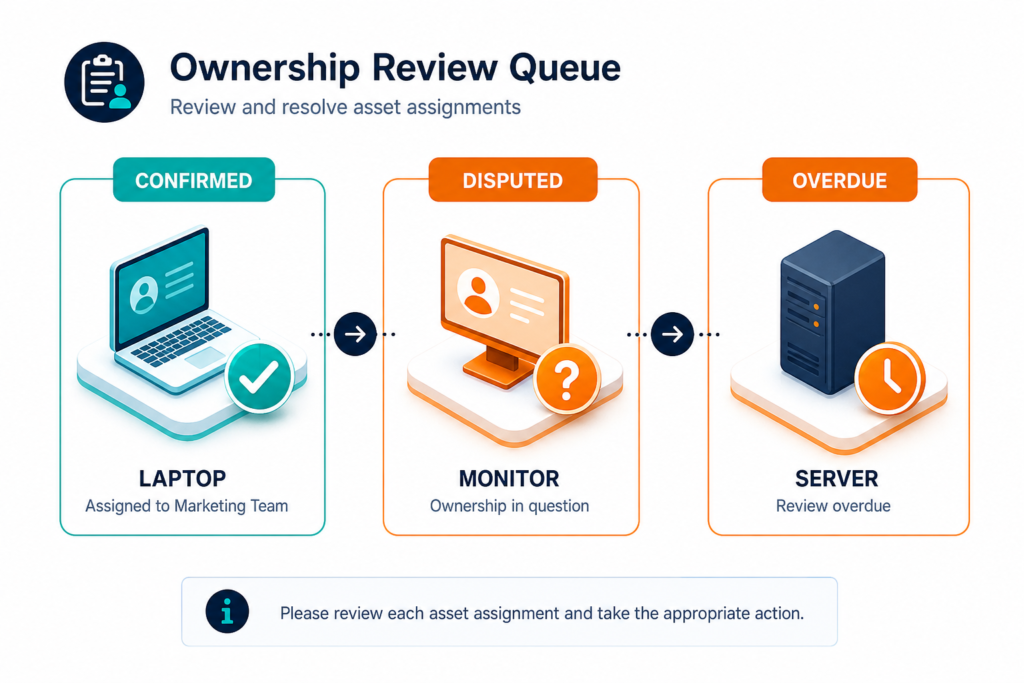
How should teams assess asset owner accuracy?
Teams can assess asset owner accuracy by asking listed owners to confirm a sample of assignments. Record accepted, rejected, and unresponsive results separately for each review period. Investigate whether rejected assignments cluster around a particular asset class, support group, or source policy.
Connect ownership to service decisions
An ownership record becomes useful when teams can apply it to a decision. The service desk needs a route for requests. A change manager needs to identify teams affected by a maintenance window.
Link assets to relevant configuration items and services where those relationships are known. Check that each ownership role aligns with the decision. A technical owner can assess maintenance work, while a service owner can assess the proposed interruption.
The NIST Cybersecurity Framework calls for maintained inventories of hardware, software, services, and systems. It also calls for managing assets throughout their life cycles. Ownership records help teams assign responsibility for those activities, but a framework citation does not validate an individual assignment.
Virima discovers infrastructure through scheduled discovery cycles and supports relationships between configuration items. Teams provide service definitions, and ViVID™ — Virima’s service map feature — builds ViVID™ service maps from those inputs. Review those relationships alongside ownership information available in the deployment.
ServiceNow and Jira Service Management can use asset information within their service management workflows. Confirm the available fields for your deployment.
Put an ownership review into operation
Start with one asset class and a decision that regularly stalls. A cloud-server team can compare instance records with CMDB and support assignments.
Agree on the required roles before importing candidate values. Match records with suitable identifiers, then review conflicts with the responsible teams. Record accepted assignments with their supporting evidence and confirmation dates.
Use the exception queue to find source policies that need correction. A recurring dispute may require a clearer tag definition or an updated support-group record. Assign an owner to each correction and set a review date.
Expand to other asset classes after the first workflow has a steward and escalation path. Keep the rules specific to the asset class and the decisions it supports.
Frequently Asked Questions
Who should own an IT asset?
The answer depends on the responsibility being assigned. A business owner may be accountable for the asset’s purpose, while a technical owner maintains it. Shared platforms can also have a separate account owner. Define each role and confirm that the listed team accepts it.
Can the last logged-in user be the asset owner?
The last logged-in user can provide a lead for an assigned device. That person may also be an administrator or a temporary user. Confirm the assignment through the device or ownership process before recording the person as the owner.
How should teams resolve conflicting cloud and CMDB owners?
First, confirm that both records describe the same asset. Then determine whether the values refer to the same responsibility. If the conflict remains, route it to the designated steward. Keep the assignment disputed until an accountable team accepts it.
How can Virima support asset ownership reconciliation?
Virima supports discovery, multi-source CMDB reconciliation, and configuration item relationships. These capabilities provide asset evidence for ownership reviews. Teams still need to define owner roles, validate source values, and resolve disputes through their governance process.
Can Virima show which services depend on an owned asset?
Virima supports configuration item relationships and service maps through ViVID™. Teams first provide the service definitions used to build those maps. They can then review recorded asset relationships alongside the service and ownership information available in their deployment.