ITOM for Logistics: Why Shipment Systems Stall When Dashboards Are Green

In October 2026, a technology outage slowed freight operations at CSX. According to News4Jax, crew calling required manual work and interchange with other major railroads was interrupted; train dispatching and positive train control stayed functional throughout. CSX’s security team ruled out a cyberattack while technology teams worked to restore service.
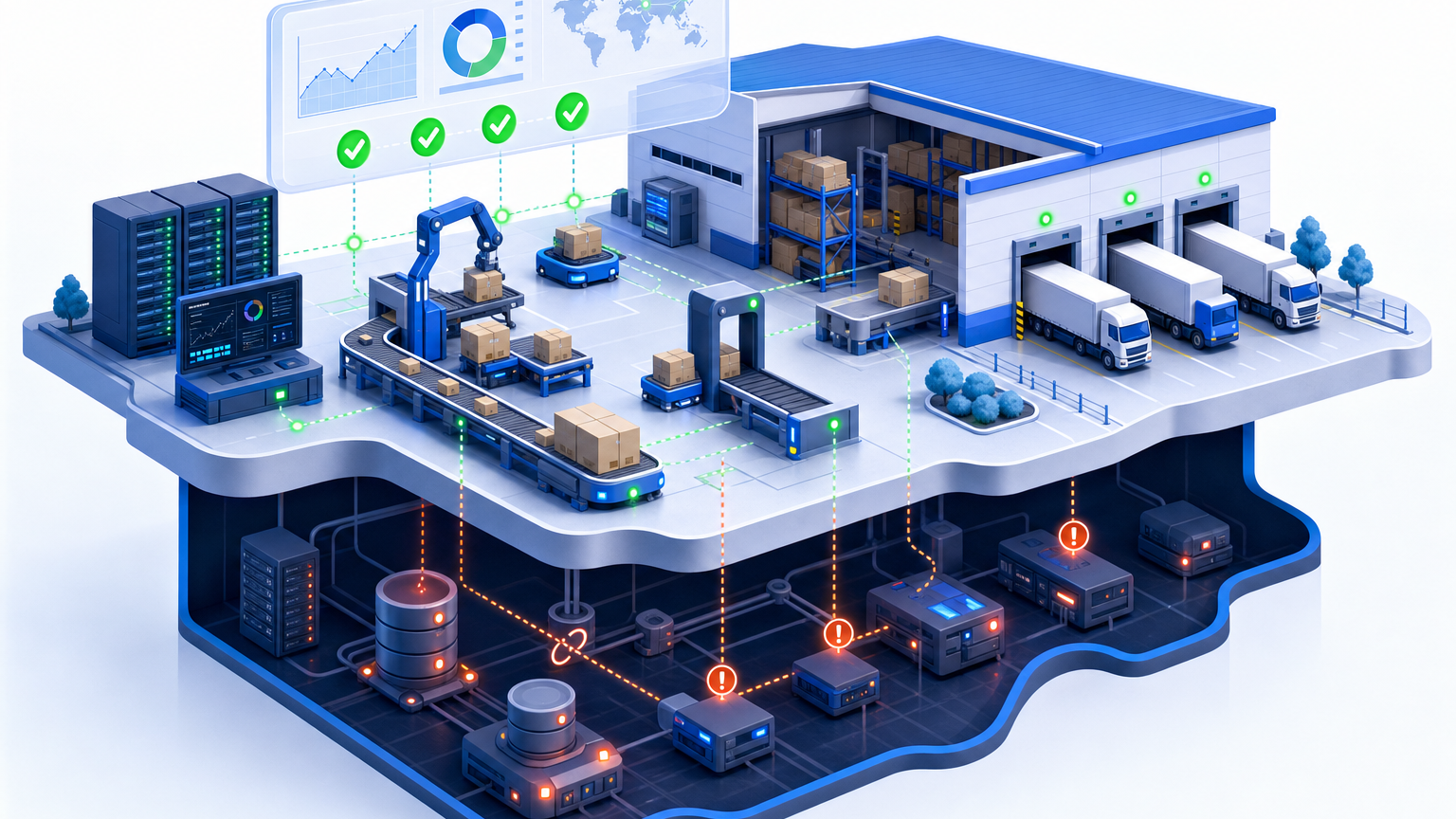
One healthy system masked several stalled ones. For logistics teams, the lesson is practical: a green dashboard may leave shipment dependencies out of view. ITOM for logistics monitors, maintains, and connects the infrastructure behind shipment workflows, including order processing, labeling, dispatch, and carrier handoffs, so a stalled dependency doesn’t hide behind a healthy status check.
What is ITOM for logistics, and what does it cover?
IT operations management, or ITOM, covers the work of managing infrastructure capacity, performance, and availability. IBM’s ITOM definition includes computing, networking, and application resources across on-premises and cloud environments.
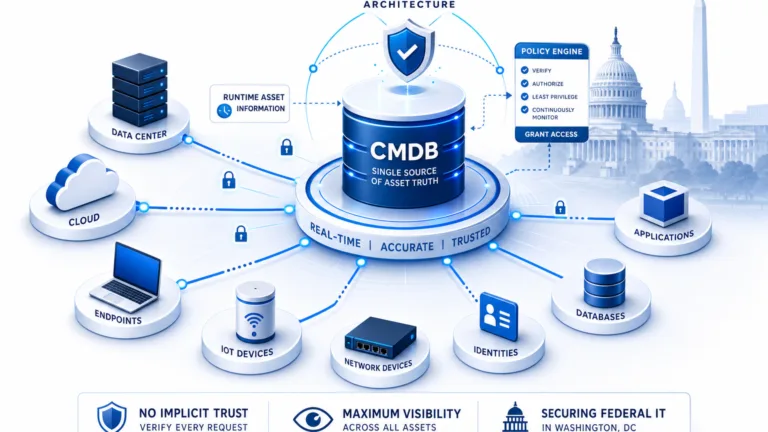
Applied to logistics, that discipline becomes logistics IT operations management: shipment system monitoring across the applications and infrastructure that order processing, warehouse picking, label creation, dispatch, and carrier communication depend on. ITOM teams monitor the technology, respond to incidents, manage changes, and coordinate recovery when a service is impaired. ITOM is the practice; the CMDB is the system of record it draws on.
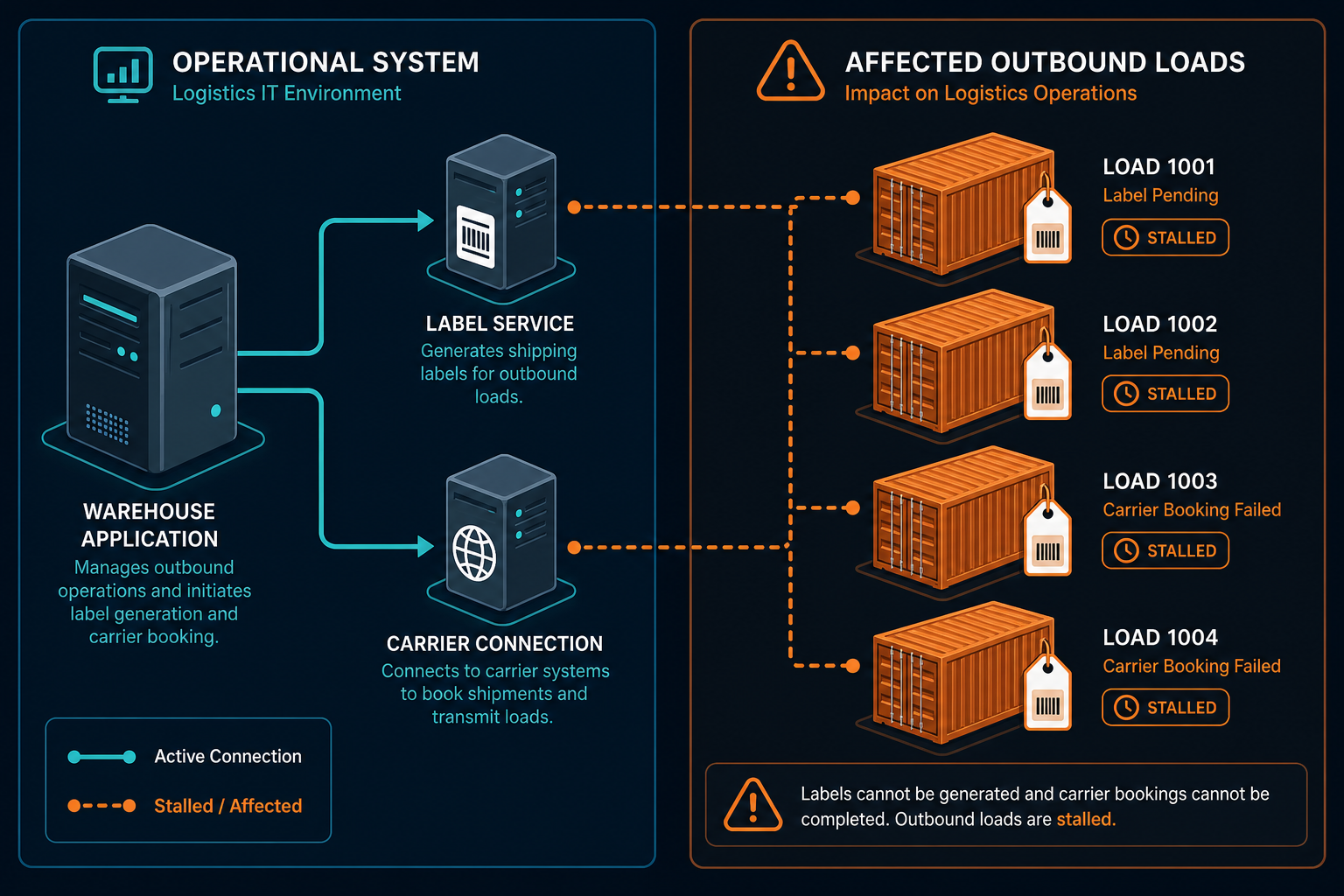
Consider a transportation management system that remains accessible while its carrier connection fails. Dispatchers may still open the application, but bookings or shipment updates can remain incomplete. The business impact depends on the handoff that failed and the work waiting behind it.
Partial failures look like healthy systems
A green status for a core application answers a limited question: whether the monitored component meets its configured checks. But it may not tell the operations team whether a shipment can complete its next step.
| Failure | What monitoring may show | What operations experiences |
|---|---|---|
| Label service fails while the warehouse system remains available | The warehouse application responds | Completed orders wait for shipping labels |
| A carrier connection stalls while the transportation system remains available | The transportation application responds | Bookings or status updates are delayed |
| An identity service prevents scanner sign-in | Core warehouse applications respond | Picking or receiving work stops at affected sites |
| A shared database slows two applications | A database alert identifies high load | Different teams report separate service symptoms |
These examples are illustrative. The checks, dependencies, and business effects vary by environment.
Why ITOM matters when shipments are already moving
A shipment depends on more than the application visible to a dispatcher. It may also rely on identity services, databases, network links, and exchanges with external partners. When one of those dependencies fails, an IT team needs to determine which services use it and who can help. Without that context, the first part of an incident can become a search for owners and affected sites.
A 2025 Congressional Research Service report notes that a cyberattack effectively shut down a large freight forwarder for three weeks in 2022. The incident illustrates how a technology disruption can interrupt freight operations over an extended period.
Four gaps between an alert and a shipment
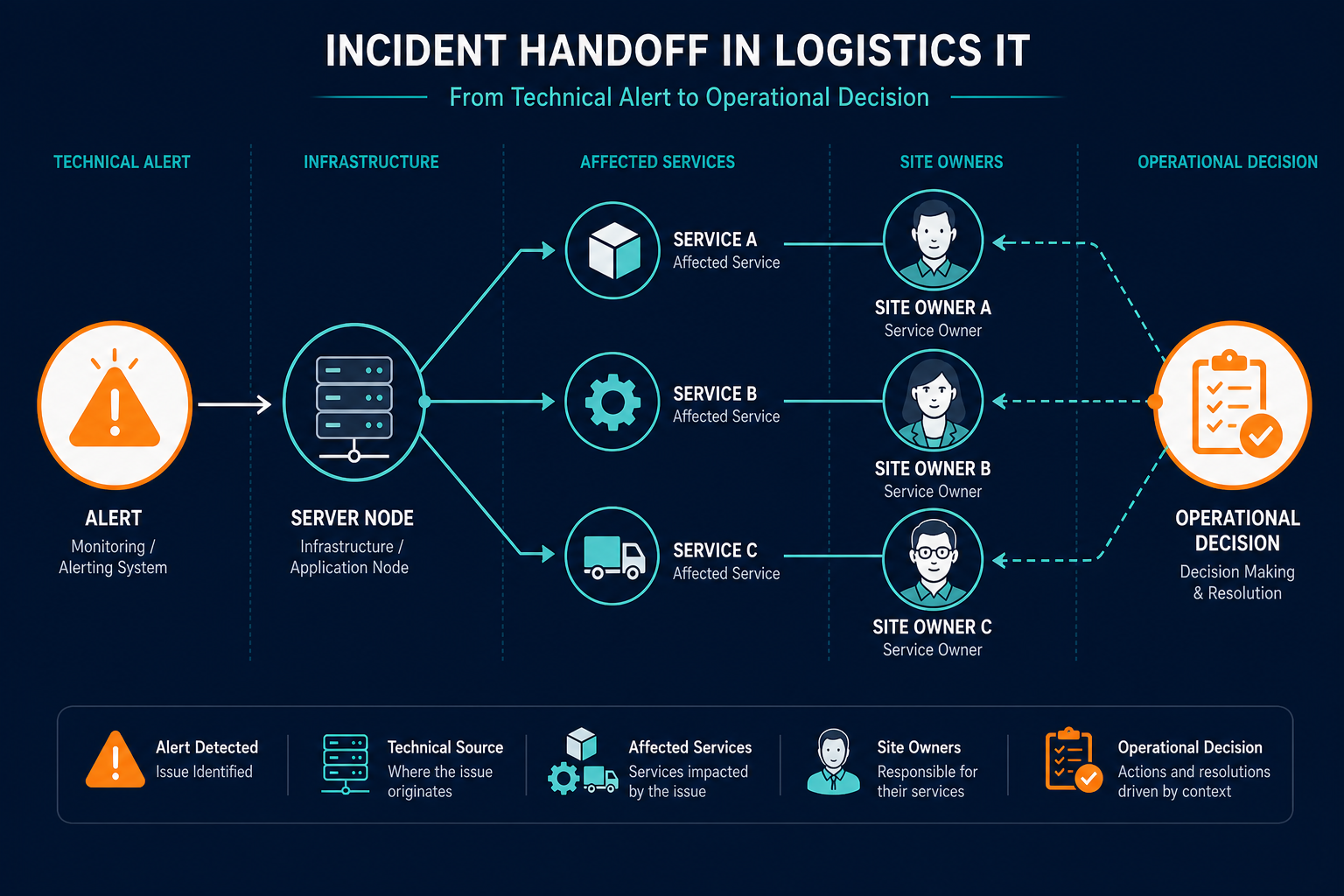
- The alert identifies a component. A server alert can name the affected infrastructure without identifying the shipment services that depend on it, so the incident team still has to establish which operations may be affected.
- Monitoring checks the core application. A separate identity, label, or partner connection may fail while the main application responds, so an available application can coexist with stalled work.
- A change is reviewed without dependency context. A routine database change may affect several services sharing the same infrastructure, and the change team may miss a dispatch or invoicing dependency.
- Ownership is unclear across teams. Transportation, site operations, infrastructure, and external partners may each hold part of the answer, so the bridge call begins with identifying the right contacts.
What do shipment system outages cost the business?
For operations and supply chain leaders
Delayed handoffs can create queues after the original fault is corrected. Teams may need to reconcile orders and verify shipment status before normal processing resumes.
During the CSX outage, limited interchange continued with certain partners using their paperwork and processes. Logistics leaders need to identify affected sites and communicate verified impacts to carriers and customers.
For IT operations managers
An incident consumes time beyond technical repair. Uptime Institute’s analysis put the cost of a major outage well into six figures for most respondents, driven largely by the hours staff spend finding owners and identifying dependent services rather than fixing the fault itself.
For finance and the wider industry
Outage costs can include staff time, delayed work, and contractual consequences. Uptime Institute reported that fiber and connectivity incidents were rising among publicly reported outages, and found those incidents were more likely to cause extended disruption.
How ITOM keeps shipment systems running
ITOM supports shipment system monitoring, incident response, change control, and recovery planning. Configuration and dependency records give those activities a shared view of the technology behind a service.
1. Identify the dependencies behind each service
Start with a business service that matters to operations, such as outbound dispatch. Identify the applications and infrastructure required to deliver it, including known external handoffs.
Scheduled discovery can populate configuration item records for reachable systems. A configuration item, or CI, is a component managed in the configuration management database, or CMDB.
Discovery coverage depends on access, configuration, and supported methods. Teams should document gaps, including partner-managed systems that cannot be scanned. Agent-based vs. agentless discovery: which is best for your business?
2. Connect an alert to a service
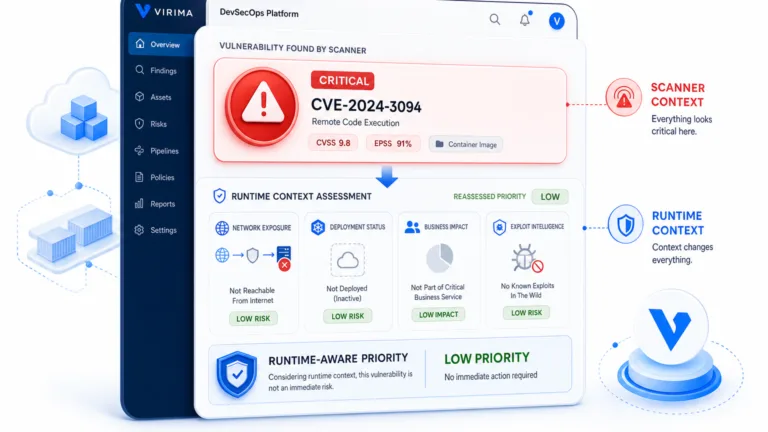
The monitoring tool identifies an event or abnormal condition. The incident team can then use a discovery-fed record and service map to assess which defined services depend on the affected component.
The connection requires suitable identifiers and integration or process configuration. An incomplete map can miss a dependency, so teams should verify important relationships with service owners.
Virima’s Trusted Runtime Truth approach brings together discovery-sourced records, relationships, change context, and ownership information. That gives teams a basis for reviewing what exists, how it connects, and what a change could affect.
3. Review dependencies before a change
Before a planned change, the change owner can inspect the services associated with the affected CI. The team can then check timing with operational owners and agree on a recovery plan.
A dependency view supports that decision; it cannot guarantee that every failure will be prevented. Its usefulness depends on the completeness and freshness of the underlying records.
| Moment | Host-level information | Service context adds |
|---|---|---|
| First alert | The affected server or component | Defined services associated with that component |
| Scoping impact | Technical symptoms and component status | Known dependencies and recorded site relationships |
| Approving a change | The component and proposed work | Dependent services to check with their owners |
| Handing off | The incident and technical details | Recorded ownership and affected service information |
ITOM for logistics examples: from the first 15 minutes to the change window
The following examples show decisions a team could make when its service definitions and relationships are maintained.
Stale tracking while dispatch runs. Customers see old status updates, but dispatch remains available. The team checks the partner-link gateway and identifies the booking service as another possible dependency. Operations verifies the impact and sends an appropriate notice.
Scanner access fails across several sites. An identity service issue prevents handheld users from signing in. The incident team checks which sites share that service and confirms the affected locations with local managers. Operations can then adjust labor and use its established fallback procedures.
A shared database is due for maintenance. Before a Friday change, the change owner sees that dispatch and invoicing depend on the database. The team agrees on a window after the relevant operational cutoff.
An incident crosses a shift change. The outgoing engineer records the affected CI, suspected service impact, and current owner.
Virima gives alerts the shipment context they lack
Virima supplies discovery and service-dependency data that logistics teams can use alongside monitoring, IT service management, and logistics applications.
The monitoring platform raises the alert. Virima provides configuration records and service relationships that can help teams assess its potential business impact. Virima does not replace the tools that monitor uptime or carry out remediation.
What the first scans add to your alerts
Virima supports agent-based, agentless, and API-based discovery for configured environments. Teams can use it to populate records for on-premises infrastructure and supported AWS and Azure resources.
For operational technology and connected devices, coverage depends on network access and compatible protocols. Teams should validate coverage during deployment rather than assume every device can be discovered.
With ViVID™ service maps, teams define the business services they want to map. Virima then builds those maps, the practical output of service dependency mapping, from those definitions and available relationship data.
A logistics team could define outbound dispatch as a service and review its supporting components. The map is only as useful as the definitions and relationships available to it.
Keeping service context current
Discovery runs on a schedule configured for the environment. A record therefore reflects the most recent successful discovery cycle and the data sources available to it.
The CMDB stores configuration and relationship information for review. Service owners and technical teams remain responsible for confirming ownership and resolving gaps in service definitions. CMDB data manager: How it simplifies managing your configuration items (CIs)
When connecting alerts to configuration records, agree on a stable identifier. A serial number or cloud instance ID can be suitable where available. A hostname alone may change or be reused.
Working with the tools you run
Virima supports connections with IT service management platforms, including ServiceNow, Jira Service Management, and Ivanti. The integrations catalog also lists event-management connections.
Available data and workflow behavior depend on the integration and its configuration. Confirm the required alert-to-CI match and handoff with the teams responsible for each tool.
From reactive bridge calls to a service-aware operations loop
A service-aware response begins before an incident. It gives the on-call team a maintained record of important services, dependencies, and contacts.
| Change | Starting point | Service-aware practice |
|---|---|---|
| Alert assessment | A component name and technical symptom | Check the component against defined services and recorded sites |
| Change review | A proposed change and a maintenance window | Review dependencies with service owners before approval |
Faster first decisions
Operations can verify shipment impact before notifying customers and partners. Monitoring and site teams help establish what is happening during the incident.
Fewer change-driven surprises
Procedural gaps during change windows are a recurring driver of human-error-related outages. Include dependency reviews in a documented change process. Blog post on reducing change-related outages with dependency mapping.
Clearer hand-offs with partners
Partner notices should identify confirmed service impacts and the next update time. Distinguish confirmed impacts from dependencies still under investigation.
Five steps to a service-aware first week
- Select five shipment services whose disruption would create significant operational work.
- List the monitoring tools and locations where their alerts reach responders.
- Review discovery coverage for supporting infrastructure and confirm responsible owners.
- Define the selected services, then test an alert-to-CI match for one monitoring tool.
- Add a dependency review to change approvals and rehearse an incident handoff.
Treat the first week as a starting point. Validate the resulting records with operations and infrastructure owners, then schedule reviews as services change.
Start with a shipment incident your team remembers
Choose a recent incident and list the shipment services it affected. Record how long the team spent identifying those services and their owners.
Compare that account with the available discovery records and service relationships. The gaps can guide your first service definitions, ownership reviews, and change checks.
Virima’s team can walk through that comparison using your environment and existing workflows. Schedule a logistics service-mapping demo and bring an incident your team knows well.
Frequently Asked Questions
What is ITOM for logistics?
ITOM for logistics covers the management of technology that supports shipment services. It includes monitoring, incident response, capacity planning, and change coordination across infrastructure supporting warehouse, dispatch, label, and carrier-connection systems.
How can logistics teams reduce shipment system outages?
Teams can review dependencies before changes, maintain service ownership, and rehearse recovery procedures. Those practices support earlier decisions and may reduce change-related disruption, although hardware and provider failures can still occur.
Why can shipment systems stall when monitoring shows green?
A core application can pass its checks while a supporting service fails. A label system, identity provider, or carrier connection may interrupt shipment work even though users can still access the main application.
How does Virima support logistics incident response?
Virima provides discovery-fed configuration records and service maps that teams can use to assess dependencies. Responders can review defined services associated with an affected component and use recorded ownership to coordinate investigation.
Can Virima send alerts or fix shipment system problems?
Monitoring tools generate the alerts, and the responsible teams or remediation tools address the fault. Virima supplies configuration and service-dependency context that can support those workflows when the relevant connections are configured. That pairing of alerts and dependency context is ITOM for logistics in practice.