How to Reduce IT Help Desk Tickets with a Self-Service Portal, Service Catalog, and Knowledge Base

Learning how to reduce IT help desk tickets starts with eliminating the routine requests that drive Tier-1 volume — password resets, software access, status checks. A self-service portal with a service catalog and knowledge base lets employees resolve these themselves, cutting inbound tickets and freeing IT staff for higher-value work. Virima 6.1.1 delivers this as a native ITSM module, with no separate system to maintain.
If you’re trying to figure out how to reduce IT help desk tickets, the data points in one direction: most inbound volume is routine, repetitive, and avoidable. Password resets. Software access requests. Printer setup. VPN configuration. These are not complex problems — but when each one arrives as an individual ticket routed to a Tier-1 agent, the cost compounds fast: time, attention, headcount, and money.
The default response is to hire more help desk agents or push technicians to work faster. Neither fixes the root cause. High ticket volume is a symptom of a support model that requires human intervention for requests that should never need it. Addressing these IT operations challenges starts with removing the bottleneck. When every employee has to file a ticket to accomplish a routine task, the result is an expensive bottleneck built into the foundation of IT operations.
An IT self-service portal solves this at the source. Instead of routing routine requests through agents, it gives employees direct access to services, knowledge articles, status updates, and automated workflows — at any time, without waiting. The result is fewer tickets, faster resolution for employees, higher-value work for IT staff, and measurable cost reduction at scale.
This article covers how IT self-service portals work, what the financial case looks like, and how Virima 6.1.1 delivers self-service within a fully integrated ITSM platform.
What Is an IT Self-Service Portal?
An IT self-service portal is an employee-facing web interface that allows users to interact with IT services without contacting the help desk directly. Rather than emailing or calling support, employees log in, browse available services, submit requests, track their own incidents, and search for answers in a knowledge base.
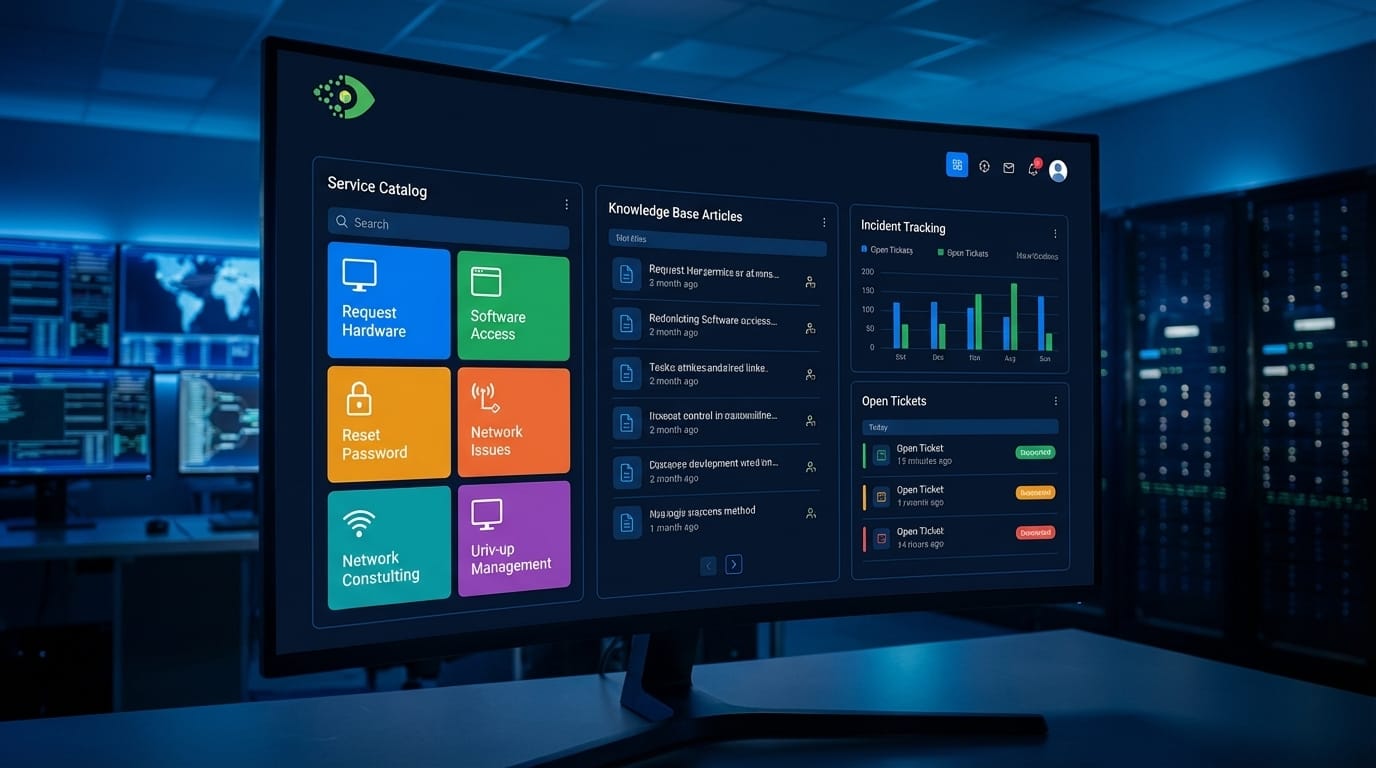
A mature IT self-service portal includes several interconnected capabilities:
- Service Catalog: A searchable directory of published IT services — software, hardware, access, and more — that employees can browse and request directly.
- Incident Tracking (My Incidents): Personal view of submitted incidents and their current resolution status, so users never need to follow up by email.
- Request Tracking (My Requests): Visibility into submitted service requests, approval status, and fulfillment progress.
- Knowledge Base: Searchable library of articles covering common issues, how-to guides, and self-resolution steps.
- Outage Notifications: Alerts about known service disruptions so users understand when an issue is already being worked on.
- Outage Reporting: The ability for users to report new outages or confirm previously reported issues, giving IT teams a faster signal on emerging problems.
The key distinction between a portal and a simple ticketing form is integration. A true IT self-service portal connects directly to ITSM workflows — so a service request does not just create a record; it triggers the correct fulfillment process automatically.
The Business Case: How Reducing IT Help Desk Tickets Pays Back
The financial argument for self-service is well established. Industry analysts consistently find that agent-handled tickets cost far more than self-resolved interactions:
- Cost per agent-handled ticket: $20–$30, depending on the organization and complexity level. Some enterprise benchmarks put this higher, particularly when factoring in escalations and SLA breaches.
- Cost per self-service interaction: Under $2 in most ITSM contexts, and effectively zero for knowledge article views that prevent ticket submission entirely.
- Deflection potential: Organizations with mature self-service programs consistently report 30–70% reductions in inbound ticket volume for Tier 1 request types.
Beyond direct cost, consider what Tier 1 staff accomplish when they spend the day processing password resets and access requests. Those are hours not spent on infrastructure projects, security investigations, or service improvements. Every ticket that self-service handles is an hour returned to higher-value work.
A 2023 Gartner analysis found that organizations with efficient self-service channels achieved a 35% increase in user satisfaction scores alongside a 25% reduction in total support costs. The math is straightforward: if your team handles 5,000 tickets per month at $22 average cost-per-ticket, deflecting 40% of those through self-service saves $44,000 per month — nearly $530,000 annually — without adding headcount.
Employee satisfaction is a secondary but meaningful benefit. Users who can reset their own password at 9 PM without waiting for a Monday morning ticket response are more productive and less frustrated. Modern employees expect self-service as a baseline, not a premium feature.
How a Service Catalog Helps Reduce IT Help Desk Tickets
The service catalog is the operational core of any IT self-service portal. It gives employees a structured, searchable menu of the services IT provides — rather than requiring them to know who to call or which category to use when submitting a generic support request.
A well-built service catalog works as follows:
- IT publishes services. Administrators define each service in the catalog — software access, hardware requests, account provisioning, VPN setup, printer configuration — and set approval rules, SLAs, fulfillment steps, and visibility per service.
- Employees browse and request. Users see only the services relevant to their role or department. They select a service, fill in the request details, and submit.
- Workflows trigger automatically. The service request routes immediately to the appropriate fulfillment team, triggers approval workflows where required, and advances through predefined stages without manual triage.
- Employees track progress. The requesting user sees real-time status updates in their portal dashboard under “My Requests.” They know where their request stands in the process without emailing the help desk for an update.
This model eliminates the category-mismatch problem common in generic ticketing: when users do not know whether their request is an incident, a service request, or a change, they pick the wrong option and waste time on re-routing. A service catalog makes the right choice obvious and the submission process self-explanatory.
Knowledge Base Integration: How to Reduce IT Help Desk Tickets Through Self-Resolution
A knowledge base connected to the self-service portal is one of the highest-ROI investments in ITSM. The mechanism is simple: when a user searches for help in the portal, relevant knowledge articles appear before — or instead of — a ticket submission form. If the article answers their question, no ticket is created.
The most effective knowledge base articles for ticket deflection target the highest-volume repeat request types:
- Password reset and account unlock procedures
- VPN installation and troubleshooting
- Printer driver setup
- Software installation guides for approved applications
- Remote access configuration
- Common error code explanations
Each article that resolves a request without escalation is a ticket that was never created which is exactly how to reduce IT help desk tickets at the volume layer, before they ever reach an agent’s queue. Organizations that maintain active knowledge bases — adding new articles based on incoming ticket patterns — see deflection rates that compound over time as the knowledge library grows.
Knowledge articles in Virima are published directly to the employee self-service portal. IT administrators write and publish articles from within the ITSM platform; no separate knowledge management system is required. Articles can be associated with specific services or categories, so they surface contextually when users browse related service catalog items.
Users can also be alerted through the portal about known issues affecting service availability. This proactive notification prevents duplicate incident submissions during major outages — a significant source of ticket volume during service disruptions.
How Virima’s Self-Service Portal Connects to ITSM
The most important architectural advantage of Virima’s Self-Service module is its direct integration with the Virima ITSM engine. There is no API bridge, no middleware layer, and no separate system to maintain. The portal and ITSM share a single data model.
For a detailed walkthrough of every module in the portal, see Virima Self-Service Portal: Features & Capabilities
This integration means:
Service requests trigger Request Fulfillment workflows automatically
When an employee submits a request through the service catalog, Virima creates a Request record and immediately triggers the appropriate Request Fulfillment workflow. Approval rules execute, tasks are assigned, and the fulfillment process begins without any manual handoff.
Incident reports create Incident Management records
When a user reports a new issue or confirms an existing outage through the portal, the record flows directly into the Incident Management workflow in Virima ITSM. Priority rules apply, the incident queue updates, and IT staff see it immediately in their dashboard.
“My Incidents” and “My Requests” are live ITSM views
The status information users see in their portal reflects the live state of their records in the ITSM system. When a technician updates an incident, the user’s portal view updates accordingly.
This tight integration eliminates a class of operational problems common in environments where the portal and ITSM are separate products: stale status data, records that do not sync correctly, and the need to maintain two systems in parallel. In Virima, the self-service portal is the front end of the ITSM platform — not a separate tool connected to it.
Automating Common Requests Through the Portal
The highest-value automation targets in IT self-service are the requests your team handles most often with the least variation. Password resets, account unlocks, and standard software provisioning top this list at most organizations.
In Virima, common IT tasks can be fully automated through the self-service portal:
Password Resets
A user initiates a password reset request through the portal. Rather than routing to a technician, the workflow triggers an automated process — identity verification, reset execution, and confirmation — without human involvement.
Account Unlocks
Account lock events trigger automated unlock workflows once the portal request is submitted and the user’s identity is confirmed through configured verification steps.
Software Requests
Standard software titles can be added to the service catalog with automated provisioning workflows. When a user requests a pre-approved application, the fulfillment workflow triggers installation or license assignment automatically, subject to any required approval gates.
Access Requests
Role-based access provisioning can be configured as a catalog service, with approval routed to the appropriate manager and access granted or revoked on approval without technician involvement.
The practical impact of IT automation at this level is significant. If your help desk handles 200 password reset tickets per month at 15 minutes each, that is 50 hours of technician time per month on a task that adds zero diagnostic value. Automating that single request type returns 50 hours monthly to higher-value work.
How to Publish Services and Knowledge Articles in Virima
Publishing to the self-service portal in Virima 6.1.1 follows an administrator-controlled workflow:
Publishing a Service to the Catalog
- Navigate to the Service Catalog administration area in Virima ITSM.
- Create a new service record, defining the name, description, category, and request form fields.
- Configure the fulfillment workflow — approval rules, assignment groups, SLAs, and task templates.
- Set visibility rules to control which user groups or departments see the service.
- Publish the service. It becomes immediately available in the employee-facing portal
Publishing a Knowledge Article
- Navigate to the Knowledge Base module in Virima.
- Create a new article with a title, category, content, and any related services or CI associations.
- Set the audience — all users, specific departments, or technician-only visibility.
- Publish. The article is immediately searchable in the self-service portal.
Administrators can also associate knowledge articles with specific incidents or request types, so Virima surfaces relevant articles automatically when users attempt to submit a new ticket in a related category. This “suggest before submit” pattern is one of the most effective deflection mechanisms available.
Self-Service Portal Metrics to Track
Deploying a self-service portal without measuring adoption and effectiveness is a missed opportunity. The metrics that matter most:
Deflection Rate
The percentage of potential tickets that result in a self-service resolution rather than an agent-handled ticket. This is the primary ROI metric. Calculate it as: (self-service resolutions / (self-service resolutions + agent-handled tickets)) x 100.
Portal Adoption Rate
The percentage of your user population that has logged into the portal and submitted at least one request through it. Low adoption indicates a training or awareness gap.
Knowledge Article Views
Total article views over a period, plus which articles are viewed most frequently. High-view articles on a topic for which tickets are still being received indicate the article needs improvement. High-view articles that correlate with low ticket volume on that topic indicate strong deflection performance.
Mean Time to Self-Resolve
For requests that complete without agent involvement, how long does the automated workflow take from submission to resolution? This metric reveals bottlenecks in automated workflows.
Service Catalog Request Volume by Service
Which services are requested most frequently? High-volume services that are not yet automated are the next automation priorities.
User Satisfaction (CSAT) on Self-Service Interactions
A simple post-interaction survey measures whether the portal is solving problems or deferring them back to the help desk through a different channel.
Tracking these metrics in Virima gives IT leaders the data to continuously improve the portal and demonstrate its value to leadership with concrete cost-avoidance figures.
Conclusion
If you’re still wondering how to reduce IT help desk tickets, start here: high ticket volume is a design problem, not a staffing problem.
When employees have no alternative to submitting a ticket, every routine request becomes an agent-handled interaction — regardless of how straightforward the resolution is. An IT self-service portal breaks this pattern by giving employees the tools to resolve common issues themselves, track their own requests, and access relevant knowledge without waiting.
Virima 6.1.1 delivers this capability as a native module within the ITSM platform. The self-service portal connects directly to Request Fulfillment and Incident Management workflows, publishes knowledge articles to employees without a separate knowledge management tool, and supports full automation for high-volume request types like password resets and software provisioning.
For IT teams under pressure to do more with existing headcount, self-service is one of the highest-leverage investments available — with measurable deflection rates, lower cost-per-ticket, and improved employee experience that compounds as the knowledge base grows.
Ready to see the Virima self-service portal in action? Schedule a Demo at Virima.
Frequently Asked Questions
Q: What’s the fastest way to reduce IT help desk tickets?
A: Start with deflection on your highest-volume request types. Password resets, account unlocks, software provisioning, hardware requests, VPN setup, and access management are routine, well-defined, and ideal for self-service. Publish them to a service catalog with automated fulfillment workflows, pair them with knowledge base articles, and most organizations see 30–70% Tier-1 volume reduction within 60 days.
Q: How long does it take to see ticket deflection improvements after deploying a self-service portal?
A: Most organizations see measurable deflection within 30–60 days of portal launch, assuming the service catalog is populated with the highest-volume request types and a core knowledge base is published at launch. For guidance on evaluating ITSM tools and their effectiveness, see our detailed breakdown. Deflection rates improve steadily as the knowledge library grows and portal adoption increases.
Q: Does Virima’s self-service portal require a separate license or system?
A: No. The Virima Self-Service module is part of the Virima ITSM platform and shares the same data model. Service requests submitted through the portal immediately trigger the corresponding ITSM workflows — no integration configuration or separate system required.
This article reflects the features and capabilities of Virima 6.1.1. For the most current product documentation, visit virima.com.