Internet-Exposed Operational Technology Devices

An exposed control interface can give outsiders a path toward equipment that supports physical operations. A security team may find a public address without knowing which facility or process depends on it.
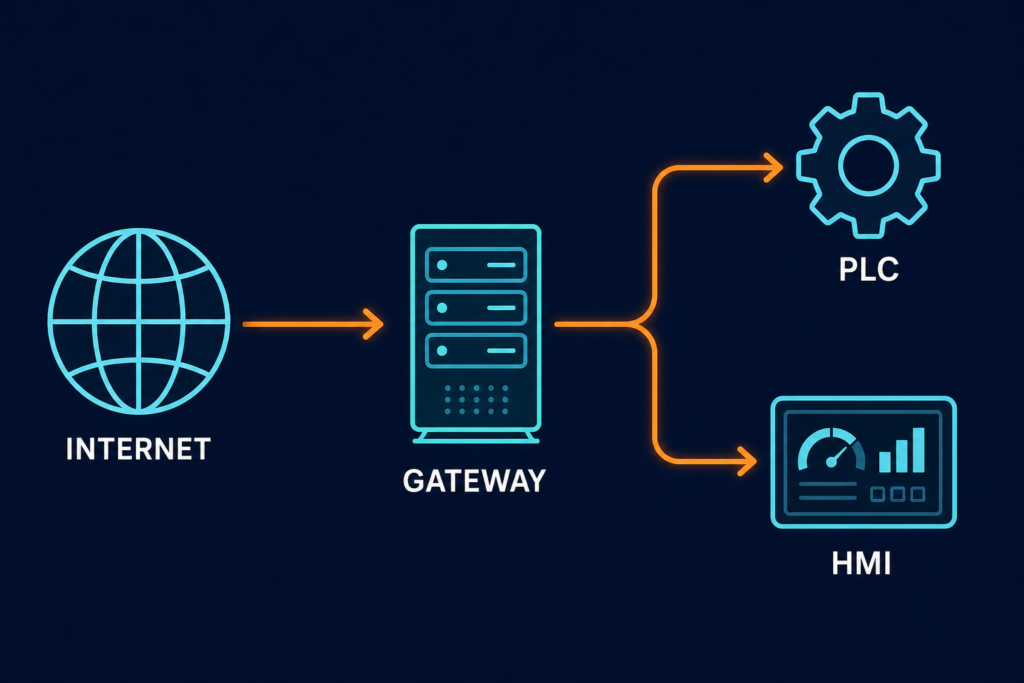
An equipment inventory can hold the opposite problem: a device record without its external access path. Investigators need both views before they can assess the exposure and coordinate a safe response. An internet-exposed operational technology device is one whose control interface — directly or through a gateway, forwarded port, or firewall rule — can be reached from outside the organization’s network.
What are internet-exposed operational technology devices?
Operational technology (OT) devices interact with physical equipment and processes. They can control machinery, collect measurements, or support building systems.
Reachability alone does not confirm compromise — it confirms only that an access path exists, which is the starting point for an investigation, not the conclusion. Its authentication, permissions, and network configuration determine what an external user can attempt.
Equipment and interfaces involved in an exposure may include:
- Programmable logic controllers — devices that execute instructions for industrial processes.
- Human-machine interfaces — applications or screens that let operators view and control equipment.
- Remote terminal units — devices that collect data or communicate with equipment at remote sites.
- Engineering workstations — computers used to configure or maintain control systems.
- Remote access gateways — systems that provide a route into an operational environment.
PLCs and HMIs are consistently the most commonly reported device types in public exposure data, which is why both appear first in most equipment inventories built for this kind of review.
A 2026 CISA advisory on exposed controllers describes malicious activity against internet-connected programmable logic controllers. The advisory recommends removing direct internet exposure and coordinating changes with equipment owners and integrators.
Can a public address identify a specific operational device?
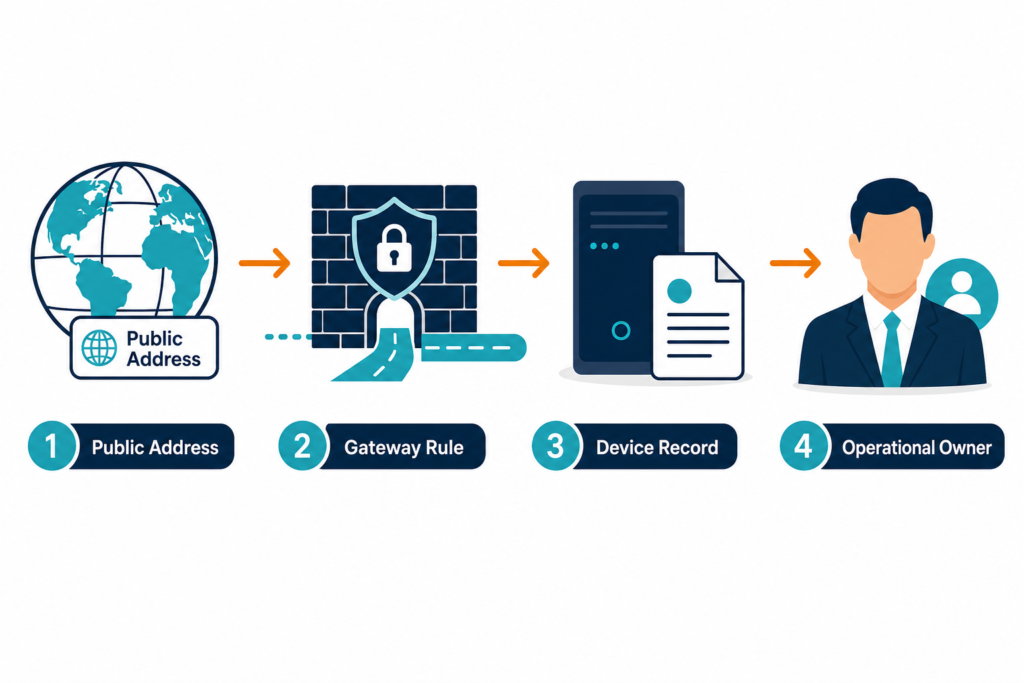
A public address alone may identify a gateway rather than a specific operational technology device. Network address translation can associate one public address with multiple internal destinations. Investigators need the relevant port, forwarding rule, and observation time to trace an individual connection.
How do exposed OT devices appear?
Some connections begin as approved support arrangements. A manufacturer may need remote access for maintenance, or an operator may monitor equipment at a distant facility.
That’s often how exposure survives past its original purpose — a supplier account outlasts a contract, or a temporary firewall exception stays open after a maintenance window. Remote-access tool sprawl is a common driver of this pattern: Claroty’s Team82 research found that most organizations run four or more remote-access tools on OT-connected devices, and a majority of those tools lack session recording or multifactor authentication.
Network configuration can create less obvious exposure. A public address may belong to a gateway, while a forwarding rule directs traffic toward a control interface. Cellular routers and provider-managed connections also deserve review when teams document access paths.
New Zealand’s national cybersecurity guidance on exposure reports that its analysis identified internet-connected operational devices in public-facing infrastructure. The guidance recommends identifying unintended connections and changing configurations to prevent insecure access.
Separate observed access from approved access
A configuration record can show that a connection exists without explaining why it exists. Reviewers should identify the business purpose, authorized users, and person responsible for the connection.
An expired approval does not automatically establish that the connection is unused — the facility owner may still rely on it for a monitoring or support function, so confirm the current dependency before removing the path.
Why does internet exposure create risk?
A public interface is a core operational technology security question, and the answer depends on what the interface exposes and which actions its users can perform.
A 2026 Bitsight analysis tracked roughly 170,000 to 200,000 internet-exposed ICS and OT devices online during 2025, a scale of industrial control system exposure large enough that most findings surface through internet-wide scanning rather than through the asset owner’s own records. That gap between discovery method and ownership awareness is why an exposure finding often arrives without a known point of contact.
A login page may reveal equipment details or invite password-guessing attempts. Security researchers tracking ICS exposure, including Dragos, consistently find that default or reused credentials — not sophisticated exploits — account for most successful unauthorized access to exposed PLCs and HMIs, which makes credential hygiene one of the highest-leverage fixes available.
The physical consequence depends on the equipment and its role. A controller may support a pump, a production line, or a building system. Operators must assess the process and existing safety controls before assigning operational impact.
Treat exposure and compromise as separate findings
A reachable service does not prove that someone has accessed it. Investigators should preserve available logs and configuration records when they see suspicious activity or unexpected equipment behavior.
Configuration history for supported infrastructure, including vulnerability data from NVD lookups, can add context for equipment owners. blog post on NVD vulnerability data and CMDB records
A security finding may describe a public address and port without identifying the operator. That gap can delay a decision when the team needs to restrict access or investigate an incident.
What evidence can help investigate a suspicious control interface?
A suspicious operational technology interface may require access logs, gateway records, and device configuration history. Investigators should preserve timestamps and account activity before making changes that could overwrite evidence. Equipment owners can help interpret process behavior alongside the available security records.
Build an inventory that supports investigation
An exposure finding becomes more useful when an investigator can connect it to a specific asset. Existing facility inventories, network records, and support agreements provide starting points.
For each relevant device or access point, record:
- The device type, manufacturer, model, and serial number when available.
- Its facility, physical location, and operational purpose.
- The equipment owner and the appropriate support contact.
- Its internal address and known external access path.
- The associated gateway, forwarding rule, or remote access service.
- The source and date of each observation.
- The approval, business purpose, and review date for access.
- The remediation decision and the person responsible for it.
A public IP address can change or represent several devices. Use a stable identifier, such as a serial number, when available. Keep the address and port as attributes of the observed connection.
When sources disagree, retain the conflicting evidence until an owner verifies the path. A facility diagram may show an old gateway, while a current firewall rule points elsewhere.
Record what remains unknown
An inventory does not need to hide uncertainty. Mark an owner, destination, or connection purpose as unknown when the available evidence does not establish it.
Assign each gap to a named investigator and set a review date. The next reviewer can then distinguish an unresolved question from a confirmed absence.
Virima’s Trusted Runtime Truth approach connects records about supported infrastructure, relationships, changes, potential impact, and ownership. Security teams can use those records alongside separately sourced exposure findings. That same practice of recording ownership, purpose, and configuration history applies equally to supported IT infrastructure. Before You Run AI Agents on ServiceNow, Answer These 5 Questions About Your CMDB
Identify exposure without disrupting operations
The asset owner, security team, and equipment specialists should agree on the investigation scope before testing. They should also establish which collection methods are safe for the equipment.
Start with records that already exist. Public address assignments, firewall rules, remote access configurations, and supplier documentation can reveal possible paths.
External exposure reports can provide additional leads. Confirm that the address belongs to the organization and determine where the observed connection terminates. Shared infrastructure and network address translation can complicate attribution.
Agree on safe validation methods
OT remote access security often comes down to validation discipline: some control devices are sensitive to unexpected traffic, and a technique suitable for a general-purpose server may be inappropriate for production equipment.
Avoid sending control commands during routine exposure verification. Equipment owners should approve any active testing, its timing, and the method used. A test environment or maintenance window may be appropriate when further validation is necessary.
Record the limits of each observation. A report may show that a port responded at a particular time without establishing who could authenticate. The team should investigate those unanswered questions before treating a preliminary finding as a complete assessment.
What should an exposure verification plan include?
An operational technology exposure verification plan should name the authorized tester and the approved time window. It should also define a stop condition and a contact who can observe equipment behavior. These details give the team a way to halt testing if the process behaves unexpectedly.
Prioritize findings by access and operational consequence
A list of public addresses does not establish which findings need attention first. Review the access path together with the equipment’s operational role.
Start by identifying the reachable interface. It may offer a login page, a management function, or a route toward a control system. Establish whether authentication is required and what permissions an authenticated user receives.
Then ask the equipment owner what the connected system supports. A device associated with a safety-sensitive process may require a different response from a gateway used for noncritical monitoring.
Questions for the first review
Use these questions to assign investigation and remediation work:
- Where does the external connection terminate?
- Is the access approved and still required?
- Who can authenticate, and what can they change?
- Which facility or process depends on the equipment?
- What could happen if the connection is removed?
- Is there evidence of suspicious activity or unexpected behavior?
An unknown owner can itself justify prompt investigation. Security staff can preserve evidence while facility personnel identify the equipment and assess safe options.
A review may also uncover an approved connection with broader access than its support contract requires. In that case, the owner can narrow the permitted users and privileges through a controlled change.
Reduce exposure through a controlled change
CISA recommends removing operational equipment connections from the public internet. When remote access remains necessary, its guidance recommends a private connection and stronger access controls.
Before changing the path, confirm the systems and people that depend on it. An unplanned firewall change could interrupt legitimate monitoring or supplier support.
Document the proposed change, its expected effect, and its maintenance window. Identify who will validate the result and who can authorize rollback.
A remediation plan can include the following actions:
- Remove unnecessary access — retire a connection or forwarding rule after its owner confirms it is unused.
- Restrict necessary access — limit access to approved users, destinations, and duties.
- Strengthen authentication — replace default credentials and use phishing-resistant multifactor authentication where supported.
- Review accounts — disable dormant access and assign an owner and expiration date to supplier accounts.
- Separate network zones — use approved boundaries to limit paths toward operational equipment.
- Prepare for disruption — verify backups and manual operating arrangements with the responsible operators.
Older equipment may not support modern authentication or rapid updates. Its owner may need controls around the device, including restricted network access and a governed gateway.
Validate the result
After the change, use the agreed safe method to check the original exposure. Also confirm that authorized monitoring and support functions still work.
Record the change date, validation evidence, and responsible owner. If the result differs from the approved plan, reopen the finding and agree on the next action.
Keep exposure records current
A closed finding can return after a supplier restores an older configuration. A replacement device can also inherit an access rule created for its predecessor.
Schedule reviews around equipment replacement, supplier access changes, and network modifications. Assign an accountable owner to compare approved access with current configurations.
A useful change record identifies the destination, authorized users, required privileges, and approval date, and when the connection should be reviewed again. That discipline often ties back to CMDB relationships for supported infrastructure. ITIL Change Management and CMDB Accuracy: Why One Depends on the Other
Historical observations help investigators distinguish a recurring issue from a new one. Record what the team observed, when it observed it, and whether the prior remediation was validated.
If a public address changes, compare the gateway and destination records before opening a separate asset record. The connection may have changed while the underlying equipment remained the same.
Connect exposure findings to infrastructure records
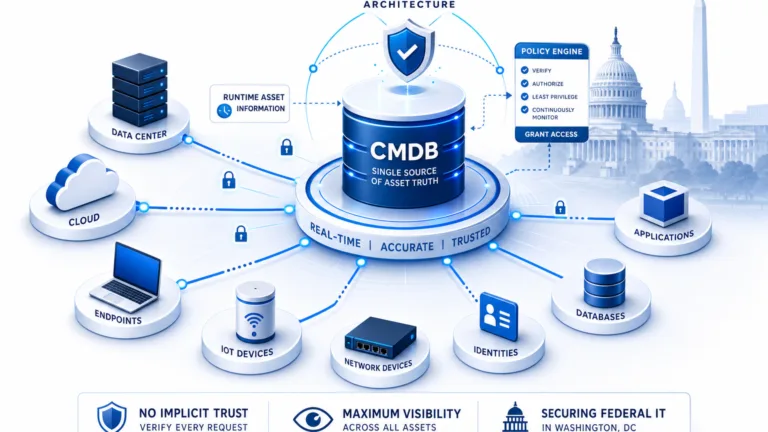
Security teams need an owner and a change path when an exposure finding affects operational equipment. Infrastructure records help close that gap when internet-exposed operational technology devices show up in a finding.
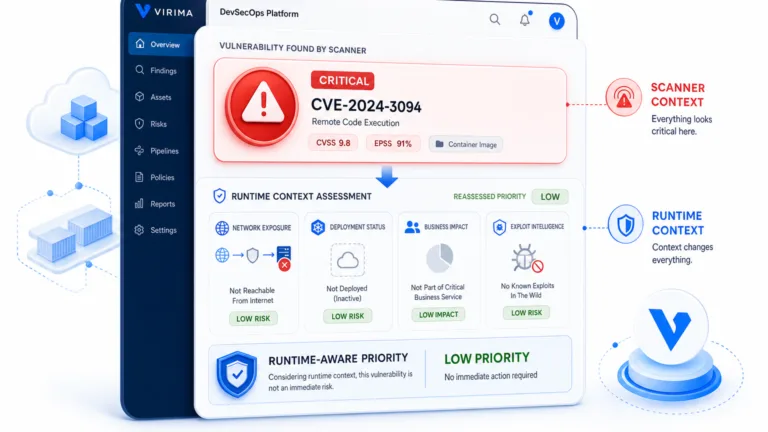
Virima provides discovery and configuration management for supported infrastructure. Its asset records and relationships — including ViVID™ service maps that show which supported IT systems and business services sit downstream of a given gateway or access point — can support investigation and change coordination alongside the organization’s exposure findings.
Schedule a security demo to see how Virima’s CMDB links a gateway record to its owner in your environment.
Frequently Asked Questions
What makes an operational technology device internet-exposed?
A device is internet-exposed when an external party can reach an associated interface or service. The connection may pass through a public address, forwarded port, gateway, or another intermediary. Authentication and permissions determine what an external party can attempt.
Should exposed operational equipment be disconnected immediately?
Urgent protective action may be necessary when suspicious activity is present. Equipment owners and incident responders should assess a safe approach because a network change can interrupt operations. Follow incident procedures and preserve relevant evidence.
How can teams identify the owner of an exposed device?
Start with public address assignments and trace the connection through gateway or firewall records. Compare the destination with equipment inventories, site diagrams, and supplier documentation. Confirm the result with the facility owner before changing access.
How can Virima support an exposure investigation?
Virima helps teams maintain records and relationships for supported infrastructure. Investigators can review those records alongside exposure findings from their approved sources. Equipment owners should confirm operational dependencies and authorize testing or remediation.
What does Virima’s infrastructure record show that a manual spreadsheet inventory doesn’t?
Virima maintains continuously updated configuration item records and relationships, including change history, rather than a point-in-time list. Teams can compare current state against a manual inventory to see what has changed since the last update, and use that history alongside exposure findings during an investigation.